
Quick Answer
Start with lead intake or invoice follow-up in the apps you already use. Confirm the required trigger and action, define stable event IDs and destination evidence, and test normal, duplicate and missing-field cases. Keep payment allocation separate from provider payout and bank availability.
Start With Lead Intake and Invoice Follow-up#
The most useful Zapier workflows for freelancers capture inquiries, move signed work into onboarding, keep invoice follow-up accurate and surface payment exceptions. Pick one repeated handoff, define the expected record and assign a person to clear failures. Add workflows when the first one is easy to verify.
A missed lead and a duplicate invoice need different controls. Lead intake needs consistent fields and a timely response; billing needs current invoice balances, stable references and recoverable updates. Choose the workflow that addresses your actual bottleneck.
Keep a small change record with trigger and action names, field mappings, connection owner and recovery steps. Test with safe sample records or supported test environments before enabling live effects. A test action can create a real record or send a message, so choose test destinations deliberately.
This guide covers a first-build scorecard, five workflow recipes, platform selection and a staged rollout.
Save the previous configuration and a changelog so a later mapping change can be traced. Reverting a workflow does not undo records or messages already created; record any compensating action separately.
We covered the CRM side in detail in The Best CRMs for Freelancers to Manage Client Relationships.
Who this list is for and how we define the best workflows#
You are ready for automation when your client flow repeats and you can name the same trigger, action, and record owner across projects. If each engagement is truly one-off, defer most automation until those handoffs stabilize.
Fit matters more than app count. The best workflows are tied to stable events, one source of truth, and monitoring that catches failures early.
Apply the fit filter first#
Fit now#
A Zap starts with a trigger and performs one or more actions. Typical source events include a form submission, signed agreement, invoice update or completed task. Confirm that the particular integration exposes the required event and fields; app presence in the directory does not guarantee every operation is supported.
Not ready yet#
Your handoffs change by client, status is split across multiple apps, or ownership is unclear when records conflict. In that state, automation usually amplifies tracking problems, so clean up the process and choose a source of truth first.
Best use cases#
Start with repeatable handoffs that affect delivery, billing, or record quality: lead intake to CRM, approved work to onboarding, payment confirmation to fulfillment, or missed steps to a review queue. Zapier can handle simple tasks or broader systems, but your first win should be one clear handoff with one owner.
Score before you build#
| Criterion | Quick check | Outcome |
|---|---|---|
| Business impact | Does this reduce missed handoffs, onboarding delays, or payment follow-up gaps? | Use now if yes; defer if it is mostly convenience |
| Failure risk | If it fails, does delivery, billing, or client status break, and will someone monitor it? | Use now only when monitoring exists; otherwise defer |
| Implementation effort | Are the trigger, action, and destination record already clear? | Use now when clear; defer when ownership or data cleanup is still open |
| Record quality | Does it keep one central record accurate across apps? | Use now if it reduces duplication or drift; defer if it adds another copy |
If two options tie, pick the higher-impact workflow only when you have monitoring capacity. If you do not, ship the lower-effort workflow that improves record quality first.
Use a simple verification checkpoint: pick a source-of-truth app you already use regularly, then confirm each run updates that record correctly. Watch for status drift, where one tool shows a different state than another.
For a cross-border workflow, identify which payer, provider or legal process actually requires an identity or tax check. Route only applicable unresolved requirements to a named reviewer. International work alone does not mean every freelancer must collect KYC documents, tax forms or withhold delivery.
Next step: implement this framework in How to Use Zapier to Connect Your Freelance Tech Stack. For broader tool options, see Best No-Code Tools for Freelancers Who Need Clean Handoffs. You can also Browse Gruv tools.
Which Workflow Should You Build First?#
Start with lead intake if you routinely copy inquiry details into a CRM. Start with invoice follow-up if paid or disputed invoices still receive reminders. Use one workflow first; add more after its records and exceptions are understood. Setup time depends on your apps, permissions and data quality.
Compare impact, effort, failure risk and record quality using the scorecard above. A workflow that saves copying but can issue a duplicate invoice needs stronger recovery controls than a reminder task. Choose a manageable result that you can check in the destination app.
Build in this order#
For lead intake, separate contact identity from event identity. A contact may be matched by your chosen normalized email field, while a submission or event ID identifies a particular inquiry. A retry must reuse the source ID; a new timestamp generated on each run cannot identify the same event.
| Workflow | Trigger | Required action | Success state |
|---|---|---|---|
| Lead capture to CRM triage | A form submission or webhook receives form data | Validate required fields, find/upsert the contact, then create or update the inquiry by its stable source ID | One clean CRM record, one follow-up email or reminder, and one internal notification |
| Duplicate prevention for lead intake | An incoming lead matches an existing CRM email | Look up the source submission and destination references; use supported upsert or destination uniqueness | Cleaner CRM data and fewer manual corrections later |
| Follow-up plus internal notification | A new clean lead record is created | Send the agreed acknowledgement and create one owner task with saved references | The lead gets a response and your team sees the handoff immediately |
| Optional second starter: expense tracking | A new expense entry is captured | Sync it into one tracking destination | One current source of truth with less manual copy-paste |
| Complexity check before expansion | You want to add more integrations or stricter security requirements | Confirm implementation effort before expanding scope | Your first workflow stays low-blast-radius while total effort remains visible |
Lead capture to CRM triage#
Example: form submission S-104 names a contact who already exists. Find that contact using the supported CRM search or upsert action, then link S-104 to the inquiry record and create one follow-up task. Replaying S-104 should not create another inquiry or task. A later legitimate submission S-105 may require a new inquiry linked to the same contact.
Duplicate prevention for lead intake#
Zapier duplicate handling differs by trigger and destination app. Polling triggers deduplicate IDs within one Zap; action behavior is app-specific. A Filter checks a condition in supplied data. It does not remember earlier submissions or enforce a unique destination record. A search followed by create can still race with another run; use destination-enforced uniqueness or keep consequential creation under manual review.
Follow-up plus internal notification#
After a verified inquiry record is created, send the agreed acknowledgement and create an owner task. Keep a sent/task reference so a retry does not repeat the external message. Test whether the task and notification refer to the correct inquiry, not just whether their steps report success.
Optional second starter: expense tracking#
An optional second workflow copies an expense record into one approved ledger. Retain the source expense ID, receipt reference, currency and category. Check whether the destination creates or updates records, and review duplicate imports before they affect bookkeeping.
Complexity check before expansion#
Before adding apps, confirm required triggers, actions, permissions and plan features. More integrations can mean more connection renewals, data mappings and exceptions. Include those maintenance tasks in the decision rather than using app count as the only measure.
Go and no-go before launch#
Before launch, name the source event, expected destination result and fallback owner. Save a safe sample payload, its source ID and the expected record. Test a duplicate and missing required fields without sending real client messages or moving money. For an ambiguous result, inspect the destination before retrying. A timeout may occur after an app already created a record. Log the source event, destination reference and recovery decision; a missing success response is not proof that nothing happened.
| Check | Decision | Detail |
|---|---|---|
| Core flow defined | Go | You can name the trigger, the single required action, the success state, and the human owner for manual fallback |
| Webhook test records saved | Go | Save safe payloads, stable event IDs and expected records; test duplicates without real client or money effects |
| Untested branching | No-go | Do not launch if the flow branches based on multiple conditions you have not tested |
| Duplicate handling undefined | No-go | Do not launch if duplicate handling is undefined |
| Sensitive data path unclear | No-go | Do not launch if it handles sensitive client data and you cannot state where that data lands and who resolves exceptions |
This pairs well with our guide on The Best E-Signature Software for Freelancers.
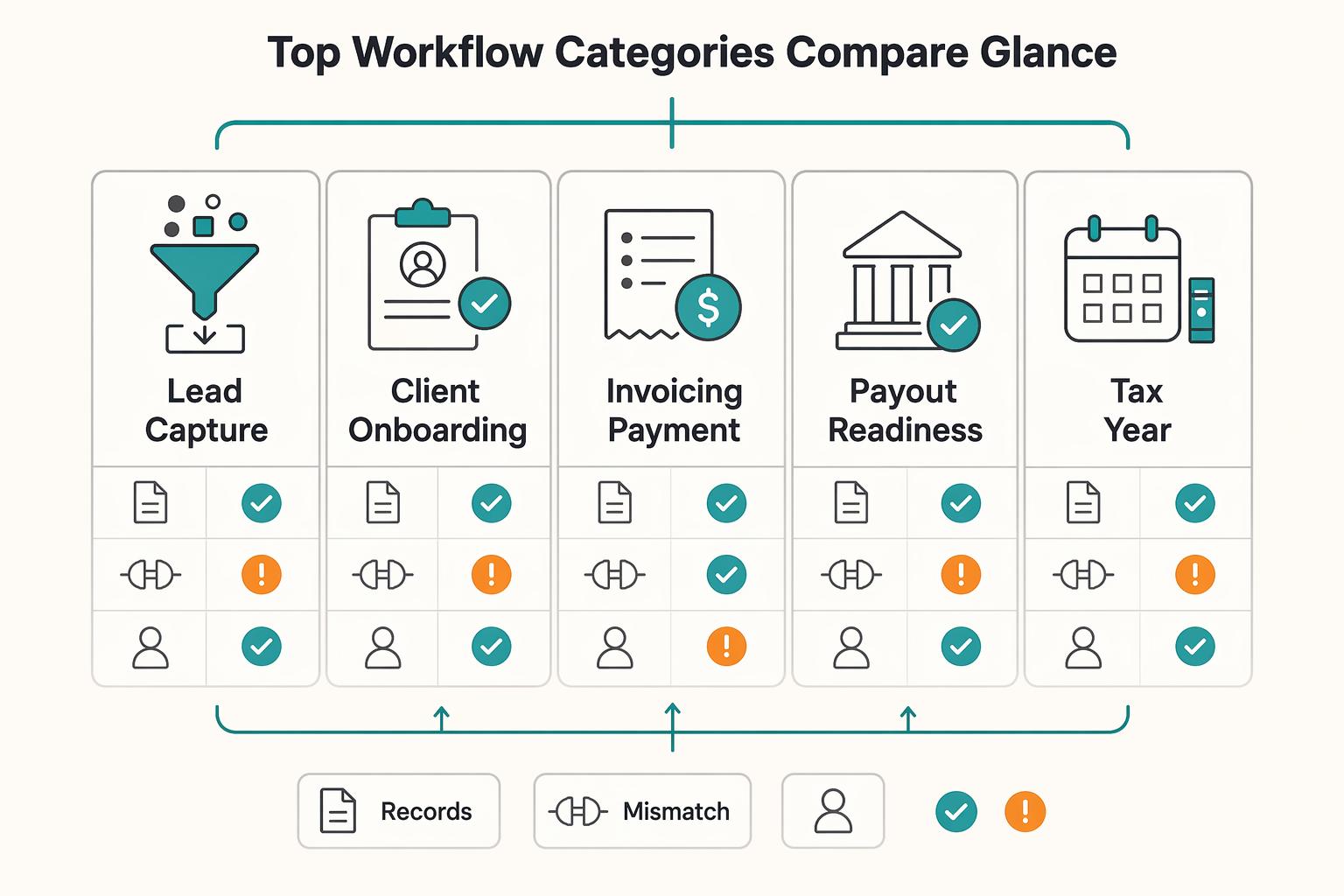
How the top workflow categories compare at a glance#
After your first linear automation is stable, pick the next category by asking one question: which one reduces handoff risk or cash ambiguity with the lowest hidden cleanup load?
Breadth helps, but it does not make the decision for you. You still need to assess mapping drift, failure visibility, and who clears exceptions when a connection or rule breaks.
| Workflow category | Best for now | Trigger to outcome | Implementation complexity | Failure visibility | Owner accountability | Main operating risk |
|---|---|---|---|---|---|---|
| Lead capture and qualification | You have steady inbound and still copy lead data manually | Form submission or webhook creates or updates one CRM lead, stamps source and timestamp, then sends one follow-up reminder | Low to medium | High if you review one CRM record and one notification channel | Sales owner, or you if solo | Field-mapping drift quietly corrupts key fields like name, email, source, and service interest |
| Client onboarding handoff | You close work via proposals or e-sign, but kickoff lags after approval | Proposal accepted or e-sign complete creates one client or project record, assigns owner, and sets the next status | Medium | Medium when tasks appear; low when cross-app status updates fail silently | Project or onboarding owner | Status and naming drift across tools breaks handoff logic |
| Invoicing and payment confirmation | You invoice regularly and need one reliable billing state | Supported invoice event prompts a current-balance lookup and an authorized reminder or update | Low to medium | High if billing state is checked in one place daily | Finance owner, or you | Duplicate events or partial writes create conflicting states across systems |
| Payout readiness and compliance checks | You have an actual provider or agreement review requirement | Applicable check routes to a reviewer; authorized action reads the confirmed decision | Medium to high | Low unless you maintain an explicit exception queue | Finance or compliance owner | Hidden dependencies across rails, review states, and document collection can block or prematurely release work |
| Tax and year-end prep | You want intake data captured once instead of chased later | An applicable record requirement creates a request/status task with restricted document storage | Medium | Medium when missing docs route to a review queue | Finance or operations owner | Weak intake discipline creates year-end document gaps automation cannot repair on its own |
Prioritize in this sequence:
- Protect handoffs and cash events first: lead intake, approved-proposal handoff, invoice-state sync.
- Improve record quality next: one source-of-truth record should match client, status, and paid state across tools.
- Add branching last: if a flow needs review states or document checks, build the manual exception queue before automating release actions.
Use one verification checkpoint per category before promotion. For intake, validate one real payload and one duplicate test. For onboarding, confirm accepted proposals create exactly one record with a non-empty owner. For billing, verify one invoice event maps cleanly to your client record states.
The table compares proposed workflow categories, not guaranteed integrations or legal coverage. Verify the exact app event, action, permissions and plan in your account. For payout-related work, also confirm the relevant provider, currency and account support before connecting a release action.
If scheduling is your bottleneck, compare the calendar and scheduling workflow separately from payment and onboarding controls.
What are the best Zapier workflows for freelancers right now?#
The five recipes below are proposed designs. Start with one or two that match your bottleneck, then connect only the apps and permissions they need. Some require multi-step workflows, searches, Filters or Paths; confirm your plan supports the chosen design.
Use this quick matrix to choose your next build:
| Workflow | Business impact | Setup effort | Failure risk |
|---|---|---|---|
| Intake to CRM triage | High | Low to medium | Medium |
| Proposal accepted to onboarding | High | Medium | Medium |
| Invoice issued to follow-up | High | Low to medium | Medium |
| Payment confirmed to fulfillment | High | Medium | High |
| Cross-border readiness check | Medium to high | Medium to high | High |
Intake to CRM triage#
Trigger: a supported new submission or inquiry event. Find or update the contact, then record the specific inquiry, source and service interest. Create a single owner task. Use a stable submission ID to recognize a replay and your chosen contact match field to find the person. Send missing IDs or ambiguous matches to review; do not use email plus a new run timestamp as retry protection.
Proposal accepted to onboarding handoff#
Trigger: a supported signed-agreement or accepted-proposal event. Look up the agreement and project reference, confirm the required owner and agreed start conditions, then create or update the project and kickoff tasks. Map source status values explicitly. An accepted proposal does not prove a deposit was received or authorize release of every deliverable; apply the actual agreement.
Invoice issued to follow-up cadence#
Trigger: a supported invoice change or scheduled balance check. Read the authoritative invoice ID, remaining amount, due date and dispute status before updating the CRM or sending a reminder. The invoice ID locates the invoice; source event IDs distinguish different updates to it. Use a reminder key such as invoice ID plus reminder stage, enforced in the destination or control service. Immediately before sending, recheck the current balance so an old event does not restart reminders after payment.
Payment confirmed to fulfillment and records update#
Trigger: a verified payment event with its current status, amount, currency and invoice link. Record the payment once and apply it to the relevant invoice balance. Release only the milestone authorized by the agreement and current review state. A partial payment is not a fully paid invoice, and client payment is separate from provider payout or bank availability. Keep refund and dispute changes visible rather than treating paid as an irreversible final state.
Cross-border readiness check#
Trigger: a new arrangement or payout review with an identified applicable requirement. Record the responsible payer/provider, required check, owner and result. Keep the automated money action under review until that requirement is confirmed. Do not invent a universal KYC, VAT or tax-form gate for every foreign client, collect sensitive documents without a purpose, or suspend existing contractual duties merely because an internal status is pending.
Reconcile a partial payment before release#
Hypothetical example: invoice INV-42 is $1,000 and payment P-7 settles $400. The remaining invoice balance is $600. If the provider pays out $390 after a $10 fee, record $400 client payment, $10 expense and $390 bank settlement; the fee is not extra client debt. A replay of P-7 must not add another $400. A later distinct payment P-8 for $600 can complete the balance, subject to any refund or dispute changes.
Before recovery, inspect the provider and destination, then classify the action as completed, not performed or uncertain. Resolve uncertainty before another money action. If a project-record write succeeded and a notification failed, recover the notification without recreating the project. Full replay is a different choice: it repeats prior steps, so confirm their duplicate protections first.
Build next based on your bottleneck:
- If intake or onboarding is next, use How to Use Zapier to Connect Your Freelance Tech Stack.
- If billing or release is the pressure point, pair workflows 3 and 4 with Automating Your Freelance Finances: A Zapier Workflow for Connecting Stripe.
When is Zapier enough and when should you escalate to Make.com?#
Branching alone is not a reason to change platforms. Zapier offers Paths and custom error handling on supported paid plans. Compare the same workflow in your current stack and an alternative such as Make: required app operations, recovery behavior, plan cost and who will maintain it.
| Decision criterion | Evaluate in Zapier | Compare an alternative such as Make |
|---|---|---|
| Workflow shape | Use available actions, Filters and Paths where the design remains readable | Compare the same branches and app operations, not a presumed Zapier limitation |
| Recovery | Check replay and custom error-handler behavior on your plan | Test equivalent recovery and uncertain-outcome reconciliation |
| Consequences | Require destination uniqueness or review for consequential creation | Apply the same safeguards; platform choice does not guarantee them |
| Visibility | Inspect each step and confirm destination outcomes | Compare evidence for each branch and exception |
| Maintenance | Confirm someone can maintain the actual design | Include migration, credentials, mapping and support costs |
Zapier measures ordinary workflow usage in successful billable actions; triggers, Filters and Paths do not consume tasks. Replayed successful actions can consume tasks again, and some products have different rates. Make now bills in credits: non-AI features generally use one credit per operation, while some AI features vary. Compare measured runs and current plan terms rather than assuming every polling attempt or failed step is priced the same.
Keep a readable lead-to-CRM workflow where it is maintainable. For a billing flow with partial payment, paid, overdue, refund and review states, first assess whether Zapier Paths and recovery controls meet the requirement. Compare an alternative if they do not; a switch adds migration, mapping and reconciliation work and does not itself prevent duplicate money actions.
Before enabling a consequential action, test normal, duplicate, missing-ID and ambiguous-outcome cases. Also test an old invoice event arriving after a newer payment update. Stripe documents that webhook delivery can repeat and arrive out of order; verify the behavior of your own provider and retrieve current records before acting.
For higher-risk actions, a provider API or controlled service can own persistent action keys, destination uniqueness and reconciliation while Zapier passes events and creates review tasks. Merely writing a payment reference before release is insufficient: a crash may leave it marked without the action completing. Track pending, completed and uncertain outcomes and reconcile uncertain ones before retrying. Provider idempotency has its own scope and retention; confirm whether the integration exposes it.
How do you keep automations compliant and audit-ready as you scale?#
If an automation touches identity, payouts, or tax-adjacent data, set controls before you optimize speed. Define ownership, allowed triggers, required outputs, exception handling, and review cadence up front, or retries and partial failures become cleanup you cannot clearly explain later.
A successful workflow run only describes its execution. It does not certify tax compliance, complete a client obligation or prove money reached your bank. Keep the evidence for the actual outcome: destination record, remaining balance, review decision and any payout or bank reference.
Define the control pack now#
Use one minimum control pack for any workflow that can affect money, identity, or regulated records:
| Control | Define this now | Outcome you should get |
|---|---|---|
| Owner | One named person accountable for run health, exceptions, and updates | Every incident has a clear decision-maker |
| Trigger contract | Exact start event, required fields, and explicit block conditions when data is incomplete | Fewer invalid runs and cleaner records |
| Expected output | The one result that proves success in your process | Faster verification and fewer judgment calls |
| Exception queue | One queue for failed, partial, and duplicate-prone runs, with a triage rule | Issues are visible before they spread |
| Review loop | A recurring check of failures, retries, duplicates, and stale exceptions | Reliability improves through evidence, not guesswork |
Carry a stable source event ID and relevant business IDs through CRM, invoicing and bookkeeping. Also retain the Zap run reference for diagnosis. A full replay creates a new run, so run ID alone cannot identify the same business event or prevent a second side effect.
Keep policy gates and tax data narrow#
Keep applicable identity, tax and payout decisions in a recorded review process with an owner and a limited purpose. If using Human in the Loop, test decline and timeout settings: a successful step can still continue after either outcome when configured that way. Require the actual approved decision before a release action.
Store sensitive documents in an approved restricted location and pass a reference or status where possible. Mask alerts, limit connection permissions and define retention for logs and records. A task-history payload may itself contain sensitive fields; review that path as well as the destination. Obtain specialist help when you cannot assess the required access or data handling.
Your 30-day rollout checklist for reliable freelancer automation#
Use these four stages over a month, or at a pace suited to your workload. The period is an illustrative rollout schedule, not a reliability guarantee. Finish each stage’s evidence before adding consequential actions.
| Checklist step | Focus | Key checks |
|---|---|---|
| Choose a small core and baseline | Choose lead intake or invoice follow-up based on the real bottleneck | Record required app operations, fields, owner, safe sample and expected destination evidence. Verify every required operation; an arbitrary app-coverage percentage is not a launch rule. |
| Test before live effects | Use supported test modes or safe records, then inspect duplicates and partial outcomes | Simulate failures safely; check what already happened before replay. Full Zap replay repeats successful steps and adds a new run. Record source IDs and destination references in the exception queue. |
| Add applicable approval controls | Use a named reviewer for an actual provider, contract or policy requirement | Limit sensitive payloads. Confirm the explicit approved result; test decline, timeout and replay behavior. Keep unverified consequential actions manual. |
| Review and decide whether to expand | Reconcile results, retry outcomes and remaining exceptions | Hold expansion if records drift or uncertainty remains. Save owner, escalation, recovery and reconciliation steps in a runbook. |
Build fewer automations and run them like a real business#
Review the first workflows before adding more. Keep the working configuration, source IDs, destination references and recovery notes together. A stable result means records reconcile and exceptions are resolved, rather than merely a green status in run history.
Intake handoff#
Check a recent inquiry end to end: source submission, correct contact, one inquiry record and owner task. If it was replayed, explain why another record or message was prevented. A contact lookup and an event lookup serve different purposes.
Invoice status follow-up#
Check a recent invoice: current balance, payment allocation and the next legitimate follow-up. Confirm old events cannot change a paid invoice back to overdue and partial payment cannot mark the full invoice paid.
Payout readiness check#
Before adding payout creation or automatic access release, confirm provider support and the actual agreement or applicable review requirement. Document who can approve, what result permits the action and how uncertainty is reconciled. If coverage or an action result is unknown, leave that money action under review and continue settled work according to the contract. See the finance automation guide.
Frequently Asked Questions
What are the best Zapier workflows for freelancers who are just getting started?
Start with lead intake to a CRM or invoice follow-up based on your bottleneck. Confirm the integration exposes the required event and action, then test one normal record, a duplicate and missing fields in safe destinations. A multi-step design or Filter may require a paid plan.
How do I choose which automation to build first without overbuilding?
Use a simple four-part screen: impact, effort, failure risk, and record quality. If a process looks high-impact but you cannot clearly name the trigger, the expected output, and the source of truth, stop and tighten the process before you automate it. That pause usually prevents the mess where information ends up scattered across multiple apps and you lose track of what is current.
When is Zapier enough and when should I escalate to Make.com?
Evaluate the actual workflow, app operations, recovery needs, cost and maintenance owner. Zapier supports branching and custom error handling on supported plans. Compare an alternative when the design or required operation does not fit; branching or a high-risk action alone is not proof that switching platforms solves the problem.
How do I stop automation failures from disrupting client delivery?
Monitor failed and partial outcomes in a named queue, and inspect the destination before retrying. Replaying an entire Zap repeats successful actions too. Custom error handling changes replay and notification behavior, so test the configured recovery path and keep consequential actions under review when their result is uncertain.
How can I make my automations audit-ready and still keep compliance language precise?
Keep the owner, required fields, expected destination evidence, sample record and exception path. Route applicable unresolved policy decisions to review. Traceability helps explain execution; it does not establish every legal evidence or retention requirement. Limit sensitive payloads and verify review decisions before consequential actions.
Which automations help most with invoicing, payment follow-ups, and payout visibility?
Start with current invoice-balance updates, then payment allocation and provider-payout exceptions. Keep sales, partial payment, refund, provider payout and bank availability as separate states. Read current invoice records before reminders, and enforce duplicate protection where the consequential action actually occurs.
How often should I review and update these automations?
Check the exception queue at the cadence required by the workflow, and review after app, permission, mapping, volume or plan changes. Sample normal results as well as failed runs. Reconcile destination records and stale events before adding more branches.
Try a related tool
Researched and edited by the Gruv editorial team. Gruv builds cross-border billing, payouts, and finance-operations software for global businesses.
Sources
Includes 3 external sources outside the trusted-domain allowlist.
Educational content only. Not legal, tax, or financial advice.
Related Posts

Automating Freelance Finances Without Losing Cashflow Control
Automate repeated administrative steps while keeping invoice, payment, settlement and available-cash records distinct. A scheduled invoice saves work; it does not guarantee collection or make funds available.
Automating Your Freelance Finances: A Zapier Workflow for Connecting Stripe, QuickBooks, and Wise
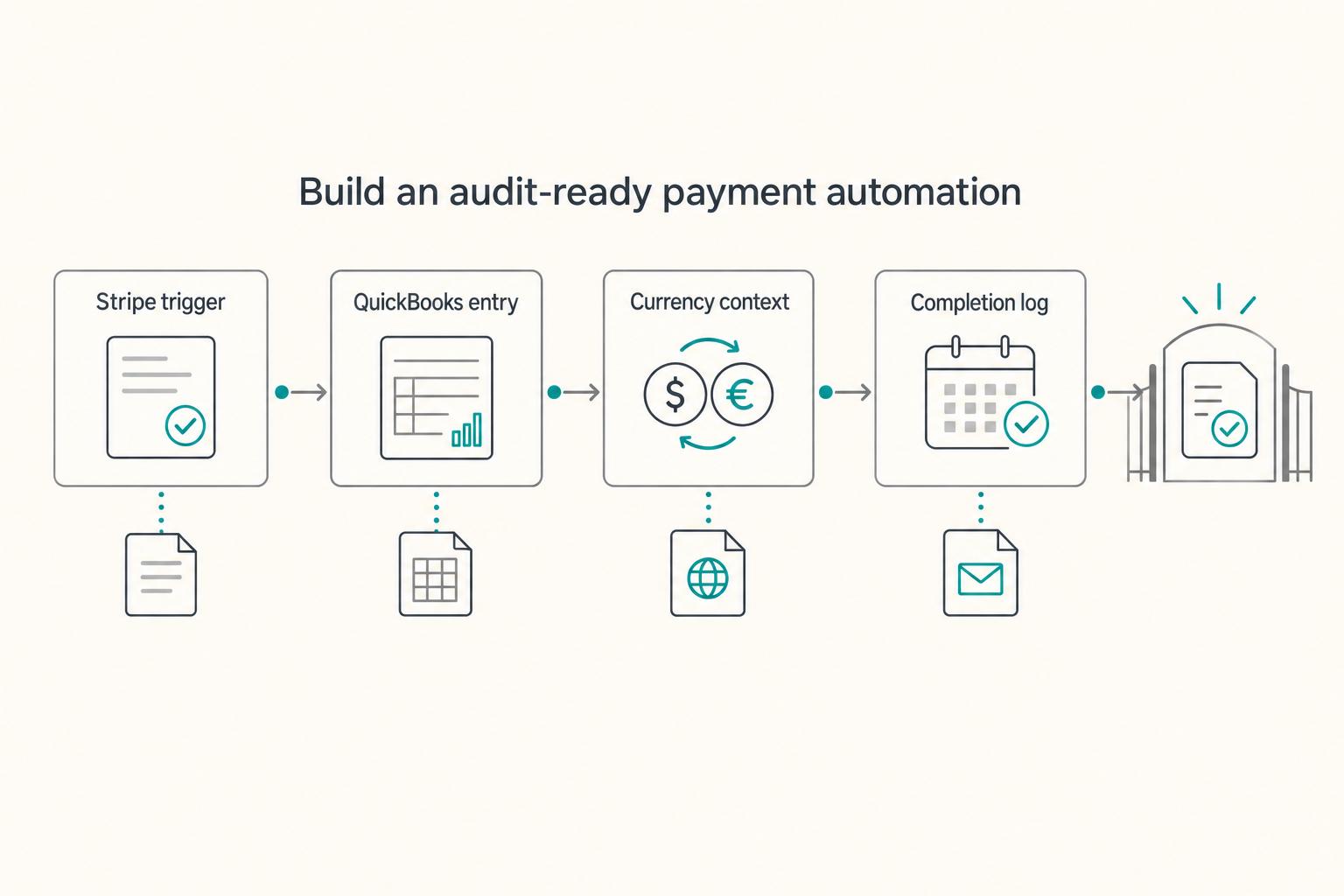
Start with one payment flow you understand, then automate its accounting record without losing the source reference. Stripe captures payments, QuickBooks holds the books, Zapier connects the selected steps, and Wise records any separate cross-border balance or conversion activity.

Use Zapier to Run a Reliable Freelance Tech Stack
If your stack feels messy, the fix is usually not one more app. Zapier works best here as the connective layer in your business, so client work, paperwork, invoicing, and follow-up keep moving without you babysitting every handoff.