
Quick Answer
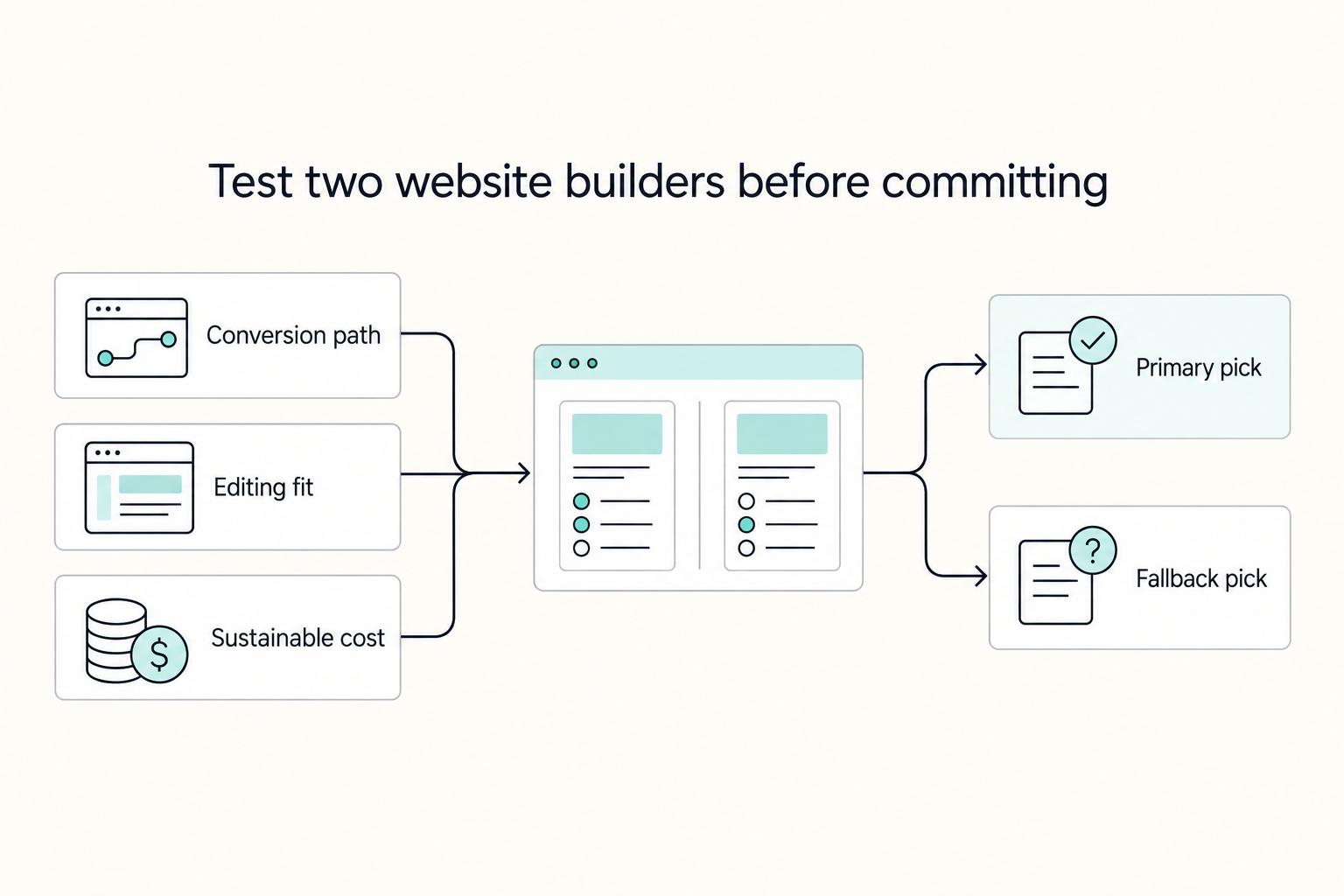
The best website builder for a freelancer is the one that fits your primary conversion path, stays easy to edit during busy weeks, and has a cost you can sustain. Instead of trusting rankings, shortlist two to four builders, score them on editing, publishing, maintenance, and migration risk, then choose the one that performs best in a live prototype.
How to Pick the Right Builder Without Overbuying#
If you are trying to choose the best website builder for freelancers, stop looking for a universal winner. The right pick is the one that fits your conversion path, your editing habits during busy client weeks, and a budget you can actually sustain.
That matters because published rankings do not agree. One 2026 roundup lists 11 builders, another lists 10, and Wirecutter narrows the field to 2. Treat those lists as inputs, not verdicts. When recommendations conflict, or when a page discloses affiliate links or commercial agreements, assume every claim still needs validation until your own prototype proves it.
Use one focused session with three tools: a comparison table, a written how to choose filter, and a short methodology note from your live test. Leave that session with four outputs:
- Scored shortlist
Pick 2 to 4 candidates and score each on the same 1 to 5 scale: conversion fit, editing clarity, and operating cost fit. The discipline matters more than the score itself. Every platform gets the same test, and any score based only on reviews stays marked pending validation until you edit a live prototype.
- Side by side table with risk flags
Build one table with the same columns for every option. At minimum, include your main conversion action, second-pass edit clarity, mobile check result, and one risk flag. The useful part is the red flags you attach, such as booking flow not yet verified when your goal is appointments, because weak setup can lead to missed appointments and double bookings.
- One-sentence conversion rule
Write one sentence that tells you what the site must do first. Examples: Primary action is book a call, Primary action is submit inquiry, or Primary action is start checkout. Use this as your cut or no-cut rule. If a builder makes that action awkward, unclear, or unreliable in the prototype, cut it even if the template looks better.
- Launch and review draft
End the session with one primary platform, one fallback platform, and one written switch trigger. Keep it plain: Launch on X, keep Y as fallback, switch if the month-one success condition is missed. If the exact threshold is not verified yet, leave the trigger as a named condition instead of pretending it is final. You are not choosing forever. You are choosing a first operating bet with a review date.
Your evidence pack can stay light. For each platform, keep one proof note from a live prototype edit. Note what page you edited, what changed on the first pass, what happened on the second pass, and whether mobile still held together. If one review says Wix is strongest for booking but another says skip it because of upsells, do not argue with the internet. Mark both claims pending validation and let the prototype decide.
Who This List Is For and How We Score Builders#
Use this list if you want a low-regret choice for your actual operating model, not a generic "best" pick. You are choosing the builder you can edit reliably during busy weeks, with a fallback you can trust if your first choice later feels restrictive or costly.
Ranking pages can help, but they are inputs, not verdicts. In 2026, one roundup says it reviewed 14 builders, another says it tested major builders directly, and multiple pages disclose affiliate commissions. Use that context, then let your own prototype edits decide.
Score each builder on six criteria#
Score each builder 1-5 on every criterion. For each score, add one behavior note from live edits in the same three areas: Services, Portfolio, and Contact CTA/form.
| Criterion | What to check | Note |
|---|---|---|
| Publishing flow | How clearly you can publish without guesswork | Note where steps were unclear, slow, or risky |
| Editor friction | Second-pass editing on Services content and layout | Score down anything that becomes unpredictable |
| CMS flexibility | Whether you can add, reorder, and reuse Portfolio items | Check whether structure must be rebuilt each time |
| Maintenance workload | Current plan cost, required add-on cost, and monthly admin effort based on testing | Do not rely on listed prices alone |
| Migration risk | Template lock or unclear export limits | If unknown, mark validate in prototype |
| Evidence quality | Hands-on testing or real-site comparisons | Treat affiliate-disclosed pages as useful but not final |
- Publishing flow
Check how clearly you can publish without guesswork. Note where steps were unclear, slow, or risky.
- Editor friction
Judge second-pass editing, not first-pass polish. Re-edit Services content and layout, then score down anything that becomes unpredictable.
- CMS flexibility
Test whether you can add, reorder, and reuse Portfolio items without rebuilding structure each time.
- Maintenance workload
Do a live verification in your scorecard: current plan cost, required add-on cost, and monthly admin effort based on testing. Do not rely on listed prices alone.
- Migration risk
Flag lock-in signals early, including template lock or unclear export limits. If unknown, mark it validate in prototype instead of assuming parity.
- Evidence quality
Give more weight to sources that report hands-on testing or real-site comparisons. Treat affiliate-disclosed pages as useful but not final.
Make notes mandatory#
Your notes are the proof layer. Use short lines such as Portfolio reorder took two tries, Contact CTA held on mobile after second edit, or Publish step was hard to find.
Add three pass/fail checks for each builder:
SEO settings foundMobile edit verifiedPublishing flow verified
If any are untested, that builder is not ready to win your shortlist.
Use tie-breakers that reduce regret#
If scores are close, pick the option with clearer second-pass edits, lower ownership burden, and stronger fallback readiness. If a platform shows early lock-in risk, it loses the tie even if the first draft looked better.
If your site showcases original work, How to Copyright Your Creative Work as a Freelancer covers the basics.
Quick Comparison Table You Can Scan in Two Minutes#
Use this as a shortlist filter, not a winner board: drop options that cannot prove your primary conversion path quickly, or already show lock-in risk you would not accept later.
From this evidence pack, only a few hard signals are confirmed: Squarespace is listed at $16/mo and Wix at $17/mo (single source), and both are listed as No for code export. Keep the knowns, mark the unknowns, and do not treat unknown cells as parity.
| Builder | Setup friction | SEO controls | Design control | Maintenance load | Migration risk | Support quality | Second-pass edit clarity |
|---|---|---|---|---|---|---|---|
| Squarespace | Lower when your site fits template-led, guided setup with bundled hosting | Validate in prototype | Template-led; limited customization beyond templates | SaaS-style hosting can reduce upkeep, but log real admin time | Higher if portability matters; No code export is explicitly flagged | Validate in prototype | Validate in prototype |
| Wix | Validate in prototype | Validate in prototype | Validate in prototype | Validate in prototype | Higher if portability matters; source table lists No code export | Validate in prototype | Validate in prototype |
| Webflow | Validate in prototype | Validate in prototype | Validate in prototype | Validate in prototype | Validate in prototype | Validate in prototype | Validate in prototype |
| WordPress.com | Validate in prototype | Validate in prototype | Validate in prototype | Validate in prototype | Validate in prototype | Validate in prototype | Validate in prototype |
| Elementor | Validate in prototype | Validate in prototype | Validate in prototype | Validate in prototype | Validate in prototype | Validate in prototype | Validate in prototype |
| Shopify | Validate in prototype | Validate in prototype | Validate in prototype | Validate in prototype | Validate in prototype | Validate in prototype | Validate in prototype |
| Lightweight funnel builder | Validate in prototype | Validate in prototype | Validate in prototype | Validate in prototype | Validate in prototype | Validate in prototype | Validate in prototype |
Validate in prototype is a decision stop, not a minor gap. If you cannot verify a field tied to your real flow, that builder is not ready for your primary slot.
For every builder you keep, log two proof lines right under your table notes:
- Real edit task result: Change one Services block, reorder one Portfolio item, update your Contact CTA, then repeat one edit on mobile.
- Pass/fail call on the same criterion: Example:
Second-pass edit clarity: FailorMigration risk: Pass for now; portability still unverified.
Give the second-pass field real weight. A clean first draft is not enough if repeat desktop and mobile edits become unpredictable. Keep only builders with validated pass signals on your primary conversion path and acceptable lock-in risk; move the rest to fallback.
Best No-Code Picks for Fast Professional Launch#
If speed is the priority, turn this into a Squarespace-versus-Wix prototype decision based on repeat-edit clarity, template constraints, and switching risk, not template previews alone.
- Squarespace
Use it as your first pass if you want a template-led path to a fast professional launch. As you test, treat template lock, redesign flexibility, and migration readiness as explicit checks before you commit.
- Wix
Keep it as the side-by-side alternative and judge it on the same practical standard: how clearly you can make repeat edits without layout drift. Use the same checks for template constraints, redesign flexibility, and switching effort.
Run one matched launch test in both builders before choosing. Build the same core pages (About, Services, Portfolio, Contact), then apply one typography system, one CTA system, and one section pattern before full copy drafting. Repeat the same edit cycle on desktop and mobile: update one Services block, reorder one Portfolio item, and revise the Contact CTA. Before final selection, confirm mobile responsiveness and loading speed.
Keep the builder that stays predictable during routine updates and handoff. If cross-device edits feel fragile on the second pass, move that option to fallback and continue with the steadier editor.
For a step-by-step walkthrough, see Best No-Code Tools for Freelancers Who Need Clean Handoffs.
Best for SEO and Long-Term Content Compounding#
If search traffic matters, choose for publishing capacity first and platform second. On this shortlist, keep WordPress in the lead only when you can run SEO as an ongoing workflow, not a one-time publishing push. If your bandwidth is lighter, keep a hosted builder in play so execution stays consistent.
Most SEO misses happen before platform limits matter. Polished pages can still miss when keyword research, competitor analysis, and brief quality are weak. Weak pages can also create keyword overlap, blur site structure, and slow momentum across the rest of your content.
Use rankings as input, not your operating plan. EXPERTE says it reviewed 14 builders, marks Wix as Best Overall 2026, and discloses affiliate commissions on provider links. Treat that as a prompt to validate your own workflow before you commit.
Your SEO operating model#
Before you choose a stack, assign ownership for these four areas:
- Content production workflow
You need a repeatable pre-draft sequence: competitor research, keyword analysis, and content briefs. If those steps are inconsistent, platform choice will not fix results.
- Site structure governance
Set page purpose before publishing, especially where service pages and blog posts could target nearby terms. Clear ownership helps prevent overlap and keeps structure coherent as you grow.
- Technical hygiene ownership
Assign one owner for publishing checks, update reliability, and post-change behavior. Unclear ownership is where small issues compound.
- Update cadence discipline
Use turnaround time and reliability as decision criteria. If you cannot update and republish on schedule, your program is too heavy for the current setup.
| Verification point | WordPress path | Hosted builder path |
|---|---|---|
| Content architecture control | Validation task: prototype with 2 related posts + 1 service page | Validation task: same prototype set |
| Metadata and schema flexibility | Validation task: check draft and published views | Validation task: check draft and published views |
| Plugin or dependency overhead | Validation task: check after setup and first update cycle | Validation task: check after setup and first update cycle |
| Migration friction | Validation task: test export sample and URL mapping before scale | Validation task: test export sample and URL mapping before scale |
Run a small pilot before committing: publish 2 adjacent-topic posts, revise 1 service page, then do a second edit pass on all three. If edits stay clear and maintenance stays contained, scale on the current stack. If ownership is fuzzy, updates slip, or cleanup keeps growing, move to the simpler fallback quickly.
We covered this in detail in Best Freelance Portfolio Tools for a Website You Can Keep Updating.
Best for Design Control Without a Full Developer Stack#
Choose based on your operating priority: design precision or lower day-to-day complexity. Start with Webflow when differentiation through layout and system control helps you win work. Start with Squarespace or Wix when you need a polished launch quickly and want lighter maintenance. Keep Framer between those paths, and treat deeper capability claims as Validate in hands-on test.
This is a control-versus-complexity tradeoff, not a universal winner. Across comparisons covering 9 builders and 10+ builders, Webflow is consistently framed around design control, scalability, and SEO flexibility, while Squarespace and Wix are framed as easier starts for speed and simplicity. Since one comparison baseline reflects 2025 usage, re-check behavior in your own 2026 test. No-code reduces build friction, but you still need basic design/development judgment once layouts get custom.
- Webflow
Choose this when you need precise layout behavior, reusable structure, and room to scale beyond a simple brochure. Confirm fit by testing whether your four core blocks stay consistent after a late messaging change across breakpoints.
- Squarespace
Choose this when you want a fast polished launch with lower setup friction. Confirm fit if you can make a meaningful messaging update and still feel confident owning edits afterward.
- Wix
Choose this when simple day-to-day editing matters more than strict design-system control. Confirm fit if your update owner can change copy and images while keeping mobile layouts intact on a second pass.
- Framer
Keep this on your shortlist when creative precision matters but you want a faster visual path before committing to Webflow-level complexity. Treat anything beyond that middle position as Validate in hands-on test.
Run the mini-evaluation#
Build the same four blocks in two finalists: Hero, Services grid, Testimonials, and Contact CTA. Then run one late-stage messaging update across all four blocks (for example, new offer positioning or CTA language).
Score each builder from 1 to 5 on:
- Edit predictability after the late-stage update
- Responsive consistency on desktop and mobile
- Workflow friction to implement and publish the change
If a builder looks great on first build but becomes messy on the second edit pass, treat that as a red flag. If you already need deep backend logic, complex app behavior, or full CMS export control, this category is likely the wrong fit.
Technical checkpoint to fill during testing#
Verify behavior on a published test page, not just in settings. If migration or long-term portability matters to you, treat portability as a core decision row.
| Checkpoint | Webflow | Framer | Squarespace | Wix |
|---|---|---|---|---|
| Metadata control | Add verified result after testing | Add verified result after testing | Add verified result after testing | Add verified result after testing |
| Canonical handling | Add verified result after testing | Add verified result after testing | Add verified result after testing | Add verified result after testing |
| Sitemap behavior | Add verified result after testing | Add verified result after testing | Add verified result after testing | Add verified result after testing |
| Structured data support | Add verified result after testing | Add verified result after testing | Add verified result after testing | Add verified result after testing |
| Content portability | Add verified result after testing | Add verified result after testing | Add verified result after testing | Add verified result after testing |
Best for WordPress-Level Customization With Builder Flexibility#
If you want WordPress control with visual editing, Elementor is the first option to validate. You get more layout freedom than native WordPress blocks, but you also take on more theme, plugin, update, and performance risk.
Use Elementor when you need custom or complex layouts and do not want to hand-code every change. In a 27 Jan 2026 comparison of 5 popular WordPress page builders, the meaningful differences were price, performance, learning curve, and design flexibility. In practice, this is a criteria decision, not a default.
Choose native WordPress blocks when consistent publishing matters more than deep layout control. You usually trade away some customizability and functionality, but you keep fewer moving parts.
Choose a hosted builder when you do not want to own WordPress updates and plugin compatibility checks. That is often safer for a service brochure or portfolio site where operational simplicity matters more than maximum customization.
Run a maintenance-first pilot before you commit. Build one representative client page, then do routine edits: replace a testimonial section, change CTA copy, add a content block, and republish. Track your active theme, plugin list, before/after screenshots, and time per edit. If spacing breaks during normal edits or the editor feels slow early, treat that as a no-go signal.
| Checkpoint | How to verify | Result |
|---|---|---|
| Theme/plugin conflict risk | Test Elementor with your active theme and must-have plugins on the same page; record broken widgets, spacing shifts, or editor errors | Add verified result after testing |
| Update resilience | Run an update on a noncritical copy of the site, then recheck the page on desktop and mobile | Add verified result after testing |
| Page-speed impact | Compare load behavior before and after enabling the builder on the representative page | Add verified result after testing |
| Rollback path | Document how you would restore the page if an update fails, then test that method once | Add verified result after testing |
When Shopify Is the Right Choice for Freelancers#
Choose Shopify when your primary conversion is start checkout, not book a call. If most deals still need discovery, scoping, or proposals, treat that as an inquiry-led model and prioritize content-led builders.
Start with a hard go/no-go on conversion model clarity. Write one primary action for the site: buy now or submit inquiry. Shopify is a go when paid checkout is your shortest, clearest path. If you mainly sell services, keep education and service pages separate, then route only qualified buyer intent into checkout.
Use purchase-path page architecture as the next gate. Before committing, map your core flow: offer/product page, checkout entry, thank-you page, and any email capture or upsell step. In the Shopify network, app-level builders such as GemPages present commerce artifacts (sales funnels, post-purchase upsell pages) and also list non-transaction pages (FAQ, About, Contact). If your highest-stakes pages are mostly case studies, service explanation, and consult booking, treat that as a no-go signal for a checkout-first stack.
Set implementation ownership before build work starts. Decide who owns theme edits, app choices, and launch fixes. A Shopify community discussion from Feb 2022 raised cost-risk concerns around recommended builder options versus Fiverr, so validate ownership and cost assumptions now rather than carrying them forward.
Finish by checking execution brief completeness. Create a one-page brief with scope, page list, required apps, budget, and acceptance criteria. Then prototype one purchase journey and one non-transaction page, and run a second edit pass to confirm message clarity, editing predictability, and maintenance burden before you commit.
| Factor | Shopify | Webflow signal |
|---|---|---|
| Checkout-native capabilities | Commerce-first orientation; add verified result after testing | Add verified result after testing |
| Content-to-checkout handoff quality | Add verified result after testing | Add verified result after testing |
| Non-transaction page flexibility | Shopify app builders list FAQ/About/Contact page support; add verified result after testing | Add verified result after testing |
| Platform lock-in risk | Add verified result after testing | Profile claims code export for external hosting; add verified result after testing |
Lightweight Builders for Simple Sites and One-Page Funnels#
Use a lightweight builder only when you truly need a single-offer page and can keep scope tight. If you already need multiple service paths, broader integrations, or ongoing content expansion, skip this lane to avoid a likely rebuild.
Choose this lane only if the fit is obvious. Your brief should be one sentence: one audience, one offer, one CTA. A one-page site is mainly for presenting information, so this works best when your job is clarity, not branching journeys.
Treat one-page and landing-page needs as different jobs. A one-page format can cover basic presentation. A landing page is conversion-focused and may require deeper marketing and analytics handling, so write those requirements first if you need lead capture and follow-up workflows.
Shortlist by scope discipline, not by rankings. Keep a candidate only if it meets all four checks: single audience clarity, single CTA focus, minimal integration needs, and acceptable migration risk if scope grows. Also validate navigation behavior early, since some "one-page" tools can push you into multi-page structure or limit scrolling patterns.
Prototype before you decide. Build the same hero, proof section, offer block, form flow, and CTA behavior in each candidate, then log editor friction on a second pass, publish reliability, and mobile predictability. Use external rankings as inputs, not conclusions, and finalize only when your notes are complete and no unresolved table cell still says Add verified result after testing. Related reading: The Best E-Signature Software for Freelancers.
Red Flags and Failure Modes That Cause Expensive Rebuilds#
Expensive rebuilds usually start with weak pre-launch decisions, not one late mistake. Most projects drift into rework when the builder, scope, or handoff gets approved before core decisions are clear.
| Failure mode | Missing check | Before approval |
|---|---|---|
| Picked by visuals, not technical fit | CMS structure, data model, integrations, performance strategy, and deployment setup | Require plain-English answers before approval |
| Requirements were still fuzzy when you chose the tool | Page count, content types, form fields, and conversion flow | Pause; if special category data may be involved under UK GDPR, add a DPIA before approval |
| Allowed custom exceptions without guardrails | Who maintains it, where it lives, and what breaks if you remove it | Do not approve it yet |
| Outsourced delivery and assumed oversight was included | Who defines requirements, reviews deliverables, and approves milestones | Name a review owner on your side |
- You picked by visuals, not technical fit
A polished demo does not prove the build can handle your real content, edits, and integrations. Before approval, require plain-English answers on CMS structure, data model, integrations, performance strategy, and deployment setup. If those answers are missing or deferred, pause.
- Your requirements were still fuzzy when you chose the tool
If page count, content types, form fields, or conversion flow are still moving, your shortlist is early. This gets riskier when forms collect sensitive information, because the site becomes a higher-risk data processing system. If special category data may be involved under UK GDPR, add a DPIA before approval so risk is visible while design changes are still practical.
- You allowed custom exceptions without guardrails
Untracked one-off layouts, snippets, or integrations create ownership drag. For every customization, record who maintains it, where it lives, and what breaks if you remove it. If you cannot answer those three checks, do not approve it yet.
- You outsourced delivery and assumed oversight was included
Outsourcing does not remove your accountability for direction and acceptance. Someone on your side still needs to define requirements, review deliverables, and approve milestones. If no review owner is named, handoff quality usually slips and rework follows.
Before you commit, use a one-page decision doc. Keep each field short and explicit. If any item is unresolved, write: Pause and verify before approval.
- Content model: page types, repeatable content, and editing ownership
- Integrations: forms, analytics, email, scheduling, checkout, and sensitive-data handling
- Performance expectations: what must stay fast and how you will verify it
- Deployment approach: who publishes, who has access, and who handles rollback
- Post-launch ownership: updates, bug triage, approvals, and maintenance cadence
After launch, keep a recurring drift log with three lines: what changed, what broke, and what was deferred. If the same issue repeats, stop patching and reopen the platform decision.
90-Minute Decision Checklist You Can Run Today#
Run this as one focused sprint and end with two names only: a primary and a fallback. Your goal is practical proof that you can launch and keep editing without avoidable rework.
| Step | What to do | Decision signal |
|---|---|---|
| Define your conversion path | Write one sentence for the action you want this quarter and map the minimum page path and one CTA to each page | If this is still fuzzy, pause before you compare tools |
| Score a short list | Score your top 2-3 builders on a 1-5 scale for setup friction, customization headroom, maintenance load, migration risk, and support quality | If anything is unknown, write validate in prototype |
| Prototype the same real edits in your top two | Update one Services block, add or swap one portfolio item, confirm the same edit holds on desktop and mobile, and repeat the edits in a second pass | This step is your main decision gate |
| Assign ownership and cadence | Name one owner, one backup, and a realistic review rhythm; write down who handles content edits, form checks, publishing, and bug triage | If ownership is unclear, treat that as a decision risk |
| Lock primary and fallback | Finish a one-page handoff note with what you chose, why it won, your fallback, who owns updates, and when you will re-check the choice | Add one switch trigger |
- Define your conversion path
Write one sentence for the action you want this quarter (book a call, send an inquiry, or start checkout). Then map the minimum page path to support it (for example: About, Services, Portfolio, Contact) and assign one clear CTA to each page. If this is still fuzzy, pause here and tighten it before you compare tools.
- Score a short list with a compact rubric
Score your top 2-3 builders on a 1-5 scale for setup friction, customization headroom, maintenance load, migration risk, and support quality. Add one short evidence note per score. If anything is unknown, write validate in prototype instead of guessing. Treat rankings and vendor comparisons as inputs, not proof, and confirm in your own test.
- Prototype the same real edits in your top two
Start from a template, then run identical edits in each tool's visual editor. Use these pass/fail checks:
- update one Services block and keep the layout intact
- add or swap one portfolio item without breaking spacing or image placement
- confirm the same edit holds on desktop and mobile
- repeat the same edits in a second pass and confirm the workflow still feels clear
Customization is usually the longest part, so this step is your main decision gate.
- Assign ownership and cadence
Name one owner, one backup, and a realistic review rhythm (for example, weekly or twice monthly). Write down who handles content edits, form checks, publishing, and bug triage. If ownership is unclear, treat that as a decision risk, not an admin detail.
- Lock primary and fallback
Finish a one-page handoff note with: what you chose, why it won, your fallback, who owns updates, and when you will re-check the choice. Add one switch trigger (for example: repeated mobile breakage, unclear second-pass edits, or consistently high update time after month one). If you want help tightening structure after the decision, use Gruv's guide to building a personal website that converts for freelancers.
30-Day Launch Plan With Verification Checkpoints#
Use this month to prove your primary builder is reliable in real use, not just appealing in a demo. If your plan includes a 30-day money-back window, set your keep-or-switch review before that deadline.
- Week 1: Publish essentials and verify the core path
Publish the minimum set of pages you need to operate, then test the full visitor path from first click to contact or purchase action. Capture evidence as you go: live URLs, screenshots, and at least one successful test submission where relevant. Done means: essentials are live, the main path works end to end, and proof is documented.
- Week 2: Tighten discoverability and close unknowns
Turn every validate in prototype item from your comparison table into a test task, then mark each one pass, fail, or deferred with a reason. Prioritize the paths that matter most to your conversion flow, and explicitly test criteria such as Technical Flexibility (Schema and Custom Code) and Code Quality and Performance Infrastructure. Done means: key navigation and discoverability paths work in practice, and major unknowns are no longer assumptions.
- Week 3: Test editing reliability under repeat use
Repeat the same routine edits twice (for example: service copy, one proof item, one CTA block), and check results on desktop and mobile each time. You are confirming that updates stay predictable for the person who will actually maintain the site. Done means: routine edits remain stable across repeat passes without recurring layout or workflow friction.
- Week 4: Refine conversion clarity with controlled changes
Review the journey as a client would: offer clarity, proof access, and next-step clarity on each key page. Make small, isolated improvements so you can tell what changed results instead of mixing multiple redesign decisions at once. Done means: the offer is clear, proof is easy to find, and each page has one obvious next action.
- Day 30: Final fit review, ownership lock, and switch decision
Re-score your primary builder on usability, maintenance burden, support quality, and total operating cost (including any fees beyond base plan pricing). Confirm one owner, one backup, and a review cadence. Use explicit switch criteria: move to fallback if repeat edits are still unstable, the same mobile issues keep returning, upkeep remains hard for the owner, or real costs stay outside your accepted range. Done means: you have a documented keep-or-switch decision, named ownership, and a dated next review.
Verification tracker#
| Checkpoint | Evidence captured | Pass/Fail | Follow-up action |
|---|---|---|---|
| Essentials live and core path tested | URLs, screenshots, successful path test | Fix broken flow before adding scope | |
| Unknowns converted to validation tasks | Table updates (pass/fail/deferred + reason) | Escalate unresolved items to fallback decision | |
| Key discoverability and navigation paths verified | Notes on real path tests | Simplify navigation or internal pathing | |
| Repeat edits stable across desktop/mobile | Before/after evidence from two edit passes | Document failure pattern and retest once | |
| Day-30 fit and ownership decision complete | Re-score, owner/backup, keep-or-switch note | Keep with next review date or switch now |
Final Recommendation and Next Step#
Choose the builder you can still maintain when client work gets busy. In practice, that is the option that keeps edits clear, publishing simple, and your contact path reliable, not the one with the longest feature list.
- Pick a primary and a fallback now
Lock one primary platform and one fallback. Keep the primary if routine updates stay straightforward under real workload, and keep the fallback if it also passed your core checks. If editing already feels confusing, treat that as an early warning.
- Prioritize trust and conversion over feature volume
Treat your site as a conversion surface, not just a portfolio. Your pages should clearly show expertise, showcase past work, explain services and pricing expectations, and make it easy for the right client to reach out.
- Use a hard-to-fake test before you commit
Run the same updates across each finalist and log pass/fail for clarity, speed, and consistency. Use one repeatable workflow: update a Services section, replace one Portfolio item, and edit one Contact form field, then check desktop and mobile on a second edit pass. If the second pass introduces layout breakage, hidden settings, or inconsistent reusable blocks, switch to your fallback before adding more pages.
- Publish essentials, then reassess on schedule
This week, document your decision, publish your core pages first, and note who owns edits. Keep a short change log of what changed, what broke, and what still needs validation. Schedule a 30-day review now, and keep the platform only if updates remain predictable and the inquiry path stays clear.
Recommendation lists can help with discovery, but scope varies (for example, some cover a Top 5 while others compare 6) and some lists disclose affiliate commissions. Use your own pass/fail notes as the decision record. For execution, use Building a Personal Website That Converts for Freelancers.
Frequently Asked Questions
Which builder is best if you do not code and need speed?
A hosted no-code builder is usually the best fit if you do not code and need speed. Keep tools like Wix in scope, but only keep a builder if you can repeat the same service-page and contact-form edits without breaking mobile spacing. If that fails, switch to your fallback.
When should you prioritize WordPress over a hosted no-code builder?
Prioritize WordPress only if you need more control and can handle the ongoing maintenance that comes with it. If you mainly need a clear services site with a reliable inquiry path, a hosted builder often wins on setup friction and day-to-day upkeep. Commit only if routine edits, publishing, and basic SEO tasks stay manageable in your shortlist test.
How do you choose between Shopify and a lead-generation site model?
Choose Shopify only when your main conversion path is a purchase flow. If your real goal is to show proof, explain service scope, and get qualified leads through a contact path, a lead-generation site is usually lower friction to launch and easier to maintain. Map the actual page path before you decide, and if the commerce structure feels forced in your test, skip it.
What is the fastest way to detect platform lock-in before launch?
Run the same small prototype in two builders before you polish anything. Test what happens when you change templates, duplicate sections, swap images, and hand the editor to your backup owner. If you cannot explain how you would move pages, media, forms, and basic SEO settings later, treat migration risk as high and verify it before launch.
What pages are required for a credible freelance website in 2026?
A credible freelance site needs to prove trust and support action, not just match a generic page list. An About, Services, Portfolio, and Contact set usually covers the basics when it clearly shows what you do, relevant proof, and a tested inquiry path. Pass or fail depends on whether a stranger can understand your offer and contact you without guessing.
Try a related tool
Researched and edited by the Gruv editorial team. Gruv builds cross-border billing, payouts, and finance-operations software for global businesses.
Sources
Includes 8 external sources outside the trusted-domain allowlist.
- community.shopify.com/t/where-can-i-find-affordable-and-reliable-w...external
- designrevision.com/alternatives/squarespace-aiexternal
- elementor.com/blog/whats-the-best-website-builder-guideexternal
- experte.com/website-builderexternal
- experte.com/wordpress/wordpress-page-builderexternal
- gempages.net/blogs/shopify/best-website-builder-for-freel...external
- joinamply.com/post/best-no-code-website-buildersexternal
- networksolutions.com/blog/best-no-code-website-buildersexternal
Educational content only. Not legal, tax, or financial advice.
Related Posts

Georgia 1% Tax for Entrepreneurs Without Filing Surprises
Treat Georgia's 1% tax path as a compliance question first and a rate discussion second. The goal is a setup you can defend under review, not a shortcut that fails at filing time.

How to Copyright Your Creative Work as a Freelancer
Move faster by settling who owns what before signing and keeping the contract, deliverables, and project record aligned from kickoff through filing. Deals usually slow down when those pieces drift apart, not because the legal question is unusually hard.
How to Write a Press Release for Your Freelance Business
You can write this yourself, and that is often the right first move before you decide whether outside help is needed for complexity or messaging risk. If you want a press release your business can publish without role confusion or inflated claims, make the key decisions before drafting. A press release is a document you send to media contacts to share a news item.