
Quick Answer
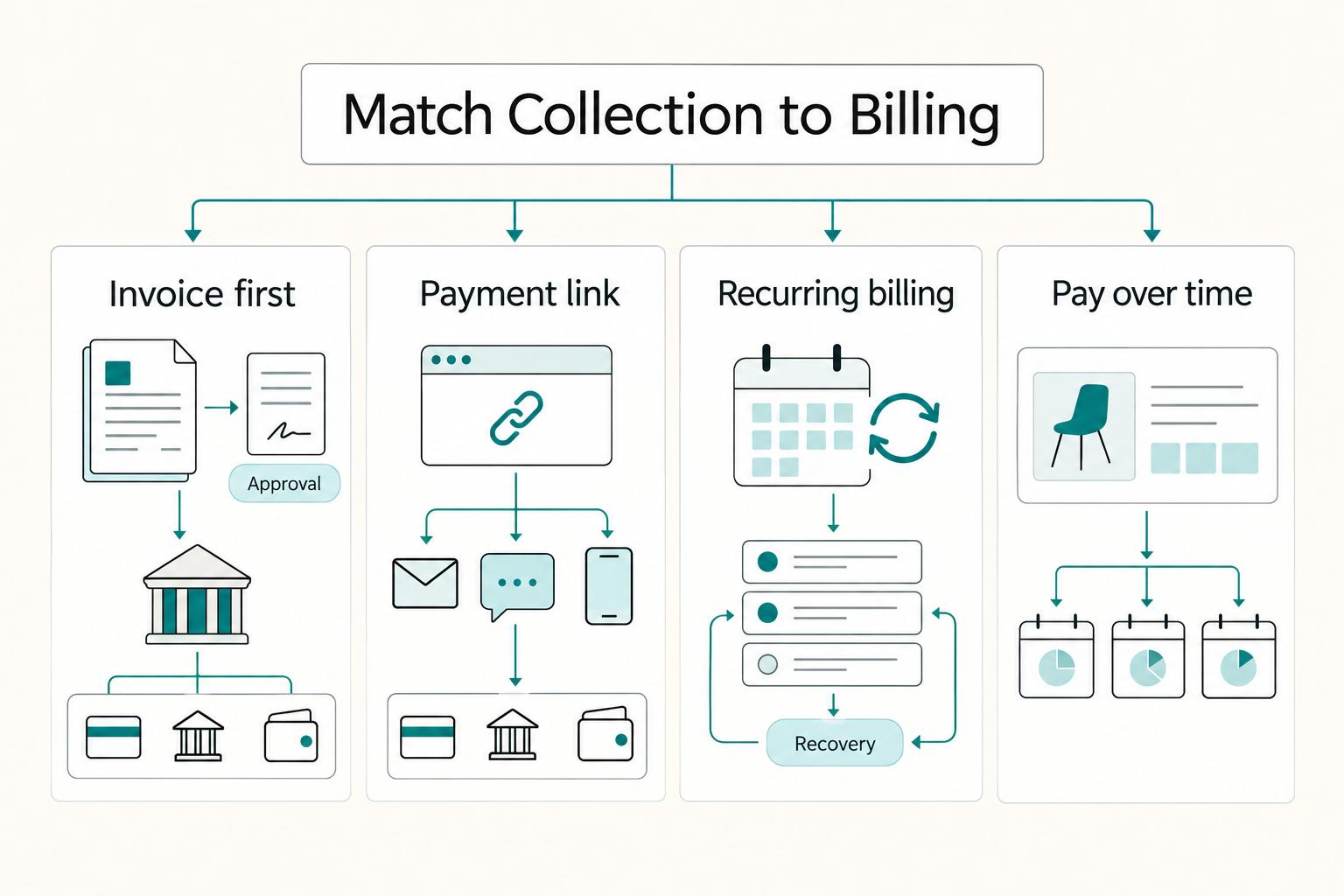
Use a hosted link or button for a standard offer, a customer-specific invoice page for custom work, and subscription billing for recurring charges. First check merchant eligibility, supported methods, total costs, and records. Confirm the actual customer payment before reducing an invoice balance, track fees and bank payouts separately, and trace a pending attempt before offering another collection route. Test success, decline, refund, and delayed outcomes using the provider's sandbox, then monitor real exceptions.
Choose website payments that fit how you sell#
For fixed-price services, a hosted payment link or button can give clients a direct way to pay. For custom projects, an invoice with a hosted payment page keeps the agreed amount, due date, and milestone reference together. Recurring work needs subscription billing and failed-payment handling. Start with an eligible provider and trace the customer payment, fees, provider balance, and bank payout as separate records.
Start by defining failure before you compare providers. For many service teams, failure looks like delayed cash, unclear payment status, and too much manual chasing. Once you name those risks, it gets much easier to judge each option against real operating pressure instead of a wishlist.
The sequence matters. Match the method to how you bill. Set terms before money moves. Test both success and failure paths. Then tune the setup after live transactions show you where friction appears. Reverse that order and you create avoidable rework, especially when clients pay before terms are explicit or when failed-payment handling was never tested.
Use one simple checkpoint early. Before you sign or launch anything, ask whether your team can explain exactly what happens when payment succeeds, fails, or arrives late. If that answer is fuzzy, keep the setup simple until ownership and status handling are clear.
If two eligible options fit, compare the actual setup, monthly and transaction costs, customer experience, and exception work. A short explanation is useful, but does not prove a provider will remain reliable at higher volume.
Practical Shortlist by Use Case#
Start with the lane that matches how you actually bill, then validate account-level details before launch. You do not need every edge case on day one. You do need a setup that is easy to run and easy to defend when a payment is late or challenged.
| Method | Best for | Key benefit | Noted fee or caution |
|---|---|---|---|
| Invoice-first collection | Custom, approval-heavy, or milestone work | One place to send the bill and collect payment | Confirm your own account terms before rollout |
| Payment link by message | Clients ready to pay without a full page flow | No-code path to sell a subscription from a shared link | Product and method eligibility vary; reusable links need an explicit client or order reference |
| Recurring billing with Smart Retries | Subscription businesses where failed payments create churn risk | Automated retry and recovery workflows aimed at improving revenue capture | Eligible failed payments only; configure retry limits and the unrecovered outcome |
| Pay-over-time option (Affirm) | Buyers who prefer installment-style plans | Customer financing terms shown before acceptance; merchant discount and transaction fees still apply | Buyer eligibility and interest vary; merchant fees still apply |
- Invoice-first collection. Use this for custom, approval-heavy, or milestone work. If each project has unique approvals and change requests, invoice-first usually keeps payment operations clearer from start to finish.
- Checkout link by message. Use this when a client is ready to pay and you do not need a full page flow. A payment link in email or text gives you a direct pay-now path without building a new page, including no-code subscription sales.
- Stripe Billing Smart Retries can retry eligible failed subscription and invoice payments. It does not retry every failure: the documentation lists exceptions including hard declines, missing payment methods, and India-issued cards. Configure the recovery outcome and contact path as well as the retry schedule. Measure your own recovery results rather than using a platform-wide recovered-revenue total as a forecast. Stripe retry documentation.
- Affirm can offer eligible buyers installment financing. Customer interest and approval depend on the offer; its no-hidden-fees message does not mean the merchant pays nothing. The US merchant FAQ describes payment to the merchant less the merchant discount rate and transaction fee. Confirm that the service, buyer, and merchant are eligible before offering it. Affirm merchant FAQ.
Four-Step Setup You Can Apply This Week#
- Choose your primary method based on your biggest risk. If delayed payment is the main problem, start with invoice plus payment link. If failed recurring payments are the bigger issue, prioritize Smart Retries and recovery automation. Solve the bottleneck you have now, not the one you might have six months from now.
- Set terms before any pay button goes live. Put deposit rules, due dates, revision limits, refund terms, and dispute contact in writing first. If terms are scattered across proposal, invoice, and email, consolidate them now. Clear terms cut repetitive questions and keep the team from improvising policy in client threads.
- Launch with verification, not assumptions. Test one successful payment and one failed payment. Confirm status updates, internal alerts, and refund handling. Assign ownership for each follow-up action so issues do not sit between people when volume increases.
- Adjust from observed behavior. Track on-time payments, failed attempts, manual follow-ups, refunds, and disputes. Review account and revenue reporting regularly. Change your default flow only after you see a real pattern, not after one noisy week.
How This List Picks the Best Option for Your Situation#
Once you know your billing lane, screen options with a tighter lens. This list favors fit to your business model and customer payment preferences, which can vary by market. When two options look close, the tie-breakers are launch speed, checkout familiarity, operational clarity, and support for your billing flow.
The scope here is service businesses. If you need deep e-commerce catalog tooling on day one, this comparison is intentionally narrower.
The five filters behind every recommendation#
Apply these filters in sequence so expensive mistakes are caught before clients start paying.
| Filter | What to verify | Grounded example |
|---|---|---|
| Speed to launch | Whether you can start collecting quickly with a payment flow clients can complete without confusion | One practical path is accepting popular payment methods through a single integration |
| Total cost clarity | Whether total costs are clear for the methods you plan to offer | Compare the specific product rate, fixed charge, monthly subscription, international/FX charges, and costs of refunds or disputes |
| Dispute handling | Whether dispute steps are explicit for the methods you enable | Locate notices, response deadlines, required evidence, and the person who submits it |
| Payout predictability | Whether payout behavior is clear enough for planning | Distinguish customer payment, funds becoming available, payout sent, and bank credited |
| Invoice plus checkout fit | Whether your billing and checkout setup matches your business model and customer preferences | The guide treats professional services as a separate checkpoint, so validate when invoices, direct checkout, or both should be primary |
Provider features, fees, and market availability may change, so confirm account-level details before you publish terms or quote margins. For appointment-based services, see the booking setup in How to Integrate Calendly with Your Website.
Quick Comparison of the Best Ways to Accept Payments on a Website#
Start with the option that lowers your main risk, not just the brand you recognize first. Use one consistent lens for every finalist: billing fit, total cost layers, dispute workflow clarity, payout predictability, and reconciliation effort.
For a concrete starting comparison, the published US schedules checked October 5, 2026 list PayPal Checkout domestic commercial payments at 3.49% plus USD 0.49, Square Free online or invoice card payments at 3.3% plus USD 0.30, and Authorize.net All-in-one at USD 25 monthly plus 2.9% and USD 0.30 per transaction, subject to eligibility. These are different products, not universal rates for every integration or country. Add applicable international, conversion, plan, refund, dispute, and bank-transfer costs. Sources: PayPal US fees, Square US rates, and Authorize.net pricing.
| Option | Billing fit | Total cost layers to verify | Dispute workflow clarity | Payout predictability | Reconciliation effort | Risk-first read |
|---|---|---|---|---|---|---|
| PayPal Payment Links or button | Can fit when fast collection and a lightweight launch path are the priority. | Add verified transaction, refund, dispute, cross-border, and currency-conversion charges. | Verify dispute location, notification owner, and required evidence fields. | Confirm payout timing behavior and report-to-payment ID match. | Varies. It can rise when exceptions and deposits are reviewed in different places. | Useful for a hosted website payment without building a full checkout |
| Stripe Payment Links or Checkout | Can fit when checkout completion risk is the priority. | Add verified card, international or currency, refund, dispute, and add-on charges. | Verify how failed payments, refunds, and disputes map to your client record. | Confirm which reports track status versus payout matching. | Varies. It is lower when statuses, refunds, and exports stay in one view. | Strong when conversion risk is bigger than launch-speed risk. |
| Wix Payments | Can fit when your website platform is your operating center. | Add verified transaction, refund, dispute, and plan-linked charges. | Verify evidence upload flow, deadlines, and dispute status visibility. | Confirm export fields are usable for month-end review. | Varies from low to medium when site and payment records stay aligned. | Good when owner clarity matters most. |
| Square online and in-person tools | Can fit when website payments must align with other channels. | Add verified online, refund, dispute, and channel-specific charges. | Verify whether dispute handling changes by channel. | Confirm channel-level payout reporting is clear enough to explain variances. | Check channel reports and shared references; documented manual reconciliation may be acceptable | Good when cross-channel reporting visibility is your main risk. |
| Authorize.net | Can fit when you need gateway-first control and can run added admin. | Add verified gateway, processor (if separate), monthly, refund, dispute, and setup charges. | Verify who sends dispute notices and where evidence is submitted. | Confirm settlement reports, statements, and bank deposits can be matched cleanly. | Varies and can be high when charges and reports are split. | Use when control needs justify higher operational load. |
If two finalists are still close, break ties in this order:
- Primary risk: choose the option that lowers your top risk first, whether that is delay risk or conversion risk.
- Operational load: pick the option with clearer ownership, cleaner exception handling, and better reporting visibility.
- Verification confidence: favor the option you can explain and test end to end before launch.
For an illustrative domestic USD 100 sale using those base schedules, PayPal Checkout costs USD 3.98 and Square Free online costs USD 3.60. Authorize.net All-in-one costs USD 3.20 per transaction plus the monthly fee: with 10 such transactions per month, allocate USD 2.50 each for a USD 5.70 effective cost; with 100, allocate USD 0.25 for USD 3.45. This excludes other applicable costs and says nothing about approval or payout speed. Model your own basket sizes and volume before changing pricing. Keep checkout terms and data handling aligned with your website privacy policy.
Stress test each finalist#
- Success path: in the sandbox or test mode, confirm the actual succeeded/captured payment, amount, currency, and invoice or order reference.
- Failure path: trigger one failed or declined payment and confirm owner, follow-up, and customer next step.
- Refund path: issue one refund and confirm amount, reason, and record visibility.
- Dispute evidence path: confirm you can assemble the payment record, agreement or invoice, and proof quickly.
- Payout report match: check sample or historical reports for transaction-to-payout references; match the first actual bank credit after launch. Sandbox results do not prove live payout timing.
Best for Fastest Launch With Minimal Build Work#
Use a hosted payment link or similar no-code checkout when speed matters more than customization. Here, "minimal build work" means the fastest reliable path with clear ownership, visible statuses, and a tested fallback, not just fewer setup clicks.
A reusable payment link suits a public fixed-price offer. A customer-specific invoice page is usually clearer for a negotiated project or a partially paid balance. Stripe supports both no-code Payment Links and Invoicing; a generic reusable link is not automatically tied to the correct invoice. Record the client and order or invoice reference, and control who can change the amount. Stripe product comparison.
Four checkpoints for a speed-first launch#
Single-dashboard path#
Stripe Payment Links can provide a hosted page and an embeddable buy button; PayPal also offers links and generated button code from a business account. Check account eligibility and the enabled methods before publishing. For a simple public service package, create the offer with its price and currency, set the receipt or return-page behavior, copy the generated link or button into the site, and record where you will verify successful payments. PayPal links and buttons.
Essential method mix#
Keep your first method set narrow and familiar. The real test is whether it matches how your customers already prefer to pay. Fast setup does not help if payment-method fit is weak. Start with the methods your clients use most, then add more only if you see a real completion gap.
Backup route criteria#
Keep one permitted fallback for an unpaid invoice. Before sending another link, trace the original attempt: a browser error, pending bank payment, or provider payout delay is not proof that collection failed. If the client already paid, investigate the receipt or payout instead of collecting again. Where a duplicate receipt does occur, link both attempts and resolve the excess through the provider's supported refund process.
Pre-launch verification#
Do not go live until you test both successful and declined payment outcomes. If checkout throws an error, that is often a lost customer, not a minor technical issue. Confirm the buyer-facing failure message and your internal recovery step are both clear before launch.
Compact go-live checklist#
- Success test: use the provider's sandbox or test mode; verify the actual payment outcome and reference in the provider record. Do not rely solely on a browser confirmation or screenshot.
- Failure test: Trigger one decline or error and verify the customer message and next recovery step.
- Record test: Confirm each payment record ties to the original client, offer, or invoice reference.
- Handoff test: Name the payment owner and fulfillment owner. For solo operators, "I saw payment" and "I sent the next step" are still different actions.
Best for Branded Checkout and Cleaner Conversion Tracking#
Choose this lane when measurement clarity and operational consistency matter more than the fastest launch. The real decision is not whether checkout looks more polished. It is whether approved and declined outcomes, plus any cancel or refund states you track, stay trustworthy across analytics, finance, and client records.
Choose checkout mode first#
A gateway transmits payment information; processing and merchant-account services may be bundled or separate. Stripe Checkout offers prebuilt hosted and embedded options, while Authorize.net offers an All-in-one plan or a gateway connected to an existing merchant account. Choose the integration that fits the site and maintenance capacity, and check both payment confirmation and reporting. Stripe Checkout and Authorize.net plan details.
Set one shared event vocabulary#
Keep separate records for checkout activity, payment outcome, invoice balance, fulfillment, refund, and payout. A useful local vocabulary might be checkout started, payment processing, payment succeeded, payment failed, refund requested, refund completed, and payout credited. These labels must map to the provider's actual records; an analytics conversion or return-page visit alone must not mark an invoice paid.
Define invoice sync rules before publish#
Only the confirmed customer payment for the correct invoice, amount, and currency should reduce its balance. Card authorization alone is not capture. A completed checkout can still have a delayed payment processing, and a partial receipt does not settle the whole invoice. For automated Stripe Checkout fulfillment, verify the provider event and payment status, process each payment once, and handle delayed success or failure. Keep payout timing separate: use the actual country, method, account schedule, and bank-credit evidence rather than a generic 1–2 business-day promise. Stripe fulfillment guidance.
Test exception paths, not only success#
Run one successful-payment test, one decline test, and one buyer-cancel test before going live. For each case, verify the buyer message, internal status update, and invoice ID mapping. This is how you avoid false "paid" states and unreconciled attempts that look like conversions but fail in finance.
Best for Invoice-Heavy Client Work and Milestone Billing#
If client work changes after kickoff, consider an invoice-first setup. Billing platforms are not one-size-fits-all, so choose your lane based on project variability, approval complexity, and cashflow risk, not on whichever checkout is fastest to launch. Some platforms also have known limits for complex contracts, ERP sync, or compliance-heavy operations, so fit matters before rollout.
| Lane | Use when | Operating note |
|---|---|---|
| Deposit-first lane | Scope may shift, delivery is staged, or starting work without cash increases risk | Apply the payment or agreed credit condition in the actual contract before starting or releasing the milestone |
| Terms-first lane | Approvals are layered, revision limits matter, or change requests are frequent | Each invoice can point to the current scope version, due date, revision limit, and one dispute contact path |
| Direct-checkout-first lane | Services are repeatable with low approval overhead and few exceptions | Keep invoice handling available for overages, custom add-ons, or approved scope, price, or timing changes |
Deposit-first lane#
For a project with an agreed advance or milestone condition, request the payment at the contractual trigger and verify the specified condition before starting or releasing that work. Established clients may have agreed credit terms. Record any authorized exception rather than treating every provider hold as grounds to suspend delivery.
Terms-first lane#
Use this when approvals are layered, revision limits matter, or change requests are frequent. Each invoice can point to the current scope version, due date, revision limit, and one dispute contact path. If you price around outcomes or fixed milestones, keep billing structure aligned with Value-Based Pricing: A Freelancer's Guide.
Direct-checkout-first lane#
Use this for repeatable services with low approval overhead and few exceptions. Keep invoice handling available for overages, custom add-ons, or approved scope, price, or timing changes.
Use one shared set of working labels so delivery, approvals, and billing stay consistent: invoice state, milestone acceptance, change order, and dispute-ready record. Tie each record to the same invoice ID and milestone ID.
- Invoice issued: include scope version, invoice ID, milestone ID, and named owner.
- Payment state checked: run an explicit invoice-processing check before release decisions.
- Delivery gate decided: advance only when the contract's actual condition is met, such as confirmed payment, recorded acceptance, or an authorized credit exception; these are distinct conditions.
- Exception escalated: if invoice, milestone acceptance, and delivery record do not match, route it through a defined exception path.
- Records retained: keep approvals, delivery proof, and billing documents linked under the same IDs.
One failure mode to watch for is label drift, like "Phase 2" in one place and different wording elsewhere. If names do not match across proposal, invoice, and approval thread, fix that first. Then send reminders or release the next milestone. Related: How Platforms Accept Overseas Client Payments Through Inward Remittance.
Best for Teams Selling Online and In Person#
For teams selling online and in person, consistency beats feature volume. Choose the stack that keeps payments, refunds, chargebacks, and payouts in one review flow with minimal manual patching.
- Record consistency: support and finance review the same transaction set in one place.
- Reconciliation quality: every channel's receipt, refund and payout can be explained using retained reports, including a documented manual worksheet if needed.
- Shared close process: one close routine covers payments, refunds, chargebacks, and payouts together.
Choose by review flow, not feature count#
Wix-first team#
For a Wix site, Wix Payments and eligible Wix POS can bring online and in-person records into the site dashboard. Confirm that the account, site plan, hardware or mobile POS option, and required methods fit your market. Review an actual online sale, in-person sale, refund, chargeback, and payout report; dashboard centralization is useful only if each record can be explained. Wix POS.
WooCommerce-first team#
Choose this when your store is already established on WooCommerce and your team can verify the cross-channel review path in your own account before rollout. The deciding factor is your existing platform footprint, not assumed sync quality. If support and finance cannot reliably work from the same order and refund state during close, the setup needs more work before launch.
As checked October 5, 2026, Wix's POS product page lists US-, Canada-, and UK-based users, excluding Northern Ireland, connected to Wix Payments. Its setup guide also requires account verification for payouts. POS coverage is distinct from online Wix Payments availability and from the availability of each POS device or feature. Confirm those details for the actual account before choosing hardware. Wix POS setup.
Pre-rollout checklist#
- Cross-channel sale path: where in-person is in scope and available in your market, run one online order and one in-person sale for the same offer. Pass only if amount, status, and payout trace are clear in the same review flow.
- Refund path: process one refund. Pass only if support and finance see the same final state.
- Exception path: test a mismatch such as a refund requested while payout is pending; record owner, next action, affected balance, and supporting reports.
An export or documented manual reconciliation can be acceptable at low volume. Treat unexplained balances, lost references, or excessive cleanup as a problem; the existence of a spreadsheet alone is not a failed test. Align refund and data-use language across channels and retain the input reports that support the reconciliation.
Best for Bank Transfer Friendly Cross-Border Payments#
Use a transfer-first setup with a clear fallback path when you want cross-border collections to be easier to reconcile.
1. Define the lane before you send the first invoice#
- Transfer-first lane: the default path where the invoice asks the client to pay from their bank account, whether through Open Banking or traditional bank transfer, with a consistent reference you request.
- Fallback trigger: collect through another permitted route only after tracing the original attempt and confirming no successful or still-pending collection can duplicate the invoice payment.
- Unmatched transfer: an internal label for a transfer that arrives without a usable reference match to your invoice record.
2. Choose for traceability, not just cross-border coverage#
International gateway choice depends on your goals and requirements, so pick for operating fit, not broad claims. Use three decision checks:
- Can you trace invoice to transfer without manual stitching?
- Can you keep currency handling consistent across invoice, payer, and settlement?
- Can you offer a permitted card fallback while preventing a duplicate collection from the original transfer attempt?
One consolidated report can reduce work, but several reports are usable if stable references connect them. Record invoice currency, payer amount and currency, conversion rate and deductions, provider balance, and actual bank credit. Check whether the provider supports the collection country and currencies as well as your merchant account location; buyer reach does not establish merchant onboarding eligibility.
3. Pilot exceptions, then lock approval ownership#
- The payment reference maps correctly end to end.
- The fallback works in a separate test case where the original attempt has failed or been cancelled; it does not charge alongside a pending transfer.
- The evidence bundle is complete for records and follow-up.
Use one approval path for reference changes, fallback activation, and status updates. Keep finance as the owner of record integrity, and assign one client-facing owner for the next-step communication. Related reading: Account Updater Services: How to Automatically Refresh Expired Card Data Before Payments Fail.
Which Payment Methods to Offer First and Which to Add Later#
Start narrow. A practical way to add payment options without adding admin drag is to launch a small set you can run reliably, then expand only when your own data justifies it.
- Core mix: the smallest method set you can collect, reconcile, refund, and defend in disputes with predictable cashflow.
- Conditional method: a method that stays off by default until a specific performance gap appears.
- Expansion gate: the prelaunch check a new method must pass before you expose it to live buyers.
Launch with a core mix#
Offer methods your actual clients can use and your account can accept, refund, and reconcile. For fixed-price public offers, cards plus a supported wallet may be a useful starting mix; for negotiated cross-border invoices, a permitted bank-transfer route may be more suitable. Do not confuse the number of supported methods or buyer countries with eligibility to open a merchant account in your country.
Use three filters for the first set: cashflow reliability, reconciliation effort, and dispute-handling capacity. If a method adds a second reporting surface, different payout timing, or separate refund handling, treat that as real operating cost.
Treat BNPL and extra local methods as conditional adds#
Treat BNPL as an optional credit offer for eligible transactions and customers. PayPal Pay in 4 and Pay Monthly have different approval and financing terms; a button being available does not mean every buyer qualifies. Record the actual merchant fee and refund process, and make customer credit terms clear without promising approval. PayPal Pay Later.
Run one expansion gate checklist, one method at a time#
- Baseline current performance: completion, refunds, disputes or chargebacks, and payout timing variance.
- Add one method only.
- Run one full operating cycle.
- Keep it only if completion lift outweighs support and reconciliation drag.
Use the provider's test mode or sandbox where available, with success, decline, refund, delayed-payment, and repeated-notification cases. Confirm the order or invoice reference stays intact. Shopify's testing guide includes simulated successful and failed payments; do not activate it on a production store or fulfill simulated orders, and disable it before taking real orders. Simulated Shopify transactions do not appear in payouts or reports. A custom Cybersource Unified Checkout integration also needs its capture-context, tokenization, and token-validation checks; those technical checks supplement the merchant's payment and reconciliation tests. Shopify testing guide and Cybersource integration flow.
Document operational ownership before launch#
Before launch, document who updates client-facing payment instructions, who updates internal support scripts, and who handles refund or dispute escalation. In a solo business, this can still be one person.
A common failure is process mismatch: gateway settings change, but proposal language, invoice text, and support replies still point to the old path. Keep a small evidence pack per new method: test screenshots, sample transaction IDs, refund notes, and final client-facing copy.
Terms and Risk Controls That Protect Cashflow#
Set these rules before launch so work starts, pauses, and resumes through a clear operating path, not ad hoc decisions. If you want to collect through your website without funding client work yourself up front, each control needs a trigger, an owner, and a required record.
| Control | Decision rule (trigger) | Owner handoff | Required record |
|---|---|---|---|
| Deposit requirement | Where agreed, request the advance at the contractual due trigger before kickoff; do not treat a deposit as money owed before the agreement requires it | Finance issues the advance invoice. Delivery applies the agreed payment or approved credit condition | Accepted SOW, invoice reference, customer receipt, and provider availability or bank credit where the agreed condition requires it |
| Milestone acceptance | Record delivery and the acceptance event required by the agreement; keep billing triggers separate. | Delivery records submission and any required approval. Finance invoices at the agreed advance, acceptance, or other due trigger. | Dated acceptance tied to the related invoice ID. |
| Service pause | If your agreement allows it, pause is a defined status change, triggered by missed due date or failed payment after your reminder sequence. | Check the agreement and required notice/cure process; record the decision and stop new work only when permitted | Failed-attempt record, reminder date, pause notice, and timestamp of status change. |
| Exception approval | Work can continue outside normal terms only through a recorded exception, triggered by a client request to continue before payment clears or after pause criteria are met. | A named approver or defined approval path decides; finance, delivery, and support follow that decision. | Written reason, approved scope, and expiration point. No record means no approval. |
Use the actual agreement's payment and change-control sections to define paid, accepted, and any permitted suspension. Specific appendix letters are a template choice, not a requirement. Keep required notice, refund, and consumer rights intact; internal status labels do not change contractual obligations.
For refunds and disputes, build one evidence pack per invoice from day one. Assign clear owners for refund and transaction records, scope and completion proof, and the communication log. Include signed scope, dated approvals, delivery proof, transaction ID, and refund notes when applicable. The risk chain is straightforward: if verification is missing, enforcement and fee collection weaken quickly.
- Trigger one failed payment and verify the reminder includes the right amount, due reference, and contact path.
- Test the fallback payment route and confirm no unmatched invoice or duplicate order is created.
- Simulate pause conditions and confirm who sends notice, who changes status, and who stops work.
- Audit the record set for completeness, including transaction IDs, acceptance proof, reminder copy, and settlement timing marked as account-specific until confirmed.
Before you lock your terms, use the payment fee comparison tool to pressure-test margin impact.
Launch in 7 Steps and Review in 30 60 90 Days#
Seven launch gates#
| Gate | Owner | Output | Complete when |
|---|---|---|---|
| Lock policy clarity | One policy decision owner | A one-page launch plan with KPI targets and MVP scope, plus finalized core terms across client-facing pages | Timing terms, contact paths, and pause language are consistent everywhere client-facing |
| Set tracking and record readiness | One record-quality owner | Traceable records linking key workflow activity to IDs and communication logs | You can trace one successful path and one failed path end to end with no missing IDs |
| Prepare client communications | One communications owner | Approved message set for launch notice, reminder, failed attempt, pause notice, and acknowledgment | Each message uses one action, one timing reference, and one contact path |
| Prepare internal handoffs | One handoff owner | A handoff map for successful, failed, and exception states, including status update, notice sender, and record location | Staged timing is marked as account-specific until confirmed |
| Confirm activation readiness | One launch readiness owner | MVP launch checklist with nonessential features deferred | A full pre-live test transaction succeeds and the fallback route does not create duplicate records or broken confirmation flow |
| Go live with active monitoring | One monitoring owner | Live monitoring view for workflow progress, fraud flags, and processing status | The team can identify whether early issues come from client confusion, setup gaps, or account issues |
| Log week-one remediation | One remediation owner | Remediation log with owner, due date, and decision, whether fix now, defer, or remove, for each issue | Early failures are tracked through decision and follow-up, rather than left as one-off notes |
Lock policy clarity#
Output: a one-page launch plan with KPI targets and MVP scope, plus finalized core terms across client-facing pages. Owner: one policy decision owner. Complete when: timing terms, contact paths, and pause language are consistent everywhere client-facing.
Set tracking and record readiness#
Output: traceable records linking key workflow activity to IDs and communication logs. Owner: one record-quality owner. Complete when: you can trace one successful path and one failed path end to end with no missing IDs.
Prepare client communications#
Output: approved message set for launch notice, reminder, failed attempt, pause notice, and acknowledgment. Owner: one communications owner. Complete when: each message uses one action, one timing reference, and one contact path.
Prepare internal handoffs#
Output: a handoff map for successful, failed, pending, and exception states, including status owner, notice sender, and record location. Owner: one handoff owner. Complete when: the actual provider schedule and escalation triggers are documented. Internal examples such as 5 days or 3 days after a previous step must be labelled planning targets and adjusted to the payment method and case.
Confirm activation readiness#
Output: MVP launch checklist with nonessential features deferred. Owner: one launch readiness owner. Complete when: a full pre-live test transaction succeeds and the fallback route does not create duplicate records or broken confirmation flow.
Go live with active monitoring#
Output: live monitoring view for workflow progress, fraud flags, and processing status. Owner: one monitoring owner. Complete when: the team can identify whether early issues come from client confusion, setup gaps, or account issues.
Log week-one remediation#
Output: remediation log with owner, due date, and decision, whether fix now, defer, or remove, for each issue. Owner: one remediation owner. Complete when: early failures are tracked through decision and follow-up, rather than left as one-off notes.
A simple hosted page may require little site work, but merchant approval and account verification can still take time. A custom integration needs implementation and exception testing. Estimate launch time from the actual remaining steps rather than promising a one-day or 4–6-week schedule without evidence.
30 60 90 day review scorecard#
Use 30, 60, and 90 days in this workflow as internal decision checkpoints tied to evidence, not as a universal standard.
| Review area | Evidence to inspect | Decision rule |
|---|---|---|
| Fundamentals completion | Required outputs completed, skipped setup steps, and owner handoffs | Fix first when missing fundamentals are blocking progress |
| Pre-live test path | Full test transaction result and failure notes | Fix first when the end-to-end test cannot be completed cleanly |
| Live monitoring signals | Processing visibility, fraud flags, and issue patterns | Prioritize changes that reduce repeated early failures |
| Scope control | New feature requests vs MVP backlog and launch goals | Defer nonessential additions that delay stable operations |
At the proposed 30-day review, inspect completeness and live exceptions; by 60 days, compare completion, reconciliation effort, refunds, and unresolved balances; by 90 days, decide whether to keep, change, or remove a method. Keep controls required by the provider, agreement, or applicable rules. Act on serious failures and deadlines immediately, and avoid attributing a change in conversion to one method without comparable evidence.
Choose the Setup You Can Operate Reliably#
The right choice is the one your team can run cleanly every week, not the one with the longest feature matrix. The useful checks are billing-model fit, market coverage, and whether one owner can manage refunds, disputes, and payouts without constant tool switching.
| Option | Best fit | Key limit or note |
|---|---|---|
| Wix Payments plus Wix POS | When you want online and in-person acceptance in one place and you operate within Wix POS availability | Wix presents one-dashboard handling for payments, refunds, chargebacks, and payout scheduling; Wix POS is listed for the U.S., Canada, and the U.K., except Northern Ireland |
| GoDaddy Payments in Websites + Marketing | When you want a configured checkout flow inside the same platform | If you enable GoDaddy Payments, you cannot connect Stripe or Square for credit or debit card processing; if you use GoDaddy's Stripe integration, Klarna, Afterpay, and Zip Pay are not supported |
| Squarespace Payments from one dashboard | When you want to start accepting payments and receiving payouts from one place | Native dashboard; available only in supported merchant locations and subject to verification; connecting it replaces an existing Stripe processor integration |
- Wix Payments plus Wix POS. A strong fit when you want online and in-person acceptance in one place and you operate within Wix POS availability. Wix presents one-dashboard handling for payments, refunds, chargebacks, and payout scheduling, with support for major debit and credit cards. Geography is a hard gate because Wix POS is listed for the U.S., Canada, and the U.K., except Northern Ireland.
- GoDaddy Payments in Websites + Marketing. A strong fit when you want a configured checkout flow inside the same platform. The key tradeoff is processor flexibility. If you enable GoDaddy Payments, you cannot connect Stripe or Square for credit or debit card processing. If you use GoDaddy's Stripe integration, Klarna, Afterpay, and Zip Pay are not supported. GoDaddy payment-method guide.
- Squarespace Payments. A native dashboard can accept payments and manage payouts without separately connecting another processor. Merchant location and verification still matter, and connecting Squarespace Payments replaces an existing Stripe integration. Check the supported-location table and site/account requirements before choosing it. Squarespace setup guide.
No matter which lane you choose, keep one dispute-ready record per client with signed terms, delivery proof, and dated communication notes tied to each transaction. That habit can make exceptions easier to resolve than switching tools alone.
If your immediate goal is to collect online payments with minimal rework, pick one primary flow now and launch with a short checklist. Schedule an early post-launch review focused on completion trends, refund patterns, chargeback volume, and manual reconciliation effort. Remove methods that increase support load without measurable payment impact.
Re-run success and failure checks after every meaningful change to pricing, terms, or method mix. Small retests keep client messaging consistent and help prevent avoidable reconciliation drift.
Before increasing volume, confirm that records explain the payment outcome, invoice balance, costs, and next action, and that the account's limits and support process fit the increase. Clear records support that decision; they do not by themselves guarantee capacity or approval.
If you want a single workflow for invoicing, getting paid, and payout visibility, review Gruv for freelancers.
Frequently Asked Questions
What is the easiest way to accept payments on a website if I am a freelancer?
A payment link is often the simplest place to start for solo service work. Before you rely on it, verify that one successful payment, one failed attempt, and one refund all map to the same invoice or client record. Monitor manual chasing and client confusion, and if either stays high, move to invoice-first collection with clearer terms.
Do I need a payment gateway or can I start with a payment link?
Payment links already use a provider's payment infrastructure. You do not graduate from a link to a gateway simply because records become messy. Use an invoice page for customer-specific balances, a hosted link for a standard offer, or a custom gateway integration when the site's requirements justify it. In each case, improve ID mapping and exception handling before adding complexity.
Is Stripe Checkout better than a PayPal button for service businesses?
PayPal offers generated links and button code for a hosted payment page; Stripe offers no-code Payment Links as well as Checkout integrations. Choose by merchant eligibility, client method preference, site integration, total cost, and records. Test a paid receipt, decline, and refund in the chosen route. Use clear statement wording and support contacts; a recognizable checkout does not guarantee fewer disputes.
Which payment methods should I offer first to reduce checkout abandonment?
Start with the method your clients already expect, then add one clear fallback. Verify that each method writes back to the same order or invoice ID and that one decline path plus one refund path works without duplicate records. Monitor completion rate and reconciliation effort by method, and remove options that increase support work without improving completion.
How do I lower chargeback risk without hurting conversion?
Keep clear terms, an accessible support contact, recognizable statement wording, and a transaction-level evidence packet with scope, delivery, acceptance, and refund records. Check provider notices and evidence deadlines. When unrecognized-charge complaints recur, investigate the descriptor and communication first; invoice-first billing alone does not remove card-dispute risk. Align policy wording with your website privacy policy.
How should I compare Square, Wix Payments, and Authorize.net beyond headline fees?
Start with merchant-country and platform eligibility, then compare the integration, total costs, refund and dispute handling, and payout reports. Square Free's published US online/invoice card rate differs from its API and paid-plan rates. Authorize.net's gateway-only price also excludes the separate merchant-account costs. Wix needs the appropriate platform and account setup. Compare the same transaction examples in each eligible product, retaining any manual reconciliation needed to explain the result.
When should I use invoice-first billing instead of direct checkout?
Use invoice-first when work is custom, milestone-based, or approval-heavy, because one invoice can keep scope, terms, and acceptance records together. Verify that each invoice includes payment terms, refund wording, a dispute contact path, and a clear project or milestone reference. If pricing keeps changing mid-project, revisit the offer structure first with Value-Based Pricing: A Freelancer's Guide. Monitor overdue aging, partial payments, and approval delays. If collection is slow, keep invoice-first for custom work but add a payment link inside the invoice as a fallback.
Try a related tool
Researched and edited by the Gruv editorial team. Gruv builds cross-border billing, payouts, and finance-operations software for global businesses.
Sources
Includes 3 external sources outside the trusted-domain allowlist.
- developer.paypal.com/payment-links-buttons/overviewtrusted
- docs.stripe.com/payment-linkstrusted
- docs.stripe.com/payments/checkouttrusted
- paypal.com/us/business/paypal-business-feestrusted
- paypal.com/us/digital-wallet/ways-to-pay/buy-now-pay-latertrusted
- authorize.net/sign-up/pricing.htmlexternal
- businesshub.affirm.com/hc/en-us/articles/5995432933652-Getting-star...external
- developer.cybersource.com/docs/cybs/en-us/unified-checkout/developer/a...external
Educational content only. Not legal, tax, or financial advice.
Related Posts

Value-Based Pricing for Freelancers Under Real Payment Risk
Value-based pricing starts with the client’s expected benefit and willingness to pay. It still needs a deliverable, scope and payment agreement you can perform. Use a discovery phase when the benefit or effort is too uncertain to support a defensible quote.

The Future of Freelance Work in 2026: AI, Skills, and Hiring Choices
As of October 2026, freelance work is being reshaped by AI-assisted production, competition, and the kinds of tasks clients purchase. A hiring team can use those changes to design better work and evaluation. It cannot safely turn one platform’s findings into a forecast for every profession or country.
How to Write a Privacy Policy for Your Freelance Website
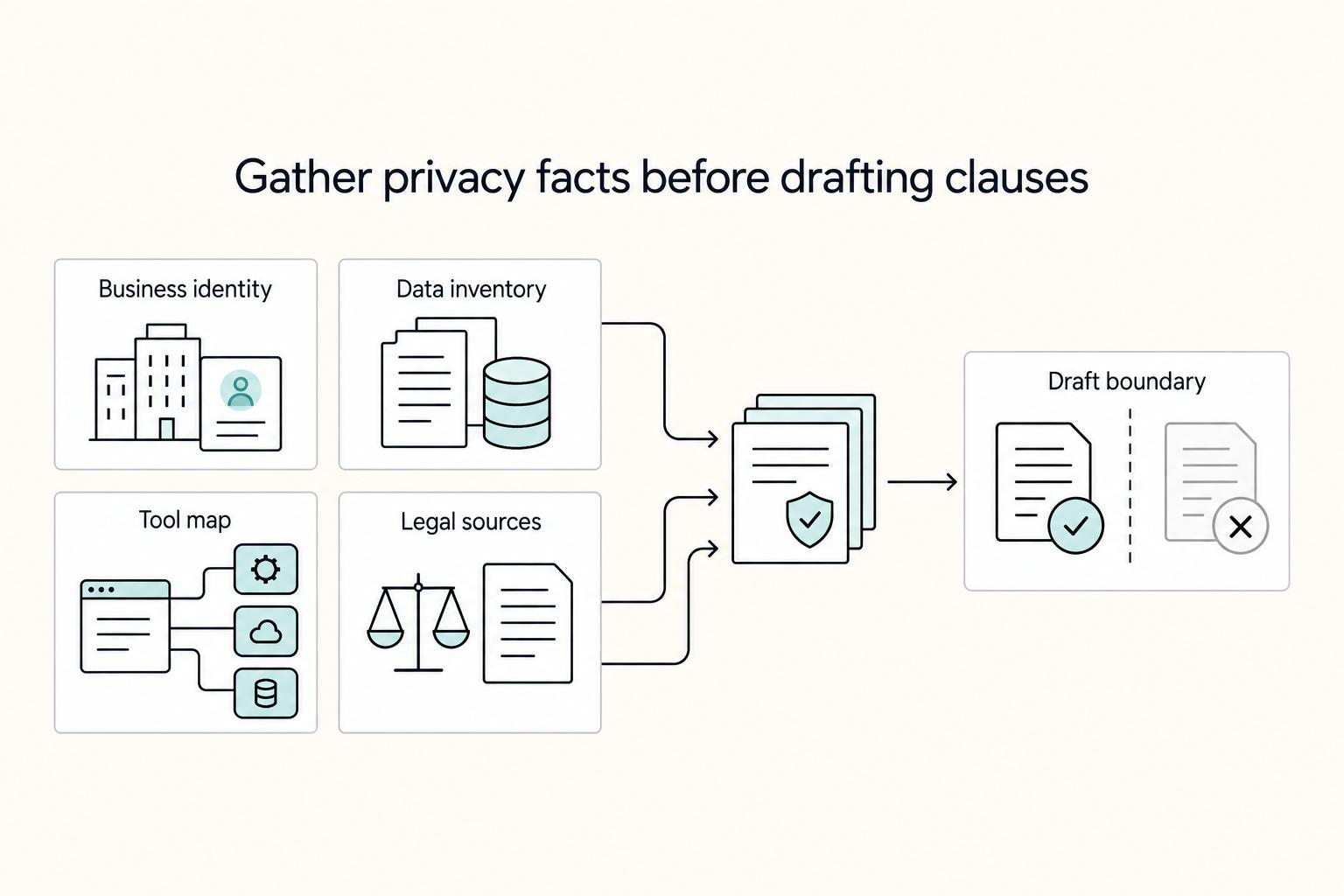
A [privacy policy](https://freelancersunion.org/privacy-policy) is easier to defend in client due diligence when each statement traces to real behavior. Treat it as a working record, not footer filler: what personal data you collect, how you use and manage it, and how someone can raise a concern.