

Quick Answer
Use a short, move-stage app stack: Google Flights or Skyscanner for flight search, TripIt or a clean confirmation folder for itinerary tracking, Google Maps plus an offline backup for routing, Booking.com for first-week lodging, one document hub with offline copies, and Airalo or Nomad with a local SIM fallback for arrival-day data.
How to Pick the Right App Stack Before You Move Abroad#
If you are comparing travel apps for a move abroad, choose by move stage, not by feature depth. A short stack that reduces four common failures works better: booking drift, missing documents at the wrong moment, no data on arrival, and a chaotic first week.
| Primary setup | When it matters | Check or fallback |
|---|---|---|
| Booking cutoff + Booking.com | When confirmed travel affects a visa appointment, housing proof, or employer paperwork | Treat confirmed bookings as an input to the move; flexible cancellation and verified reviews can reduce arrival-week risk |
| Notion workspace + offline copies | Before booking is fully locked | Keep passport ID page, visa records, accommodation confirmations, and reservation records in one pack; test retrieval in airplane mode |
| Airalo or Nomad | Before departure if your phone and destination support eSIM | Identify a local SIM option for day one, keep a top-up route in mind, and verify any current Google Fi overseas policy before a long stay |
| Booking.com + Nationly | Arrival-week execution and travel-day records | Handle data first, then routing, housing, and in-person tasks; keep location permissions enabled and data export working |
- One booking cutoff and Booking.com for first-stay booking
Set a hard booking cutoff once your move timeline is real. Admin prep slips when booking decisions stay open too long.
What matters here is not one more round of comparison, but a clear decision point. If your visa appointment, housing proof, or employer paperwork depends on confirmed travel, move that cutoff earlier and treat confirmed bookings as an input to the move, not a separate shopping project.
For your first stay, Booking.com is often used for a practical reason: flexible cancellation and verified reviews can reduce arrival-week risk while plans are still changing.
- One retrievable document pack with cloud access and offline copies
Build a single evidence pack before booking is fully locked, not after. A Notion workspace can work as the control hub because it is useful for requirement and expiration tracking across devices, but the important part is the structure: a cloud copy for editing and an offline phone copy for retrieval under stress.
Put the files you are most likely to be asked for in one place: passport ID page, visa application or approval records, accommodation confirmations, and any reservation records tied to entry or check-in. Keep filenames boring and obvious, like Passport.pdf and Visa-Approval.pdf.
Your verification checkpoint is simple. The week before departure, switch your phone to airplane mode and confirm you can open every key file without hunting. If you cannot retrieve the right document quickly, the pack is not ready.
One caution: if your move depends on country-specific day counts, visa thresholds, or tax rules, do not rely on a blog summary or an app label. Record the current threshold only after checking the official country source.
- Airalo or Nomad first, local SIM fallback second
For connectivity, choose a primary path and a backup path before you fly. A practical move is to install your preferred eSIM option in advance if your phone and destination support it.
The real decision point is the fallback. Coverage and activation reliability are not uniform. Identify a local SIM option for day one and keep a top-up route in mind if prepaid data is common in your destination. Ding is useful in that backup role because it is positioned around topping up prepaid SIMs worldwide.
If you currently rely on Google Fi for a long stay, verify the current overseas policy before you go. One cited failure mode is international data suspension after about 50 days abroad, with high-speed international data not resuming until at least 30 days of use back in the US.
- Booking.com plus a location-day log for arrival-week execution
Your first week works better with a strict sequence: get data working, confirm your route to your temporary stay, check into housing, then handle the first in-person tasks such as SIM purchase, banking, or residence admin. That order matters because a missed route or bad lodging handoff can burn a full day.
For travel-day records tied to paperwork, a tracker such as Nationly can help if location permissions stay enabled and data export is working. Set a reminder to pull a clean annual report before tax season.
If you are overloaded, use a minimum viable stack: Booking.com for the first stay, one document hub with offline copies, Airalo or Nomad plus a local SIM fallback via Ding, and a travel-day tracker such as Nationly.
If mail handling is part of your move, see The Best Virtual Mailboxes for Digital Nomads and LLCs.
How This List Was Chosen and Who Should Skip It#
Use one rule for every app: keep it only if it prevents a specific failure, at a specific move stage, with a fallback you can name now. If you cannot define all three, skip it.
| App example | Failure risk it helps with | Move stage | Fallback if it fails |
|---|---|---|---|
| TripIt | Scattered confirmation details | Booking through departure | Keep original booking emails and separate copies of key confirmations outside the app |
| Google Maps | Arrival-day routing confusion | Arrival week | Keep key addresses and route details available in a second place |
| Airalo | Landing without working data | Pre-departure and day one | Buy a local SIM; be ready for passport checks, paperwork, and possible time loss (reported at least half a day) |
Scope matters. These are practical examples, not universal winners: TripIt is included because it is commonly listed, Google Maps is here for routing, and Airalo is included as an eSIM option that is described as covering over 200 countries, not as a guarantee of smooth activation everywhere.
This stack fits document-heavy moves with more admin steps. If your trip is short and low-admin, keep a smaller setup for booking, lodging, and navigation.
Before relying on any recommendation, run a quick recency check. One source used here was originally published in June 2017 and updated in July 2024, so verify current app conditions before you depend on them.
If scheduling is part of the move, see The Best Calendar and Scheduling Apps for Freelancers.
The Core 7 Apps by Move Stage and Best Use Case#
Build this stack in order, and only add the next app when it prevents a concrete failure in your move.
- Google Flights or Skyscanner
Use when: you are still comparing dates, airports, and routes. Skip when: visa or housing timelines make further fare watching more risky than helpful. Failure prevented: booking confusion from too many live options. Fallback: save final airline confirmations as email plus offline PDF.
- TripIt (or another itinerary app)
Use when: you have your first paid flight or stay. Skip when: your trip is truly simple, with very few bookings. Failure prevented: duplicate or missing booking records when plans change. Fallback: keep original confirmation emails and offline PDFs in one folder.
- Airalo or Saily (connectivity setup)
Use when: you want data ready on arrival and your phone supports eSIM. Skip when: your phone is not eSIM-compatible or you already have a reliable roaming plan. Failure prevented: data gaps and roaming-charge surprises at arrival. Fallback: buy a local SIM; if your phone is carrier-locked, request a Network Unlock Code when eligible. Setup check: dial *#06# and look for an EID; activation may be as simple as scanning a QR code.
- Security behavior (separate from connectivity)
Use when: you are deciding how you will use public Wi-Fi and keep account access stable during travel. Skip when: do not fully skip this; keep it lightweight but explicit. Failure prevented: account-access disruption during move week. Fallback: confirm your backup sign-in path and keep your 2FA method available. Keep this separate from mobile-data setup; connectivity and privacy are different decisions.
- Google Maps plus CityMaps2Go
Use when: you are planning arrival-week routing and need offline navigation backup. Skip when: you already maintain another offline map tool you trust. Failure prevented: route failure when signal drops. Fallback: save screenshots of airport-to-stay route, full lodging address, and nearest transit stop.
- Trail Wallet or Tripcoin, then YNAB if needed
Use when: you need immediate spend visibility from day one; move to YNAB only if month-to-month control becomes necessary. Skip when: your stay is short and mostly fixed-cost. Failure prevented: budget drift in the first month. Fallback: keep one manual daily spend note until tracking is consistent.
- Booking.com or Airbnb
Use when: securing first-week lodging and, if needed, one backup option. Skip when: your first-week stay and host contact are already confirmed and stable. Failure prevented: arrival-week booking confusion. Fallback: keep one cancellable backup reservation and save property details offline.
Before you rely on this stack, verify four things: your itinerary is retrievable offline, offline maps are downloaded, your connectivity backup is ready, and your expense log has started.
Related: The Best Travel Credit Cards for Digital Nomads.
Quick Comparison Table You Can Scan in Two Minutes#
Use this table to choose the next tool by move stage and failure risk, not by app-store rank. It is a decision aid, not a universal ranking. Broad app roundups exist, including a 24-app list published in 2021, so treat current app capability as something to verify before you rely on it.
This mirrors relocation flow: booking is one stage, tax and visa compliance is another, and visa checks remain a separate checkpoint. Use tools to reduce operational friction, but do not treat them as compliance.
| Tool | Use when | Skip when | Key limitation | Fallback | Failure mode prevented |
|---|---|---|---|---|---|
| Google Flights | Your dates, airports, or route are still open and you need to complete booking decisions. | Visa timing, housing paperwork, or a fixed departure window makes more searching risky. | Included as a booking-stage option only; do not assume price or prediction performance. | Skyscanner for one cross-check, then save final airline confirmation email and PDF outside the search tool. | Booking gets delayed by endless comparison. |
| Skyscanner | You want one second search view before locking your route. | You already have a viable option and another pass is adding indecision. | Included as a booking-stage option only; verify current capability before relying on it. | Google Flights, then stop searching once the route is fixed. | Too many live options create booking confusion. |
| TripIt | You have paid for your first flight or stay and want one itinerary home. | A simple trip is already managed with a clean email folder and offline PDFs. | Current import/sync behavior is not assumed here; verify before use. | Email folder plus offline PDFs of each booking. | You cannot retrieve the right confirmation during check-in or schedule changes. |
| Airalo | You want a pre-arrival data path and your device setup is already checked. | You will buy a local SIM on arrival, or your device/2FA path is still unresolved. | Pricing, coverage, activation, and reliability are not assumed here; verify before departure. | Saily or a local SIM, plus a backup way to receive critical codes. | You land without working data for maps, messages, or booking access. |
| Google Maps | You need arrival-week routing for airport transfer, lodging, transit, and key appointments. | You already trust another route tool and have saved address screenshots. | Navigation is a known failure point; one map app does not remove all routing risk. | Secondary map option plus screenshots of lodging address and nearest transit stop. | You lose route continuity when setup, signal, or local transit complexity gets in the way. |
| Trail Wallet | You will log spending from day one while setup costs are still moving. | Your stay is short and fixed-cost, or you will not maintain entries. | Current tracking/integration behavior is not assumed here; verify before use. | One manual daily spend note, then YNAB only if the stay becomes a monthly budget issue. | Budget drift stays hidden until costs stack up. |
| Pre-departure readiness gate | Your flight is booked and you need a final go/no-go check. | Only if you accept avoidable arrival friction. | Practical checkpoint, not a universal standard. | Printed or offline copies of passport, visa paperwork, lodging details, and itinerary. | Documents are not accessible and organized when needed. |
Before you leave, confirm you can retrieve your itinerary, passport copy, visa paperwork, lodging confirmation, and first address without a perfect connection. If one missing document would force an inbox search at the airport, you have not passed the gate.
Stop tool-shopping once the next risk is covered. If visa steps are still open, making sure you have the right visa is higher priority than adding another app.
For vaccine planning, see A Guide to Travel Vaccinations for Digital Nomads.
The 90 Plus Day Prep Checklist That Prevents Admin Surprises#
Use this checklist to close the five risks that cause avoidable delays: rule uncertainty, missing documents, booking drift, weak connectivity planning, and itinerary changes after appointments are set.
| Area | Action | Risk prevented |
|---|---|---|
| Stay rules and passport status | Check current stay-limit, visa, and passport-validity rules; note where current legal thresholds are pending official verification; if needed, start a U.S. passport with Form DS-11 | Booking first, then discovering your documents cannot support your timeline |
| Document source of truth | Store passport copy, visa paperwork, lodging confirmation, insurance details, and paid booking confirmations in one primary folder; mirror it and test retrieval in airplane mode | Inbox-search chaos when you need documents immediately |
| Visa-and-entry evidence pack | Verify current proof requirements, gather likely supporting evidence tied to proof of subsistence and stay details, and confirm your medical coverage path | Last-minute evidence gaps during review |
| Booking gate | Run Google Flights and Skyscanner in one decision window, pick the viable itinerary, and save the paid confirmation PDF | Research churn stealing time from visa and document work |
| Connectivity and itinerary | Choose a primary data path and a backup; save maps, tickets, boarding passes, and key documents for offline use; keep confirmed flights, stays, and transfers in one itinerary view or a clean email-folder fallback | Timing failures when connectivity or plans shift on arrival |
- Verify stay rules and passport status now.
Check current stay-limit, visa, and passport-validity rules for your destination before you price routes. Where a legal threshold applies, verify the current value from official country records before using it in your plan. If you still need a U.S. passport, start the process now with Form DS-11; one planning source places processing at four to six weeks. This prevents a common failure: booking first, then discovering your documents cannot support your timeline.
- Create one document source of truth, then mirror it.
Store your passport copy, visa paperwork, lodging confirmation, insurance details, and paid booking confirmations in one primary folder. Mirror that folder to a second location, then keep quick-access copies on your phone for border checks, housing verification, and transit disruptions. Test retrieval in airplane mode so you know files open without internet. This prevents inbox-search chaos when you need documents immediately.
- Build your visa-and-entry evidence pack early.
If a visa is required, verify current proof requirements from official immigration records before using them in your plan. Gather likely supporting evidence, including documents tied to proof of subsistence and your stay details. Confirm your medical coverage path as part of this step, since travel medical insurance can support proof of ability to pay medical costs and some domestic plans may not cover you abroad. This prevents last-minute evidence gaps during review.
- Set one booking gate, then stop searching.
Run Google Flights and Skyscanner in one decision window, pick the viable itinerary, and book it. Save the paid confirmation PDF and move on to admin prep. This prevents research churn from stealing time from visa and document work.
- Lock connectivity and itinerary before appointment-sensitive travel.
Choose a primary data path, whether eSIM or local SIM, and write down a backup. Save maps, tickets, boarding passes, and key documents for offline use. Once appointments are fixed, keep all confirmed flights, stays, and transfers in one itinerary view with notifications, or in a clean email-folder fallback. This prevents timing failures when connectivity or plans shift on arrival.
Readiness checkpoint before the 30-day countdown: rules verified, passport path active, document pack retrievable offline, booking decision closed, connectivity primary-plus-backup defined, and itinerary locked for time-sensitive dates.
For business-focused coverage, see The Best Business Travel Insurance for Digital Nomads and Executives.
The 30 Day Countdown Checklist Before You Fly#
In the final month, treat this as execution, not optimization: lock your plan, verify every booking, and make sure your documents and check-in flow still work under pressure.
- A Month Before: lock one final timeline.
Put every confirmed flight, stay, transfer, and arrival-dependent commitment into one timeline you will travel from. This keeps handoffs and check-in timing aligned. If you keep changing pieces late, one small shift can break downstream plans.
- A Week Before: confirm reservations.
Open each active reservation and verify names, dates, and arrival windows against your timeline. This catches mismatches while you still have time to fix them. If you skip it, you may discover errors only at check-in or on arrival.
- 2-3 Days Before: organize travel documents.
Gather your required travel documents in one place you can access quickly, then verify access before travel day. Keep the original booking details available for addresses and check-in instructions. The common failure mode is simple: you notice what is missing only when someone asks for it.
| Need | Primary | Backup | Offline fallback | Switch when |
|---|---|---|---|---|
| Timeline and reservations | One master itinerary view | Booking confirmation folder | Saved confirmation PDFs | Times, names, or locations conflict |
| Travel documents | Main document folder | Duplicate folder copy | Downloaded local copies | A file will not open or sync |
| Flight check-in | Airline check-in flow | Airline website | Digital boarding pass saved on device | Login, sync, or pass loading fails |
| Arrival instructions | Your final arrival note | Original booking message | Screenshot of key instructions | Address or entry steps look unclear |
- A Day Before: check in and download your digital boarding pass.
Complete check-in, download your pass, and open your key travel items once more before travel morning. This is your final systems test. If anything fails, switch to your backup path before leaving for the airport.
For a broader comparison, see The Best Travel Insurance for Digital Nomads in 2026.
Arrival Week Setup Without Operational Drift#
In your first week, keep the stack fixed and run the same order every day: routing first, admin consolidation second, spending baseline third.
| Day | Focus | Done when |
|---|---|---|
| Day 1 | Confirm contact and routing before optional tasks; use Rome2rio when there are multiple transfer paths | You can name the arrival stop, final address, and one backup route without searching old threads |
| Day 2 | Put your address, booking references, access steps, appointment times, and support numbers into one note using original confirmation text | You can show your local address and next two bookings from one screen |
| Day 3 | Track spending in one place and focus on local transport, temporary meals, setup purchases, and lodging changes; use Rome2rio for rough transport price direction, including alternatives like BlaBlaCar when budget pressure is the issue | Three days of spending are captured in one place with no gaps |
-
Day 1: confirm contact and routing before optional tasks. Make sure you have one working way to contact your host, driver, or first accommodation, then verify the route you will actually take. Use Rome2rio to compare trains, buses, ferries, and flights on one interactive map when there are multiple transfer paths. Your check: you can name the arrival stop, final address, and one backup route without searching old threads. You are done when you have one primary route and one workable alternative.
-
Day 2: consolidate first-week admin details into one record. Put your address, booking references, access steps, appointment times, and support numbers into a single note or document using original confirmation text. If a portal loses functionality after cookie consent choices, switch to the confirmation email or a saved screenshot. Your check: you can show your local address and next two bookings from one screen. You are done when you no longer need to hunt across tabs and inboxes. If France is your destination and week one includes visa or residence follow-up, use A Guide to Getting a Long-Stay Visa in France as your deeper reference.
-
Day 3: set a spending baseline while decisions are still small. Track spending in one place, whether app, note, or sheet, and focus on categories that drift fast: local transport, temporary meals, setup purchases, and lodging changes. Use Rome2rio for rough transport price direction when deciding whether to keep a route or switch, including alternatives like BlaBlaCar when budget pressure is the issue. Your check: three days of spending are captured in one place with no gaps. You are done when you can see which category is running ahead.
Arrival week stack at a glance#
| Need | Primary app | Backup option | Offline fallback | Switch trigger |
|---|---|---|---|---|
| Route to lodging | Rome2rio | BlaBlaCar | Written address, stop name, and booking reference | A route leg is unclear or rough cost makes the first option impractical |
| Onward flight or train check | Kayak | Rome2rio | Saved or printed booking details with departure time | Layovers are too tight or connection count is higher than expected |
| Booking and access details | Booking or appointment portal in browser | Confirmation email | Screenshot with address, check-in steps, and support number | Consent or login issues hide required details |
| First-week spending | Your budget app or note | Simple spreadsheet | Receipt photos or paper note | You miss a full day of entries |
If something breaks, recover in this order#
- Connectivity fallback. Re-establish one working contact path and send a short arrival update first.
- Navigation fallback. Recheck options in Rome2rio or your written route note, then take the next workable route.
- Booking/access fallback. Open the original confirmation or screenshot and confirm exact address, access steps, and support number before non-urgent tasks.
First 30 Days Decisions That Keep the Move Stable#
By day 30, your stack should be smaller, not bigger. Keep an app only if it passed one job-to-be-done test: it prevented a real booking, routing, or spending mistake in your actual month.
| App | Problem solved | Evidence from your month | Decision |
|---|---|---|---|
| TripIt | Itinerary and booking confusion | You used one itinerary view to confirm the right date, address, or booking detail without digging through messages | Keep if it prevented confusion at least once; otherwise remove or stay on free tier |
| Google Maps | Daily routing reliability | It helped you reach destinations consistently, including live public transport choices | Keep if used regularly; count offline use only if you downloaded maps in advance |
| One budget app (for example, Revolut) | Spending drift | You logged spending consistently enough to spot drift and change behavior | Keep if it changed a decision; replace if entries keep breaking down |
| Airbnb | Housing tradeoff check | You compared listing cost against real commute time and transfer complexity in Google Maps | Keep while housing is still in decision mode; remove or mute after you stabilize |
| Nomad List | Next-city research | You used cost, safety, or internet-speed data for an actual next-step decision | Phase-two only, after the core stack is stable |
If your month involved frequent movement, prioritize navigation reliability. Keep Google Maps central, set a daily route check, and use CityMaps2Go only as backup when places are not already saved. If you moved mostly by car, test Waze only if it solved a traffic or hazard problem that your current setup missed.
If your month became home-base, reduce navigation overhead and focus on expense control. Recheck housing by comparing Airbnb listing cost with commute reality in Google Maps: total travel time, transfer count, and repeatability. A lower listing price is not a win if transport friction keeps creating new costs.
Treat discovery tools as later additions, not first-month essentials. One 2025 comparison listed TripIt at Free/$49/year, Revolut at Free/$10.99/month, and Nomad List at $99/year, so use month-one evidence before adding paid tools.
Build Your Stack by Move Stage and Avoid Fixable Mistakes#
Build your stack in sequence, not by popularity: lock your core planning tools first, stabilize arrival reliability next, and add optional apps only after they solve a real gap.
- Lock core planning tools first
Before you fly, keep your stack focused on three jobs: flight search, itinerary retrieval, and navigation. In practice, that usually means Google Flights or Skyscanner, TripIt if you need one place for confirmations, and Google Maps. Use your 90-day and 30-day checklists as the filter: if a tool did not reduce booking confusion or stop endless fare rechecking, cut it. Your quick test is simple: can you pull your flight number, booking code, and first-night address in under a minute?
- Stabilize arrival tools next
After landing, prove connectivity and routing before you add anything optional. Reliability under friction matters more than feature depth in your first days. Set this up before departure: download your map area and save your exact lodging address for offline access. If your blocker is mobile data setup, resolve that directly with The Best International SIM Cards and eSIMs for Digital Nomads.
- Delay optional apps until your routine is stable
Treat budgeting, discovery, and social tools as conditional adds. Keep one only if it fixed a specific problem in your first 30 days, such as spending drift or repeated planning misses. Use this keep-or-cut rule: if the app did not change what you did this week, remove it.
Be cautious with broad "best app" lists. A March 2024 study that reviewed 225 digital nomad destination articles found nomads are often presented as one group even though different segments exist, so outside rankings are better as research inputs than operating instructions.
If you add a discovery or travel-buddy app, do it only after your core stack is reliable, and only if you will complete the profile details it depends on, such as planned trips, interests, and companion criteria. If your blocker is visa paperwork, use A Guide to Getting a Long-Stay Visa in France. If it is a country-specific edge case, get specialist help instead of adding more apps.
Frequently Asked Questions
What are the must-have travel apps for digital nomads moving abroad?
Start with three categories: one flight search tool, one itinerary log, and one map app. In practice, that can mean Google Flights or Skyscanner, an itinerary app, and Google Maps. Add budgeting or visa and tax tools only when your move stage or admin deadlines make them necessary.
Which apps should you set up before departure versus after arrival?
Before departure, focus on flight search, booking confirmations, and map access. After arrival, prove routing first, then add anything else only if it solves a live problem. If you expect weak data, Google Maps works offline only if you downloaded the area in advance, and CityMaps2Go can serve as a backup.
What is the minimum app stack for a long stay?
The minimum stack is three categories: flight search, itinerary tracking, and navigation. That covers booking visibility, confirmation retrieval, and on-the-ground orientation. Add a fourth app only if it earns its place, usually budget tracking.
Should you use an eSIM or buy a local SIM card?
There is no universal winner. Choose the option that fits your phone, arrival plan, and tolerance for setup friction after you land. The bigger mistake is arriving without a tested fallback.
Which is better for flight planning, Google Flights or Skyscanner?
Neither is a proven winner for everyone. Check the same route in both, then keep the one that gives you clearer options for your dates and airport pair. For a cleaner check, search in private browsing and reset between sessions. The real risk is getting stuck in endless rechecking.
Do you still need an itinerary app if your bookings are already in email?
Not always. If your inbox is reliable and you never miss a date, address, or booking code, email-only can work. Keep an itinerary app only if it prevented a concrete miss or saved you from digging through messages.
Which budgeting app is better for relocation control?
There is no grounded overall ranking across budgeting apps. Pick one you will actually use for daily or near-daily entry and category review. If it does not help you catch transport, meals, or setup overspend early enough to react, it is not the right one for your move.
Try a related tool
Researched and edited by the Gruv editorial team. Gruv builds cross-border billing, payouts, and finance-operations software for global businesses.
Sources
Includes 7 external sources outside the trusted-domain allowlist.
- cs.columbia.edu/~tal/3261/fall07/handout/list.txttrusted
- becomenomad.com/digital-nomad-travel-resourcesexternal
- cntraveller.com/article/best-esim-international-travelexternal
- coworkingdays.com/digital-nomad-guides/the-best-digital-nomad-...external
- gratefulgnomads.com/best-apps-for-digital-nomadsexternal
- miigo.one/en/blog/best-travel-apps-digital-nomads-2026external
- nomad-magazine.com/blog/15-essential-apps-for-digital-nomads-in...external
- nomadgate.com/travel-toolsexternal
Educational content only. Not legal, tax, or financial advice.
Related Posts
The Best International SIM Cards and eSIMs for Digital Nomads
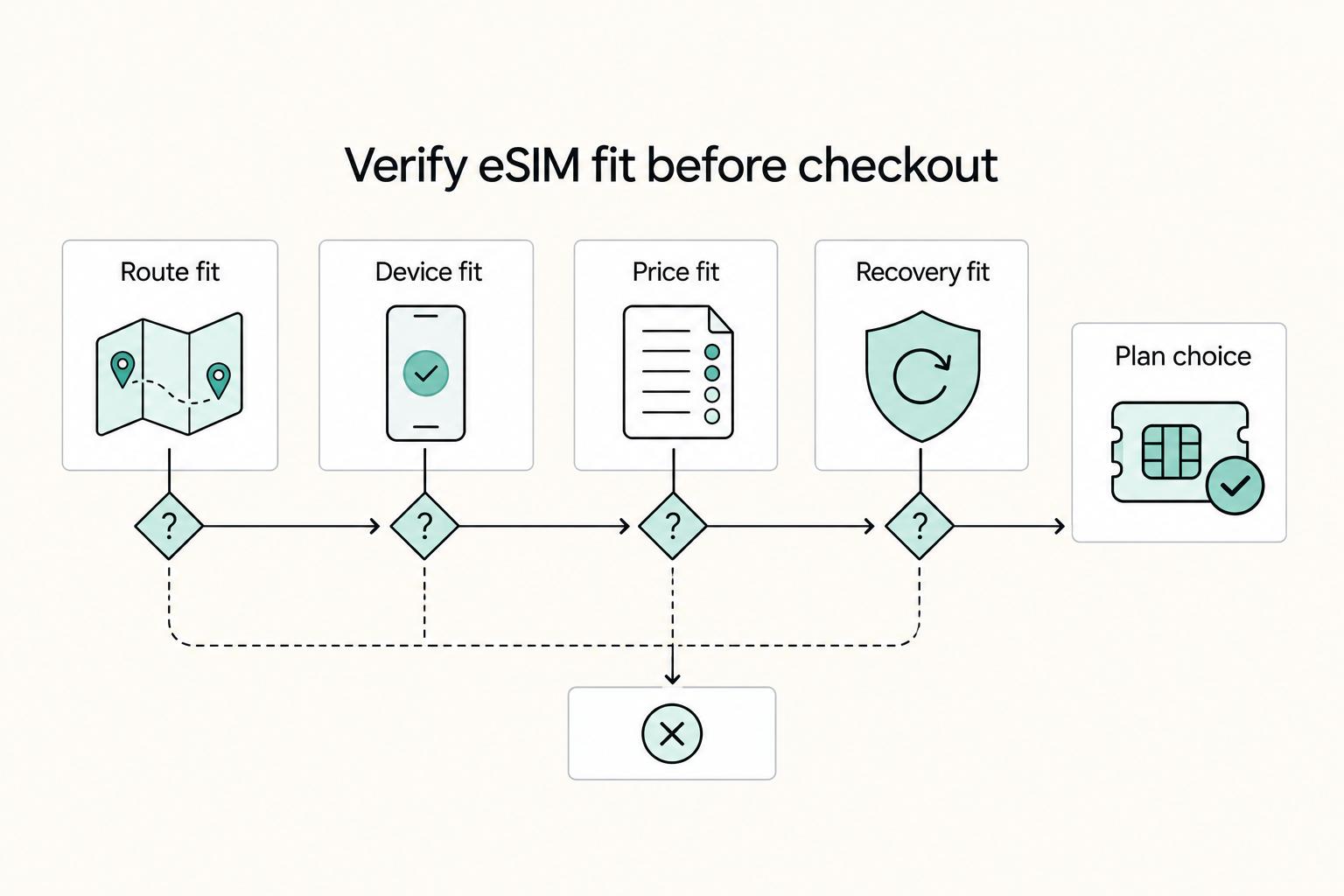
There is no universal winner here. The right pick depends on your route, your work needs, and how much setup risk you are willing to absorb. In most cases, you can narrow the field to Airalo, Nomad, Holafly, Roamless, Google Fi, or a physical international SIM card fairly quickly once you use the right filters.

A Guide to Getting a Long-Stay Visa in France
**Treat your France long-stay visa plan like an operations project, not a form-filling task, so you control risk before you commit time or money.**

The Freelance Payment Penalty: A Modeled Audit of Platform Fees, FX Spreads, and Payout Delays
The money rarely disappears through a single, easy-to-spot fee. The real loss is stacked. A marketplace takes its commission, a processor adds a charge for international cards, a bank or payment company converts the currency at a spread, a platform holds the funds before release, and a wire sheds a little to intermediaries on the way in. Each layer looks defensible on its own, but the worker feels the combined result as a smaller deposit and a later payday.