
Quick Answer
To track credit card points effectively, pick tools by job-to-be-done and run a repeatable weekly review. Use an optimizer for purchase-time card choice, an aggregator for cross-program visibility, and verify unknowns like coverage, freshness, and permissions directly in vendor docs. Keep issuer portals and loyalty workflows as your source of truth, and maintain an exceptions list so silent sync failures do not derail bookings.
Stop leaking rewards (and time): pick a points-tracking stack you can trust in 30 minutes#
Pick a stack based on your failure mode (choosing the wrong card vs losing visibility), then run a simple recurring check so you can keep rewards visible without turning them into admin work. If you're a business of one, rewards only matter if the system runs without stealing focus from client work.
If you invoice clients, "more travel hacking" rarely fixes the real leak. It usually shows up when you (1) pay a big expense with the wrong card, (2) lose track of balances across loyalty programs, or (3) trust a dashboard that stops syncing and you do not notice until booking time. Your goal is a dependable system for travel rewards, not another hobby.
Step 1: Choose the job (optimizer vs aggregator vs lightweight tracker)#
Use this table to decide what you are hiring. Treat any tool details, including pricing, program coverage, and security posture, as Unknown / Verify unless you confirm them in primary vendor documentation.
| Stack type | The job | Safe default use-case | What "done" looks like | Biggest risk to manage |
|---|---|---|---|---|
| Optimizer | Card choice at checkout | You keep using the wrong card for recurring spend | You stop improvising at the Apple Pay moment | May require deeper account access (Unknown / Verify) |
| Aggregator | Consolidate balances across programs | You juggle issuers and loyalty programs and forget what you have | One view of points across travel rewards and loyalty programs | Data freshness varies by program (Unknown / Verify) |
| Lightweight tracker | Minimal visibility, minimal setup | You only need a "good enough" dashboard | You check it on a simple cadence, not daily | Missing features create blind spots (Unknown / Verify) |
A fast way to self-diagnose:
- If you keep realizing you used the wrong card after the fact, you want an optimizer.
- If you keep losing track of where points live, you want an aggregator.
Step 2: Run a quick selection sprint (risk-first)#
Keep this sprint practical. You are not shopping for features. You are eliminating risk.
- Coverage risk: list the accounts you actually use (card issuers plus loyalty programs). Reject tools that cannot clearly support them (Unknown / Verify).
- Security posture risk: assume you are handling sensitive personal information (the FTC includes "credit card or other account data"). Verify you are on the real site by checking https:// (so information you provide is encrypted and transmitted securely) and the exact domain before you connect anything.
- Ops overhead risk: only pick a tool you can realistically keep up with on a weekly, or otherwise consistent, review.
- Decision usefulness: if you need purchase-time guidance, prioritize an optimizer. If you need balance hygiene, prioritize an aggregator. If you need award booking help, add a separate layer later; it does not replace tracking.
If you want one place to store your "which card for what" policy and your weekly checklist, put it in a single doc your future self will actually follow. This pairs well with A Guide to Notion for Freelance Business Management.
Selection criteria (and who this list is for / not for)#
This list is for a dependable, low-admin way to keep rewards visible across issuers and loyalty programs. The filter is simple: avoid tools that cannot track what you use, and avoid tools that create new risk through access and upkeep.
Who this list serves (and who should skip it)#
This list is for freelancers, creators, and small teams who juggle multiple cards and ecosystems, then feel the pain at checkout or booking time.
If you rotate between American Express, Chase Ultimate Rewards, and Capital One, you need consolidated visibility so you stop guessing. You also need a repeatable rule for "which card do I use right now?" That is the core execution problem.
This list is not for "aspirational redemption" optimizers who enjoy spending hours in forums like Reddit and r/CreditCards squeezing travel hacking edge cases. Those folks often run custom spreadsheets and constant experimentation.
Frugal Flyer puts it plainly: "It requires a high level of organization and thus necessitates having a system for keeping track of credit cards, accounts, and points balances." They also note, "By far, the most popular solution among miles and points enthusiasts is a good ol' fashioned Excel spreadsheet," partly because spreadsheets offer "no/low risk" of data compromise. If you want that level of control, you can go manual.
If your reality is client travel, ads, and SaaS across a few cards, you do not need a perfect optimizer. You need fewer "oops" moments and a dashboard you trust.
Risk-first scorecard (pressure-test vendor claims)#
Use this scorecard to evaluate points-tracking tools and alternatives. Treat third-party blurbs as inputs, not proof.
Forbes explicitly discloses incentives: "We independently select all products and services. While we earn a commission from partner links, commissions do not affect our editors' opinions or evaluations." Use vendor documentation as your source of truth.
| Risk | What to ask | What to verify yourself (safe default) |
|---|---|---|
| Coverage risk | Does it reliably track the issuers and loyalty programs you actually use? | List your accounts first, then confirm support and refresh behavior in the vendor's own docs. |
| Security posture risk | What access does it require, and what permissions does it request? | Define your acceptable "blast radius." If compromise would hurt, prefer the least access that still solves the job (verify per vendor). |
| Ops overhead risk | Can you run it in a quick weekly review? | If it needs constant babysitting, reject it. Reliability beats features. |
| Decision usefulness | Does it help at purchase time, or primarily consolidate balances? | Match tool type to your failure mode. Do not force one tool to do both jobs. |
If you want a card setup that matches your workflow before you even start tracking, use The Best Business Credit Cards for Freelancers.
Optimizer or aggregator - which job are you hiring a tool for?#
Think of this as a broader workflow choice: do you need tighter automation around the process, or a layer that aggregates fragmented inputs? Add a second layer only if you still feel friction.
Assign one clear job before you compare features. Otherwise you will try to make one tool do two incompatible things, and you will stop using it.
Job #1: Automation (reduce routine-task drag)#
The source material frames automation as the layer that keeps recruiting work in one system instead of split across different CRMs and spreadsheets. The point is less time on routine steps and fewer handoffs.
Use automation when your pain sounds like:
- "We are juggling too many systems and spreadsheets."
- "Basic steps take forever because everything is manual."
- "We lose context because the process is scattered."
Execution rule: pick one workflow to centralize first - intake, outreach, or tracking, then expand once the core loop actually feels simpler.
Job #2: Job aggregator tools (a category you might be shopping)#
"Job Aggregator Tools" appears as a tool category in Sprintful's roundup of the best recruiting tools for 2023. If you are considering tools in this bucket, verify what they cover and how they fit into your existing workflow.
One example of a tool in the job-data space is JobsPikr, which markets itself as a job market intelligence platform and advertises a "Start 7-Day Free Trial." Treat trials as a quick way to validate fit, not a guarantee of outcomes.
Use job aggregator tools when your pain sounds like:
- "We spend too much time switching between places just to find what we need."
- "We want a clearer view of the market, but our inputs are fragmented."
- "We need a more systematic way to monitor what is out there."
| Your failure mode | Start with | Add later (only if needed) | What "done" feels like |
|---|---|---|---|
| You fail at keeping the process together | Automation | Job aggregator tools | Your workflow lives in one place instead of scattered tools |
| You fail at keeping inputs visible | Job aggregator tools | Automation | You spend less time hunting and more time acting |
If your day is getting eaten by switching systems, start by tightening the workflow with automation. If the real issue is fragmented inputs, start with the category of tools meant to help with aggregation, then add automation if execution still feels heavy.
Quick comparison table (scan this before you commit)#
Use this table to shortlist tools by job-to-be-done, then verify pricing, program coverage, and security in each vendor's own documentation. This is a scan, not a verdict. The goal is to pick something you will actually run weekly.
Shortlist filter (positioning, not promises)#
| Tool | Primary job (your use-case) | Best for | Strength signal to look for | Key limitation (risk) to treat as Unknown until you verify | Team fit | Notes |
|---|---|---|---|---|---|---|
| MaxRewards | Verify in vendor docs | Depends on your workflow | A workflow you can test end-to-end (without guesswork) | Permissions and access model. Verify exactly what it asks for and what happens if an account gets compromised | Solo, small team if one person owns the system | Treat anything "auto" as suspect until you have watched it behave for a full cycle. |
| AwardWallet | Verify in vendor docs | Depends on how many programs/accounts you manage | Clear coverage list and clear "last updated" behavior (where applicable) | Data freshness and coverage. Confirm what syncs reliably for you and what does not | Solo-friendly, team depends on account boundaries | Use it as a dashboard, not your source of truth, until you have reconciled it against primary portals. |
| Gondola.ai | Verify in vendor docs | Depends on whether you want ideas vs. records | Outputs you can independently verify | Methodology and completeness. Treat outputs like leads, not facts | Mostly solo | Pair with a real tracker. Do not outsource your source of truth. |
| My10x | Verify in vendor docs | Depends on how much setup you will tolerate | A setup you can keep doing when you are busy | Coverage and caps. Validate what is supported before you migrate anything important | Solo | Ask one question: "Can I review, reconcile, and act in under 10 minutes?" |
| ThePointsGuy app | Verify in vendor docs | Depends on whether you want education vs. tracking | Clarity, consistency, and obvious separation between editorial and offers | Not an audit trail. Assume it will not replace a reconciled tracker | Solo | Use it to learn, not to close your books. |
| point.me | Verify in vendor docs | Depends on whether you are actively booking | Search results you can replicate or confirm before you transfer or buy anything | Scope limits. Confirm what it does and does not cover before you rely on it | Solo | Treat it as booking support, not as your balance system, unless the vendor explicitly documents otherwise. |
How to use this table safely (operator rules)#
Roundups often include incentives, so treat them as inputs, not truth. Credit Karma's own advertiser disclosure says offers come from third-party advertisers and that "this compensation is one of several factors that may impact how and where offers appear," which is why you verify in primary docs.
Decision rule: pick one tool, do a 30-minute setup, then run two weekly reviews before you add anything else.
If you feel tempted to install three apps, pause. Start with visibility. Add booking help only when you are booking. Add an optimizer only if checkout decisions are still leaking rewards.
The best tools to track credit card points and miles (ranked by workflow outcome)#
If your goal is points and miles, start with clean, auditable inputs: expenses and, if relevant, business mileage. This section covers adjacent tools and verifiable offer details.
| Tool | Use it when your real problem is... | What you must verify (non-negotiable) |
|---|---|---|
| QuickBooks | "My spending data is messy, so everything downstream (including rewards) is guesswork." | What you are connecting, what data it can access, and whether the workflow actually matches how you review spending weekly |
| Monarch | "I need a tighter budgeting layer so I can see spend patterns clearly." | Plan details and pricing, and whether the categories and reports you need are actually usable week to week |
| Timeero (resource + demo) | "I need mileage-tracking context for business workflows." | Whether the solution you choose fits your business use case, and what follow-up or support looks like before you commit |
QuickBooks (expense tracking input)#
CNBC Select promotes QuickBooks with a limited-time "70% off" offer, framed around expense tracking.
Verification checklist:
- Confirm the offer details are still live; it is described as limited-time.
- Confirm what you are connecting and what access is requested before you link anything.
- Confirm you can export or review spending in a way you will actually maintain weekly.
Monarch (budgeting layer for spend clarity)#
CNBC Select states Monarch's budgeting app is "50% off your first year" with code CNBC50.
Verification checklist:
- Confirm the code and first-year discount still apply at checkout.
- Confirm the plan and pricing you are selecting match what you expect before you enter payment.
- Confirm the workflow helps you consistently review spend, not just set it up once.
Timeero (mileage-tracking context)#
Timeero has a page titled "5 Best Mileage Tracking Apps for Businesses in 2026." Its demo form also states that consultants will contact you within 30 minutes.
Verification checklist:
- Treat "best" lists as a starting point, then validate fit for your specific mileage workflow.
- If you request a demo, verify what "contact within 30 minutes" means in practice: channel, hours, and next steps.
- Confirm your chosen mileage approach produces records you can review and reconcile consistently.
If you also want your card strategy to match your invoicing reality, pair this with The Best Business Credit Cards for Freelancers so your earning rules and your cashflow rules reinforce each other.
MaxRewards vs AwardWallet: which should you use if you invoice clients?#
There is not enough in the approved sources here to say MaxRewards or AwardWallet is "better" for invoicing. For invoicing workflows, consistency matters: you want to track rewards without breaking reconciliation.
Decision rule (pick based on where you lose value)#
1) If your leakage happens at checkout, prioritize purchase-time consistency. If one of these tools, in your setup, helps you decide which card to use at the moment you pay, that is the one to lean on. The goal is less improvising and more repeatable behavior for recurring spend, with clean reconciliation against your issuer statement.
2) If your leakage comes from account sprawl, prioritize consolidated visibility. If one of these tools, in your setup, is mainly about aggregating cards and rewards programs into a single view, that is the one to lean on. National Debt Relief notes that "there is no one-size-fits-all approach" to how many credit cards you should carry, and also reports that Americans carry four cards on average. More cards can mean more places to track balances and points, so one interface can make it easier to stay on top of things.
3) Use both when both problems are real. If you rotate multiple cards and you are juggling multiple rewards programs, a two-tool setup can be reasonable, as long as it stays easy to audit. If it makes reconciliation messier, it is not worth it.
| If your weekly pain sounds like... | Primary need | Safer default |
|---|---|---|
| "Which card should I use for this charge?" | Decision prompt | The tool that helps at purchase time |
| "Where did my points go across programs?" | Consolidated dashboard | The tool that consolidates accounts |
| "I have both problems." | Two-layer system | Use both only if reconciliation stays clean |
Cashflow lens (don't let rewards create accounting chaos)#
Treat rewards tooling like any credit card management app. SoFi describes these tools as ones that "bring all your credit card data (balances, due dates, transactions, and rewards points) into a single, easy-to-manage interface." Consolidation is only useful if your data stays reliable enough for invoicing, reimbursements, and reconciliation.
| Control point | What to do | Grounded note |
|---|---|---|
| Source of truth | Keep issuer statements as your source of truth | Use them for categories, totals, and client-billable expenses |
| Tool friction | If a tool creates friction, drop it | Friction costs more than an extra category bonus |
| Policy layer | Document your "which card for what" policy somewhere your future self will follow | A lightweight system like Notion is suggested |
Operator checklist:
- Keep issuer statements as your source of truth for categories, totals, and client-billable expenses.
- If a tool creates friction, drop it. Friction costs more than an extra category bonus.
- Document your "which card for what" policy somewhere your future self will follow. Put it in a lightweight system like Notion: A Guide to Notion for Freelance Business Management.
How do you track points across multiple cards and loyalty programs - without losing receipts or control?#
Pick one place to monitor activity, run a recurring scan, and confirm exceptions in the program's own workflow when something looks off. The goal is a workflow that keeps receipts organized and catches silent failures early.
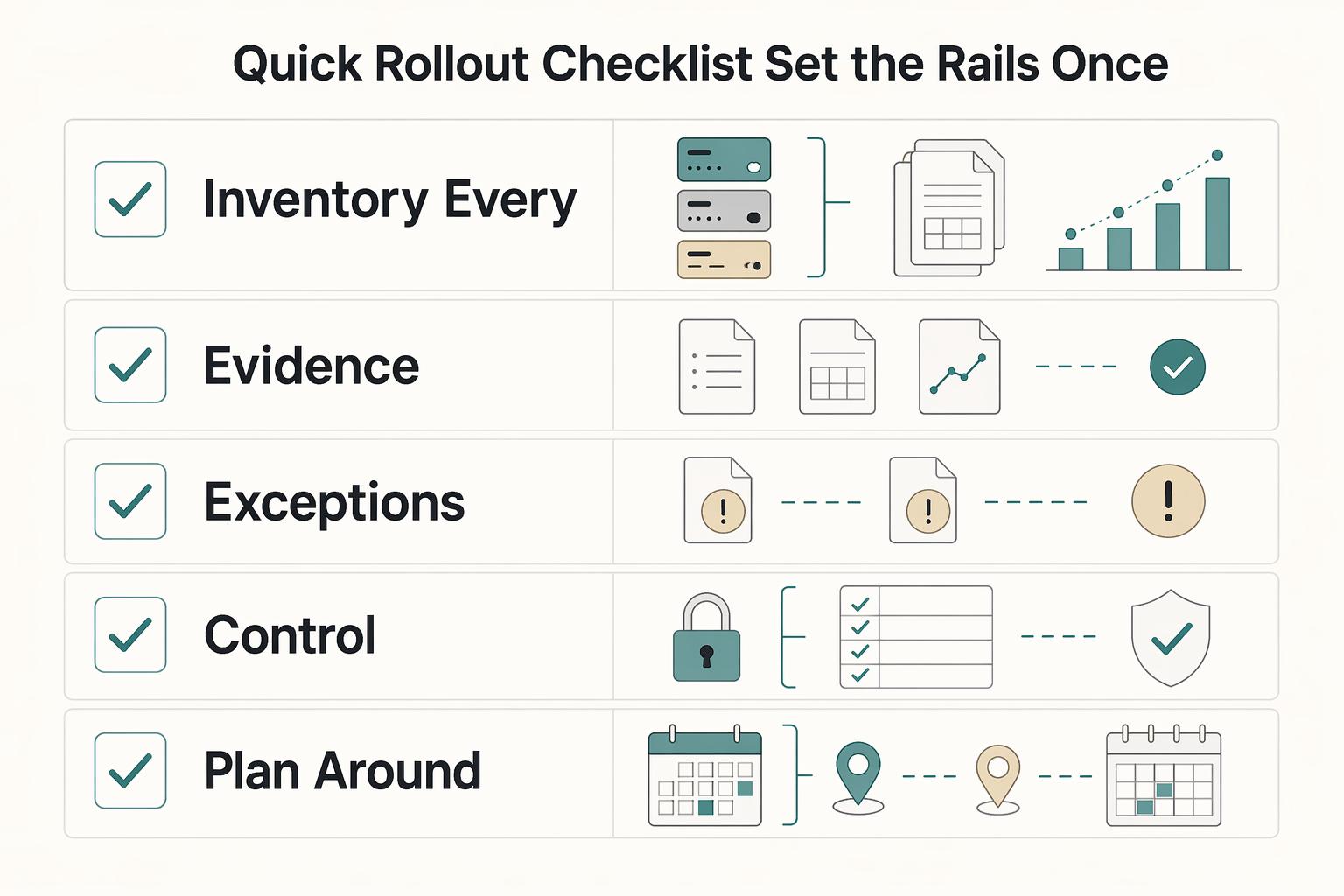
Quick rollout checklist (set the rails once)#
Start with an inventory, then define how you will verify anything that looks off.
| Setup step | What to document | Grounded detail |
|---|---|---|
| Inventory every program | List each loyalty program, where points are earned, and who owns the "award points" step | Points may be earned at the terminal, online, or via a provider |
| Document program type and prompts | Record your program type and any prompts used at purchase | Moneris lists Basic Loyalty, Enhanced Loyalty, Pro Loyalty, and Tracking; in Tracking, optional prompts can gather more transaction information and request the customer's loyalty card/number |
| Define verification for exceptions | Verify in the loyalty workflow itself, not just in your own notes | Check the provider/admin view and the terminal record/receipt |
| Receipt control | Keep loyalty receipts with bookkeeping and tag follow-up items | If you use Moneris Tracking, keep the Tracking loyalty receipt handy because reprinting is part of the documented workflow |
| Plan around hard limits | Note workflow steps that are not supported | Awarding points after a Pre-authorization or Completion is currently not supported |
In practice:
- Inventory every program you care about: list each loyalty program, where points are earned (at the terminal, online, or via a provider), and who owns the "award points" step.
- Document your program type and prompts: Moneris describes four loyalty program types: Basic Loyalty, Enhanced Loyalty, Pro Loyalty, and Tracking. In Tracking, optional prompts can gather more transaction information so points can be awarded in a customized way, and the terminal can prompt at the end of a purchase to add points and request the customer's loyalty card or number.
- Define verification for exceptions: when you need to confirm what happened, verify in the loyalty workflow itself, such as the provider/admin view and the terminal record or receipt, not just in your own notes.
- Control the receipts: keep loyalty receipts with your bookkeeping, and tag the ones that may need follow-up. If you use Moneris Tracking, keep the Tracking loyalty receipt handy because reprinting is part of the documented workflow.
- Know the edge cases you cannot fix later: Moneris states that awarding points after a Pre-authorization or Completion is currently not supported, so plan your process accordingly.
Use this decision table to keep behavior consistent:
| You're deciding... | Use your monitoring view | Verify in the program workflow when... |
|---|---|---|
| "Did points post?" | Quick scan of recent activity | A transaction is missing, duplicated, or clearly out of pattern |
| "Why didn't this customer earn?" | Trend check + receipt lookup | The terminal prompt was skipped, the loyalty card or number was not captured, or the provider needs the transaction data |
| "Where do points actually get awarded?" | High-level map of your systems | You need to confirm whether the Loyalty Program Provider (not the terminal) awards points after receiving transaction data |
Recurring review (catch silent failures)#
Run a tight scan so anomalies surface early.
| Review step | Article guidance | Specific detail |
|---|---|---|
| Spot-check accounts | Review a small set of programs/accounts on a schedule that fits your volume | Use a schedule that fits your volume |
| Keep an exceptions list | Track exceptions in one place | Use three columns: Account, What changed, Next action |
| Balance looks wrong | Confirm in the loyalty program's own admin view and match to the receipt/transaction details you captured | Escalate fast when tracking breaks |
| Data does not line up across systems | Note the limitation and switch to a manual check where needed | Lightspeed says customer information does not sync between Retail POS and Loyalty |
| Program-specific constraint | If a workflow does not support a step, do not assume it will reconcile later | Do not assume it will reconcile later |
- Spot-check a small set of programs or accounts on a schedule that fits your volume.
- Keep an exceptions list with three columns: Account, What changed, Next action.
- Escalate fast when tracking breaks:
- Balance looks wrong: confirm in the loyalty program's own admin view and match it to the receipt or transaction details you captured. * Data does not line up across systems: note the limitation and switch to a manual check where needed. For example, Lightspeed states that customer information does not sync between Retail POS and Loyalty. * Program-specific constraints: if a workflow does not support a step, like awarding after pre-auth or completion, do not assume it will reconcile later.
If you expense a trip, your tracker shows no loyalty credit, and you already filed the receipt, your exceptions list tells you exactly where to verify and what to fix. You avoid re-auditing your entire month.
Finally, make it team-safe. Do not share one person's personal logins. Separate business tracking from personal profiles where possible, and keep a shared "how we handle loyalty at checkout" policy.
If you are researching tools, keep in mind that software directories may include sponsored profiles and may earn a referral fee when you click through, even if they state it does not influence their research or methodology.
If you want reminders without extra mental load and your stack supports it, you can automate a recurring check-in with How to Use Zapier to Connect Your Freelance Tech Stack.
Want a quick next step for "track loyalty activity"? Try the free invoice generator.
The safe default stack (and your next step)#
Build a two-layer workflow: pick one tool to consolidate rewards, then add a separate tool only if you need purchase-time guidance. The goal is a setup you can run weekly without turning travel rewards into a second job.
1) Start with consolidation, then earn the right to "optimize"#
Start with a consolidation layer: one place to review balances and, if relevant, utilization and rewards, so you can plan redemptions and reduce account sprawl. Some tools position themselves as single-dashboard credit card management with "real-time balances, utilization, and rewards" in one platform.
Then consider an optimizer only if you keep making the same execution mistake at checkout: wrong card, missed offer, or wrong category. Track consistently first, then optimize decisions once the basics stop slipping.
Use this decision table to avoid tool overlap:
| Your failure mode | Add first | Add second (only if needed) | What "done" looks like |
|---|---|---|---|
| "I don't know where my points are." | Consolidation dashboard | Award search (optional) | You can name your balances fast and plan a redemption |
| "I used the wrong card again." | Consolidation dashboard | Purchase-time guidance (optional) | You follow a simple card policy without thinking |
2) Run a risk-control loop (because payments get complicated)#
Card transactions look simple, but "a lot happens behind the scenes," as Chase Payment Solutions notes. Build one habit that keeps your rewards tracking honest: when something looks off, confirm it in the issuer's own records before you act on it (for example, in your card issuer portal).
Do not argue with an app. Reconcile the underlying transaction and rewards activity, then update your tracker notes.
Hypothetical scenario: you prep to transfer points for a flight you found, but your tracker shows a lower balance than expected. You pause, confirm the balance in the issuer portal, then decide whether to transfer or wait for posting.
Operator checklist (10 minutes weekly):
- Review balances for your top issuer accounts and top loyalty programs.
- Flag exceptions: missing refresh, duplicate account, unexpected drop.
- Log the exception with a next check date and the source you will verify.
Next step: if you already keep a weekly ops doc, Notion or otherwise, drop this checklist into it so it is easy to repeat. Use this as your template reference: A Guide to Notion for Freelance Business Management.
Frequently Asked Questions
What are **credit card points**?
Credit card points are a type of rewards currency you can earn in exchange for eligible credit card spending.
What is the best app to **track credit card points** in 2026?
“Best” depends on the job you need done. Decide first whether you need purchase-time guidance (to stop missing bonus categories and offers) or a clean way to monitor balances across programs. If you want the lowest-risk default, run a spreadsheet as your baseline. Frugal Flyer calls spreadsheets the most popular option and notes they have “no/low risk of your data being compromised.”
Optimization tools vs balance trackers: which is better for most people?
They are not trying to solve the same problem. Pick an optimization-style tool if you keep using the wrong card and want tighter execution on bonus categories, welcome bonuses, and promotional offers (Bankrate explicitly calls those out as the path to boosted points). Pick a tracking-style tool if you lose track of balances across loyalty programs and want everything in one place.
How do I track points across **multiple credit cards and loyalty programs** in one place?
If you want a lightweight, low-risk approach, build a spreadsheet with columns for Account, Login URL, Last verified balance, and Next check date. Frugal Flyer’s core point is that miles and points success “requires a high level of organization” and a system for tracking cards, accounts, and balances. Beyond spreadsheets, Frugal Flyer also notes there are niche web applications for credit card tracking, including Cardtrackr and ThemCards.
Are points-tracking apps reliable and secure, and what permissions do they need?
Treat reliability as variable and permissions as a deliberate risk decision. Review each vendor’s own documentation before connecting accounts. If you want the safest posture, keep a manual tracker (spreadsheet) and verify exceptions directly with the issuer or loyalty program.
Which tool is best for freelancers or small teams (not just travel hackers)?
Choose the tool that reduces admin without creating shared-login chaos. For teams, a spreadsheet or shared doc often works as the policy layer (which card for what), while each person keeps their own issuer access. If you need help standardizing the card strategy itself, pair this with The Best Business Credit Cards for Freelancers.
Do digital wallets (like Apple Pay) change how you should track points?
Don’t assume your payment method changes tracking in a way you can rely on. When something looks off, reconcile points directly with the issuer and loyalty program.
Do I still need an award-search tool if I use a tracker?
Yes. Tracking balances and finding bookable award options are different jobs. Bankrate notes you can often get strong value by redeeming for travel or by transferring points to airline and hotel partners, and that process usually requires search and comparison. Use a tracker to know what you have, then use a search tool to sanity-check whether a specific redemption route makes sense before you transfer.
Try a related tool
Researched and edited by the Gruv editorial team. Gruv builds cross-border billing, payouts, and finance-operations software for global businesses.
Sources
Includes 2 external sources outside the trusted-domain allowlist.
Educational content only. Not legal, tax, or financial advice.
Related Posts
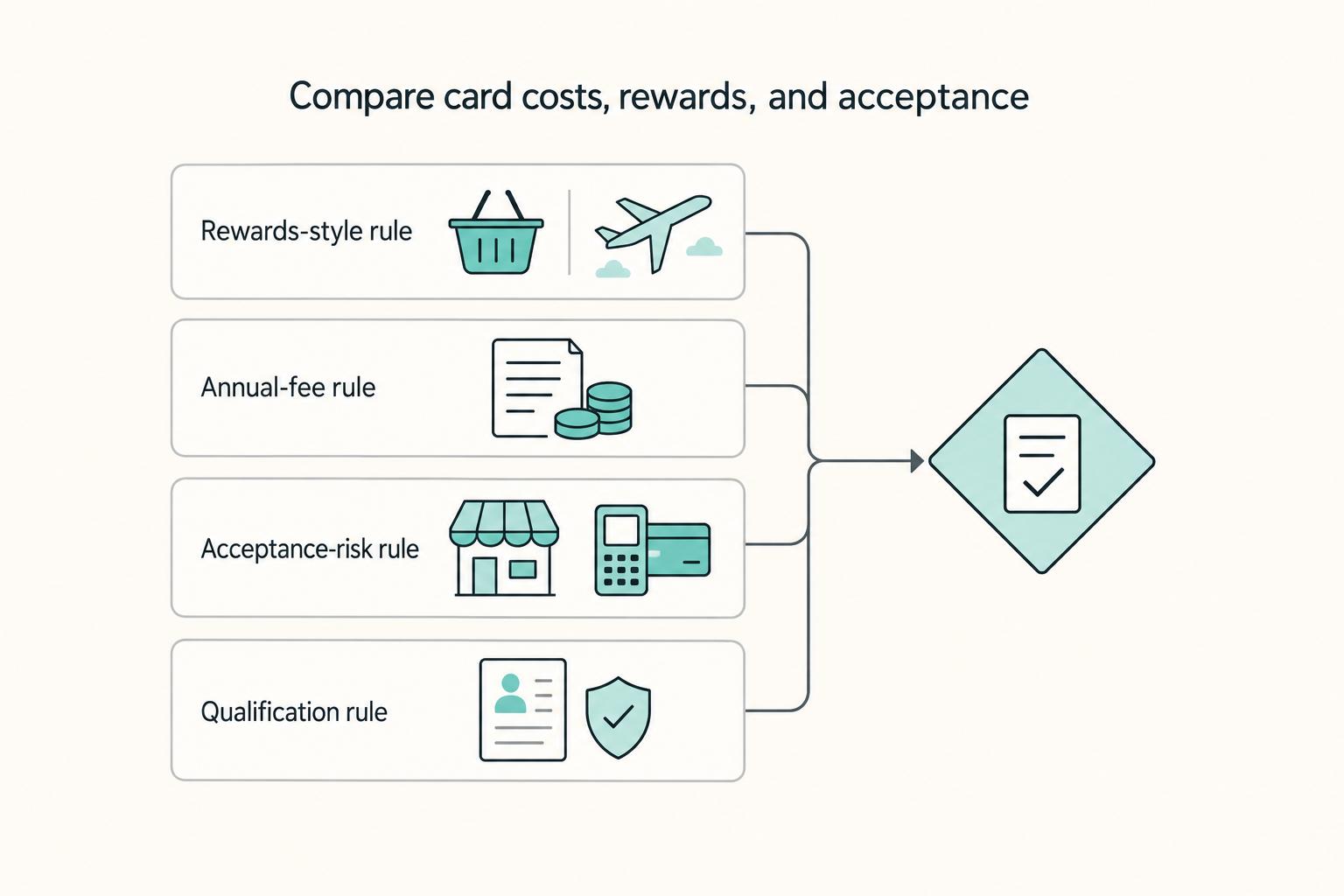
The Best Business Credit Cards for Freelancers
Pick for reliability first. For a freelancer, the right business card is usually the one that keeps recurring bills moving, keeps records clean, and avoids extra costs when income swings from month to month. Rewards still matter, but they sit on top of those basics. They do not replace them.

A Guide to Notion for Freelance Business Management
If your workspace feels busy but fragile, you do not need more pages. You need one connected system. Treat your freelance business like a business-of-one and use Notion as the control layer that connects client decisions, delivery, and billing in one place.
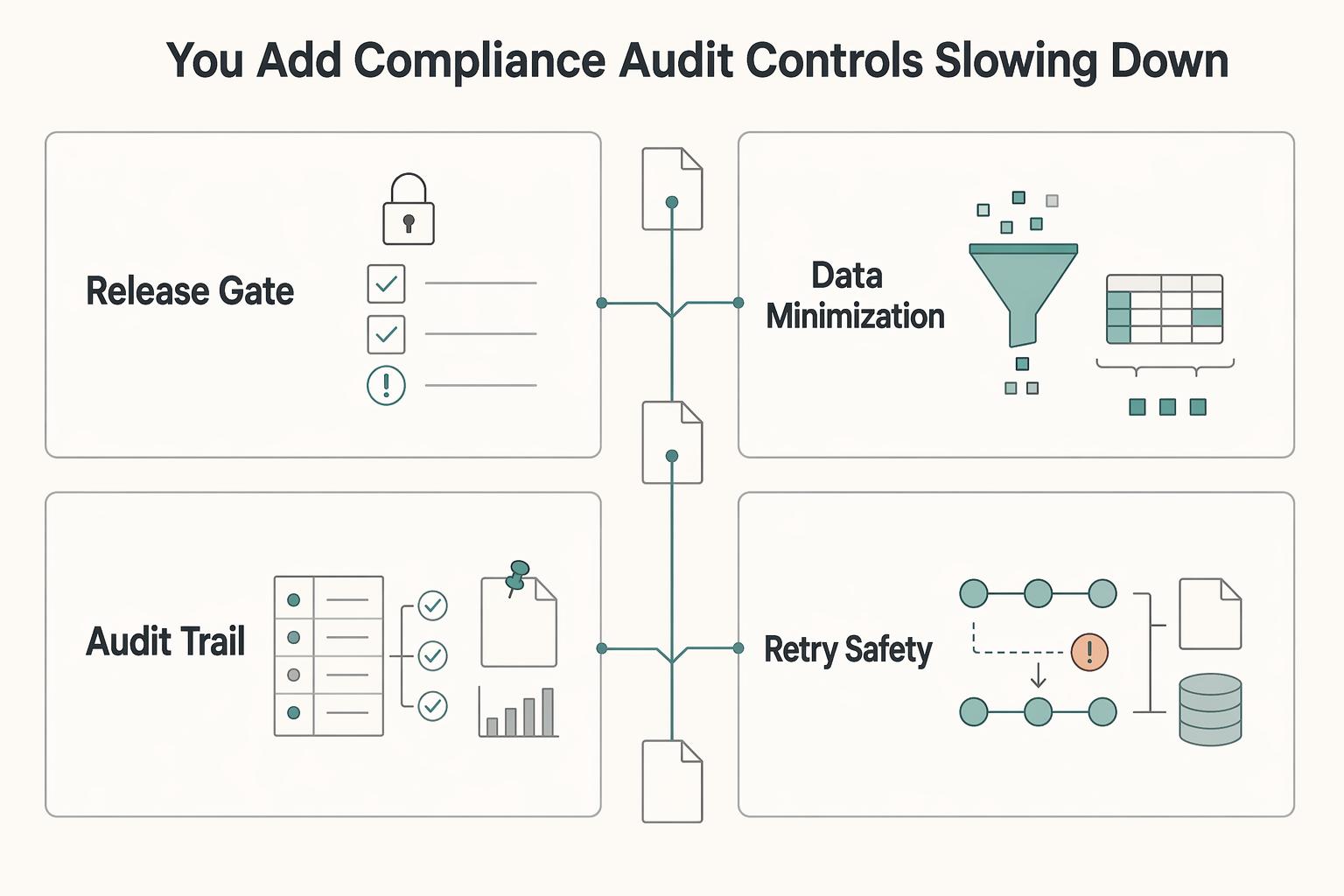
Use Zapier to Run a Reliable Freelance Tech Stack
If your stack feels messy, the fix is usually not one more app. Zapier works best here as the connective layer in your business, so client work, paperwork, invoicing, and follow-up keep moving without you babysitting every handoff.