
Quick Answer
The best way to track charitable donations is to run one audit-ready monthly system that captures each donation, classifies cash vs. non-cash, verifies charity eligibility in TEOS, and exports clean totals for Schedule A. Use one tracker as your source of truth, one evidence vault for receipts and notes, and one exceptions view to fix missing details before filing season.
Stop losing deductions (and time): an audit-ready charitable donation tracking system you can run monthly#
If you want charitable contributions to be deductible, you need records you can actually find and explain at tax time. You're not "bad at paperwork." You are operating without a system.
If you run a business of one, you need a donation system that works like a monthly close, not a filing-week scavenger hunt.
Claiming charitable contribution deductions gets much easier when you can find, explain, and export your giving cleanly at tax time, especially if you itemize on Schedule A (Form 1040). It breaks when you rely on memory, scattered email receipts, and a last-minute scramble inside TurboTax or TaxACT.
This guide is for freelancers, creators, and small teams who want tax-ready records with minimal admin. You'll build a repeatable monthly loop that keeps your tracker current, supports tax deductions without guesswork, and produces a year-end package a CPA can use without a dozen follow-up questions.
The workflow: capture → classify → verify → export#
Think of your giving like a tiny finance ops pipeline: four steps, every month.
| Step | What you do | What you save (minimum) | Why it protects you |
|---|---|---|---|
| Capture | Add every donation the same day (or drop it into an inbox) | Receipt/photo/PDF link | You stop losing evidence when filing season hits |
| Classify | Label each entry so it maps to taxes | Cash vs. non-cash, benefit received (Y/N) | If you received a benefit, you can only deduct the amount above that benefit's fair market value (per IRS Topic 506) |
| Verify | Confirm the org qualifies | Screenshot/PDF from IRS Tax Exempt Organization Search (TEOS) | Only qualified organizations count. Gifts to individuals do not qualify |
| Export | Produce a single handoff file | CSV + evidence folder | Your preparer can reconcile totals to Schedule A fast |
Hypothetical: if you sponsor a charity event and receive a meal or swag, your tracker should force a "benefit received" flag so you do not accidentally treat the full payment as deductible.
Safe-default fields + a 15-minute monthly cadence#
Use fields that keep your records consistent and searchable.
- Date
- Charity legal name (not a nickname)
- Donation type (cash or non-cash)
- Amount/value
- Payment method
- Benefit received (Y/N) + a short note
- Evidence link (receipt/acknowledgment)
- Org verified (Y/N) + TEOS proof link
- Exceptions flag (missing evidence, unknown value, not verified)
Monthly operating cadence (15 minutes total):
- 10 minutes: Donation inbox zero. Log new items, attach evidence links, and mark anything incomplete as an exception.
- 5 minutes: Exceptions pass. Run TEOS checks for new charities. Tag non-cash donations that may require extra handling later (Form 8283 is a related form for noncash charitable contributions, so you want those items obvious early).
Beginning with tax year 2026, non-itemizers may be able to deduct limited cash contributions to certain qualified organizations (up to $1,000, or $2,000 if filing jointly). The same system still matters because it keeps your records defensible and the admin calm.
Selection criteria + who this list is for (and not for)#
Use this list if you want a donation tracker that holds up under IRS scrutiny and rolls up cleanly for Schedule A (Form 1040). The workflow itself is straightforward, but tool choice is usually where it breaks. Plenty of options look organized and still fail at tax handoff.
Who this is for (and not for)#
It's for you if:
| Scenario | Fit | Reason |
|---|---|---|
| You itemize deductions now or you plausibly might | For | Currently you can only deduct charitable contributions if you itemize on Schedule A (Form 1040), although tax year 2026 adds a limited cash deduction for some non-itemizers |
| Your giving includes cash and non-cash contributions | For | Documentation complexity increases and Form 8283 can apply when the deduction for all noncash gifts is more than $500 |
| You want a year-end export your tax preparer or tax software can use without re-keying | For | Keeps the handoff clean and reduces follow-up questions |
| You never itemize and only want a "feel-good recap" of generosity | Not for | Keep a lightweight list. You do not need an audit-ready system |
| You need legal tax advice on edge cases, thresholds, or property-specific rules | Not for | Bring a CPA or Enrolled Agent in and confirm current IRS guidance |
In practice, fit usually comes down to three things: you itemize now or might later, your giving includes both cash and non-cash gifts, and you want a year-end export that does not require re-keying. If you never itemize, keep it light. If you need legal tax advice on edge cases, bring in a CPA or Enrolled Agent.
Risk-first scorecard (the only 5 things that matter)#
Use this scorecard to evaluate any tracker, template, or app. If a tool fails even one of these, do not treat it as production-ready for tax deductions.
| Criteria | What "good" looks like | Red flag |
|---|---|---|
| Evidence capture | Each entry links to supporting documentation (for example, a receipt or written acknowledgment) plus a short note, stored so it's retrievable later | Evidence lives in email only, or you cannot connect it to the entry |
| Classification depth | Clear split for cash vs. non-cash, plus tags like "benefit received" and "needs follow-up" | One generic "donation" bucket that hides Form 8283 candidates |
| Org verification | You can document eligibility using the IRS Tax Exempt Organization Search tool (Pub 78 data) | You rely on "it looks legit," or third-party ratings as proof |
| Valuation support | A repeatable way to note your FMV approach for non-cash contributions | No place to record FMV rationale, condition, or valuation approach |
| Tax handoff | Clean export that maps to Schedule A totals and isolates non-cash items | You must rebuild the numbers manually at filing time |
Hypothetical: you donate goods throughout the year, then realize in March that your combined non-cash deductions exceed $500. If your tracker already tagged non-cash items and captured FMV notes, you can hand your preparer a Form 8283-ready list instead of scrambling.
Decision shortcut: pair (1) one tracker (template/app) as your system of record, (2) one evidence folder, (3) one eligibility check step via the IRS Tax Exempt Organization Search tool, and (4) a monthly review. That combination stays boring, fast, and defensible.
What does "audit-ready donation tracking" look like in 15 minutes per month?#
Audit-ready means a repeatable monthly loop that leaves you with a clean Schedule A-ready report and a short "needs attention" list. You can only deduct charitable contributions if you itemize deductions on Schedule A (Form 1040). Beginning with tax year 2026, if you do not itemize, you may be able to deduct up to $1,000 ($2,000 if filing jointly) of cash contributions to certain qualified organizations.
The 6-step loop (run it once a month, not when you panic)#
This is not an IRS-prescribed cadence. It is a practical workflow: capture → classify → verify org → value non-cash → monthly review → export.
- Capture: Funnel receipts, acknowledgment emails, and photos into one "Donation Inbox" folder (your evidence vault). Link each artifact to a row in your tracker.
- Classify: Mark every entry as cash or non-cash. Optionally add a benefit received flag. If you receive a benefit in exchange for a contribution, you can only deduct the amount that exceeds the fair market value of the benefit.
- Verify org: For any new charity, confirm eligibility with the IRS Tax Exempt Organization Search (TEOS). Do not deduct gifts to individuals. IRS Topic 506 draws that line clearly.
- Value non-cash: Record your fair market value method and a short condition note for donated goods. Keep it consistent so you can defend it later.
- Monthly review: Clear missing info and tag edge cases early.
- Export: Generate a single report view that totals cash and non-cash separately for Schedule A (Form 1040). Highlight items that may need Form 8283 detail when your non-cash deductions add up.
Practical fields (safe defaults that keep your records consistent)#
You do not need a fancy app. You need consistent fields your future self and your preparer can trust.
| Field | What you record | Why it matters operationally |
|---|---|---|
| Date | Donation date | Supports clean year boundaries and reconciliation |
| Charity legal name | Exact name (not a nickname) | Enables TEOS lookup and clean reporting |
| Amount/value | Cash amount or non-cash value | Drives Schedule A totals |
| Donation type | Cash or non-cash | Helps you spot when non-cash is stacking up |
| Payment method | Card, ACH, check, goods | Helps you match bank/ledger evidence |
| Benefit received (Y/N) | Note any dinner, merch, ticket | Protects your tax deductions math |
| Evidence link | URL to receipt/photo/PDF | Makes retrieval fast under pressure |
Calendar cadence: put a recurring 15-minute block on your calendar. Spend 10 minutes for donation inbox zero (create rows, attach links, fill fields), plus 5 minutes for an exceptions pass. Exceptions include missing receipts, unknown FMV for goods, or an org you have not checked in TEOS.
Hypothetical: you donate clothing all year, then realize your non-cash deductions cross the more than $500 line across all noncash gifts. If you tagged non-cash early and kept FMV notes, you hand your CPA a Form 8283-ready list instead of rebuilding your memory.
The quick-compare table: pick the right tool based on your donation mix and tax workflow#
Pick the tool that makes it easiest to prove each donation and export your totals. The job is straightforward: store or link evidence, separate cash vs. non-cash, and produce an export your tax workflow can actually use.
Remember the core constraints already shaping your setup:
- You can only deduct charitable contributions if you itemize on Schedule A (Form 1040). Beginning with tax year 2026, a limited cash-contribution deduction may be available even if you don't itemize (up to $1,000 ($2,000 if filing jointly)).
- For monetary gifts, your records should contain the organization name, the date, and the amount donated.
- If you received a benefit (dinner, ticket, merch), you only deduct the amount that exceeds the fair market value of that benefit.
Comparison table (fast scan)#
| Tool / System | Category | Best for | Evidence capture | Non-cash FMV support | Org eligibility check | Tax handoff readiness | Notes to verify |
|---|---|---|---|---|---|---|---|
| Grist Donation Tracking Template | Tracker/template | Custom fields + team workflow | Depends on how you set it up (links/attachments) | Manual fields; you define your FMV notes | Separate step using IRS TEOS | Depends on your export workflow | Confirm your field discipline and export format |
| TurboTax + ItsDeductible | Tax-prep + (possible) donation helper | People who file inside TurboTax | Confirm current product behavior | Confirm how non-cash valuation is handled | Separate step using IRS TEOS | Confirm what you can carry into your return | Confirm current feature availability and import/attachment behavior |
| TaxACT + Donation Assistant by TaxACT | Tax-prep add-on | TaxACT filers who want guided prompts | Confirm current product behavior | Confirm how non-cash valuation is handled | Separate step using IRS TEOS | Confirm what you can carry into your return | Confirm the current product state and what data exports |
| QuickBooks Self-Employed / QuickBooks | Accounting | Donations inside broader bookkeeping | Depends on your workflow and documentation habits | Manual; treat non-cash carefully and keep notes | Separate step using IRS TEOS | Separate from filing; plan your handoff | Confirm chart-of-accounts setup and reporting views (A Guide to QuickBooks Self-Employed for Freelancers) |
| IRS Tax Exempt Organization Search (TEOS) | Verification | Eligibility confirmation | N/A | N/A | Yes (primary) | Indirect | Bookmark it and save proof of the check |
| Third-party charity research site (optional) | Research/discovery | Quick org research | N/A | N/A | Separate step using IRS TEOS | Indirect | Use for context, then confirm eligibility in IRS TEOS |
| "Evidence Vault" (Drive/Dropbox + naming convention) | Storage/control | Bulletproof retrieval | Strong if consistent | N/A | N/A | Indirect | Confirm your file naming and linking standard |
Decision rules (safe defaults)#
- Choose one system of record: Grist or QuickBooks (or another ledger). Everything else becomes a linked artifact: PDF receipts, screenshots from IRS TEOS, valuation notes.
- Adopt verify-before-adoption as policy: If a tool claims it can hand data to your tax-prep flow, confirm current docs before you depend on it.
- Match tool to your donation mix: If you donate mostly cash, optimize for evidence capture + export. If you donate lots of goods, optimize for non-cash FMV notes and an exceptions queue.
Hypothetical: your small team donates during campaigns and receipts scatter across inboxes. Put Grist (or QuickBooks) in charge, force every donation row to link to the evidence vault, and run IRS TEOS once per new charity. That setup holds up under pressure.
If you want a deeper dive, read How to Set Up Chart of Accounts in QuickBooks for a Freelancer.
The best tools for charitable donation tracking (ranked by operational trust, not hype)#
Use one source of truth plus IRS-backed verification, then let tax software handle filing-season assembly. Currently, you can only deduct charitable contributions if you itemize deductions on Schedule A (Form 1040). The stack below is organized by where each tool fits in the workflow: capture, classify, verify, value, and export. The goal is not more apps. It is fewer failure points.
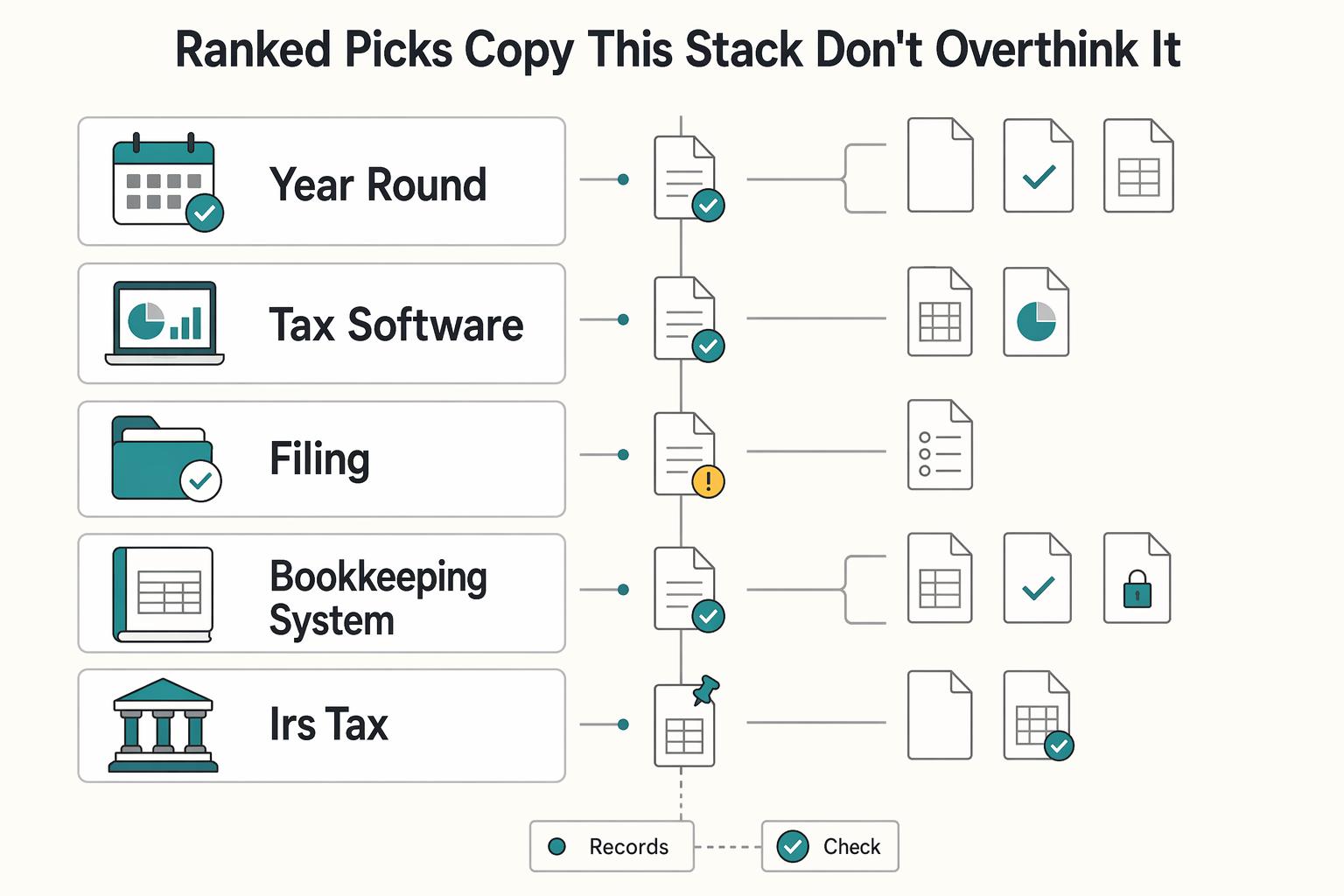
Ranked picks (copy this stack, don't overthink it)#
- A year-round donation tracker (best "system of record" for operators) Best for: freelancers and small teams who want a customizable donation tracker you can run year-round. Pros: you control the schema. You can separate cash vs. non-cash, track benefit received (because you only deduct the portion exceeding the benefit's fair market value), and keep a Form 8283 watchlist (Form 8283 applies when the deduction for all noncash gifts is more than $500). Cons: you must enforce standards: required fields, review cadence, and evidence links. Use-case to copy this week: create one table for the year with required fields: date, charity legal name, donation type, amount or value, benefit received (Y/N), evidence link, and noncash-total-watch (Y/N).
| Pick | Best for | Main limit |
|---|---|---|
| A year-round donation tracker | Freelancers and small teams who want a customizable donation tracker you can run year-round | You must enforce standards such as required fields, review cadence, and evidence links |
| Your tax software | Filers who want to keep filing-season work contained | If your software offers donation import, attachment, or valuation workflows, treat them as confirm-before-you-depend-on-it |
| One filing workflow | Teams that already standardize on a specific filing tool | Add-on behavior can change, so verify current behavior before you depend on it |
| Your bookkeeping system | Operators who want giving to live inside the same financial organization system as income and expenses | Non-cash donations still require careful notes, and Form 8283 can apply when the deduction for all noncash gifts is more than $500 |
| IRS Tax Exempt Organization Search Tool | Anyone who wants defensible eligibility checks | It will not track your amounts or evidence |
| A charity research directory | Discovery and "which org was this?" cleanup during reconciliation | Do not treat it as an IRS eligibility check |
| An evidence vault (Drive/Dropbox) + naming convention | Everyone, because filing week punishes missing artifacts | Consistency decides everything |
-
Your tax software (best as the filing-season assembler) Best for: filers who want to keep filing-season work contained. Pros: you can keep the tax handoff tight by using your tax software as the final entry point. Cons: if your software offers donation import, attachment, or valuation workflows, treat them as confirm-before-you-depend-on-it. Use-case: run your tracker all year. During filing, use your tax software as the final entry point. Flag any non-cash items that push your noncash total past $500 for a Form 8283 conversation.
-
One filing workflow (don't let "helpers" become the system of record) Best for: teams that already standardize on a specific filing tool. Pros: you reduce workflow sprawl by keeping filing in one place. Cons: add-on behavior can change, so verify current behavior before you depend on it. Use-case: use your filing tool as the filing-season packager, but keep your evidence vault and tracker as the system of record that maps cleanly to Schedule A.
-
Your bookkeeping system (best when donation tracking must sit inside bookkeeping) Best for: operators who want giving to live inside the same financial organization system as income and expenses. Pros: you keep everything in one ledger. Cons: non-cash donations still require careful notes. Noncash totals can trigger Form 8283 when the deduction for all noncash gifts is more than $500. Use-case: create a consistent donation category (or tag, if your system supports it) and a month-end review step, then hand your preparer a single donation summary aligned to Schedule A. (If QuickBooks is your stack, read: A Guide to QuickBooks Self-Employed for Freelancers.)
-
IRS Tax Exempt Organization Search Tool (your eligibility gate) Best for: anyone who wants defensible eligibility checks. Pros: the IRS explicitly directs taxpayers to this tool to confirm an organization qualifies for income tax deduction purposes. (And gifts to individuals are not deductible, only gifts to qualified organizations.) Cons: it won't track your amounts or evidence. Use-case: add eligibility verified (Y/N) plus a dated screenshot link for every new charity you donate to.
-
A charity research directory (research and recall, not substantiation) Best for: discovery and "which org was this?" cleanup during reconciliation. Pros: quick context for teams that donate across campaigns. Cons: don't treat it as an IRS eligibility check. Use-case: store the profile link as a convenience field, then run the IRS tool as the real gate.
-
An evidence vault (Drive/Dropbox) + naming convention (fast retrieval) Best for: everyone, because filing week punishes missing artifacts. Pros: tool-agnostic. Works whether you file in software or with a CPA. Cons: consistency decides everything. Use-case: save each receipt and verification screenshot under a year folder. Paste the file link into your donation tracker row so your Schedule A work never turns into archaeology.
How do I track cash vs. non-cash donations without losing deductions?#
Track cash and non-cash donations with different fields, then review a monthly "8283 watchlist" so non-cash details do not go missing before you prepare Schedule A (if you itemize). Cash is usually simple. Non-cash is where details disappear, and it can trigger Form 8283 when the amount of your deduction for all noncash gifts is more than $500.
Use two schemas (don't force one)#
Treat your tracker like two forms that happen to share one table. That reduces errors and speeds up entry.
| Donation type | What you track (safe defaults) | What "done" looks like |
|---|---|---|
| Cash | Date, amount, charity legal name, payment method, receipt or acknowledgment reference, evidence link | You can reconcile totals cleanly to Schedule A (Form 1040) (when you itemize), and you can pull proof in under a minute |
| Non-cash (property) | Item category (clothing, furniture, electronics), description, quantity, condition, value rationale, evidence link, value uncertain flag | You can answer Form 8283 style questions later (it asks for description and condition of donated property) without rebuilding history |
A practical guardrail: Form 8283's Section A covers "donated property of $5,000 or less" (and publicly traded securities). Build your tracker so you can list items or groups of similar items cleanly by description, category, and condition when needed.
Safe-default workflow + the "8283 watchlist" view#
Run donation tracking like a monthly close. Do not wait for filing week to discover gaps.
Cash donation capture checklist (fast):
- Enter the row the same day you donate (or batch weekly).
- Attach proof (PDF, email, screenshot) and paste the link.
- Standardize the charity legal name so your year-end export groups correctly.
Non-cash capture checklist (operator-grade):
- Write a description you would recognize a year later.
- Record condition at time of donation.
- Document your value method in one line. If you use a valuation guide, save the output (or summary) and link it.
8283 watchlist rules (review monthly):
- Filter: donation type = non-cash AND (value uncertain = yes OR evidence link missing).
- Clear the list before month-end.
Hypothetical: you drop off a box of household goods, feel productive, and move on. Your watchlist catches "condition missing" while the details are still in memory, not buried in next year's filing scramble.
Do I need receipts/photos - and where do I store them so I can prove it later?#
Yes. Each donation should have retrievable proof linked from your tracker. The goal is simple: every donation row has an evidence link, and you can pull the artifact without searching across inboxes.
Your per-donation evidence pack (attach it to every tracker row)#
Treat evidence like a small artifact bundle that lives next to each row in your tracker.
| Donation situation | Evidence artifact(s) to store (operator standard) | Why it matters |
|---|---|---|
| Cash, check, or other monetary gift | Receipt or other record of the contribution (PDF/email/screenshot) | IRS expects you to maintain a record for monetary gifts (regardless of amount). |
| Any donation where you need to confirm eligibility | Proof the org qualifies using the IRS Tax Exempt Organization Search Tool (save a link or screenshot) | IRS explicitly points you to this tool to confirm eligibility for deduction purposes. |
| Non-cash donations (property) | Valuation notes and supporting detail you will need if Form 8283 applies | Form 8283 reports information about noncash contributions when your deduction for all noncash gifts is more than $500. |
| Quid pro quo (you received something) | Note the benefit received and your estimate of its fair market value | You can only deduct the amount that exceeds the fair market value of what you received or expect to receive. |
Hypothetical: you buy a fundraising ticket that includes a perk. You log the payment and capture the benefit details so you only export the deductible portion later.
Set one storage convention and mark rows you cannot substantiate#
Pick one Evidence Vault location (Drive/Dropbox/local). Create one folder per tax year. Use a consistent filename convention that matches your tracker's unique ID. Example: 2026-04-15_CharityName_cash_record.pdf. This is not an IRS requirement. It is an operational choice that prevents filing-week archaeology.
Run one hard rule: if you cannot substantiate it, do not pretend it is fine. Mark the row unsubstantiated and exclude it from your Schedule A export view until you resolve it.
For privacy, keep filenames boring: no full addresses, no account numbers. Store only what you need for IRS substantiation, and scope folder access if a small team touches the tracker.
The monthly close checklist + year-end export (your "get paid" system's missing control)#
Run a lightweight monthly close so your donation records stay accurate and ready for tax time, including Schedule A if you itemize. You already have the tracker and the Evidence Vault. The close is the control that keeps them true.
Monthly close (operator version, not an IRS requirement)#
Put a short slot on your calendar once a month and treat it like any other financial organization routine. Your goal is simple: every row matches reality, every row links to records, and nothing tricky hides until tax time.
| Step | What you do | Output you want |
|---|---|---|
| Reconcile | Match each tracker row to your bank or bookkeeping entry (or the payment confirmation email) | No "mystery" donations and no duplicates |
| Evidence check | Confirm each row includes a link to supporting records you can retrieve later | 100% of rows have retrievable proof |
| Org eligibility spot-check | For any new charity, check eligibility in the IRS Tax Exempt Organization Search Tool (TEOS) and save what you find | Fewer surprises when you claim tax deductions |
| Data hygiene | Confirm monetary gifts include the charity name, date, and amount in your tracker | Your records line up with what you need later |
Categorization review belongs inside the same close. Mark every donation as cash (monetary) vs. non-cash (goods/property). Then flag any non-cash item you expect to require extra detail, valuation support, or a conversation with your preparer. Do not debate it in April. Flag it while it is fresh.
Hypothetical: you donate a box of equipment to a new local nonprofit. You log it as non-cash, keep whatever records you have, run TEOS once, and tag it for follow-up so you are not guessing later.
Year-end export pack (make it easy for Future You)#
At year end, build a handoff pack your tax workflow can actually use:
| Pack item | Included | Note |
|---|---|---|
| CSV export | One CSV export from your donation tracker | Your source of truth |
| Evidence folder | One evidence folder for the year | Exactly the files your CSV links to |
| Summary note | Totals you expect to land on Schedule A if you itemize; a short list of complex non-cash items you want your preparer to review; any edge constraints you want to discuss | Plain text works |
In the summary note, include:
- Totals you expect to land on Schedule A (Itemized Deductions) if you itemize.
- A short list of complex non-cash items you want your preparer to review.
- Any edge constraints you want to discuss (the Taxpayer Advocate Service notes charitable deductions generally cap at 60% of AGI, and you can carry over excess).
Tool handoff options: if you file yourself in TurboTax or TaxACT, use your export as your system of record while you enter the numbers. If you use a CPA, send the pack early so you avoid thread-heavy back-and-forth during the tax-filing crunch.
Conclusion: choose one "system of record," run the monthly close, and you'll never scramble at filing time again#
Pick one system of record for donation tracking, then run a simple monthly close that keeps your eligibility checks and exports clean for Schedule A. The win is not a perfect app. The win is a boring system that produces a defensible handoff.
The constraints are clear in the rules you are already working within. You can only deduct charitable contributions if you itemize deductions on Schedule A (Form 1040), and only qualified organizations count (gifts to individuals do not). If you get something back (a dinner, merch, a ticket), you can only deduct the amount that exceeds the fair market value of the benefit you received or expected. Those constraints are exactly why the monthly loop works.
The risk-first system (one tracker, one vault, one check)#
Your tools matter less than your controls. Aim for this boring, durable setup.
| Control | Safe default | Why it works |
|---|---|---|
| System of record (donation tracker) | Grist Donation Tracking Template (or QuickBooks) | One ledger you trust, one export you hand off |
| Evidence vault | One year-based folder + link each row | Support stays retrievable, even months later |
| Eligibility gate | IRS Tax Exempt Organization Search lookup for new charities | Confirms the org qualifies for deduction purposes |
| Exceptions lane | Missing details, benefit received, follow-up needed | Keeps risk visible and reviewable |
| Filing tool | Add TurboTax + ItsDeductible or TaxACT only if it matches your workflow | Filing becomes execution, not re-entry |
If you want a safe starting point, use Grist + an evidence folder + an exceptions view. Add TurboTax and ItsDeductible (or TaxACT) only when it reduces steps in your filing flow.
Final control: make Form 1040 week boring#
Treat donations like any other financial organization workflow:
- Captured: every donation hits the tracker quickly.
- Categorized: donation type, plus benefit received (Y/N).
- Verified: run the IRS eligibility check the first time you donate to a new charity.
- Exportable: one clean report that maps to Schedule A.
Hypothetical: you sponsor a charity event and receive a perk. You log the donation, tag benefit received, and drop the email confirmation into your vault. At month-end, you fix the missing detail while it is still fresh.
If your bigger goal includes audit-ready money ops beyond donations (invoicing, reconciliation, payout records), start with broader system hygiene. This mindset pairs well with A Guide to QuickBooks Self-Employed for Freelancers.
Frequently Asked Questions
What is the best way to track charitable donations year-round?
Use one system-of-record tracker (spreadsheet/template or accounting tool) and link every entry to proof in a single Evidence Vault. Keep two views: an export view (clean totals) and an exceptions view (missing proof, missing eligibility check, non-cash follow-ups). The system works when the exceptions view stays small and gets cleared monthly.
How should I track cash vs. non-cash donations?
Do not force one set of fields. Cash entries need clean basics (date, org legal name, amount, proof link). Non-cash entries need item description, condition, and a short FMV note so you can answer Form 8283-style questions later if needed.
Do I need receipts/photos for charitable donations?
Store an evidence artifact for every entry. Receipts or acknowledgments are often the evidence for monetary gifts. Photos and notes protect non-cash donations because condition and context disappear fast. The operational standard is simple: each tracker row has a link you can open in under a minute.
When do I need extra tax forms for donated property (like Form 8283)?
File IRS Form 8283 when “the amount of [your] deduction for all noncash gifts is more than $500,” per the IRS Form 8283 guidance (Rev. December 2025). If the claimed deduction for an item is $500 or less, Form 8283 says you do not have to complete columns (e), (f), and (g). Keep a standing 8283 watchlist view so the form is paperwork, not archaeology.
Template vs app vs tax software: which donation tracker should I use?
Pick the tool that preserves export + evidence links with the least friction in your workflow. If you cannot export clean totals and open proof quickly, the tool is not doing the job. | Option | Best for | Strength | Risk to manage | |---|---|---|---| | Template (spreadsheet) | Ops-first teams | Flexible fields, clean CSV export | You must enforce data hygiene | | Accounting tool | Bookkeeping-centered workflows | Reconciliation alongside finances | Non-cash entries need careful notes | | Tax software | Filing-time assembly | Smooth handoff at tax time | Weak year-round capture by itself |
How do I verify a charity is eligible before I claim a deduction?
Use the official charity lookup tool for the relevant tax authority (rules vary by jurisdiction) as your eligibility gate for new charities. Save a screenshot or PDF of the result and link it in your tracker row. Use third-party sites for context, not as eligibility proof.
What’s the fastest monthly process to stay audit-ready without doing weekly admin?
Run one 15-minute monthly block. Do donation inbox zero (log rows and link evidence), then do an exceptions pass (missing receipt, unclear non-cash valuation, org not verified in the official lookup tool). If the exceptions list is empty, you are done.
Watch
Best Tools for Tracking Charitable Donations
Try a related tool
Researched and edited by the Gruv editorial team. Gruv builds cross-border billing, payouts, and finance-operations software for global businesses.
Sources
Educational content only. Not legal, tax, or financial advice.
Related Posts

Value-Based Pricing for Freelancers Under Real Payment Risk
Value-based pricing works when you and the client can name the business result before kickoff and agree on how progress will be judged. If that link is weak, use a tighter model first. This is not about defending one pricing philosophy over another. It is about avoiding surprises by keeping pricing, scope, delivery, and payment aligned from day one.

A Guide to QuickBooks Self-Employed for Freelancers
**QuickBooks Self-Employed can support basic bookkeeping, but predictable cashflow comes from your payment controls, not invoicing alone.**
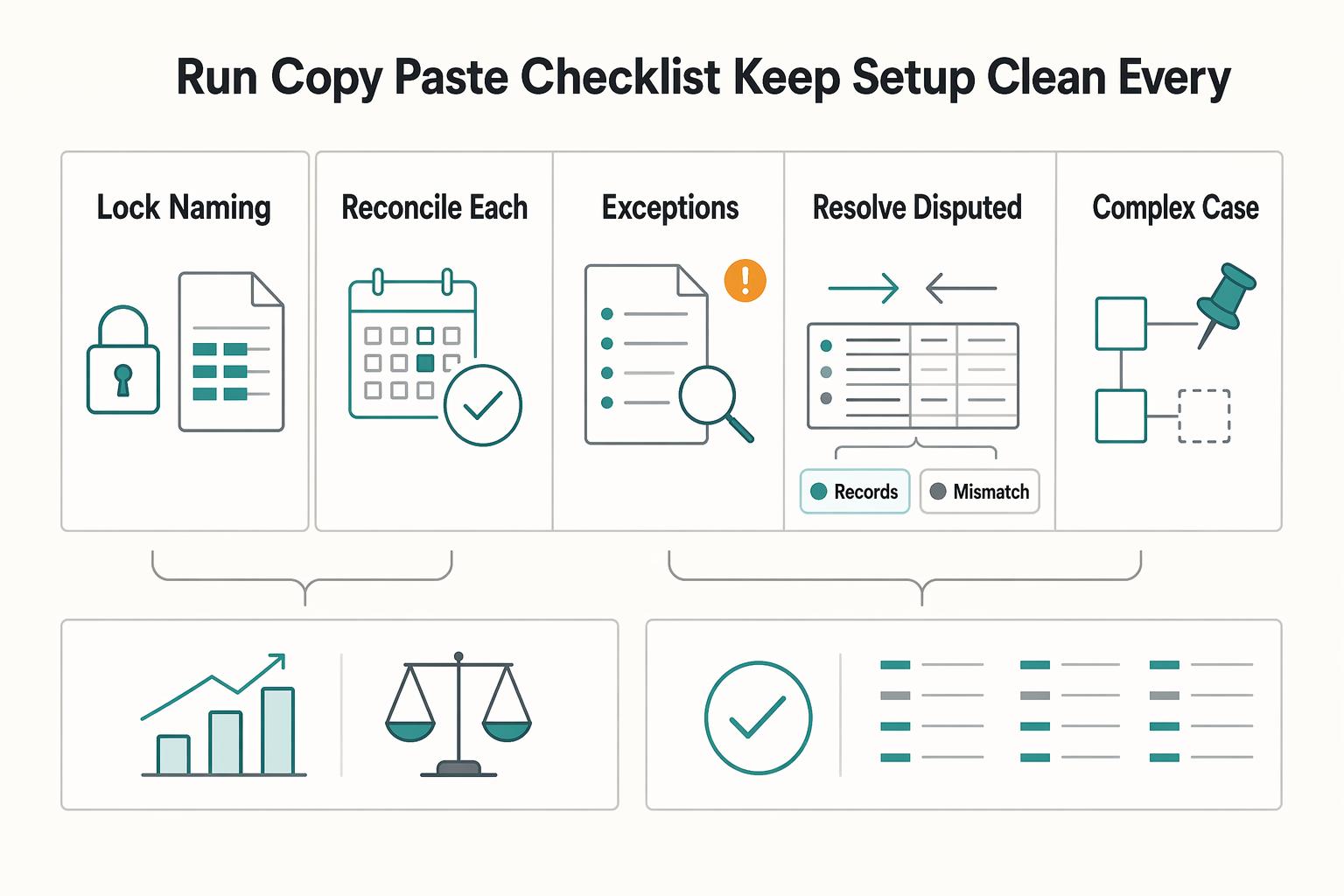
How to Set Up Chart of Accounts in QuickBooks for a Freelancer
**Use your Chart of Accounts to expose cash timing, fees, and follow-up actions, not just expense totals.** If you're a business-of-one, your books are your cash system, not a scrapbook of expenses.