
Quick Answer
Start with a simple IP Multiplication System: create one substantial Pillar Asset, extract the strongest moments, adapt them by channel, and schedule from a small evergreen library. The best tools for repurposing content are the ones that remove your current bottleneck, not the ones with the longest feature list. Keep your stack lean until you can run this sequence consistently and confirm it saves non-billable time without adding workflow friction.
Introduction: The Hidden "Admin Tax" on Your Expertise#
If your content process keeps taking time from client work, you are already paying an admin tax. It shows up in the hours you spend planning topics, recording or drafting, editing, formatting for different channels, writing captions, scheduling posts, and keeping the whole thing moving again next week. That is non-billable work pulling attention away from paid delivery.
The fix usually is not more effort or more apps. It is a better operating model. In practice, the right tools are the ones that fit a simple system and remove the bottleneck you actually have. This guide uses one: the Intellectual Property (IP) Multiplication System. Protect 1 hour weekly to create one substantial Pillar Asset, then turn that source into a week's worth of useful content. Your pillar can be a webinar, strategy session, podcast episode, or definitive article, as long as it has enough substance to break apart and reassemble.
A quick checkpoint helps expose the problem. If you cannot point to one source asset, the derivative pieces created from it, and how those pieces are queued for distribution, your process is probably more manual than it looks. Content time is often underestimated, and that is how bottlenecks form without much warning.
This guide will help you decide:
- Selection criteria: how to judge tools by recovered billable hours, not novelty
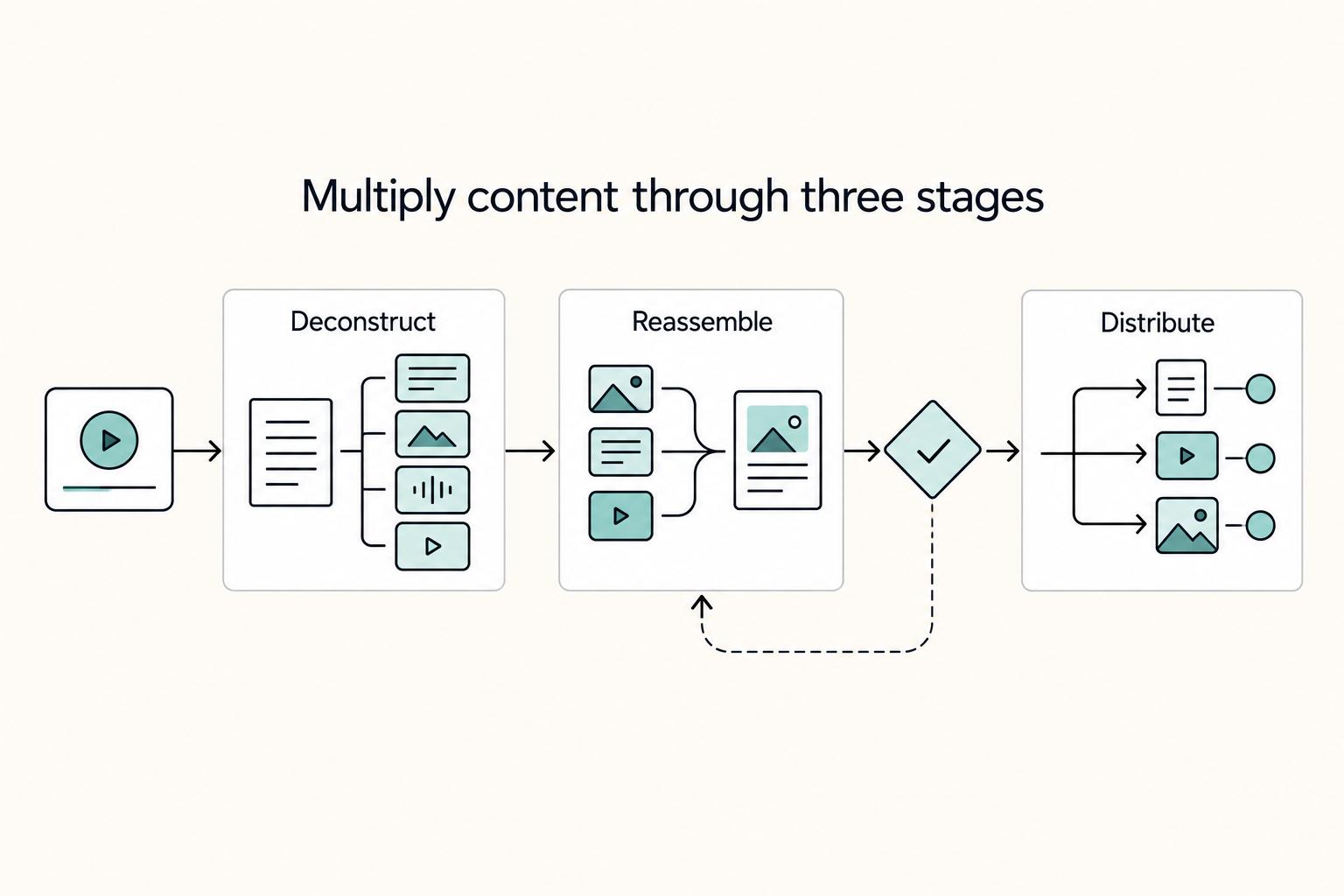
- A repeatable repurposing method: deconstruct, re-assemble, distribute
- A practical ROI lens: where the promised 10+ hours/mo may be realistic, and where it may not
The goal is not more content for its own sake. It is a durable, owner-operated content engine that reinforces your expertise without turning you into your own full-time marketing assistant. Related: How to Create a Content Flywheel for Your Freelance Business.
Why Your "Pillar Asset" is the Most Important Hour of Your Week#
Choose the pillar before you choose the tools. If the source asset is weak, tools only multiply weak material; if it is strong, you can adapt one core message across channels without starting from zero each time.
| Filter | What to check | Grounded detail |
|---|---|---|
| Real buyer pain | Topic shows up repeatedly in sales calls, delivery, or onboarding | The source includes real decisions, examples, and tradeoffs |
| Format fit | Start with writing if you think clearly in writing; record if you explain best out loud | Practical formats include a client education session, a solo screen-share walkthrough, a podcast-style audio note, or a definitive article |
| Reasoning in motion | Show yourself solving, not just explaining | Check for problem, method, outcome, objections, and next step |
| Weekly depth | Focus on one substantial source asset each week | Adapt it per platform so the core message stays consistent while delivery feels native |
Use a few filters when choosing the pillar asset: it should match a real audience pain point, fit the format where you communicate best, and have enough depth to repurpose into multiple channel-specific versions rather than simple cross-posts.
- Align to real buyer pain
Pick a topic that shows up repeatedly in sales calls, delivery, or onboarding. One strong source can become many outputs, but only when the original includes real decisions, examples, and tradeoffs.
- Use the format that fits your strengths
If you think clearly in writing, start there. If you explain best out loud, record. Practical pillar formats for independent professionals include a client education session, a solo screen-share walkthrough, a podcast-style audio note, or a definitive article built from repeated client questions. A long-form source can then be adapted into formats like email, blog sections, social posts, and short clips, for example, 30-60 second cuts.
For client-derived material, only share what you are permitted to share, and remove identifying details when needed.
- Capture yourself solving, not just explaining
The pillar should show your reasoning in motion. Before you record or publish, run this five-point check:
- Problem: what is broken, delayed, expensive, or risky
- Method: the steps, criteria, or sequence you use
- Outcome: what changes when the method is applied
- Objections: where people hesitate or get stuck
- Next step: what to do immediately after consuming it
- Treat depth as a weekly operating discipline
The goal is consistent quality, not posting volume. Daily multi-platform pressure is a common burnout path, and weak repurposing often leads to an empty calendar again within two weeks. Focus on one substantial source asset each week, then adapt it per platform so the core message stays consistent while delivery feels native.
Once the pillar is chosen and recorded, the next section covers the workflow: deconstruct it, re-assemble the strongest ideas by channel, and distribute from a repeatable content system. You might also find this useful: The Best Tools for Managing Your Freelance Social Media Presence.
The 3-Step Multiplication Workflow: Deconstruct, Re-Assemble, Distribute#
Once your pillar is recorded, run this in order: deconstruct first, re-assemble second, distribute third. That sequence is what turns one strong source into repeatable output instead of random posting.
| Step | Input | Action | Output | Failure mode |
|---|---|---|---|---|
| Deconstruct | One Pillar Asset from your weekly one-hour session | Transcribe it, then pull the strongest sections where you are solving a high-stakes problem | A clean transcript, a shortlist of usable quotes, and short clips or text excerpts with source timestamps | Weak source material or over-editing |
| Re-Assemble | Shortlisted insights from Step 1 | Adapt each insight into multiple formats for different channels | Platform-ready assets for social posts, email, and downloadable content that stay consistent in meaning | Channel mismatch |
| Distribute | Finished assets from Step 2 | Store and schedule from a categorized evergreen library | A reusable asset bank that supports continuous publishing | Distributing without categorization |
Step 1: Deconstruct#
In this step, extract only the parts that stand on their own and clearly show your thinking on a real client problem.
Input: one Pillar Asset from your weekly one-hour session: recorded webinar, in-depth client strategy session, podcast episode, or definitive article. Action: transcribe it, then pull the strongest sections where you are solving a high-stakes problem. Output: a clean transcript, a shortlist of usable quotes, and short clips or text excerpts with source timestamps.
Use a quick quality check before you keep an excerpt:
- The problem is relevant to your buyer.
- The point is clear without extra setup.
- The excerpt has enough standalone context.
- The tone fits your brand voice.
Before publishing, review each excerpt on its own and confirm a new reader can understand the problem, your point, and why it matters. Keep the source pillar title and timestamp attached so you can verify context later.
Failure mode: weak source material or over-editing. If the pillar is vague, this step produces noise; if you polish every line too hard, you can remove the natural clarity that made the clip useful.
Step 2: Re-Assemble#
Here, adapt one insight into channel-ready formats without changing the underlying claim.
Input: shortlisted insights from Step 1. Action: adapt each insight into multiple formats for different channels. Output: platform-ready assets for social posts, email, and downloadable content that stay consistent in meaning.
Use simple message governance across every format:
- Core claim
- Support point
- CTA
That keeps your LinkedIn post, newsletter draft, and short-form caption aligned. You are not copy-pasting; you are translating the same idea for different consumption habits.
Example for one insight:
- Carousel: teach the problem, your method, and the next step.
- Short post: lead with the claim, add one support point, close with a direct action.
- Lead magnet: group related insights from the same pillar into one useful resource.
- Email draft: open with the client problem, explain the claim plainly, then point to the pillar or offer.
Failure mode: channel mismatch. A long-form piece can adapt well, but dropping it unchanged into short-form channels usually underperforms.
Step 3: Distribute#
This step makes the system durable: publish from an evergreen library, not from memory.
Input: finished assets from Step 2. Action: store and schedule from a categorized evergreen library. Output: a reusable asset bank that supports continuous publishing.
Keep tags lightweight and practical so retrieval is easy later. For example:
- Topic
- Source pillar
- Format
- Channel
- Status (for example: new, evergreen, needs refresh, retire)
Run a recurring reuse check and apply simple triggers:
- Recycle when the claim is still accurate and the asset still reads clean.
- Refresh when the core idea still works but the hook, example, or CTA feels dated.
- Retire when the advice no longer fits your offer, positioning, or the platform.
Failure mode: distributing without categorization. You might publish in bursts, but you will not build the evergreen library that makes repurposing efficient over time. For a step-by-step walkthrough, see The Best SEO Tools for Freelancers.
The Gruv-Recommended Stacks: Your Opinionated Guide to ROI#
Choose the stack that recovers real time in your week, not the one with the most features. Start lean unless you are already producing one substantial Pillar Asset in your protected 1 hour weekly session and can clearly see that clipping or scheduling is the bottleneck.
Use one ROI check for every tool decision: (hours recovered x your billable rate) - monthly tool cost. If that result is not clearly positive, you are adding complexity, not capacity. Also verify current plans directly on vendor sites before you commit; curated tool lists can lag, for example, visible activity dates like Oct 13, 2022 vs Dec 27, 2025.
Lean starter stack#
Descript + Canva + Buffer. Choose this if you want reliable execution with hands-on control. It supports a steady cadence: create one strong source asset, pull usable excerpts, package them cleanly, and schedule distribution without overbuilding your workflow.
This stack works because each step stays clear: deconstruct, re-assemble, distribute. Before you keep any paid plan after trial/month one, run one real recording through your process and verify:
- Transcript quality on your actual audio
- Editing control for the cuts and refinements you need
- Clean handoff into Canva and Buffer
- Basic channel fit and workflow friction
Keep governance light, but still store pillar title, source timestamp, and status with each excerpt so your evergreen library stays usable.
Automation stack#
Descript + Opus Clip or Munch + Canva + MeetEdgar. Choose this only when you already publish regularly from video/audio and are committed to an evergreen library. It supports higher-volume reuse: more short clips, more categorized assets, and more scheduled redistribution.
The win is less repetitive handling, not "more AI." Test one pillar end to end before upgrading: transcript, clip extraction, packaging, category assignment, and scheduled reuse. If key steps still depend on ad hoc judgment every time, automation will scale the mess.
Main risk: unused subscriptions. If source quality is inconsistent or library maintenance slips, auto-clippers and heavier schedulers become monthly overhead.
| Stack | Best fit | Workload it supports | What to verify first | Implementation and maintenance | Governance and unused subscription risk |
|---|---|---|---|---|---|
| Lean starter | You want consistency with direct control | One weekly Pillar Asset, selective clipping, straightforward scheduling | Transcript quality, editing control, basic channel coverage, export flow, learning curve | Fewer moving parts; ongoing manual upkeep | Basic tagging can work; lower unused-tool risk at modest volume |
| Automation | You already run repeatable publishing from an evergreen library | Ongoing clip generation plus scheduled redistribution | Auto-clip usefulness, approval burden, scheduling depth, integrations, learning curve | More moving parts and monitoring | Strong naming, tags, and categories needed; higher unused-tool risk if volume drops |
Start lean, then switch#
If budget or focus is tight, use a minimum viable stack: Descript + either Canva or Buffer, based on your current bottleneck. Keep the editor if extraction/editing is slow. Keep the scheduler if posting consistency is the problem.
| Upgrade check | Only switch when |
|---|---|
| Pillar consistency | You consistently produce one Pillar Asset from a real high-stakes client problem |
| Repeated bottleneck | Most manual effort is concentrated in one repeated task, usually clipping or scheduling |
| Evergreen library | You already maintain a tagged evergreen library, even if small |
| Workflow verification | Transcript quality, channel fit, scheduling depth, and integrations are verified for your workflow |
| ROI | Your ROI math stays positive after inserting current plan costs |
Switch only when these are true:
- You consistently produce one Pillar Asset from a real high-stakes client problem.
- Most manual effort is concentrated in one repeated task, usually clipping or scheduling.
- You already maintain a tagged evergreen library, even if small.
- Transcript quality, channel fit, scheduling depth, and integrations are verified for your workflow.
- Your ROI math stays positive after inserting current plan costs.
If consistency is still the issue, do not upgrade yet. More tools will not fix weak source material. For deeper distribution guidance, read A Freelancer's Guide to LinkedIn Marketing.
Conclusion: Make Repurposing a Repeatable Business Process#
The stack matters, but your role matters more. You are not trying to become a full-time publisher. You are building a repeatable business process that turns your expertise into assets you can reuse without stealing hours from client work.
-
Own your knowledge like inventory. Treat your ideas, client patterns, and explanations as assets, not one-off posts. Start with one weekly pillar asset built around a real client problem, and audit your existing content first so you can identify high-performing evergreen pieces instead of repackaging weak material. The discipline is in creating from proven topics, not from whatever feels urgent that day.
-
Multiply one strong source instead of starting from zero. Content repurposing is stronger when the reuse plan starts before you record, not after. A single 45-minute conversation can feed clips, excerpts, visuals, and follow-up posts if you already know what segments deserve extraction. The advantage is structure: one pillar asset, a clear multiplication path, and fewer random acts of content.
-
Systematize distribution, then review what earns attention. Use scheduling tools to reduce manual posting overhead, but do not confuse scheduled output with useful output. One common failure pattern is to record, publish once, and restart. That publish-once habit can help explain why one report says 80% of B2B podcasts generate zero attributable pipeline. The real edge is feedback: track results, refine the sequence, and keep your process consistent over time.
Your immediate move is simple: choose your next pillar topic, block the production window on your calendar, and define one checkpoint before you start. For most people, that checkpoint should be either "audit evergreen material first" or "review performance after distribution." The FAQ next covers the common edge cases, including tool tradeoffs and when automation actually helps.
We covered this in detail in The Best Tools for Building a Digital Garden. Want to confirm what's supported for your setup? Talk to Gruv.
Frequently Asked Questions
What is the best workflow for repurposing a podcast or webinar?
Start with the transcript, then choose the strongest sections, then package and schedule them. If your source is audio-first, a transcript editor usually gives you better control. If your source is video and you need speed, try a clip generator first. Run one real recording through that sequence before you add any extra tools.
How do you choose between a clip generator and a transcript editor?
Use a clip generator when you want fast clip suggestions from long video. Use a transcript editor when you want to pull exact moments, clean up language, and make deliberate edits from the transcript. Test both on the same source and compare how much cleanup the output needs before posting.
Is a distribution tool worth it for you?
It usually makes sense only if distribution is your real bottleneck and you already have assets worth distributing. Estimate your own break-even based on current pricing and your billable rate, then compare that against the time you spend downloading, resizing, and reposting manually. Track your admin time for two weeks before you subscribe.
How do you avoid buying the wrong tool?
Check four things: input flexibility, output quality and platform awareness, workflow integration, and pricing transparency. In practice, verify support for URL ingestion, file uploads, and transcript processing, then check whether scheduling and analytics are built in or integrate cleanly. Test a real asset, such as a 2,000-word blog post or recorded session, before you commit to annual billing.
Can you repurpose content without showing your face?
Yes, if your source asset is text, audio, or slides and you turn it into posts, quote cards, audio snippets, or simple visuals. The failure mode is thinking the format does the strategic work for you. Tools can reformat content, but they cannot decide how your message should land on each channel. Pick one no-camera source and set a realistic asset target for your workflow.
How do you turn a webinar into a lead magnet?
Pull the transcript and slides, cut repetition, and shape the material into a checklist, guide, or short PDF around one problem. A formatting tool can help package it, but you still need to decide the structure and promise. Write the outline first, then move it into your design tool of choice.
Try a related tool
Researched and edited by the Gruv editorial team. Gruv builds cross-border billing, payouts, and finance-operations software for global businesses.
Sources
Includes 6 external sources outside the trusted-domain allowlist.
- its.ntia.gov/publications/download/NTIA%20SP-24-573.pdftrusted
- sullivanny.gov/sites/default/files/departments/DPW/SolidWas...trusted
- agilegrowthlabs.com/blog/top-10-tools-for-data-driven-content-re...external
- aiforcontentmarketing.ai/the-best-content-repurposing-tools-and-what-...external
- beplan.io/blog/content-repurposing-strategiesexternal
- blaze.ai/blog/content-repurposingexternal
- clickup.com/blog/content-repurposing-workflow-templatesexternal
- contentallies.com/learn/how-to-repurpose-podcast-contentexternal
Educational content only. Not legal, tax, or financial advice.
Related Posts

LinkedIn for Freelancers Who Want a Predictable Client Pipeline
Treat LinkedIn as two jobs you run at the same time: a credibility check and a conversation engine. If you only chase attention, you can get noise. If you only send messages, prospects may click through to a thin profile and hesitate.

How to Create a Content Flywheel for Your Freelance Business
If you sell expert work, your first marketing decision is not the channel. It is whether your pipeline relies on constant replacement or is designed to build momentum over time. A funnel is designed to capture leads and move them toward conversion. A flywheel emphasizes momentum, long-term growth, and client participation in growth. For a solo business, that distinction matters because capacity is usually limited.
The Best Tools for Managing Your Freelance Social Media Presence
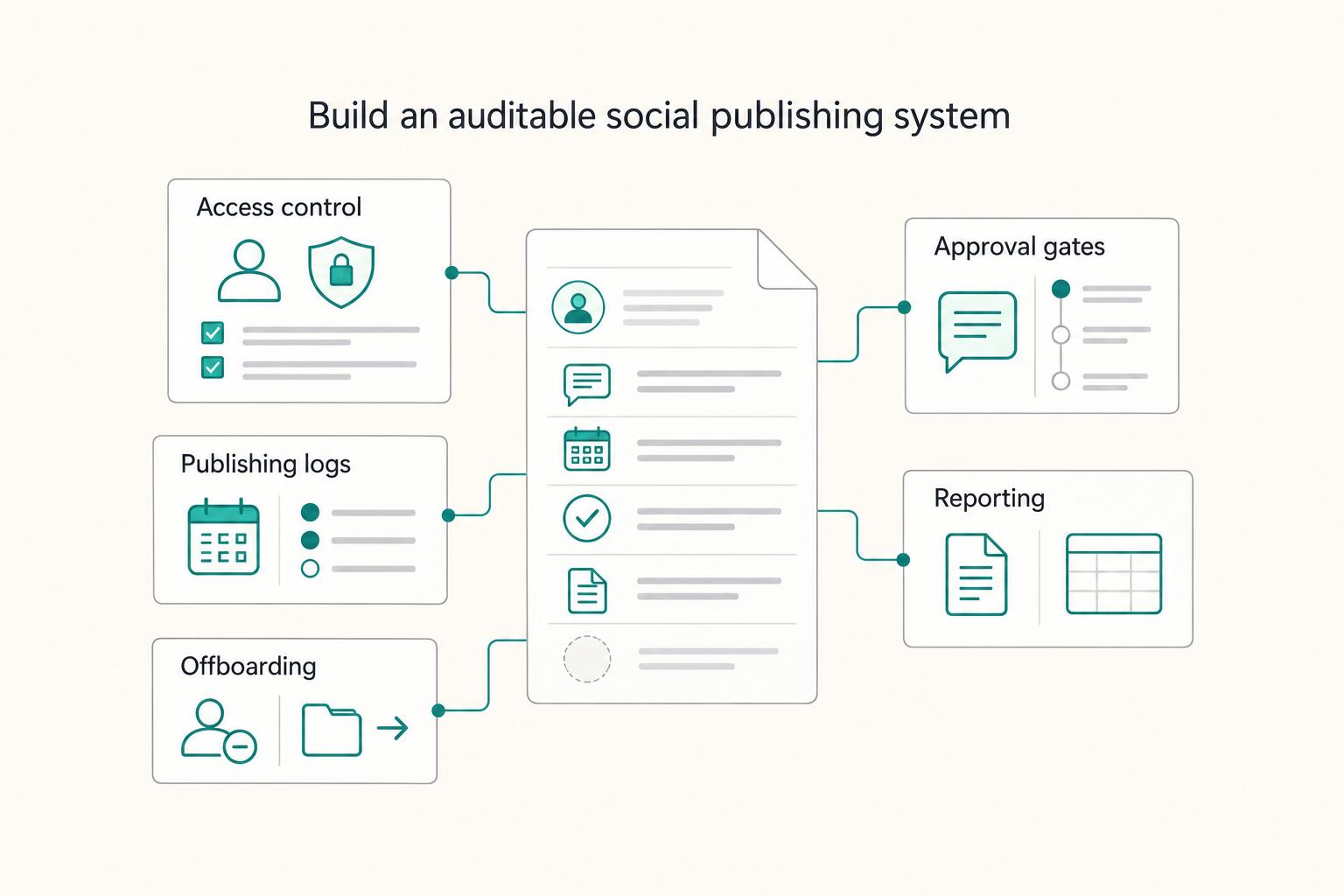
**If you freelance in social, you need a system that protects access, clarifies approvals, and leaves clean records-not just a tool that "schedules posts."** You're the CEO of a business of one, and your delivery has to hold up under client scrutiny. Treat social media management like delivery operations. Build repeatable steps, document decisions, and keep exportable proof you can hand to a client-or keep for your own files.