
Quick Answer
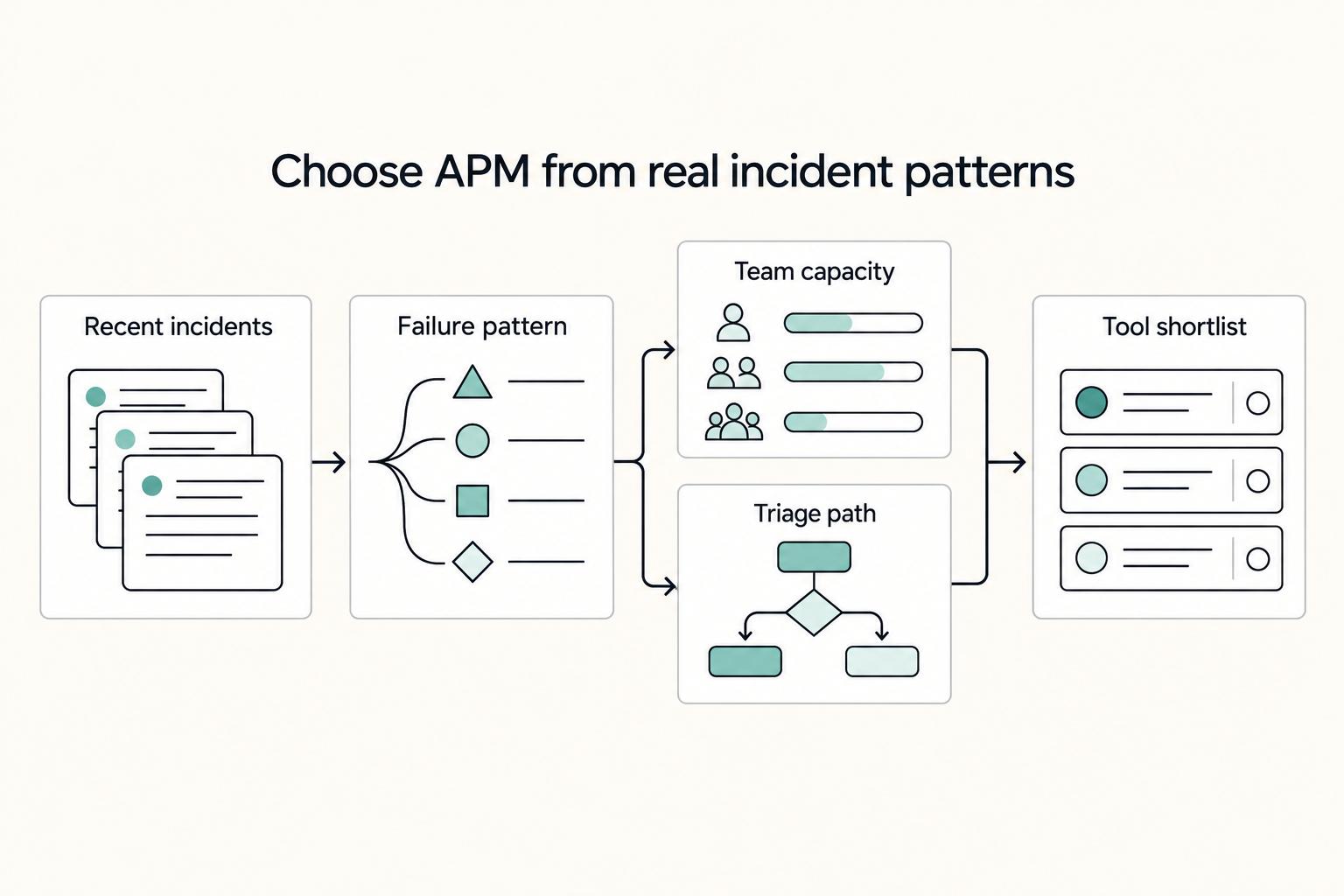
Choose the best apm tools by operational fit, not feature count: start with Sentry for error-first workflows, test Datadog or New Relic when incidents cross services, and lean on Amazon CloudWatch for an AWS-centered baseline. Keep rollout tight by paging only on customer-impact signals first, then expand coverage only after alert ownership, triage quality, and handoffs remain stable under real incidents.
Stop Guessing and Choose an APM Stack You Can Operate With Confidence#
If you are comparing the best apm tools, pause the generic rankings and ask a harder question: what can you operate cleanly with the time and attention you actually have? The right choice depends less on who won a roundup and more on your incident pattern, your operator bandwidth, the onboarding effort you can absorb, and how costs behave as telemetry grows.
That is not abstract. When monitoring stays reactive, you get long nights, emergency patches, and avoidable downtime. If the problem is a slow checkout, payment flow, or API endpoint, even a small delay can turn into lost sales. So the first decision is not feature breadth. It is whether the tool helps you find the issue fast enough, with enough context to act.
What you will walk away with#
| Item | Brief description | Key output |
|---|---|---|
| Decision framework | Judge tools by incident type, operator bandwidth, onboarding effort, and cost behavior as usage expands. | A clear way to rule tools in or out before you get distracted by long feature lists. |
| Shortlist logic | Match tool choice to the job in front of you, such as error-first debugging, cross-service visibility, or a cloud-native baseline. | A narrower set of candidates that fits your current stack and support load. |
| Rollout checklist | Start with a small checkpoint set and tighten alert quality before you widen coverage. | A staged rollout sequence you can validate before expanding coverage. |
Two quick definitions help. APM means Application Performance Monitoring or Management: tooling that tracks performance signals, detects slowdowns, and helps you improve application behavior. In practice, the first checkpoint set should stay simple and defensible: response times, error rates, and throughput. If a product cannot show those clearly, or your team cannot keep them current, it is already asking too much.
OpenTelemetry is a vendor-neutral way to instrument and send telemetry in open formats. That does not make migration effortless, and it does not mean every vendor goes equally deep. It can lower lock-in risk, and keeping instrumentation and labels consistent early makes dashboards, alerts, and traces easier to map later.
Before you commit, run one practical check. Verify that the tool can show where a request slows down across services. Then confirm it can connect bad queries or API calls back to code-level debugging detail.
Also watch for a common red flag: pricing that looks simple at low volume but shifts as usage grows. Cost is not just a monthly number. It is an operating behavior.
Start with one safe default stack for your current needs, document the core signals you will trust, and expand in stages once those signals stay reliable.
Who This List Is For and Who Should Skip It#
Use this shortlist only if you are the person operating production and can keep monitoring accurate with limited time and no dedicated platform team.
| Criteria | Good fit | Poor fit |
|---|---|---|
| Operating model | You are an owner-operator (or very small team) who owns on-call and day-to-day incident response. | You are buying for enterprise-wide standardization across many teams with procurement and governance requirements. |
| Stack maturity | Your app already runs across cloud services and distributed parts (for example: containers, microservices, serverless functions, managed databases, queues, and frontend traffic). | Your process centers on cross-team policy and rollout control more than fast operator-level troubleshooting. |
| Instrumentation ownership | You can maintain instrumentation, tagging, and core dashboards yourself during a trial. | You need a separate evaluation track for centralized platform ownership and org-wide buying alignment. |
| Why this list helps | You need practical monitoring that surfaces real-time issues, anomaly signals, errors, traces, and user-impact checks such as page load behavior. | You need a formal platform-selection process, not a fast operator shortlist. |
Before you trust any shortlist, run these trial decision tests:
- Compatibility test: Can it follow one slow request across your app and cloud services in your real environment?
- Alert lifecycle test: Can alerts move cleanly from detection to acknowledgment to resolution with clear ownership?
- Onboarding load test: How much manual setup is required before data is reliable enough to act on?
- Spend behavior test: Does cost stay understandable as telemetry volume grows?
- Handoff traceability test: For one incident, can you produce a clear record (alert, owner, timeline, linked trace, and resolution note)?
Continue only if this matches your setup. If it does not, use this section as background and evaluate on a broader enterprise track.
What Does Best APM Tools Mean for a Business of One#
For a business of one, the right APM tool means signal quality you can trust every week without creating a second operations job. If alerts are noisy, context is thin, or ownership is unclear, the tool is not the best fit for you yet.
APM tracks application performance with monitoring software and telemetry data. The practical goal is to protect availability, service performance, and user experience by helping you find root causes faster and resolve issues with less confusion.
Use this decision rule before you compare brands#
| Decision step | What to review | Failure signal |
|---|---|---|
| Classify incident pattern | Review your last five real interruptions and note response-time slowdowns, load issues, transaction failures, resource consumption problems, network-related faults, or other application errors | If you cannot name the pattern, pause tool selection until you can |
| Map stack complexity | Verify that one customer-facing incident can be traced clearly across the components involved | Isolated metrics can miss diagnostic context |
| Check weekly maintenance capacity | Estimate what you can sustain after setup: instrumentation fixes, alert tuning, dashboard cleanup, and incident-note hygiene | If keeping the data readable becomes constant manual cleanup, the setup is too heavy |
| Apply a client-impact risk gate | Use one recent or staged production issue as a test and confirm you can see the alert, identify ownership, follow the timeline, and explain customer impact quickly | Slow detection and slow resolution are the failure mode to avoid |
- Classify your incident pattern first.
Review your last five real interruptions. Note which ones were response-time slowdowns, load issues, transaction failures, resource consumption problems, network-related faults, or other application errors. If you cannot name the pattern, pause tool selection until you can.
- Map stack complexity to the signals you need.
A single-service app and a multi-boundary stack need different proof in trial. Monitoring individual metrics is useful, but isolated metrics can miss diagnostic context, so verify that one customer-facing incident can be traced clearly across the components involved.
- Check weekly maintenance capacity.
Estimate what you can sustain after setup: instrumentation fixes, alert tuning, dashboard cleanup, and incident-note hygiene. If keeping response times, load, transactions, resource consumption, and network data readable becomes constant manual cleanup, the setup is too heavy.
- Apply a client-impact risk gate.
Use one recent or staged production issue as a test. You should be able to see the alert, identify ownership, follow the timeline, and explain customer impact quickly. Slow detection and slow resolution are the failure mode to avoid.
A passing trial result is not a pretty dashboard. It is a clean incident evidence pack: alert, linked telemetry, owner, timeline, and resolution note.
Compare options by ownership burden first#
Use public comparisons to build a shortlist, not to make the final call. One comparison is from May 13, 2025, and another is from September 17, 2021 and explicitly framed as personal experience plus user reviews. Treat that as directional input, then validate each option in your own environment.
| Option | Ownership burden to verify | Likely failure-mode coverage to test | Poor fit when |
|---|---|---|---|
| Sentry | Ongoing alert cleanup, threshold tuning, and incident-note discipline | Your most frequent recent production interruption | You still cannot produce a clear alert-owner-timeline-resolution chain quickly |
| Datadog | Weekly review workload and dashboard upkeep | One incident that requires fast root-cause analysis | You need more upkeep than your available ops time |
| New Relic | Effort to keep telemetry practical instead of noisy | One customer-visible degradation from your recent history | Signal stays broad but not decision-ready during triage |
| Amazon CloudWatch | Setup and maintenance effort required for your current stack | One production issue where you must go from alert to action fast | Alert-to-action flow remains slow or unclear in trial |
| OpenTelemetry | Instrumentation and naming consistency work you must maintain | One end-to-end incident path where consistency is critical | You cannot sustain the added implementation discipline right now |
Choose the option that gives you the fastest clear triage path and the most practical alerts with the least ongoing overhead. If two options are close, keep the one that makes handoffs and client updates easiest to explain.
Which APM Tools Make the 2026 Shortlist#
Build a shortlist you can actually operate. You are not picking a popularity winner. You are choosing the tool most likely to give you a trustworthy first signal for your real incidents without burying you in dashboards.
Public lists vary widely: one guide published Feb 10, 2026 compares 5 tools, another published Mar 4, 2026 lists 15, and a Sep 15, 2025 comparison lists 7. Use that as a reminder to choose for fit, not consensus.
How to use this table#
| Check | What to prioritize |
|---|---|
| Failure pattern | Start with the issue you actually see most: app errors, slow requests, downtime, AWS alarms, or cross-service confusion |
| Stack complexity | If incidents span microservices, serverless functions, managed databases, queues, and frontends over unreliable networks, prioritize full-stack visibility |
| Maintenance capacity | Choose what you can keep clean each week across alerts, dashboards, and ownership |
| Tool | Primary incident type covered | Setup burden to verify | Ongoing tuning load to verify | Disqualify when |
|---|---|---|---|---|
| Sentry | App errors, broken requests, release regressions | Can one recent app fault produce a clear alert, timeline, and owner quickly? | How much issue cleanup and alert review is needed before signal quality is reliable | App-level signal is not your main bottleneck |
| Datadog | Cross-boundary incidents spanning app and infrastructure | Can you follow one customer-facing failure across boundaries in minutes? | How much monitor, tag, and dashboard pruning is required to keep context usable | You rarely need broad cross-signal triage |
| New Relic | Slowdowns or downtime needing full-stack visibility tied to user impact | Can you move from alert to likely bottleneck without excessive view-hopping? | Whether broader coverage stays focused or turns into dashboard overload | The workflow adds more screens than decisions |
| Amazon CloudWatch | AWS-backed incidents where alarms should lead to action fast | Can core AWS services and custom metrics produce a usable alarm-to-action path? | Whether thresholds, dashboards, and ownership remain consistent as AWS changes | AWS is not central to your operating stack |
| Grafana Cloud | Metrics-led slowdowns where response time and availability are first clues | Can you build one reliable alert-to-dashboard path with clear naming? | Effort required to keep metrics, labels, and alert logic consistent | You want minimal setup and low metric-hygiene overhead |
| ManageEngine Applications Manager | Mixed app and infrastructure symptoms in one suite | Can one incident be narrowed quickly without constant context switching? | Whether broader coverage improves clarity or adds noise | Coverage exceeds your real incident pattern and creates maintenance debt |
Use one checkpoint for every trial: can you turn a real issue into a clean evidence pack with an alert, linked telemetry, owner, timeline, and resolution note?
Start with one default, run it until alert quality is stable, then expand scope intentionally. If your incidents are mostly app-error triage, start with Sentry. If failures regularly cross services or infra layers, test Datadog and New Relic first. If AWS is your operational center, begin with Amazon CloudWatch. For a step-by-step walkthrough, see The Best Log Management Tools for SaaS Businesses.
How Do Datadog, New Relic, and Sentry Differ When You Are Paying the Bill#
Cost control starts with scope control. Choose the narrowest signal that consistently improves your detection and resolution workflow, then expand only when that signal stays reliable.
Cost is an operating behavior, not just a plan line item. Your spend follows what you ingest, how much setup you maintain, and how quickly the tool gets you from alert to owner without exhausting on-call time.
| Tool | Ingestion cost drivers to watch | Setup effort to verify in trial | Ongoing tuning load | Failure mode it handles best |
|---|---|---|---|---|
| Sentry | Error spikes after deploys, plus added replay and frontend context if enabled broadly | Trigger one staged exception from a recent release and confirm you can move from alert to stack trace, affected users, and likely owner quickly | Issue grouping, duplicate noise, and alert thresholds need regular cleanup so release windows stay usable | Release regression response when code breaks and you need fast, practical error triage |
| Datadog | Traces, infra metrics, logs, and wide environment coverage can expand usage as your stack grows | Trace one customer-facing request across services and a deploy change; if that path is slow, the breadth is not paying off | Monitor cleanup, tag hygiene, and dashboard pruning are ongoing work | Cross-service latency triage when you need a unified infra/services/deployments view |
| New Relic | Broad platform coverage can increase usage as you enable more data types and environments | Test whether one slowdown can be narrowed to a likely bottleneck without jumping through too many views | Coverage helps only if dashboards and ownership rules stay tight and pricing is understood early | Unified incident handoff when one person detects and another must continue with shared context |
Use one strict trial checkpoint: for a recent incident, confirm you can assemble the alert, linked telemetry, owner, and resolution path in one place, not just an up/down check. A practical test case is a release where p99 response time doubled, then validating you can connect alert, deploy marker, linked telemetry, owner, and resolution note.
If entry plans matter, verify current limits before rollout. Keep the escalation rule simple: start with the narrowest tool that resolves your most frequent incidents, then add broader telemetry only after alert quality and ownership discipline stay stable for a few weeks.
Related: How to Calculate ROI on Your Freelance Marketing Efforts.
When Should You Choose Open Source Instead of Hosted Platforms#
Choose open source APM only when you can take on extra operating ownership without hurting incident response.
The core trade is still control versus operating load. Hosted, platform-based APM is designed to reduce tool sprawl and context switching, while open-source APM can be a flexible, community-supported path if your architecture, team, and budget can support it. If alert ownership and signal clarity are already weak, adding more telemetry usually adds noise, not better outcomes.
| Option | Best when | Avoid when | Ownership load | Migration risk | Fallback strategy |
|---|---|---|---|---|---|
| Hosted platform | You need a unified place to investigate issues quickly and reduce context switching | You need more direct control over how your telemetry stack is assembled | Keep ownership focused on alert quality, naming, and ingestion discipline | Validate on a real incident before broad rollout | Keep your current trusted paging path until new alerts are consistently practical |
| Prometheus + Grafana stack (Prometheus, Loki, Tempo, Mimir) | You want an open-source stack and are ready to run a practical comparison checklist | You expect tooling alone to fix unclear ownership or noisy alerts | Plan for ongoing maintenance of metrics, dashboards, and alert rules | Compare side by side on the same service and release window | Keep customer-impact alerts stable while you validate signal quality |
| Apache SkyWalking | You are explicitly evaluating open-source APM options and can support implementation checkpoints | You have limited operating bandwidth for additional platform care | Treat setup and mitigation work as part of the decision, not an afterthought | Test against the same incident evidence used in your current setup | Keep the existing incident workflow active until detection and triage stay reliable |
Use one chooser checkpoint before you switch: for the same recent incident, confirm both options show response time, throughput, error rates, and resource consumption with clear service naming and ownership.
If open source is still on the table, do this next:
- Standardize naming and ownership first (service names, severity labels, and what counts as customer impact).
- Run a practical comparison checklist on one real incident, not a demo.
- Expand only when earlier detection is improving actionability without burying you in dashboards.
If you cannot quickly answer who owns the alert, what service is affected, and what signal matters most, stay hosted for now and revisit open source after your operating discipline is stronger.
Roll Out Alerts and Ownership Across Week 1 and Month 1#
Use a two-phase rollout: in Week 1, page only on signals someone can act on immediately; in Month 1, tighten ownership and shared operating views so alert volume does not outpace clarity.
| Playbook component | What you do | Owner | Expected outcome | Common failure mode |
|---|---|---|---|---|
| Week 1 baseline | Instrument core user flows and page only on customer-facing symptoms (latency, throughput, error-rate changes on key paths) | Primary on-call owner | Fewer alerts and a clearer first response path | Paging on internal noise before confirming user impact |
| Month 1 hardening | Create one shared dashboard per service and confirm it correlates traces, metrics, and logs for the same release window | Service owner | Faster root-cause checks across endpoints, DB calls, and external APIs | Fragmented team views that slow handoffs |
| Incident log model | For each incident, record alert, affected service, current owner, escalation target, and resolution note | Incident lead | Repeatable handoffs and cleaner post-incident review | Missing ownership history, so issues get re-triaged |
| Migration guardrails | Keep dashboard names, alert names, severity labels, and OpenTelemetry labels consistent from the start | Platform or tool owner | Easier tool comparisons and lower migration friction later | Naming drift that breaks cross-tool comparisons |
Use a simple triage framework and apply it literally:
- Page now: acknowledge, investigate, and escalate immediately.
- Ticket for business hours: needs action, but not overnight interruption.
- Suppress: produces no useful action, so remove it.
Route examples by business impact: a failed-login spike can be page now because access and revenue are at risk; a slow internal sync with no current user impact is usually a ticket for business hours unless it threatens customer-facing backlog; an alert that fires repeatedly with no code, config, or escalation change should be suppress.
Keep this maintenance cadence during rollout:
- Weekly: remove or downgrade alerts that trigger no responder action; update the runbook after real incidents.
- Monthly: review dashboard naming consistency and ownership labels across services.
- Before any migration: verify OpenTelemetry labels still map to the same service names, severities, and core views.
Related reading: The Best SEO Tools for Freelancers.
Pick the Safe Default and Upgrade With Intent#
Treat your first APM choice as an operating baseline, not a forever decision. If triage is noisy, ownership is unclear, or pages do not lead to action, keep scope where it is.
Start with one customer path and a small set of symptom alerts. Then confirm responders can see user impact quickly; page load time is a practical checkpoint because it reflects real user experience.
| What you decide | Why it matters | What to check before moving on |
|---|---|---|
| Start narrow | Weak detection and slow resolution can extend downtime. A tight scope keeps root cause analysis faster and review work manageable. | One shared dashboard for the core path, one named owner, and alerts that point to a likely responder. |
| Match the tool shape to your stack | If issues are mostly inside one app, keep your starting point close to errors and releases. If your environment spans services, infrastructure, and logs, use a platform-style approach with unified visibility to speed troubleshooting. | Your first alert shows customer impact, and you can follow it across the layers you actually run. |
| Upgrade only after incidents run clean | Expanding early creates alert noise, weak handoffs, and blind spots that still affect users. | Recent incidents show practical paging, clear ownership, and a reachable likely cause without jumping across disconnected views. |
If portability matters, use standards-based instrumentation and keep labels consistent from day one. Stable service names, severity labels, and dashboard naming reduce migration friction later.
Use this checklist before expanding:
- Owner clarity: every page has a primary responder and backup.
- Practical paging: each alert maps to page now, ticket later, or suppress.
- Alert-review discipline: downgrade or remove rules that never change code, config, or escalation.
- Expansion rule: add coverage only after live incidents show stable triage quality.
Scale only when signal quality, handoffs, and response consistency are proven in production.
Frequently Asked Questions
What is the best APM tool for a solo developer versus a small agency?
There is no single best tool for every team. Choose based on your architecture, team capacity, and budget. If you work alone and most incidents start as app exceptions or regressions, an issue-first setup is often easier to keep useful. If you support several services for clients, full-stack visibility across microservices, serverless functions, managed databases, queues, and frontends usually matters more. The wrong match shows up fast: either you drown in views you do not review, or you keep chasing app errors without seeing upstream or downstream impact.
Datadog vs New Relic vs Sentry, which one should you start with first?
Start with the option that matches your current complexity and operating bandwidth, not a brand default. Favor tools that provide full-stack visibility tied to user experience instead of isolated metrics when your stack is distributed. A practical first-pass checklist is setup burden, OpenTelemetry support, alerting and on-call integration, and whether you need synthetic checks, APM telemetry, logs, or a mix.
When should you pick open-source APM tools instead of a paid hosted platform?
Choose an open-source APM route when control, transparency, and portability matter enough to justify more operations work. It can also help when procurement friction or vendor lock-in risk is a real concern. But fragmented self-hosted stacks can add operational burden, so make sure someone owns upgrades, storage, alert routing, and dashboard cleanup.
What is the minimum setup needed to catch incidents early?
A practical minimum is one instrumented customer path, a small set of symptom alerts, and a shared view that connects traces, metrics, and logs for the same release window. That is often enough to catch obvious failures without creating a second job. Keep initial alert outcomes simple: urgent escalation, planned follow-up, or suppression.
How can you reduce alert noise without missing high-risk failures?
Alert on customer-facing symptoms first, such as latency, throughput, or error-rate shifts on key paths, because those give responders something concrete to act on. Noise usually comes from alerts that fire repeatedly without leading to action. Review noisy rules regularly, downgrade or delete anything with no responder action, and keep alert names and ownership fields consistent so escalations stay readable.
Which tool usually has the lowest operational overhead for a small team?
Managed platforms often require less day-to-day maintenance than self-managed stacks. Open-source options can reduce lock-in risk, but self-hosting fragmented components can increase operational burden if ownership is unclear. Low overhead at setup can still become high overhead later if monitoring scope grows faster than your review habits.
Can you start with one tool now and migrate later without rebuilding everything?
Yes, if you treat OpenTelemetry support as a buying criterion from the start and keep instrumentation standards-based. That can reduce lock-in risk, even though it does not remove migration work. Keep service labels, alert severities, and ownership fields consistent from day one to make later moves less painful.
Try a related tool
Researched and edited by the Gruv editorial team. Gruv builds cross-border billing, payouts, and finance-operations software for global businesses.
Sources
Includes 7 external sources outside the trusted-domain allowlist.
- ftc.gov/system/files/documents/cases/150623syscomemo...trusted
- apptension.com/guides/best-saas-error-monitoring-and-observ...external
- atatus.com/blog/atatus-application-performance-monitoringexternal
- blazemeter.com/blog/apm-tools-comparisonexternal
- cloudchipr.com/blog/best-cloud-observability-tools-2026external
- dotcom-monitor.com/blog/web-application-monitoring-toolsexternal
- dynatrace.com/news/blog/what-is-apmexternal
- ip-label.com/what-is-apmexternal
Educational content only. Not legal, tax, or financial advice.
Related Posts

Value-Based Pricing for Freelancers Under Real Payment Risk
Value-based pricing works when you and the client can name the business result before kickoff and agree on how progress will be judged. If that link is weak, use a tighter model first. This is not about defending one pricing philosophy over another. It is about avoiding surprises by keeping pricing, scope, delivery, and payment aligned from day one.
How to Calculate ROI on Your Freelance Marketing Efforts
If you want ROI to help you decide what to keep, fix, or pause, stop treating it like a one-off formula. You need a repeatable habit you trust because the stakes are practical. Cash flow, calendar capacity, and client quality all sit downstream of these numbers.
The Best Security Scanners for Your Web Application
The right scanner stack is the one you can run on a schedule, triage without drama, and explain later with evidence. A web app scanner, or DAST-style tool, tests a live application and flags likely weaknesses. It does not give complete coverage, and it does not make you compliant on its own.