
Quick Answer
Start by testing two tools on one live client deck: Google Slides and Microsoft PowerPoint. The best presentation software is the pair that survives comments, export, and a teammate takeover without major cleanup. Use Canva for fast first drafts only after you confirm its PowerPoint export still supports real edits in your fallback editor. Standardize after this workflow test, not from feature lists.
Start Here if You Need the Best Presentation Software Without Wasting a Week#
Use a 2025-2026 validation sweep each quarter: confirm one monthly software baseline ($15/month), one collaboration baseline ($30/month), and one premium workflow baseline ($60/month) before changing client-facing tool commitments.
Before finalizing decisions, validate assumptions against pon.harvard.edu, hbr.org, law.cornell.edu.
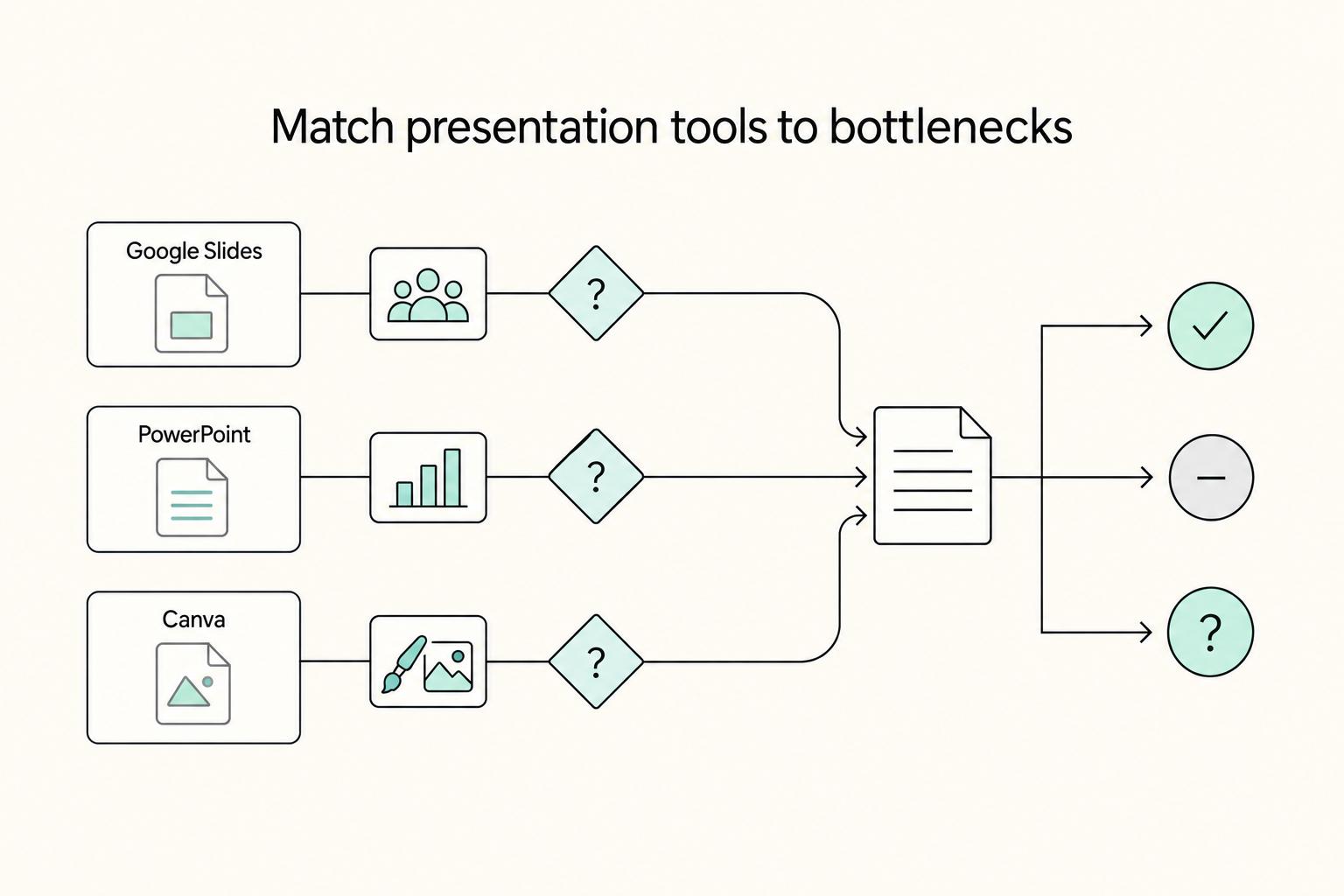
Pick your primary tool by the point where your delivery process actually breaks, then name a fallback on day one. If review flow is the concern, a useful first test is Google Slides with Microsoft PowerPoint as the fallback. If final-file workflow is the concern, reverse that pair. If first-draft speed is the concern, include Canva AI Presentation Maker in the first test, then decide whether Slides or PowerPoint will own the fallback before you build more than a few slides.
That is more useful than chasing a universal winner. A recent roundup names 30 AI presentation maker tools, which is a good reminder that the market is crowded. Choosing a house tool is not enough, especially when many comparisons stay at list level and never show how a live deck holds up once comments, exports, or takeovers begin.
Choose the pair that matches your bottleneck#
| Option | Best when | Handoff risk | First validation check |
|---|---|---|---|
| Google Slides | Review flow is the concern | You standardize before testing fallback takeover on a real deck | Run one real draft through review, then hand it to a second editor in your fallback tool and confirm they can keep moving |
| Microsoft PowerPoint | Final-file workflow is the concern | You assume the same workflow will hold under revisions without testing | Run one real draft through review, then hand it to a second editor in your fallback tool and confirm they can keep moving |
| Canva AI Presentation Maker | First-draft speed is the concern | You treat the drafting app as final before testing takeover | Build one branded draft, move it to your fallback editor, and have a second person finish two slides there |
If you need a plain recommendation, pick a primary and fallback on day one from Slides, PowerPoint, and Canva, then run the same live-deck test across them. The common mistake is treating the draft tool as the final tool before you have proved that another person can take over cleanly.
The practical distinction is simple: treat each option as a starting bet, not a conclusion. Your live-deck test decides whether it stays primary or becomes a support tool.
Standardize only after one live-deck test#
Once you have a likely pair, run one live client deck through the full path before you standardize. Not a sample file. Not a template. Use something with real comments, real revisions, and at least one moment where another person might need to finish the job without you. Check these three things in order:
| Check | How to test | If it fails |
|---|---|---|
| Comments | Invite at least one real reviewer, leave comments on the same slide from two different accounts, and reply, resolve, and reopen one thread. | Make the more review-friendly tool primary and finish elsewhere. |
| Export and edit behavior | Export the deck into the format your client or collaborator is most likely to request, open that file in your fallback editor, change text, replace one visual, save, and present from that version. | Demote the faster app to draft-only use. |
| Fallback takeover | Hand the deck to someone who did not build it and ask them to duplicate a slide, reorder a small section, and finish one unfinished slide. | Do not standardize yet; test the next pair on the next live deck. |
In plain terms: invite a real reviewer, export into the format your client is most likely to request, and then have someone else make routine edits in the fallback tool. You are looking for friction, not perfection.
If the comments test fails, make the more review-friendly tool primary and finish elsewhere. If export or editing breaks down, demote the faster app to draft-only use. If fallback takeover is shaky, do not standardize yet. Test the next pair on the next live deck, because that failure will cost you more in client work than an extra hour of tool testing now. For a step-by-step walkthrough, see The Best Software for Creating Case Studies.
How This List Is Scored for Real Client Work#
Score each tool by one standard: can you get through a real client workflow without avoidable delays in drafting, review, handoff, or takeover. If it fails that path, it ranks lower, even if the feature list looks strong.
| Criterion | What you are really scoring | How to test quickly | Failure signal |
|---|---|---|---|
| Speed to first draft | How fast you can turn a blank file into something a client can review | Build 5 slides from a current client brief and time it | You end the session with an outline instead of a review-ready draft, or the draft looks polished but is hard to edit |
| Edit control | Whether late copy, layout, and brand edits stay precise | Update headings, replace one visual, and restyle two slides under time pressure | Text reflows unpredictably, alignment drifts, or small edits trigger slide-by-slide cleanup |
| Collaboration reliability | Whether comments, co-authoring, and change recovery hold up | Invite two people, run a live comment thread, and confirm version history is usable | Permissions block review, comment threads get messy, or you cannot confidently trace and restore changes |
| Output flexibility | Whether export and cross-tool takeover stay workable | Export to the format clients request most, open in the fallback tool, and finish two slides there | The file is viewable but not comfortably editable, or layout loss makes takeover slower than rebuilding |
Use product behavior as evidence, not assumptions. PowerPoint supports real-time collaboration after sharing, Google Slides exports to PPTX, and Google documents version history plus sharing for up to 100 collaborators on one file. Those are concrete checks you can test in your own workflow.
If Canva is in the chain, raise the bar on handoff testing. Canva labels PowerPoint import as beta, documents unsupported elements (charts, SmartArt, 3D objects, WordArt), and sets import limits (100MB for .ppt, 300MB for .pptx/.potx/.ppsm, up to 300 slides). Treat that as a validation requirement, not an automatic disqualifier.
Use evidence in this order:
- Hands-on workflow tests first. Your live-deck results carry the most weight.
- Review platforms second. Use rankings as directional only because ranking mechanics differ across platforms.
- Community forums last. Use them for edge-case discovery, not final scoring decisions.
Hard ranking rule: if a tool looks great but fails handoff reliability, it drops. Do not standardize until one live deck survives a real comment cycle and one forced cross-format handoff without major layout loss, broken co-authoring, or takeover friction. For related positioning work, see How to Manage Your Personal Brand as a Freelancer.
Quick Comparison of the Top Options You'll Actually Consider#
Pick a primary tool plus fallback based on your biggest delivery risk: editable handoff, live collaboration, or fast first draft. Keep PowerPoint in your pair when client-owned editing is non-negotiable, start in Google Slides when review cycles drive the work, and use Canva or Beautiful.ai as drafting front ends when speed matters more than final edit control.
Use one rule before you standardize: do not lock in a draft-first tool until one exported deck survives real edits in the format your client will request.
| Tool | Use it as | Where it earns its place | Main tradeoff | Handoff reliability check | Best fallback when client format changes |
|---|---|---|---|---|---|
| Microsoft PowerPoint | Primary for editable delivery | Strong when the client needs a truly editable .pptx. Co-authoring depends on OneDrive or SharePoint and modern formats like .pptx. | Collaboration gets fragile if files are local or saved in older types. | Confirm the file is in OneDrive or SharePoint and saved as .pptx, then test two editors making non-conflicting changes and saving both. | Google Slides for browser-first comments and quick sharing |
| Google Slides | Primary for review-heavy drafting | Strong for browser collaboration. Google supports importing PowerPoint or Canva files, and Slides keeps comments, action items, granular sharing, version history, and download to PowerPoint or PDF. | Import success is not edit-quality success. You still need to inspect converted slides. | Import one real client deck, run a live comment thread, check version history, then download as PowerPoint and finish two slides there. Confirm offline editing if travel or unstable internet is part of delivery. | PowerPoint for final editable handoff |
| Canva | Primary for fast visual first draft | Useful when you need a polished draft quickly and feedback is mostly visual. Canva also supports real-time team visibility and PowerPoint download. | A PowerPoint export can still create takeover friction. | Export a real branded deck to PowerPoint, open it in PowerPoint, and run common client edits (headings, image swaps, layout changes) on at least two slides. | PowerPoint when the client asks for editable ownership |
| Beautiful.ai | Front-end drafting tool | Useful for fast structure. Export behavior is the key constraint: editable PowerPoint export is only on Pro, Team, and Enterprise, while another PowerPoint export path creates static-image slides in a PPT file. | A .ppt/.pptx file may still be poor for true editing, depending on plan and export path. | Verify tier and export path before promising editable handoff. If output is static-image slides, treat it as presentation output, not editable client source. | PowerPoint for client-owned editable decks |
| Mentimeter | Specialist for interactive sessions | Best when live polls, quizzes, and Q&A are central. | Imported decks become static images without animations, with a 60 MB file limit and 100-slide total cap. | Check file size and total slides before import. Assume imported slides are visuals, not fully editable slide objects. | Google Slides or PowerPoint for the base deck |
In practice, PowerPoint + Slides is the lowest-surprise backbone for most client work. Canva + PowerPoint can reduce drafting time, but only if you validate the export path early. Treat Mentimeter as an interaction layer, not a full replacement for your main deck editor.
If you are evaluating Prezi, Pitch, Gamma, Powtoon, Google Vids, or Prezent AI, use the same standard: can you hand off an editable file, run multi-person review cleanly, and recover when the required format changes late?
Best Choices for Fast, Polished Client Decks#
If first-draft speed is your bottleneck, start in a template or AI-assisted builder, then finish in a precision editor before delivery. For most client work, that means Canva, Beautiful.ai, or a message-first tool like Prezent for drafting, with PowerPoint or Google Slides as your final handoff editor.
| Tool | Best when | Main risk | Handoff check |
|---|---|---|---|
| Canva | You need a polished draft fast from prompts or templates, then apply approved logos, colors, and fonts with Brand Kit | Canva supports PPTX download, but warns files may look different in Microsoft PowerPoint, and animations or embedded videos are not supported in PowerPoint exports | Download the real deck as PPTX, open in PowerPoint, and test heading edits, image swaps, and one layout change on two slides |
| Beautiful.ai | You want layout discipline while drafting and want Smart Slides to auto-adjust spacing, text, and visuals | Manual control is tighter unless you switch to Classic Slides; editable PowerPoint export is only on Pro, Team, and Enterprise, and another PowerPoint export path is not editable | Confirm the exact plan, choose the editable export option, then complete one normal client edit in PowerPoint before promising handoff |
| Prezent | Your process starts with audience, objective, and message structure rather than blank-slide design | Better for narrative scaffolding than freeform design, so verify the exact drafting behavior you plan to rely on before you commit | Build in Story Builder, download the shell, and finish a few slides in PowerPoint or Google Slides to confirm the outline survives editing |
Choose Canva when speed matters most, Beautiful.ai when you want consistent layout behavior, and Prezent when your main problem is narrative structure. Then pressure-test the output in the tool your client will actually edit.
Before delivery, run this checklist in order:
- Brand consistency pass.
- Editable export validation.
- One real edit test in your fallback tool.
If that final edit test breaks objects or turns revision into cleanup work, do not standardize on that drafting app yet.
Best Choices for Compatibility, Edit Control, and Low Surprise#
Choose based on your delivery path, not feature hype. If the final deck must work as .pptx, run a PowerPoint-first workflow. If review happens live in the browser and can stay there through approval, run a Slides-first workflow.
PowerPoint first#
Use PowerPoint first when the file that matters at the end is a PowerPoint file. Keeping review and final delivery in the same file type can reduce avoidable format switching during late edits, especially when several stakeholders are involved.
Google Slides first#
Use Google Slides first when your priority is fast, shared browser review during drafting and feedback. Keep that advantage during collaboration, then treat export to another app as a handoff checkpoint instead of assuming behavior will match.
| Handoff path | Where it can break | How to catch it early | Fallback action |
|---|---|---|---|
| PowerPoint staying in PowerPoint | Multiple parallel copies create conflicting edits | Confirm one owner file and run a real edit pass before sign-off | Freeze parallel copies and finish in the owner file |
| Google Slides staying in Google Slides | Comments and version state get messy near approval | Review unresolved comments, final notes, and owner permissions before sign-off | Lock a final review copy before any export |
| Any move into another app | Editing behavior and layout can change after conversion | Export once, open in the destination app, and test a real heading edit, image swap, comment, and notes view | Finish in the destination app and avoid bouncing back |
Before delivery, use one repeatable safeguard: export once, open the file in the destination app, make real edits, then verify typography, layout, comments, and presenter notes. If that check fails, stop round-tripping and complete the deck in one home file. Related: How to Write an Arbitration Clause for a Freelance Contract.
Best Choices for Interactive or Video-Led Presentations#
If your session depends on interaction or video, decide format first, then prove delivery with one rehearsal and one real handoff test.
| Tool | Ideal use case | Handoff/export reliability check | Rehearsal effort focus | Collaboration constraint |
|---|---|---|---|---|
| Prezi | You are planning a non-linear presentation flow and will validate it in a live run-through | Test the exact sharing path your client or venue will use before you lock the workflow | Rehearse navigation choices and recovery paths, not only narration | Risk increases when reviewers require a standard editable slide-file process |
| Powtoon | Your primary output is a video deliverable rather than a live co-edited deck | Export a final file and test playback in the real delivery environment | Rehearse timing and final-playback quality after export | Keep ownership tight during revisions so you do not lose the approved version |
| Google Vids | You are producing a video-style update and can keep review in that same environment until sign-off | Verify current sharing/export behavior in your own workflow before committing | Rehearse pacing in the delivered file, not just in-editor preview | Risk rises if stakeholders later require edits in a slide-first workflow |
| Mentimeter | Audience interaction is core to session outcomes, not optional decoration | Test participant access and your fallback path for access or connection issues | Rehearse transition points between speaking and interaction | Late multi-stakeholder question edits can create avoidable confusion |
Use these as workflow hypotheses, not guaranteed rankings. Comparison pages are often marketing-led, so your decision should come from your own rehearsal and delivery-path test, not a feature grid alone.
Prezi#
Use this when your session needs topic-based movement instead of a fixed sequence. If your client expects a conventional editable handoff, confirm that path early or plan a fallback format before production deepens.
Powtoon#
Use this when the final deliverable is a video that must stand on its own. Playback quality and version control can break delivery late, so validate the exported file in the actual viewing setup.
Google Vids#
Use this when you need a video-style update and review can stay in one environment through approval. Sharing and export details can change by workflow context, so verify current behavior before you standardize.
Mentimeter#
Use this when polls or live input are central to how the session works. If access or moderation flow fails in the room, interaction quality drops fast, so prepare a plain-slide fallback.
If your session depends on interaction or video, run a rehearsal plus export or access test before you standardize your process. This pairs well with our guide on The Best Bug Tracking Software for Development Teams.
Best Choices for Team Handoffs and Async Collaboration#
For team handoffs, treat Pitch, Gamma, and Google Slides as candidates to pilot, not pre-ranked winners. Choose the one that gets a real deck through access, comments, and final-file delivery with the least cleanup.
Because the evidence here does not verify tool-level differences, run the same handoff checks for each option before you standardize.
| Tool | Choose this when | External access friction check | Comment fidelity check | Export stability check | Reviewer edit permissions check |
|---|---|---|---|---|---|
| Pitch | You want to run your handoff pilot in Pitch first | Send one test link to an external reviewer and log each access step | Confirm comments stay clear and attached to the intended slide/content after review | Export to your required destination format and inspect layout and speaker notes | Verify reviewer roles from a non-owner account before live review |
| Gamma | You want to run your handoff pilot in Gamma first | Repeat the same external-reviewer access test and note blockers | Confirm feedback remains understandable after any required export | Open the exported file in the destination app and compare dense slides and notes | Verify who can comment vs edit in your real review setup |
| Google Slides | You want to run your handoff pilot in Google Slides first | Run the same external access test with a first-time reviewer | Check that comments map cleanly before and after your delivery export path | Validate the destination file format you actually need to deliver | Confirm intended permissions using a reviewer account, not the owner account |
Do not assume concurrent access will behave the same across them; verify it in your own review flow.
Pitch#
Choose Pitch when you can commit to validating your full handoff path in Pitch before sign-off. The practical strength is workflow clarity from one real pilot path. The practical risk is late-stage surprises if you skip export and permission checks until the end.
Gamma#
Choose Gamma when you want to validate Gamma first under the same handoff checklist. The practical strength is fast decision-making once your pilot checks pass. The practical risk is approving content before confirming destination-file behavior.
Google Slides#
Choose Google Slides when you want to validate Google Slides first with real reviewers and real permissions. The practical strength is early visibility into your sharing workflow. The practical risk is assuming a smooth review step guarantees a clean final delivery file.
Use this short pilot before you standardize any of the three:
- Test one real handoff with someone outside the build team.
- Confirm comments map to the right slides and stay understandable after any export.
- Verify the destination file keeps layout and speaker-note integrity.
Need the full breakdown? Read The Best Customer Support Software for SaaS Businesses.
Use This Checklist to Pick a Primary Tool and a Fallback Tool#
Do not standardize on a single "winner." Choose a primary tool for your normal workflow and a fallback that serves as your last line of defense if the main path is unavailable.
- Name your dominant delivery mode
Pick the workflow you run most often right now: live pitch, async review, webinar or interactive session, or video update. Choose your primary for that repeat path, and choose a fallback to protect delivery if the primary path breaks.
- Pick one two-tool pair to test first
Keep this to two tools so you can validate quickly. Run the same checkpoints on both tools before deciding.
| If this is your workflow | Prioritize this pair first | Verification checkpoints (run on both tools) |
|---|---|---|
| Live pitch | PowerPoint + Google Slides | External access works, comments remain clear, export stays usable, presenter device runs the file cleanly |
| Async review | Google Slides + PowerPoint | External access works, comments remain clear, export stays usable, presenter device runs the file cleanly |
| Webinar or interactive session | Mentimeter + PowerPoint | External access works, comments remain clear, export stays usable, presenter device runs the file cleanly |
| Video update | Powtoon + PowerPoint | External access works, comments remain clear, export stays usable, presenter device runs the file cleanly |
If Canva is already in your workflow, substitute it into one pair and run the same checks. If your flow is non-linear, test Prezi as one side of the pair.
- Score from evidence, not preference
Use your internal weighted rubric and your own scale. Only score what you observed in a real share cycle, a real export, a real edit pass, and a real presenter-device rehearsal. If you cannot point to test evidence, leave that score unconfirmed.
- Run a strict go/no-go before standardizing
Put the same sample deck through both the primary and fallback paths. Validate order, text flow, speaker notes, comments, export output, and presenter-device behavior. If either path fails, it is a no-go.
Keep a small decision record: share link, exported file, edit-pass notes, and required permissions. If fallback setup depends on admin-level access, confirm that before delivery.
The Best Tool Is the One You Can Deliver With Repeatedly#
You should choose the setup you can run from draft to live delivery without last-minute repair.
- Choose for delivery context first
Choose based on where failure would hurt most: live delivery, shared review, client handoff, or cross-format export. Feature checklists do not show real delivery risks, like a crash on high-resolution video import or presenter view blocking Zoom chat. Pick for the job your deck has to survive, not for novelty.
- Assign one primary tool and one fallback tool
Set one primary tool for your default workflow and one fallback that covers a different risk, usually handoff or final delivery. Then test that pair on one real deck with four checks: export integrity, external permission access, comment fidelity after review, and final-device readiness on the device you will present from. Open the file in the recipient environment early so you catch formatting drift before anyone else does. PowerPoint or Google Slides can each be the right primary depending on your context, and a draft-first tool can still earn a place if the fallback path holds.
- Review your setup only when your workflow changes
Do not re-rank tools every time a new feature appears. Re-evaluate when your work actually shifts, such as more live Zoom sessions, more collaborative editing, or more client-required file handoffs. If your workflow has not changed, resist the urge to rebuild your stack.
For adjacent workflow reading, see The Best E-Signature Software for Freelancers.
Frequently Asked Questions
What is the best presentation software overall for independent professionals?
Do not assume there is a single best platform overall. Choose the tool that most consistently reinforces your central topic across sections, with clear concept-related language and minimal drift into unrelated points. Use measurable reinforcement indicators from your review to decide.
What is the best free presentation software if I need fast client drafts?
For fast drafts, test whether your draft keeps the main idea consistent after you replace placeholder content. If reinforcement weakens across sections, treat it as a revision signal. Check each tool's free-plan limits on its official site before committing.
What is the best PowerPoint alternative for collaboration-heavy projects?
There is no supported evidence here to rank a specific alternative for collaboration. For collaboration-heavy work, evaluate whether shared edits keep thematic continuity instead of fragmenting the message. Pick the option that preserves a strong central concept through review cycles.
What is the best AI presentation software for speed without losing quality?
Do not assume there is a single best AI presentation product. Use AI output as a first draft, then check the distribution and intensity of concept-related expressions before finalizing. If sections drift from the core idea, revise manually.
Canva vs Google Slides vs Microsoft PowerPoint: which should I choose first?
Do not assume a first-choice ranking among named tools. Start with the option that helps you maintain conceptual reinforcement from opening to close, then compare against one fallback using the same deck. Keep the one that yields stronger measurable reinforcement indicators.
Which tool is best for non-linear or interactive presentations?
If you use non-linear or interactive formats, verify that each branch or interaction still reinforces the same core concept. Remove or rework paths that introduce topical drift.
How do I choose a fallback tool so I am not blocked before delivery day?
Choose a fallback by how well it preserves your core message when you recreate the same deck. Compare both options on thematic continuity and on measurable reinforcement indicators across sections. Keep a fallback only if it stays aligned to the central concept under delivery pressure.
Try a related tool
Researched and edited by the Gruv editorial team. Gruv builds cross-border billing, payouts, and finance-operations software for global businesses.
Sources
Includes 5 external sources outside the trusted-domain allowlist.
- courts.delaware.gov/Opinions/Download.aspxtrusted
- fsis.usda.gov/sites/default/files/media_file/2022-03/IM_St...trusted
- pmc.ncbi.nlm.nih.gov/articles/PMC12873204trusted
- canva.com/help/powerpoint-importexternal
- capterra.com/presentation-softwareexternal
- developers.meta.com/horizon-worlds/learn/documentation/desktop-e...external
- larksuite.com/en_us/blog/visual-collaboration-toolsexternal
- learn.g2.com/best-presentation-softwareexternal
Educational content only. Not legal, tax, or financial advice.
Related Posts

How to Manage Your Personal Brand as a Freelancer
Your brand is not a mood board. Think of it as the experience people have of your work: the promise you make, the proof you can show, and the way you present yourself across client touchpoints. Get that clear first, and your fit is easier to read from profile to proposal.

How to Write an Arbitration Clause for a Freelance Contract
A useful dispute clause tells both sides where to send notice, how long to try settlement, who can decide the dispute and what it may cost. Start with the acceptance and payment problem you want to resolve, then choose a process proportionate to the contract. Arbitration produces a binding decision, but it does not guarantee quick payment or remove the need for court enforcement.
A Guide to Spain's Non-Lucrative Visa
**Use a consulate-aware workflow: lock confirmed rules first, separate local unknowns, and move in sequence to reduce preventable delays in the Spain non-lucrative visa process.**