
Quick Answer
Choose the best knowledge base tools by matching the tool to your first-use lane, then validating governance in a real pilot. For support-led teams, options like Zendesk Guide are framed around help-center publishing and deflection workflows. For internal SOP-heavy work, tools such as Notion, GitBook, or Confluence are evaluated on retrieval and upkeep. In both cases, confirm permissions, revision history, and export readiness before broad rollout so you avoid a costly switch later.
Build a knowledge base that prevents fire drills as your business grows#
You want fewer repeated questions, fewer handoff errors, and answers people can find fast without digging through chat, email, or memory. That usually starts with one searchable home for shared knowledge, but it only sticks if someone owns the content and someone checks that it still reflects reality.
Many teams do not just have a documentation problem. They have a sprawl problem. Knowledge lives across too many tools, nobody is clearly responsible for updates, and old answers keep circulating after the process has changed. Knowledge base software can help you create and publish a searchable library of information, but search is what turns documentation into something people actually use. The right tool supports that shift. It does not solve stale content or vague ownership on its own. Use this guide as an execution plan, not a feature tour:
- Quick selection framework
Use a quick filter to remove bad fits before you commit to demos or trials. Start with search, version history, access control, and content editing, because those basics determine trust and governance.
- Two lane shortlist
A tighter set of options split by customer support versus internal operations. That keeps you from comparing unlike products and helps you choose based on who needs answers and where they look for them.
- Phased rollout checklist
A staged launch plan so your docs do not decay after week one. Tie publishing to named owners and review points instead of treating launch as the finish line.
A simple governance frame keeps this practical. Your content owner drafts and updates the article. Your reviewer checks whether the answer is still accurate for support, operations, training, or compliance use. Your publishing gate confirms the article is ready to go live with the right permissions, current edits, and recoverable history. If a tool makes version history or access control hard to verify, treat that as an early red flag.
| Success signal | Who owns this signal | How to verify in your workflow |
|---|---|---|
| Faster answer retrieval | Frontline user plus content owner | Ask someone to find the current answer in the knowledge base first, not in chat. If they still need to ask around, search or structure is weak. |
| Fewer repeat questions | Support or operations lead | Review the questions that keep reappearing in inboxes, tickets, or messages and check whether a current published answer exists. |
| Clearer handoffs | Team lead or reviewer | Compare the answer one person sends with the published article used by the next person. Mismatch usually means stale docs or unclear ownership. |
| Lower support burden where self serve is enabled | Support owner | Check whether routine issues are being answered with published articles instead of custom replies. If not, the content may be hard to find or not trusted. |
One practical warning before you compare vendors: there are a lot of options, and some still require consultation for pricing or deployment. If you need to move fast, do not spend your first week on feature tours. Confirm the governance basics first, then trial only the tools that fit your use case. If your next step is implementation rather than selection, use How to Create a Knowledge Base for Your SaaS Product. If you want a deeper dive, read Value-Based Pricing: A Freelancer's Guide.
Who this list is for and how we will score tools#
Choose by job-to-be-done, governance fit, and migration safety, not brand familiarity. A tool belongs on your shortlist only if people can find the right answer quickly, changes stay controlled, and recovery is realistic after bad edits or a bad migration.
That matches the ownership model above. Knowledge management tools are meant to centralize internal and external knowledge so customers and employees can find what they need. We score tools on whether they help you capture and reuse knowledge in real workflows, then keep that knowledge reliable as your team grows.
Who this list serves#
| Team | Situation | Prioritize |
|---|---|---|
| Solo operator or consultant | You are the writer, reviewer, and fixer. | Fast search, simple structure, and permissions you can understand quickly. |
| Small agency or studio | You manage repeat client work, handoffs, and expanding internal docs. | Version history, clear ownership, and a publishing flow that prevents stale answers from lingering in chat or email. |
| Early SaaS team with internal and external knowledge needs | You need to support customers and equip employees with internal answers. | Lane clarity first: help center, internal docs, or both without awkward tradeoffs. |
| Growing team with more reviewers, approvers, or procurement pressure | For teams between 50 and 500, role-based permissions become a core requirement. | Access control, review accountability, and a short pilot in real workflows before wider rollout. |
- Solo operator or consultant
You are the writer, reviewer, and fixer. Prioritize fast search, simple structure, and permissions you can understand quickly. If upkeep feels heavy after week two, it is likely the wrong fit.
- Small agency or studio
You manage repeat client work, handoffs, and expanding internal docs. Prioritize version history, clear ownership, and a publishing flow that prevents stale answers from lingering in chat or email. Your biggest risk is content decay from weak ownership and cadence.
- Early SaaS team with internal and external knowledge needs
You need to support customers and equip employees with internal answers. Prioritize lane clarity first: help center, internal docs, or both without awkward tradeoffs. If support deflection is your main target, go next to The Best Customer Support Software for SaaS Businesses.
- Growing team with more reviewers, approvers, or procurement pressure
As complexity increases, governance matters more than editor convenience. For teams between 50 and 500, role-based permissions become a core requirement. Prioritize access control, review accountability, and a short pilot in real workflows before wider rollout.
How we will score tools#
We apply a hard gate first, then score finalists by scenario. The core test stays the same: can this tool support knowledge capture and reuse, fit day-to-day workflows, and scale governance without creating avoidable risk? We are not scoring for popularity or feature volume.
Before shortlisting, run a 30 to 60-day pilot and track three weekly metrics: time to find an authoritative answer, time to complete the resulting task, and rate of rework. This is usually where weak search, unclear permissions, and stale content show up. We include Confluence and Guru as reference points buyers often compare against, not endorsements.
| Criterion | Practical test | Failure signal | Ownership check |
|---|---|---|---|
| Search quality | Have a new teammate find current answers to 3 common questions without help | They ask in chat or DM before finding the article | Content owner reviews failed queries and updates titles, tags, or structure |
| Permissions | Validate who can view, edit, and publish one sensitive and one general article | Too many people can edit, or needed readers cannot access content | Publishing gate verifies role access before launch |
| Version history | Make an edit, inspect prior states, and confirm who changed what | Change trail is missing or too unclear to audit | Reviewer confirms material edits are visible and attributable |
| Governance fit | Assign one owner and one reviewer to a doc set and run one review cycle | Docs stall, stay stale, or ownership is unclear | Quarterly review cadence is named and documented |
| Export and rollback readiness | Export a sample set and check structure/content usability outside the tool | Export is partial, messy, or hard to restore | Operations owner keeps a basic export test record |
| AI usefulness | Run real queries and compare AI output with published source content | Confident but wrong answers reduce trust | Reviewer checks AI output against authoritative content |
Apply this minimum gate as pass/fail before any shortlist:
- Search returns current, authoritative answers for common questions.
- Permissions clearly separate viewing, editing, and publishing.
- Version history shows what changed and supports correction after bad edits.
- Export or rollback is testable, so migration or recovery is possible.
If a tool fails any one of these checks, stop there. A polished editor will not fix weak governance or a painful switch later.
You might also find this useful: The Best Tools for Creating SOPs and Process Documentation.
What is the fastest way to choose without switching again in six months?#
Choose one lane now, then fail tools fast with a pre-trial gate. That is the quickest low-regret path.
| Lane | Choose when | Examples/setup | Do not choose when |
|---|---|---|---|
| Internal knowledge first | Your main issue is process drift, repeated teammate questions, or scattered SOPs. | Notion and GitBook can be useful examples when internal authoring is your first priority. | Your primary goal is customer self-serve support outcomes. |
| External help center first | Customers need answers without opening a ticket and your team needs controlled publishing on the support surface. | Zendesk Guide is an example to evaluate when customer-facing support is the main destination. | Most of your content is internal, sensitive, or changing rapidly. |
| Hybrid from day one | The same team owns internal guidance and customer education, with clear ownership for drafting, review, and publishing. | Often one authoring system plus one support surface, but only if you can maintain both consistently. | Ownership is unclear. |
Start with this question: where do people go first for answers?
- Internal knowledge first
Choose this when your main issue is process drift, repeated teammate questions, or scattered SOPs. Notion and GitBook can be useful examples when internal authoring is your first priority. Do not choose this lane if your primary goal is customer self-serve support outcomes, because you will be forcing an internal-first setup into an external support job.
- External help center first
Choose this when customers need answers without opening a ticket and your team needs controlled publishing on the support surface. Zendesk Guide is an example to evaluate when customer-facing support is the main destination. Do not choose this lane if most of your content is internal, sensitive, or changing rapidly, because publishing overhead can outpace the value for a small team.
- Hybrid from day one
Choose this only when the same team owns internal guidance and customer education, with clear ownership for drafting, review, and publishing. In practice, this often means one authoring system plus one support surface, but only if you can maintain both consistently. Do not choose this lane if ownership is unclear, because the wrong platform mix can become another silo where information gets lost.
Use this pre-trial gate before demos or rollout:
| Gate | Validation action | Stop signal |
|---|---|---|
| Search | Test real recent questions and confirm a new teammate can find a current answer without asking a person | Search is weak or answers are stale |
| Permissions depth | Verify who can view, edit, and publish a sensitive page and a general page | You cannot clearly separate viewing, editing, and publishing |
| Export and restore behavior | Export a sample set, inspect structure, and document what can be restored in practice | Export is partial, messy, or not usable outside the tool |
| AI answer reliability | Run your real query set and compare answers to your published source content | Answers sound confident but are wrong or unsupported |
| Ownership and accountability | Complete a one-page Current State Assessment and name authority for content and AI review | No named owner, reviewer, or accountability path |
Your anti-switch framework should be simple: keep the pilot narrow, define what would make the pilot worth expanding or stopping, and confirm the practical exit steps before expansion. A practical boundary is one doc set, one owner, and one support surface if needed. Promote only when findability improves, rework drops, and your evidence pack is complete. Include sample exports, failed-query notes, permissions checks, and a short note on what would trigger a pause or recovery plan.
We covered this in detail in The Best Project Management Tools for Freelance Writers.
Which tools are best for customer support versus internal operations?#
Start with a quick diagnostic: where do your most expensive repeat questions show up, and who owns resolving them today? Use that answer to choose your lane before you compare tools.
| Lane | Where high-cost questions appear | Owner of resolution | Content workflow to prioritize | Permission model to prioritize | Update velocity to prioritize | Success signal |
|---|---|---|---|---|---|---|
| Customer support | Repeated customer questions that create avoidable tickets | Support team | Publish-ready help content customers can self-serve | Clear split between public help content and restricted internal notes | Reliable updates so published answers stay current | Ticket deflection rate |
| Internal operations | Repeated internal process questions across scattered docs/messages | Internal ops or team leads | Fast authoring and upkeep for SOPs and team runbooks | Restricted access where needed for internal guidance | Frequent updates as workflows change | Faster answer retrieval and fewer repeat internal asks |
- Customer support lane
Pick this when customer self-serve is the bottleneck and support owns outcomes. Zendesk Guide is a fit when your help center is part of the support surface, not a side project. Risk if misapplied: forcing fast-changing internal notes into a customer-facing structure.
- Internal operations lane
Pick this when your team is still hunting through scattered docs, Slack threads, or email chains for the same answers. Notion, GitBook, Confluence, and Tettra are fits when internal authoring speed and team retrieval matter most. Risk if misapplied: expecting an internal-first setup to handle customer support without adding stronger publishing discipline.
For async teams, test retrieval trust before adding more tools: can people find answers, are answers current, and is access permission-safe? For narrower patterns, use Guru when answers are spread across multiple systems, Bloomfire when many contributors need shared capture, and Stonly when users need guided resolution flows instead of static articles.
Finish with lane governance: assign one owner per lane and run one review loop. If support remains your primary bottleneck after that, go deeper with The Best Customer Support Software for SaaS Businesses. Related: The Best API Documentation Tools for Developers.
Should you choose SaaS speed or self-hosted control?#
Choose SaaS first if your priority is fast delivery and low admin overhead. Choose self-hosted only when you have a clear control requirement and a team that can run operations reliably.
| Lane | Examples | Best when | Watch for |
|---|---|---|---|
| Hosted SaaS lane | Document360, ReadMe, Zendesk Guide | You need fast setup, easier access for distributed collaborators, and less day-to-day infrastructure work. | Recurring subscription pricing, commonly per user or usage tier, plus ongoing content ownership and review. |
| Self-hosted lane | BookStack, DokuWiki | You need software and data on infrastructure your organization controls, and you can assign a named operator for updates and security configuration. | Your team owns maintenance and recovery readiness. |
| Bridge lane | Outline | You want to move quickly now and keep control options open. | Use a staged path: start with the fastest workable setup, define your control requirements, and migrate only after export and rollback checks are in place. |
| Minimal stack lane | Gitiles, TiddlyWiki | You need lightweight docs with a narrow scope and a technical owner. | Before broader support use, test whether permissions and multi-author publishing meet your needs. |
| Ownership area | SaaS | Self-hosted |
|---|---|---|
| Security responsibility | Vendor handles hosting, updates, and security patches | Your team owns deployment and security configuration |
| Backup and restore operations | Vendor handles backups; you still need to verify how restore works in practice | Your team needs a backup plan and a restore process it can actually execute |
| Integration flexibility | Product-dependent, so validate connectors and API limits directly | Also product-dependent; more control does not automatically mean easier integrations |
| Maintenance burden | Lower day-to-day operational effort | Ongoing in-house software and/or infrastructure maintenance |
The practical risk is simple: control without operating capacity usually becomes delayed patches and untested recovery.
- Hosted SaaS lane: Document360, ReadMe, Zendesk Guide. Best when you need fast setup, easier access for distributed collaborators, and less day-to-day infrastructure work. Hidden cost to plan for: recurring subscription pricing, commonly per user or usage tier, plus ongoing content ownership and review.
- Self-hosted lane: BookStack, DokuWiki. Best when you need software and data on infrastructure your organization controls, and you can assign a named operator for updates and security configuration. Hidden cost to plan for: your team owns maintenance and recovery readiness.
- Bridge lane: Outline. Best when you want to move quickly now and keep control options open. Use a staged path: start with the fastest workable setup, define your control requirements, and migrate only after export and rollback checks are in place.
- Minimal stack lane: Gitiles, TiddlyWiki. Best for lightweight docs with a narrow scope and a technical owner. Before broader support use, test whether permissions and multi-author publishing meet your needs.
Use this transition rule: keep external publishing fast in SaaS, and move internal SOP segments to self-hosted only when your team can sustain ongoing operations and rollback discipline. Related reading: The Best Asynchronous Communication Tools for Remote Teams.
The shortlist that beats generic top 28 lists#
You will choose faster and switch less if you shortlist by lane first, then compare only tools that meet your non-negotiables. A tool is only "best" in the lane you actually run: support self-service, internal wiki work, or developer-doc workflows.
How to use the shortlist#
Pick your lane first, then remove any tool that fails your must-haves before you compare nice-to-haves. In practice, your must-haves are usually ownership, access control, maintenance load, and whether content can be extracted in a usable way if priorities change.
Use one shared checklist across every finalist. A useful pattern from March 2026 comparisons: run the same workflow on each tool, and label what was tested versus what was vendor-documented. That keeps you from comparing hands-on evidence for one product against marketing claims for another.
Before rollout, verify one person can draft, another can review, and one admin can confirm the content exit path. Record short notes on permissions, ownership, and export steps so your decision is based on operating reality, not feature-page assumptions.
| Tool | Best fit | Strength | Tradeoff | Portability check | First rollout |
|---|---|---|---|---|---|
| Zendesk Guide | Zendesk-first support teams | Tight native workflows for agent sharing and ticket deflection inside Zendesk | Weaker fit if you want KB-first analytics without suite coupling | Check how much article structure and usage context you can carry out before deep Zendesk coupling | Start with repeat ticket topics already flooding the queue |
| Intercom Articles | Chat-first teams | Knowledge can be delivered inside conversations to reduce back-and-forth | Weaker fit if you need deep governance or SEO-first control | Verify what remains useful outside conversation and inbox context | Start with articles linked from high-volume chat replies |
| Help Scout Docs | Small support teams that want fast setup and low maintenance | Clean UX and simple rollout | Weaker choice if you require enterprise controls or deep reporting | Confirm export path and what reporting context you would lose if you move later | Start with a small external help center for top recurring questions |
| Salesforce Knowledge | Governance-heavy environments where Salesforce is the system of record | Strong permissions and workflow control in a Salesforce-centered operating model | High fit only when Salesforce already anchors the work | Confirm approval steps, ownership, and extraction options before moving critical articles | Start with policy, service, or account-related content already managed in Salesforce |
If budget is a hard filter, use pricing snapshots only for planning, not as final quotes. In 2026 comparisons, Zendesk Guide appeared around ~$49/agent/mo and Intercom Articles around ~$39/seat/mo.
Scenario starts that actually narrow the field#
- If you already run support in Zendesk, start with Guide. You get the most value when agent workflows and help content are in the same system. Avoid if your priority is standalone KB analytics without suite coupling.
- If your team is chat-first, start with Intercom Articles. It fits teams that answer in conversations all day and want knowledge delivered there. Avoid if you already need deeper governance or SEO-first control.
- If you want low-maintenance support docs, start with Help Scout Docs. It is a clean path for small teams that need to publish quickly. Avoid if you need enterprise controls or deep reporting from the start.
- If approvals and permission rigor are non-negotiable, start with Salesforce Knowledge. It fits best when Salesforce is already your system of record. Avoid if you cannot name an admin owner and approval path before launch.
For hybrid teams, start external support content in one support tool and keep internal SOPs separate until governance is stable. That reduces future migration pain because customer help, internal policy, and reporting are not tangled from day one.
For a step-by-step walkthrough, see The Best Note-Taking and Knowledge Management Apps for Freelancers.
How do you operationalize your choice in 30, 60, and 90 days?#
Use a 30-60-90 plan so you can validate fit before broad rollout: specific goals, clear owners, and visible exit criteria.
| Phase | Objective | Core actions | Owner | Exit criteria |
|---|---|---|---|---|
| First 30 days | Define a tight pilot | Pick one lane first: internal SOPs or customer-help content. Set manageable goals, assign one accountable owner, and document a simple draft/review flow. Start a 30-60 day pilot and test search relevance, answer consistency across meetings, and admin effort. | Documentation owner with team lead input | Core answers are easy to find, people know where content belongs, and pilot evidence is documented. |
| By 60 days | Tie content to real work | Prioritize updates tied to recurring questions. Review where people still rely on chats, inboxes, or meetings because those gaps show missing or unclear documentation. Keep scope controlled so you can judge follow-up speed and missed actions. | Lane owner plus one editor | Follow-ups are faster, missed actions are lower, and admin overhead stays manageable. If not, adjust structure before expanding. |
| By 90 days | Lock governance and scale carefully | Formalize who drafts, reviews, and approves; set a stale-content review rhythm; and track a small KPI set with your manager or team lead. Expand gradually only after the pilot lane is stable in day-to-day use. | Functional owner and manager | Ownership is clear, review dates are current, and KPIs show the knowledge base is helping rather than drifting. |
Use platform examples as conditional options, not defaults:
| Tool | Use this when... |
|---|---|
| Confluence | Your first rollout lane is internal SOPs, and your pilot confirms the workflow is easy to maintain. |
| Zendesk Guide | Your first rollout lane is customer-help content, and your pilot shows it supports faster answers with manageable admin work. |
| Zoho Desk | Your support workflow already runs there, and the pilot confirms your team can keep content current without extra overhead. |
| BookStack | You want a self-hosted path, and your pilot confirms the added control is worth the operating effort. |
For small teams, the safer choice is usually the one that minimizes setup and keeps answers easy to find.
Migration controls (before major edits/imports/restructures):
| Control | What to do now |
|---|---|
| Pre-change snapshot | Take an export snapshot before changes. |
| Structure mapping | Map categories, owners, and URLs before import. |
| Rollback/redirect readiness | Prepare rollback or redirect steps, then verify current vendor requirements in live docs before execution. |
This avoids a common failure mode: lost decisions and missing context after meetings, followed by stale pages with no clear owner.
Set one lightweight governance cadence: review ticket themes weekly, review stale content monthly, and keep one accountable owner per published area. Need the full breakdown? Read The Best Analytics Tools for Your Freelance Website.
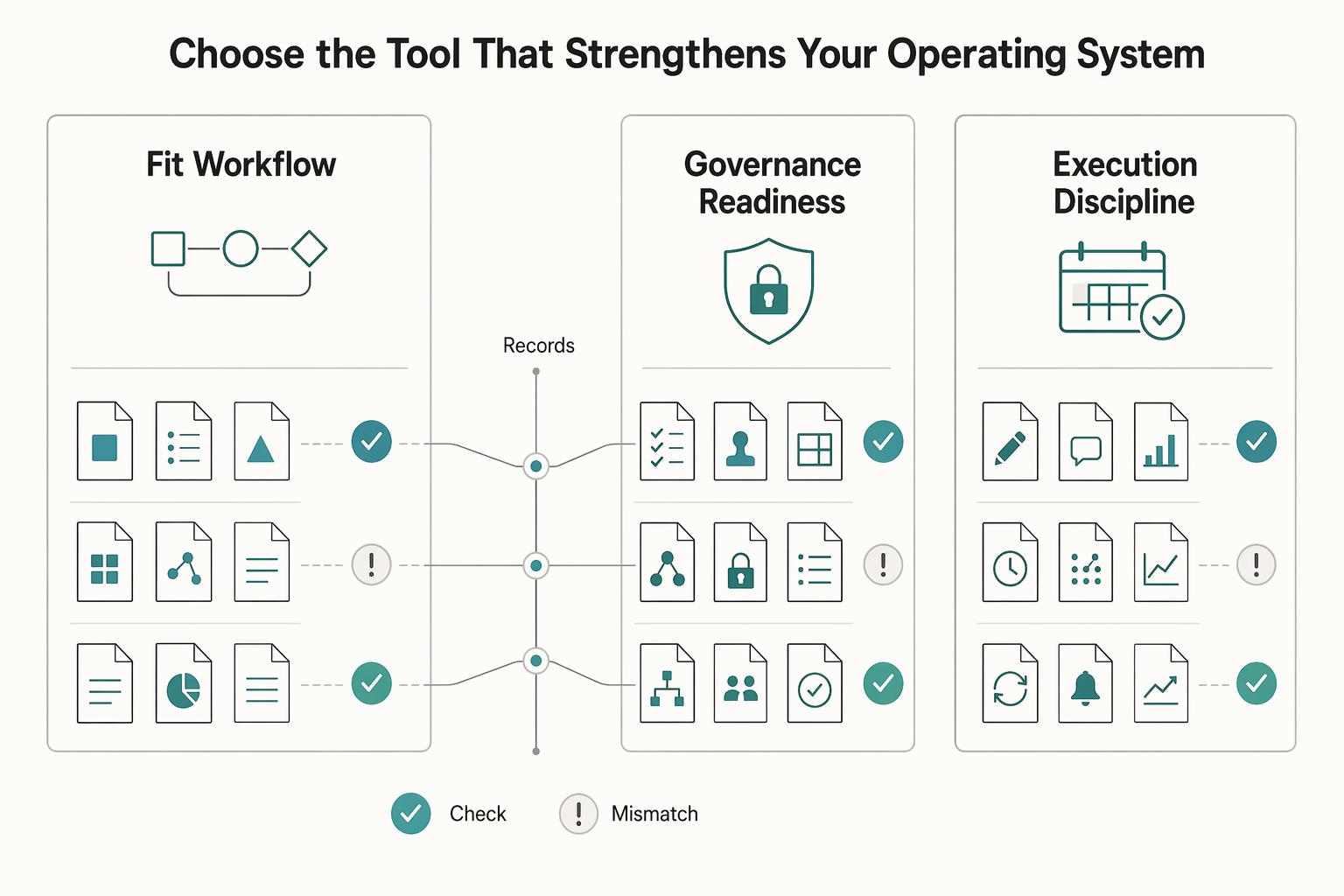
Choose the tool that strengthens your operating system, not your app stack#
Choose the tool that fits how you actually run work, not the one that looks best in a demo. Your decision should reflect how your team writes, reviews, finds, and updates answers after launch.
| Decision filter | What you should do | What risk it cuts |
|---|---|---|
| Fit to workflow | Test each finalist on one real support path and one internal SOP. | You catch retrieval gaps early, especially when search fails unless people use exact keywords. |
| Governance readiness | Confirm version control and review workflows, then assign a clear owner for each content area. | You reduce stale content and lower the risk of knowledge getting trapped across silos. |
| Execution discipline | Run a scoped pilot with a fixed checkpoint, then review search misses and knowledge-gap analytics. | You scale based on usage evidence, with outcomes you can track such as fewer support tickets and faster onboarding. |
Use this closeout checklist:
- Weighted scorecard: Rank finalists by your real priorities, including cost where relevant. If one option is
$25 per seat/monthand another is$10or$20 per member/month, record that tradeoff directly. - Scoped pilot: Start with one lane. A
14-day free trialcan be enough to test search quality, editing flow, permissions, and upkeep. - Checkpoint review: Verify that the right article is being found and maintained, not just published.
- Usage-signal review: Check for repeated failed searches, duplicate questions, and unresolved knowledge gaps.
- Documented decision log: Record owner, assumptions, known gaps, and the trigger for re-evaluation.
Then run a practical KCS-style update loop with clear ownership. When a question repeats, search misses, or a process changes, the owner updates the article, logs the change, and checks whether title, tags, or structure caused the miss. If adoption signals stay strong, expand; if they do not, adjust before adding more scope. For implementation steps, use How to Create a Knowledge Base for Your SaaS Product.
This also connects to The Best Tools for Building a Digital Garden. If you want to confirm fit for your setup, Talk to Gruv.
Frequently Asked Questions
What are the best knowledge base tools for a solo business?
Start with the tool you can keep current every week, not the one with the longest feature list. For most solo operators, that means choosing one clear lane first: internal docs, customer help content, or self-hosted control. During your trial, have a non-technical owner create one article, update it, change access, and find it through search so you can confirm the basics without engineering help.
What is the difference between knowledge base software and knowledge management software?
Treat a knowledge base as the searchable library people use to find answers fast, usually without contacting support. Treat knowledge management as the broader practice of centralizing and developing company information so customers and employees can both use it. That changes what you optimize for. If your problem is repeat support questions, focus on article structure and search. If your problem is company-wide information sprawl, also check permissions, ownership, review dates, and how internal and external content stay separated.
Which features are non-negotiable in a modern knowledge base?
Require search, permissions, versioning, and a clean way to maintain articles without engineering help. If the content is customer-facing, also verify SEO support and how well the tool fits your current support stack, because scattered information quickly turns into repeat questions and slower responses. One practical test beats any demo: run a small set of real queries from tickets or Slack through the trial. Then check whether the right article appears, whether edits are versioned, and whether access rules hold before you trust the tool with live content.
Do I need a separate tool for customer support and internal documentation?
No, not by default. Keep one tool if your customer help content and internal SOPs can share structure without confusing search results or creating permission problems. Split only when those audiences need clearly different navigation, approval rules, or support-stack connections. A good checkpoint is to pilot both in the same trial space and see whether your team can find the right answer fast without exposing internal content to the wrong audience.
When should I choose self-hosted tools over SaaS tools?
Choose self-hosted only when control requirements are real enough to justify ongoing maintenance, backups, updates, and access review. Before you commit, name the person who will handle maintenance, verify export options on a sample set, and be honest about whether your team can maintain the platform and keep content useful over time.
How can I pick a tool now and avoid a painful migration later?
Test portability before rollout, not after you have hundreds of articles. Export a small content set, map old categories and owners to a new structure, and confirm what happens to URLs, attachments, and revision history when content moves. That gives you clearer rollback options before a messy import. Once you have those answers, use a limited pilot with named owners. If you want the implementation steps after that, use How to Create a Knowledge Base for Your SaaS Product.
Which tools are strongest for AI-assisted search and answer discovery?
Do not buy on AI labels alone. Use your own ticket questions and internal handoff questions, then check whether the tool retrieves relevant articles and respects the access rules already in place. Your real decision signal is simple: does search help people find the right answer on real queries, or does your team still fall back to chat, meetings, and repeated explanations?
Try a related tool
Researched and edited by the Gruv editorial team. Gruv builds cross-border billing, payouts, and finance-operations software for global businesses.
Sources
Includes 3 external sources outside the trusted-domain allowlist.
- ai.vt.edu/content/dam/ai_vt_edu/Responsible-and-Ethica...trusted
- cio.gov/assets/resources/Cloud%20Operations%20Best%2...trusted
- dot.ca.gov/-/media/dot-media/programs/traffic-operation...trusted
- ops.fhwa.dot.gov/publications/managelanes_primertrusted
- txdot.gov/content/dam/txdotoms/des/rdw/rdw.pdftrusted
- bitbucket.org/atlassian/bitbucket_docs/downloads/Bitbucket...external
- bloomfire.com/blog/best-knowledge-base-softwareexternal
- coworker.ai/blog/knowledge-management-toolsexternal
Educational content only. Not legal, tax, or financial advice.
Related Posts

Value-Based Pricing for Freelancers Under Real Payment Risk
Value-based pricing works when you and the client can name the business result before kickoff and agree on how progress will be judged. If that link is weak, use a tighter model first. This is not about defending one pricing philosophy over another. It is about avoiding surprises by keeping pricing, scope, delivery, and payment aligned from day one.
How to Create a Knowledge Base for Your SaaS Product
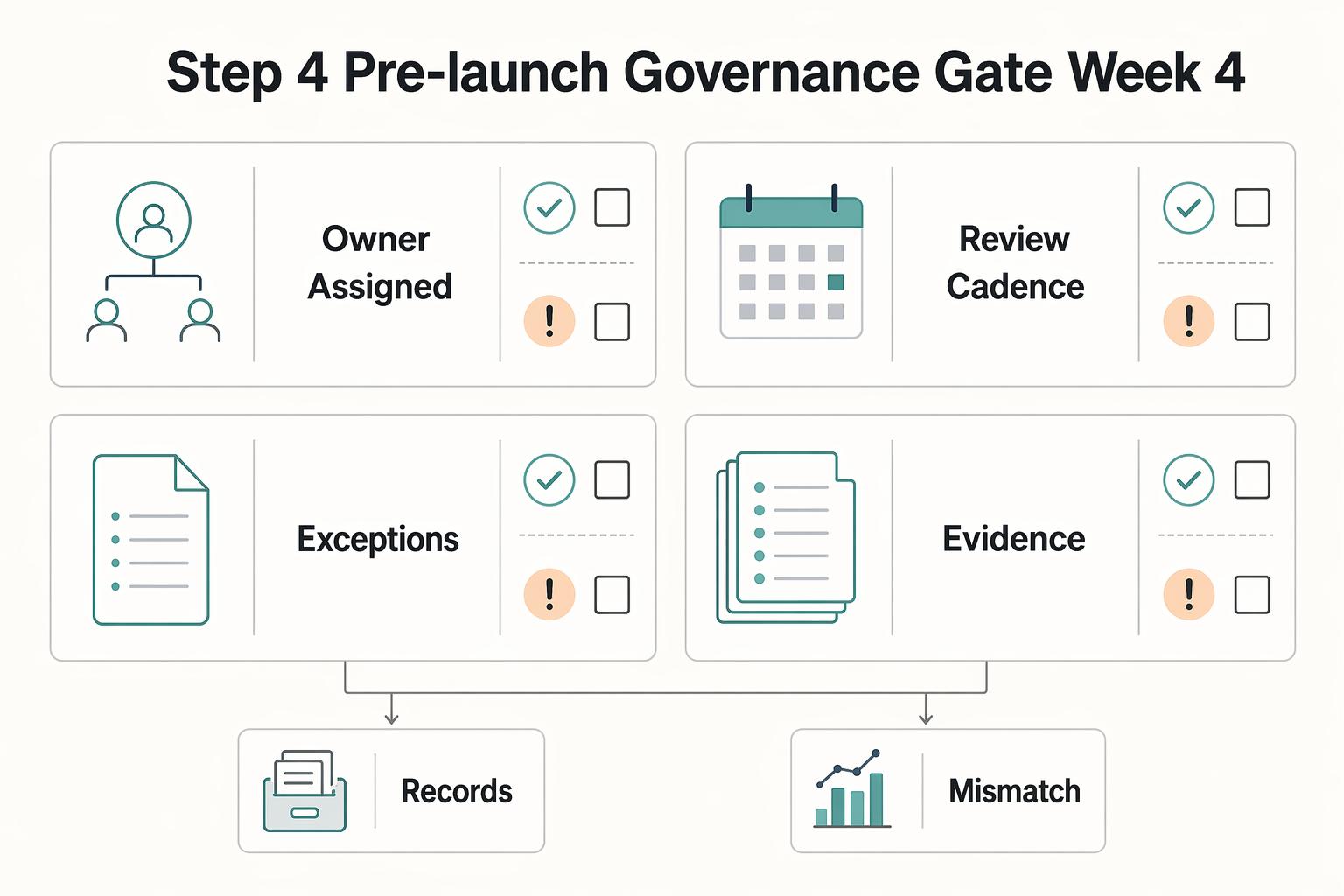
Treat your SaaS knowledge base as part of your support system. As volume rises, answers often get scattered across docs, saved replies, and team chat. When guidance fragments, work slows down and small mistakes pile up.
The Best Customer Support Software for SaaS Businesses
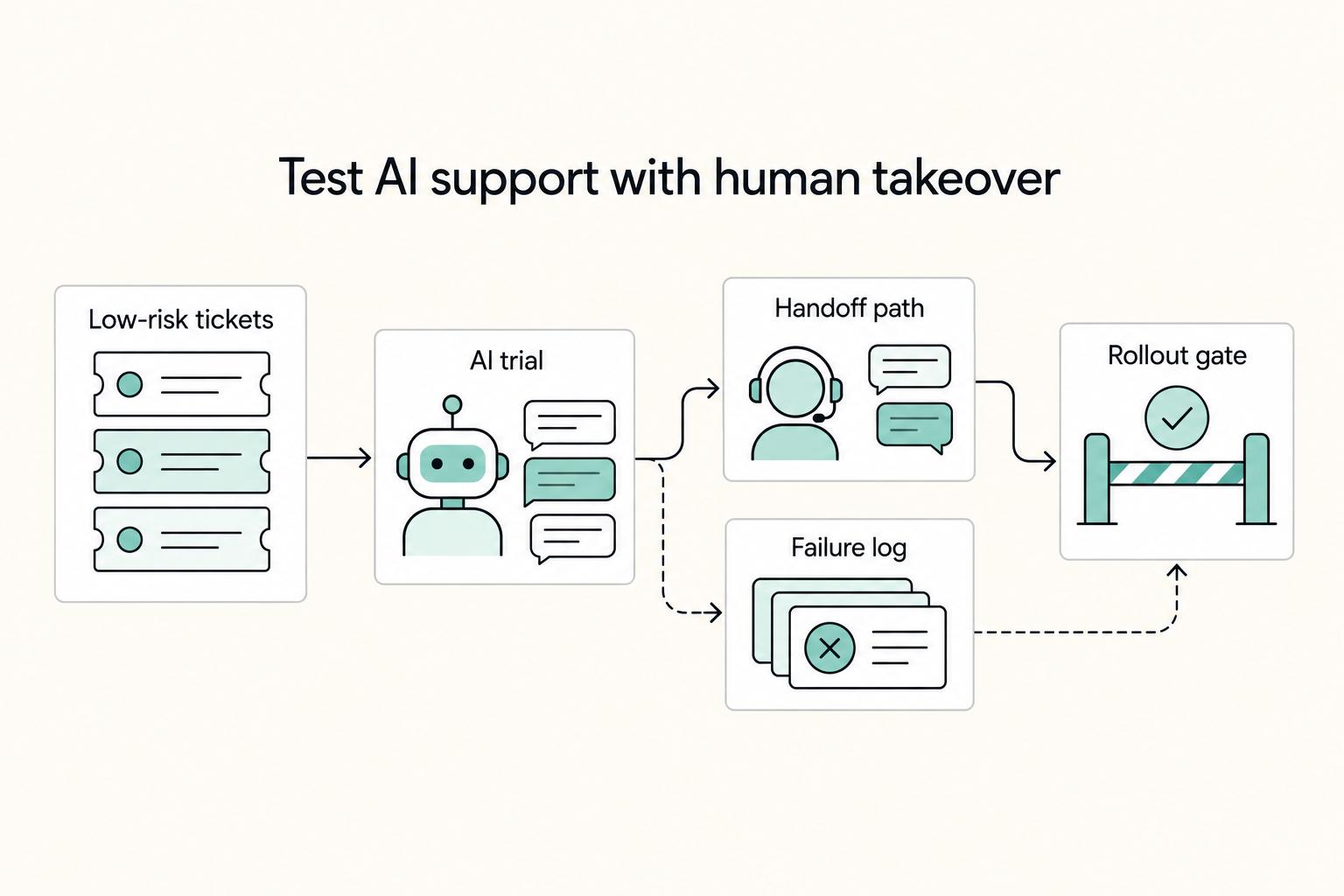
When you compare the **best saas customer support software**, start with one question: when a customer issue changes hands, who owns it next? A shared inbox can work when one person reads and replies to everything. It can start to crack when onboarding questions, account requests, and product issues arrive across multiple channels and need triage and reassignment.