
Quick Answer
Choose one primary ASO tool and one challenger, then decide based on what changes you can actually ship in App Store and Google Play each week. Keep the option that reduces manual work and produces clearer next actions in your decision log. Use the labels vendor claim, observed, and unknown during trials, and move to paid only when limits like exports, monitoring depth, or seats block your workflow.
Pick the right ASO stack without wasting six months#
The right ASO tools help you make one change, ship it, review the result, and log the next move across the App Store and Google Play. Treat tool choice as an operating decision, not a shopping exercise. If a platform cannot support that loop with less friction than your current method, it should not be your primary tool.
Keep the cycle simple on purpose. Choose one metadata or review management change, ship the update, review the outcome in each store, then record what you learned before the next pass. Run that on a consistent cadence, then step back quarterly to measure outcomes and repeat. If you need a quick refresher on which ASO fields belong in that cycle, read A Guide to App Store Optimization (ASO) for Mobile Apps. Then come back once you can name the changes you plan to test.
Be strict about evidence. Split every promise into three labels: vendor claim, observed in product, and unknown. That one habit helps prevent a common failure mode in tool selection: choosing a polished dashboard that describes the problem better, but does not help you ship cleaner changes or reduce manual work.
| Vendor signal | Why it matters for a decision | Verification step to run | Risk before you commit |
|---|---|---|---|
| AppTweak's 2026 tools roundup, published January 15, 2026 | Useful for building a feature checklist around keyword research, competitive analysis, A/B testing, and review management | In trial, confirm you can actually complete those jobs for both stores, not just view screenshots or summaries | It is vendor-authored content, so treat comparisons as directional, not neutral proof |
| ConsultMyApp's January 2026 free-tools post mentioning APPlyzer | Relevant if you are starting budget-first and want a low-cost way to track coverage | Check whether the free access still supports your real needs before relying on it, including any keyword-tracking or history limits | Free tiers can change, and ConsultMyApp discloses that APPlyzer is owned by CMA, so treat positive claims as non-independent |
| Integrated organic-to-paid dashboard claims | Important only if you run ASO and Apple Search Ads together and want one place to move from keyword discovery to paid execution | Find one keyword organically, track its rank, then test whether you can add it to Search Ads from the same interface | Many platforms show incomplete ASA keyword results, so this can break at the point you expect it to save time |
Start with an audit-ready kickoff#
Start small and make the trial auditable from day one.
| Kickoff step | What to do | Section detail |
|---|---|---|
| Define one weekly output | Pick one metadata change, one ranking hypothesis, and one review action | Complete them every week in each store |
| Trial one primary tool and one challenger | Run both on the same app and markets | Make observations comparable |
| Tag every claim | Mark each feature or promise as vendor claim, observed in product, or unknown | Do this after you test it yourself |
| Keep a decision log | Use `date \ | store \ |
If a tool gives you richer charts but you still cannot tell what to ship next Tuesday, walk away. If a cheaper option lets you move through the loop cleanly, keep it until the bottleneck is real, not imagined.
Who this list is for and the exact criteria that decide winners#
This list is for you if you run ASO decisions yourself on a solo or lean team, across both the App Store and Google Play. A winner here is not the tool with the biggest feature list. It is the tool that helps you ship your next weekly change with clearer evidence and less friction.
Use each gate as a decision test in your next cycle:
| Gate | Decision test for this week | Evidence to collect | Red flag |
|---|---|---|---|
| Store coverage | Can you run the same core checks across every store your app is in, at minimum iOS and Google Play? | Screens or exports that show your app and markets are supported | One store is usable and the other is partial or missing |
| Keyword research | Can you build a keyword set you can actually use this week? | Saved list of selected terms | Plenty of ideas, no clear path to action |
| Rank tracking | Can you match rank movement to the terms and stores where you shipped updates? | Before/after snapshot tied to your change log | Rankings appear, but you cannot connect them to your own changes |
| Review workflow | Can you turn review patterns into one concrete action this week? | Tagged reviews plus one action taken | Automation exists, but impact on ratings is unclear |
| Visibility to outcome | Can you check direction from keyword work to outcome, including keyword-to-download signals where available? | Note linking shipped change, rank movement, and outcome signal | Surface metrics only |
| Starter-plan paywall risk | Are core actions available before upgrade pressure starts? | Trial notes showing what is blocked or unlocked | Key steps are gated on entry plans |
Before you commit, check ownership friction too: onboarding burden, plan-lock friction, and whether you can export reports and notes without extra work.
Keep proof standards simple. Label each point as vendor claim, observed, or unknown, then add one decision note: keep, switch, or retest. If core gates stay unknown after one full weekly cycle, do not commit yet. For another practical workflow example, see The Best Asynchronous Communication Tools for Remote Teams.
What separates a useful ASO tool from an expensive dashboard?#
A useful ASO tool helps you decide what to ship next; an expensive dashboard mostly helps you describe work you still have not done.
| Decision lens | What to check | Failure sign |
|---|---|---|
| Decision velocity over feature volume | Can the tool help you pick one change for this week, ship it, and review what happened across App Store and Google Play? | It is not improving your operating loop |
| Make every metric earn a next action | Force each signal into an action you can take now | Vanity metrics are signals with no shipping decision attached |
| Cover both stores without flattening platform-native work | Google Play listing experiments and App Store Connect update workflows should both fit your weekly cycle | One store feels second-class, so execution speed drops |
| Keep an audit trail for each decision | Run the free trial, verify cited features yourself, stress-test real integrations where possible, and log each decision | You cannot reconstruct why a change was made |
- Prioritize decision velocity over feature volume.
If the tool cannot help you pick one change for this week, ship it, and review what happened across App Store and Google Play, it is not improving your operating loop.
- Make every metric earn a next action.
Vanity metrics are signals with no shipping decision attached. Audit your stack by forcing each signal into an action you can take now.
| Signal | Practical now when it drives | Next output to ship | Dashboard-theater pattern |
|---|---|---|---|
| Keyword movement | A metadata update decision | Updated keyword targets and a logged listing change | Trends are visible, but no narrowed target set and no shipped change |
| Conversion or creative signal | A creative test decision | One variant to run, keep, or remove in Google Play experiments or an App Store optimization workflow | Many charts, no clear variant decision |
| Review themes | A review-response or listing-fix workflow | Tagged response batch and one product or messaging update | Review volume rises, but no clear response or change record |
| Competitor movement | A competitor response decision | One defended term, new angle, or paused test | Competitors are monitored, but your backlog does not change |
A quick stress test is data freshness: if a competitor moves fast on a keyword you target, stale or shallow data slows your response.
- Cover both stores without flattening platform-native work.
You need consistent cross-store checks, but Apple and Google workflows are not identical. Google Play listing experiments and App Store Connect update workflows should both fit your weekly cycle. If one store feels second-class, your execution speed drops.
- Keep an audit trail for each decision.
Before you commit, run the free trial, verify cited features yourself, and stress-test real integrations where possible. Then log each decision with:
- Decision taken
- Evidence label: observed, vendor claim, or unknown
- Expected outcome: what should move and where you will check (for example ranks, review backlog, D1 or D7 direction)
- Recheck trigger: add your current threshold only after your own baseline confirms it
If you cannot reconstruct why a change was made, the tool is not improving operations; it is only making noise easier to watch. This pairs well with our guide on The Best Log Management Tools for SaaS Businesses.
Compare the top ASO tools in one scanning table#
Start with the tool that helps you make and verify a weekly ASO decision, not the one with the biggest dashboard. That points to App Radar when your immediate work is listing updates plus competitor monitoring, and to AppTweak when review operations are the current bottleneck. The rest stay on your shortlist, but only at defer-level confidence until you validate their capabilities yourself.
| Tool | Best-fit operator profile | Strongest validated use case | Weekly task fit | Main verification gap | Evidence source | Recommendation strength | Default path lens and likely stop point |
|---|---|---|---|---|---|---|---|
| App Radar | You want one place to manage App Store and Google Play work and ship listing changes quickly. | Central dashboard across both stores, direct upload of new descriptions and titles, competitor tracking for screenshot changes. | Strongest supported fit for listing update execution and competitor monitoring. Keyword prioritization, rank tracking, review operations, and reporting export are not validated here. | Confirm data freshness in your target countries and whether needed features are gated behind the expensive Power plan. Source also flags thinner data in very small niche markets. | Third-party roundup claim; not independently verified. | Moderate, for a focused pilot. | Baseline candidate for metadata edits plus competitor watch. Stop if Power gating blocks core tasks or niche data is too thin. |
| AppTweak | You are overloaded by review volume and need more than basic reply handling. | Review tooling positioned for sentiment analysis, trend detection, and reply workflows; source also says native consoles cover basics but growth often needs automation and richer workflows. | Strongest supported fit for review operations. Keyword prioritization, rank tracking, competitor monitoring, and reporting export are not established in this review. | Current support is vendor-authored and review-focused, so broader ASO coverage must be tested directly before making it primary. | First-party vendor article dated November 28, 2025, framed for 2026. | Moderate for review-heavy teams; weak for broad stack selection without testing. | Challenger candidate when review management at scale is already overwhelming. Stop if your main bottleneck is keyword decisions, not review backlog. |
| AppFollow | You are considering it and can validate exact task support in trial. | Treat use-case fit as unconfirmed until your own trial demonstrates it. | No supported fit yet for keyword prioritization, rank tracking, review operations, competitor monitoring, or reporting export. | Needs first-party verification for the exact weekly task you want it to handle. | No supported evidence in this review. | Weak until verified. | Defer tool unless trial produces one clear weekly win you can log. |
| Appfigures | Keep on shortlist only if you can test it directly. | Treat use-case fit as unconfirmed until your own trial demonstrates it. | Weekly task fit is unverified here. | First-party plan pages, demo, and task-level testing are still required. | No supported evidence in this review. | Weak until verified. | Defer tool for now; stop early if you still cannot map it to one shipped action. |
| ASOMobile | Consider only if you can do heavier verification work. | Treat use-case fit as unconfirmed until your own trial demonstrates it. | Weekly task fit is unverified here. | Needs first-party evidence for capabilities and practical limits. | No supported evidence in this review. | Weak until verified. | Defer tool unless you can confirm one concrete use case in docs and trial. |
| data.ai | Brand familiarity is not enough for first choice. | Treat use-case fit as unconfirmed until your own trial demonstrates it. | Do not infer keyword, rank, review, competitor, or export coverage from reputation. | Feature support is unknown in this review until you verify it. | No supported evidence in this review. | Weak until verified. | Defer tool until first-party proof maps to a current weekly task. |
| Sensor Tower | Similar position to data.ai in this section. | Treat use-case fit as unconfirmed until your own trial demonstrates it. | Weekly task fit is unverified here. | No validated feature detail available here. | No supported evidence in this review. | Weak until verified. | Defer tool until vendor materials and trial confirm exact task support. |
Keep your first choice reversible: run one scorecard across all tools for two weekly cycles before expanding any subscription. Score each tool 0, 1, or 2 for keyword prioritization, rank tracking, review operations, competitor monitoring, and reporting export: 0 = vendor claim only, 1 = visible signal but no shipped action, 2 = shipped action with logged result. Label each score as observed, vendor claim, or unknown so expansion follows completed work, not dashboard polish. For a step-by-step walkthrough, see The Best API Documentation Tools for Developers.
The best ASO tools by stage with clear best for pros cons and use case#
Run the smallest stack that lets you ship and log a weekly ASO decision. Upgrade only when your current setup blocks execution quality, decision speed, or traceability.
A practical order is: start with one tool you can verify in your own workflow, defer unclear tools, and only then test broader intelligence-suite options. No tool has first-party-verified task-level proof, so confidence stays conservative.
| Tool | What to run now vs defer | Grounded use-case fit in this section | Move up trigger | Evidence confidence |
|---|---|---|---|---|
| App Radar | Run now only if you want it as a pilot candidate. | Confirmed as a distinct ASO tool entry in a 2026 comparison list. | Keep it only if it improves a real weekly decision you can document. | Needs verification |
| AppTweak | Defer for stage-based selection in this section. | Verify task-level performance in your workflow. | Test later only if you can tie it to one blocked weekly workflow. | Needs verification |
| AppFollow | Defer. | Verify task-level performance in your workflow. | Test only when you have one specific workflow gap to validate. | Needs verification |
| Appfigures | Defer. | Verify task-level performance in your workflow. | Test only with a defined before/after decision log. | Needs verification |
| ASOMobile | Defer. | Verify task-level performance in your workflow. | Test only if your current stack cannot support consistent weekly actions. | Needs verification |
| data.ai | Run later, not first. | Confirmed as a distinct ASO tool entry in a 2026 comparison list. | Evaluate after your baseline workflow is stable and you need broader intelligence context. | Needs verification |
| Sensor Tower | Run later, not first. | Confirmed as a distinct ASO tool entry; also referenced as an example of an all-in-one intelligence suite in broader market framing. | Evaluate once specialized or lighter tooling no longer answers your weekly decisions. | Mixed |
To avoid premature upgrades, use one operational check after two weekly cycles: did the tool produce a visible input, a shipped change, and a clear decision record? If not, switch or defer instead of expanding spend.
For broader context beyond ASO, optional follow-on reading is A Guide to App Store Optimization (ASO) for Mobile Apps. Related: The Best SEO Tools for Freelancers.
Are free ASO tools enough for your first 90 days?#
Free ASO tools are enough only if they let you run a full weekly loop you can defend later. Use a simple pass/fail test each week: ship one listing change, observe outcomes, then decide whether your blocker is execution (too manual) or insight (not enough signal).
Free options can be a practical start, especially for Apple workflows. A 07/10/2025 roundup lists 8 free iOS ASO tools and includes App Store Connect and Apple Search Ads. That can cover early metadata work, rank checks, and store feedback. But free tiers can also limit decision quality; for example, Sensor Tower Free is explicitly framed as a competitive-intelligence foundation with strategic limitations.
| Trigger | What you track | Evidence pattern | Action |
|---|---|---|---|
| Manual work is slowing execution | Weekly time spent pulling ranks, reviews, and competitor creative manually | Planned listing updates slip because prep takes too long | Start a paid trial focused on execution speed |
| Insight does not turn into action | Whether you can discover a keyword, track rank, and move to Search Ads in one flow | Notes accumulate, but no test ships | Prioritize a tool with a tighter keyword-to-action workflow |
| Monitoring depth is too thin | How quickly you detect screenshot, icon, or listing changes | You spot competitor moves late and react after the cycle | Upgrade monitoring depth, then recheck reaction time |
Before you pay, verify five items on the live plan page: current plan limits, export access, automation, collaboration or seat rules, and monitoring depth by store and country.
Keep upgrades reversible with a compact decision log:
| Claim type | Expected outcome | Recheck point | Next-sprint decision |
|---|---|---|---|
| Vendor claim / observed / unknown | What should change if true | Exact date or sprint checkpoint | Keep / switch / cancel |
Use this log to tie any paid upgrade to a real weekly decision. You might also find this useful: The Best Analytics Tools for Your Freelance Website.
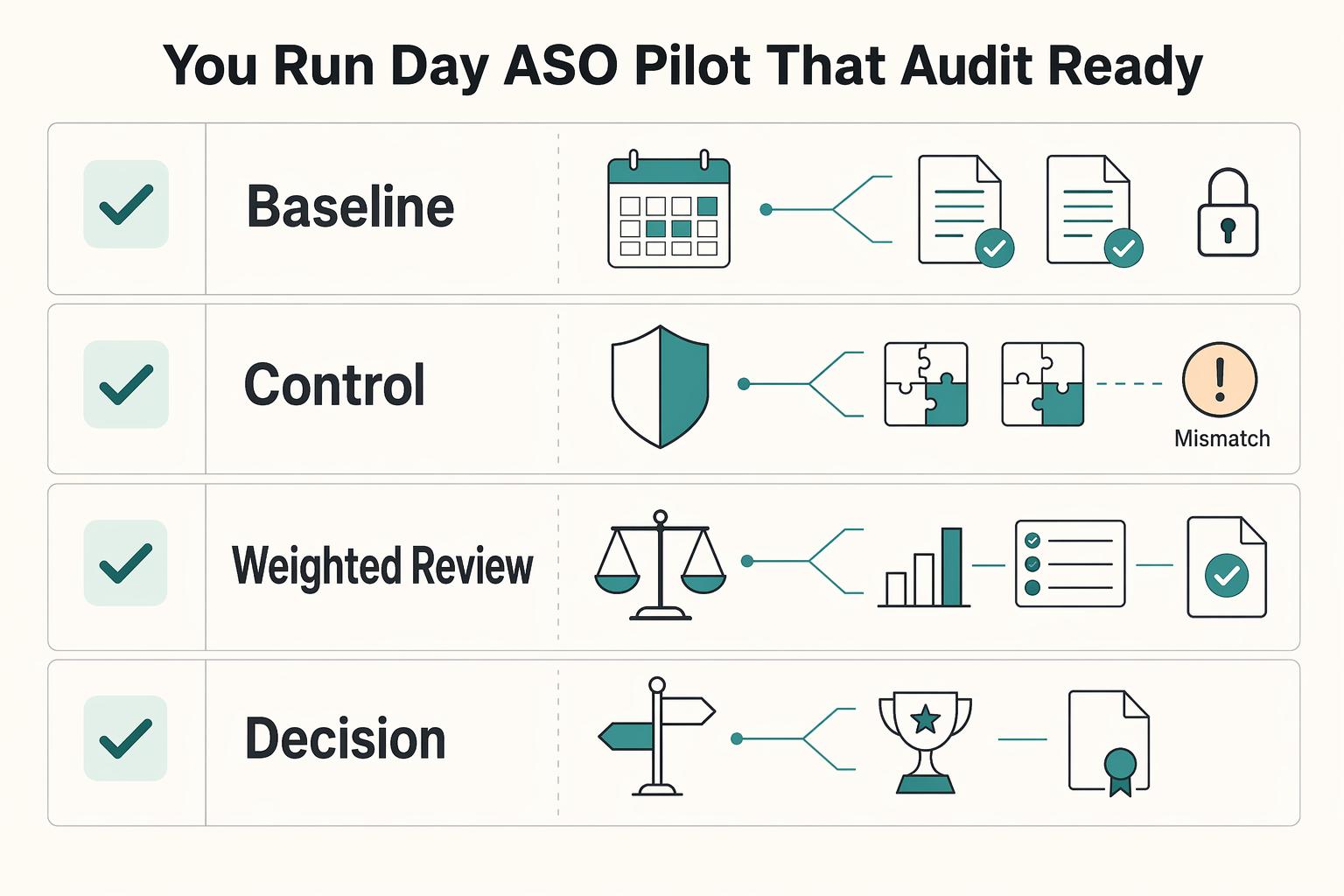
How do you run a 30 day ASO pilot that is audit ready and low risk?#
Run one primary tool and one challenger for 30 days, and lock your rules before either trial starts. This keeps your decision tied to evidence instead of screenshots, opinions, or trial noise.
Use the pilot to answer four questions: what each tool claimed, what you actually connected, what changed in your App Store and Google Play workflow, and what you decided at the end. If your test plan is still vague, reset it first with A Guide to App Store Optimization (ASO) for Mobile Apps.
| Pilot phase | Required inputs | Evidence to capture | Failure mode | Decision action |
|---|---|---|---|---|
| Baseline | One primary tool, one challenger, same app, same markets, and a short unchanged listing period | Vendor site-audit notes for each claim, trial start dates, screenshots of current ranks/reviews/assets, and current manual hours per week | You edit metadata before you establish a usable before-state | Freeze major listing edits long enough to record the baseline |
| Controlled test | One narrow hypothesis, one asset group, and platform-specific test setup in App Store or Google Play | Change log with date, market, asset changed, expected outcome, experiment ID, and current platform limit pending platform/source-record verification | You test multiple variables at once or blur platform deltas | Keep one variable per test and log App Store Connect vs Google Play deltas separately |
| Weighted review | One fixed scorecard, unchanged weights, and weekly execution notes | Observed vs vendor-claimed features, export samples, integration proof, end-to-end workflow stress-test notes, and D1/D7 context when available | Noise hides useful signals, or flashy features hide weak execution | Mark each claim as observed, unobserved, or unknown; keep weights unchanged |
| Decision | Prewritten keep/switch/cancel rules and renewal dates | Final decision record, reason, next review date, and remaining unknowns | You rationalize a preferred tool after the trial | Make one call only: keep, switch, or cancel |
A solid baseline is intentionally boring. Before day 1, audit each tool's site claims, then use the full free trial to verify them. If a tool claims integration fit, connect available integrations and stress-test the workflow end to end.
Before you commit#
Complete this checklist before the pilot starts.
| Rule | Condition | What the section says to do |
|---|---|---|
| Keep rule | A tool improves at least one preselected operating outcome and reduces weekly effort | Keep it only with a documented before/after |
| Switch rule | The challenger wins the weighted review on execution quality | Do not switch based just on data volume |
| Cancel rule | Key exports, monitoring depth, or required actions are unexpectedly paywalled | Check the live plan page early and verify again in trial |
| Tool sprawl cap | The pilot includes one primary tool and one challenger | End with no more than one paid subscription unless a second tool has a clearly separate job |
| Evidence quality check | A vendor leans on research claims | Log whether the source is a preprint and treat it as context, not proof |
A practical example#
If the challenger flags a screenshot-pattern change in Google Play and recommends a new visual order, your log should capture the exact asset, country, date, expected outcome, and experiment record.
If you mirror that test on iOS, log the App Store product page optimization setup separately. Verify the current platform limit and confidence standard from platform or source records before you use them in the decision log.
Your final record should show the claim, the change, the observed outcome, and the decision. If the tool helped surface delayed SKAN postbacks, ANR spikes affecting ranking priorities, or other useful signals without flooding you with noise, log that. If it generated more alerts than decisions, treat that as a failure mode in your keep/switch/cancel call.
Need the full breakdown? Read The best tools for 'Visual Collaboration' with remote teams.
Build your ASO stack like an operator not a shopper#
Your goal is not a perfect tool stack. Your goal is a weekly ASO loop you can run, review, and defend with evidence.
Use one decision rule for every tool move: keep it if it improves decision quality, replace it if it adds drag without better evidence, and add it only if it removes a real blind spot and helps you ship faster.
This keeps your setup reversible. If a platform adds dashboards but does not help you choose better keywords, validate listing changes, or update listing pages faster, it is overhead. The practical test is simple: can you point to a clearer decision or a faster shipped change in your log?
| Loop | Required inputs | Evidence captured | Decision output |
|---|---|---|---|
| Google Play test loop | One listing change, current baseline, current platform limit pending platform/source-record verification, and current test duration rule pending platform/source-record verification | Experiment record, asset changed, market, outcome note | Keep or reject the tested asset change |
| App Store validation loop | One proposed metadata or visual change, App Store limit check, and the same intent note used in your keyword plan | Validation record, treatment notes, outcome summary | Ship, revise, or drop the change |
| Decision-log discipline | Current stack, weekly pain point, rationale for keep or replace, and scheduled review checkpoint | One written decision record with observed, unobserved, and unknown claims | Keep, replace, or add one tool with a reversal trigger |
Watch for stack creep: you add tools, but your weekly loop does not improve. Keyword choices directly affect whether users find your app or a competitor's, and broad terms are usually harder to rank than more specific long-tail terms. If a tool does not help you act on that tradeoff, cut it.
Before you close this article, write one audit-ready decision record today: the tool, the decision, the rationale, the reversal trigger, and the scheduled review checkpoint. Related reading: The best tools for 'YouTube Keyword Research'.
Frequently Asked Questions
What is the right ASO tool for an indie developer or freelancer right now?
Start with operating fit, not brand reputation. Check whether one primary tool and one challenger support your real weekly tasks across the stores you actually ship to, including exports and monitoring. Then keep the one that improves execution in your log, not the one with the longest feature list.
Are free ASO tools enough before you pay for a platform?
Use free access only while it still supports real decisions. Check current caps carefully because free-tier availability is vendor-specific and can change over time, and some tools have reduced or removed free access. If your workflow stalls on keyword limits, missing history, or blocked exports, move to a paid trial and document exactly what broke.
How do you compare tools objectively when most rankings are vendor-authored?
Treat vendor pages and community lists as hypotheses, not proof. Check every important claim inside the product with a consistent checklist and logging method so you do not move the goalposts mid-test. If a claim stays unobserved after a real trial, score it as unknown and do not buy on faith.
Which ASO metrics matter more than keyword movement alone?
Do not read single-keyword movement as the whole story because rankings can be fluid and harder to pin to one cause. Check cluster-level signals like average cluster ranking, reach, and volatility, then compare them with store outcomes from your actual test record. Before you edit metadata, decide the user intents you are targeting and keep that decision in the change log.
How do you avoid hidden paywalls and overbuying features?
Assume starter-plan paywall risk until you verify otherwise. Check the live plan page before the trial, then confirm the same limits inside the product by testing exports, monitoring depth, competitor coverage, and seat access. If a blocked feature interrupts a weekly decision, cancel or downgrade instead of stretching your process around the paywall.
Should you trust Reddit and other community recommendations?
Use them to find pain points faster, not to make the final call. Check whether a strong claim from a thread shows up in your own pilot, especially around data quality, alert noise, and support for both App Store and Google Play. If the claim never survives your own test, treat it as context and move on.
When should you move to a broader platform like data.ai or Sensor Tower?
Switch when your current setup no longer supports the decisions you must make each week. Check whether you now need wider market context, more stores, or deeper competitive visibility, then verify that the broader platform still fits your shipping cadence. Run the same pilot rules, verify the current platform limit and confidence benchmark from platform or provider records before use, and switch only if the evidence is cleaner, not just bigger.
Try a related tool
Researched and edited by the Gruv editorial team. Gruv builds cross-border billing, payouts, and finance-operations software for global businesses.
Sources
- files.eric.ed.gov/fulltext/ED485205.pdftrusted
- govinfo.gov/content/pkg/FR-2012-03-26/xml/FR-2012-03-26.xmltrusted
- gsa.gov/system/files/P100%202022%20Addendum%20Final_...trusted
- hca.wa.gov/assets/program/final-technical-and-operation...trusted
- mn.gov/commerce-stat/energy/cards-2/187281/187281_s...trusted
- nrc.gov/docs/ML0630/ML063000293.pdftrusted
- nrc.gov/docs/ML0036/ML003680046.pdftrusted
- oag.maryland.gov/resources-info/Documents/pdfs/Opinions/1959/...trusted
Educational content only. Not legal, tax, or financial advice.
Related Posts

Value-Based Pricing for Freelancers Under Real Payment Risk
Value-based pricing works when you and the client can name the business result before kickoff and agree on how progress will be judged. If that link is weak, use a tighter model first. This is not about defending one pricing philosophy over another. It is about avoiding surprises by keeping pricing, scope, delivery, and payment aligned from day one.
Run App Store Optimization Like an Operator for Mobile Apps
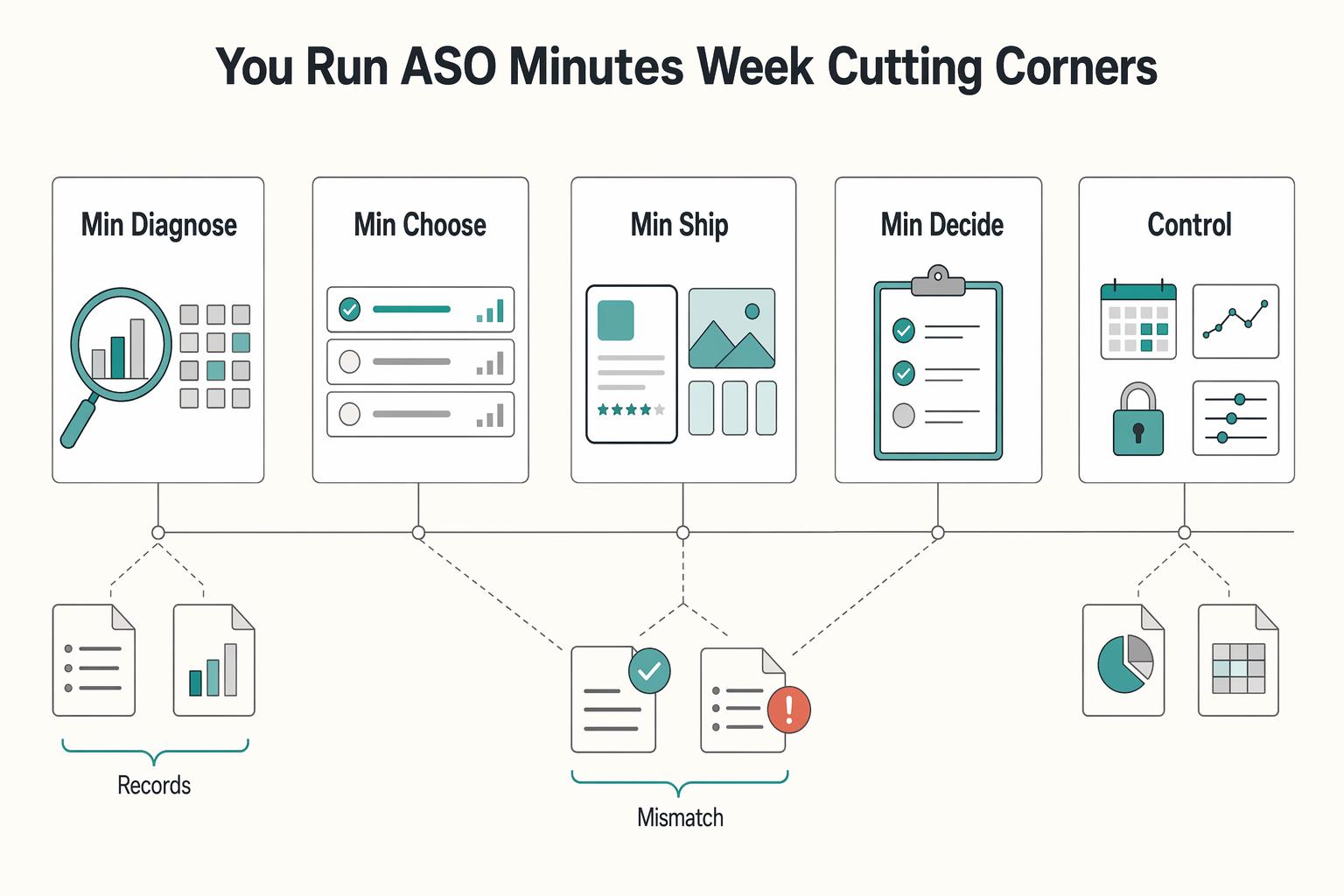
ASO works when you treat it like a recurring operating practice, not a burst of edits when installs dip. If you are working solo or with one helper, keep it to four controls you can actually manage: metadata, creative, experimentation, and risk. Think of this as a practical four-part ASO stack with a simple report card for execution.

The Best SEO Tools for Freelancers
Before you buy anything, decide how you will defend it to yourself and to a client. For a solo operator, tool selection is not a taste question. It is an operations decision about whether you can produce the same monthly report on time, explain the numbers, and keep working if a tool changes or disappears.