

Quick Answer
Start with a pass/fail screen, then buy only the first model that clears it. For best standing desks, treat UPLIFT V3, Vari, Vernal, and Fully Jarvis as unverified until your exact cart shows full landed cost and your market’s return and warranty terms. If support cannot answer a configuration question in writing, pause checkout and keep that desk off your final list.
Build a standing desk system you will not need to replace next year#
Treat this as a durable business purchase, not a roundup-driven impulse buy. To reduce the odds of replacing a desk next year, follow a simple sequence: shortlist by how you actually work, separate directional claims from facts you can verify, then run pass/fail checks before you pay.
| Stage | Use it for | What to verify |
|---|---|---|
| Shortlist by real use | Match candidates to your body, room, accessory load, and how often you change positions | Stability, total supported load, and mechanism choice |
| Separate decision-grade facts from article copy | Use editorial roundups as research input | Any claim that affects budget, durability, or support |
| Pass or fail the purchase before checkout | Check non-negotiables before paying | Height-range fit, stability, load capacity, warranty scope, and return process |
Start with your work pattern, not the headline winner. A roundup can help you find candidates, but it cannot decide fit for your body, room, accessory load, or tolerance for support friction. That matters because roundups do not agree on one universal winner. The Strategist names Uplift, while Forbes calls the Branch Duo its top pick in a seven-desk roundup published on Aug 08, 2025. Useful signal, not final proof.
- Shortlist by real use
Pick candidates based on what sits on the desk all day and how often you change positions. If you use dual monitors, a monitor arm, speakers, and a laptop dock, stability and total supported load matter more than polished marketing photos. If your desk sits far from a mains outlet, mechanism choice matters too, since electric controls are not the only option.
- Separate decision-grade facts from article copy
Editorial roundups can still help even when they disclose commissions. The Strategist says products are independently selected by editors, and both The Strategist and Forbes disclose link-based commission. Read those pages as research input, then move any claim that affects budget, durability, or support into a verification list.
- Pass or fail the purchase before checkout
Your non-negotiables usually include height-range fit, stability for your actual typing style, load capacity once accessories are attached, warranty scope, and a return process you can understand before buying. If one of those stays unclear, stop. If critical unknowns remain, pause and verify before you buy.
| Claim source | What you can tentatively use | What to verify in cart, policy, or support before buying |
|---|---|---|
| Editorial roundup with disclosure | Category ideas, likely contenders, broad strengths, and whether a desk seems built for your use case | Whether the exact configuration you want still matches that description and whether any missing details affect fit or durability |
| Brand product or spec page | Adjustment method, stated features, available sizes, and whether height adjustability looks suitable in principle | Your height-range fit, accessory compatibility, any limits that change with add-ons, and what is actually included |
| Cart, returns page, warranty page, or support reply | Final configured product, current checkout terms, and how the company presents post-purchase support | Total cost, return steps, who pays return shipping if applicable, what the warranty covers, and what evidence you may need for a claim |
One practical red flag is support opacity. If you cannot get a clear answer on return steps or warranty scope before ordering, treat that as a risk signal and verify further before buying. If a desk seems fine only when lightly loaded, but your real setup includes arms and peripherals, verify before you buy rather than hoping the frame will grow with you.
To finish the rest of your workstation with the same logic, pair this with The Best Ergonomic Gear for Your Remote Work Setup. You might also find this useful: The Best Standing Desk Converters for a Flexible Workspace.
Who is this list for and what criteria actually decide the winner?#
This list is for you if reliability, clear policies, and low ownership friction matter more than showroom aesthetics. If you are comfortable with ambiguous warranty, returns, or compliance language, this filter probably is not for you.
Editorial rankings are useful input, not final proof. Forbes says its writers and editors independently select products and also discloses that click-through links may generate commission; in its roundup timestamped Jan 20, 2026, 11:06am EST, it presents the Uplift V3 Standing Desk as the top pick. Treat that as shortlist signal, then verify your exact purchase terms yourself.
Use this list if you work like an owner, not a showroom shopper#
| Profile | What they want | Key differentiator |
|---|---|---|
| Business-of-one operator | One desk that supports paid work without avoidable downtime | Will trade finish upgrades for clearer warranty and return terms |
| Growth-minded home office buyer | A setup that can evolve with arms, peripherals, and heavier daily use | Evaluates long-run fit and support clarity, not just day-one appearance |
| Roundup-aware comparer | Decision confidence after seeing the same shortlisted models | Separates editorial praise from verifiable checkout evidence |
| Not a fit for this list | Style, brand, or a specific visual finish over policy certainty | Aesthetics outrank reliability |
- Business-of-one operator
You want one desk that supports paid work without avoidable downtime. Key differentiator: you will trade finish upgrades for clearer warranty and return terms.
- Growth-minded home office buyer
You expect your setup to evolve with arms, peripherals, and heavier daily use. Key differentiator: you evaluate long-run fit and support clarity, not just day-one appearance.
- Roundup-aware comparer
You keep seeing the same shortlisted models but still lack decision confidence. Key differentiator: you separate editorial praise from verifiable checkout evidence.
- Not a fit for this list
You prioritize style, brand, or a specific visual finish over policy certainty. Key differentiator: aesthetics outrank reliability, so strict pass/fail gates will feel too restrictive.
Gate first, score second#
Define non-negotiables first, mark each claim as verified or unverified, and score only desks that pass every gate. If a desk fails a gate, it is out.
For each finalist, keep a small evidence pack from the product page, current cart, warranty page, returns page, certification documentation (if claimed), and written support replies for your exact model and region. If a claim is unsupported, leave it unverified.
| Criterion | Why it matters to daily work | What proof to collect |
|---|---|---|
| Stability | Daily wobble or shake creates constant friction during typing and monitor use | Product specs, any brand test details shown, and evidence that matches your expected load |
| Height fit | If seated or standing range is wrong, the desk fails regardless of other strengths | Published height range, controller details, and confirmation for your exact frame/top configuration |
| Weight support | Real setups include monitors, arms, docks, and accessories, not an empty top | Stated capacity for your configuration and any notes about accessory impact |
| Assembly burden | Complex assembly increases setup time and failure risk | Assembly instructions, included tools/steps, and support guidance for damaged or missing parts |
| Certification documentation availability | Compliance claims without documents reduce trust | Readable certificate or test document, not only logos or broad wording |
| Warranty scope clarity | Determines what happens when parts fail | Current warranty terms, listed exclusions, and claim steps in plain language |
| Return process clarity | You need to know exactly how to unwind the purchase if needed | Return policy steps, contact path, packaging conditions, and stated requirements |
| Region-specific shipping and support terms | Delivery and support can change by destination | Cart terms for your location, destination rules, and written support confirmation for your region |
Pass/fail trigger: remove any desk with ambiguous policy language or unsupported compliance claims. No scoring, and no benefit of the doubt.
For broader workstation planning with the same risk-first approach, see The Best Ergonomic Gear for Your Remote Work Setup.
Which standing desks should make your 2026 shortlist?#
Keep UPLIFT V3, Vari, Vernal, and Fully Jarvis in your pool, and treat each one as unverified until you confirm live evidence for your exact order and region. Right now, you do not have model-specific proof you can rely on for ranking. Familiarity is not verification.
| Candidate | Best-fit workflow | Main risk to verify | Required proof | Go/no-go trigger |
|---|---|---|---|---|
| UPLIFT V3 | You are considering this for a more configurable path and can verify each selected option before checkout. | Your selected setup, cart terms, and policy/support terms may not align. | Saved configured cart, current warranty page, current returns page, and written support confirmation for your exact configuration and ship-to region. | No-go if the exact configuration cannot be confirmed in writing. |
| Vari | You are considering this for a simpler buying flow and faster decision cycle. | A simple buying flow can still hide unclear return, warranty, or regional support terms. | Checkout capture, current warranty and return pages, and region-specific shipping/support terms saved the same day. | No-go if policy language stays ambiguous after review. |
| Vernal | You are considering this as a value-oriented option and want cost clarity before committing. | Apparent value can break if full landed cost or exclusions are unclear. | Final configured cart total (including visible shipping/tax), plus current warranty and return pages. | No-go if full landed cost is not clearly visible before purchase. |
| Fully Jarvis | You are using this as a familiarity benchmark in your shortlist. | Brand familiarity can push you to skip the same checks you require elsewhere. | The same full evidence pack used for the other three candidates, with no shortcuts. | No-go if reputation is doing the work that documentation should do. |
Run this as a short decision sprint. Promote only the first candidate that clears the same gate set used across this article: fit, stability confidence, policy clarity, and total landed cost visibility. If none clears, pause and verify instead of pushing a familiar name through.
For a step-by-step walkthrough, see The Best Desk Lamps for a Productive Workspace.
How do these desks compare at a glance?#
Use this as a decision table, not a popularity table. None of these desks should advance until your region's live checkout and policy pages close the proof gaps.
vendor-stated = the seller says it on its own page. independently verified = confirmed by a named third-party method or your own saved checkout + policy captures + written support confirmation for your exact configuration. unverified = still trust-based.
Consumer Reports (updated October 29, 2025) says the biggest differences across its six tested desks were minimum height, assembly ease, and controls. BTOD also states stability is subjective unless measured with a defined method.
| Desk | Workflow fit | Stability confidence | Adjustability fit | Policy clarity + landed-cost visibility | Support/returns by region | Evidence status | Proof still missing |
|---|---|---|---|---|---|---|---|
| UPLIFT V3 | Confirm your exact build is still practical after options are added. | Treat stability claims as vendor-stated unless tied to a named method. | Verify min/max height for your selected frame/top; if you are under 5 feet, 3 inches, treat minimum height as go/no-go. | Verify live checkout total, then save current warranty/returns wording. | Get written support confirmation for your exact config and destination region. | unverified | Current policy wording, live checkout total, and certification documentation if certifications are claimed. |
| Vari | Confirm the simpler buying flow still fits your real setup needs. | Do not treat clean marketing language as proof of low wobble. | Verify height range and controller features; confirm whether memory presets are included on your chosen variant. | Capture live checkout details and current policy pages on the same day. | Confirm return handling and support process for your market. | unverified | Current policy wording, live checkout total, and written regional support/returns terms. |
| Vernal | Confirm the value case still works after full checkout visibility. | Keep stability as unverified unless you have named-method evidence or acceptable return fallback. | Verify actual height range before using price as a tiebreaker. | Require full landed-cost visibility before purchase. | Check region-specific exclusions before paying. | unverified | Current policy wording, live checkout total, and any checkout exclusion language. |
| Fully Jarvis | Keep as a benchmark only if current documentation still supports it. | Brand familiarity is not stability evidence. | Verify current height range and controller options on the live page. | Save current cart + policy pages; do not rely on older reviews. | Confirm support coverage for your buying region in writing. | unverified | Current policy wording, live checkout total, and certification documentation if certifications are claimed. |
Two quick filters prevent bad purchases: if you are under 5 feet, 3 inches, minimum height is a hard gate; and controls like memory presets or interval reminders are useful but do not offset weak fit, unclear policy terms, or poor regional support.
Advance only the first desk that clears every required field in your region's live checkout and policy pages, then continue your setup with The Best Ergonomic Gear for Your Remote Work Setup.
How do you choose between similarly priced desks in 10 minutes?#
When prices are close, run gate checks first and score only the desks that pass. That keeps your decision tied to verifiable evidence, not promo copy or summary verdicts.
Open each finalist's live product page, cart, warranty page, and return page in one sitting. If your exact configuration, ship-to region, or return path is unclear, mark that desk unresolved and do not score it yet.
Use outside reviews for method context, not as a final decision. Look for a visible testing method, for example a How We Tested section. Business Insider describes practical criteria such as height range, stability, desktop size, cable management, and customization options, and PEOPLE says it rated setup, design, durability, comfort, and value. That context is useful, but PEOPLE also discloses potential compensation, so keep your own proof pack as the decision anchor.
Score only what affects your daily workflow:
- Stability
Keep stability unresolved until method-based evidence shows it stays usable for typing, calls, and monitor-arm movement at your real working heights.
- Height fit
Confirm the full range supports your seated and standing posture before treating the desk as a finalist.
- Load support
Does your monitor arm, displays, laptop, and accessories make a lower-capacity tradeoff too risky?
- Policy terms
Are returns, warranty scope, shipping terms, and steps readable and enforceable now?
- Assembly burden
Can you absorb setup effort this week without disrupting work?
- Controller usability
Will you actually use the controls daily? Memory presets can help, and one reviewed model is noted with four memory presets, but control convenience should not outrank fit, stability, or enforceable policy clarity.
| Criterion | Fast prompt | Verified source | What you observed | Open risk |
|---|---|---|---|---|
| Stability | Will it stay usable at your typing and standing heights? | Method-based review, demo, or written support reply still needed | Observation not yet recorded from method-based review, demo, or support reply | Test method is unclear |
| Height fit | Does the full range fit your posture? | Live spec sheet checked against your measured sitting and standing heights | Lowest and highest usable positions not yet recorded | Low or high end may not fit |
| Load support | Can it handle current gear and near-term upgrades? | Product page plus written support confirmation | Note monitor arm, displays, laptop, accessories | Capacity language remains vague |
| Policy terms | Are returns, warranty, and shipping terms clear now? | Saved policy pages and current cart | Note exclusions or unclear steps | Hard to enforce later |
| Assembly burden | Can you tolerate setup effort this week? | Review method notes plus vendor instructions | Note likely friction points | Setup may delay use |
| Controller usability | Will controls be used daily? | Product page or verified review | Note presets, display clarity, reminders | Nice feature, weak decision basis |
If two desks remain close, break ties in this order: documentation clarity, enforceable policy clarity, then setup friction. If both finalists still have unresolved critical evidence, do not buy yet. Run one more verification pass before checkout.
Need the full breakdown? Read Best Monitor Arms for a Professional Home Office Setup.
What pre-purchase checklist prevents costly desk mistakes?#
Before you checkout, run a strict pass/fail check: if a critical item is unclear, pause the purchase. At this stage, you are confirming enforceable terms and real-world fit, not chasing features.
This is especially important if you are shopping under $400, where tradeoffs can show up in stability, motor reliability, or warranty support. Because a standing desk is a dynamic piece of equipment, repeated movement also puts ongoing strain on cables, so setup clarity is a safety and reliability issue, not just convenience.
| Check | Pass only if you can verify this now | Fail fast red flag |
|---|---|---|
| Warranty coverage clarity | A readable warranty page with clear coverage language and exclusions | Marketing claims a strong warranty, but coverage or exclusions are vague or missing |
| Return workflow clarity | Clear return-start steps and conditions shown before payment | You are told to purchase first or "contact support later" to learn return terms |
| Shipping and delivery constraints | Delivery region limits and shipping charges are visible before you pay | Scope is limited (for example, "Lower 48 States") and your address may not qualify, or charges appear only at the last step |
| Assembly effort visibility | Enough setup detail to judge installation burden and cable routing | Little or no setup guidance for a desk that will be raised and lowered repeatedly |
| Pre-sale support quality | A written response to your specific policy/configuration question | Reply is generic promo copy, skips your question, or redirects you to unclear pages |
Create one purchase record before payment: final configured total, the exact policy pages you relied on, and written support confirmations. Treat banners like "Up to 30% off" as promotion, not proof. If any critical unknown remains, do not buy yet. Resolve it first. For related reading, see The Best Coffee Makers for a Home Office.
What is still unknown and how should you verify it before checkout?#
Even after your finalist clears basic policy checks, some risk remains. Your goal is not perfect certainty. Your goal is a strict go/no-go decision based on what you can verify for your exact SKU and checkout market.
| Unknown | Risk | Verification rule |
|---|---|---|
| Inconsistent test methods | Different reviews may not test desks the same way, so ranking positions are not reliable by themselves | Compare finalists only against your own must-haves for the exact configuration you plan to buy |
| Limited long-term reliability evidence | You do not have verified cross-brand long-term failure data, and vague warranty language increases risk | Save the live product page for your exact SKU, warranty page, return page, and final cart view |
| Anecdotal community signals | Community posts are not standardized evidence, and single-user spend examples like "$300" are not market benchmarks | Use anecdotal signals as a tie-breaker only after hard checkout and policy checks pass |
Three unknown categories usually remain. Treat each one as a risk item you need to clear before payment.
Inconsistent test methods#
You cannot assume different reviews tested desks the same way, so ranking positions are not a reliable decision input by themselves. Compare each finalist only against your own must-haves for the exact configuration you plan to buy.
If a source is monetized, for example with an Amazon Associate disclosure, treat it as directional context, not proof. Also keep the budget tradeoff in view: under $400, some options may trade off motor speed, stability, or warranty length. If stability is your non-negotiable, do not let promo framing decide for you.
Limited long-term reliability evidence#
You do not have verified cross-brand long-term failure data, so do not act as if you do. In this segment, short-lived builds are still a real risk, and vague warranty language increases that risk.
Use a documentation gate before checkout. Save the live product page for your exact SKU, warranty page, return page, and final cart view. If any of those are missing or unclear, treat that as unresolved risk.
Anecdotal community signals#
Community posts can help you spot patterns, but they are not standardized evidence. Advice is often situation-specific, and single-user spend examples like $300 are not market benchmarks.
Use anecdotal signals as a tie-breaker only after hard checkout and policy checks pass. If reports are mixed, old, or tied to different versions, default to what you can verify in the live storefront.
| Verification sprint gate | Do this now | GO only if | NO-GO if |
|---|---|---|---|
| Must-have match | Recheck your must-haves against the exact SKU in cart | Every must-have is explicitly confirmed | Any must-have is assumed |
| Test-method guardrail | Ignore rank labels and compare only your own criteria | Decision is based on your criteria, not roundup position | You are relying on "#1" style claims |
| Reliability evidence pack | Capture SKU page + warranty + returns + final cart | All core policy terms are readable and saved | Any core term is vague, missing, or conflicting |
| Market checkout gate | Do this now in your selected region | GO only if | NO-GO if |
|---|---|---|---|
| Storefront routing | Confirm store, region, and currency through checkout | Context stays consistent for your market | Signals conflict (for example, United States (GBP £)) |
| Landed-cost visibility | Open final checkout for your exact configuration | Shipping, tax/duty, and discounts are visible before payment | Material costs stay hidden or deferred |
| Promo reality check | Test the live offer on your exact SKU | Discount applies in cart (for example, advertised £75 if eligible) | Offer is shown but does not apply |
| Return logistics | Read return process and conditions on that storefront | Steps and conditions are clear before purchase | Process is deferred or unclear |
| Support + checkout safety | Confirm a real support path and https:// at checkout | You can contact support and checkout shows secure connection | No clear support route or no secure connection signal |
Run these gates in order and stop at the first failure. If any critical unknown is unresolved, pause and re-verify before you commit. We covered this in detail in The Best Air Purifiers for a Home Office.
Pick your desk once and run your home office like a business#
Stop when one desk and one backup both clear the same scoring and verification gates. A promo countdown does not resolve missing checkout, policy, or support details.
- Freeze vetted finalists
Keep your shortlist to models that already passed your fit and policy screens. Do not add a new contender because a roundup was updated on Mar 9, 2026, or because a retailer launches a last-minute deal.
- Run a final scoring pass with the same criteria
Use the same criteria you already applied, not whatever today's product copy highlights. Keep it operational: height range, noise and speed, stability, desktop size, cable management, and customization options. If two desks are close, choose the one you can verify more clearly for your real setup.
- Pass a final verification gate before purchase
Check the live product page for the exact configuration in your cart, then confirm checkout total, return path, warranty page, and support contact route. If a certification or standard is mentioned, require proof for that exact configuration and market, not a badge or broad claim. Marketing urgency never overrides unresolved terms.
Choose your primary buy and one backup. Proceed only when no critical unknown remains, and revisit later only if your workflow materially changes.
This pairs well with our guide on The Best Tea Kettles for a Home Office.
Frequently Asked Questions
What should you check first before buying a desk for your home office?
Start with fit, not brand. Consumer Reports says adjustable desks differ in controls, ease of assembly, and height range, so verify those on the official product page for the exact SKU in your cart. Then open the checkout view and confirm the checkout total shown at purchase, plus the live return and warranty terms, before you treat any model as a go.
How do you choose between similarly priced desks without overthinking it?
Use the same gates every time: fit, stability, controller usability, checkout total, and policy clarity. If both desks pass, break the tie with the one you can verify more cleanly today through an official spec page, a visible checkout total, and clear return steps. If one desk still depends on assumptions, it is not really tied.
How much wobble is normal, and when is it a red flag?
Some movement at full height is not unusual. One vendor FAQ states that all standing desks will move when they are fully extended, and the same source says split leg designs are more stable while center column designs are less stable. The red flag is not any movement. It is a consistent pattern of complaints about instability under a setup like yours, especially if you plan to load the desk with monitors and accessories.
Do memory presets actually matter?
For many people, yes, because controller usability changes how often you use the desk as intended. In Consumer Reports' test of 6 standing desks, all but the Ikea Bekant had a memory feature, and it also noted that some controllers were much simpler to use than others. If you switch positions often or share the desk, saved heights are worth verifying on the official control panel description, not just in photos.
What if you are shorter than average?
Check minimum height first and do not guess from marketing images. Consumer Reports says options are limited if you are under 5 feet, 3 inches tall, so this is one of the few fit questions that can knock a desk out early. Compare every finalist against its live minimum-height spec before you keep it on the shortlist.
Should certifications or testing claims decide the purchase?
Use them as supporting evidence, not as your main reason to buy. If a seller names a standard, ask for the documented standard, a linked test reference, or a consistent product page statement you can save. If the claim is broad but the proof is missing, keep your decision anchored to what you can verify now: fit, stability clues, controller details, policy terms, and checkout total.
Will a standing desk fix posture or give you a health boost by itself?
No, and you should not buy on that promise. Consumer Reports says a standing desk will not magically fix poor posture or help you lose weight, and one clinical source says there are no official standing-desk-use guidelines. Treat a sit-stand desk as a tool for movement during the day, not a cure-all, and pay only for features you will actually use.
What proof should you save before you place the order?
Save the exact product page, the warranty page, the return page, and your final cart screenshot for the desk you are actually buying. If a return page says something specific like 30 days from purchase, capture that wording while it is live. This record matters when promo language, configuration details, or policy terms change after checkout.
Should you trust vendor pages, reviews, or community threads more?
Give each source a different job. Use reviews for comparison context, use community threads for repeated failure patterns, and use vendor pages for the terms that will govern your actual order. If a roundup updated on October 29, 2025 says one thing but the live store page says another today, the live store page is the one you need to verify and save.
Try a related tool
Researched and edited by the Gruv editorial team. Gruv builds cross-border billing, payouts, and finance-operations software for global businesses.
Sources
- aqua.kingcounty.gov/council/clerk/code/24-30_Title_21A.pdftrusted
- courts.ca.gov/system/filestrusted
- cs.princeton.edu/courses/archive/spring18/cos226/assignments/...trusted
- dot.ca.gov/-/media/dot-media/programs/construction/docu...trusted
- ecfr.gov/current/title-12/chapter-I/part-3trusted
- fda.gov/media/164563/downloadtrusted
- federalregister.gov/documents/2025/08/07/2025-14992/normalizing-...trusted
- files.eric.ed.gov/fulltext/ED485205.pdftrusted
Educational content only. Not legal, tax, or financial advice.
Related Posts
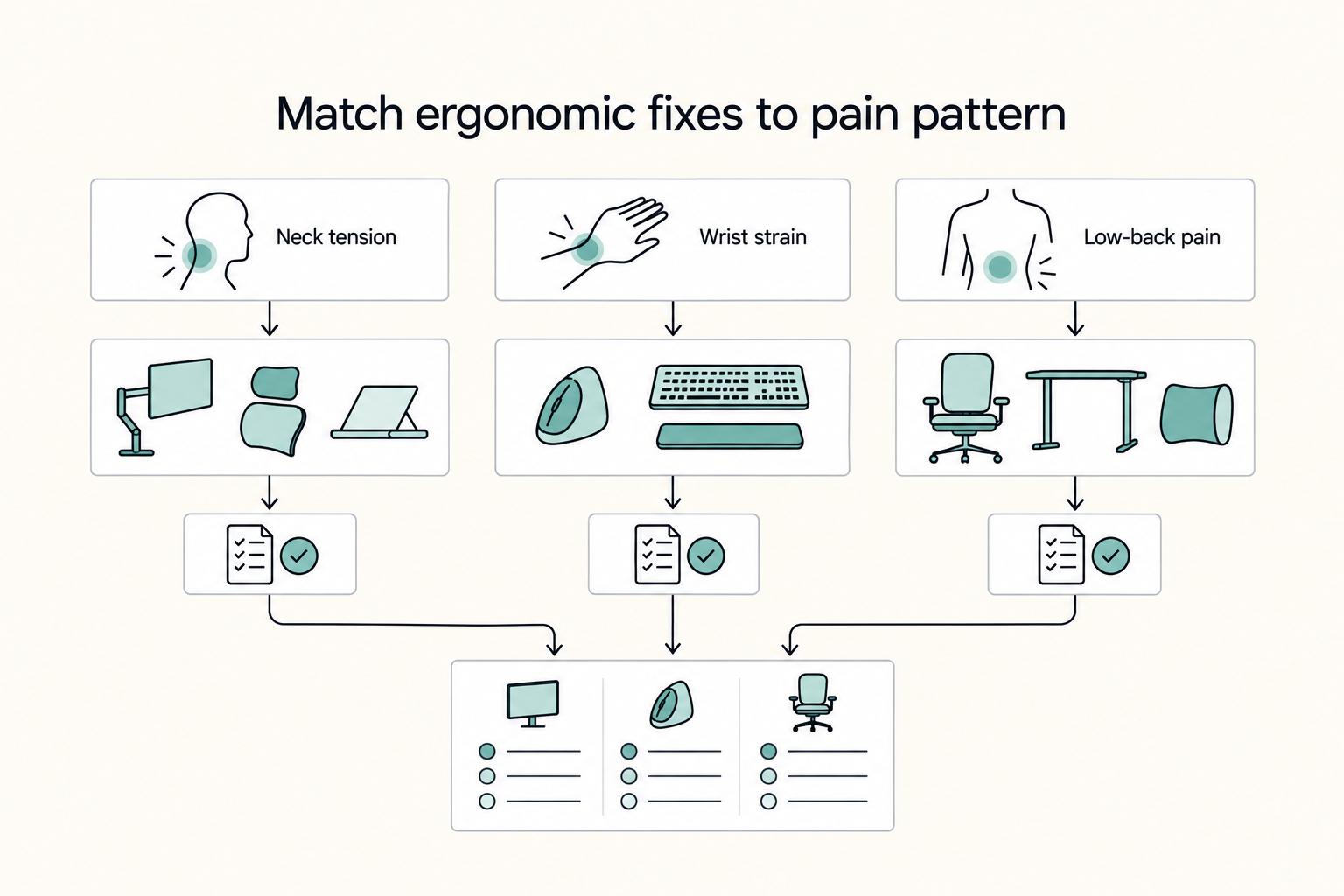
The Best Ergonomic Gear for Your Remote Work Setup
**Treat your ergonomic remote work setup as operating infrastructure, not a comfort splurge.** When posture breaks down, delivery quality and scheduling usually break down right after. Start by setting a baseline that protects your body and your business before you compare products.

Section 44ADA for Freelancers in India Who Need a Defensible Filing Path
For a globally mobile freelancer, a safer tax move is the one you can defend six months later, not the one that feels fastest this week. Start with classification under `PGBP`, test whether `Section 44ADA` actually fits your facts, then file with records that support every major number you report.

The Best Gear for a Portable Home Office
Portable-office gear decisions are not directly tested in this guide, so use this as a practical framework rather than a proven standard.