
Quick Answer
Try Buffer for straightforward scheduling, Hootsuite for broader team/listening/reporting work, or Later for visual planning. Add Loomly or Vista Social to an approval-focused shortlist. Buffer invited-user approvals require Team; Later content approvals require Growth or above. Test your actual channels, roles, visibility and report exports before buying.
Choose a Social Media Tool You Can Use Consistently#
For your own freelance presence, start with a scheduler that supports the channels and post formats you use. For client work, add permissions, an agreed approval process and a report you can reproduce. The tool should make those tasks easier without creating more administration than the account needs.
The common problems are practical: shared credentials, uncertainty over which version was approved, and reports assembled manually each month. A small stack with named access, version-specific decisions and retrievable posting records can reduce that work.
A social media scheduler centralizes planning, creation, and publishing across multiple platforms from one dashboard. Many social media management tools also add monitoring and analytics across channels. Useful-but only if you wrap the tool in operational guardrails.
A practical publishing workflow#
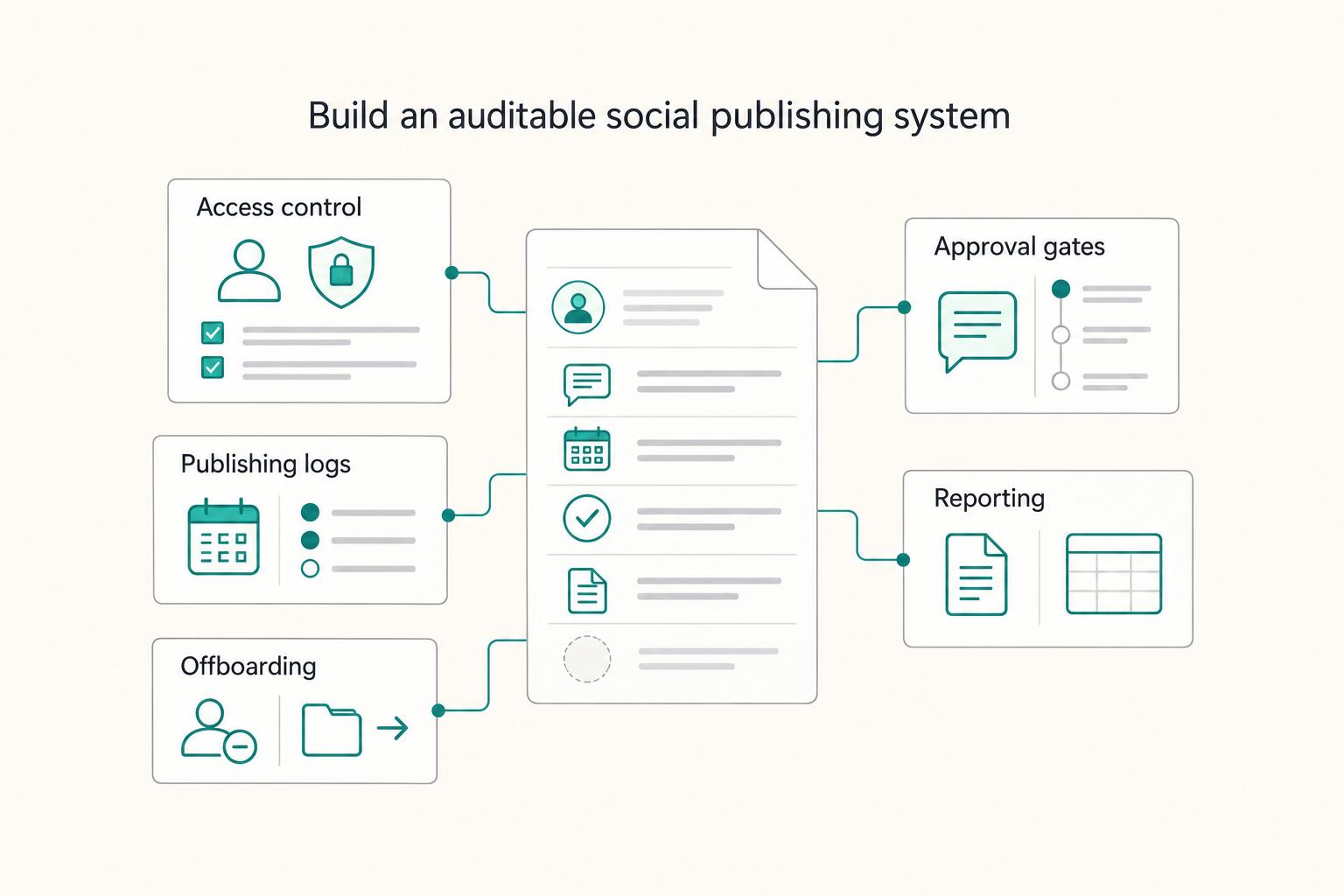
Use this sequence as your safe default, then choose tools that support each step:
| Stage | What "done" looks like | Artifact you can keep or export |
|---|---|---|
| Access control | Named logins, MFA turned on where available (MFA requires more than one authentication factor) | Access checklist, admin list |
| Approval gates | The post meets its agreed individual or standing approval rule | Approval record (comment thread, timestamp) |
| Publishing logs | Every post has a scheduled time and published status | Post list, activity log |
| Reporting | You can send a client-ready summary without manual screenshots | Data export or comparable table, plus client summary |
| Offboarding | You remove access cleanly and hand over assets | Final export + access removal confirmation |
What you'll get from this list (and how to use it)#
This article filters the tools through that workflow-your scheduler plus the supporting pieces you need when automation actually helps.
Use it in three modes:
- Solo: one scheduler plus a lightweight approval step.
- A few clients: add templated reporting exports (PDF or CSV) and tighter access hygiene.
- Scaling to a small team: prioritize auditability (an audit trail tracks who did what and when).
Publishing support can differ by network, account type and post format. During a trial, test the actual channels and formats you will use, including whether a post is automatically published or sends a reminder for native completion. Keep a native fallback for unsupported features. For LinkedIn planning, see LinkedIn marketing for freelancers.
The 10-minute selection framework (and who this list is for / not for)#
Use this framework to pick tools that support repeatable delivery: secure access, clean approvals, and exports you can defend if a client questions what shipped. You need a fast filter before you burn a week in demos.
Who benefits most (and who should look elsewhere)#
This list is for independent professionals managing a serious social presence across multiple channels and wanting a system that survives client turnover and platform quirks. You care about repeatable scheduling, collaboration, and reporting (social media management software can support automation, engagement tracking, and collaboration).
For a single personal brand, advanced approvals, SSO and detailed audit logs may add little value. Buy them when client requirements or a growing team justify them. Check which controls your chosen plan includes before inviting collaborators.
Copy/paste decision tree (use before you start trials)#
Paste this into a note, then score each tool against it:
- Solo brand: prioritize speed and consistency. You want a reliable scheduler, a simple design workflow, and lightweight analytics you will actually review weekly.
- 1 to 3 client brands: prioritize approval workflow quality, exports (PDF and CSV), and truly separate calendars so you never schedule the wrong post on the wrong brand.
- Scaling to a team: prioritize permissions, RBAC (role-based access control defines access around roles and privileges), an audit trail, and clean offboarding when contractors change.
Durable-business baselines (use these to keep delivery defensible):
- Use delegated named access where possible and enable MFA. Keep account recovery with the appropriate owner; treat MFA as risk reduction rather than a universal numerical guarantee.
- Archive the posting log and report each reporting cycle using available exports or a consistent table/summary.
- Build a proof pack per client per reporting period: final creatives, approval record, and publishing record (tool log plus platform-native confirmation when needed). Your approval trail should show who approved what and when, with timestamps.
Trial scoring rubric (use during demos):
| What to test | What "good" looks like | Red flags |
|---|---|---|
| Platform coverage volatility | Clear supported channels and stable publishing flow | Workarounds as the default |
| Approval gate strength | Timestamps, named approvers, comment history | Approval cannot be tied to an exact version or authorized person |
| Multi-client separation | Separate calendars, assets, permissions | Users can see or publish another client's content without permission |
| Exportability (CSV/PDF) | One-click exports you can archive | No comparable data or documented reporting method |
| Pricing surprises | Transparent per seat and per channel costs | Add-ons required for basics |
What stack do you actually need in 2026 (and what can you safely skip)?#
You need a small, defensible stack that proves what you planned, what got approved, and what shipped-without betting your delivery on fragile integrations. This section turns the selection framework into a practical buy list for solo work, client work, and team scale.
The three stacks (pick one and commit for a set period)#
| Stack | What you run | What it protects | "Safe default" outcome |
|---|---|---|---|
| Minimum viable (solo) | Scheduler + design tool + storage + UTM convention | Consistency, retrievable assets, measurable links | You publish reliably and can explain results in plain English |
| Professional (client work) | Scheduler + agreed approval workflow (in-tool or retained external decision) + shared assets + UTM tracking + reporting + SOPs | Misposts, approval disputes, reporting chaos | You can onboard, deliver, and offboard cleanly |
| Scale (team) | RBAC + multi-client governance + standardized reporting + intake + automation | Permission sprawl, inconsistent execution, risky automations | You ship the same way across people and brands |
1) Minimum viable stack (solo): Run one scheduler (Buffer, Hootsuite, Later, or similar), one design tool, and one storage system with a naming convention you will actually follow. Add UTM parameters to every link you control.
UTM parameters are campaign URL parameters you add so Google Analytics can identify which campaigns referred traffic (use Google Analytics's URL builder). Practical convention: utm_source=linkedin, utm_medium=social, utm_campaign=YYYY-MM-offer-name. Save a simple receipt bundle in storage as you go (final creatives plus a basic post log you can export where supported-or screenshot if needed).
2) Professional stack (client work): Upgrade your scheduler requirement from "I can schedule" to "I can prove approval." Your differentiator is an approval workflow plus a shared asset library (brand kit, templates, evergreen captions).
Write SOPs and version them in the same storage space so contractors and clients follow the same steps. Your reporting deliverable should rely on exportable data where the tool supports it, plus a short narrative memo.
What you can safely skip early (and the volatility defaults)#
Skip anything you cannot operationalize. If you do not have response coverage, don't buy heavy listening tooling just to have it. Also keep a platform-native posting path documented for channels where third-party constraints show up.
Buffer's X guidance allows scheduling to one X account at a time, so multi-brand work needs separate actions. TikTok's Direct Post API restricts posts from unaudited API clients to private visibility. That condition concerns the integration's audit status, not every freelancer's account or every established scheduler. Confirm the tool's supported publishing path and formats rather than assuming a blanket TikTok restriction.
If LinkedIn drives your pipeline, pair this stack with A Freelancer's Guide to LinkedIn Marketing.
The best social media tools for freelancers (by module, not hype)#
Use the comparison below to shortlist a tool for your main bottleneck. These are current documented capabilities, not a ranking based on tested approval rates or time savings.
How to read this list (and make a safe pick)#
Treat each tool as a module. Your best fit comes down to three operator questions:
- Do you need hard approvals? If a client can say "we didn't approve this," you need an approval workflow, not just a calendar. (Social media approval workflow is a step-by-step system to review, edit, and approve content before it goes live.)
- Do you need multi-client separation? Look for clear organization boundaries, roles, and access control so you do not cross-post or leak assets.
- Do you need exportable artifacts (PDF/CSV)? If you sell retainers, you need artifacts. A calendar view is nice. A PDF or CSV you can attach to an invoice closes loops-when the tool supports it.
Tool modules (pick the one that matches your bottleneck)#
| Tool | Module it "wins" | Best for | One grounded capability to anchor on | Watch-outs |
|---|---|---|---|---|
| Buffer | Scheduling and planning | Solo operators, lean client work | Per-channel scheduling; invited-user approvals on Team | Confirm your approval and separation needs on your tier before you promise client governance |
| Hootsuite | Dashboard scale (schedule, engage, monitor, analyze) | Higher volume ops, more moving parts | Advanced plan includes collaborative approvals and expanded report exports | Complexity and cost can climb. You need to manage total cost of ownership |
| Later | Visual planning | Visual-first workflows that benefit from layout preview | Visual planning and Access Groups; content approvals on Growth and above | Treat network coverage as changeable. Verify your exact channels during trial |
| Loomly | Approvals and collaboration stages | Client-heavy work that needs explicit gates | Review/approval workflows and customizable collaboration stages | Check plan availability and version-linked external approval handling |
| Vista Social | Approvals + exports | Operators who need proof and shareable reporting | Single-/multi-step approvals and calendar PDF/CSV export | Validate platform coverage for your clients' channels before you migrate workflows |
Use named delegated access where available and enable MFA. Store final creatives, posting records and approvals per client. Keep analytics data in an exportable format when available; a manually maintained table and a short report can also work for a small account.
If you want a deeper dive, read A Guide to Website Accessibility (WCAG) for Freelance Developers.
Buffer vs Hootsuite vs Later: which one is your safe default?#
Pick Buffer for simplicity, Hootsuite for listening + analytics dashboards, and Later for visual-planning-first workflows. This section gives you a safe default you can defend to a client, then validate in a trial.
The fast decision rule (use this when you feel stuck)#
Compare the features you will actually use and the cost of your channel/user combination. A larger platform only helps when its extra workflows save work or meet a client requirement.
- Buffer: useful for a solo scheduler or lean client workflow. Its Free plan supports up to three channels; paid pricing depends on channels and billing term. Inviting users and requiring draft approval are Team features, so Essentials alone does not supply that team workflow.
- Hootsuite: compare when shared listening, engagement, approvals and reporting are part of the deliverable. Advanced includes coordinated team workflows; price the actual plan, users and accounts rather than assuming all features are in the entry plan.
- Later: compare for visual planning and separate brand media/calendar groups. Content approvals are Growth-and-higher features; verify that your chosen plan covers the reviewers and exports you need.
Compare approvals, separation and exports#
You care about four things: separation, approvals, exports, and pricing surprises once you add seats or channels.
| Tool | Safe default for | Approval workflow quality | Multi-client separation | Exports (CSV/PDF) | Platform volatility risk (network APIs change) |
|---|---|---|---|---|---|
| Buffer | Solo operators, lean client work | Team: Needs Approval channel permissions; owner/admin bypasses require process controls | Verify roles and client boundaries | Varies by plan, verify | Always verify current network support |
| Hootsuite | Higher volume ops plus listening | Advanced collaborative workflows; test approval and bypass permissions | Verify org/team setup per client | Calendar export supports PDF or CSV | Always verify current network support |
| Later | Visual planning workflows | Growth+ content approvals; sharing alone is not proof of approval | Access Groups separate calendars/media; test role visibility | Standard analytics CSV documented on Starter/Growth/Scale; check network/metric coverage | Always verify current network support |
Trial checklist: test the roles and channels you will actually use before migration.
- Roles: test drafting, approving and direct publishing under each real role. Buffer Needs Approval users submit drafts; organization owners/full-access users have broader powers.
- 2FA support: Buffer documents 2FA, Hootsuite documents two step verification, and Later states all accounts can enable 2FA. Turn it on before you invite clients or contractors.
- Exports: retrieve a sample calendar, actual posting confirmation and analytics output. Hootsuite calendar PDF/CSV can include scheduled drafts; it is not a publication receipt.
- Client separation stress test: create two clients, schedule a post for one and a draft for the other (using the networks you actually plan to manage). Then confirm the UI makes cross-posting hard to do by accident.
If LinkedIn drives most of your retainers, pair your pick with a clean LinkedIn workflow from A Freelancer's Guide to LinkedIn Marketing.
How to Record Client Approval#
Agree which posts need individual approval and which may publish under an approved content plan or template. For posts needing review, record the approver, exact copy/creative version, channel and timing. Personal-brand work can use your own final check. A scheduler's approval status supports that process; it does not settle contractual liability by itself.
Define the approval rule before scheduling#
Choose an approval record that both parties can use. In-tool review is convenient, but an email or task decision is valid operational evidence when you retain it and link it to the exact post version. Hootsuite documents external approvals, including notes and approval-history entries. Distinguish an authorized external sign-off from an unexplained bypass.
| Tool | Approval option | Grounded note |
|---|---|---|
| Hootsuite | Approval history | View who sends, edits, and approves posts |
| Buffer | Approval Required access | Users can edit, delete, and request approval on their own drafts |
| Later | Growth+ content approval workflow | Distinguish an explicit approval action from merely viewing a shareable calendar |
Test each approval path with the actual drafter and approver roles:
- Hootsuite: record in-tool or authorized external approval with notes; inspect approval history and bypass rights.
- Buffer: Team supports Needs Approval permissions for invited users on assigned channels; test owner/admin powers separately.
- Later: Growth+ offers content approval. Confirm the reviewer's permitted action; a shared calendar view alone is not an approval gate.
Copy/paste approvals SOP (use as your default):
- Draft (caption, creative, link, tags, and required notes).
- Internal QA (brand, claims, links, compliance, formatting).
- Client review through the agreed channel, if individual review is required.
- Record exact-version approval or applicable standing authorization.
- Schedule or publish.
- Archive proof (final files, notes, exports).
For example, Brand A approves post A-17, caption v2 and image v3, for LinkedIn at 09:00 Europe/London on 12 October. A later price or creative change creates a new version and needs the agreed reapproval process. Archive the original email or tool decision, then record the final platform post ID/URL after publishing. A calendar export showing Scheduled is planning evidence, not proof that publication succeeded.
Apply the agreed approval rule to each post. Preapproved evergreen content may use a documented standing authorization; sensitive claims or changed assets can require fresh review. Check that admins and full-access publishers cannot unintentionally bypass the intended workflow.
Protect access and build an evidence pack (monthly)#
Keep client ownership and recovery access clear. Use individual logins and delegated platform roles where supported, with only the permissions needed for the work. Avoid exchanging passwords in messages or using one shared login for several people.
MFA uses two or more distinct factors, such as a password plus a possession factor; two passwords do not make two-factor authentication. CISA recommends MFA as additional protection. It reduces risk but does not guarantee security; recovery access and phishing-resistant options still matter.
Store a monthly evidence pack so disputes stay boring:
| Artifact (store monthly) | Why it matters | Format |
|---|---|---|
| Approval record + history | Records who approved which version and when | Screenshot or export |
| Final post copy + creative | Locks the exact shipped asset | File attachment |
| Publishing confirmation | Records platform post ID/URL and final publication result | Screenshot |
| Analytics snapshot | Anchors performance in real data | Export (where supported) |
| Client-facing summary | Keeps stakeholders aligned | PDF (or equivalent) |
Hootsuite supports content-calendar PDF/CSV export and plan-dependent analytics reporting. Keep those artifacts separate from the actual platform publication confirmation and approval record. A useful export makes retrieval easier, but its presence does not prove every planned post went live.
Create a Report You Can Reproduce#
You ship trustworthy reporting by defining the report as a repeatable deliverable with a fixed structure, exportable data, and a clear narrative, then running it on a consistent timeframe. With approvals locked, treat reporting as the second proof gate so clients can verify outcomes without digging through posts.
Define "monthly report" like a deliverable (not vibes)#
A social media report summarizes performance over a set period. Make it auditable by packaging three things every cycle:
| Component | What it includes | Format |
|---|---|---|
| Repeatable structure | Same sections, same order, same metric names | Fixed report layout |
| Exportable raw data | Post-level metrics or analytics views for validation and trend analysis | CSV |
| Readable narrative | Explains what matters and what changes next |
Export what the tool can provide and create the client summary separately when needed. Screenshots can support a specific native-only metric or publishing confirmation; record the source, period and capture date. Avoid making a collage the only record when a comparable table or data export is available.
Attribution honesty: separate what you know from what you infer#
Clients trust operators who draw clean lines.
- Platform-native metrics (what the platform shows): reach, impressions, engagement, video views, follower growth. Pull these from your reporting tool or native analytics dashboards.
- Clicks and leads (what your site analytics shows): tag every link you control with UTM parameters so you can identify which campaigns drive traffic in Google Analytics. Use Google's Campaign URL Builder to standardize fields like source and medium.
- Document your measurement limits: if you cannot access certain data through a tool integration or reporting surface (often tied to an API), state that in the report instead of guessing.
| Report section | What goes in | Export or artifact |
|---|---|---|
| What we shipped | Posting log by channel (LinkedIn, X, TikTok) | CSV post export (or table) |
| Why we shipped it | 1 to 2 hypotheses tied to client goals | PDF narrative |
| What happened | Key metrics + trend notes | CSV metrics export + highlights in PDF |
| What we'll test next | 1 to 3 experiments with success criteria | PDF action plan |
Consistency note: create a one-page metric glossary (definitions you will use every month) and attach it to the first report. When a stakeholder asks for a new metric, add it intentionally-and note when it starts-instead of rewriting past reports.
Set a reporting cadence that fits the account. Record new metric requests and whether they belong in the current scope or a later cycle. A consistent period, timezone and metric glossary make comparisons more useful than adding dashboard screenshots.
Access, Client Separation, Records and Offboarding#
Use these five controls at the level the account needs. For client work, they protect ownership, approved content and delivery records. For a solo personal brand, the same principles can be a short checklist rather than a formal governance program.
The five governance gates (copy this into your SOP)#
| Gate | Core rule | Reference detail |
|---|---|---|
| Access gate | Require MFA (2FA) where possible and use least privilege | Document account recovery contacts; turn on RBAC or SSO when supported |
| Separation gate | Separate client channels, assets and approval records using tested role boundaries | Audit distinct client naming, asset connections, and approval paths |
| Recordkeeping gate | Archive posting log, report, approval artifacts, and top creatives every month | Posting log (CSV) and report (PDF) are named as defaults |
| Automation gate | Automate supported approved work; add confirmation for sensitive actions | Keep a human confirm step for high-stakes publishing actions |
| Volatility playbook | Maintain a native scheduling fallback and a manual checklist | Rehearse on private/draft or approved planned content and trace unknown status before fallback |
Access gate (who can log in, and how)#
Enable MFA on the scheduler and connected platforms where supported. Keep recovery contacts and backup-code storage under the appropriate account owner's control. Give collaborators only the channels and permissions needed; use available role controls and SSO when they meet your team's requirements.
Separation gate (multi-client safety)#
Separate client channels, assets and review records using the tool's supported boundaries. A shared agency dashboard can be workable if access is restricted and tested. Buffer's agency guidance notes that organization tags can expose tagged posts to users, so channel access alone should not be assumed to isolate every surface. Test visibility as each role, not only as administrator.
Recordkeeping gate (prove what happened later)#
Archive the posting log, client report, approval evidence and final creatives for each reporting period. Choose formats the tool supports, and preserve source/date information. Agree retention and access with the client, then remove obsolete copies according to that policy.
Automation gate (keep automation boring)#
Automate intake, reminders and routing first. Scheduled publishing can also run automatically once the agreed approval condition is satisfied. Require extra confirmation for sensitive or unusual posts, and inspect uncertain publishing status before retrying or switching to native posting to avoid duplicates.
Volatility playbook (when platforms or APIs change)#
Keep a native fallback and the final preflight checklist: brand, handle, approved version, links, date, timezone and visibility. Rehearse with a private/draft test or an already-approved planned post; do not publish unsolicited client content just to run a drill. On a failure, confirm whether a platform post exists before attempting the fallback.
Recordkeeping folder structure (safe default)#
| Layer | Naming rule | Contents (minimum) |
|---|---|---|
| Client | ClientName/ | Contracts, access notes |
| Brand | Brand-Channel/ | Platform assets, creative |
| Month | YYYY-MM/ | posting-log.csv, report.pdf, approvals, top creatives |
Offboarding: export the agreed records and final assets, transfer any required administrator/recovery ownership, review queued posts, revoke departing users and connected integrations, and confirm removal with the client. Removing a scheduler user may not remove their native-platform access or an existing integration token, so check both.
Conclusion: Start with the Smallest Useful Stack#
You have clarity on scheduling, approvals, reporting, and governance. Now run a minimal stack you can defend under pressure. The right tools are the ones you can operate consistently, month after month, even when clients change direction, platforms shift, or you add a second retainer.
Your "minimal stack" (built like a system, not a shopping spree)#
-
Scheduler (your production engine) A social media scheduler helps you schedule posts across multiple social media accounts and platforms. That matters because scheduling ahead gives you room to plan and stay focused on other tasks-especially when you're juggling multiple accounts and repetitive work. Pick one primary scheduler that fits your business size, goals, and workflow. Then standardize how you use it: naming conventions, content queues, and a repeatable posting cadence.
-
Approvals: agree the review method, authorized approver and any standing authorization. Link each decision to the post version and retain the source record. Review changed assets or sensitive claims under the agreed rule.
-
Reporting and exports: produce a repeatable monthly summary plus available data exports. PDF and CSV are useful formats, but a small account can use a documented table with supporting screenshots where necessary. Keep periods, metric definitions and sources consistent.
-
Access controls (your boundary setting) Where your tools support it, use the access and sign-in controls that are available to reduce accidental edits and messy handoffs. Do not assume every platform supports the same controls. Document who has access, when you granted it, and when you removed it.
| Module | Outcome you want | "Done" looks like |
|---|---|---|
| Scheduler | Less repetitive work | One tool, one process, one calendar rhythm |
| Approvals | Fewer disputes | One approver, one approval rule, archived notes |
| Reporting | Faster renewals | Monthly summary you can reproduce quickly |
| Access | Cleaner handoffs | Access list, offboarding steps, consistent boundaries |
Your edge is governance, and it pays you back#
The useful advantage is a process you can operate: predictable scheduling, clear access, retrievable approvals and comparable reports. Upgrade when a measured bottleneck or client requirement calls for it.
Connect the posting log and approvals to the deliverables listed on your invoice. That makes payment discussions clearer while keeping social performance claims separate from amounts owed. For managing the broader client pipeline, see LinkedIn marketing for freelancers.
Shortlist two schedulers, test one typical workflow and build a report using the data you can retrieve.
Frequently Asked Questions
What are the best social media tools for freelancers?
Buffer suits straightforward scheduling; Hootsuite offers broader team, listening and reporting workflows; Later suits visual planning. Loomly and Vista Social are additional options for approval-heavy work. Compare your actual channel formats, roles, client visibility and exports on the chosen plan before buying.
What is the best social media scheduling tool for freelancers?
A social media scheduler is software that lets you plan, create, and automatically publish content across multiple platforms from one central dashboard. Pick the scheduler that matches your client volume and your tolerance for complexity. Solo operators usually win with fast and clean. Multi-client retainers need stricter separation and permissions. If you want an adjacent system, pair your scheduler with simple automation for intake and reminders, not for high-stakes publishing.
Buffer vs Hootsuite for freelancers, what should I choose?
Choose Buffer for a lighter scheduling workflow, with Team required for invited-user approvals. Choose Hootsuite when broader organization workflows, listening and reporting justify the cost; its Advanced plan includes coordinated approvals and expanded reporting. Later offers visual planning and Growth-or-higher content approvals. Test the exact user roles and channels rather than relying on brand positioning alone.
How do freelancers manage social media for multiple clients without mixing content?
Treat each client like a separate mini-company inside your tool. When your tool supports it, set up one workspace (or equivalent), one calendar (or equivalent), and one approval thread per client, and name everything predictably (Client, Brand, Channel). Then add a final pre-flight checklist before you hit schedule: correct brand, correct handle, correct asset, correct date and time.
What's the best way to get client approval for social posts (and document it later)?
Use one approval path and keep it boring: one place to review, one person to approve, one rule for what counts as approved. Capture the approval artifact (comment, email, or task status) and store it with the month's deliverables. You cannot guarantee audit-grade proof, but you can consistently document what you shipped and what they signed off on.
What records should I keep for social media work if disputes come up or invoices go unpaid?
Keep records that make your work legible later: a monthly posting log, the report you sent, the approval artifacts, and the final creative files. Store them in a consistent folder structure by client and month so you can answer questions quickly without reconstructing history.
Are social media automation tools safe to use, or can they get accounts flagged?
Use supported integrations within their platform rules and the client's agreed publishing authority. Automatic scheduling of approved content is normal; unfamiliar or sensitive actions may need another confirmation. Keep a native fallback and inspect uncertain post status before retrying. A scheduler cannot guarantee that an account will never be restricted.
Try a related tool
Researched and edited by the Gruv editorial team. Gruv builds cross-border billing, payouts, and finance-operations software for global businesses.
Sources
Includes 7 external sources outside the trusted-domain allowlist.
- cisa.gov/audiences/small-and-medium-businesses/secure...trusted
- buffer.com/pricingexternal
- help.later.com/hc/en-us/articles/33109662792471-Later-s-Cus...external
- hootsuite.com/plans/advancedexternal
- hootsuite.com/whats-new/document-external-approvalsexternal
- hootsuite.my.site.com/hootsuite/s/article/export-calendarexternal
- later.com/social-media-approval-workflowexternal
- later.com/pricingexternal
Educational content only. Not legal, tax, or financial advice.
Related Posts

LinkedIn for Freelancers Who Want a Predictable Client Pipeline
Treat LinkedIn as two jobs you run at the same time: a credibility check and a conversation engine. If you only chase attention, you can get noise. If you only send messages, prospects may click through to a thin profile and hesitate.

A Guide to Website Accessibility (WCAG) for Freelance Developers
Ask which users, pages and complete tasks the client needs to support, then name the accessibility target and acceptance process in the Statement of Work (SOW). This gives the build a clear scope and the client evidence of what works at handoff.

Best Corporate Debit Cards for Global Spending in Small Teams
Pick the card setup you can still operate on a bad cashflow week, not the one with the best marketing page. If you can fund it, monitor it, and close the books cleanly when client payments are late, you have the right starting point.