
Quick Answer
Start with the best web application security scanners you can run consistently, not the most feature-heavy lineup. For most teams, that means establishing OWASP ZAP as a baseline, proving authenticated and public-path coverage, and tracking findings through verified rescans. Add commercial tooling only when your own data shows recurring friction in setup, triage, or closure quality. The winning choice is the one your team can operate on schedule with clear evidence.
Stop Guessing and Choose a Scanner Stack You Can Actually Operate#
The right scanner stack is the one you can run on a schedule, triage without drama, and explain later with evidence. A web app scanner, or DAST-style tool, tests a live application and flags likely weaknesses. It does not give complete coverage, and it does not make you compliant on its own.
That boundary matters before you compare products. You are not buying certainty. You are buying signal, reporting, and a repeatable way to turn findings into fixes. In practice, operational fit matters more than hype. Detection quality, false-positive rate, attack coverage, ease of use, and reporting that actually helps remediation should matter more than a flashy demo.
Set your baseline before you shop#
Most scanner lists skip the part that causes pain later: who will run the tool, how often, and what proof you will keep. If you own execution and risk, start smaller than your ambition. A scanner that produces practical reporting and a clean handoff is worth more than one that generates a long PDF nobody closes.
This is also where teams overbuy. A powerful option like Burp Suite can be the right choice, but it is not automatically the right first choice. StackHawk notes that Burp can create friction in fast-release environments because of its learning curve, manual configuration, and heavy performance load. Their Jan 13, 2026 article cites reports of idle memory hitting 3500+ MB. That does not make Burp bad. It means power and operability are not the same thing.
Use a quick decision pass#
| Step | Decision input | Default output | Upgrade trigger or evidence habit |
|---|---|---|---|
| 1. Scope | What internet-facing pages, login paths, and app areas can you actually test this week? | A written scan scope with included targets and explicit exclusions | If auth fails or results are noisy, narrow scope and log why |
| 2. Baseline tool | Do you need repeatable scans now more than deep manual validation? | Start with a baseline scanner you can run consistently and complete one full scan-remediate-rescan cycle first | Only compare additional options after you know where the baseline slows you down |
| 3. Upgrade trigger | What is the real bottleneck: false positives, login setup, triage time, or developer self-service? | Keep your current stack if findings are getting fixed on time | Upgrade when the bottleneck is persistent and documented, not because a vendor says you have outgrown your tool |
| 4. Cadence and proof | How often will you scan, and what events force a rescan? | Set a calendar cadence plus change-based rescans | Current control mapping pending standard/source verification; keep proof for each cycle |
A practical rule: if your main problem is "we are not scanning consistently," do not solve that with a bigger bill. If your real problem is "we scan, but auth breaks, reports are too noisy, and fixes stall," then better reporting or a commercial add-on may be justified.
Keep the evidence light but usable#
Your scanner is only as good as the record you keep after each run. Maintain one simple artifact per cycle with these fields:
| Evidence log field | What to record |
|---|---|
| Scan scope | what targets, environments, and login paths were included |
| Finding class | the category or type of issue, not just the raw alert title |
| Owner | who is responsible for validation or remediation |
| Remediation status | open, accepted, in progress, fixed, or deferred with reason |
| Retest result | reproduced, partially fixed, or closed after rescan |
That log turns scanning into a discipline instead of a one-off event. It also helps you spot failure modes early. Some tools struggle with login flows, and some proof-of-concept details are hard for beginners to use. If the report cannot tell your developer what to change, the finding is weaker than it looks. A better standard is reporting with remediation help and evidence clear enough to support retesting, sometimes down to detailed artifacts like PoC videos.
If you need to connect that evidence habit to broader audit prep, see A Guide to SOC 2 Compliance for SaaS Companies. This week, define scope, run one public-surface scan and one logged-in scan, create the five-field evidence log, and schedule the rescan before the first ticket gets stale.
Selection Criteria That Make This List Credible#
Use this checklist to judge credibility fast: if a scanner cannot cover your real surface, run reliably, and produce retestable outputs, it does not pass.
| Criterion | Check | Boundary |
|---|---|---|
| Set clear scope boundaries first | Score DAST for live, outside-in testing of a running web app. | Keep SAST and SCA as separate controls; do not treat them as a replacement for live testing in this section. |
| Require both scan modes and modern surface reach | Run both unauthenticated and authenticated scans. | Confirm it can reach login-gated pages, session-driven flows, and your API surface; verify clear API-testing support, including GraphQL where relevant. |
| Use operational fit as pass/fail, not preference | Pass only if setup is stable, automation works in your CI/CD flow, reports are practical, retests are clear, and ownership handoff is obvious. | Fail if auth repeatedly breaks, outputs stop at raw alert titles, or remediation ownership gets lost. |
| Grade confidence and label unknowns explicitly | Treat OWASP Benchmark and WAVSEP as confidence references, not final verdicts. | If comparative evidence is missing, dated, or blocked by access controls, label it as unknown. |
| Anchor scoring to core web risk classes | Start with how well the scanner helps you identify and triage XSS and SQL injection. | Map findings to one consistent remediation taxonomy, for example: XSS, SQL injection, authentication flaws, command injection. |
- Set clear scope boundaries first
Score DAST for live, outside-in testing of a running web app. Keep SAST and SCA as separate controls in your stack, but do not treat them as a replacement for live testing in this section. Outside-perspective scanning is useful, but it is not complete coverage.
- Require both scan modes and modern surface reach
Mark a tool incomplete unless you can run both unauthenticated and authenticated scans. Confirm it can reach login-gated pages, session-driven flows, and your API surface. In modern environments, discovery across web apps, subdomains, and APIs matters; if APIs are central for you, verify clear API-testing support, including GraphQL where relevant.
- Use operational fit as pass/fail, not preference
Pass only if setup is stable, automation works in your CI/CD flow (for example Jenkins, GitHub Actions, GitLab, or Azure DevOps), reports are practical, retests are clear, and ownership handoff is obvious. Fail if auth repeatedly breaks, outputs stop at raw alert titles, or remediation ownership gets lost. Count infrastructure and setup friction as real friction.
- Grade confidence and label unknowns explicitly
Treat OWASP Benchmark and WAVSEP as confidence references, not final verdicts. If comparative evidence is missing, dated, or blocked by access controls, label it as unknown instead of implying certainty.
- Anchor scoring to core web risk classes
Start with how well the scanner helps you identify and triage XSS and SQL injection. Then map findings to one consistent remediation taxonomy (for example: XSS, SQL injection, authentication flaws, command injection) so triage and rescans stay clean.
How Do You Choose the Best Web Application Security Scanner in 15 Minutes?#
Choose a provisional winner you can defend, not a permanent winner. For this category, make a fast decision based on fit, effort, and operational risk, then document what is verified and what is still unknown.
| Decision area | Pass/fail check | Evidence to collect now | Unknowns to log before selection |
|---|---|---|---|
| Fit | Can it cover unauthenticated and authenticated paths, and show findings across your web app and API surface where relevant? Can you see core risk classes such as XSS, SQL injection, brute force, and command injection in output examples? | One real scan report from your app, plus proof of reach into protected paths and API endpoints (if in scope) | Unverified auth coverage, unverified API coverage, missing visibility for key risk classes |
| Effort | Can your team configure it, read it, and route fixes without rewriting reports? | Findings that include context, severity, and practical remediation guidance | Fragile setup, unclear handoff steps, weak issue context |
| Operational risk | Can you rescan after fixes and use results to make decisions, while acknowledging external-view limits? | Initial findings, follow-up scan output, and notes on confidence gaps | External-only inference limits, unresolved caveats, missing external validation references |
- Assess fit first
Start with reach, not brand. If coverage of authenticated and unauthenticated paths is not demonstrated in your environment, treat that as a gap. If APIs matter for your app, require evidence the scanner is being used for API and web app testing contexts before you count coverage as proven.
- Check effort next
Prefer the tool your team can use immediately. The report should give issue context, severity, and practical remediation guidance so engineering can move directly from finding to fix.
- Decide on operational risk
Treat outside-perspective scanning as useful but incomplete, and log that caveat explicitly. Stay on baseline tooling until triage load, false-positive handling, or retest throughput becomes a real delivery bottleneck; then evaluate commercial options for operational lift, not prestige.
Record the decision in one paragraph: selected tool, verified strengths, unverified areas, and a re-evaluation trigger. If validation data is missing, mark it as unknown and plan a later check against OWASP Benchmark and WAVSEP.
Quick Comparison Table You Can Scan in 60 Seconds#
Use this as a decision aid, not a universal ranking. In one pass, eliminate rows you cannot operate now, then shortlist the two options most likely to improve remediation throughput and ownership handoff on your team. If a row says unverified in current pack, treat that as an open risk to test, not a tie.
For tool-specific detail, coverage is strongest for OWASP ZAP and Burp Suite, from a vendor-authored comparison page that shows Updated Mar 19, 2026 while the headline still says 2025. Keep those cells marked vendor-asserted until you validate them in your own environment.
| Tool | Fit | Workflow load | Scan coverage scope | Triage quality | Evidence confidence | You should choose this when... |
|---|---|---|---|---|---|---|
| OWASP ZAP | Starting candidate if you want active/passive DAST on the shortlist. | Vendor-asserted active/passive DAST; vendor-listed scan speed is 30+ minutes. Maintenance burden, false-positive handling, and retest clarity are open. | Outside-in testing of a running app; authenticated/API reach must be proven on your target. | Unverified in current pack beyond basic DAST positioning. | Vendor-asserted (no tool-specific independent validation in current pack) | You want a practical first trial and will keep logs, auth setup, and first-report evidence. |
| Burp Suite | Shortlist candidate if you want a second active/passive DAST option with clear ownership. | Vendor-asserted active/passive DAST; vendor-listed price is $399/year and vendor-listed scan speed is 1+ hours. Maintenance burden, false-positive handling, and retest clarity are open. | Outside-in testing of a running app; authenticated/API reach must be proven on your target. | Unverified in current pack beyond basic DAST positioning. | Vendor-asserted (no tool-specific independent validation in current pack) | You have a named owner who will run scans, triage findings, and manage rescans. |
| Acunetix | Commercial comparison candidate. | Unverified in current pack; test maintenance burden, false-positive handling, and retest clarity directly. | Unverified in current pack; do not assume authenticated or API reach without a real report. | Unverified in current pack. | Unverified in current pack | You can run a side-by-side test with one initial scan and one verified rescan before committing. |
| Invicti | Commercial comparison candidate. | Unverified in current pack; test maintenance burden, false-positive handling, and retest clarity directly. | Unverified in current pack; require proof of reach from your own environment. | Unverified in current pack. | Unverified in current pack | You need another commercial option and will judge handoff quality, not product positioning. |
| OSTE | Stacked-option comparison candidate. | Unverified in current pack; treat maintenance burden, false-positive handling, and retest clarity as open questions. | Unverified in current pack; keep unknowns explicit until you see report and rescan evidence. | Unverified in current pack. | Unverified in current pack | You are willing to run a self-directed evaluation and cut it fast if evidence handling gets messy. |
Shortlist two candidates: one with usable vendor-asserted detail and one you must prove from scratch. Test both where prioritization reflects internet reachability, critical-asset presence, and active exploitation status, then choose the option that best supports detection, prioritization, remediation, and verification with clear ownership.
Keep one operational caution in view during testing: active scans can impact production. Schedule initial runs in a non-peak window and keep the exact scan setup, findings, remediation notes, and rescan result so closure is defensible.
The Best Security Scanners by Real Operating Scenario#
There is no universal winner here. Pick the tool you can run consistently from first scan to verified rescan without losing context.
| Tool | Best fit | Likely friction | Choose this when |
|---|---|---|---|
| OWASP ZAP | you are a solo operator and need a workable baseline now | tool-level strengths are still vendor-asserted, so your real risk is weak setup discipline if you do not save auth setup, target scope, and the first evidence-rich report | you can own the full loop yourself, including remediation handoff and retest proof |
| Burp Suite | you already run mixed automation plus manual validation | available evidence is limited and partly vendor-authored, so assumptions need to be tested on your app | you have operator capacity to turn scanner output into clear fixes and clean rescans |
| Acunetix | you want a commercial candidate to test whether recurring scans become easier to sustain | key claims remain unverified here, so you need to validate target discovery, authenticated reach, and report quality in your own environment | your main question is whether a commercial workflow reduces maintenance burden in practice |
| Invicti | your bottleneck is proof-oriented triage, not finding volume | product-level proof or accuracy claims are not independently validated, so treat them as hypotheses | you will require one practical report plus one verified rescan before standardizing |
| OSTE-style stack | you are ready for multi-tool orchestration | more tools can add operational drag, duplicate findings, and weaker retest clarity if ownership is not explicit | your team can preserve context across recon, auth, exploitation, validation, reporting, and retesting |
- OWASP ZAP
Best fit: you are a solo operator and need a workable baseline now. Why it works: it gives you a practical starting point for scanning a running app while you build a repeatable workflow. Likely friction: tool-level strengths are still vendor-asserted, so your real risk is weak setup discipline if you do not save auth setup, target scope, and the first evidence-rich report. Choose this when: you can own the full loop yourself, including remediation handoff and retest proof.
- Burp Suite
Best fit: you already run mixed automation plus manual validation. Why it works: this model fits when a named owner reviews findings and tests edge cases, especially where failures involve access control, authorization, state, or business logic rather than simple signatures. Likely friction: available evidence is limited and partly vendor-authored, so assumptions need to be tested on your app. Choose this when: you have operator capacity to turn scanner output into clear fixes and clean rescans.
- Acunetix
Best fit: you want a commercial candidate to test whether recurring scans become easier to sustain. Why it works: the value to test is operational, not a verified coverage win. Likely friction: key claims remain unverified, so you need to validate target discovery, authenticated reach, and report quality in your own environment. Choose this when: your main question is whether a commercial workflow reduces maintenance burden in practice.
- Invicti
Best fit: your bottleneck is proof-oriented triage, not finding volume. Why it works: it is a valid candidate when engineering time is lost debating whether findings are real or exploitable. Likely friction: product-level proof or accuracy claims are not independently validated, so treat them as hypotheses. Choose this when: you will require one practical report plus one verified rescan before standardizing.
- OSTE-style stack
Best fit: you are ready for multi-tool orchestration. Why it works: layered tooling can combine discovery, enumeration, payload testing, and multiple reporting views. Likely friction: more tools can add operational drag, duplicate findings, and weaker retest clarity if ownership is not explicit. Choose this when: your team can preserve context across recon, auth, exploitation, validation, reporting, and retesting.
Use this filter now#
Select the option you can run now with stable ownership, clear evidence, and a verified rescan path. Add depth only after triage and remediation are reliable, because extra scanner complexity that slows your workflow is a net loss.
Is OWASP ZAP Enough or Should You Add a Commercial Scanner?#
Use OWASP ZAP first when your immediate gap is repeatable DAST coverage. Add a commercial scanner only if your own workflow data shows that setup overhead, triage load, or retest delays are slowing real remediation.
Your decision point is operational, not brand-driven: can you save a reliable ZAP context, run the spider to catch missed links, and confirm authenticated reach with the configured user and Force User before you trust results? If not, a tool switch usually relocates the same failure.
| Option | Best-fit team context | Workflow signal to switch | Operational cost | Validation burden |
|---|---|---|---|---|
| ZAP only | You need a baseline scanner for web apps or APIs and can manage setup directly | Findings are practical and rescans remain clean | Higher hands-on setup and tuning | You verify scope, auth, and evidence in your own environment |
| ZAP plus manual testing | You already run scans consistently, but release confidence still depends on human review | Authorization, state, or business-logic issues continue to escape automated checks | More reviewer time per release cycle | High: manual validation is required before release |
| Commercial scanner trial | Your team keeps losing time to scanner maintenance, triage, or retest coordination | Workflow pain continues after you stabilize ZAP scope and authentication | Current vendor capability detail pending vendor/source verification | You still run local proof tests before broad rollout |
Check remediation throughput before you switch#
Run this checklist in your pipeline before changing tools:
- Triage load: Are you spending excessive time separating noise from fix-ready findings?
- Retest speed: Can you rescan quickly after patches and show clear closure evidence?
- False-positive handling: Do engineers trust scanner output enough to act without long disputes?
- Ownership clarity: Is one named owner accountable for setup, review, and rescan evidence?
Keep the boundary explicit. Automated scanning should cover unauthenticated and authenticated paths, routine passive checks, and active scanning in pre-production. Manual testing is still required when confidence depends on authorization behavior, business logic, or other conditions the scanner cannot reliably infer from traffic alone.
Run Scanning on a 90-Day Cycle With Owners and Verified Closure#
Once your scope and authentication are stable, run scanning as a fixed 90-day cycle, not one-off jobs. Use a 3-part workflow and require two roles per finding: one owner to implement the fix, and one verifier to confirm and document closure. That structure is what makes your scan history defensible.
| Phase | Phase objective | Required actions | Exit criteria | Evidence artifact |
|---|---|---|---|---|
| Phase 1: Normalize intake | Turn raw findings into one consistent queue | Assign a unique finding ID, map each finding to an asset, map scanner-native labels to your internal triage class, and categorize by CWE or risk | Each finding has one ID, one asset, one owner, one verifier, and one normalized class | Intake register with finding ID, asset, scanner source, native severity, internal class, and CWE/risk fields |
| Phase 2: Remediate and track | Move validated work without overloading the team | Separate urgent items from lower-risk work, assign ownership, track status changes, and log unresolved items in an exception register | No finding is unowned, and every exception has a reason, reviewer, and follow-up date | Ownership log plus exception register with ticket ID, owner, verifier, exception reason, and next review date fields |
| Phase 3: Validate and report | Close findings only with verified evidence | Re-test with the same test methods used for detection, attach before-and-after evidence, and publish a monthly evidence packet with open, closed, and excepted findings | Closure requires validated retest evidence, not ticket comments alone | Rescan record with scan job URL, before-and-after screenshots or request/response captures, and monthly evidence packet |
Normalization is where teams often lose control. If one scanner logs "High XSS" and another logs "Cross-site scripting" as "Medium," both must map to one internal class and one finding lineage. Keep a simple mapping sheet that connects the scanner-native label to the internal triage class and the CWE or risk category. Without that, duplicates and inconsistent closure decisions are hard to avoid.
Keep a minimum evidence package for the full finding lifecycle. For initial detection, store finding ID, asset, raw scanner output, and reachability proof. For owner assignment, store ticket ID, named owner, named verifier, and status. For remediation proof, attach the commit/PR link or your equivalent repository artifact. For the rescan result, store rerun output plus before-and-after evidence. For accepted risk, keep an exception record with rationale, approver, and review date.
Execution gates you should tie to releases and changes#
Do not rely on the calendar alone. Trigger scan and evidence gates at practical change points:
- before production releases that materially change exposure
- after meaningful auth, routing, or exposed-surface changes
- when a finding is marked ready for closure and needs verifier signoff
- at the monthly evidence-packet cut, even if the full cycle is still running
Do not mix urgent and low-risk issues into one unmanaged queue; that is a common path to overload and weak closure quality. For compliance handoff, align this workflow with A Guide to SOC 2 Compliance for SaaS Companies.
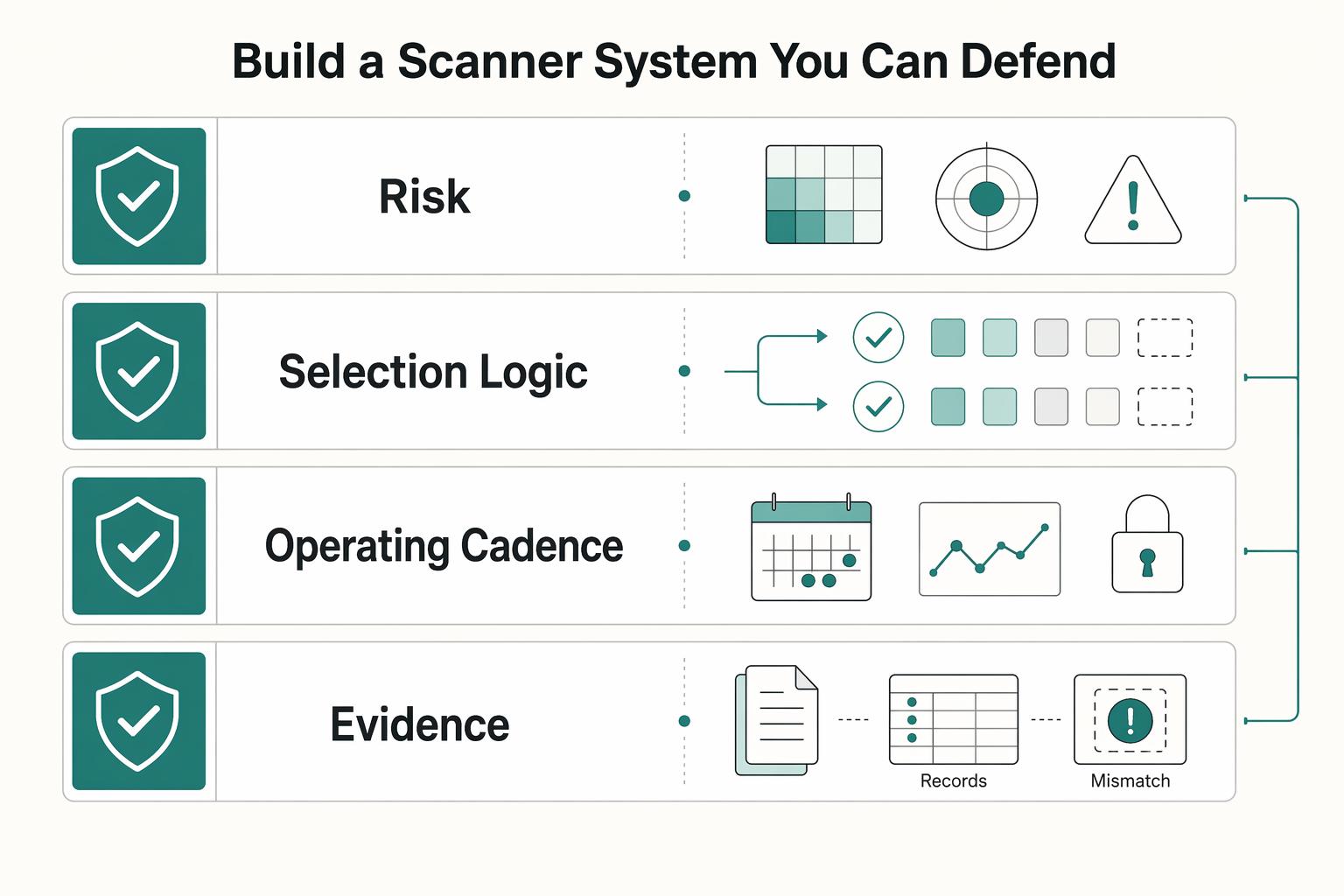
Build a Scanner System You Can Defend#
You are not picking a perfect tool. You are building a scanning system you can explain clearly: why you chose it, what it covers, what it does not cover, and who verifies fixes on rescan.
| System block | Operator action | Evidence required | Failure signal |
|---|---|---|---|
| Risk fit | Rank internet-facing web apps, APIs, and high-risk authenticated paths by business impact, then map scanner depth to those assets first. | Named asset inventory, risk rationale, and defined scope for production or staging. | Critical routes are unscanned, or discovery keeps finding web apps, subdomains, or APIs outside your listed scope. |
| Selection logic | Choose for coverage, accuracy, automation, and practical results, not vendor status. Record why the choice fits your team capacity. | Decision record with selected tool, rejected options, and open unknowns. | You cannot explain the choice beyond "it looked best." |
| Operating cadence | Run scans by written policy and by significant change triggers. Any standard-specific interval must be verified from the current standard or adviser records before use. | Policy reference, scan timestamps, and proof CI/CD hooks or scheduled jobs ran in Jenkins, GitHub Actions, GitLab, or Azure DevOps when used. | Scans run ad hoc, or releases ship without traceable scan records. |
| Evidence standard | Track findings through remediation and retest, including disputed results and approved exceptions. | Finding owner, status, retest proof, exception reason, and next review date. | Findings close without rescan proof, or accepted risk has no owner. |
Make these governance rules explicit:
- Decision rationale: document why your stack fits your risk profile and delivery capacity.
- DAST boundary: state what outside-in testing covers and where other testing methods must pick up, because external perspective scanning is useful but not complete on its own.
- Confidence and unknowns log: keep a short record of unknowns, authentication gaps, and findings still awaiting validation.
- Exception handling: require a named owner, business reason, and review date for every deferred fix.
- Escalation path: define who is engaged when active scanning indicates likely SQL injection, cross-site scripting, or authentication flaws.
- Remediation verification ownership: assign who confirms the fix on rescan, not just who moved the ticket to done.
After you have documented risk priorities, retest proof, and open unknowns, use A Guide to SOC 2 Compliance for SaaS Companies as your next planning reference. If you want a second review of your decision logic or evidence pack, contact Gruv once that material is ready.
Frequently Asked Questions
What is the difference between a web vulnerability scanner and DAST?
A web vulnerability scanner is the tool itself: an automated tool that tests web applications for security vulnerabilities. DAST is the testing method behind many of those tools, meaning dynamic analysis against a running app. Keep those labels separate in your notes so you do not compare a product category with a testing approach.
How do you choose the right scanner if your team is small?
Pick for operating fit, not feature count. You need coverage for the assets you actually test, enough accuracy that developers will trust the findings, automation you can keep running, and output that tells you what to fix first. Choose the option your team can triage and rescan consistently, then confirm it can handle the access patterns your app requires, including authenticated workflows when needed.
Do you need authenticated and unauthenticated scans?
Often, because they answer different questions. Unauthenticated testing shows what an outsider can reach, while authenticated testing can cover areas that require login, and some scan workflows need authentication material provided before testing. Document which routes are public, which need login, and verify that your scan evidence shows what was actually exercised.
Which scan mode matters most, passive or active?
There are two primary approaches: passive and active. Passive checks are non-intrusive and useful for routine observation, while active scans simulate attacks and give you deeper signal but require more care around targets and timing. Use passive checks for broad recurring visibility, then use active testing when you need stronger validation.
What makes scanning useful for compliance and audit readiness?
Scanning supports audit readiness when the output is evidence-ready and actionable. A practical checklist is to show what asset was scanned, relevant technical context (such as OS, versions, ports, and services where applicable), how findings map to known vulnerabilities, and which issues are prioritized for remediation. Align that packet to your broader controls with A Guide to SOC 2 Compliance for SaaS Companies.
Is OWASP ZAP enough on its own?
No single outside-perspective scanner is a complete solution on its own. Treat any one tool as part of a broader program, and do not stop at passive or baseline checks when additional active testing or manual validation is needed.
How often should you scan, and what should reporting include?
Set frequency by your risk, change rate, and policy, then write the rule down instead of relying on memory. Avoid hard compliance assumptions until you verify exact framework requirements. Make every report show the affected asset, scan approach used, relevant technical details, and prioritized findings with current remediation status.
Try a related tool
Researched and edited by the Gruv editorial team. Gruv builds cross-border billing, payouts, and finance-operations software for global businesses.
Sources
Includes 4 external sources outside the trusted-domain allowlist.
- digitalcommons.georgiasouthern.edu/cgi/viewcontent.cgitrusted
- ntrs.nasa.gov/api/citations/20150022277/downloads/20150022...trusted
- nvlpubs.nist.gov/nistpubs/SpecialPublications/NIST.SP.800-53r...trusted
- openaccess.uoc.edu/server/api/core/bitstreams/58690946-3180-47b...trusted
- aikido.dev/blog/top-code-vulnerability-scannersexternal
- aipeakflow.com/website-vulnerability-scannersexternal
- appsecsanta.com/sast-toolsexternal
- barrion.io/blog/barrion-vs-competitorsexternal
Educational content only. Not legal, tax, or financial advice.
Related Posts
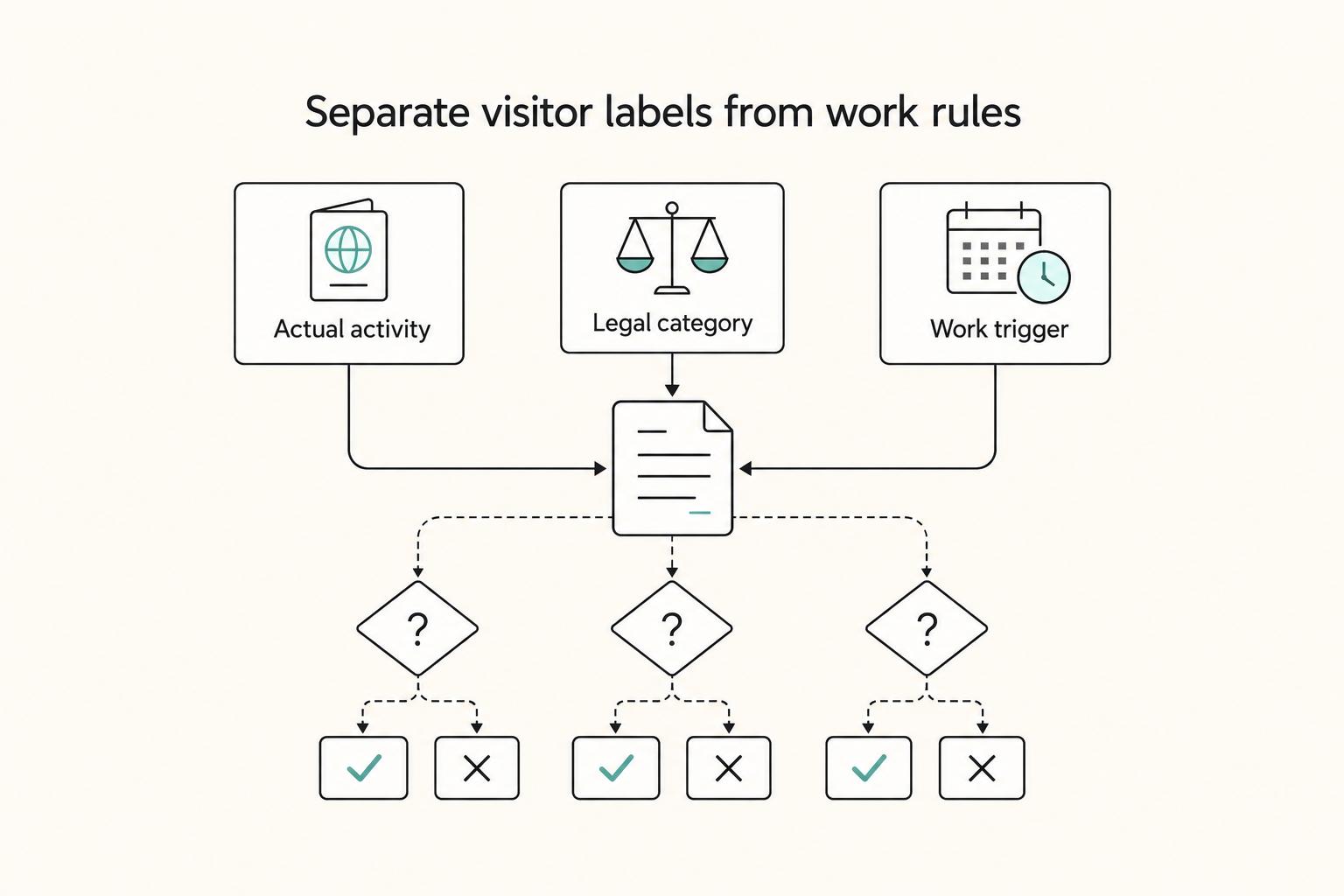
Canada Digital Nomad Visa Planning for Visitor Status and Work Permits
The phrase `canada digital nomad visa` is useful for search, but misleading if you treat it like a legal category. It is shorthand for existing Canadian status options, mainly visitor status and work permit rules, not a standalone visa stream with its own fixed process. That difference is not just technical. It changes how you should plan the trip, describe your purpose at entry, and organize your records before you leave.

The Best Gear for a Portable Home Office
Portable-office gear decisions are not directly tested in this guide, so use this as a practical framework rather than a proven standard.
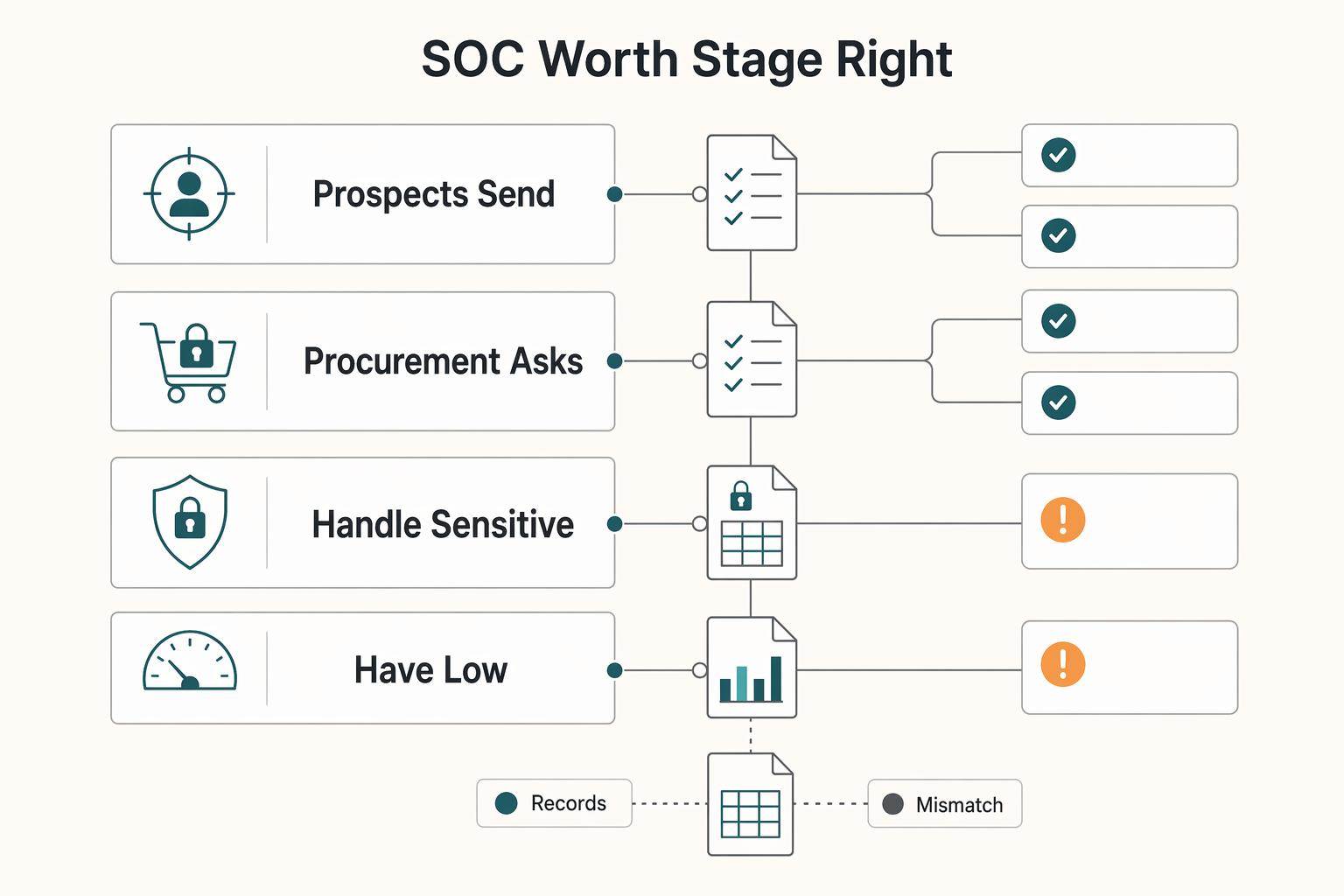
A Guide to SOC 2 Compliance for SaaS Companies
**Build your SOC 2 playbook before sales pressure hits, so you control scope, evidence, and audit timing instead of reacting under stress.** If you're pursuing **[soc 2 compliance for saas](https://www.cobalt.io/learning-center/soc-2-compliance-for-saas)**, treat this guide as a system, not a policy exercise. As the CEO of a business-of-one, you need a SOC 2 plan that protects your calendar as much as your customers. Use it to decide what to implement first, keep the right proof, and connect the work to clearer security controls, cleaner buyer conversations, and fewer fire drills.