
Quick Answer
Pilot Proton Drive for encrypted records and sharing, Sync.com for versioned handoffs, or Tresorit for plan-specific controlled exchange. pCloud separates regular storage from Crypto; Internxt’s filenames remain visible to its systems; Nextcloud with Cryptomator requires deployment and vault-recovery ownership. Test with dummy files, protect recovery material and keep an independent copy before moving sensitive work.
Choose storage around your client files and handoffs#
Start with the files and people involved: private tax records, a client’s signed agreement, a shared design folder or a large video delivery. The right storage setup must protect those files and still let the intended recipient work with them.
You still need speed. Deliverables have deadlines, clients expect links that open on the first click, and retrieval cannot stall when a contract revision is due. The goal is both: keep daily file movement fast while reducing avoidable exposure.
An exposed sharing link, compromised device or missing recovery key can disrupt a solo practice without an enterprise-sized breach. Identify what you cannot afford to expose or lose, then choose the controls and recovery copies needed for that work.
Use three filters to keep the decision practical instead of emotional.
Use-case fit: routine collaboration can live in mainstream storage, but high-sensitivity files need privacy-focused controls you can verify.Daily friction: secure sharing still has to be quick and easy enough for day-to-day work.Shortlist discipline: limit the list to realistic options for independent professionals, then test them in your own process.
Test with dummy files before moving sensitive client material. Share, revoke and restore through the same devices and channels your clients use. Revocation can prevent future access through a service; it cannot erase a copy already downloaded, photographed or exported by a recipient.
How to compare the shortlist#
The comparison below uses current provider documentation for encryption scope, sharing, recovery and operating constraints. It is a shortlist by workflow rather than a measured security ranking. Provider descriptions establish what is documented; a dummy-file pilot checks whether the workflow fits your selected plan and client devices.
| Criterion | What to establish | Pilot action |
|---|---|---|
| Encryption boundary | Content/names/metadata, recovery-key access and optional processing | Read security/terms; inspect relevant selected settings |
| Client sharing | Link vs named invitation, roles and re-sharing | Try an intended and an unintended recipient |
| Recovery | Version window, lost-device/account/data recovery | Restore dummy content without jeopardizing live data |
| Operating fit | Apps, location terms, cost and file workflow | Use representative devices/file sizes and record friction |
Decide which controls matter for the particular folder. Sensitive records may need protection from provider-side access, while an active review folder may need editing, uploads and a clear record of approved versions.
An account test cannot prove that cryptographic implementation is sound or that a provider meets every legal obligation. For high-scrutiny work, also review the relevant security documentation, current independent assurance and any client-required data-processing terms. Check the audit’s scope and remediation status rather than treating a logo as proof.
Keep a short decision record: selected provider and plan, protected data, recipient workflow, recovery method, remaining limitations and the date you checked them. Avoid creating a paperwork requirement that is unrelated to the actual risk.
Compare encryption scope and practical fit#
Use this comparison to select two candidates for a pilot. Features and recovery windows vary by plan; check the current plan before paying. The workflow recommendations are editorial judgments based on the documented features below.
Encryption scope matters more than a blanket “encrypted” label. Content, filenames, metadata, previews, recovery keys and ordinary public links can have different protection. A data-center choice also does not mean that every operational record stays in that same country.
| Provider/setup | Documented scope | Suggested pilot fit | Decision to make |
|---|---|---|---|
| Proton Drive | E2EE file contents/names; invitation and link controls | Hosted encrypted records and external review | Editor re-sharing and account vs data recovery |
| Sync.com | E2EE core; optional processing and recovery escrow alter scope | Revision-heavy folder handoffs | Privacy Center settings, plan controls and retention |
| pCloud | Regular storage plus separate client-side Crypto space | Everyday files/media; separately evaluate encrypted team work | Actual folder type, region and Business sharing eligibility |
| Tresorit | Encrypted sharing; plan-specific controls/residency | Sensitive one-way exchange or restricted workspace | Selected plan rights and metadata location |
| Internxt | Client-side content encryption; names/structure visible to systems | Storage where that metadata boundary is acceptable | Backup-key recovery and actual recipient workflow |
| Nextcloud + Cryptomator | Deployment controls plus client-side vault; SSE is separate | Controlled archive with capable operator/managed host | Maintenance, whole-vault recovery and recipient decryption |
Pause the affected migration if a control essential to your use case is missing or fails. One critical failure can be enough; counting two unknown cells is not a meaningful security test. Run this minimum pilot:
- Read the selected product’s security, sharing and recovery documentation, including plan limitations.
- Upload dummy content, share through the intended route, revoke it and test a new request from both an existing session and a fresh browser.
- Restore and export sample content, record the result and keep an independent copy.
Use the results to decide whether the provider fits, and keep only the evidence you need to explain the choice. A failed preview, unexpected editor permission or unavailable recovery route is a concrete reason to change the setup.
Proton Drive for encrypted records and external sharing#
Start with Proton Drive if you want content and filenames protected with end-to-end encryption and a hosted service. Its current tools also include document and spreadsheet collaboration, so test your actual review task rather than assuming privacy necessarily excludes editing.
Proton documents client-side protection of file contents and names. The security model explains how sharing keys and encrypted content are handled. That design does not protect a file after an authorized recipient copies it to an unsafe device.
Proton’s sharing controls include email invitations and public links with password/expiry settings. Editors can manage access and reshare by default; switch that capability off where your handoff requires tighter control. Choose named recipients or a carefully distributed link according to the client’s needs.
Keep account recovery and data recovery separate:
- Keep finalized records in a narrowly shared space.
- Configure a supported password-reset method and separate encrypted-data recovery; Proton’s recovery file restores data after reset but does not reset the password.
- Keep recovery material protected and available if the primary device/account is lost.
Run this checkpoint before migration:
- Upload a dummy PDF and a representative document for review.
- Share with the intended non-owner account; check Viewer/Editor rights and re-sharing settings.
- Remove the invitation and/or link, then test new access requests without signing out first and from a fresh browser.
- Document which access ended; do not interpret the test as erasing an already downloaded copy.
Repeat the pilot on the client’s usual device and with a dummy document of the same type as the live deliverable. Verify the intended editor permissions and any re-sharing capability. Record whether preview, editing or downloading changes the recipient experience.
Sync.com for versioned client handoffs#
Sync.com is a candidate for recurring folder handoffs and revision recovery. Its free-plan page currently lists 5 GB, 30-day version/deleted-file history and 2FA. More advanced link controls and longer recovery periods depend on the paid plan.
Review the current terms, section 17, as well as the feature list. Core storage is E2EE by default, but selected preview or other features may involve server-side processing. Email-based password recovery uses an escrowed encryption key and is not a strictly zero-knowledge configuration. Decide which features and recovery tradeoff your client data permits.
A recoverable earlier version can help resolve accidental overwrites or conflicting edits. Keep the client’s approved version and approval message together; version history alone does not establish which version was authorized.
Where Sync.com earns its spot#
The free tier can support a small dummy-file pilot. Before relying on version history for a long project, check the selected plan’s actual retention period and restore a file near the age you expect to need. A recovery window is not a substitute for the retention or independent backup your work requires.
This matters in real client scenarios:
- A stakeholder asks to restore a prior copy after approving a newer one.
- Two reviewers send conflicting changes and you need a neutral reference point.
- A file is replaced too early and you need to recover before billing discussions escalate.
When those moments happen, fast version recovery protects both timeline and relationship.
Tradeoffs to decide early#
Test upload/download time for representative deliverables rather than accepting generic fast/slow ratings. Sync’s current app list names Windows, macOS, iOS, Android and web. If you require a Linux client, WebDAV or a particular integration, obtain explicit current support documentation before committing.
Decide these constraints early:
- If transfer speed is critical, test with representative dummy files matching your actual deliverables’ sizes and types.
- If Linux or WebDAV is required in your setup, treat those as hard gates before migration.
- If client recipients resist link behavior, document a clear handoff method and keep it consistent.
Weekly handoff pattern to validate#
- Create one client handoff folder and upload current deliverables plus one revision file.
- Share to a non-owner test account and verify open and download behavior.
- Replace one file with a new revision and confirm the earlier version remains recoverable.
- Remove the applicable links and membership at the end of the test; check new access requests in existing and fresh sessions, then record version and recovery results.
Repeat the handoff if your real process varies across revisions or devices. Use the result to fix a specific permissions or recipient problem; two successful cycles are a practical rehearsal, not an assurance standard.
pCloud for regular files with a separate encryption decision#
pCloud can fit everyday storage, media archives and client delivery. Treat its normal storage and Crypto folder as separate privacy scopes. Do not assume every file in the account receives client-side encryption because the account has an encryption option.
Its data-region guidance documents EU and US choices. Folder invitations require the collaborators to be in the same data region, while sharing links provide a different cross-region route. Confirm the region and recipient workflow before uploading a client archive.
Compare the total plan cost, encryption option and required collaboration features. A large storage allowance or lifetime offer does not decide whether the recovery and privacy arrangements fit your business.
What makes pCloud useful day to day#
Regular folders support sharing and account collaboration, while pCloud Encryption applies to files placed in the Crypto folder. The current Business encryption workflow describes inviting Business members or teams to encrypted subfolders. Do not generalize that workflow to ordinary anonymous client links or every personal plan.
Make the chosen folder type explicit in your pilot:
- Can you set the location that matches contract expectations?
- Are sharing permissions clear enough for non-technical recipients?
- Does revocation behave the same way every time?
Where teams get surprised#
A regular shared folder is not equivalent to a Crypto folder. Check the selected product’s encryption scope, membership and recovery behavior. For Business encrypted collaboration, document the Crypto Pass and access rights; send a temporary secret through a separate trusted channel. Do not describe the whole account as zero-knowledge.
Prevent mixed-use drift: a delivery folder can accumulate tax documents or signed contracts. Keep confidential records in the intended protected space, with an owner who checks that new uploads actually landed there.
Use deliberate folder boundaries:
- Keep media-heavy delivery folders in your normal collaboration stack.
- Isolate contracts, signed documents, and tax files in restricted folders with tighter sharing permissions.
- Review folder membership weekly until the split becomes habit.
Run one verification pass before full rollout:
- Pilot with a copy of one delivery folder and one archive folder.
- Confirm the actual data region and whether invited collaborators are on that region.
- Test the selected regular/Crypto sharing mode with intended recipients; revoke and check new access in existing and fresh sessions.
- Keep the location, permissions, encryption-space and recovery notes with the decision.
Tresorit for controlled sensitive-file exchange#
Tresorit is a candidate when you need encrypted sharing with configurable recipient and administrative controls. Start by distinguishing one-way links from membership in a collaborative folder; they serve different delivery patterns.
The current storage-location documentation identifies Ireland as the default content location for non-Swiss customers and Switzerland for Swiss customers. Business, Business Pro and Enterprise plans offer selected residency options. Operational/access-related metadata remains in Ireland, so content residency is not a promise about all data.
This kind of client work rarely rewards improvisation. The platform choice should support clear permission boundaries, documented residency settings, and predictable offboarding behavior when reviewers no longer need access.
Why risk-averse clients choose it#
Tresorit’s link guidance documents passwords, expiration dates, open limits, logs and other settings, with availability depending on the plan. These can support a specific client handoff. They do not make the freelancer automatically compliant with GDPR, health-data rules or a procurement standard.
Check which controls are included in the actual plan and whether client recipients can use the delivery route. If a client requires named access, approval records or a specified location, verify those requirements before selecting a general one-way link.
Use a fit test:
- High-sensitivity diligence or legal exchange: overhead is often justified.
- Routine asset review with low sensitivity: overhead can be excessive.
- Mixed portfolios: reserve strict spaces for strict data, keep routine collaboration elsewhere.
M&A and diligence handoff pattern#
For a diligence or legal exchange, use a dedicated workspace, agreed recipients and a clear closing date. Test with a dummy model, checklist and signed-file placeholder rather than uploading confidential deal material during the pilot.
- Check that the selected plan supports the required content location and document the separate metadata location.
- Upload a dummy model, checklist and signed-file placeholder.
- Use the intended link or folder membership; verify denial for a non-invited account where named access is required.
- Remove membership/links and test new requests in existing and fresh sessions.
- Retain relevant permission, activity and closeout records.
Rehearse closeout: remove membership and public links separately, check new requests from prior recipients and retain the relevant activity/approval record. Downloads already made remain outside link revocation; agree handling and deletion duties with recipients where needed.
Internxt when content encryption fits your metadata needs#
Internxt documents client-side encryption of file contents, but its metadata explanation says filenames, folder structure, sizes and timestamps remain visible to its systems. If a filename itself identifies a sensitive client or matter, this distinction belongs in the selection decision.
Evaluate the actual application and sharing route with dummy files. Compare how recipients open the file, whether collaboration is possible and which access settings are available in your plan. EU-oriented branding is not evidence of a particular storage location or contractual transfer arrangement.
Internxt’s recovery guidance recommends a backup key and warns that the forgotten-password reset route can erase account data. Set up and securely store the supported recovery material before putting irreplaceable records in the account. An active-session password change and a lost-account reset are different procedures.
Use the pilot to answer these questions:
- Are visible filenames or folder names acceptable under the client’s confidentiality needs?
- Can recipients use the intended link/invitation without unexpected privileges?
- Can you recover encrypted content after a lost device or forgotten password without destroying the only copy?
Retain the product and handling information relevant to your client:
- The selected plan’s security, sharing and recovery documentation.
- Any required data-processing/transfer terms and verified content-location details.
- The scope/date of any independent assurance relied on.
- Dummy-file collaboration, permission, revocation and restoration results.
Start with a copy of one small archive, verify contents after download and confirm that the original remains available independently. Only expand after sharing and recovery are understood. Keep active editing on the established safe route until you have tested its replacement.
Nextcloud with Cryptomator for control you can maintain#
Nextcloud gives you deployment control, including the option of a managed host. Self-hosting adds responsibility for patching, authentication, server backups and recovery. Cryptomator provides a separate client-side encrypted vault; it does not manage those server operations for you.
- Deployment: choose self-managed or suitably managed Nextcloud and identify who maintains the server.
- Vault: use Cryptomator for content/name encryption where needed, with a protected password/recovery key.
- Backups: preserve a complete vault and the server data/configuration/database needed for your deployment.
- Recovery: restore and decrypt representative dummy files; set retention from actual obligations rather than a universal ten-year rule.
Nextcloud server-side encryption is a different feature from E2EE. The administration manual says SSE does not protect against a compromised server or malicious administrator and does not encrypt filenames. Choose the encryption layer for the threat you actually need to address.
A practical adoption path:
- Start with archive material that changes less often.
- Keep active collaboration in your current stack until stability is proven.
- Narrow permissions early and keep access lists short.
- Schedule encrypted copies and run restore checks on a fixed cadence.
For Cryptomator, back up the complete vault and keep its password or recovery key available through a protected route. The recovery-key documentation explains what the key can restore. Test opening a restored vault; do not assume that restoring a single encrypted object recreates a usable file.
A client cannot normally preview an ordinary encrypted vault through a standard storage link as though it were a PDF. Plan a supported vault-sharing workflow or deliberately export the needed plaintext to a separate authorized handoff. Exporting changes the protection boundary. Use a managed service if you cannot maintain the deployment and recovery work.
Other options to assess for a specific requirement#
If one of the six approaches fails an essential requirement, the following products can be additional candidates. Compare their actual encryption scope and sharing mode rather than adding names to a ranking.
Different products separate ordinary storage, encrypted areas and backup features differently. A provider’s general sharing claim may not apply to its encrypted area. Verify the exact folder and application you intend to use.
- MEGA: if a client already uses it, check the current account, sharing and recovery documentation against your needs before adopting it.
- Icedrive: its current encryption help says sharing files from the encrypted area is not supported; check that boundary before planning client delivery.
- NordLocker: its documentation offers encrypted sharing via email or links; pilot the selected recipient mode and recovery path.
- IONOS HiDrive: the product page makes E2EE plan/add-on dependent; confirm activation and the required client application.
Avoid two common errors with secondary options:
- Choosing based on a ranking position without checking current account settings.
- Assuming a niche fit is universal across client types and file sensitivity.
Run one focused validation pass and keep the evidence together:
- Sharing controls: test required expiry, recipient limits, roles and future-access revocation on the selected plan.
- Recovery: inspect and safely rehearse the documented lost-device/data route with dummy material rather than resetting the live account.
- Client terms: check required data-processing/location terms and the scope of any independent assurance.
- Evidence: retain current product documentation and the actual pilot results before relying on an essential control.
Stop the pilot when an essential control fails, identify the cause and change the provider, plan or workflow. Avoid moving the same client data repeatedly between untested tools.
Configure access and recovery before moving live files#
Use a focused setup pass with dummy files. Enable the supported account controls, restrict the intended sharing route and establish an independent recovery copy. Then test the specific restore actions your project needs; every provider need not offer a whole-account point-in-time restore.
| Area | Setup action | What to test |
|---|---|---|
| Account | Supported MFA, safe recovery, approved devices | A legitimate recovery route and removed stale access |
| Sharing | Narrow invitations/links and roles | Intended recipient works; unwanted recipient denied |
| Encryption | Correct storage space and feature settings | Documented boundary matches the client requirement |
| Recovery | Required version/deletion window and independent backup | Restore usable sample content |
| Portability | Export route and readable second copy | Files open without the primary account |
- Enable supported account protection and protect recovery material.
- Set folder roles, link passwords/expiry where needed and any editor re-sharing permission deliberately.
- Confirm the selected storage space’s encryption and optional processing settings.
- Restore representative versions/deleted files within the documented plan window.
- Verify an independent backup/export; use immutable or offline protection where the backup product supports it.
Sync helps with access and copies current changes, including accidental deletion or corruption. Version history offers a time-limited recovery path. An independent backup should remain available if the primary account, provider or recovery credentials fail.
Use this quick execution sequence right after setup:
- Confirm the independent copy is available outside the primary account.
- Restore a dummy file from the supported version/deletion history.
- If your backup product offers point-in-time restore, test the required snapshot rather than assuming ordinary storage provides it.
- Check that restored files open and, for a vault, decrypt correctly.
- Record the date, scope and result of the recovery test.
If an essential control or restore check fails, keep that data on the existing safe route while you resolve it. A missing optional feature does not by itself require abandoning a setup that meets the actual need.
Mistakes that cause leaks and lockouts#
Check for mistakes at the places where permissions, devices and copies change.
| Mistake | Why it matters | Guardrail focus |
|---|---|---|
| Link sharing misconfiguration | A broad link or stale invitation can expose files beyond the intended recipient | Restricted recipient access; recheck link behavior after permission changes; remove old links |
| Recovery gaps that weaken account security | Lost recovery material can lock out the owner; an unauthorized session can bypass the intended login controls | Protect recovery details; remove stale trusted devices; retest recovery after major security changes |
| Single-vendor dependence without migration readiness | Lock-in risk can come from identity coupling, proprietary services, and migration friction | Maintain a documented export route; confirm restored files in a second location; drill priority folders first |
| Assuming settings stay correct forever | Settings can drift as products and defaults change; attackers may steal data, delete files, or misuse resources | Re-verify non-negotiables; audit external shares and stale invites; keep dated screenshots |
1. Link sharing misconfiguration#
A link can be forwarded, an editor can reshare or an old folder invitation can survive a project’s close. Test the intended recipient access and the denial case. Then remove obsolete links and membership separately; a password on one link does not constrain every other access route.
Practical guardrails:
- Default to restricted recipient access for sensitive folders.
- Confirm effective recipient permissions before each new sharing pattern.
- Recheck link behavior after permission changes, not just before first send.
- Remove old links when a project closes.
2. Recovery gaps that weaken account security#
Encryption does not stop an attacker using an authorized session or an unlocked local copy. Protect devices and recovery routes, remove stale access and store recovery secrets separately from broadly shared folders. Verify the documented recovery procedure without resetting the live production account just to run a drill.
Practical guardrails:
- Protect recovery details with the same care as primary credentials.
- Remove stale trusted devices on a regular cadence.
- Retest recovery after major security changes.
- Keep one documented recovery path that works without guesswork.
3. Single-vendor dependence without migration readiness#
Lock-in risk often comes from identity coupling, proprietary services, and migration friction. If portability is never tested, moving data under pressure becomes harder and riskier. Keep an export-and-restore path ready so you can move critical files if access, policy, or operating conditions change, even when you expect to stay with the same provider.
Practical guardrails:
- Maintain at least one documented export route for priority folders.
- Confirm restored files remain usable in a second location.
- Track which folders are business-critical and migrate those first in drills.
- Update this path when account structure changes.
4. Assuming settings stay correct forever#
Review settings when a plan, app, team or sharing pattern changes. A new preview feature or a different role can alter the protection you relied on. Keep the relevant settings record and retest the changed workflow.
Practical guardrails:
- Re-verify non-negotiables on a recurring cadence.
- Audit external shares and stale invites.
- Reconfirm recovery behavior after major updates.
- Keep dated screenshots so changes are visible over time.
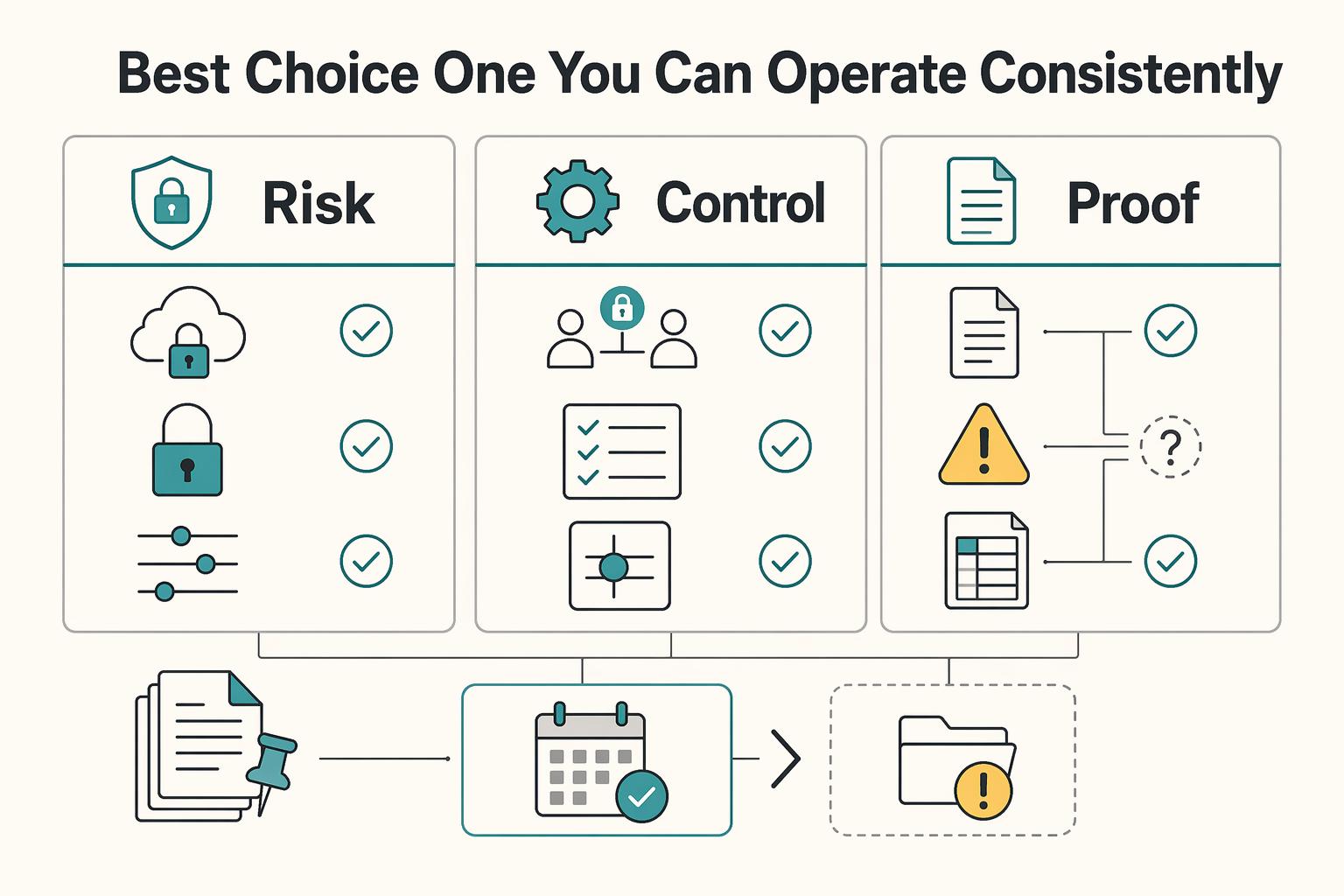
The best choice is the one you can operate consistently#
Select the provider and plan whose documented protection and tested handoff match the client’s work. Record the encryption boundary, recipient rights, recovery route and independent copy, and review them when something changes.
- Verify the boundary. Read security, sharing and recovery terms for the selected product/plan, including optional processing and metadata.
- Pilot the actual handoff. Use dummy files to test intended/unintended access, re-sharing, future-access revocation and usable restoration.
- Keep recovery and review practical. Maintain an independent copy and protected recovery material, then recheck when accounts, plans or sharing needs change.
If two candidates meet the essential requirements, compare the actual handoff effort and total recurring cost. Keep the reason for the choice and the outstanding limitations. A pilot verifies your operating workflow; cryptographic assurance and legal applicability require their own evidence.
Frequently Asked Questions
What features are mandatory in the best secure cloud storage for freelancers?
Choose controls for the files: supported account protection, appropriate encryption scope, narrow recipient access and a usable recovery route. Sensitive work may also require client-approved data-processing terms or location settings. Verify the selected plan and test the actual handoff; there is no single feature checklist for every freelancer.
Is zero-knowledge encryption enough without strong account recovery and access controls?
No. A compromised device, authorized session or recipient download can expose files despite content encryption. Recovery options and optional server-side features can also change who can access keys or content. Read the provider’s documented scope and protect the actual account and endpoints.
How should I choose between hosted encrypted storage and self-hosting with Nextcloud?
Choose hosted storage when you want the provider to manage the service infrastructure and your required controls are available. Choose self-managed Nextcloud only if you can own patching, authentication, backups and restoration, or have a suitable managed host. Cryptomator adds vault encryption with its own key and sharing workflow; it does not remove those duties.
Which provider gives the best balance of privacy and client-friendly collaboration?
Pilot Proton Drive for hosted encrypted records and sharing, Sync.com for revision-heavy folder handoffs, and Tresorit when the selected plan’s link/admin controls fit stricter client handling. The best fit depends on recipients, file types and recovery needs. pCloud’s regular and Crypto spaces and Internxt’s visible filenames require separate privacy decisions.
Do I need Cryptomator if my provider already offers end-to-end encryption?
Only if it addresses a gap you actually have, such as protecting an ordinary provider’s content and filenames from provider-side access. If the existing encrypted workflow meets your need, another vault may add friction and another recovery dependency. Standard storage-link preview will not automatically decrypt a Cryptomator vault for the recipient.
What should I verify first when moving from Google Drive or Dropbox to a secure option?
Use a copy of a representative dummy folder to check permissions, recipient devices, re-sharing, future-access revocation, version restoration and export. Confirm recovery material and an independent copy before moving sensitive files. Revoking a share cannot recall downloads already made.
Researched and edited by the Gruv editorial team. Gruv builds cross-border billing, payouts, and finance-operations software for global businesses.
Sources
Includes 8 external sources outside the trusted-domain allowlist.
- blog.pcloud.com/getting-started-with-encrypted-collaborationexternal
- docs.cryptomator.org/desktop/password-and-recovery-keyexternal
- docs.cryptomator.org/security/best-practicesexternal
- docs.nextcloud.com/server/latest/admin_manual/configuration_fil...external
- docs.nextcloud.com/server/latest/admin_manual/maintenance/backu...external
- help.internxt.com/en/articles/17094726-how-does-internxt-handl...external
- help.internxt.com/en/articles/5359486-does-internxt-store-my-p...external
- help.pcloud.com/article/data-regionsexternal
Educational content only. Not legal, tax, or financial advice.
Related Posts

The Freelance Payment Penalty: A Modeled Audit of Platform Fees, FX Spreads, and Payout Delays
The money rarely disappears through a single, easy-to-spot fee. The real loss is stacked. A marketplace takes its commission, a processor adds a charge for international cards, a bank or payment company converts the currency at a spread, a platform holds the funds before release, and a wire sheds a little to intermediaries on the way in. Each layer looks defensible on its own, but the worker feels the combined result as a smaller deposit and a later payday.

How to Respond to a Subpoena for Business Records
Move fast, but do not produce records on instinct. If you need to **respond to a subpoena for business records**, your immediate job is to control deadlines, preserve records, and make any later production defensible.

A US Expat's Guide to Investing in UCITS ETFs to Avoid PFIC Issues
The real problem is a two-system conflict. U.S. tax treatment can punish the wrong fund choice, while local product-access constraints can block the funds you want to buy in the first place. For **us expat ucits etfs**, the practical question is not "Which product is best?" It is "What can I access, report, and keep doing every year without guessing?" Use this four-part filter before any trade: