
Quick Answer
Choose one tool, narrow to two finalists, and run both on real client work before committing. For project management for developers, the best option is the one that keeps backlog order, ownership, and client decisions readable by Friday without relying on side-chat recaps. Test the same sample tasks in Jira, Asana, Trello, Linear, or GitHub Projects, then keep the setup where status updates stay quick and handoffs stay clear.
How to Choose the Right Project Management Tool#
Freelance delivery gets more predictable when planning and client updates follow one clear setup instead of improvised tickets and scattered chat threads. In practice, project management for developers means planning, scheduling, and organizing software work so scope, time, quality, and stakeholder expectations stay aligned.
No single tool is best for every freelancer. The goal is to choose a tool that matches how your work actually arrives, then stick with it long enough to see whether clarity improves.
This list compares eight options and keeps the decision grounded. You will see where each tool fits, where it creates friction, and how to test fit before committing. This is less about feature breadth than whether your backlog, client decisions, delivery status, and tracked time stay understandable during a normal week.
Admin creep is a common failure mode. Without a clear system, work can slide into admin-heavy operations instead of strategic delivery.
Start lean. Test your board on live client work. Review weekly with the same checkpoints every time. If delivered work, client approvals, and tracked hours line up cleanly, keep what works and resist unnecessary redesign.
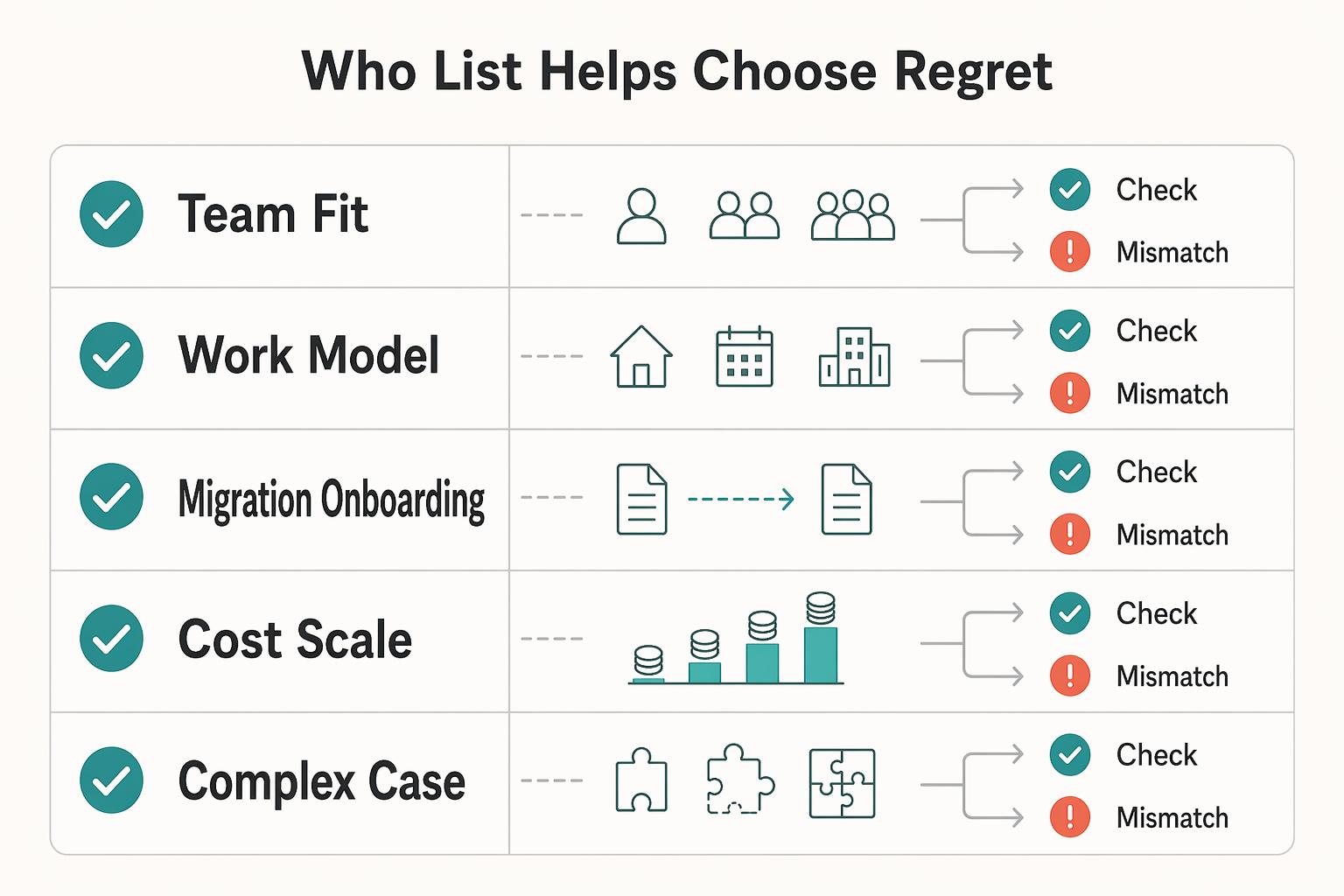
Who this list helps and how to choose without regret#
Use this list if you're choosing a tool based on team size and workflow, not just a long feature list.
| Criterion | What to check |
|---|---|
| Team fit | Does it match your current team size and workflow? |
| Work model fit | Can it support the views you actually use, such as lists, boards, Gantt charts, and dashboards? |
| Migration and onboarding effort | How hard is the switch, and how quickly can people use it correctly? |
| Cost and scale | What is the total cost of ownership now, and does it still make sense as workload grows? |
| Delivery complexity fit | If your projects involve distributed teams, microservices, or continuous deployment, can it keep status clear? |
If you're working solo or with a small team, start by defining the visibility you need for ownership, current status, and next actions. As collaboration grows, use that same baseline to decide whether you need a fuller platform.
Use the same checklist across every trial so you are comparing like with like, not reacting to novelty.
Apply the same sample work in each trial. Use the same type of requests, the same expected client updates, and the same weekly review questions. Changing test conditions between tools makes comparison less useful.
Add one red-flag check during trial weeks. If ownership is unclear on active tasks, or if decisions still live in side chat by Friday, the setup is not ready yet. Fix the structure before you add more automation.
Run a short trial on real delivery, then keep the option that stays easy to read under normal pressure. Prioritize clearer handoffs over a longer feature list.
Quick comparison table for solo freelance developer work#
Use this table to narrow choices quickly, not to pick a universal winner. Fit depends on work intake pattern, client communication needs, and how many timelines you manage at once.
| Tool | Best fit | Watch-out |
|---|---|---|
| Jira | High coordination load across maintenance and feature delivery | Early over-configuration can make onboarding feel heavier and reporting harder to trust |
| Asana | Client coordination is the main risk and deep engineering triage is less central to the work | If your delivery depends on dense issue breakdowns, run the same real task set in Asana, Jira, and Linear before committing |
| Linear | Weekly shipping depends on fast issue capture and disciplined triage, not heavy approval routing | If intake issues are not ranked quickly, a board can look clean while priorities stay unclear |
| Trello | Simple starting structure with clear stage-by-stage visibility | The main risk is board drift |
| GitHub Projects | Planning and delivery already happen in GitHub and you want tracking tied directly to repository activity | A common tradeoff can be readability for non-technical stakeholders |
| Zenhub | Advanced planning while keeping execution in GitHub | You may still need a separate plain-language status summary for clients |
| ClickUp | Your week mixes engineering delivery and client operations, and you want both in one place | The risk is over-customization |
| Basecamp | Communication clarity is the main delivery risk, not ticket taxonomy | Larger enterprise workflows may need a different setup |
A useful reality check: one 2026 freelance roundup compares 8 options, while another 2026 solopreneur roundup lists 13. That spread is a reminder to test on real delivery conditions, not chase a single label. Those roundup labels can help as starting points, such as Trello for visual task boards and ClickUp for customizable views, but they do not replace a live trial on your own work.
Use elimination rules, not optimism. These checks prevent long trials that never produce a clear decision:
- Narrow to two finalists and run a short trial on live client work.
- Eliminate any option where status updates take longer than the update itself.
- Cut tools that make time tracking inconsistent.
- If status is still unclear week to week, treat it as a trust risk and move on.
When you test finalists, record the same evidence from each week: backlog changes, blockers, shipped items, and client decisions. A side-by-side record keeps the final choice grounded in outcomes instead of personal preference. Related: The Best CRMs for Freelancers to Manage Client Relationships.
Jira#
Pick Jira when your freelance work has a high coordination load across maintenance and feature delivery. Atlassian positions it as issue and project tracking software for planning, tracking, and delivering work.
Its practical advantage is structure. Jira supports Scrum and Kanban with boards and backlogs, so you can run different delivery rhythms in one tool.
The main risk is early over-configuration. Too many issue types, statuses, and board rules too soon can make onboarding feel heavier and reporting harder to trust. You may lose more time managing setup than managing delivery.
A simple starter setup is one shared backlog for intake, one execution board, and one weekly planning check. Keep the initial status model tight, then expand only when recurring work patterns justify it.
Use clear issue intake rules from day one. Each new request should include owner, impact, expected outcome, and current priority. Missing details create backlog debt.
In your weekly review, check three failure signals before calling the board healthy:
- Work in progress grows while done items stay flat.
- Review tasks sit in active columns without a dated next step.
- One request appears in multiple issues because intake was not centralized.
If one of those patterns repeats, reduce board complexity before adding more automations. Boards are easier to manage when status states stay meaningful and backlog order remains intentional.
Asana#
Use Asana when client coordination is the main risk and deep engineering triage is less central to the work. It gives clients and collaborators one shared place to track and manage work.
Asana describes project management as organizing, tracking, and executing work from day one to deadline. That fits projects like website redesigns where design, copy, and development handoffs must stay visible on one timeline.
Two signals support that fit. Asana states that 85% of Fortune 100 companies choose it, and its developer resources include integration support plus an app directory with 200+ partners.
If your delivery depends on dense issue breakdowns, run the same real task set in Asana, Jira, and Linear before committing.
Use this quick trial checklist to confirm whether Asana can carry real client pressure:
- Run one live redesign with design, copy, and development dependencies in one timeline.
- By week end, confirm every active work item has clear ownership, a deadline, and the latest client decision.
- If status still depends on side email or chat recaps, tighten task structure before scaling.
One clean way to keep Asana usable is to separate planning work from execution work early. Planning items can cover approvals and content dependencies. Execution items can cover build and QA steps. Mixing both in the same item often hides who is waiting on whom.
If client approvals are your bottleneck, make approval status visible on the relevant work items and review those first in your weekly check. This keeps delays obvious before they affect delivery dates.
Linear#
Consider Linear when weekly shipping depends on fast issue capture and disciplined triage, not heavy approval routing. Linear is positioned as a product development system, and its example shows state movement from Todo to In Progress.
For freelance delivery, that usually means explicit priorities, limited work in progress, and strict issue states so carryover stays visible. If your current setup feels loose for weekly shipping, Linear may add structure.
A weekly baseline keeps triage honest and reduces hidden carryover:
- Start with one ranked backlog and pull only work that can ship this cycle.
- Set clear work-in-progress limits so blocked items surface early.
- Keep statuses current, for example
TodoandIn Progress, and avoid stale active tasks. - End the week with a shipped summary linked to completed issues and client decisions.
Verification checkpoint: by week end, each active issue should have one owner, one current state, and one clear next action. If items stay in progress across multiple cycles, split scope or lower work in progress before adding new work.
One important clarification: Linear the product is not the same thing as linear project management in the Waterfall sense. If a client asks for a linear approach, confirm whether they mean the app or a phase-by-phase delivery model.
Linear workflows still depend on triage discipline. If intake issues are not ranked quickly, a board can look clean while priorities stay unclear. Protect a short intake pass each week so new work does not bypass backlog order.
A useful contrast: if most delays come from external approvals, use a process optimized for approvals and handoffs. If delays come from weak prioritization and stale issue states, use a process optimized for ranking and state hygiene.
Trello#
Choose Trello's Project Management template when you want a simple starting structure with clear stage-by-stage visibility.
Trello has a dedicated Project management templates category, including a template named Project Management. Trello describes that template as a basic structure you can adapt for projects big or small.
For fixed-scope work, define explicit stages that match your process, then set move rules so cards do not drift.
Use this baseline to keep the board usable as work grows:
- Start from the Project Management template, then rename lists in client language.
- Keep a
Resources (Start Here!)list for meeting schedules and repeated questions. - Use one consistent card format with owner, scope note, and done criteria.
- Run a regular cleanup to archive stale cards and tighten vague titles.
The main risk is board drift. A recurring review cycle helps keep list definitions and card movement consistent. If active cards linger across cycles, reduce work in progress before adding new intake.
Board rules matter more than add-ons. Decide what qualifies as ready for each stage, what evidence is required before completion, and when a card must move to blocked. Without those rules, columns become labels instead of decision signals.
In practice, Trello may be enough for a fixed-scope build with clear handoffs. If support requests and feature work start mixing, tighten list rules before you decide whether to move to a tool with stronger backlog controls.
GitHub Projects#
Use GitHub Projects when planning and delivery already happen in GitHub and you want tracking tied directly to repository activity.
A project is an adaptable collection of items, not one fixed board. You can track issues, pull requests, and ideas, then view the same work as a table, kanban board, or roadmap. Multiple views with filtering, sorting, and grouping let daily triage and milestone planning stay in one place.
One practical advantage is execution clarity. Items can link directly to issues and pull requests, custom fields capture team-specific metadata, and sub-issues split larger requests into trackable parts. A common tradeoff is readability for non-technical stakeholders, so add a short plain-language weekly update.
A practical retainer pattern is to log intake as issues, split larger requests into sub-issues, and close delivery against linked pull requests. That can create a clean chain from request to shipped change and reduce duplicate tracking elsewhere.
- Create one active project with a view focused on the current week.
- Add custom fields for owner, priority, target week, and client-facing status.
- Keep a kanban view for daily movement and a table or roadmap view for planned milestones.
- Require each active item to link to an issue or pull request.
- Keep a separate backlog view for unscheduled requests.
In your weekly review, confirm every in-progress item has one owner, one linked issue or pull request, and one next step. This check can quickly expose stalled work and weak handoffs.
Client communication is the key tradeoff to solve early. Engineers can read issue and pull request trails quickly, but some clients may not. Pair your GitHub view with a short status note that translates technical progress into client outcomes and pending decisions.
If most tasks originate in repositories, GitHub Projects can reduce context switching. If much of your delivery happens outside code, you may need a companion tool for broader stakeholder visibility.
Zenhub#
Zenhub is a GitHub-native project management option when you want advanced planning while keeping execution in GitHub. It is positioned for developers who work mainly in GitHub, with task management, collaboration, and progress tracking tied to repository activity.
The main upside is less context switching and less manual board upkeep. Zenhub describes automation and automatic progress tracking as work moves through stages, with visibility through burndown charts, velocity tracking, and roadmaps.
For freelance work, it can fit well when support spans multiple repositories and release priorities need to stay aligned in one place. If your workload is mostly single-repo and low volume, a lighter setup may be simpler. You may still need a separate plain-language status summary for clients.
Practical setup for multi-repo support#
- Keep one intake backlog for cross-repo requests, then route approved work into repo-level execution lanes.
- Maintain one roadmap view for release priorities so sequencing stays visible.
- Choose one execution rhythm per client lane, either Kanban or short sprints, to reduce planning noise.
- Use automatic stage updates so board movement follows engineering activity.
- In weekly review, confirm each in-progress item has one owner and one clear next deliverable.
Use a weekly release alignment check when multiple repos are involved. Verify that dependencies are visible, owners are explicit, and the next release decision is documented before starting new intake.
Zenhub earns its keep when repo-level work is tightly connected. If client-facing reporting becomes the dominant need, keep execution in Zenhub and send a separate plain-language summary rather than overloading boards with presentation details.
ClickUp#
Choose ClickUp when your week mixes engineering delivery and client operations, and you want both in one place. It works best when project tasks, change requests, docs, and recurring admin work need to stay connected.
- Best for: Freelancers running implementation tickets, client change requests, meeting notes, and recurring checklists in one workspace.
- Key differentiator: ClickUp positions itself as flexible project management software where projects, docs, and chat sit together, and its developer API supports custom integrations and automation.
- Concrete signal: Its project management page shows a 4.6-star rating with 25,000+ reviews and promotes a free tier with no credit card.
The gain is less fragmentation. You can run an engineering backlog, a client-request queue, and delivery documentation together. Integrations like Slack and external systems such as Salesforce can help move updates across technical and non-technical collaborators.
A practical setup for mixed engagements is one workspace with three lanes: delivery, change requests, and recurring operations. Use a simple board-style flow for interrupt-heavy support or short sprints for milestone work, and keep each item tied to one owner, one due date, and clear acceptance criteria.
The risk is over-customization. Extra workflow rules and automations can become maintenance overhead if you do not keep the structure tight. If people are unsure where tasks belong, simplify immediately.
For freelancers, the tradeoff is straightforward: choose ClickUp only if you will enforce a minimal schema every week. If your work is mostly pure product execution and you want lower setup overhead, a simpler setup may stay cleaner.
Protect ClickUp from sprawl by adding simple governance rules. Add new workflow elements only when they change decisions. Retire elements that no longer affect planning. Review automations monthly to remove actions that fire often but do not create useful output.
A practical warning sign is duplicate tracking. If the same request is maintained in docs, chat, and tasks with conflicting updates, simplify your structure before adding more complexity.
Basecamp#
Basecamp is a strong fit when communication clarity is the main delivery risk, not ticket taxonomy. For advisory-plus-implementation projects, it gives clients and collaborators one shared place for tasks, discussions, deliverables, and decisions.
- Best for: Communication-heavy engagements where non-technical stakeholders need fast alignment.
- Key differentiator: One project space keeps work and decisions together, which makes handoffs easier to follow.
- Concrete signal: Basecamp describes a 21-year track record, says it started in 2003, and points to over 30 pages of customer testimonials.
- Main tradeoff: Basecamp positions itself for smaller, hungrier businesses, so larger enterprise workflows may need a different setup.
Basecamp's origin story reflects a common freelance problem: information getting lost between client, design, and delivery roles. Its structure prioritizes shared visibility, so updates, deliverables, and decisions stay together in one place.
A practical setup is one project per client initiative, with active tasks, decision threads, and deliverables in that same project. Keep client requests and approvals there so scope changes remain traceable instead of drifting into private chat.
Use a weekly checkpoint to keep it honest: each active item should have one owner, one next date, and one client-visible decision note. If that stops being true, move execution to a dedicated engineering tracker and keep Basecamp for stakeholder coordination.
Basecamp works best when message clarity and a shared source of truth matter most. Basecamp says millions of people across industries rely on it as that shared source of truth.
If you split tools, keep the split intentional: technical execution in your engineering tracker, stakeholder communication in Basecamp. Avoid dual entry for the same task unless each tool serves a distinct audience.
Set up your board and client cadence in one afternoon#
Once you choose your tool, execution quality usually improves more from clear board design and a predictable meeting rhythm than from extra features. Consistency beats complexity.
| Agenda item | Detail |
|---|---|
| Re-rank backlog items | Based on current priorities |
| Review blocked work | Assign the next action with a date |
| Confirm any pending client decisions | Where they are documented |
| Publish a short shipped summary | Linked to completed items |
Meeting cadence just means your regular check-in schedule. The goal is reliable information sharing and clear decisions without calendar overload. Too many meetings can create fatigue. Too few can fragment information sharing.
Use this order to keep setup practical and avoid rework as work gets busier:
- Define service lanes and status flow.
- Choose cadence layers you actually need: quick daily check-ins for immediate concerns plus weekly or monthly planning sessions.
- Add lightweight templates for recurring work to make updates easier to scan.
- Keep waiting work separate from active work so blockers stay visible.
Run one recurring weekly checkpoint to review priorities, surface blocked items, and send a concise status note with links to shipped work. A steady cadence reduces ad hoc scheduling and keeps expectations clear.
At week end, verify completed items map to a deliverable, a decision, or a documented handoff. If that trace is hard to find, simplify the board or templates before adding more process.
A simple rollout helps. First, map a status flow with plain names your client understands. Next, define what must be present before an item moves from intake to active work. Then create one template each for common request types such as bug fix, feature change, and client approval.
After templates are in place, run a dry pass on recent completed work. Recreate two or three past tasks and confirm your current statuses and fields would have captured what happened. This can expose missing checkpoints before live delivery starts.
For the weekly review itself, use the same four-point agenda shown above so each meeting produces decisions. If a review meeting ends without clear ownership for blocked tasks, the meeting did not solve planning risk. Assign owners before closing.
The key discipline is controlled change. If a status or template is not helping decisions, remove it. If new complexity appears, add one improvement at a time and retest in the next weekly cycle.
Conclusion#
Choose stability over tool-hopping. The best setup is the one that keeps backlog priorities, client decisions, and delivery status clear under real workload, then closes projects cleanly.
- Fix one operating setup and run it consistently.
Use one primary setup for a defined trial period so bottlenecks and handoff issues are visible and comparable.
- Judge outcomes by closeout quality, not feature depth.
A strong setup makes priorities, decisions, and status easy to trace, then supports formal closure: confirm delivery, get final approval, transition ownership to operations, and capture lessons learned.
- Improve in small steps once the setup is stable.
Tune templates, automations, or views gradually instead of rebuilding everything at once. Controlled changes can help reduce planning, communication, and risk-management breakdowns.
Before marking a project done, keep these closure artifacts together: final approval, handoff notes, lessons learned, and a final status snapshot that matches what was delivered.
If you need one next move, run a short live trial with your top options. Keep the same review checklist in both. Choose the one that gives you cleaner ownership, clearer status, and fewer handoff surprises at closeout. If you want one more checkpoint before deciding, Talk to Gruv.
Frequently Asked Questions
What is project management for developers in plain terms?
It is the practice of planning, organizing, and controlling software work so goals are met within scope, budget, and timeframe. In day-to-day terms, it means coordinating people, tasks, timelines, and resources instead of treating tickets as isolated work. Done well, it reduces obstacles, distractions, and duplicate effort. The practical test is simple: can someone else read your board and understand what is next without extra explanation?
Which project management tool is best for freelance developers?
There is no universal best option. The right choice is the one that fits your project and organization, including budget, team size, and collaboration/visibility needs. Pick based on fit under real workload, not feature count. If status still depends on side chat after a trial period, keep testing instead of forcing adoption.
Jira vs Trello vs Asana vs Linear for solo client work
Treat this as a fit decision, not a universal ranking. Score all four with the same criteria, then keep the one that keeps priorities, ownership, and client updates clear week after week. Useful criteria include budget, collaboration and visibility, plus security, automation, and file-storage needs. The right answer is whichever one stays understandable during a normal delivery week.
Should a freelance developer use Kanban or Scrum?
Neither method is always right for every project. Choose based on how your work needs to be planned and executed, then evaluate outcomes before switching. A blended approach is also valid, combining traditional planning with Agile task execution.
What is the minimum setup a solo developer needs to manage client projects professionally?
Use one shared setup where tasks, timelines, ownership, and decisions are visible in one place. The minimum bar is traceable coordination across what needs to happen, when it is due, and who owns it. If confusion drops and handoffs improve, the setup is doing its job. At review time, every completed item should map to a clear deliverable or documented decision.
How often should I clean and reprioritize my backlog?
There is no fixed interval that fits everyone. Use a consistent review rhythm that matches your delivery pace, then adjust when scope or priorities shift. If your backlog stops helping current decisions, clean it immediately. Leaving stale items in active views makes planning look fuller than reality and hides true priority.
When should I move from a lightweight tool to a more structured one?
Move when visibility or collaboration requirements outgrow your current setup. Common signs are unclear status and rising demands for security, automation, or file management. If managing work is harder than delivering it, step up. If your current tool still keeps ownership and status clear, keep it and tighten process before migrating.
Try a related tool
Researched and edited by the Gruv editorial team. Gruv builds cross-border billing, payouts, and finance-operations software for global businesses.
Sources
Includes 2 external sources outside the trusted-domain allowlist.
- aemassets.dgs.virginia.gov/globalassets/business-units/bcom/documents/c...trusted
- dau.edu/sites/default/files/2025-03/DAU%20Project%20...trusted
- park.edu/blog/how-to-wrap-up-a-project-effectively-pr...trusted
- bitovi.com/blog/github-projects-for-solo-developersexternal
- coursera.org/projects/introduction-to-project-management-...external
Educational content only. Not legal, tax, or financial advice.
Related Posts

Value-Based Pricing for Freelancers Under Real Payment Risk
Value-based pricing works when you and the client can name the business result before kickoff and agree on how progress will be judged. If that link is weak, use a tighter model first. This is not about defending one pricing philosophy over another. It is about avoiding surprises by keeping pricing, scope, delivery, and payment aligned from day one.

Best CRM for Freelancers Who Need Reliable Client Follow-Up
If your client work is solid but your admin lives across email, notes, calendar alerts, and a spreadsheet, your CRM choice will succeed or fail on operations, not features. That is why so much advice on the **best crm for freelancers** misses the real issue. The main risk is not choosing a tool with too few buttons. It is choosing one that looks polished in a demo but still lets follow-ups slip when work gets busy.
How to Calculate ROI on Your Freelance Marketing Efforts
If you want ROI to help you decide what to keep, fix, or pause, stop treating it like a one-off formula. You need a repeatable habit you trust because the stakes are practical. Cash flow, calendar capacity, and client quality all sit downstream of these numbers.