
Quick Answer
Use a sequence: stabilize operations first, automate second, and protect focus last. For freelancer productivity systems, begin with one tracker that shows obligations, owners, due dates, and evidence links, then standardize invoice templates by client type and add reminder and escalation rules. After that, run focused delivery blocks with GTD for commitment cleanup and PARA for faster file retrieval. This order reduces rework from missing inputs and keeps admin from taking over prime work hours.
Why Standard Productivity "Hacks" Are Failing Your Six-Figure Business#
If your business is growing and you still feel scattered, that can happen even when your effort is high. Task systems can help, but they do not always remove the pressure created by unclear admin, payment follow-up, and other open loops.
That is why standard advice can feel useful in the moment and incomplete by the end of the week. You can time-box work, sort priorities, and clear small tasks, then still feel behind when unresolved details keep reopening in the background. The methods are not necessarily wrong; they may just need an additional operations layer in your workflow.
Useful methods with a missing layer#
The practical difference is simple: task methods help you execute defined work. Freelance operations often include dependencies outside the task itself. The table below is a practical framing, not a claim that one method outperforms another.
| Popular system | What it helps with | What it may miss for freelancers | What to add |
|---|---|---|---|
| Pomodoro | Focused work blocks | A timer does not resolve unclear prerequisites | A short readiness check before starting |
| Eisenhower Matrix | Priority sorting | Lower-visibility operational items can be easy to defer | A recurring operations review |
| Two-Minute Rule | Clearing small actions | Some "quick" tasks expand once details are checked | A rule for when to defer and verify first |
| GTD | Capturing commitments and next actions | Capture alone may not close operational uncertainty | A separate list for items needing confirmation |
| PARA | Organizing project materials | Organization alone does not ensure timely retrieval | A standard document checklist per client/process |
Pomodoro is a good example. A focused sprint can help you write, edit, or plan. If key details are still unclear, your attention can still split before the timer even starts.
The same goes for priority frameworks. They can rank tasks, but they do not automatically surface every operational dependency.
GTD and PARA are often useful. GTD can reduce mental load, and PARA can improve findability. Whether they are enough on their own depends on your setup and review habits.
Where this breaks in real operations#
You usually see the gap when a task looks finished but still needs rework because requirements, records, or follow-up steps were never made explicit. That kind of friction does not always show up cleanly in a generic task list.
| Check | What to confirm | If missing |
|---|---|---|
| Ownership | Ownership is clear | Treat it as an operations task first |
| Required documents or inputs | Required documents or inputs are in place | Treat it as an operations task first |
| Consequence of delay | The consequence of delay is visible | Treat it as an operations task first |
Use one simple checkpoint before you treat a task as ready. Confirm that ownership is clear, required documents or inputs are in place, and the consequence of delay is visible. If even one is missing, treat it as an operations task first.
That is the missing layer behind Layer 1. Before you optimize attention, build a simple structure that makes hidden open loops visible. Then classic methods can work on cleaner inputs.
For a step-by-step walkthrough, see The Best Document Management Systems for a Paperless Accounting Firm.
How compliance uncertainty creates decision fatigue and mental load#
In a real freelancer workday, this often feels like trying to start focused client work while a second track in your head keeps asking, "Did I miss a compliance detail?" That ongoing uncertainty creates decision fatigue and mental load, even when you still look productive from the outside.
Your compliance anxiety often shows up in three repeat patterns:
- Residency tracking: Trigger: travel plans change and your log is not current, so you cannot confirm where you stand against the applicable residency threshold. Verify that threshold from official records or professional advice before using it. Consequence: you delay strategic work so you can recheck records later under pressure.
- Cross-border reporting: Trigger: foreign account activity changes and you are unsure whether you are approaching a reporting threshold. Verify that threshold from official records or professional advice before using it. Consequence: you avoid checking, then face a larger admin catch-up cycle.
- Invoice compliance: Trigger: an international client needs specific invoice fields or wording and your template is not clearly validated. Consequence: you send, wait, and then rework after rejection or clarification requests.
| Anxiety hotspot | Typical avoidance behavior | Business impact | System signal to track |
|---|---|---|---|
| Residency tracking | You postpone updating travel logs | Uncertainty compounds and forces rushed review later | Last verified residency log date |
| Cross-border reporting | You delay account checks | Reporting prep gets compressed into last-minute admin work | Latest balance snapshot vs. reporting threshold; confirm the current threshold with the relevant tax authority |
| Invoice compliance | You reuse an old invoice from memory | Rework and payment delays | Current approved invoice template + required client fields checklist |
If this pattern sounds familiar, the fix is not more self-discipline. The fix is Layer 1: move these risks out of your head and into a visible system you can review quickly and trust.
If you want a deeper dive, read The Best Personal Productivity Systems for Freelancers.
Layer 1: How to Eliminate Risk and Reclaim Your Mental Bandwidth#
If risk stays in your head, focus keeps leaking. Move it into a simple system you review consistently: one command center, a small set of invoice templates, and one document-capture habit.
1. One compliance tracker with evidence links#
Use one tracker (spreadsheet or database) as your single source of truth.
| What to track | Where to track it | Who reviews it | Trigger when out of range |
|---|---|---|---|
| Day-count log | Compliance Command Center row with evidence link | You first, advisor at planned review points | Update from travel/calendar records; flag if the applicable threshold is still pending official verification |
| Account-balance snapshot | Same tracker, linked to latest statement | You first, advisor before filing steps | Refresh statements; flag if the reporting threshold is still pending official verification |
| Filing/prep items | Same tracker with status + owner | You and whoever files/reviews | If filing window approaches and evidence is missing, switch to document chase |
| Open compliance questions | Same tracker with owner + due date | You and advisor | Escalate unanswered items before any submission step |
Across every row, use one rule: no "done" status without a last verified date and an evidence link.
2. Invoice templates by client type#
Stop editing old invoices from memory. Keep three master templates and version them clearly.
| Client or jurisdiction type | Required invoice elements | Optional fields | Failure risk if omitted |
|---|---|---|---|
| Domestic client | Your approved core invoice fields + any client-mandated fields | PO, project code, payment contact | Rejection, clarification loop, or payment delay |
| Cross-border client | Core fields + jurisdiction-specific requirements pending official or advisor verification | Client tax reference, remittance note | Compliance questions, approval delay, resubmission |
| Portal/procurement client | Core fields + portal-required fields + contract-required identifiers | Cost center, milestone label, portal contact | Auto-reject in portal, queue reset, delayed payout |
If the same correction appears more than once, promote it into the master template instead of fixing it ad hoc.
3. Digital document capture#
Use one cloud root folder and keep it boring and consistent.
- Folder taxonomy:
01_Receipts,02_Contracts,03_Tax,04_Bank,05_Invoices - Naming convention:
YYYY-MM-DD_document-vendor-client-amount.ext - Intake rule: if it affects money, tax, or contract terms, capture and file it the same day
- Weekly reconciliation habit: match new transactions to files, rename loose uploads, and log missing items for follow-up
This setup does not remove every risk, but it does externalize the recurring unknowns so Layer 2 automation runs on clean inputs instead of unresolved admin noise.
Layer 2: How to Automate Your Operations for Predictable Cash Flow#
Automate in this order: set invoice triggers first, set cash-allocation rules next, then build one financial view to monitor everything.
1. Automated invoicing#
First, define the event that creates an invoice. Use a clear trigger such as project completion, signed milestone approval, or a recurring service date, so invoicing does not depend on memory.
| Stage | Timing or condition | Action |
|---|---|---|
| Invoice trigger | Project completion, signed milestone approval, or a recurring service date | Create the invoice so invoicing does not depend on memory |
| Reminder cadence | Up to 3 reminders from 10 days before the due date to 60 days after | Set reminders before any invoice goes out |
| Payment failure | If payment fails | Keep the invoice open until it is resolved, and make that status visible |
| 31-60 aging bucket | If an invoice reaches the 31-60 aging bucket | Confirm the accounts payable contact, resend any required PO or vendor details, and log the next human follow-up |
| Past 60 days | If it moves past 60 days | Review whether to pause new work until the balance is cleared |
Next, set your reminder cadence before any invoice goes out. A practical tool-specific example is up to 3 reminders scheduled from 10 days before the due date to 60 days after. Treat that as a starting template, not a universal standard. If payment fails, keep the invoice open until it is resolved, and make that status visible.
Then define escalation. If an invoice reaches the 31-60 aging bucket, move beyond automated emails: confirm the accounts payable contact, resend any required PO or vendor details, and log the next human follow-up. If it moves past 60 days, review whether to pause new work until the balance is cleared. Keep each issued invoice and payment record linked to the client file, since invoices support gross-receipts recordkeeping.
2. Allocation rules#
After invoicing is stable, apply allocation rules to cleared cash, not expected revenue. The core Profit First idea still applies: take profit from revenue before expenses, then route funds intentionally.
Set separate destinations for tax, owner profit, and operating cash. Verify any allocation ranges against your margin profile and professional advice before using them.
Validate those rules against real money movement. Your reporting should show payouts, fees, and balance changes, because allocating from gross deposits before fees, refunds, or payout timing settle can make operating cash look healthier than it is.
| Automation rule | Input source | Failure mode if missing | Owner/check cadence |
|---|---|---|---|
| Issue invoice on completion or milestone approval | Signed scope, approval email, recurring service date | Late billing and avoidable cash lag | You, same day |
| Send reminders and escalate overdue invoices | Due date, payment status, AR aging | Quiet overdue balances and slow collections | Weekly review |
| Allocate cleared cash into tax, profit, and operating accounts | Bank deposit or payout feed | Overspending from mixed funds | Monthly review |
| Refresh single financial view | Invoicing data plus bank and payment reports | Decisions based on stale cash or receivables | Weekly cash check, monthly runway recalculation |
3. Single financial view#
Build this last, once the first two layers are feeding clean inputs. Your single view should include open invoices, cash position, receivables, and runway signals.
| Single-view element | Detail |
|---|---|
| Open invoices | Include open invoices in the single financial view |
| Cash position | Include cash on hand and demand deposits |
| Receivables | Use aging buckets: not yet due, 1-30, 31-60, 61-90, 91-120, over 120 days |
| Runway check | Use Current Cash Balance / Net Burn Rate and recalculate it regularly as cash revenue and expenses shift |
For cash position, include cash on hand and demand deposits. For receivables, use aging buckets (not yet due, 1-30, 31-60, 61-90, 91-120, over 120 days) so follow-up priority is obvious. Add a monthly runway check using Current Cash Balance / Net Burn Rate, and recalculate it regularly as cash revenue and expenses shift.
This is how automation protects focus for Layer 3: less manual chasing, less avoidable decision noise, and more time for high-value work.
Layer 3: How to Concentrate Your Focus on High-Value Work#
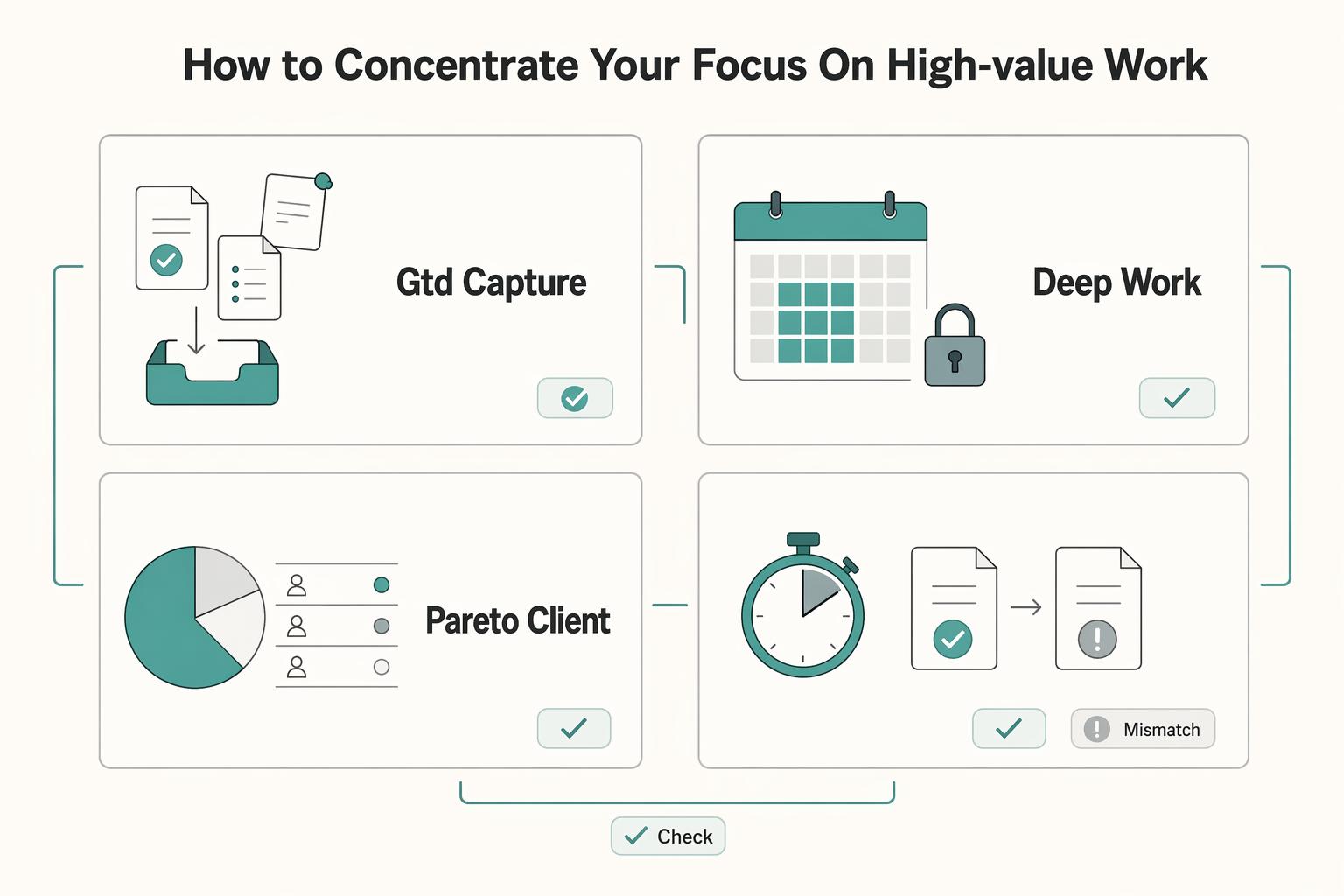
Now that risk controls and operations are stable, focus work can finally compound instead of getting interrupted by admin fires. Your job in this layer is to run a repeatable sequence: clear open loops, start with the right materials ready, protect demanding work time, and contain communication so it does not leak across the day.
GTD supports the first step by helping you capture and clarify commitments before they fragment your attention. PARA supports the second step by keeping work inside four top-level folders, Projects, Areas, Resources, and Archives, so deep sessions start faster.
| Focus practice | Best use case | Common misuse | Guardrail |
|---|---|---|---|
| GTD capture and clarify | Before a focus block or at day end when your head is full of loose tasks | Capturing everything but not deciding the next action | Process captured items into a clear next action before the block starts |
| Deep work block | Strategy, writing, analysis, design, complex client delivery | Letting email, admin, or meetings take over the block | Reserve the block for cognitively demanding work only |
| Pareto client prioritization | Weekly planning and capacity decisions | Prioritizing by revenue only | Use revenue with margin, payment speed, and delivery friction |
| Two-Minute Rule | Fast actions during admin windows | Letting short tasks consume prime hours | Use it only if the action is truly under 2 minutes and you are outside a focus block |
1. Protect deep sessions for demanding client work#
Use your best hours for work that actually requires concentration: proposals, analysis, strategy, drafting, creative production, and difficult client problem-solving. Keep inbox cleanup, scheduling, status checks, and approvals outside those sessions.
Plan the block the evening before in 10 to 20 minutes. Set one deliverable, define what "done" means, and remove startup friction. A practical start ritual: close inbox and chat, open the single brief or working doc you need, and stage support files in the project's PARA Projects folder.
Measure whether this is working by shipped artifacts, not by time spent. If the block ends with a draft, decision, outline, or client-ready revision, the system is working.
2. Aim prime hours at the clients that matter most#
Assign prime focus windows to the clients and work types that create the strongest business outcomes. Treat 80/20 as a rule of thumb: a smaller share of inputs often drives most outputs.
Run a weekly client review using your Layer 2 financial view. Check revenue, expected margin, payment speed, revision load, and whether the work leads to repeat business or stronger referrals. Then place the hardest work for your highest-quality accounts into your best concentration window.
This is working when your best hours go to high-value delivery, not to the noisiest account in your inbox.
3. Contain small tasks with GTD, the Two-Minute Rule, and a real shutdown#
Use GTD's five steps, capture, clarify, organize, reflect, and engage, around your deep sessions. Before a block, capture and clarify anything tugging at your attention. After the block, process incoming items so open loops do not spill into the next session.
Use the Two-Minute Rule inside admin or communication windows, not inside deep work. For email and chat, start with bounded checks (for example, two or three windows per day), then review results. Evidence on batching is mixed, so keep what improves your stress and output in your real context, and drop what does not.
End the day with a shutdown ritual: review commitments, capture unresolved items, set tomorrow's first task, and close with a clear stop signal. That boundary supports recovery and makes sustained high-quality focus more reliable. Over time, better focus improves decision quality, deliverable quality, and revision load, which is what improves margin and client outcomes.
Conclusion: Move from finishing tasks to designing how the business runs#
Once you can see where work, records, and attention are slipping, your mandate is clear. Stop acting like the person who only finishes tasks, and start acting like the person who designs how the business runs.
- Eliminate risk
You own the controls that keep obligations visible. That means one recordkeeping setup that clearly shows income, expenses, due dates, and where supporting files live. If you work under U.S. pay-as-you-go tax rules, the general estimated tax checkpoints are April 15, June 15, September 15, and January 15, and a common penalty-avoidance target is paying at least 90% during the year. The practical result is fewer compliance unknowns because you can quickly find the right document or next deadline. If you have to search inboxes and folders more than once for the same proof, the control is still weak.
- Automate the repeatable
You own predictable admin execution, not every click. Automation works best for repetitive, predictable tasks such as invoice sending, payment reminders, and moving finished records into the right place. The test is consistency. If the steps still change every week, keep it manual a bit longer. Automating a messy process usually gives you the same errors faster and makes them harder to trace.
- Concentrate on high-value work
You own focus allocation. Task switching cuts efficiency and raises risk, so protect uninterrupted blocks for client delivery, proposals, and planning, then batch smaller admin around them. The proof is a protected deep work window and a finished milestone, not a longer task list.
GTD and PARA are how you keep this practical. GTD gives you a trusted external method with 5 steps and a recurring review habit. PARA keeps your digital world sorted into 4 categories so active Projects do not get buried under ongoing Areas or old reference material. This week, make three moves: tighten one risk control, automate one repetitive admin step, and block one uninterrupted work session on your calendar.
Related: The Three-Pillar Test for All-in-One Productivity Apps for Freelancers.
Frequently Asked Questions
What is the right order for freelancer productivity systems?
A practical order is: make work visible first, then tighten your workspace and tools, then add focus routines. First, move recurring obligations and loose admin out of your head and into one visible place, such as a simple tracker with due dates, document locations, and next actions. What matters is the sequence: clarity first, organization second, concentration third.
How do you know whether you have a productivity problem or just too much on your plate?
Check output against input. If your hours keep rising but your delivered work, final product, or financial yield is flat, you may have more than a busy week, you may have a capacity or process issue. Review one week at a time and compare hours worked, deliverables sent, and open tasks left unfinished at day end.
What should you set up first if admin keeps stealing your day?
Set up one home for incoming admin and one home for finished records. In practice, that means a capture list for tasks and a digital folder structure for invoices, receipts, contracts, and client files, so you are not re-deciding where things belong every time. The check is simple: if you can find a document or next action quickly, the setup is working.
How much should you automate versus keep manual?
Do not automate a messy process first. Standardize the steps manually once, note what information is needed, where it gets stored, and what usually breaks, then automate repeatable parts like reminders, recurring admin, or file routing. If you still change the steps every week, you are likely too early for automation. | Approach | Best use case | Effort to set up | Main tradeoff | |---|---|---:|---| | Manual | New or irregular tasks | Low | You rely on memory and follow-up discipline | | Systemized | Repeatable tasks with a few judgment calls | Medium | More consistency, but upkeep is still required | | Automated | Stable tasks with clear inputs and outputs | Higher upfront | Less manual follow-up, but setup and maintenance take work |
What are the most useful maintenance habits once the basics are in place?
Use simple review points: a start-of-day check, a weekly review of open tasks and documents, and a short shutdown so nothing important stays loose overnight. Time management is a common challenge, and one ordinary failure mode is reaching the end of the day with important work still unfinished because time slipped away. If your weekly review keeps surfacing the same missing files or vague tasks, fix the setup, not your willpower.
Does better productivity mean doing more tasks?
No. For you, it should mean producing better client work or financial results with the same or less labour and admin friction. That distinction matters because chasing task volume can hide weak output, scattered tools, or a poor workspace setup. Track a small set of numbers, such as hours worked, deliverables completed, and cash collected or invoiced, then adjust from there.
What is the first red flag that your setup is failing?
When you cannot tell at a glance what needs doing, where the supporting file lives, or whether a task is waiting on you or someone else. That often shows up as rework, duplicate notes, and too many tool tabs open for one client job. If you keep searching for the same item repeatedly, tighten the naming, storage, or capture method immediately.
Try a related tool
Researched and edited by the Gruv editorial team. Gruv builds cross-border billing, payouts, and finance-operations software for global businesses.
Sources
- columbia.edu/cu/computinghistory/computer.htmltrusted
- docs.lib.purdue.edu/cgi/viewcontent.cgitrusted
- docs.stripe.com/revenue-recognition/reports/accounts-receiva...trusted
- fcc.gov/sites/default/files/foia-consumer-complaints...trusted
- irs.gov/payments/pay-as-you-go-so-you-wont-owe-a-gui...trusted
- irs.gov/businesses/small-businesses-self-employed/wh...trusted
- online.hbs.edu/blog/post/business-process-automationtrusted
- sba.gov/business-guide/manage-your-business/stay-leg...trusted
Educational content only. Not legal, tax, or financial advice.
Related Posts

The Freelance Payment Penalty: A Modeled Audit of Platform Fees, FX Spreads, and Payout Delays
The money rarely disappears through a single, easy-to-spot fee. The real loss is stacked. A marketplace takes its commission, a processor adds a charge for international cards, a bank or payment company converts the currency at a spread, a platform holds the funds before release, and a wire sheds a little to intermediaries on the way in. Each layer looks defensible on its own, but the worker feels the combined result as a smaller deposit and a later payday.

How to Respond to a Subpoena for Business Records
Move fast, but do not produce records on instinct. If you need to **respond to a subpoena for business records**, your immediate job is to control deadlines, preserve records, and make any later production defensible.

A US Expat's Guide to Investing in UCITS ETFs to Avoid PFIC Issues
The real problem is a two-system conflict. U.S. tax treatment can punish the wrong fund choice, while local product-access constraints can block the funds you want to buy in the first place. For **us expat ucits etfs**, the practical question is not "Which product is best?" It is "What can I access, report, and keep doing every year without guessing?" Use this four-part filter before any trade: