

Quick Answer
The best portable monitor for travel is the one that works predictably with your laptop's real ports and power model, not the one with the flashiest specs. Confirm your USB-C supports DisplayPort Alt Mode or Thunderbolt 3 (or plan on HDMI + power), choose a size you can actually set up on travel surfaces, and "kit" it with standardized cables, stability, and documentation for warranty and replacements.
You don't need "the top 10"-you need a portable monitor that behaves predictably on the road#
This isn't a trophy hunt. You're buying a portable monitor for travel the same way you buy any business tool: for predictable outcomes, not hype. Portable monitors are lightweight and compact for on-the-go use. A second screen can add "an extra dimension to your work or play"-but only if it behaves the way you need it to in a café and at your home desk.
Here's the operator mindset: your second screen should expand screen real estate without expanding your failure surface area. If you're playing adapter roulette, hunting for the "right" USB-C port, or re-tightening a flimsy kickstand on a tiny table, you didn't buy a productivity tool-you bought a new recurring task.
What "predictable" looks like in real travel conditions#
You're doing client work from coworkings, airports, hotel desks, and the occasional wobbly two-top. So the win condition isn't "highest refresh rate." It's this:
- One-connection workflow: You should know exactly which cable you'll use, and you should pack it every time. Reviewers commonly test by connecting to a laptop using the included cables-take that hint and standardize on what you've proven works.
- Consistent-enough brightness + readability: Don't assume perfect lighting. You need a screen you can position quickly and read without fussing.
- Setup that doesn't create drama: No driver scavenger hunts mid-call. No "why isn't it getting power today?" moments.
- Physical stability strategy: Don't expect miracles from built-in stands on small tables. Plan for a stand if your environment demands it (we'll cover "works-anywhere" kits later).
Treat your monitor like a business asset (because it is)#
This guide targets independent pros who care about clean ops: fewer support issues, client-ready presentation, and purchasing records you can actually reconcile.
Use this simple operator filter before you even look at models:
| What you're optimizing for | What it prevents | Why it matters for remote work setup |
|---|---|---|
| Compatibility-first (ports + cables) | Dead-on-arrival setups | You can't bill hours you spend troubleshooting |
| Fewer moving parts (simpler stands/cases) | Breaks + wobble | Travel tech can fail at hinges and friction points |
| Standardized kit (same cable every trip) | "I forgot the one adapter" | Digital nomad gear must travel as a system |
Communities like Reddit (especially r/digitalnomad) can be useful for spotting recurring failure modes-just don't let anecdotes overrule your compatibility checklist.
Next, we'll turn this mindset into a 10-minute Travel Fit Score, a compatibility decision tree, and a short list you can buy from and move on.
Selection criteria: the Travel Fit Score (and who this list is for / not for)#
Use the Travel Fit Score to pick based on predictable execution-power, cables, visibility, and reliability, not spec-sheet flex. This is the operator version of shopping: a fast scoring system you can run in 10 minutes per candidate.
Who this list is for (and not for)#
This list targets operators who use a second screen for client delivery, spreadsheets, sales demos, or coding and want a stable remote work setup on their macOS and/or Windows laptop(s) with minimal cable risk. Translation: prioritize USB-C first (for a one-cable workflow when supported), then keep HDMI as your backup path when USB-C video won't cooperate.
This list is not for people shopping primarily for gaming-first features or home-desk aesthetics. You can absolutely buy those monitors-just don't pretend they optimize for travel constraints like tight bags, shaky tables, and "I need this working in 60 seconds" pressure.
The 10-minute Travel Fit Score (1-5 each, total /30)#
Score each category 1 (bad) to 5 (excellent). If a monitor can't clear your minimum bar, it doesn't belong in your digital nomad gear rotation.
| Category | What a "5" looks like | Quick test question |
|---|---|---|
| Portability | Fits your laptop sleeve; realistic carry-on with laptop | "Would I pack this on a 2-day trip without negotiating with my bag?" |
| Power model | Bus-powered USB-C works (on your laptop) | "Can one USB-C cable handle power + video, or will HDMI force extra power?" |
| Setup friction | Single-cable default; no adapter roulette | "Do I need a dongle to make this work on my main machine?" |
| Visibility | Readable in imperfect light; finish + panel type fits your use | "Can I read this near a window without maxing brightness?" |
| Reliability | Stable stand; ports don't feel fragile; predictable wake | "Will this wobble on a café table or strain the port when someone bumps it?" |
| Compatibility confidence | Your laptop supports DisplayPort Alt Mode (if you're counting on USB-C video) | "Does my USB-C port actually output video?" |
Two facts you must operationalize: USB-C ports don't all support the same features (video output isn't guaranteed), and Alt Mode requires host support via the USB-C port/controller. So you don't "assume USB-C." You verify it, then you standardize your cable.
Professional risk gates (safe defaults): only shortlist monitors you can...
- Buy with a clean receipt/invoice (you may need proof of purchase for warranty service; some manufacturers explicitly require it).
- Warranty without shipping nightmares (check where service happens before you leave).
- Protect in carry-on with a repeatable packing SOP (same sleeve, same cable, same placement-every trip).
Will this portable monitor work with your laptop's USB-C port?#
Yes-if your laptop's USB-C port supports video output via DisplayPort Alt Mode (or Thunderbolt 3). If it doesn't, you may still be able to use the monitor over HDMI (sometimes via a USB-C video adapter) plus power.
Treat "USB-C" as a connector, not a promise#
USB-C is a shape. It can carry power, data, video, and audio-but not every USB-C port outputs video. Portable monitors typically connect over USB-C or HDMI, and that distinction matters because:
- USB-C video can rely on DisplayPort Alt Mode (DP Alt Mode). DP Alt Mode lets a USB-C computer connect directly to a display.
- Thunderbolt 3 also supports video output using the DisplayPort protocol. It can drive up to two 4K displays at 60Hz or one 5K at 60Hz-a solid sign the port is built for external displays.
- HDMI is a common fallback. Depending on the monitor, you may also need USB power alongside HDMI.
Decision tree (2 minutes, operator-simple)#
Use this decision path before you crown anything the best portable monitor for travel:
| Your situation | Primary plan | Fallback plan | What you pack |
|---|---|---|---|
| Your laptop explicitly supports DP Alt Mode or Thunderbolt 3 | USB-C (one-cable) video | HDMI + USB power | USB-C cable + HDMI cable + power cable |
| You can't confirm USB-C video support | Assume USB-C might be power/data only | HDMI + USB power (or USB-C video adapter → HDMI, if needed) | HDMI + USB power cable (and a wall charger/power bank) |
| You switch between macOS and Windows machines | Standardize one primary connection path per device | Keep HDMI as a backup option | Labeled cables per device + HDMI |
How to verify before you buy (no guesswork) Ignore opinions. You need one fact: does your laptop's USB-C port support "DisplayPort over USB-C," "DP Alt Mode," or "Thunderbolt 3" in the manufacturer spec sheet?
Then validate your travel kit like an operator:
- Confirm the port spec you'll use for video.
- Match the monitor's inputs to your reality: USB-C input for DP Alt Mode workflows; HDMI input for broad compatibility.
- Baseline your cables: one primary + one backup, both labeled. You don't troubleshoot cabling mid-call-you swap and keep moving.
If you're also evaluating laptops alongside monitors, use this as your filter: The Best Laptops for Digital Nomads in 2026.
What size and brightness is actually best for travel?#
Pick your portable monitor's size and brightness to match your real work surfaces (tray tables, café two-tops, coworking hot desks), not the spec-sheet fantasy. Once USB-C compatibility is settled, this is the next lever that determines whether your second screen feels effortless-or constantly in the way.
Size + brightness: the travel-first defaults (without guesswork)#
Portable monitors commonly cluster around 13.3-inch and 15.6-inch panels. That helps because you'll usually find plenty of options, sleeves, and stands built around those footprints.
Use this operator-simple sizing rubric:
| If your reality looks like... | Safer size pick | Why it works in travel tech terms |
|---|---|---|
| Tight surfaces (airline tray, tiny café table) + you move daily | 13.3" | Smaller footprint can mean fewer stand-angle compromises and less "keyboard + monitor" crowding. |
| Mixed workspaces (coworking desks, hotel desk, occasional café) | 15.6" | Most common size, usually the easiest to shop for and a very "laptop-like" second screen for productivity. |
| Mostly stable desks + you value screen real estate over packability | Consider larger | Larger can work, but it increases the physical footprint and makes stand stability more important to validate. |
Brightness: treat 250 nits as your indoor baseline. IGN's portable-monitor guidance puts it plainly: "For standard indoor use, 250 nits will often be fine." If you work near windows or under harsh overhead lighting, you don't need a magic number. You need a plan: prioritize anti-glare and verify brightness in real reviews, not just listings.
Matte (anti-glare) finish can beat "more nits." As Arzopa explains, "An anti-glare screen uses a matte finish to diffuse ambient light, significantly reducing screen reflections and minimizing glare..." Glossy panels can look great in perfect lighting, but they "act like mirrors under strong light," which matters when you can't control the room.
Resolution, panels, and color: pay for what you'll actually use#
Resolution and scaling get personal fast. Use a simple test mindset: optimize for readable text at 100%/default scaling and avoid forcing yourself into constant UI zooming just to make a spec sheet feel "premium."
Panel choice is mostly about what you value and what finish you're willing to live with. OLED is often praised for perceived contrast, and burn-in exists-though ViewSonic notes modern OLED has made it "far less of a concern than many people think."
Color coverage: sRGB matters because it's "the most widely used color space" with broad support across systems and apps. DCI-P3 (defined in 2005 for digital cinema distribution) is a different RGB color space originally created for theatrical digital motion picture distribution; whether it matters for you depends on your workflow.
Related: How to Write a Jurisdiction and Choice of Law Clause.
The best portable monitors for digital nomads (2026 picks, with use-cases)#
Pick the portable monitor that matches your "work mode," then sanity-check it against your laptop's USB-C reality (DisplayPort Alt Mode / Thunderbolt) before you buy. With size set for travel, you're now choosing between a few credible options and deciding which one creates the least friction in your workflow.
The whole point is simple: a portable monitor should stay "smaller, lighter, and easier to travel with than a regular monitor." Your job is to reduce setup friction and eliminate "mystery failures"-wrong cable, wrong port, surprise driver dependency.
Remember: "A monitor's USB-C port needs to support either Thunderbolt or DisplayPort Alt Mode to get a video signal from a laptop." Treat compatibility as the first gate.
Quick-scan comparison (verify exact listings before checkout)#
| Pick | Best for | Panel (grounded) | Typical setup | Compatibility risk (ops view) |
|---|---|---|---|---|
| ASUS ZenScreen MB169CK | straightforward daily work | IPS | USB-C (two ports) | Low (if your laptop supports DP Alt Mode) |
| Arzopa Z1FC | budget-minded second screen | IPS | USB-C (x2) or Mini HDMI | Medium (more ways to wire it = more ways to misconfigure) |
| ViewSonic VX1655-4K-OLED | color/contrast-critical work | OLED, 15.6" 4K (3840×2160) | USB-C with 60W one-cable charging | Medium (power + scaling expectations) |
| JSAUX FlipGo | dual-screen workflows | (varies; verify) | USB-C + DisplayLink driver | Higher (software dependency + USB-C DP Alt Mode requirements) |
| Mobile Pixels Trio Max 2.0 | laptop-mounted extra screen | IPS, 14.1" | USB-A or USB-C | Medium (mounting + port/cable variety) |
Picks by work mode (operator notes + safe defaults)#
1) ASUS ZenScreen MB169CK - "boring reliable" one-cable workflows. ASUS describes it as a 1080p IPS portable with two USB-C ports. Use it when you want a clean remote work setup: one USB-C cable, open laptop, present to a client. If USB-C video fails, don't assume you got unlucky-you probably misdiagnosed your laptop port. Fix that first (then consider our 2026 laptop guide for digital nomads).
2) Arzopa Z1FC - cost-controlled productivity (with flexible inputs). Arzopa positions the Z1FC as a 16.1" FHD 144Hz portable monitor with a 100% sRGB IPS screen; a spec list also calls out two USB-C ports + Mini HDMI. In practice, that means you can run USB-C when it behaves, or fall back to HDMI when you hit weird docks or adapters.
3) ViewSonic VX1655-4K-OLED - creative deliverables, hotel-room conditions. ViewSonic lists a 15.6" 4K UHD (3840×2160) OLED panel and USB-C with 60W charging over one cable. This is for creators who genuinely need that display capability, not for general productivity, because you'll pay-in money and attention-for higher-end behavior.
4) JSAUX FlipGo - dual-screen power users who accept software. JSAUX explicitly instructs users to "download and install the DisplayLink driver," and DisplayLink "acts as a virtual graphics card." That dependency can give you more screen real estate, but it adds an ops cost: you must manage drivers, permissions, and OS updates. JSAUX also instructs you to make sure your computer's USB-C interface supports DP Alt Mode output.
5) Mobile Pixels Trio Max 2.0 - laptop-mounted ergonomics (port-flexible). B&H lists an IPS 14.1" panel with USB-A & USB-C connection. Choose it if you value an attached, "open-and-work" posture over a separate stand-and you're comfortable standardizing your cabling across devices.
If you want a deeper dive, read The Best Digital Nomad Communities to Join.
What accessories do I need to travel with a portable monitor (so it works anywhere)?#
Once you've picked a candidate, make it road-proof by standardizing a small kit that covers your two most common connection paths: USB-C and HDMI. Portable monitors typically connect "via either a USB-C or an HDMI cable," so your job is to cover both without turning your bag into a cable graveyard.
1) The "works-anywhere" cable kit (safe default)#
- USB-C to USB-C (Video + Power) - your primary line. Start with a USB-C cable because it gives you the clean one-cable setup when your laptop and monitor support it. But USB-C video only works when the monitor's USB-C input supports Thunderbolt or DisplayPort Alt Mode. "A monitor's USB-C port needs to support either Thunderbolt or DisplayPort Alt Mode to get a video signal from a laptop," so treat this as a compatibility gate, not a vibe.
| Item | Role | Grounded note |
|---|---|---|
| USB-C to USB-C (Video + Power) | Primary line | Use it for a one-cable setup when your laptop and monitor support it; video depends on Thunderbolt or DisplayPort Alt Mode |
| HDMI cable | Fallback line | Keep it for cases where USB-C video fails or you need to route through a dongle |
| USB-A to USB-C cable | Power utility | Handy when available ports or power sources are limited and you need to feed power to a device that takes USB-C |
| INVZI MagHub Quad | Optional multi-screen add-on | The manual says to use the included short USB-C to USB-C cable and to install the driver |
-
HDMI cable (correct size) - your fallback line. Keep an HDMI option for situations where USB-C video fails or you need to route through a dongle. HDMI gives you a second path that avoids USB-C Alt Mode complexity.
-
USB-A to USB-C cable - your "power-only" utility line. Many portable monitors "run on your laptop's power," and a USB-A→USB-C cable is useful when your available ports or power sources are limited and you need to feed power to a device that takes USB-C.
| Scenario | What you grab first | What you keep as backup |
|---|---|---|
| Modern laptop, clean desk | USB-C (video + power) | HDMI |
| Weird hotel TV/dock situation | HDMI | USB-C |
| Power constrained | USB-C, or USB-A→USB-C for power | - |
- Optional multi-screen setup: INVZI MagHub Quad - plan for setup. INVZI's manual explicitly instructs: "Connect the monitor to your laptop using the included short USB-C to USB-C cable (Video & Power)." INVZI also states, "Just plug in, install the driver, and you are ready to go"-so expect a driver install step as part of setup.
2) Stand strategy + professionalism add-ons + multi-device reality#
-
Stand (or stable case-kickstand) - keep the setup consistent. Pack some way to hold your portable monitor at a consistent angle; stability beats elegance when you're shipping client work. You reduce "table roulette"-coffee shop today, conference room tomorrow-so your setup doesn't depend on the furniture.
-
Cleaning kit - keep the screen usable in shared spaces. Carry a microfiber cloth so you can quickly clear smudges and fingerprints. You spend less time fighting the screen and more time using it.
-
Multi-device check: iPadOS, Android, handhelds. Apple confirms iPad external display support at the cable level: "With the appropriate cable or adapter, connect your iPad to a display...," and Stage Manager is the multitasking layer-"You can use Stage Manager to multitask." For iPadOS 26, Apple publishes a specific model list for Stage Manager external-display workflows, so verify your exact iPad before you count on it.
On Android, many flagship phones support DisplayPort Alt Mode via USB-C (vendor-maintained lists exist). Test your exact phone and cable once, then treat that setup as part of your standard digital nomad gear. For gaming handheld setups, plan around docks that expose DisplayPort 1.4 / HDMI 2.0; for example, Steam Deck Dock lists support "up to 4k 60hz, or 1440p 120hz."
The business-grade buying checklist: warranty, receipts, and travel-damage SOP#
Treat your portable monitor like a business asset: buy it in a way you can prove, service, and replace-fast-without drama. With connectivity handled, your next win is procurement and documentation discipline-the unsexy stuff that keeps your remote work setup resilient.
1) Procurement discipline (you are your own finance team)#
1) Insist on a clean proof-of-purchase trail (receipt/invoice). Some manufacturers require proof of purchase for warranty service, so this is binary: your documentation either exists or it doesn't. Mobile Pixels spells it out: "Your order confirmation, showing the date of the purchase, is the proof of your purchase date." Operator move: save the PDF and email to a "Receipts > Hardware" folder and forward it to a dedicated bookkeeping inbox.
| Control | What to capture | Grounded note |
|---|---|---|
| Proof of purchase | Receipt or order confirmation | Some manufacturers require it for warranty service; Mobile Pixels says the order confirmation shows the purchase date |
| Seller identity | Retailer name and date | Philips explicitly flags situations where the retailer is unknown |
| Identity evidence | Serial number + arrival photos | Insurers may accept photos or video and receipts; serial numbers are often on the back, bottom, or inside |
| Order record | Screenshot of the order page | The day-0 checklist calls for a serial number photo, front/back condition photos, and an order-page screenshot |
2) Avoid retailer ambiguity you can't defend. When the retailer looks "unknown," warranty handling can get messy; Philips explicitly flags situations where "the retailer is unknown." You want a seller name you can repeat on a support ticket without qualifiers like "a third-party listing" or "I found it in a thread." Rule: if you can't get a standard receipt with seller identity and date, don't run it as core digital nomad gear.
3) Capture identity evidence on day 0. Record the serial number and take quick arrival photos. Insurers may accept photos/video and receipts-and even bank or credit card statements-as documentation for claims, so you want multiple lanes. Most serial numbers sit "on the back, bottom, or inside of an item." Checklist: serial number photo, front/back condition photos, and a screenshot of the order page.
| Asset control | What to store | Where to store it |
|---|---|---|
| Warranty eligibility | Receipt/order confirmation | Cloud + bookkeeping |
| Insurance/claims | Photos/video + receipt/statement | Cloud "Inventory" folder |
| Support speed | Serial number | Password manager secure note |
2) Warranty feasibility abroad + travel SOP + client-ready setup#
4) Verify the warranty geography before you leave. "Limited warranty" terms can include country limits. Samsung's warranty card language can be "valid only on products purchased and used in the United States." If you travel full-time, that's an operational constraint, not fine print.
| Check | Grounded detail | Why it matters |
|---|---|---|
| Warranty geography | "Limited warranty" terms can include country limits; Samsung language can be valid only on products purchased and used in the United States | Important if you travel full-time |
| Continuity plan | Keep a cheap HDMI-capable spare or an easy local replacement strategy | Protects revenue while you sort warranty steps |
| Carry-on decision | TSA says devices containing lithium metal/ion batteries should ride in carry-on baggage | Some portable monitor models include batteries and some do not |
| Client-ready setup | The top of the screen should sit at or just below eye level | Creates a repeatable, composed setup |
5) Keep a continuity plan for failure. Don't let one panel failure halt delivery. A cheap HDMI-capable spare-or an easy local replacement strategy-protects revenue while you sort warranty steps.
6) Carry-on decision: follow the battery rule, not vibes. TSA guidance: devices containing lithium metal/ion batteries should ride in carry-on baggage. Some portable monitor models include batteries; some don't-so check your specific unit and pack accordingly.
7) Five-minute "client-ready" setup check (repeatable). Set your screen height and remove visual chaos. Physical-therapy ergonomics guidance says the top of your screen should sit at or just below eye level-do that, route cables cleanly, and you'll look composed on camera. If you need a laptop pairing that supports this cleanly, see The Best Laptops for Digital Nomads in 2026.
The safe default: buy for compatibility + reliability, then "kit" it for zero-surprise travel#
The safest way to choose a portable monitor for travel is simple: optimize for compatibility first, then operationalize it like an asset you can replace-or claim-without drama. Specs impress you on a product page; predictable behavior saves you in a client room, a café, or a last-minute Airbnb desk.
Your "compatibility-first" purchase defaults (operator-grade)#
Treat this as your remote work setup decision framework:
- USB-C that actually carries video: Not all USB-C ports support video output. Confirm your laptop's port capability by checking the manufacturer documentation/specs and scanning for keywords like "Thunderbolt" or "DisplayPort Alt Mode." Plugable calls this out directly: checking your laptop docs stays "important to confirm this capability."
- DP Alt Mode = a strong single-cable path (when supported): VESA defines it plainly-"Using the DisplayPort Alt Mode, a USB Type-C connector and cable can deliver full DisplayPort audio/video (A/V) performance." VESA also notes DP Alt Mode setups can include power delivery up to 100 watts over a single cable, which can simplify your travel tech kit when your laptop and monitor support it.
- Boring, familiar panel choice: Default to IPS for office work, not because it's "better," but because it's a common baseline for docs, spreadsheets, and long sessions.
- Two-path cable plan (USB-C + HDMI): Pack for reality. Keep USB-C (for your main flow) plus HDMI (for compatibility reach)-and keep your monitor's required power method in mind.
| Decision | Safe default | Why it reduces surprises |
|---|---|---|
| Laptop-to-monitor link | USB-C with DP Alt Mode or Thunderbolt | Helps you verify video over USB-C (not just the connector shape); Thunderbolt ports are backward compatible with USB-C DisplayPort Alt Mode |
| Backup input | HDMI available | Can give you an alternate path when USB-C video isn't available on a given port/device |
| Panel | IPS | A common baseline for productivity-focused digital nomad gear |
Kit it like a business asset (so you can move fast under stress)#
Operationalize your portable monitor like you would any critical piece of productivity infrastructure:
- Capture receipts/invoices immediately. Travel Guard's claim docs list "Receipts for all claimed lost/stolen/damaged personal possessions or baggage." Don't count on "I can find it later."
- Log serial + details. Progressive recommends a home inventory that includes serial number, make/model, purchase date, and price, and notes a home inventory may expedite an insurance claim.
- Photo it, don't just list it. The NAIC's Home Inventory App supports uploading photos and scanning barcodes-use that pattern even if you track inventory elsewhere.
- Ergonomic guardrail: set your travel stand so the top of the screen isn't higher than your eye level (CCOHS). That one rule prevents most "neck-tax" setups.
Next steps: Pair your monitor decision with your primary machine choice: The Best Laptops for Digital Nomads. If you take client work across borders, clean contracts reduce surprise, and operator communities can help. For cross-border payments and audit-ready records, talk to Gruv to confirm coverage where supported and keep your backend as disciplined as your travel tech.
Frequently Asked Questions
What size portable monitor is best for travel?
Default to the common sizes-14-inch or 15.6-inch, then choose based on how you actually work. PCMag notes that most portable monitors are 14-inch or 15.6-inch models, which makes these the safest picks if you want a widely supported, familiar form factor. Pick 14-inch if you prioritize packability and "always with you" digital nomad gear. Pick 15.6-inch if you live in spreadsheets, timelines, and side-by-side docs and want fewer compromises. Either way, consistency (same setup, same cable path, same posture) does more for productivity than chasing edge-case sizes.
Do portable monitors work with USB-C on any laptop?
No-USB-C shape doesn't guarantee USB-C video. Dell makes it plain: not all USB-C ports support video output, and for USB-C display output you need a port that supports DisplayPort Alt Mode or Thunderbolt. Operator check: before you buy, confirm your laptop's USB-C port supports DP Alt Mode or Thunderbolt (spec sheet, manual, or manufacturer support page). If you want a "works anywhere" remote work setup, also favor monitors that accept HDMI as a fallback (many connect via USB-C or HDMI).
Do portable monitors need external power?
Some don't-some run entirely on USB power-but you can't assume it. Engadget notes that some even run entirely on USB power, which reduces charger sprawl in your travel tech kit. Safe default: plan for two scenarios-USB-C when your laptop supports it, and a backup plan (HDMI + whatever power the monitor requires) when it doesn't.
Is a 4K portable monitor worth it for travel?
4K means 3840 × 2160, but "worth it" depends on your workflow, not the spec sheet. Dolby defines consumer 4K as 3840 × 2160. If you're choosing between resolutions, decide based on what you actually do on the road (and what your devices comfortably support), rather than treating 4K as automatically "better" for every travel setup.
OLED vs IPS for a portable monitor-what should I pick?
IPS is the steady default; OLED is the "know what you're signing up for" option. IPS is an LCD technology, while OLED uses an organic emissive layer-different behavior, different tradeoffs. ViewSonic describes OLED burn-in as permanent image retention when static images stay on-screen for very long periods. If you run static dashboards, IDE layouts, or long-lived UI elements all day, IPS stays the safer default. If you want an OLED panel and you're comfortable managing burn-in risk, OLED can be a good fit-just avoid leaving static screens parked for very long periods.
Can I use a portable monitor with an iPad / phone?
iPad: yes, with the appropriate cable or adapter; phones: don't assume. Apple states: "With the appropriate cable or adapter, connect your iPad to a display..." That covers the iPad side cleanly. For phones, treat compatibility as device-specific. Many variables decide it (port type, video-out support), so verify your exact model before you buy a "portable monitor" expecting plug-and-play.
How bright should a portable monitor be for working in cafés?
Treat brightness as a real spec, measured in nits, and prioritize "readable in your environment," not a magic number. A nit names luminance in cd/m² (1 nt = 1 cd/m²). Rtings also flags brightness and viewing angle as practical concerns for portable use. Operator move: test your typical café lighting. If you often sit near windows or under harsh overhead lighting, you'll feel brightness limits fast-so weigh brightness and viewing angles alongside connectivity when selecting your travel monitor.
Try a related tool
Researched and edited by the Gruv editorial team. Gruv builds cross-border billing, payouts, and finance-operations software for global businesses.
Sources
Includes 5 external sources outside the trusted-domain allowlist.
- tsa.gov/travel/security-screening/whatcanibring/alltrusted
- bestbuy.com/site/searchpage.jspexternal
- findthisbest.com/best-monitors/portableexternal
- mobilepixels.us/pages/travelingexternal
- nytimes.com/wirecutter/reviews/best-portable-monitorexternal
- nytimes.com/wirecutter/reviews/best-portable-monitorexternal
Educational content only. Not legal, tax, or financial advice.
Related Posts
The Best Laptops for Digital Nomads in 2026
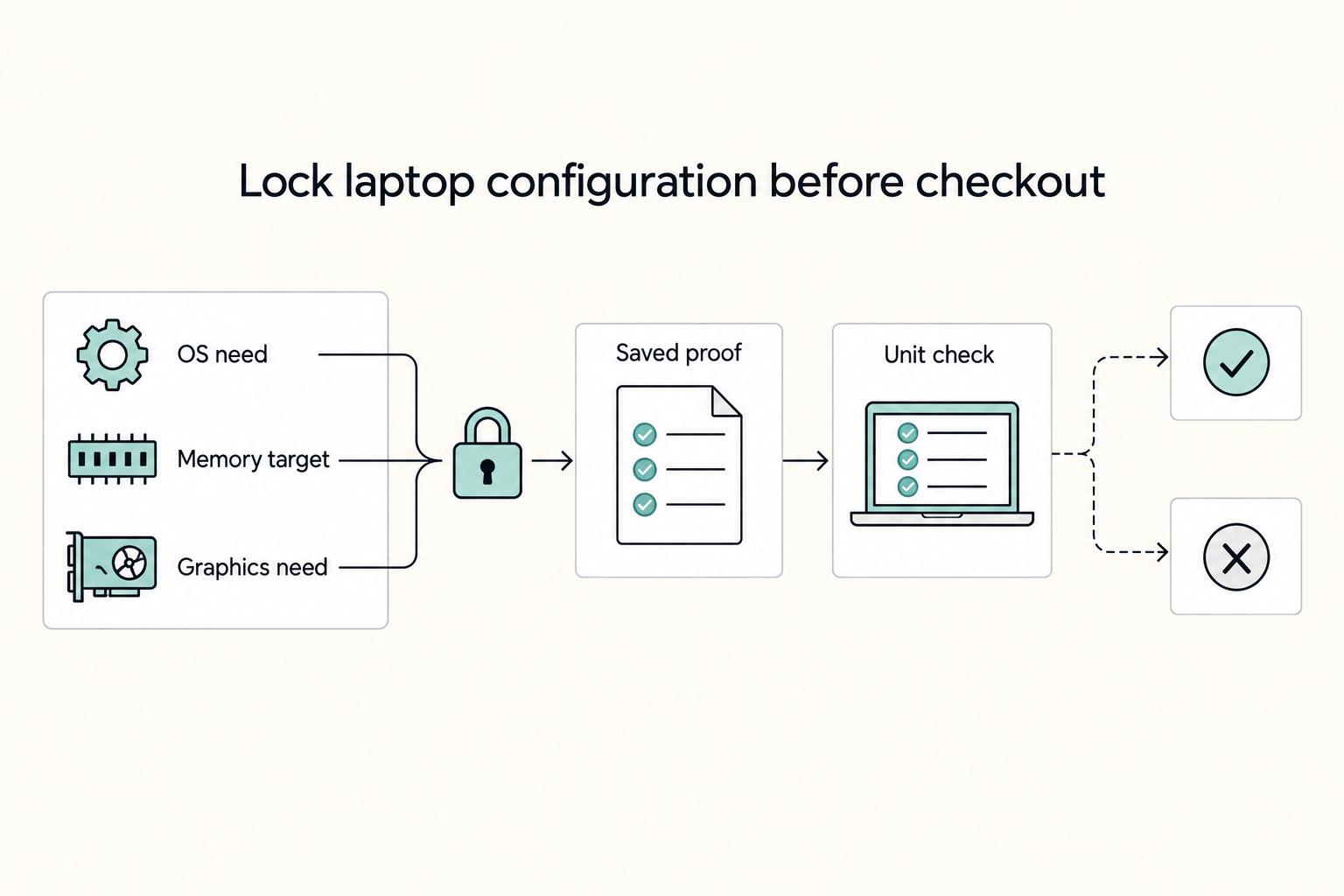
If you want smoother travel days and fewer support headaches, start with proven laptop families instead of whatever is newest. For most people working remotely, the right machine is a light, dependable one that handles documents, calls, research, and browser-heavy work without fuss. Move up only when your week regularly includes sustained CPU or GPU load such as long exports or local builds.
The Best Digital Nomad Communities to Join
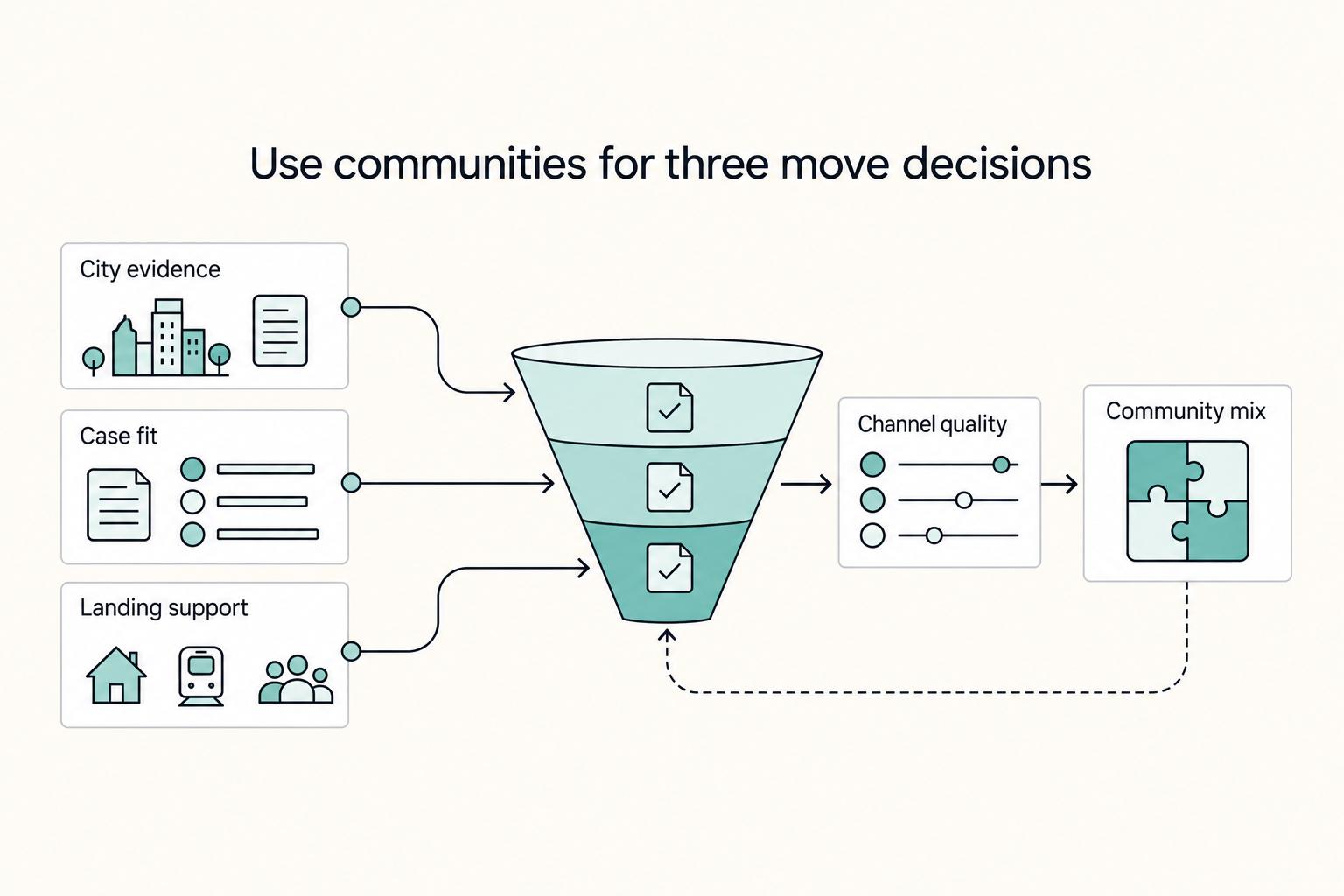
If your move date is real, use communities to answer three decisions in order: which city stays on your list, whether your case actually fits, and whether your landing week is covered. Judge every channel by outcomes, not activity. If it does not give you evidence you can use, stop giving it time.

Write Jurisdiction and Choice of Law Clauses You Can Enforce
Treat this clause package as an enforcement tool, not boilerplate. If governing law, court authority, and filing location do not fit how the deal actually works, you can end up fighting about procedure before you ever reach the unpaid invoice, IP misuse, or scope breach.