

Quick Answer
Gumroad suits a small download catalog where covered transaction-tax handling matters. Sellfy suits a branded store with direct processors, Podia brings course and community tools together, and Shopify suits a broader catalog with more configuration. Compare full fees and seller duties, then verify delivery, payout and migration for your actual buyer.
Choose the platform around the product you sell#
For a small download catalog, shortlist Gumroad if transaction-tax handling matters most, or Sellfy if you want a branded storefront and direct processor accounts. For courses and a community, start with Podia. For a broader store with digital and physical products, consider Shopify. These are editorial fit recommendations based on the documented features and payment models below, not hands-on performance rankings.
Four platforms worth shortlisting#
Gumroad: a simple starting point for paid downloads#
Choose Gumroad when you have a small catalog and prefer covered transaction-tax handling over direct ownership of the checkout stack. It supports downloads, courses and memberships without a monthly subscription. Its base direct-sale platform fee is 10% + $0.50, excluding listed card processing or PayPal fees; Discover sales cost 30% including processing. Discounts or account-specific rates can apply.
The tradeoff is a relatively high deduction on small sales and dependence on account payout eligibility. Confirm allowed content and buyer delivery before moving a catalog. Keep original files and an exported sales trail.
Sellfy: a branded store with your own processors#
Shortlist Sellfy for downloads, subscriptions and merchandise in one storefront. It advertises subscription plans with no platform transaction fee, while Stripe or PayPal processing remains separate. Plans have annual sales-volume limits, so check both the subscription commitment and the upgrade point.
Sellfy explicitly leaves the seller as Merchant of Record. Its tax tools can help calculate and report, but filing and remittance remain your responsibility. Direct processor routing also does not guarantee immediate bank availability.
Podia: courses and community in one product#
Podia is a useful shortlist for courses, downloads, coaching and community. As of October 2026, its annual-billing page lists Mover at $42 per month equivalent ($504 paid annually) with a 5% platform fee, and Shaker at $84 equivalent ($1,008 annually) without that platform fee. Processing is additional. PayPal is listed on Shaker and Earthquaker; do not assume every plan supports it.
The bundled teaching and community tools can save separate app work, but check product, video and email-subscriber limits. Its documented sales CSV provides invoice and payment details; that does not mean a course or subscription can move intact to another service.
Shopify: a broader store with more configuration#
Consider Shopify when downloads sit alongside a broader catalog or you need a larger storefront and app ecosystem. Its Digital Downloads app handles file delivery; structured courses can require a separate app. Budget for the subscription, processing and necessary apps rather than comparing the processor percentage alone.
In a standard storefront, you remain responsible for merchant tax duties. Shopify offers tax tooling and documents automated US filing for stores already enrolled; confirm availability and scope rather than assuming calculation includes remittance. More configuration also means more choices to maintain.
1) Verify compliance ownership first#
A Merchant of Record is the contractual seller for the covered transaction and typically handles its payment and transaction-tax duties. A payment processor or a tax calculator alone is not a MoR. Check the exact product and terms: income tax, business registration, product rights and other seller duties do not disappear when a platform handles sales tax.
| Platform | Transaction-tax and payment model | What remains yours |
|---|---|---|
| Gumroad | MoR for covered sales; handles relevant sales-tax collection and remittance | Income tax, product rights and business obligations; account payout eligibility |
| Sellfy | Seller is MoR; funds route through the seller’s Stripe or PayPal | Tax setup, filing/remittance and processor disputes or holds |
| Podia | Connected processors; configured tax collection where registered | Filing/remittance, processor eligibility and seller obligations |
| Shopify standard storefront | Merchant tax duties; tax and filing services depend on region and setup | Correct registrations and tax handling; US automated filing documented for already-enrolled stores |
Use the comparison to shortlist two options, then check the contract and an allowed checkout test for your buyer type. Save:
- the dated policy page or PDF
- the checkout screen showing tax or VAT input
- the receipt or invoice
- the export sample for that same order
Resolve a material discrepancy in seller identity, tax treatment or the money trail before scaling. A cosmetic difference need not block the whole launch; identify the affected scenario and get a documented answer.
For EU B2B sales, test the applicable treatment rather than assuming every valid VAT number removes tax:
- Verify buyer and supplier locations, business status and the relevant rule before expecting reverse charge.
- Confirm VAT-ID collection, validation and the invoice’s treatment in the supported checkout flow.
- Export the matching order and invoice evidence; investigate differences before scaling that buyer scenario.
2) Trace one order all the way to payout#
Use the platform’s supported test purchase or preview flow to verify delivery and the receipt. A test-mode order will not prove live payout delivery; reconcile a legitimate customer sale separately. Do not create self-funded purchases merely to reach a payout minimum.
| Platform | Evidence or routing | Timing or trail note |
|---|---|---|
| Gumroad | Sales CSV plus account payout records | Frequency, minimums and holds depend on account eligibility |
| Sellfy / Podia | Platform sale record plus connected Stripe or PayPal activity | Processor availability and bank delivery are separate stages |
| Shopify Payments | Payout scheduling and transaction exports | Settlement varies; bank posting follows initiation |
Record the order ID, charge, tax, platform and processing fees, refund adjustment, payout batch reference and confirmed bank credit. A payout can include several orders and adjustments; one order need not equal one deposit.
Distinguish an expected settlement delay from an unexplained variance. Confirm the account’s payout eligibility, schedule and minimum before promising a date. A successful customer charge or processor balance does not prove bank receipt.
3) Run a portability drill before you commit#
A platform that passes tax and payout checks can still become expensive to leave. Open the export tools before launch, not after you outgrow the platform.
| Platform | Export detail mentioned |
|---|---|
| Shopify | Product and order exports; transaction and payout exports depend on setup |
| Sellfy | Order CSV and downloadable reports |
| Gumroad | Customer sales CSV with fee breakdown |
| Podia | Documented invoice-data CSV export; course content and subscriptions need separate migration checks |
A portability drill is not just clicking Export. Download one file, open it locally, and make sure you can locate the exact order you tested earlier. Confirm that the fields you actually rely on are present in reusable form rather than locked in screen views or PDFs alone.
Podia now documents sales-invoice CSV exports, including amounts, currency, payment status and fees. Shopify, Sellfy and Gumroad also provide documented exports. A sales CSV is only one part of migration: verify product files, course structure, customer access and subscription transfer separately.
Compare the shortlist against your actual buyer#
The following checks help resolve uncertainty after shortlisting. Verify a material unknown; hold only the affected launch path while a contradiction remains unresolved.
| Check | Question to settle | Evidence |
|---|---|---|
| Product delivery | Will the buyer get the file, lesson or access they bought? | Supported test or preview and buyer receipt |
| Tax duties | Who sells the transaction and handles the applicable tax? | Contract, configured tax treatment and invoice |
| Money access | When is this account eligible for payout, and where does it arrive? | Provider record, payout batch and bank credit |
| Exit path | What files, records and entitlements can you take with you? | Opened exports, original product files and migration plan |
Keep the decision tied to evidence#
Keep dated terms, the applicable tax and payout pages, a receipt and a usable export sample. Confirm the product files and customer-access records you would need to move later. Sales-data export does not guarantee a one-click migration.
Use this closeout checklist:
- Proceed when product delivery, applicable seller duties and the money trail are understood.
- Resolve a material mismatch for the affected buyer or product before scaling it.
- Document the decision date and recheck changes to plan limits, payout eligibility or tax scope.
If your choice depends on adding a course later, read How to Create Your Own Online Course first, then re-check platform fit against that future offer.
For broader business-model planning, read The Best Ways to Diversify Your Income as a Freelancer.
Compare the full fee on a small product#
Assume a $20 direct Gumroad card sale, with no tax, affiliate fee or special discount in this simplified example. The base platform fee is $2.50 and listed card processing is $0.88, leaving $16.62. A $20 Discover sale has a $6 all-in platform/processing fee, leaving $14. This is fee arithmetic, not a promise that either channel will generate sales.
| Cost component | Include in your comparison |
|---|---|
| Subscription | Billing cycle, commitment and plan limits |
| Transaction fees | Platform fee plus processing unless explicitly included |
| Payout and FX | Account-specific payout, conversion or cross-border charges |
| Add-ons and operations | Delivery apps, email, tax filing, refunds and support time |
For a subscription platform, divide monthly subscription and necessary app costs by expected paid orders, then add plan transaction and actual processor costs. Compare the same buyer, product and currency. Recheck the applicable schedule before launch and retain your original files and customer records.
Frequently Asked Questions
How do platforms handle EU VAT?
For many cross-border EU consumer digital-service sales, customer location affects VAT. Business treatment depends on supplier and customer location, status and the applicable rule; a valid VAT number alone is not a universal exemption. Test the relevant B2B case and retain the invoice and validation evidence.
Do I need a Merchant of Record?
A MoR can reduce transaction-tax and payment-administration work. Gumroad documents MoR handling for covered sales. Sellfy makes the seller the MoR, and standard Shopify storefronts leave merchant tax duties with the seller; Podia collects configured taxes but does not file or remit them. Your income tax and other business obligations can remain.
Which platform is better for B2B sales?
Choose based on the B2B requirements your customers actually have: company details, VAT-ID validation, appropriate tax treatment, invoice access and any seat licensing. Test those against the specific platform plan. A matching checkout and invoice is necessary, but does not itself prove the tax treatment is legally correct.
How can you reduce frozen-funds risk?
Check processor-country support, verification, reserves, payout minimums and the account’s schedule. Gumroad now offers several payout frequencies subject to eligibility, thresholds and holds, rather than one universal Friday rule. Direct Stripe or PayPal access on other platforms can still involve processor holds. Match payout batches to bank credits and keep enough working capital for the documented delay.
Are monthly fees or transaction fees more important?
Compare subscription cost plus platform fees, processing, add-ons and tax-administration effort at your expected sales volume. Gumroad direct-sale fees exclude processing, while Discover’s 30% includes it. A subscription can become cheaper at volume, but only if its features and seller obligations also fit.
How should you think about Gumroad vs Podia?
Gumroad fits a seller prioritizing covered transaction-tax handling and a low fixed cost. Podia fits a course, community or coaching business wanting those tools together. Podia’s processor availability and fees depend on plan; its tax collection does not include filing or remittance. Compare delivery features and total cost alongside the payment model.
What if you are selling digital courses specifically?
For structured courses, shortlist Podia and test lessons, quizzes, progress and community access. Gumroad can sell course products too, while a Shopify setup may need a course app. Check what you can export and how students retain access during migration. For product planning, see How to Create Your Own Online Course.
Try a related tool
Researched and edited by the Gruv editorial team. Gruv builds cross-border billing, payouts, and finance-operations software for global businesses.
Sources
Includes 7 external sources outside the trusted-domain allowlist.
- europa.eu/youreurope/business/finance-and-tax/vat/cros...trusted
- docs.sellfy.com/article/366-merchant-of-recordexternal
- docs.sellfy.com/article/204-how-to-export-my-order-data-and-...external
- gumroad.com/pricingexternal
- gumroad.com/help/article/66-gumroads-feesexternal
- help.podia.com/en/articles/11370382-collecting-sales-taxes-...external
- help.podia.com/en/articles/11371040-viewing-and-exporting-y...external
- help.shopify.com/en/manual/products/digital-service-product/d...external
Educational content only. Not legal, tax, or financial advice.
Related Posts
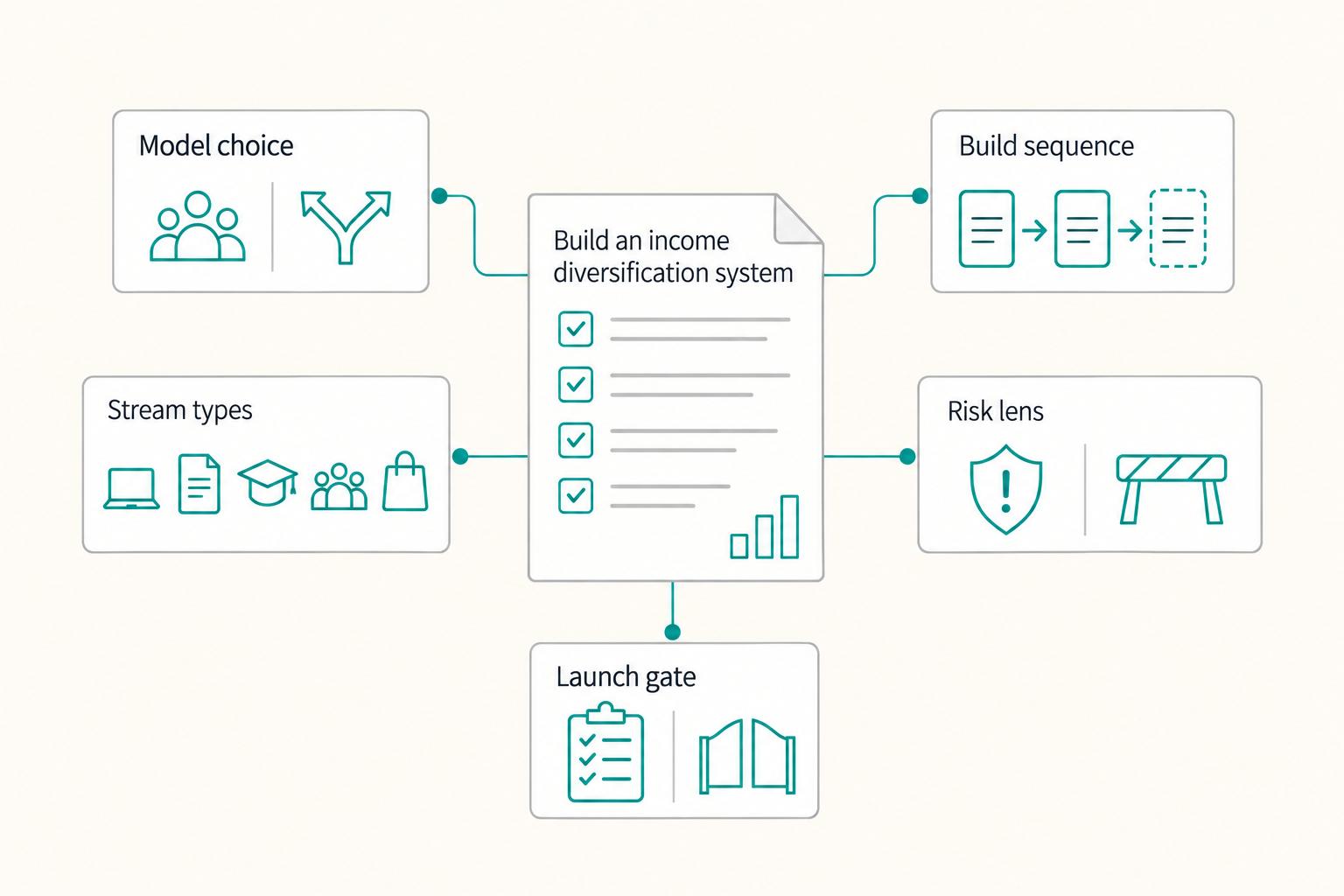
The Best Ways to Diversify Your Freelance Income: A Risk-First Framework
Most freelancers add new revenue lines reactively: a course after a slow month, an affiliate link because someone else said it works, a consulting offer because one client asked for it once. The result is usually the same: more moving parts, unclear priorities, and no real protection when one major client or platform wobbles.

How to Create a Productized Service for Your Freelance Business
If your recent client work produces similar results from similar inputs, you may be ready to turn it into a defined offer. The shift is operational, not cosmetic. You are deciding what you sell, what the client gets, what it costs, and how delivery happens, instead of rebuilding every job from scratch.

How to Create Your Own Online Course
If you want this to become a real revenue line, treat it like a product decision, not a content project. This guide helps you make the important calls in the right order: define the offer, choose the platform that fits it, and move from outline to published course without avoidable rework.