

Quick Answer
Shortlist by workflow: Bitwarden for a free or paid organization, 1Password for paid item and vault sharing, and Dashlane for permission-based sharing. Apple Passwords may fit your device and group-sharing needs. Choose the plan with the controls you require, and combine offboarding with credential rotation; link revocation cannot recall copied secrets.
Why Your Password Setup Is a Business Risk (Not Just an Inconvenience)#
A client asks for an urgent file, you open their portal, and the login fails. Ten minutes later your invoicing app wants a reset too. That is why your password setup is a business risk, not just a nuisance. Weak credential habits can turn one mistake into wider account access problems, then into delivery delays and cleanup work.
You do not need a dramatic breach story for this to matter. The risk chain is simpler: reuse one password or fall for a phishing email, and an attacker can get a foothold. If you use one password across accounts, you have created a single point of failure.
A password manager stores credentials in an encrypted password database, generates random passwords for each account, and helps you stop reusing one password everywhere. Start with the operational question: can you move to unique credentials you can maintain, with strong vault protection and a workable recovery path?
The failure chain you can act on#
Most password failures start with ordinary behavior, not exotic attacks. Reusing one password across accounts creates a single point of failure, and if that password is cracked, attackers can move across accounts. Phishing emails and brute-force attacks are also documented business attack paths.
Start with one simple checkpoint. Make a list of every active login tied to client delivery and money movement. Then mark which passwords are reused. If a credential is reused, treat it as a rotate-first item, not a nice-to-have cleanup.
What to protect first#
Protect the accounts that can cause the most operational disruption before lower-stakes logins.
| Account group | Why first | First action |
|---|---|---|
| Recovery and reset paths | These accounts reset other tools | Use a unique, randomly generated password stored in your vault |
| Billing and cash-flow accounts | Invoicing, payment, and bookkeeping access are direct business controls | If one of these logins matches anything else, change it now |
| Client-facing workspaces | Trust is tested quickly in client portals, shared drives, CMS logins, and project tools | Move these to unique passwords stored in your password database |
| Any reused credentials | Reuse is the core failure pattern | Prioritize removing duplicate passwords across active accounts |
The tradeoff is straightforward. A dedicated manager asks you to maintain one strong master password and migrate your active accounts into a single vault. In return, you reduce single-password failure risk across your business tools.
This guide stays focused on solo operators and very small teams, not enterprise SSO or managed IT. Use it in this order: choose a tool that fits how you work, compare the real tradeoffs, set it up in your first week, then tighten how you share access and remove it when people roll off.
Which Password Manager Is Right for Your Situation?#
Pick by workflow first, not brand ranking. To choose the right manager for your setup, define three things up front: your device mix, how often you share credentials, and whether anyone else needs access.
A password manager should generate unique passwords and store them in an encrypted vault. In practice, two checks usually narrow your options quickly: does it sync across your laptop, phone, and tablet, and can you share credentials with collaborators safely?
| Your current situation | Platform fit | Sharing model | Admin controls you need now | Upgrade trigger | Practical starting point |
|---|---|---|---|---|---|
| Solo, mixed devices, no regular sharing | Strong cross-device sync | Rare or none | Minimal | Your current plan lacks the sharing or administration your workflow needs | Start with a general-fit option such as Bitwarden, then reassess once sharing becomes routine |
| Solo, occasional client or contractor sharing | Cross-platform | Share specific credentials without exposing everything | Basic access removal and clean handoff | Your plan lacks the sharing or offboarding controls recurring work requires | Compare free organization sharing with paid item-sharing options, including 1Password |
| Apple-heavy today, but expansion likely | Apple devices and supported iCloud Passwords Windows setup | Shared groups where suitable | Group ownership and membership controls | You need finer permissions, user provisioning or audit reporting | Test Apple Passwords on your actual device mix, then compare plans for missing controls |
| VA, subcontractor, or second admin involved | Mixed-device support is important | Ongoing shared access | Account separation, revocation, and visibility | Your plan lacks the users, permissions or reporting you need | Evaluate team-oriented plans (for example, Bitwarden Teams or 1Password team tiers) and verify current admin controls before purchase |
How to use the table#
Pick the row that matches how you work now. Then identify your first likely transition point, such as regular client handoffs or adding a second operator.
Choose the lowest tier that supports secure sharing and clean offboarding for that transition. That is the key "avoid false economy" rule: low price is fine until you need controlled sharing, access visibility, or role separation.
Compare the current price for the exact plan and billing term you need. Check user limits, sharing features and administration together: buying an individual premium tier does not necessarily add team sharing. Bitwarden, for example, provides sharing through an organization, including its free two-user option.
For a step-by-step walkthrough, see The Best Cross-Platform Password Managers for a Freelance Team.
The Top Password Managers for Freelancers: Honest Profiles#
Choose by workflow: Bitwarden is a budget shortlist option, 1Password a paid candidate for item and vault sharing, LastPass a deliberate stay-or-move decision for existing users, and Dashlane another sharing option to test.
- 1Password
Consider 1Password when item links or ongoing shared vaults fit your handoffs. Test recipient access, recovery and offboarding on the plan you would buy. The tradeoff is practical: pay for the features and workflow that help your actual collaboration, rather than assuming a paid tier is necessary for any sharing.
- Bitwarden
Bitwarden offers cross-platform apps and an open-source, zero-knowledge design with encryption before cloud sync. Its plan guide distinguishes free organization sharing from paid administration: Free supports two users and two collections; Teams adds groups and event logs; SSO and enterprise policies require Enterprise. Test the interface and the exact organization plan against your handoffs.
- LastPass
Treat LastPass as a trust-and-transition decision. Its December 2022 disclosure reported a copied backup containing encrypted vault fields and unencrypted data such as website URLs. Vault sign-in MFA does not protect a stolen encrypted backup from offline password guessing. Review the vendor’s later guidance and your exposure, including master-password strength and affected credentials, alongside current plan controls before deciding whether to stay or migrate.
- Dashlane
Dashlane supports permission-based item sharing, with different controls for viewing, editing and resharing. Its documentation warns that hiding a login password does not prevent a determined recipient from revealing it. Test the permissions and administration included in your target plan; do not treat autofill-only access as an assurance that the secret cannot be copied.
Quick comparison#
| Tool | Platform coverage | Sharing controls | Admin visibility | Migration friction | Ideal use case |
|---|---|---|---|---|---|
| 1Password | Verify current platform detail before rollout | Item-link copies or shared vaults; guests depend on the organization plan | Verify current admin detail before rollout | Test import and offboarding with a small sample first | Paid-first option to verify when credential sharing is frequent |
| Bitwarden | Windows, macOS, Linux, Android, iOS | Free organization: two users/two collections; compare paid organization features as needs grow | Teams adds event logs; SSO and enterprise policies require Enterprise | Usually reasonable if you can export from your current vault; verify on two devices | Solo or small-team use where cross-platform support and cost matter |
| LastPass | Verify current platform detail before rollout | Secure sharing; paid plans needed for team sharing and policies | Policy enforcement and 2FA requirements on paid plans; verify reporting depth | Higher decision friction because trust is part of the stay-or-move call | Existing users deciding whether to remain or migrate |
| Dashlane | Verify current platform detail before rollout | Item permissions for viewing, editing, autofill and resharing; secrets remain copyable | Verify current admin detail before rollout | Verify import/export path before rollout | Commercial shortlist candidate that needs a live test |
For LastPass, use a simple stay-or-move check:
- Stay for now if you are already deployed and a rushed migration would create more operational risk than it removes.
- Plan a move if your risk assessment or required controls favor another tool; validate migration and rotate affected credentials rather than treating migration alone as incident remediation.
Before full rollout, run one migration check: import 10 active logins, sign in from laptop and phone, test one shared credential if your plan allows it, then revoke access and rotate the shared test credential. The common failure mode is partial migration, where old browser-saved passwords or stale shared access remain in parallel systems.
Pick one primary tool and a secure recovery or backup method based on how you operate. Then check whether Apple Passwords already meets your device and sharing needs before committing to a migration.
You might also find this useful: The Best Antivirus and Malware Protection for Freelancers.
Does Apple Keychain Replace a Dedicated Password Manager?#
Apple Passwords can fit individual and shared-group workflows. It is not limited to personal or low-risk accounts. Assess device support, group membership and the administration you need before choosing it for client or business credentials.
The decision is about controls: a small shared group may be sufficient, while user provisioning, granular roles or audit reporting can justify a dedicated business plan.
Where Keychain is sufficient#
Use it where its device support and sharing controls fit the work. Apple documents shared password groups and iCloud Passwords for Windows. Test your real devices and browsers, recovery path and member-removal process before relying on it.
Where a dedicated manager becomes the better fit#
When credentials are shared, storage is only part of the job. Test grant and removal behavior, then plan rotation for credentials a departing person could have copied. Choose additional business administration features when your workflow needs them.
| Workflow criterion | Apple Passwords | Dedicated password manager |
|---|---|---|
| Device support | Apple devices plus supported iCloud Passwords Windows setup; test your browsers | Compare supported apps/extensions against your actual device mix |
| Client or contractor sharing | Shared groups with group owner/member roles | Compare item links, shared vaults and plan-specific permissions |
| Access lifecycle control | Remove group members and rotate credentials they may retain | Remove links/membership and rotate credentials they may retain |
| Business administration | Assess whether group controls meet your needs | Choose needed provisioning, granular permissions and reporting on the actual plan |
Keep account ownership and offboarding clear whichever tool you use. Apple notes that removing a shared-group member does not remove their existing account access. Change affected passwords or passkeys and revoke sessions where needed; the same copied-secret limitation applies to dedicated managers.
This pairs well with our guide on The Best CRMs for Freelancers to Manage Client Relationships.
How to Share Client Credentials Without Exposing Your Vault#
Sharing deserves a repeatable workflow: request, grant, monitor, revoke, rotate. Limit each handoff to the credentials the task requires.
Work the handoff in five moves#
| Step | Use | Key detail |
|---|---|---|
| Request | Define whether access is one credential for a short task or ongoing access across a project | If you cannot name the exact item or vault, scope is too broad |
| Grant | Use item sharing for short-lived, one-off access; use a shared vault for ongoing collaboration | In 1Password's guest model, access follows invitation acceptance and account confirmation; Teams includes 5 guest accounts, Business includes 20, and each guest can access 1 vault at a time |
| Monitor | Keep ownership with the business so access can be reassigned and tracked during personnel changes | Bitwarden organization items are business-owned; unshared My items require the Enterprise cloud centralized-ownership policy to be enabled, with policy exemptions checked |
| Revoke | Remove access as soon as the task or engagement ends | Removing a link or membership cannot recall copied credentials; rotate or revoke the underlying account/key as needed |
| Rotate | Rotate credentials after offboarding, role changes, or any trust change | Use rotation after offboarding, role changes, or any trust change |
- Request
Define scope first: is this one credential for a short task, or ongoing access across a project? If you cannot name the exact item or vault, scope is too broad.
- Grant
Use item sharing for a short handoff and a shared vault for ongoing collaboration. In 1Password item sharing, the link exposes a copy: choose specific recipients and an expiry where appropriate. Deleting the link stops future link access but does not erase copies already saved, so plan credential rotation after the task.
In 1Password’s guest model, guests accept an invitation and must be confirmed before vault access is granted. Teams includes 5 guests and Business 20; each guest accesses one vault at a time. The Teams Starter Pack has a maximum of five guests. Guest removal does not recall items they copied.
- Monitor
Keep business credentials in business-owned shared collections or vaults. Bitwarden’s Enterprise cloud centralized-ownership policy can extend ownership to unshared My items when enabled, with policy exemptions to check. Do not assume a personal vault or every Teams account exposes all unshared items to administrators.
- Revoke
Remove link, guest or vault access when the task ends. Then rotate passwords or API keys the person could have copied and revoke sessions or service accounts as applicable; vault removal alone does not end every form of access.
- Rotate
Rotate credentials after offboarding, role changes, or any trust change.
Pick the channel by control, not convenience#
Avoid ad-hoc plain-text handoffs (for example, sticky notes or spreadsheets). The core risk is control: once credentials leave managed sharing, revocation and traceability become weaker. If client paperwork mentions NDA or DPA terms, use that as practical process context, not legal advice.
| Method | Revocability | Exposure scope | Traceability |
|---|---|---|---|
| Plain-text channels | Weak after handoff | Easy to overshare | Low |
| Secure item sharing | Can stop future link access; copies may remain | Single item | Better than plain text |
| Shared vault access | Can remove membership; copied credentials may remain | Scoped to vault contents | Stronger where reporting exists |
Offboarding without guesswork#
Use the same checklist every time:
- Remove guest or vault access immediately.
- Confirm the access change actually took effect.
- Rotate credentials the person could reach, and revoke affected account sessions, service accounts or API keys as applicable.
- Record what changed, who approved it, and when.
Free vs. Paid: When Should You Upgrade?#
Stay on a free tier until it lacks a real operating requirement. Upgrade for the users, permissions, authenticator workflow or reporting you need. A second person alone is not an automatic paid-plan trigger: Bitwarden’s free organization can share between two users in two collections.
When a second person enters your workflow, run a hard check: can you grant scoped access, revoke it immediately, and complete offboarding and rotation without sharing your full vault? If not, upgrade. If your workaround is chat, email, or a shared master password, you are trading short-term convenience for messy revocation and manual cleanup later.
For authenticator workflow, treat it as a test, not an assumption. If you want passwords and one-time codes in one tool, verify current plan support in the vendor's live plan and help docs, then test on a noncritical account before you commit.
| Trigger | Can stay free | Upgrade recommended | What changes operationally |
|---|---|---|---|
| Adding another person | Your free plan supports the users and scoped sharing you need | You exceed user/collection limits or need additional administration | Choose controls for the actual handoff; test removal and credential rotation |
| Built-in authenticator workflow | You are fine keeping codes separate | You want password and one-time-code steps in one place | Fewer moving parts in daily login and handoff workflows, but only if your plan supports it |
| Client-facing control evidence | No client asks for access history or oversight details | You need auditing/reporting and stronger access oversight | You can show how access was granted, reviewed, revoked, and followed by rotation |
Bitwarden Free can fit solo use and a two-user, two-collection organization. Test device sync and sharing, then identify any missing permission or reporting features. Free tiers differ by provider; compare current plan limits rather than assuming all free sharing is unavailable.
Your First-Week Setup Checklist#
Treat week one as an implementation sprint: harden the vault first, then migrate and clean up. That order lowers risk quickly instead of transferring old habits into a new tool.
| Task | Why it matters | Common failure to avoid |
|---|---|---|
| Install the manager on every device you actually use | Sync only helps if passwords are available on your laptop, phone, and tablet | Installing on one device, then falling back to browser saves or memory elsewhere |
| Create a long, unique master password | Reuse is a known failure mode; your vault password should not match any other account | Reusing an email, banking, or old account password |
| Turn on MFA when you set up the vault | A second factor adds account-level protection from day one | Deferring MFA and running the vault behind one secret |
| Store recovery material offline in a secure physical place | Recovery is only useful if you can reach it during lockout or device loss | Keeping recovery details inside the same digital accounts you may lose access to |
| Run a health audit or equivalent review, if your tool offers one | Helps surface reused or weak passwords before they cascade across accounts | Assuming every tool has this feature, or skipping the review entirely |
| Migrate priority accounts first | Start with accounts that can unlock other systems or expose client data | Migrating low-stakes logins first and never reaching critical accounts |
| Test secure sharing with one noncritical credential | Confirms you can share safely with a client or collaborator | Sending passwords through chat or email because sharing was never tested |
| Set emergency access, if your tool supports it | Creates a continuity path if you are unavailable or locked out | Assuming all products include this, or leaving no backup path |
After imports and priority logins are validated and a secure recovery or backup path is in place, remove obsolete browser saves and credentials from messages, notes and spreadsheets. Do not rely on loose plaintext copies as backups, and do not delete the only working copy before testing migration.
Use two checkpoints before you call week one complete: confirm a test login created or updated on your laptop appears on phone and tablet, and confirm one low-risk share gives access only to that item.
Week one is complete when priority accounts use unique passwords, vault MFA and recovery work, sync and a scoped share are tested, and obsolete storage is removed after migration validation. Test revocation together with rotation of the shared test credential.
For ongoing maintenance, run a repeatable review loop:
- Run health review at your defined interval.
- Review access after role changes.
- Recheck sharing and emergency-access settings after client, contractor, or tool changes.
Related reading: The Best Password Managers for Families.
Scaling Your Setup: When Solo Becomes a Team#
When another person needs credentials, establish scoped sharing, account ownership and offboarding. Your existing free plan may support a small group; move to additional business controls when the actual user, permission or reporting requirements exceed it.
You are already at team risk if...#
Use this quick check, then fix each signal immediately:
| Signal | Current method | Recommended change |
|---|---|---|
| Shared passwords | Chat, email, or SMS | Use encrypted sharing restricted to the intended recipients, then plan rotation after the handoff |
| Shared login storage | Shared docs, notes, or spreadsheets | Use scoped vaults/collections with clear permissions; remove membership and rotate credentials on exit |
| Shared account use | One shared login | Give each person their own account and grant only the access they need |
Use least privilege and separate accounts where the service supports them. Set the lowest rights needed and limit resharing/export where available. Interface restrictions reduce casual exposure but cannot guarantee that someone who can use a credential cannot copy it.
Compare the team options on what actually matters#
There is no universal best option. Choose based on admin controls, reporting detail, collaboration fit, and how much control you need over the setup as you grow.
| Decision criterion | 1Password Teams | Bitwarden Organizations |
|---|---|---|
| Permissions granularity | Offers unlimited shared vaults, useful for separating access by client, project, or function | Collections scope shared items; compare available permissions and organization plan limits |
| Audit visibility | Treat reporting and audit detail as a must-check in trial and current docs | Event logs on Teams/Enterprise; check the events and reporting you need |
| Collaboration usability | Test shared vault and guest handoffs with your actual collaborators | Test collection sharing and offboarding with the same sample workflow |
| Hosting/control model | Do not assume details not verified in current docs | Same: verify current hosting/control specifics directly |
Compare both tools using the same small pilot: one teammate, one temporary contractor, a scoped credential and an offboarding with rotation. Choose based on the controls and usability you observe on the actual plan.
Offboarding is not optional#
Treat offboarding as a standing SOP every time a contract ends, a project closes, or a teammate leaves.
- Trigger: Access is no longer needed.
- Revoke: Remove access immediately from the shared vault, collection, or organization.
- Rotate: Change credentials they could reach, starting with your most sensitive accounts.
- Document: Log the date, person removed, access areas affected, rotations and responsible owner under your applicable retention policy.
- Verify: Confirm membership and relevant account/session access are removed, rotations are complete and one updated login works for the remaining owner.
Offboarding is complete when managed access is removed, underlying credentials or sessions are revoked as needed, and the remaining owner can still sign in. Do not assume vault removal erased copies.
The Bottom Line: Run Credentials Like an Operation, Not an Afterthought#
Treat your password manager as replaceable and your credential workflow as permanent. Your setup is solid only if you can migrate cleanly, control access deliberately, and offboard without guesswork.
| Your situation now | Practical path | Re-verify before rollout |
|---|---|---|
| Solo and cost-sensitive | Shortlist Bitwarden first | Current free-plan limits and where sharing/admin controls begin |
| Solo and ready for a paid path | Compare Bitwarden and 1Password | Current plan differences, recovery options, and cross-device setup |
| You already use LastPass | Decide whether to stay or migrate | Current disclosures, your trust threshold, and the exact controls in your plan |
| Another person touches business logins | Use scoped sharing on the plan that meets your needs; add business administration when required | Shared access, revocation, permissions, and audit visibility on the live plan page |
Process matters because tools and plans change. Document your migration and recovery path, remove obsolete storage you control and rotate exposed credentials. You cannot prove that a former recipient retained no copies; changing the underlying credentials and revoking sessions is what limits continued access.
Complete these in week one#
- Install your chosen manager on every active work device and browser.
- Enable vault protection, including the strongest sign-in and recovery options currently supported.
- Migrate active client, business, finance, domain, hosting, and email credentials, organize them, and confirm with real login checks.
- Remove legacy copies from notes, inboxes, spreadsheets, and chat threads.
Use one repeatable operating standard: log access requests and access changes, review permissions whenever roles change, and keep recovery details secure and organized. Do that consistently, and credential hygiene becomes part of your normal operations.
Frequently Asked Questions
What is the best free password manager for freelancers?
There is no single best free option for every freelancer. Start by confirming three basics: encrypted password storage, random password generation, and 2FA support. Then use a strong unique master password and replace reused passwords as you touch active client and business accounts.
How do freelancers safely share passwords with clients?
Use built-in sharing restricted to the intended recipient instead of pasting secrets into chat or email. For a short handoff, share one credential and set an expiry or removal reminder; for ongoing work, use scoped shared access. Test what the recipient can view, copy or reshare. After work ends, remove managed access and rotate exposed credentials or revoke account sessions and API keys as needed.
Is LastPass still safe to use in 2026?
Assess LastPass using its historical incident, current disclosures and your own controls. The 2022 copied encrypted vault backups create a different risk from a fresh account login: MFA cannot protect that stolen copy from offline guessing. Follow relevant vendor incident guidance and review affected credentials; migration alone does not invalidate a stolen password. Avoid a blanket safety verdict for every user in 2026.
Do I need a password manager if I use Mac or iPhone Keychain?
Apple Passwords may be enough if its shared groups, supported devices and recovery controls meet your needs. Choose a dedicated business plan when you need administration such as more granular roles or audit reporting. With either approach, removing shared access does not recall copied credentials, so plan rotation and account-level revocation for offboarding.
What's the difference between a personal and a team or business password manager plan?
The key difference is scope: storing your own credentials versus controlling access for multiple people. If anyone besides you touches business credentials, access control becomes a core requirement.
Can I store client API keys and sensitive notes in a password manager?
Only do that if the product supports encrypted storage for that type of secret and lets you control access to it. Place it where permissions are scoped, and define who owns rotation if the engagement ends. Avoid sending API keys through chat or email as a temporary shortcut.
When should a freelancer upgrade from a free to a paid password manager?
Upgrade when your actual plan lacks the users, permissions, reporting or other capabilities you need. Another person needing access alone is not decisive: Bitwarden’s free organization supports two users and two collections. Test scoped sharing and offboarding, including credential rotation, before paying for a feature gap.
Try a related tool
Researched and edited by the Gruv editorial team. Gruv builds cross-border billing, payouts, and finance-operations software for global businesses.
Sources
Includes 8 external sources outside the trusted-domain allowlist.
- bitwarden.com/help/password-manager-plansexternal
- bitwarden.com/help/using-ssoexternal
- blog.lastpass.com/posts/notice-of-security-incidentexternal
- blog.lastpass.com/posts/security-incident-update-recommended-a...external
- support.1password.com/guests-teamsexternal
- support.1password.com/share-itemsexternal
- support.apple.com/en-gb/guide/personal-safety/ips3ce9f6e15/webexternal
- support.apple.com/en-us/120758external
Educational content only. Not legal, tax, or financial advice.
Related Posts
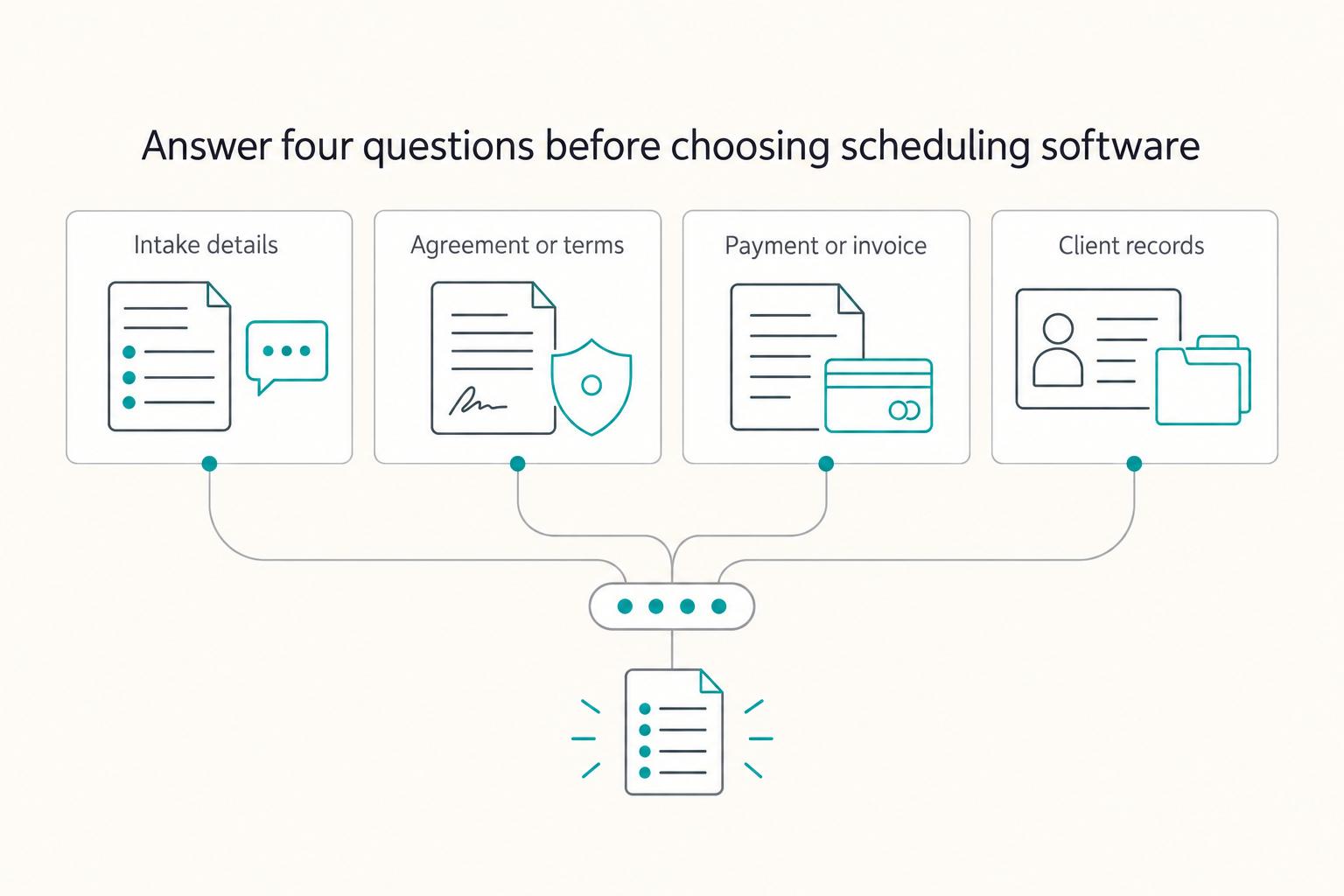
The Best Calendar and Scheduling Apps for Freelancers
Your scheduler is an operations layer, not just a booking link. It determines whether clients can self-book, whether buffers actually protect your day, and whether confirmed meetings land cleanly in Google Calendar or Outlook instead of creating cleanup work later.
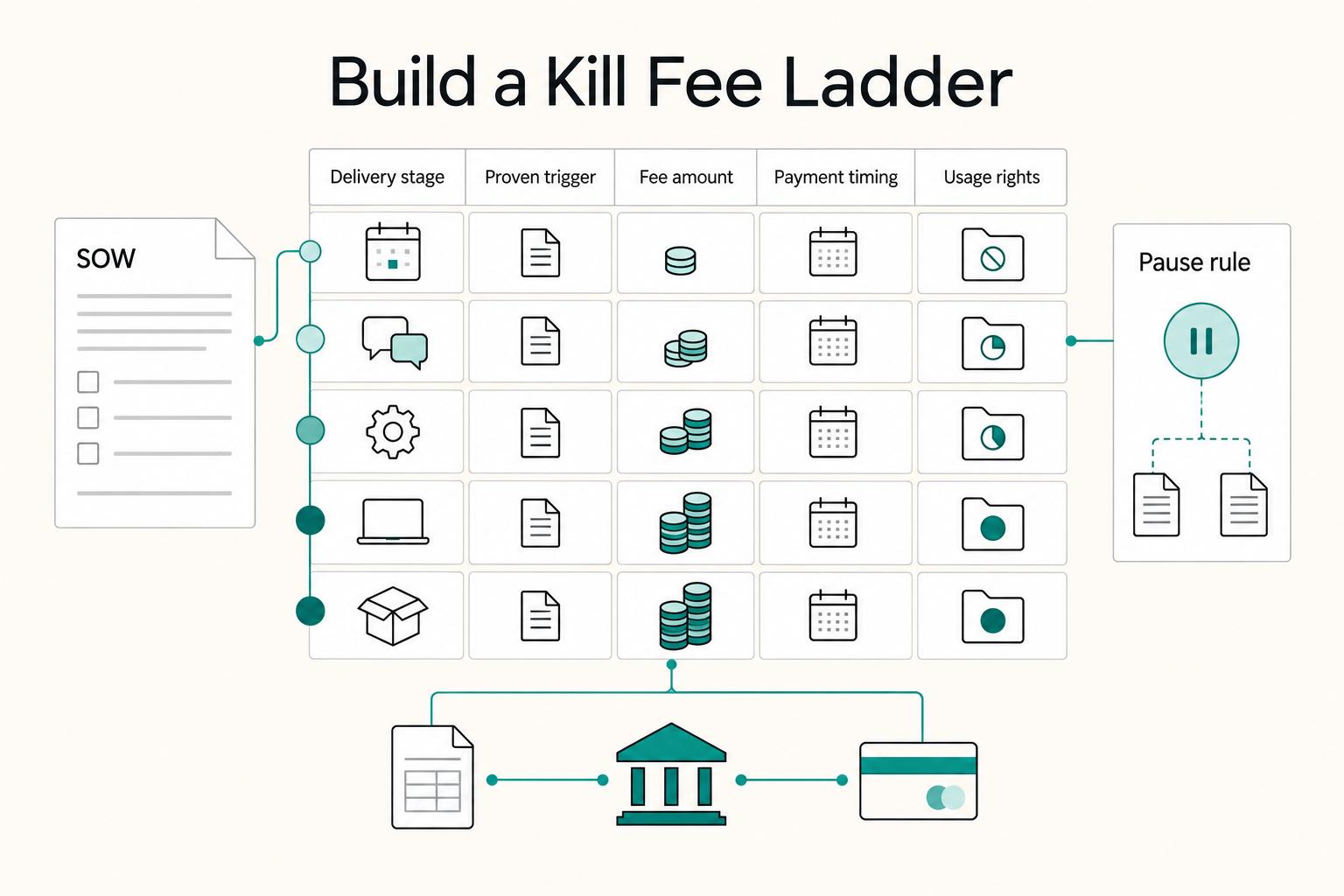
How to Use a Kill Fee to Protect Your Time and Income
A client cancellation can leave you with completed work, non-cancellable costs and time you reserved for the project. Agree in advance on what is payable if the project ends early, how you will prove the stage reached and what rights the client receives.

The Freelance Payment Penalty: A Modeled Audit of Platform Fees, FX Spreads, and Payout Delays
The money rarely disappears through a single, easy-to-spot fee. The real loss is stacked. A marketplace takes its commission, a processor adds a charge for international cards, a bank or payment company converts the currency at a spread, a platform holds the funds before release, and a wire sheds a little to intermediaries on the way in. Each layer looks defensible on its own, but the worker feels the combined result as a smaller deposit and a later payday.