
Quick Answer
Pick the best noise cancelling headphones for work by testing two finalists in the same environment and keeping the one that clears your non-negotiables twice. Start from your dominant pattern (call-heavy, focus-heavy, mixed-day, or budget-bounded), then run matched sessions for calls, concentration blocks, and laptop-phone switching. Log failures immediately, including mic complaints, reconnect delays, and comfort breakdowns. Use roundups to build a shortlist, but make the final keep-or-return decision from repeat results in your own setup.
How to Pick Headphones by Work Mode, Not Brand Hype#
If you are trying to choose the best noise cancelling headphones for work, start with how you actually get paid. The right pair is the one that protects billable calls, deep work, and device switching in your setup, not the one getting the most launch buzz.
Most buying mistakes start the same way. You open five rankings, see the same names repeated, and assume repetition equals proof. It does not. Use a simple method first, then let brands compete inside that method.
Pick one lane first#
Use these four lanes as a practical first filter. Pick the one that describes most of your week, not your occasional edge case.
| Work mode | Choose it when | Prioritize | Main risk |
|---|---|---|---|
| Call-heavy | Conversation quality affects revenue, approvals, or client trust | Microphone consistency and connection stability | "You cut out" or "you sound distant" on paid calls |
| Focus-heavy | Your output depends on long blocks of concentration | Active noise cancellation plus passive isolation from fit | Pressure at the highest ANC level can ruin a long work block |
| Mixed-day | Your day flips between meetings, writing, editing, and quick context changes | Comfort, stable audio, and clean handoff across more than one device | Audio routes to the wrong device or reconnects badly between laptop and phone |
| Budget-bounded | Price discipline matters more than chasing every premium feature | Fix your ceiling before you start browsing | Unclear mic testing or vague connection claims can cost more in missed calls and replacement time |
- Call-heavy
Choose this lane if conversation quality affects revenue, approvals, or client trust. Put microphone consistency and connection stability ahead of peak ANC claims, because a pair that sounds great to you but breaks up across laptop and phone is the wrong tool. If people ever say "you cut out" or "you sound distant" on paid calls, that is a business problem, not a minor spec issue.
- Focus-heavy
Choose this when your output depends on long blocks of concentration. Prioritize active noise cancellation plus passive isolation from fit, because ANC helps with steady noise but will not drown out all speech or every interruption. Test both your normal setting and maximum ANC. Some users report pressure at the highest ANC level, and that can ruin a long work block even if isolation is strong.
- Mixed-day
Pick this if your day flips between meetings, writing, editing, and quick context changes. Here, balance matters more than any one headline feature: comfort through changing tasks, stable audio, and clean handoff across more than one device. If a pair sounds excellent but keeps routing audio to the wrong device or reconnects badly when you switch between laptop and phone, that daily friction will matter more than a standout spec.
- Budget-bounded
Set this lane if price discipline matters more than chasing every premium feature. The market can stretch from well under $100 to $1,000, and even a known budget model cited at $149 has been seen as low as $100, so fix your ceiling before you start browsing. If staying under budget pushes you toward products with unclear mic testing or vague connection claims, the cheap option can cost more in missed calls and replacement time.
Trust the method, not the hype#
Good sources make their evaluation approach clear. Before you trust any roundup, check three things: does it explain what was evaluated, is there a visible recency signal, and does it cover call performance, comfort, and device behavior rather than recycling marketing language?
| Trust check | What to look for | Caution signal |
|---|---|---|
| Evaluation scope | It explains what was evaluated | It recycles marketing language |
| Recency | A visible date such as January 21, 2026 or March 9, 2026 10:02 am EST | No date or a stale one |
| Workflow coverage | Call performance, comfort, and device behavior | Those areas are missing |
That recency signal matters. A page dated January 21, 2026 or March 9, 2026 10:02 am EST at least tells you someone revisited it recently. No date, or a stale one, should make you cautious.
Write your checklist before you shop#
Before you look at products, lock three checklist items in plain English for call quality, comfort, and device switching. Tie each one to a paid-work outcome. Examples: "Clear voice quality during client calls," "Comfortable through my normal long block," and "Switches between my main devices without routine manual fixes." Then freeze two finalists and validate them in your own workspace:
| Checklist area | Example wording | Validation task | Failure to log |
|---|---|---|---|
| Call quality | Clear voice quality during client calls | One real call or call simulation | Cutouts or voice complaints |
| Comfort | Comfortable through my normal long block | One focused work block with your usual background noise | Pressure buildup |
| Device switching | Switches between my main devices without routine manual fixes | One laptop-to-phone handoff test | Reconnect misses or audio routing mistakes |
- Run the same sequence on both pairs
Use the same room, same conferencing app, and same device pair. Do one real call or call simulation, one focused work block with your usual background noise, and one laptop-to-phone handoff test.
- Log first, decide second
Write down failures immediately after each session: cutouts, voice complaints, pressure buildup, reconnect misses, or audio routing mistakes. Keep the pair that more consistently meets your checklist, and drop the one that keeps repeating the same failure pattern. That keeps the final choice grounded in evidence, not ranking momentum or brand hype.
Who This List Is For and the Selection Criteria That Actually Matter#
This list is for remote professionals who need headphones that protect paid work. If your week includes client calls, deep-focus blocks, and device switching in real noise (HVAC hum, keyboards, construction, nearby chatter), keep reading. If you only want the cheapest option or a music-first tuning, this section is not your decision framework.
A weak fit here creates business friction, not just audio disappointment. Use these four filters before you give any model trial time.
Use these four filters in order#
- Noise profile fit
Start with the noise you need reduced most often. ANC helps with environmental noise, but not every sound is reduced equally in practice. Run this check: test each candidate once in steady background hum and once with nearby speech. If it handles hum but chatter still breaks your focus, treat that as a real limit.
- Form factor fit
Earbuds, over-ear, and on-ear come with different tradeoffs; they are not interchangeable formats. Consumer Reports compares all three, and TechGearLab notes the compact-size vs lower-noise-reduction tradeoff with earbuds versus larger designs. Run this check: wear each candidate through one full meeting and one uninterrupted work block. If you keep adjusting fit or feel fatigue early, that form factor is the wrong match for your day.
- Evidence quality
Before trusting any ranking, triage the source. Prioritize transparent method, recent refresh, and real workflow relevance. Use this triage:
Method transparency: SoundGuys explains its ANC process (shaped noise, artificial head, perceived loudness reduction).Independence + coverage: TechGearLab discloses it buys products, references testing over 43 options, and presents a shortlist of 12.Breadth: Consumer Reports states ratings coverage of more than 100 models.Recency: SoundGuys logs March 2, 2026; Consumer Reports shows January 1, 2026; the referenced TechGearLab update is August 1, 2025.
If a source has no visible method, stale/no date, or mostly lifestyle framing, do not let it drive your shortlist.
- Budget discipline
Price is a constraint, not proof. Consumer Reports explicitly notes that less expensive models can still mute background noise effectively. Run this check: ask what extra spend changes in your actual workday. If your tests do not show a meaningful difference, higher price alone is not a reason to keep it.
When finalists are close, decide by consequence: pick the option tied to your bigger business risk. If call failure hurts revenue or trust faster, prioritize communication reliability. If focus loss is the bigger cost, prioritize noise handling and wearability.
Keep discovery separate from commitment. Freeze two finalists and stop adding candidates until testing is complete.
One Minute Decision Tree for Fast Shortlisting#
Shortlist fast, validate slow: your one-minute goal is to cut weak options, not pick a winner.
- Start with source triage
Keep only models backed by clear test methods. Prioritize sources that explain what they test, how they test, and when they updated. TechGearLab fits that bar: it says, "We buy all the products we test," and "We test everything, from sound quality and comfort to noise blocking and call quality," in real-world use and lab conditions, and shows an update date of November 25, 2025. Cut models supported mainly by vague or stale pages, especially when the page itself says it is old (for example, Forbes labeling one work-from-home tools article as more than two years old).
- Pick your work-mode path
Choose based on how you get paid, not how you listen to music. Call-dense: keep only models with explicit call or mic testing. If call evidence is missing, cut it. Mixed-day: keep only models with evidence on call quality, comfort, and noise blocking. Weak comfort notes or vague ANC claims are enough to cut. Mobility-first: include earbuds only if you accept the tradeoff: ANC may be "effective enough to reduce background hums," while speech and fit issues can still break sessions.
- Break ties by device reality
If two models are close, use OS fit first, then switching behavior. For some earbuds, the practical tie-breaker is to "base your choice on your system." Then check device handoff claims carefully: "connect to two devices simultaneously" is a checkpoint to verify in your setup, not proof of smooth switching.
- Run one repeatable gate before anything advances
Test every candidate the same way: same workspace, same conferencing app, same background noise, same laptop-phone-laptop handoff sequence. Run one call, one focused work block under steady hum, and one device handoff. If the same failure shows up twice, cut the model.
Use one log line per session so your next comparison table stays consistent:
- Task: client call / 45-minute focus block / laptop-to-phone switch
- Failure type: mic complaint, reconnect delay, ear pressure, weak speech reduction, audio leak at high volume
- Repeat status: first time, repeated once, repeated twice
That is enough to build a defensible shortlist without endless browsing.
Quick Comparison Table for Remote Work Buyers#
Use this table as a paid-work reliability filter, not a winner list. Use it to separate what is supported now from what you still need to verify before the return window closes.
RTINGS is useful here because it provides both a Compare function and a Results Table Tool for side-by-side screening. WSJ Buy Side adds a real-world stress scene (testing in the bustle of Grand Central Terminal) and shows an explicit update stamp of January 14, 2026, 2:57 PM EST. But it also labels Advertiser Disclosure, states commerce content is separate from newsroom coverage, and says it earns commission from some links, so treat it as input, not a verdict.
| Model | Best-fit work mode | Evidence confidence | Mic clarity target | ANC in speech-heavy noise target | Long-wear comfort target | Device handoff target | Key risk | First validation test |
|---|---|---|---|---|---|---|---|---|
| Sony WH-1000XM6 | Mixed-day over-ear trial and control-model candidate | Medium for shortlist relevance. Listed on RTINGS 2026 work roundup; no model-level winner claim confirmed | Benchmark pending current product/source verification | Benchmark pending current product/source verification | Benchmark pending current product/source verification | Verify laptop -> phone -> laptop switching in your own setup | You treat roundup presence as proof for calls | Run one 45-minute Zoom or Teams call, one focus block with speech-like background noise, then two full handoffs |
| Bose QuietComfort Ultra Headphones (2nd Gen) | Focus-heavy or mixed-day over-ear trial | Medium for shortlist relevance. Listed on RTINGS 2026 work roundup; no supported winner claim here | Benchmark pending current product/source verification | Benchmark pending current product/source verification | Benchmark pending current product/source verification | Handoff benchmark pending current product/source verification | Comfort or ANC reputation hides call weakness | Run the same call block and switching sequence as Sony, in the same room and app |
| Apple AirPods Pro 3 | Mobility-first trial, especially if you already work across Apple devices | Medium for shortlist relevance. Listed on RTINGS 2026 work roundup; work-specific proof is still incomplete | Benchmark pending current product/source verification | Benchmark pending current product/source verification | Verify fit drift and fatigue during extended sessions | Verify switching stability across your actual Apple and non-Apple mix | Convenience can hide speech-noise limits or fit instability | Do one walking call, one seated client call, then repeat laptop-to-phone handoff without re-pairing |
| AirPods Max | Desk-bound Apple over-ear trial | Low. No model-specific support confirmed | Benchmark pending current product/source verification | Benchmark pending current product/source verification | Benchmark pending current product/source verification | Handoff benchmark pending current product/source verification | You assume network fit equals work reliability | Only advance if you can test it directly against one verified over-ear control under identical tasks |
| Yealink HA64 Pro | Call-heavy trial | Low. Not tested or recommended here | Benchmark pending current product/source verification | Benchmark pending current product/source verification | Benchmark pending current product/source verification | Handoff benchmark pending current product/source verification across laptop and phone paths | You assume headset form factor guarantees better calls | Stress with back-to-back meetings, mute/unmute cycles, and reconnect checks before client use |
Use one stable control model so every finalist is judged under identical call, focus, and switching conditions. The control model is not the winner by default; it is the baseline each finalist must match or beat in your own workspace.
Before moving into model-specific sections, run this pre-purchase gate:
- Freeze two finalists, plus one control model if your shortlist keeps changing.
- Log repeat failures after each call block, focus block, and device switch.
- Remove repeat offenders when the same failure appears twice under the same conditions.
- Carry only validated candidates forward. If you cannot verify it in your setup, it is not ready for paid work.
Related: How to Create a Pitch Deck for Your Agency.
Sony WH-1000XM6 for Mixed Deep Work and Client Calls#
If your day alternates between deep solo work and client calls, the Sony WH-1000XM6 is a strong first model to validate, not an automatic keep. The support here points to improved ANC and call capture versus the prior generation, but you still need to confirm call clarity, interruption control, and comfort in your own setup.
What is supported is specific: one published review says ANC and call quality were improved, including four additional microphones, and describes adaptive noise cancellation. That is useful for a mixed-day shortlist, but it does not prove perfect Zoom or Teams performance in your environment, and it does not mean speech noise disappears. Broader ANC guidance is more practical: expect better control of recurring noise like HVAC hum, keyboards, construction, and nearby chatter.
For long sessions, the same review describes refined concave ear cups and a wider headband to spread pressure more evenly, and remote-work use often means 6-8 hours of daily wear. Sony's app also supports adjustable EQ, multiple presets, and two user-defined profiles, which gives you a clean way to separate a focus profile from a meetings profile. Before testing, confirm the exact variant on the listing (for example, WH1000XM6/B) so you are evaluating the intended model.
Best for / not ideal for (vs a nearby shortlist option)#
| Model | Best for | Not ideal for | Call reliability confidence | Long-session comfort confidence | Network/workflow friction note |
|---|---|---|---|---|---|
| Sony WH-1000XM6 | Mixed days where one over-ear headset must handle both focus blocks and client calls | Buyers who want to skip hands-on validation | Medium: explicit review support for improved call capture, but still unverified in your exact app/room | Medium: comfort-design support is present, but must be tested over full work blocks | Use app profiles so you are not retuning it every day |
| Bose QuietComfort Ultra | Comfort-first focus sessions as a comparison candidate | Assuming equal mixed-day call performance without testing | Low in this section: no equivalent call-capture detail here | Needs direct side-by-side wear testing | Treat as a parallel trial, not a presumed plug-in substitute |
How to validate before you keep it#
- Run the same test twice: same conferencing app, same laptop/phone path, same room, same seat on Day 1 and Day 2.
- Log only pass/fail for three fields after each session: call clarity, interruption control, and fatigue.
- Stress real noise, not silence: test with HVAC, keyboard noise, and nearby speech.
- Keep budget discipline in writing:
current verified price: [refresh before publish], then confirm the retailerReturn & Exchange Policybefore finalizing.
For a step-by-step walkthrough, see The Best Ergonomic Gear for Your Remote Work Setup.
Bose QuietComfort Ultra for Comfort First Focus Sessions#
Choose Bose QuietComfort Ultra when your week is mostly deep solo work and comfort is the deciding factor. Then validate call performance separately before you keep it.
Bose positions this model around comfort, and the controls are clear: Quiet Mode for full noise cancellation, Aware Mode to hear your surroundings, and Immersion Mode as a third option. Bose also lists Bluetooth multipoint connectivity, sound tailored to you, and Bose app customization. In practice, this is a good fit only if those features reduce daily effort instead of adding more tweaking.
| Model | Deep-work blocks | Meeting reliability | Setup friction | Daily adjustment effort |
|---|---|---|---|---|
| Bose QuietComfort Ultra | Strong comfort-first candidate | Verify directly; call clarity language is a product claim here, not a benchmark | Moderate; test app + multipoint with your real device pair | Keep only if mode/tuning changes stay low |
| Sony WH-1000XM6 | Better mixed-day candidate in this article | Better supported in this article for call-focused evaluation | Moderate; app profiles can help switching workflows | Good if you actually run separate focus/call setups |
| Bose 700 | Useful only as a control if you already own it | No supported edge identified | Not established; test under the same conditions | Break ties on fewer tweaks, not brand familiarity |
Run a strict pass/fail check before deciding:
- Test Quiet, Aware, and Immersion in the same room, same seat, same time block, and same device pair across two separate days.
- Power-cycle before day two; if sound or feel changes enough that you notice immediately, log it as a fail.
- In one real focus block, lower or disable noise control; if that hurts concentration for your actual tasks, log it as a fail.
- Before checkout, record current verified price: [refresh before publish] and battery claim for your exact variant: [verify listing context].
If results are close, keep the headset that needs fewer daily tweaks. Related reading: The Best Desk Chairs for Long Hours of Work.
AirPods Pro for Portable Remote Work in the Apple Ecosystem#
Choose AirPods Pro when portability is your first priority, not just a convenience. If you mostly work from one desk in long blocks, start with an over-ear option. Use AirPods Pro only if it wins your real mobility tests.
For this model, your focus protection depends on both layers: ANC plus passive isolation from a stable ear-tip seal. That means fit drift, ear fatigue, and room conditions can matter as much as the ANC setting, especially in speech-heavy spaces.
Treat this as an evaluation framework, not a brand decision. One 2026 guide frames remote-work earphone selection around comfort, ANC, and stable multi-device connectivity. Use that lens here: verify switching and call behavior in your own routine before you keep them.
| Option | Portability | Call reliability while moving | Long-session comfort | Concentration protection in speech-heavy spaces |
|---|---|---|---|---|
| AirPods Pro | Best fit if you need pocketable, on-the-go work audio | Verify directly in walking calls, room changes, and laptop-to-phone handoffs | Fit-dependent; strong only if seal stays stable without pressure buildup | Variable; depends on ANC plus seal quality in your actual environment |
| Bose QuietComfort Ultra | Less portable, better suited to desk-first use | Still must be tested, but movement stress is usually lower in desk workflows | Better fallback if in-ear pressure or reseating is a recurring issue | Often more consistent session-to-session because fit shifts less |
Run a repeatable pass/fail workflow#
- Device switching
Run your real sequence twice in one day (for example: phone -> laptop -> phone). Pass only if reconnection is consistent both times. Current reconnect benchmark pending product/source verification.
- Call stability and mic pickup
Do one quiet call and one moving call. Log dropouts, delayed audio return, and any comments about your voice clarity. If client-facing calls are involved, repeated voice complaints are a fail.
- Seal drift
Check fit at start, after a longer work block, and after movement. If you keep reseating earbuds, mark fail: passive isolation is part of core performance here.
- Interruption recovery
Test where distractions are real for you (household talk, barking, street or appliance noise). If interruptions repeatedly break concentration, log recovery quality instead of relying on first impressions.
Keep AirPods Pro only if the same checks pass in both your desk setup and mobile setup across two separate days. If call issues, seal drift, or interruption recovery problems repeat, switch to over-ear and treat portability as secondary.
You might also find this useful: The Best Noise-Cancelling Apps for a Quiet Workspace.
AirPods Max for Premium Apple Based Desk Work#
Use AirPods Max only if your routine is mostly fixed-desk Apple work. Treat it as a premium option that must earn its place through repeatable notes, not as an automatic upgrade.
If most paid work happens in one seat, this is the lane to test. If your week is mixed-location, flag daily portability friction early and fail fast if it keeps showing up.
| Decision area | AirPods Max (desk-first) | AirPods Pro (your portable baseline) |
|---|---|---|
| Desk-call reliability | Run your normal call stack and log reconnect friction or voice complaints | Compare against the same apps and call pattern |
| Long-session comfort drift | Note when pressure, heat, or fatigue starts, then recheck later the same day | Check whether in-ear fatigue or fit drift repeats |
| Concentration protection | Track whether interruptions still break focus during deep-work blocks | Compare interruption recovery under the same noise conditions |
| Apple handoff friction | Run your usual Mac-to-iPhone sequence twice | Run the same sequence twice for a fair comparison |
Run one editing day and one meeting day on separate dates. For each session, log the date, app, device order, and repeated failure type; if the same breakdown repeats, reject it.
Use rankings for discovery only, not decision authority. Before trusting a shortlist, confirm it shows testing and recency checkpoints (for example, What Hi-Fi's How we test and Recent updates) and remember RTINGS frames this as a 2026 Noise Cancelling list context, not a personalized winner.
If multiple options pass, keep the one that protects focus with less daily adjustment, then verify current pricing before purchase.
Yealink HA64 Pro for Call Heavy Professional Days#
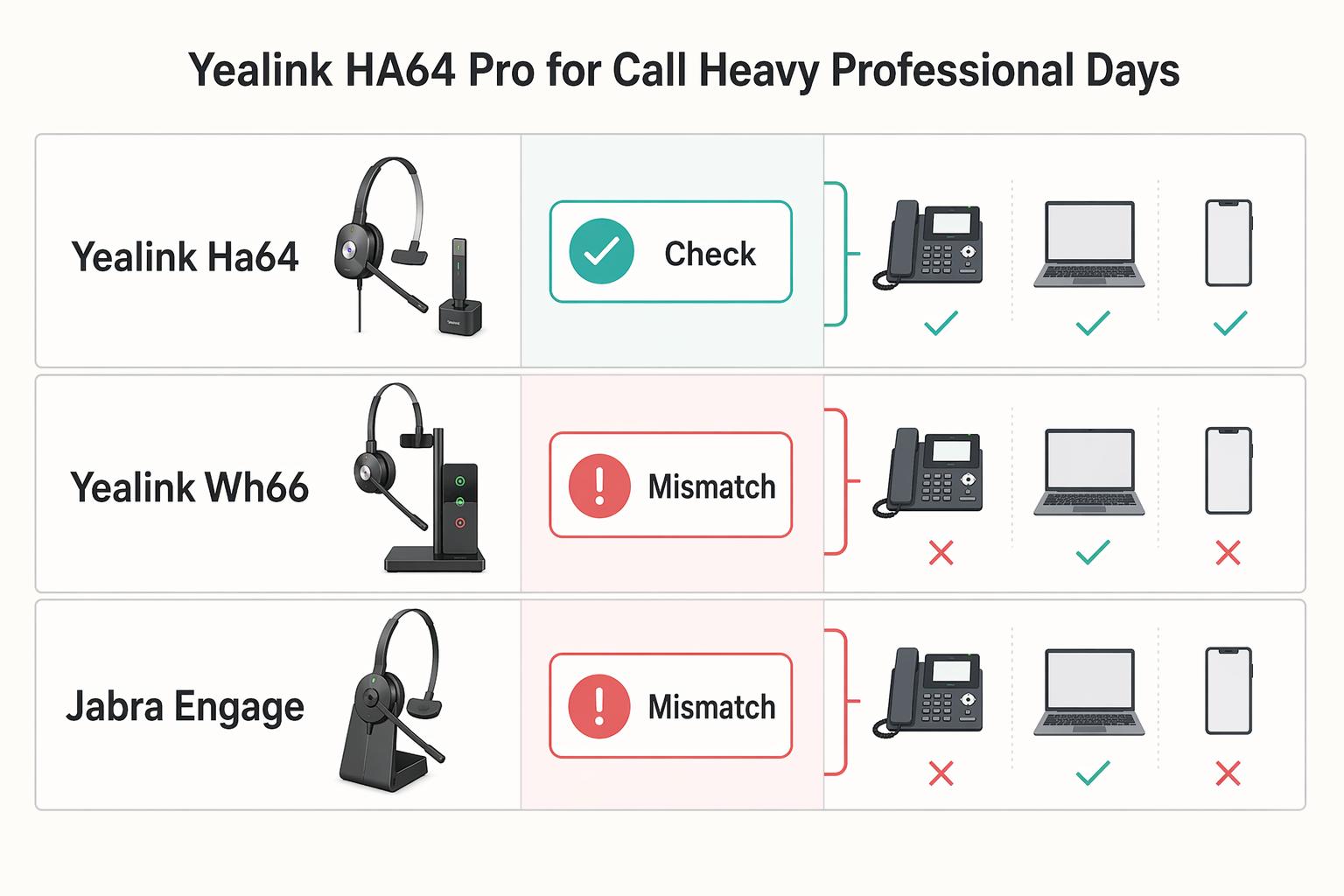
Choose this branch if most of your paid day is live calls and you regularly move between desk phone, computer, and smartphone. In that workflow, Yealink HA64 Pro is worth shortlisting early because it is explicitly positioned as a DECT + Bluetooth headset for calls and meetings.
Use the UC label as a routing signal, not proof of certification scope or performance. Your decision should come from your own repeatable call logs.
| Model | Mic clarity under noise | Connection stability | Mode-switch friction | Real workday consistency |
|---|---|---|---|---|
| Yealink HA64 Pro | Test in the same noisy call block each day; poor audio and background noise are known credibility risks in call-heavy roles. | Test DECT and Bluetooth as separate paths. | Log reconnect lag when switching devices. | Keep only if your logs stay clean across repeated call blocks. |
| Yealink WH66 | Use as the closest same-brand control in available real-world comparison content. | Compare in the same room, app mix, and schedule as HA64 Pro. | Track how quickly you recover after interruptions. | A dedicated WH66 vs HA64 Pro comparison artifact exists, including video. |
| Jabra Engage 65/75 | Use as a benchmark lane only; do not assume a winner before testing. | Run identical quiet/noisy blocks used for the Yealink models. | Track mute mistakes and reconnect friction side by side. | Keep as a non-Yealink reference point for consistency checks. |
Run the same call blocks each time: same app mix, same noise conditions, same time window. After each block, log only four items: dropouts, reconnect lag, mute errors, and whether the other side flagged clarity issues.
Common Buying Mistakes That Waste Money and Time#
Most wasted money comes from buying on assumptions instead of testing the failures that actually matter in your day.
| Mistake | Better move |
|---|---|
| You expect ANC to create silence | Treat ANC as attenuation and test it against your real noise profile (for example HVAC hum, nearby speech, keyboard chatter). |
| You choose by price tier first | Use price tiers to narrow options only after comfort, call clarity, and device switching meet your minimum bar. |
| You treat one roundup as a final verdict | Verify method transparency first: How I tested, Test scores, update date, and how products were obtained. |
| You ignore system compatibility until after checkout | Match to your system and daily device path before comparing feature lists. |
- You buy ANC as if it removes the room.
If you expect silence, you will likely be disappointed. ANC is noise attenuation, and there are still inherent limitations. Test the sounds that actually break your focus, then decide based on fit, passive seal, and call behavior in your setup.
- You let price tiers decide for you.
Price bins like Under $250 / £250, under $100 / £100, under $50 / £50, and $150 and under help with browsing, not final selection. A lower or higher tier does not prove comfort, call quality, or productivity fit. If you rely on app tuning such as parametric EQ, verify that workflow before you buy. Current budget examples are pending product/source verification.
- You use roundups as answers instead of shortlist inputs.
A credible roundup should show how testing was done, not just winners. Look for signals like How I tested, published Test scores, an update marker (for example Updated November 25, 2025), and whether the outlet says it buys products itself. Broad test history can help (one guide reports testing over 150 headphones and earbuds since 2012), but it still does not replace your own controlled trial.
- You skip compatibility checks and blame the headset later.
System fit is a first-pass filter, not a cleanup step. If your day depends on specific handoffs across devices and apps, test that path before you compare extra features. Compatibility misses are expensive because they often appear only after setup.
Before checkout, write your paid-work failure triggers in plain language, test those triggers first in your real setup, and drop any option that repeats the same failure pattern.
Fourteen Day Validation Checklist Before You Keep or Return#
Treat your return window as a controlled trial, not as more shopping time. Keep only two finalists, lock your non-negotiables before day one, and compare them under identical conditions so your decision is defensible.
Use one log format for every session, filled out immediately after each test: test context, work task, failure type, severity, repeat occurrence, and keep-or-return impact.
- Lock your criteria before you test.
Write down three non-negotiables and keep them fixed for the full trial. If call clarity, comfort over longer sessions, and clean device switching matter most for your work, do not change that rubric midstream.
- Run a matched baseline on both finalists.
Use the same environment, the same app stack, and the same device-switching workflow for both models. Run the same call block and focus block on Finalist A, then repeat that exact sequence on Finalist B. Log what comes from ANC versus passive isolation, since they solve different parts of noise control.
- Test calls in quiet and noisy scenarios.
Run real meetings plus at least one call with predictable background noise (for example HVAC hum, nearby speech, or kitchen noise). Record mic complaints, clipping, dropouts, and repeat-backs. Treat claims like "all background noise disappears" as marketing until your own tests confirm outcomes in your setup.
- Test focus, comfort, and mobility in longer sessions.
Track ear fatigue, pressure discomfort, seal drift, and whether you keep raising the volume to stay focused. Use the 85 dB reference as a safety checkpoint if volume keeps creeping up. For earbuds, also log moisture buildup or irritation. For Bose QuietComfort, test Quiet, Aware, and Custom modes separately.
- Make the keep-or-return decision from recurring failures, then verify policy/spec details.
Summarize repeated failures by scenario (calls, focus, mobility, comfort, connection), then judge each finalist against your non-negotiables. Before keeping a product, check current return/protection terms and manufacturer specifications.
| Finalist | Calls | Focus | Mobility | Comfort | Connection | Pass/fail against your non-negotiables |
|---|---|---|---|---|---|---|
| Finalist A | [repeat pattern + note] | [repeat pattern + note] | [handoff issue or none] | [pressure/fatigue note] | [drop/reconnect note] | [Pass/Fail] |
| Finalist B | [repeat pattern + note] | [repeat pattern + note] | [handoff issue or none] | [pressure/fatigue note] | [drop/reconnect note] | [Pass/Fail] |
If a work-critical failure keeps recurring in the same scenario, let the log decide.
Choose Once and Move On#
Once one pair clears your non-negotiables in repeat use, stop shopping. Make the final call from your notes, not from one more roundup, one more video, or a newer-release headline.
Pick your lane by work pattern, then compare only inside that lane. If your week is focus-heavy, stay in the consumer ANC lane and optimize for concentration, comfort, and low-friction switching. If your income depends on back-to-back calls, move to the call-first office headset lane, where voice pickup and connection behavior carry more weight. If your setup includes desk phone or mixed-device use, include a DECT & Bluetooth headset option in that lane.
| Criterion | What good looks like in your workflow | Common failure signal | Keep/return implication |
|---|---|---|---|
| Call clarity | You come through clearly in both quiet and noisy call blocks | Repeated "can you repeat that?" or "you sound far" feedback in real client conditions | Return, even if other areas feel strong |
| Isolation | HVAC, traffic, or room hum drops enough to stay on task | Nearby speech keeps breaking focus across sessions, even after reseating | Return for focus-heavy work |
| Comfort | No clamp, heat, seal drift, or irritation that changes how you work | You take it off early, fidget often, or start turning volume up to compensate | Return; all-day comfort wins over first-impression comfort |
| Device switching | Laptop/phone handoff works predictably each time | Reconnect delays, pairing confusion, or missed mute/control actions | Return if switching is part of your normal day |
Use outside comparison tools as a verification layer, not as the decision-maker. A general consumer ANC roundup and an office-call headset guide can help you choose the right lane, and a Results Table Tool can help with side-by-side checks. If your browser is unsupported or outdated, some features may not load, so prioritize your own test log.
Lock the decision with a two-sentence note: what you kept, and why it won in your real workflow. Save it with your scorecard, stop reopening comparisons, and move that time back into paid work. Want a second pass on your shortlist? Talk to Gruv.
Frequently Asked Questions
Which matters more for client work, mic quality or ANC?
If your week is call-heavy, microphone consistency is the gate. Prioritize one quiet call block and one noisy block with repeatable background noise like HVAC hum or nearby speech. If you repeatedly hear “you sound distant” or “can you repeat that?”, treat that pair as a fail. ANC can help your concentration, but call performance decides whether you sound professional.
Are earbuds or over-ear headphones better for remote work?
Pick earbuds if your day is mobile and you need quick switching between devices. Pick over-ear if you spend long focus blocks at a desk and need more passive isolation from fit and seal. Test earbuds for seal consistency during movement, and test over-ear pairs for clamp pressure, heat, and seal shifts when you talk or turn your head. Keep the form factor that still feels stable in the second half of the day, not the one that wins the first 10 minutes.
Do noise-cancelling headphones block voices well enough for shared spaces?
Usually not by themselves. Active noise cancellation tends to help more with steady sounds like humming appliances, traffic, or HVAC than with nearby conversation, so passive isolation still matters. If shared-space speech is your main problem, test the same chair and room in repeated sessions, reseat the headphones once, and return them if one nearby talker still breaks your focus every session.
How much should you trust expert rankings versus your own trial data?
Use rankings to build a shortlist, not to make the final decision. A guide published on January 21, 2026 or updated on February 05, 2026 still reflects that outlet’s test scope, not your room, devices, or call path. If a ranking says one pair is the best noise cancelling headphones for work but your trial log shows repeat handoff failures or comfort breakdown, trust the log.
When should you pick a UC headset over a consumer ANC model?
Start with a UC headset when back-to-back office calls are the job and you need dependable call behavior across devices. Consumer ANC models can still be a better fit for long focus blocks, but office-call headsets are a separate buying track for a reason. Keep the UC option if it stays reliable across your actual laptop and phone path. Return it if the call advantage disappears once you test it under your real noise conditions.
Try a related tool
Researched and edited by the Gruv editorial team. Gruv builds cross-border billing, payouts, and finance-operations software for global businesses.
Sources
Includes 1 external source outside the trusted-domain allowlist.
- edocs.rentonwa.gov/Documents/DocView.aspxtrusted
- hsrd.research.va.gov/publications/esp/seclusion-mh.pdftrusted
- illumin.usc.edu/engineering-healthy-silence-using-noise-canc...trusted
- osti.gov/opennet/servlets/purl/16369463.pdftrusted
- pmc.ncbi.nlm.nih.gov/articles/PMC10591122trusted
- pmc.ncbi.nlm.nih.gov/articles/PMC8452027trusted
- sos.ca.gov/elections/ovsta/frequently-requested-informa...trusted
- audio46.com/blogs/headphones/sonys-loudest-headphone-yet...external
Educational content only. Not legal, tax, or financial advice.
Related Posts
The FIRE Movement for Freelancers Who Need Reliable Cashflow
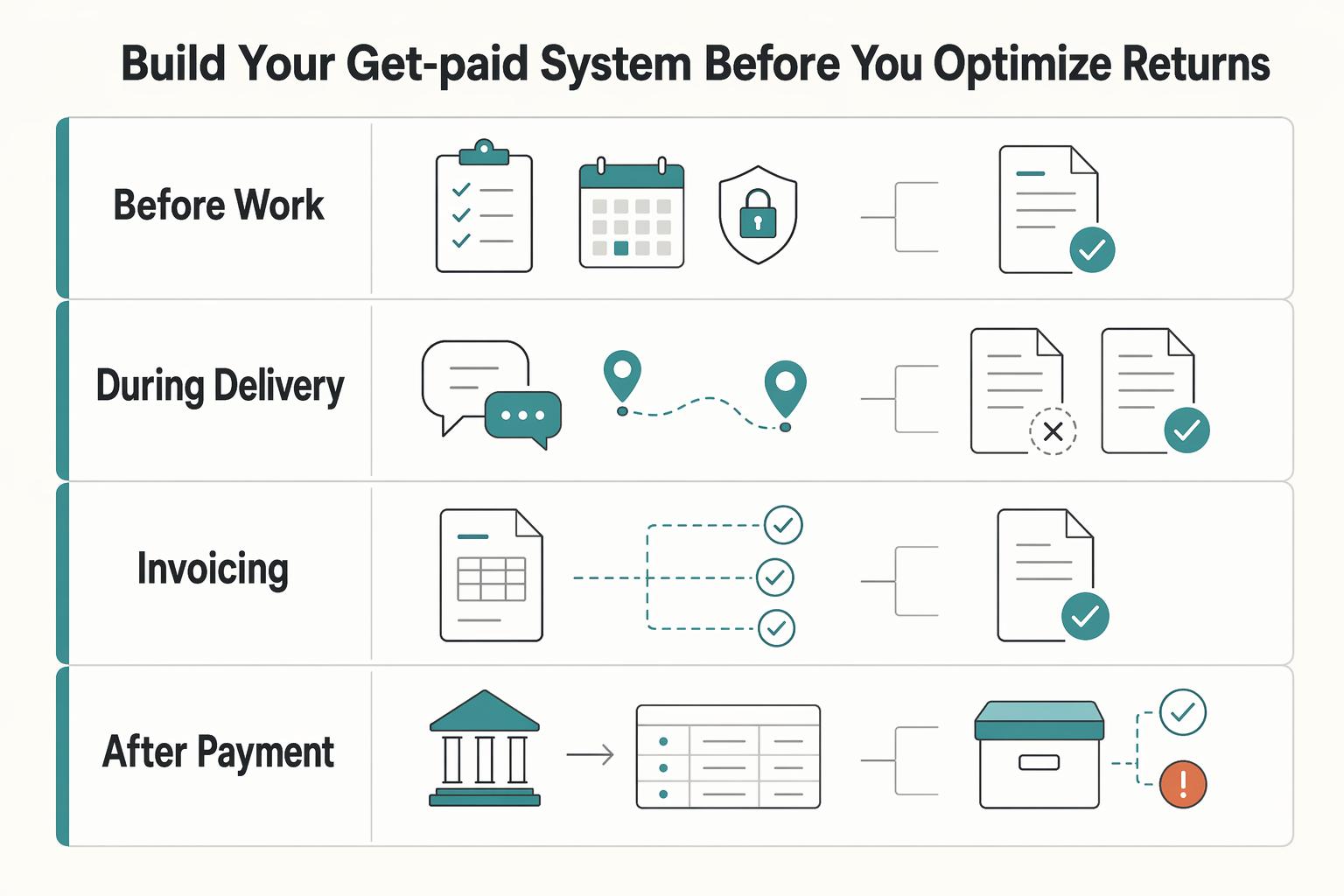
For freelancers, FIRE is more durable when your cash handling is predictable enough to support regular saving and investing through uneven client cycles. The practical order is simple: steady incoming cash where you can, decide in advance where each dollar goes, and automate only after the basics stop wobbling.
How to Create an Agency Pitch Deck That Wins Decisions
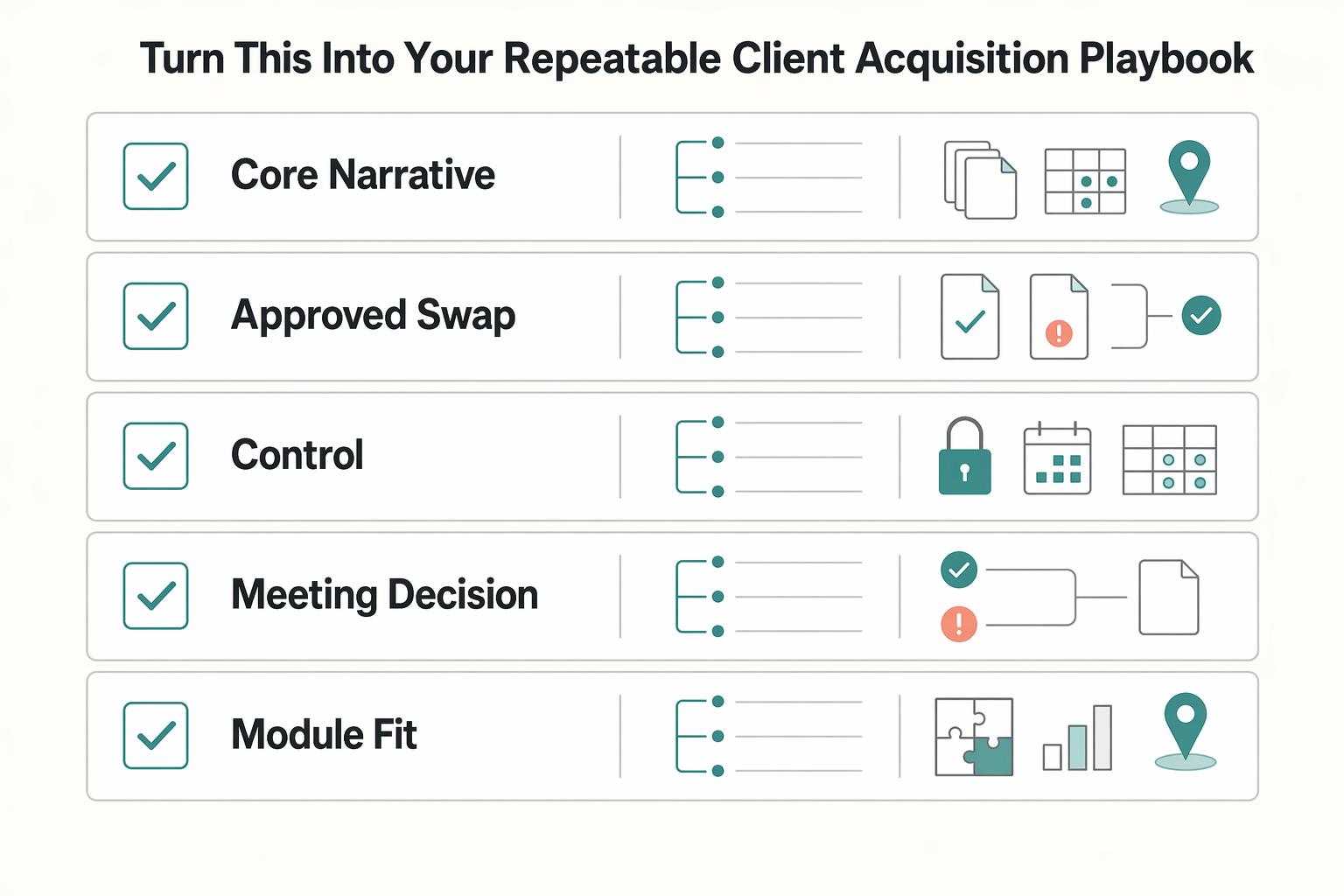
Your **agency pitch deck** should help one buyer make one decision. If the meeting ends with compliments about the slides but no movement on scope, next steps, or stakeholder review, the deck missed its job.

The Freelance Payment Penalty: A Modeled Audit of Platform Fees, FX Spreads, and Payout Delays
The money rarely disappears through a single, easy-to-spot fee. The real loss is stacked. A marketplace takes its commission, a processor adds a charge for international cards, a bank or payment company converts the currency at a spread, a platform holds the funds before release, and a wire sheds a little to intermediaries on the way in. Each layer looks defensible on its own, but the worker feels the combined result as a smaller deposit and a later payday.