
Quick Answer
Pick the lightest machine that handles your real workflow, then validate it during the return window. For documents, calls, and web apps, MacBook Air or Dell XPS 13 is a sensible carry; step to MacBook Pro when exports or local builds run long. Confirm the exact model code and run a 60-minute multitask block before deciding to keep it.
Introduction and who this list is for#
If you want smoother travel days and fewer support headaches, start with proven laptop families instead of whatever is newest. For most people working remotely, the right machine is a light, dependable one that handles documents, calls, research, and browser-heavy work without fuss. Move up only when your week regularly includes sustained CPU or GPU load such as long exports or local builds.
That is the lens for this list. What matters on the road is not the spec sheet in isolation. It is weight and size in a real backpack, battery steadiness during mixed work, keyboard and display comfort over multi-hour sessions, service and warranty access across countries, and stable behavior in the apps you actually use. Specs only matter when they improve those outcomes. If a configuration helps you type more accurately, stay comfortable on a long call, or avoid heat under sustained work, it earns its place. If it adds weight or cost without changing your day, skip it.
A few decision rules will get you to a useful shortlist quickly:
- Docs, calls, and light media: consider MacBook Air or Dell XPS 13.
- Heavy media exports or local dev stacks: choose MacBook Pro for the extra performance headroom.
- Windows ultralight options: consider Samsung Galaxy Book4 Pro or Dell XPS 13.
- Budget-conscious starting point: begin with Lenovo IdeaPad, then confirm the exact SKU before you buy.
- Business-focused travel line: shortlist Dell Latitude and record warranty terms before you leave.
These families keep showing up for a reason. Buyer guides regularly put MacBook Air near the top for travel and MacBook Pro in the more performance-heavy tier. Windows-focused lists often point to Dell XPS 13 as a travel-friendly option and Samsung Galaxy Book4 Pro as a value-oriented one. Separate roundups include Lenovo IdeaPad among common picks, and Dell positions Latitude as a business line. There is no universal winner, but the machines that keep recurring tend to have clearer service paths and more predictable real-world experiences.
Before you get attached to any model, do two quick checks. First, verify the experience during the return window with a one-hour mixed-work test: a video call, 15+ browser tabs, and a shared document. Watch fan noise, surface temperature, and battery drop per hour. Second, control for configuration variance by writing down the exact model number, RAM and storage targets, and the panel spec you want before checkout. If your work is routine and portable, staying light with an Air or an XPS will usually make travel easier. If throughput and build times shape your week, step up to a Pro tier and keep the rest of your kit simple.
Related: How to Build a Travel First-Aid Kit.
Quick comparison at a glance#
Use this table as a shortlisting tool, not a final verdict. Read the Best for column first, then check the watch-outs against your actual travel pattern. If you work untethered for long stretches, treat at least 10 hours on the go as a practical target before you commit to a configuration.
These models appear across current guides and product pages, and the Dell XPS and Latitude lines remain active families. That helps because you are rarely choosing only a brand. You are choosing a size, panel, memory tier, storage tier, keyboard feel, and support path that need to hold up outside your home country.
| Model | Best for | Strengths | Watch-outs |
|---|---|---|---|
| MacBook Air | Overall travel | Named "Overall Best" in one roundup | No universal winner; verify workload fit |
| MacBook Pro | Pro workflows | Chosen when more performance is needed | Confirm size and budget fit by config |
| Dell XPS 13 | Windows ultralight | Part of Dell's XPS laptop line | Configs vary; confirm specs |
| Samsung Galaxy Book4 Pro | Windows ultralight | Value-oriented pick in recent travel guides | Confirm battery and panel by exact SKU |
| Lenovo IdeaPad | Budget/value | Common starting point when price matters | Verify build and keyboard on the unit |
| Lenovo ThinkPad | Business durability | Frequent business-travel shortlist | Check weight and exact keyboard layout |
| Dell Latitude | Business travel | Part of Dell's Latitude business line | Specs and pricing depend on configuration |
| HP | Business travel | Business-line option for mixed environments | Model variance; vet the exact unit |
The fastest way to use this list is to narrow it to two or three candidates, then stop browsing and start verifying. Broad labels such as "overall best" or "value pick" are useful only if the exact machine in your cart matches your work. A good shortlist is one where each option solves a different problem: one lighter carry, one more performance, one safer business support path.
Quick checks before you buy:
- Confirm the keyboard layout and warranty terms for your ship-to region, then save proof of purchase offline.
- During the return window, run a one-hour mixed-work block and note fan noise, surface temperature, and battery drop per hour.
- Record the exact model number, RAM and storage targets, and the panel you want so you can compare the delivered unit against your notes.
If you want a deeper dive, read The Best Digital Nomad Communities to Join.
Mac laptops - Air vs Pro#
For most travelers, this is a simple split: buy the MacBook Air when portability and low-fuss travel matter most, and buy the MacBook Pro when your real work includes sustained builds or media exports. A side-by-side comparison already points to MacBook Air (13-inch, M3, 2024) and MacBook Pro (14-inch, M4 Pro, 2025), but the useful choice comes from your weekly workload, not the product cycle.
| Model | Travel fit | Where it excels | Tradeoff |
|---|---|---|---|
| MacBook Air | Compact for frequent moves | Writing, calls, many tabs | Headroom limits under long exports or builds |
| MacBook Pro | Travel-ready performance tier | Sustained creator or dev tasks | Less minimalist than Air |
The Air makes the strongest case when your day is documents, calls, browser work, and a lot of movement between spaces. It keeps your setup lighter, your packing simpler, and your desk footprint smaller. If you work from coworking spaces one day, a train table the next, and a short-term rental after that, that simplicity matters more than bragging rights on a spec sheet.
The Pro earns its place when long exports, builds, or other sustained tasks are routine rather than occasional. This is where many buyers overcorrect in both directions. Some carry a heavier machine they almost never push. Others buy the lighter option, then spend months waiting on the same slow task that defines their work. A good rule is to judge by the thing that costs you the most time in a normal week. If that task is short and forgettable, the Air is usually the smarter travel choice. If it is central to how you get paid, the Pro is easier to justify.
There is also a practical advantage to staying within one family once you have decided the tier. Packing stays straightforward, chargers and cables stay familiar, and troubleshooting is less chaotic if something goes wrong mid-trip. That does not mean you should stay in the lineup no matter what. It means the decision is easier when the family already fits your way of working.
Before you commit, run the same one-hour mixed-work test on both machines if you can: a video call, 12 to 15 tabs, and a shared document. Then time one real export or one real local build that actually reflects your work. If the heavier task drags or slows in a way that would annoy you every week, move to the Pro. If it finishes cleanly and the one-hour test stays comfortable, keep the Air and enjoy the lighter kit.
Also record the exact identifiers on the order. MacBook Air (13-inch, M3, 2024) and MacBook Pro (14-inch, M4 Pro, 2025) may sound close enough in casual conversation, but small naming changes can hide the exact machine you meant to buy. Save a PDF of the receipt and the serial number offline for support lookups while traveling. Keep a note of the charger and cable types in your bag list as well, so replacing a lost cable in another city does not become a project.
If throughput dominates your week, buy the Pro without guilt. If portability and low friction dominate, the Air is the better travel tool.
Windows ultralights - Dell XPS 13 vs Samsung Galaxy Book4 Pro#
On the Windows side, the family name is only half the story. Dell XPS 13 and Samsung Galaxy Book4 Pro are both credible ultralights, but the exact SKU matters enough that you should treat configuration checking as part of the purchase, not a clerical afterthought.
| Model | Travel role | Noted signal | What to verify |
|---|---|---|---|
| Dell XPS 13 | Compact Windows ultralight | Designated as a midrange travel pick | RAM and storage targets; precise SKU on the invoice |
| Samsung Galaxy Book4 Pro | Light Windows ultralight | Designated as a value pick | Battery expectations for your tasks; exact configuration code |
A recent travel guide labels the XPS 13 as a midrange travel pick and the Galaxy Book4 Pro as a value pick. Useful as a starting filter, but not enough to buy from. Ultralight Windows laptops often ship in multiple trims, and the day-to-day experience can swing more than many buyers expect. That is why model code discipline matters so much here. If you cannot see the full model code on the order page, the box, or the invoice, stop and confirm before checkout. Small suffix differences often hide the memory, storage, or panel changes that shape daily use.
The XPS 13 usually makes sense when your day is documents, calls, web apps, and frequent movement. It is easy to carry and easy to picture in a travel routine built around compact gear. The Galaxy Book4 Pro becomes more interesting when value per dollar is a bigger part of the decision and you still want an ultralight Windows option in the mix. Neither label should override your actual test results.
Use the return window aggressively. Run a one-hour mixed-work block with a video call, 12 to 15 browser tabs, and a shared document. Note fan noise, any coil whine, surface warmth near the keyboard, and battery percentage drop for your pattern of use. Then reboot and repeat once so you are not judging a fluke. Save those notes alongside the model code and the return deadline.
The common failure modes are predictable, which helps. Too little RAM can show up as background slowdown during calls. Small internal storage becomes a problem when updates land at the wrong time. A panel you dislike or a keyboard you never quite settle into will drain energy in ways that do not show up on a product page. If any of that appears, return the unit within the window and reorder the exact higher spec or different SKU you already documented. Keep the receipt and serial offline so support can identify your unit if you are abroad when trouble starts.
The decision rule here is straightforward. If your day is mostly documents, calls, and browser work, the XPS 13 is a practical ultralight to carry. If value matters more and the exact configuration checks out, the Galaxy Book4 Pro deserves a close look. If the one-hour test stays quiet and responsive, keep the lighter setup. If your export or local build chokes, step up the configuration before the return window closes.
That same logic carries over to cheaper Windows options, where value can be real but variation is even harder to ignore.
Value Windows - Lenovo IdeaPad and entry configs#
When budget is tight, Lenovo IdeaPad can be a sensible way to stay mobile without stalling the decision entirely. The trick is to treat it as a controlled compromise, not a blind bargain. Keep it only if it clears three checks that matter on the road: on-the-go battery that trends toward at least 10 hours, a build that feels travel-ready, and inputs you can live with for long stretches.
| What to check | Why it matters | Action |
|---|---|---|
| Battery life target | Remote work benefits from longer life; 10 hours is a solid floor | Run a one-hour work block; if the trend suggests you'll miss about 10 hours, return or step up |
| Durability cues | Travel knocks gear; metal casing or reinforced hinges resist wear | Open and close the lid and check hinge stability; avoid units with wobble or creaks |
| Input comfort | Long sessions need a comfortable keyboard and responsive touchpad | Do a 5-minute store typing test; check tracking and palm rejection |
| Weight and price | Travel rigs balance carry comfort and budget | Note carry weight versus your bag and compare value across short-listed SKUs |
This is where a lot of buyers confuse low price with good value. On the road, a weak keyboard, a flimsy hinge, or battery life that drops too fast will cost you more in stress than the purchase savings suggest. That is why the exact unit matters. If you can see the display and type on the keyboard in person, do it. If you cannot, be especially strict with the return window and your own notes.
The battery check is simple. Run a one-hour work block that resembles your normal day and look at the trend, not just the ending percentage. If the decline suggests you will miss the 10-hour target, that is not a small miss on a travel machine. It changes where you can work and how much charging planning your day requires. The same goes for build quality. Open and close the lid a few times. Press lightly around the deck. Notice hinge wobble, creaks, or any part of the machine that already feels like it resents being moved. Budget machines can still be good travel tools, but they need to prove it.
If you expect your finances or workload to improve later, an IdeaPad can also work as a deliberate first step. Start there, then move to a Lenovo ThinkPad or Dell XPS 13 when cash flow improves. Keep that transition simple by standardizing chargers where you can, carrying a minimal dongle kit, and writing next-buy specs in plain language now so your future upgrade is faster and less emotional.
Replacement planning matters more on a budget, not less. Keep a short backup list with two budget candidates and two business-class alternates. Store your receipt PDF and device serial offline so you can pivot quickly if the laptop is lost, damaged, or simply does not hold up as expected. That preparation is not pessimism. It is what makes a cheap machine workable in a travel-heavy setup.
The main watch-out is variance inside the family. Keyboard and trackpad feel can differ by SKU, even when the product name looks familiar. Test the exact unit and confirm return terms on your receipt. After purchase, run the same one-hour mixed-work test, log battery drop, and note any missed inputs. If comfort or endurance misses your target, return it within the window and step up to a business line such as a Lenovo ThinkPad.
Business-class travel rigs - Lenovo ThinkPad, Dell Latitude, HP#
Once downtime matters more than the last bit of upfront savings, business-class lines start making more sense. There is still no single winner here. The better question is which business line fits your work environment, the keyboard you can actually tolerate, and the support path you can reach from the countries on your route.
| Line | Role fit | What to verify | Data to capture |
|---|---|---|---|
| Lenovo ThinkPad | Typing comfort and frequent travel | Keyboard feel on the exact unit; country-specific warranty terms | Warranty PDF and two country service center contacts saved offline |
| Dell Latitude | Client sites that standardize on Dell gear | Any client IT requirements; keyboard layout; warranty in your next country | Two hotline numbers plus the local service webpage |
| HP (business lines) | Mixed client environments with HP fleets | Exact sub-line panel and keyboard; country warranty lookup | Serial and support ID stored with receipt PDF |
ThinkPad belongs on the shortlist when typing comfort and frequent travel are central. Latitude makes more sense when client environments already standardize on Dell or when managed IT enrollment is part of the job. HP business lines can be worth a look when you work across mixed client setups and want another business-grade option in the running. The brand badge is not the important part. It is whether the exact unit in front of you is comfortable to use, reasonably easy to service, and available in a configuration you can actually replace if something goes wrong abroad.
This is one category where the admin work pays off. Start with a five-minute keyboard and trackpad trial on the exact unit. Note layout quirks, accidental touches, and whether the machine feels comfortable at a working pace rather than in a quick store tap test. Then check warranty support by country. Use the vendor's warranty checker for your passport region and your next two destinations, then save the links, PDFs, and phone numbers offline. If you ever need them, you will want them without hunting through email on hotel Wi-Fi.
A replacement dossier is worth keeping for any of these lines. Store the receipt PDF, serial, return deadline, and a country-specific backup shortlist in offline storage. That way, if a repair looks uncertain in your next stop, you are not starting from zero. After purchase, run the same one-hour mixed-work test you used elsewhere and add a quick physical check for hinge wobble or chassis creaks. Business branding is not a substitute for verifying the unit in your hands.
The decision tends to sort itself once you tie it to context. If clients enroll machines in managed IT and expect Dell, a Latitude shortlist can reduce onboarding friction. If you work mostly solo and type for hours, a ThinkPad or any business unit you can actually try in person becomes more appealing. If stock shifts a lot where you travel, keep a two-country backup plan so a loss or failure does not stop your week.
When both the hands-on test and the warranty details check out, keep the unit. If either one fails, return it within the window and move to the next candidate without overthinking it.
Configuration decisions that matter on the road#
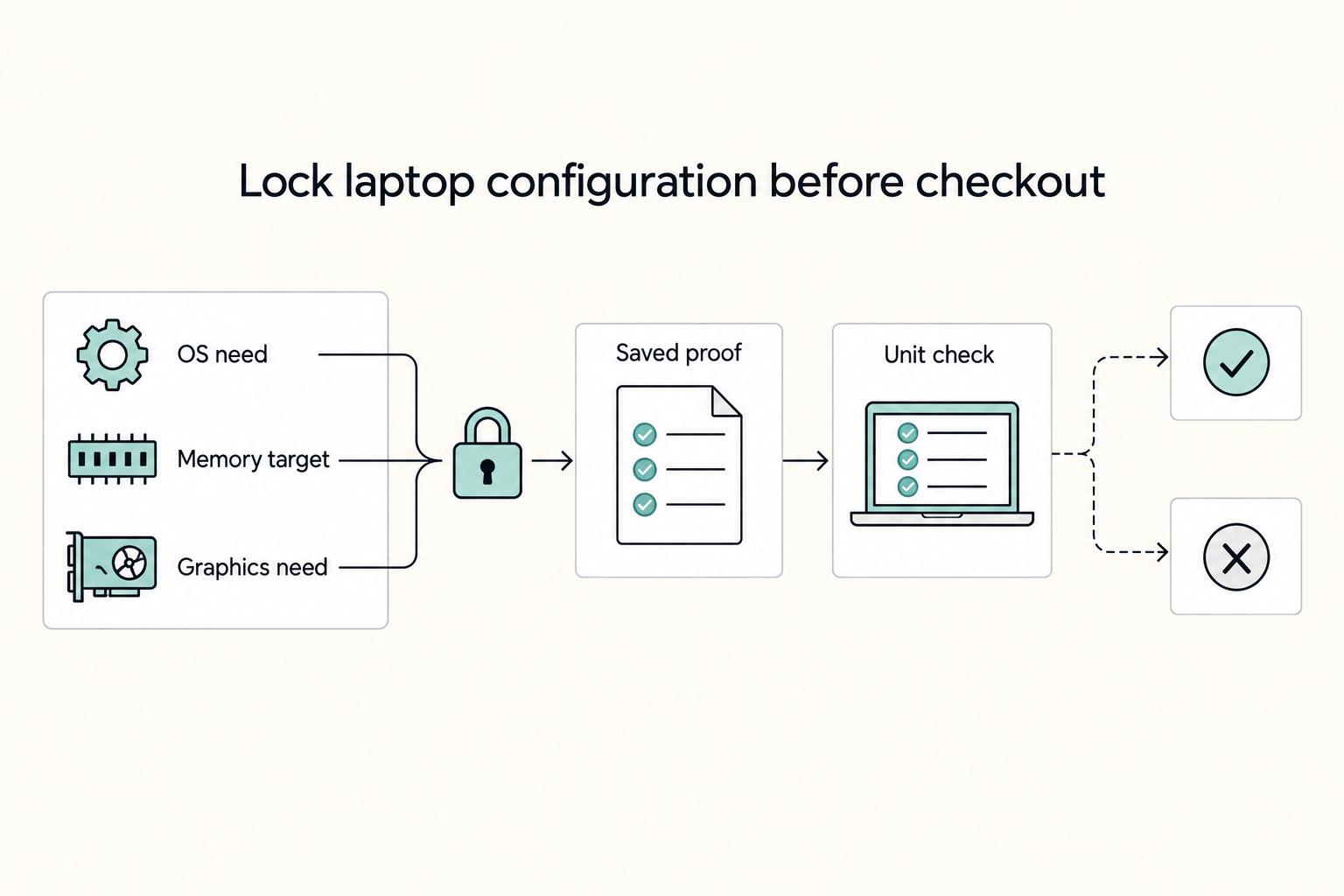
Brand mistakes are annoying. Configuration mistakes are what usually create regret. Before checkout, write down your OS requirement, memory target, graphics needs, and the proof you want to save. Then compare the delivered unit against that list instead of trusting memory.
| Decision | Options noted | What to verify | Evidence to save |
|---|---|---|---|
| System | Windows 11 Pro or Ubuntu Linux 24.04 LTS | Exact OS on the SKU and license terms | Screenshot or PDF of the OS line item |
| Memory type and speed | LPDDR5x 8533 MT/s or DDR5 5600 MT/s | Which memory type a specific unit ships with | Product page and invoice showing memory type |
| Graphics path | Intel Arc or integrated Intel graphics, depending on CPU | Whether your apps need GPU acceleration | App list with GPU needs noted |
Write these targets in plain language. If you build, run containers, or otherwise need Ubuntu 24.04 LTS, confirm that it is actually offered on the shortlisted SKU and works with your stack. If your client setup depends on Windows software, make sure Windows 11 Pro is what appears on the unit you are buying, not just on a product family page somewhere else. Capture the OS line from the product page or invoice and keep it with the receipt.
Memory details deserve the same discipline. If a product page lists LPDDR5x 8533 MT/s or DDR5 5600 MT/s, save that exact note. You do not need to turn it into a seminar. You just need enough evidence to cross-check what arrives if a vendor or reseller swaps something at the last minute. That is especially helpful when you are buying while moving between countries or shipping to temporary addresses.
Graphics is a needs test, not a status symbol. If your tools explicitly call for GPU acceleration, shortlist configurations with Intel Arc or another supported option and verify that against the software you actually use. If your day is mostly documents, calls, and web apps, integrated Intel graphics is usually the simpler path. What you should not do is assume a battery outcome from the graphics label alone. Use a pilot, not a guess.
Comfort still matters as much as internal specs. If you type for hours, do an in-person keyboard and trackpad trial on the exact unit you will buy. If you review visuals, compare displays side by side and pick with your eyes, not with a spec sheet and a hope.
One day pilot checklist before you keep the box:
- Coworking block: one hour with a video call, 12 to 15 tabs, and a shared doc. Log battery drop and any input misses.
- Café block: 45 minutes on battery. Note screen readability and palm rejection on a small table.
- Flight or offline block: 60 minutes with local files only. Record any lag opening large decks or spreadsheets.
- Review: compare your notes against the written targets. If the OS, memory type, or graphics capability does not match what you wrote, or if the logs show discomfort, return within the window and reorder the documented configuration.
Risk and readiness checklist before you buy#
A good pick is not really travel-ready until it clears a few basic risk checks. Set pass/fail targets for portability, battery, security, and recovery before you buy, then verify them on the exact unit you will carry. This takes very little time and prevents a lot of avoidable mess later.
| Area | Target or anchor | What to do | Proof to save |
|---|---|---|---|
| Portability | Under 1.5 kg carry weight | Weigh or confirm spec on the invoice | Screenshot of spec page and invoice line |
| Battery runway | At least 10 hours | Run a one-hour pilot and extrapolate to a full day | Notes with start and end percent plus tasks |
| Security basics | Encrypt disks and use strong passwords | Enable full-disk encryption and update password policy | Screenshot of encryption status |
| Recovery | Find My Device enabled | Test a locate and a remote lock | Photo of settings screen |
Portability is the first reality check. A machine can feel fine on a desk and still become irritating when it is in your bag every day. If your target is under 1.5 kg, confirm that against the spec page and the invoice, then make sure you are not quietly canceling the benefit with a bulky charger or too many accessories. The point is not minimalism for its own sake. It is keeping your daily carry from becoming the thing you resent.
Battery is similar. A headline number is less useful than your own one-hour pilot. Run the test, write down the starting and ending percentage, and extrapolate honestly from your tasks. If you need at least 10 hours and the trend is clearly below that, fix the issue while you still can. That might mean a different configuration or a different family. Either way, it is better to know before the first full workday away from power.
Security basics are easy to postpone and expensive to forget. Turn on full-disk encryption, use strong passwords, and confirm the settings while the device is still new and easy to review. Do the same with Find My Device. Enable it, test a locate, and test a remote lock. Save screenshots or photos of the settings screens with the rest of your evidence pack. If the machine is ever lost, those two minutes of setup become the difference between controlled damage and avoidable chaos.
The bigger point is that readiness is not just about buying a model that reviews well. It is about creating a small proof file that shows the machine matches what you intended to buy and is set up for real travel. If a unit misses these checks, it is not ready yet, no matter how good the marketing sounds.
What to do next#
Do not keep researching forever. Narrow this down to two candidates, run the same one-day pilot on both, and compare the results against the configuration you wrote down before checkout. If you routinely push sustained performance, default toward the MacBook Pro side of the list. If your work is mostly routine and portable, favor lighter kits such as MacBook Air or Windows ultralights like Dell XPS 13 or Samsung Galaxy Book4 Pro.
A simple shortlist could look like this:
- MacBook Air → travel baseline → named a best overall travel pick in roundups; keep it on the list for light, reliable days.
- MacBook Pro → pro workloads → consistently recommended for professional use; shortlist it if long exports or local builds are routine.
- Dell XPS 13 → Windows midrange → highlighted as a compact Windows choice in travel lists.
- Samsung Galaxy Book4 Pro → Windows value → recognized for value per dollar; include it when price sensitivity matters.
The goal is not to find a theoretical winner. It is to force a practical comparison between two machines you would actually buy.
One day pilot#
Run the same sequence on each candidate so your notes are comparable instead of impressionistic.
- Morning desk, 60 minutes: video call, 12 to 15 tabs, and a shared doc. Note battery start and end, any lag opening large files, keyboard comfort, and the model code and OS on the device.
- Midday café, 45 minutes on battery: check screen readability and trackpad palm rejection on a smaller table. Note ambient noise, fan behavior, and any coil whine.
- Evening offline, 60 minutes: open your heaviest spreadsheet or timeline and watch for stutters with local files only.
- Evidence pack: save the invoice PDF, capture the OS and memory lines, and write the return deadline next to the serial.
Go or return#
Make the decision from your pilot notes, not from wishful thinking after the fact.
- Heavy media or builds most days → default toward MacBook Pro and keep a Windows ultralight as your second comparison slot.
- Docs, calls, and web apps most days → keep the weight down with MacBook Air or a Windows pick such as Dell XPS 13 or Samsung Galaxy Book4 Pro.
- If both feel equally responsive, choose the lighter kit. If your notes show stutter, heat, noise, or discomfort that will annoy you every week, step up to the higher tier from your pair and rerun the same pilot.
- If the OS, memory line, or model code on the device does not match your notes, return it within the window and reorder the exact configuration you documented.
A simple rule holds up well: if the logged session is smooth and your evidence pack matches the cart, keep it. If not, return it and buy the alternate from your shortlist the same day.
Frequently Asked Questions
Is a MacBook Air enough for remote work on the road?
For documents, calls, and web apps, a MacBook Air may cover the basics for many travelers. Badges in roundups are a starting point, not a verdict. If you regularly push long exports or local builds, keep a MacBook Pro or a higher tier Windows ultralight on your shortlist and test your actual project.
Mac vs Windows for travel: which fits better for digital nomads?
There is no one best choice. Pick by the apps you must run and the support you can reach while abroad. If clients require Windows only tools, choose Windows. If your stack is cross platform and your accessories already fit macOS, a Mac is practical. Write your non-negotiables, then verify them on the cart before checkout.
How much RAM and storage do I need for typical nomad workloads?
Decide by workload, not guesswork. List the apps you keep open together and estimate local files you must carry offline, then choose a configuration that leaves headroom. Avoid bare-minimum storage that forces constant cleanup while traveling. Save the exact RAM and storage lines from the invoice in your notes.
Do I need dedicated graphics for creative work while traveling?
Only if your software explicitly benefits from GPU acceleration. If your day is calls, docs, and light edits, integrated graphics usually keeps the setup simpler. Check the vendor requirements for your editor or 3D tool and run a quick test on a candidate before you commit.
13 inch vs 14 to 16 inch for travel: what is the practical difference?
Smaller screens pack easier and fit tight tables. Larger screens give more room for side by side work. Bring your top two to a store and try a split view on each. If you work long hours in spreadsheets or timelines, the larger panel may reduce window shuffling. If you move constantly, the lighter footprint wins.
OLED vs IPS on the road: what should I choose?
OLED often looks more vivid and deep. IPS tends to be consistent and familiar. Judge with your own eyes under bright indoor light and dim café corners. If color checks are part of your day, compare the same image on both panels and note which one you trust for your use.
What quick tests should I run in the return window to catch a bad unit?
Recreate one real work session: a video call, your usual tabs, and a shared doc. Note keyboard comfort, trackpad behavior, noise, and any stutters opening large files. Confirm the model code, RAM, storage, and OS match the cart. Keep the receipt PDF and serial offline so you can act fast if something fails.
Try a related tool
Researched and edited by the Gruv editorial team. Gruv builds cross-border billing, payouts, and finance-operations software for global businesses.
Sources
Includes 5 external sources outside the trusted-domain allowlist.
- dell.com/en-us/shopping/what-are-the-best-business-la...external
- dell.com/en-us/shopping/what-are-the-best-laptops-for...external
- digitalnomads.world/tips/10-best-laptops-for-digital-nomadsexternal
- digitalnomads.world/tips/10-best-laptops-for-digital-nomads-2external
- jenontherun.com/best-laptops-for-digital-nomadsexternal
Educational content only. Not legal, tax, or financial advice.
Related Posts
The Best Digital Nomad Communities to Join
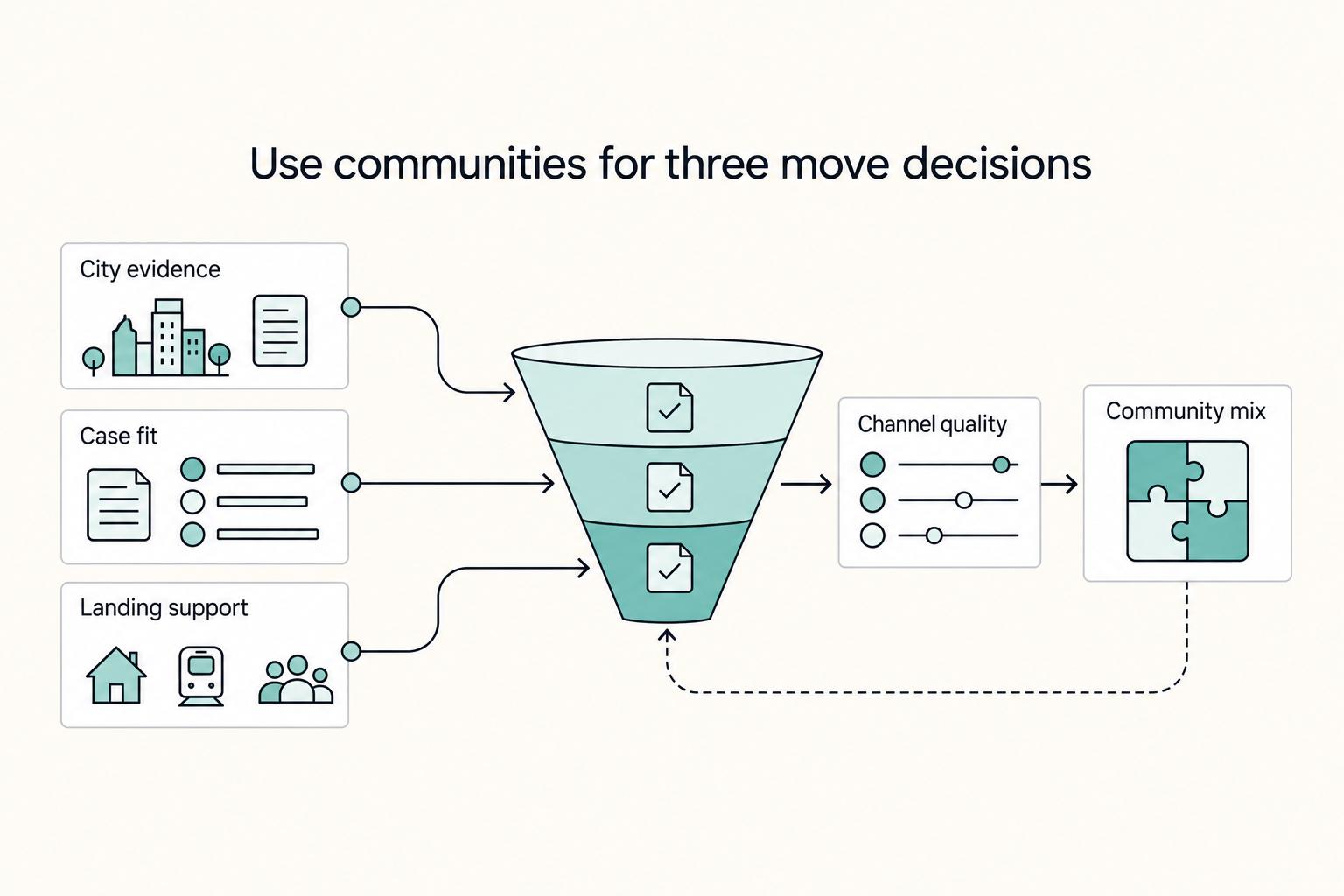
If your move date is real, use communities to answer three decisions in order: which city stays on your list, whether your case actually fits, and whether your landing week is covered. Judge every channel by outcomes, not activity. If it does not give you evidence you can use, stop giving it time.

How to Build a Travel First-Aid Kit
**Treat your travel first aid kit like a system for long stays, not a vacation pouch.** If you move city to city, you need repeatable coverage for everyday minor problems and a simple way to keep that coverage current. Build once, review it regularly, and stop re-deciding the basics before every move.

The Freelance Payment Penalty: A Modeled Audit of Platform Fees, FX Spreads, and Payout Delays
The money rarely disappears through a single, easy-to-spot fee. The real loss is stacked. A marketplace takes its commission, a processor adds a charge for international cards, a bank or payment company converts the currency at a spread, a platform holds the funds before release, and a wire sheds a little to intermediaries on the way in. Each layer looks defensible on its own, but the worker feels the combined result as a smaller deposit and a later payday.