

Quick Answer
Pick a safe default you can operate for the next 2-3 years, then verify it in a live trial before paying. Run one path end to end: form signup, welcome automation, tag update, export CSV, and unsubscribe suppression. If Stripe or scheduling drives intake, test payment or booking events too. Choose the platform that stays readable on busy weeks, not the one with the longest feature list.
You don't need "the best tool." You need a safe default you can run for 2-3 years.#
Pick the platform you can still run on a busy Thursday, not the one that looks smartest in a comparison chart. For most freelancers, the decision is not about the longest feature list. It is about whether your email setup stays usable when client work piles up, your list grows, and you need to send without babysitting every step.
That matters because email is operational, not cosmetic. If messages miss the inbox, performance drops. MailReach puts it plainly: if emails land in spam, your numbers suffer. Warmup is not a cure-all either. Their own materials note that poor content or setup issues can still send mail to spam. That is the failure mode to watch when a tool feels powerful but your setup is fragile.
| Criteria | Feature-chasing choice | Safe default choice |
|---|---|---|
| Repeatability | You rebuild steps every time you send | You can run the same send and QA routine each month |
| Exportability | Data is hard to move or audit later | Contacts, tags, and core assets are easy to review and export |
| Monthly maintenance burden | Small issues pile up silently | You have a short checklist and clear checkpoints |
Use a practical test. Imagine you run a welcome sequence, a monthly newsletter, and a simple re-engagement send while also handling client deadlines. A maintainable setup lets you check DNS status, run spam tests, monitor blacklists, and review provider-level reputation with Google and Microsoft before a bigger send.
A brittle setup can fail quietly, and you may only notice when replies and bookings dip.
So don't chase a winner. Choose the option you can document, verify, and keep clean. The rest of this guide walks through that operator view, selection criteria, a comparison table, and a migration checklist for when you do need to switch.
Selection criteria + who this list is for (and not for)#
Start by narrowing the problem. This guide is for solo operators and small freelance teams that need a platform you can set up, verify, and run without a dedicated marketing ops role. If you need email inside a CRM-first marketing suite, you are in a different lane and should expect higher cost and complexity.
Use this guide if your setup is still human-sized#
Use this list if your day-to-day looks like this:
- You run your own newsletter, welcome sequence, or simple nurture flow while juggling client delivery.
- You need segmentation and automation that send the right message to the right person at the right time, without building an enterprise system.
- You want subscriber-limit and pricing flexibility as you grow, and you will verify current pricing on each vendor page before choosing.
Skip this guide if you need an enterprise-style stack built around broader CRM workflows, heavier compliance/security requirements, and large integration footprints. Those tools can be the right fit, but they are usually harder to buy, learn, and maintain. Big roundups can still be useful context, but your final choice should pass your own operator checks.
Score tools on checks you can actually run#
Don't score tools on homepage claims. Score them on what you can verify in-product, in public docs, and in a live test account.
| Criterion | What to verify in-product | Early warning sign | Switch trigger you can document |
|---|---|---|---|
| Automation maintainability | Build one welcome sequence with a delay, a branch, and one tag/field update. Check whether you can still explain it clearly a month later. | Basic logic needs repeated workarounds, or the builder is hard to audit. | "Our core sequence needs branching we cannot maintain cleanly." |
| Integration reliability | Connect your form, scheduler, checkout, or payment source in a test account. Confirm events arrive with the expected fields/tags. | Integration is advertised, but mapping steps are unclear in product or docs. | "A critical event fails twice in testing or needs manual cleanup." |
| Plan-fit economics | Verify subscriber limits, feature gates, and upgrade thresholds on the current pricing page. Current pricing checkpoint pending official provider verification. | Key features appear locked only after setup, or growth milestones force jumps you did not plan for. | "Our next 90-day growth step forces an upgrade we would resent paying for." |
| Export and permission safety | Export a sample of contacts/fields and review what access controls you can inspect before inviting collaborators. | Export output is hard to audit, or role access is not clear enough to review confidently. | "We cannot audit data cleanly enough to migrate or review access." |
| Support transparency | Read public product documentation before trial end. Look for setup guidance, migration help, and clear limits. | Polished marketing pages, but limited public documentation. | "We cannot answer a basic setup question from docs without sales." |
Test before you commit#
Run one end-to-end flow that touches revenue and suppression. Trigger a test payment event, confirm the customer record updates, then confirm that contact is excluded from the promo they just converted on. If this fails in testing, fix it before you commit, because it becomes a repeat support and trust issue later.
You might also find this useful: The Best Antivirus and Malware Protection for Freelancers.
What freelancer type are you - and what does that change?#
Your freelancer model should decide your email setup. Choose based on your real workflow, not the brand. Keep one hard boundary: cold outreach and opt-in marketing stay separate, and a contact only enters your newsletter flow after explicit signup.
| Freelancer type | Primary workflow | Non-negotiable capabilities | Tool category to test in product |
|---|---|---|---|
| Solo service provider | Inquiry -> call booked -> proposal -> client updates | One simple follow-up path, clear contact ownership, exportable contacts | Lightweight email platform |
| Creator-led freelancer | Signup -> welcome email -> newsletter | Signup forms, immediate welcome trigger, recurring send flow you can maintain | Creator-friendly email platform |
| Small studio or team of 2 to 5 | Lead capture -> handoff -> client communication | Clear owner per contact, shared workflow visibility, export review before scale | Email platform with team workflow support |
| Outbound-led freelancer | Cold outreach -> explicit opt in -> nurture | Strict list separation, documented handoff point, suppression discipline | Separate outbound tool plus permission-based email platform |
Solo service provider: Start with one short follow-up or welcome path. Failure risk: leads get handled ad hoc in inbox threads and disappear during delivery weeks. Guardrail: set one trigger, confirm the contact lands in the right segment, and mark the current integration checkpoint as pending provider verification before use.
Creator-led freelancer: Start with a welcome message that sends immediately after signup, then a consistent newsletter cadence. Failure risk: relying on social audiences alone creates continuity risk if account access changes. Guardrail: keep list ownership portable, state frequency and content expectations in the welcome email, and treat welcome performance, often directionally stronger, such as 4x opens and 5x clicks, as an early quality check. If growth is your blocker, use How to Build an Email List for Your Freelance Business.
Small studio or team of 2 to 5: Set explicit handoff rules before volume increases. Failure risk: unclear ownership creates duplicate or missed follow-ups. Guardrail: assign an owner per contact, verify exports, and mark the contact-history field check as pending source-record verification before use.
Outbound-led freelancer: Run a two-lane system: outbound conversations first, opt-in nurture second. Failure risk: consent drift when cold contacts get mixed into newsletter sends. Guardrail: document the exact opt-in handoff step and keep suppression rules separate for each lane.
The 10-minute scoring matrix (2026) + quick comparison table you can screenshot#
Use this matrix to make one decision in one sitting: set weights, define one leave-if trigger, run a short verification loop, then commit.
Run the score in one sitting#
Score only for operational durability, not feature volume. Keep one reusable note with your criteria and verification checkpoints:
- Automation maintainability: Can you still understand and safely edit your core flows later?
- Integration reliability: Do billing, scheduling, and workspace handoffs stay consistent under normal workload?
- Export completeness: Can you export the fields you need to move or audit your system?
- Consent-safe suppression logic: Can you reliably prevent sends when someone should be excluded?
- Support transparency: Can you quickly confirm what happened when something breaks?
Set your own weighting split across these criteria before scoring.
Use this order:
- Set weights around your bottleneck.
Weight for what currently fails most often in your workflow, then document the split after your trial checks.
- Define one explicit leave-if trigger before testing.
Make it concrete enough that future you will actually act on it.
- Run a short verification loop on the riskiest path.
Test one form, one tag, one automation, one export, and one unsubscribe or suppression scenario. If Stripe or scheduling tools sit in your intake flow, treat buyer-tagging and suppression behavior as pass/fail checks. If workspace tools are involved, verify field handoff and update timing in practice, not from feature pages.
- Log pricing as checkpoints, not permanent assumptions.
Use checkpoints like Current pricing checkpoint pending provider verification and Current add-on fee pending provider verification.
- Commit and stop re-evaluating weekly.
Run the chosen setup until your pre-defined leave-if trigger fires.
Stripe is a good example of why this verification step matters. Public Stripe pricing is presented as pay-as-you-go, and Connect pricing depends on model choice, active-account status, and payout events. That means your real operating cost can change based on how payouts and payment methods are used, so record current checkpoints after you verify your exact flow.
Quick comparison table#
| Candidate type | Fit hypothesis | Must-test workflows | Data portability check | Leave-if trigger |
|---|---|---|---|---|
| Lightweight newsletter tool | "I need simple forms, welcome flow, and periodic sends." | Signup to welcome, unsubscribe, basic segment send, suppression check | Export contacts with tags, status, and core fields | Leave if core automation becomes hard to maintain or suppression requires workarounds |
| Creator-first tool | "I publish often and optimize for subscriber operations." | Form to sequence, recurring send workflow, buyer-tagging check, suppression check | Export subscribers, segments, and suppression status | Leave if cross-tool handoff turns manual for critical flows |
| Team or studio tool | "I need shared ownership and cleaner handoffs." | Role/permission setup, approval path, ownership updates, consent-safe suppression | Export ownership fields, notes, tags, and consent status | Leave if permissions or exports block operational audits |
| CRM-heavy tool | "Email is tied to meetings, deals, and revenue stages." | Inquiry to booking, booking to proposal, payment/sale to suppression and lifecycle update | Export contacts plus stage/event history needed to migrate | Leave if maintenance overhead slows execution more than it improves control |
Keep one boundary non-negotiable: permission-based newsletter tools are different from cold email tools. If your process blurs that line, separate lists first, then score. We covered adjacent workflow risk in The Best E-Signature Software for Freelancers.
The best email marketing platforms for freelancers (ranked picks + concrete use-cases)#
Pick one platform type you can operate reliably for the next 6 to 12 months, document one fallback path, and only switch if your pre-defined trigger fires. For most freelancers, the right choice is not a universal winner. It is the platform you can still understand, export from, and trust when client work gets busy.
Treat these as best-by-fit picks, not best overall. If you are comparing Mailchimp, ConvertKit, Flodesk, or similar tools, verify current plan constraints and integration status from provider records before use. Keep proof in your decision note: one export CSV, one automation map screenshot, one unsubscribe test, and one payment-to-tag test if billing is part of your flow.
If Stripe is part of intake or buyer operations, verify that workflow before you care about templates. Stripe Standard publicly shows 2.9% + 30¢ per successful domestic card transaction, with possible adds like 0.5% for manually entered cards, 1.5% for international cards, and 1% for currency conversion. If you use Stripe Connect under "you handle pricing," validate how monthly active account and payout are counted, because public pricing lists $2 per monthly active account and 0.25% + 25¢ per payout sent. Do not treat Global Payouts pricing as interchangeable; Stripe labels it public preview.
| Use-case | Segmentation logic to test | Automation maintainability check | Consent-safe suppression check | Export completeness check | Billing-event handoff reliability |
|---|---|---|---|---|---|
| Lead magnet to nurture | One form applies one tag and lands in the intended segment | Welcome sequence is readable end to end after 30 days | Unsubscribed contacts stay out of future sends | Contacts, tags, status, and key fields export together | Usually low priority unless a paid upsell follows |
| Client inquiry to booking | Prospects and active clients stay separated | Reminder and follow-up steps stay readable without fragile nesting | Current clients are suppressed from promos | Export retains client status fields you rely on | Test Google Workspace or scheduler handoff before go-live |
| Newsletter to paid product | Interest tags update after clicks or purchases | Buyer and non-buyer paths remain distinct | Buyers stop getting promo emails and unsubscribe still works | Export clearly includes buyer status | Run one live or sandbox Stripe payment and confirm tag/status timing |
| Studio or retainer ops | Ownership or collaborator fields are usable for handoffs | A second operator can audit logic without guesswork | Suppression rules remain intact across shared workflows | Export includes notes, ownership, and consent status if available | Confirm payment, payout, or invoice events do not create duplicate contacts |
| Ranked pick | Ideal freelancer profile | Strongest use-case | Operational tradeoff | Switch when |
|---|---|---|---|---|
| Lightweight newsletter platform | Solo service freelancer with simple list needs | One form, one welcome sequence, regular sends | Branching and buyer suppression can get awkward quickly | You cannot pass 1 form + 1 tag + 1 automation + 1 export + 1 unsubscribe without workarounds |
| Creator-first platform | Frequent publisher selling small offers or lead magnets | Recurring content plus interest-based follow-up | Can drift when client status and payment-state logic become central | Stripe tagging, Google Workspace scheduling, Notion or review-platform follow-up, or suppression becomes manual every send |
| Team or studio platform | Small studio or VA-supported operation needing shared ownership | Multi-person review and sending with cleaner handoffs | Extra setup and permissions overhead | Collaboration complexity exceeds actual operational value |
| CRM-heavy platform | Freelancer running email across deals, meetings, and revenue stages | Inquiry-to-booking-to-onboarding status messaging | High maintenance burden across fields and stages | You spend more time fixing records than sending useful emails |
One red flag applies to every pick: permission-based email and cold outreach are not the same list. Keep that boundary clean, then choose the smallest platform that passes your real tests. If you need acquisition help, read How to Build an Email List for Your Freelance Business. Related: The Best Email Encryption Tools for Freelancers.
When should you outgrow a free plan?#
You should outgrow a free plan when it repeatedly creates workflow friction, follow-up risk, or reliability risk in your normal month. Upgrade because the plan no longer supports how you operate, not because a paid tier looks nicer.
| State | Signals | Checks or issues mentioned |
|---|---|---|
| Stay | Your last 2 months fit your verified send/contact caps and core limits | Baseline checks still pass: unsubscribe, export CSV, mobile preview |
| Prepare | You are approaching the send/contact warning point recorded in your account | You are manually fixing list/segment/sync issues often enough to notice each week |
| Upgrade now | A normal month no longer fits the cap | Follow-ups are being missed, or core workflow fit has broken |
Free plans are still useful for testing without budget pressure, but limits vary widely across tools. In practice, one free tier may allow 500 emails p/m to 250 contacts, while another may allow up to 10,000 subscribers. Use your own tracked numbers, not someone else's threshold.
Use this three-state checkpoint with values you verify in your account:
- Stay: Your last 2 months fit your verified send/contact caps and core limits, and your baseline checks still pass (unsubscribe, export CSV, mobile preview).
- Prepare: You are approaching the send/contact warning point recorded in your account, or you are manually fixing list/segment/sync issues often enough to notice each week.
- Upgrade now: A normal month no longer fits the cap, follow-ups are being missed, or core workflow fit has broken.
| Trigger you hit | Capability you now need | Implementation effort | Likely tradeoff |
|---|---|---|---|
| You keep hitting send or contact caps | Higher sending allowance or higher contact ceiling | Low | Monthly cost rises before results fully catch up |
| Follow-ups need multiple paths by subscriber action or status | Branching automation that stays readable | Medium | More setup and more post-change testing |
| You keep correcting list records manually | Cleaner syncs, stronger field mapping, or better integrations | Medium | Upfront mapping work and stricter data hygiene |
| Mobile or inbox checks fail too often | Better deliverability controls and responsive design support | Low to Medium | Template rebuilds and retesting |
Run this short operating checklist monthly:
- Time drain: Track time spent fixing segments, automation paths, or imports.
- Automation fragility: Log misses, for example, the wrong follow-up path.
- Contact sync issues: Reconcile counts across your form source and email platform.
- Next-stage fit: Verify the next milestone from account or source records before budgeting so you do not rebuild mid-cycle.
Use this mini rule in your notes:
Trigger: Record the recurring failure pattern from your source records
Required capability: Record the capability gap from your source records
Validation step: Record the validation checkpoint from your source records
Review cadence: Record the review window from your source records
Once this rule fires, focus on migration risk and change control, because that is where avoidable breakage usually shows up next. Related: The Best Notion Templates for Freelancers. Browse Gruv tools.
What can break during a migration - and how do you prevent it?#
Treat migration as risk management, not a feature upgrade. When you switch platforms, assume key workflows can drift until you verify them with a pilot.
Most failures are quiet at first: segment logic shifts, inbox placement weakens, syncs break, or actual spend comes in above plan. The safest path is to pilot a subset, test critical paths with real checks, and keep a short rollback window before full cutover.
| Failure mode | Early warning signal | Pre-migration validation step | Rollback / containment action |
|---|---|---|---|
| Segmentation drift | Contacts enter the wrong audience, or customers still receive prospect flows | Define each segment in plain language, then run a small import and spot-check tags, fields, and exclusions record by record | Pause broad sends, send only to verified segments, and keep prior audience logic live until checks pass |
| Deliverability drop | Bounces, complaints, unsubscribes, or replies move the wrong way versus the benchmark in your source records | Send a controlled pilot to a small engaged cohort before any full-list campaign | Halt volume expansion, use your previous platform for critical sends if needed, and review list quality plus sending setup |
| Integration breakage | Form submissions stop syncing, purchases fail to trigger follow-up, or status fields arrive late | Test each revenue path end to end: opt-in, confirmation, purchase, post-purchase tag, and CRM or booking updates | Run short-term manual follow-up for critical events and keep prior automations active for confirmed transactions |
| Hidden costs | Projected spend changes after sends, contacts, support, or add-ons are applied | Confirm current plan details on the official vendor pricing page and compare included features vs extras | Delay full cutover until plan fit is confirmed, or reduce scope to required features only |
Integration checks deserve extra care. If you rely on connectors, verify timing and field mapping directly, since native integrations are often more reliable for sync and speed. Keep a migration evidence pack with segment definitions, field maps, automation inventory, current benchmarks, pricing screenshots, and pilot results so containment is faster if something drifts.
Migration QA before you scale sends#
- Export and save your current subscriber data, then document live segments and automations.
- Verify current pricing on the official vendor page before committing.
- Run a trial or pilot with a subset of contacts before moving your full list.
- Test revenue paths end to end: opt-in, email receipt, purchase or booking event, tag or status update, and correct follow-up.
- Scale only after pilot results match your current setup closely enough to trust.
If your list hygiene is weak before migration, clean that first with How to Build an Email List for Your Freelance Business.
Consent + deliverability guardrails (the compliance layer competitors skip)#
Your operating rule is simple: only send the message type the contact agreed to receive, and keep proof you can audit later. If you cannot verify source, permission status, and evidence, keep that contact out of ongoing marketing sends.
| Source | Default segment | Allowed messages | Required consent proof |
|---|---|---|---|
| Website signup form or lead magnet | Marketing opt-in | Messages described at signup, plus related follow-up | Form name, date/time, entry point, tags, copy shown at signup, and any confirmation record (including preference actions such as accept/reject/save when captured) |
| Client intake or paid checkout | Client or transactional | Service updates, invoices, onboarding, delivery, and account notices; ongoing marketing only after separate permission where required | Intake or checkout record, service context, timestamp, and the exact place where marketing permission was captured or declined; local permission rule must be verified from policy or contract records before use |
| Outbound prospecting | Permission pending | One-to-one outreach and reply handling only; no newsletter or bulk marketing until permission is upgraded | Contact source, outreach context, reply record, and documented permission-upgrade step before marketing; local outreach rule must be verified from policy or contract records before use |
Keep outbound and marketing flows separate. Use this permission upgrade path: positive reply -> send subscription/preferences link -> wait for clear opt-in -> tag the contact with the source path (for example, Outbound -> Opt-in) -> move to marketing segment.
Run this as a recurring checklist:
- Pre-send (owner: sender): Confirm segment-to-permission match, spot-check merge fields and links, and verify consent evidence exists for a sample.
- Post-change monitoring (owner: person who made the change): After any domain, template, form, or platform change, monitor sending performance and deliverability so issues are caught early.
- Escalation (owner: account admin): If sender score drops suddenly or your tracked deliverability metrics move abnormally, pause scale and investigate before sending more.
Store admin access, form copies, and consent screenshots in a secure vault so the process survives team changes and rushed launches. Start with The Best Password Managers for Freelancers and Teams.
Conclusion: pick your safe default, document it, and run it like an operator#
The FAQ should have narrowed your options. Now stop shopping. If you're choosing email marketing as a freelancer, the right final move is to pick one platform you can operate for the next planning cycle, write down the exact reason you would leave it, and ignore category noise like cold-email tool roundups that do not solve newsletter or lifecycle email jobs.
Use this as your final operator-pick matrix:
| Business model | Best-fit platform pair | Deciding criterion | Switch trigger to document |
|---|---|---|---|
| Solo service business | MailerLite + Brevo | Pick MailerLite if ease and fast design matter most. Pick Brevo if you need budget-friendly email plus SMS and light CRM. | Free-plan limits start blocking client-facing work, or you need stronger conditional journeys and trigger-based actions. |
| Automation-heavy consultant or studio | ActiveCampaign + GetResponse | Pick ActiveCampaign if advanced journeys are the core job. Pick GetResponse if you want a trial-based validation step before paying. | Your nurture path needs branching logic you cannot build or maintain cleanly in the current tool. |
| Ecommerce-adjacent freelancer | Omnisend + Brevo | Pick Omnisend if cart and browse recovery are essential. Pick Brevo if you need email plus SMS and light CRM on a tighter budget. | Recovery emails or segmentation depend on store behavior your current setup cannot support. |
| Generalist freelance marketer | GetResponse + MailerLite | Pick GetResponse if you want a verify-before-buy checkpoint. Pick MailerLite if smaller retainers need speed and low maintenance. | Website, CRM, or ecommerce data stays siloed enough that segmentation quality starts slipping. |
-
Choose and freeze. Pick one row, then one platform from that pair, and commit to a real test before you pay. What matters: a go-or-no-go checkpoint matters more than extra features, so build one form, one welcome sequence, and one segment first. If a vendor offers a trial, use it to confirm your core path works end to end. If you are already working around free-tier limits, treat that as a failure mode, not a minor annoyance.
-
Document the handoff. Put four lines in one shared note before you launch anything:
switch trigger,data to preserve,integration map, andrecurring QA/hygiene cadence. What matters: this is what keeps a later migration from getting sloppy. Yourdata to preserveshould at minimum name key fields, segments, and suppression or unsubscribe data. Yourintegration mapshould list the website, CRM, and ecommerce touchpoints that reduce data silos and improve segmentation. Your QA line should include a monthly test signup, test send, and unsubscribe-path check. -
Align email with billing and records. Email should match how leads become paying clients, not sit off to the side as a disconnected channel. What matters: before you lock anything into your ops notes, mark current pricing and fees as pending provider or finance-record verification rather than copying stale figures from reviews. The real check is whether your records can show where a contact came from and which automations should start or stop. If you have not built the acquisition side yet, read How to Build an Email List for Your Freelance Business.
If you want a second set of eyes on your setup, Talk to Gruv.
Frequently Asked Questions
What is the best email marketing platform for freelancers in 2026?
Pick the tool you can run consistently with the fewest monthly headaches, not the one with the longest feature list. Your newsletter exists to capture prospects who may hire you later, so consistency beats unused complexity. Send one real campaign, build one welcome sequence, and confirm you can segment and export before you commit.
Which email marketing tool is best for beginners vs advanced automation?
If you are new, choose simple sending, basic segmentation, and prebuilt flows. If you already depend on sophisticated journeys or lead scoring, choose for automation depth you can maintain. Test whether you can build your core nurture path without brittle setup, then stop if the process already feels fragile.
Which email marketing platforms have useful free plans for freelancers?
A free plan is fine when your list is small and your needs are basic. Free-tier details vary by platform, and the real risk is building around limits you did not verify. Check the current free-plan rules inside the product, then note your upgrade trigger in writing instead of guessing later.
How should you choose between different platform types?
Choose by your main job each month, not by brand familiarity. The operational gap between a simple newsletter tool and CRM-first marketing can be significant. Use this quick sort, then trial only the one or two options that match your actual workload. | Primary use case | Likely fit | Operational complexity | Migration friction | |---|---|---:|---:| | Simple newsletter and light nurture | Simpler tool such as MailerLite | Low | Lower if your segments are simple | | Sophisticated journeys and lead scoring | ActiveCampaign | Higher | Can be higher because logic may need careful rebuilds | | Email inside a broader CRM suite | HubSpot | Higher cost and complexity | Can be higher if data and processes move with it |
When should you outgrow a free plan?
Upgrade when the plan blocks a revenue-critical job such as segmentation, automation, or reliable admin control. The hidden cost is often your time, not the subscription itself. If you are creating workarounds every week, price the lost time and move before the list gets harder to migrate.
What should you check before migrating email platforms?
Do not move until you understand what data can be exported and imported in the next tool. Migration risk can include losing structure that your campaigns depend on. Validate the process with a limited test before full rollout.
Can you use outbound tools and still keep your newsletter deliverability healthy?
If you use outbound alongside a newsletter, keep clear list boundaries and confirm current legal and platform requirements before moving contacts into marketing sends.
Try a related tool
Researched and edited by the Gruv editorial team. Gruv builds cross-border billing, payouts, and finance-operations software for global businesses.
Sources
Includes 5 external sources outside the trusted-domain allowlist.
- docs.stripe.com/global-payouts/pricingtrusted
- stripe.com/connect/pricingtrusted
- stripe.com/pricingtrusted
- 6figurecreative.com/the-secret-weapon-for-6-figure-freelancers-e...external
- campaignmonitor.com/blog/email-marketing/best-email-newsletter-s...external
- emailtooltester.com/en/email-marketing-servicesexternal
- emailtooltester.com/en/blog/free-email-marketing-servicesexternal
- freelancecake.com/blog/why-every-freelancer-should-build-an-em...external
Educational content only. Not legal, tax, or financial advice.
Related Posts

The Best Password Managers for Freelancers and Teams
A client asks for an urgent file, you open their portal, and the login fails. Ten minutes later your invoicing app wants a reset too. That is why your password setup is a business risk, not just a nuisance. Weak credential habits can turn one mistake into wider account access problems, then into delivery delays and cleanup work.
How to Build an Email List for Your Freelance Business
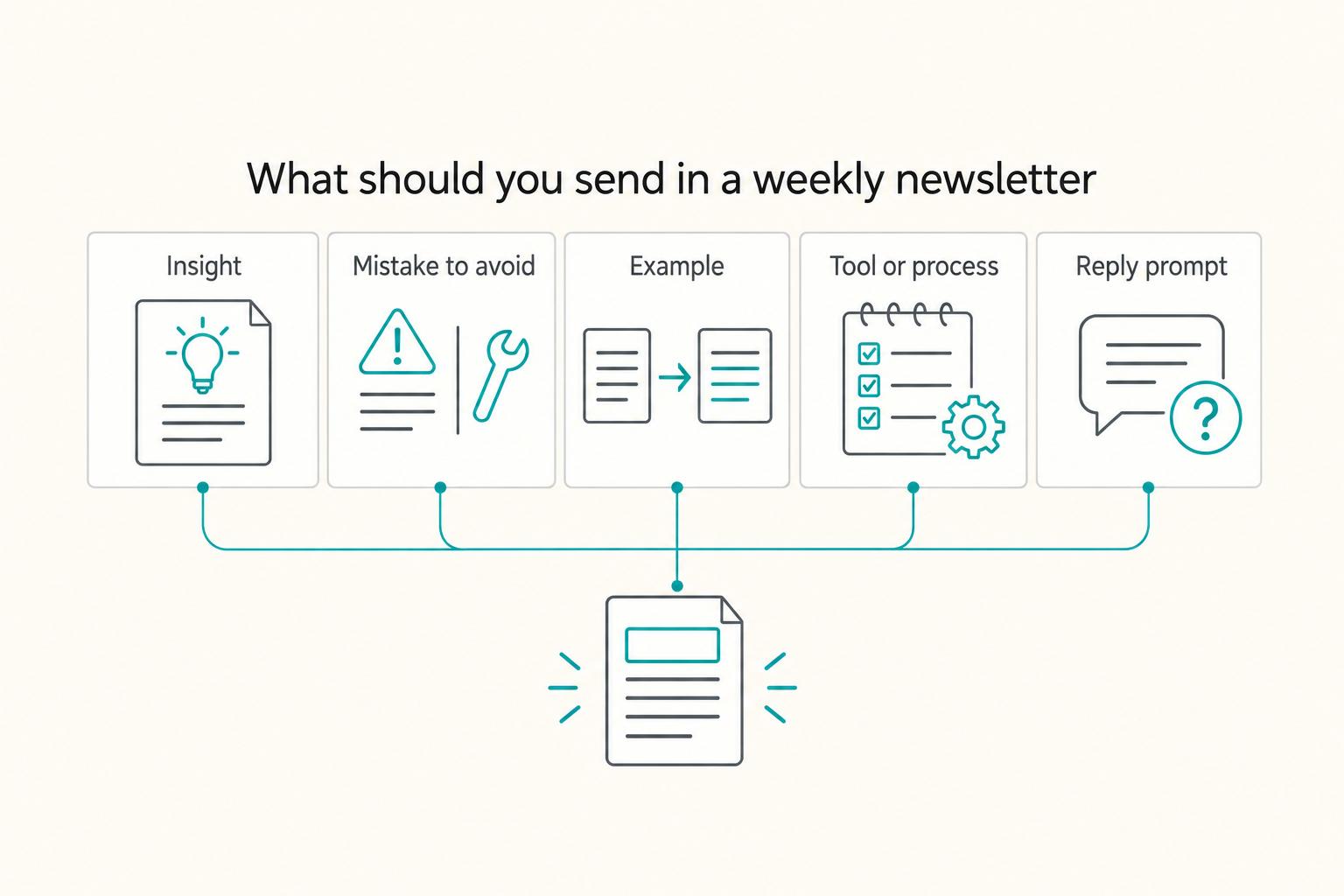
As the CEO of your business-of-one, you need a repeatable system you can actually run.

A Guide to Travel Vaccinations for Digital Nomads
**You are not behind, and you need a repeatable system to handle vaccinations on the road, not another generic vaccine list.**