
Quick Answer
The best document management setup for an accounting firm uses one secure intake path, a liability-driven filing structure, controlled retention and destruction rules, and automation for routine workflows. In practice, that means collecting sensitive files through a portal or secure online form, tagging and verifying them on receipt, tracking file events, and keeping searchable, centralized records.
For a solo practitioner, security often breaks down at the front door. In practice, that front door is usually a mix of email attachments, texted photos, and one-off file-sharing links. That reactive setup puts client data and your practice at risk. The fix is not exotic software. It is a disciplined, consistent way to control how client data enters your firm.
Step 1: Fortify the Perimeter with Secure Document Ingestion#
Start with one clear intake rule. If a file contains tax, payroll, bookkeeping, or identity data, treat portal upload or a password-protected online intake form as the default path. That means no email attachments, no texted photos of receipts or IDs, and no ad hoc file-sharing links. This is a practical way to cut duplicate submissions, missing fields, and the back-and-forth that creates data-protection risk.
| Intake method | Risk | Traceability | Client experience | Remediation effort |
|---|---|---|---|---|
| Email attachment for W-2s or bank statements | Incomplete packets, duplicate submissions, or wrong details | Harder to keep centralized unless manually organized | Familiar, but messy | High: chase missing pages, rename files, confirm versions |
| Texted photos of receipts or IDs | Missing details and extra back-and-forth | Poor and hard to centralize | Fast for clients, hard for you to use later | High: request rescans, refile, document who sent what |
| Portal upload plus guided form | Lower intake error risk because required fields are prompted | Stronger: centralized record for authorized users | One clear place to submit and check status | Lower: fewer follow-ups, easier retrieval |
Use a short intake triage every time a document lands. For internal consistency, apply these five tags on receipt before anyone starts work:
- Document type: W-2, 1099, bank statement, receipt, prior return
- Compliance domain: income tax, payroll, sales tax, bookkeeping support
- Client or entity: legal name and entity if relevant
- Tax period: 2025 annual, Q4 2025, January 2026
- Status: received, needs review, missing pages, approved
The detail that matters most is verification. Check that the upload is complete, readable, and tied to the right client before it enters your central file store. Centralized handling helps authorized users retrieve and manage records without hunting across channels.
Make this part of onboarding, not a one-time lecture. A plain script works: "For your privacy, we collect sensitive records only through the portal. If you email or text documents, we will ask you to re-submit them there." That sets the expectation early and makes secure document sharing part of the service instead of a correction after the fact. Related: The Best Accounting Software for a Freelance Bookkeeper.
Step 2: Organize for Crisis with a Liability-Driven System#
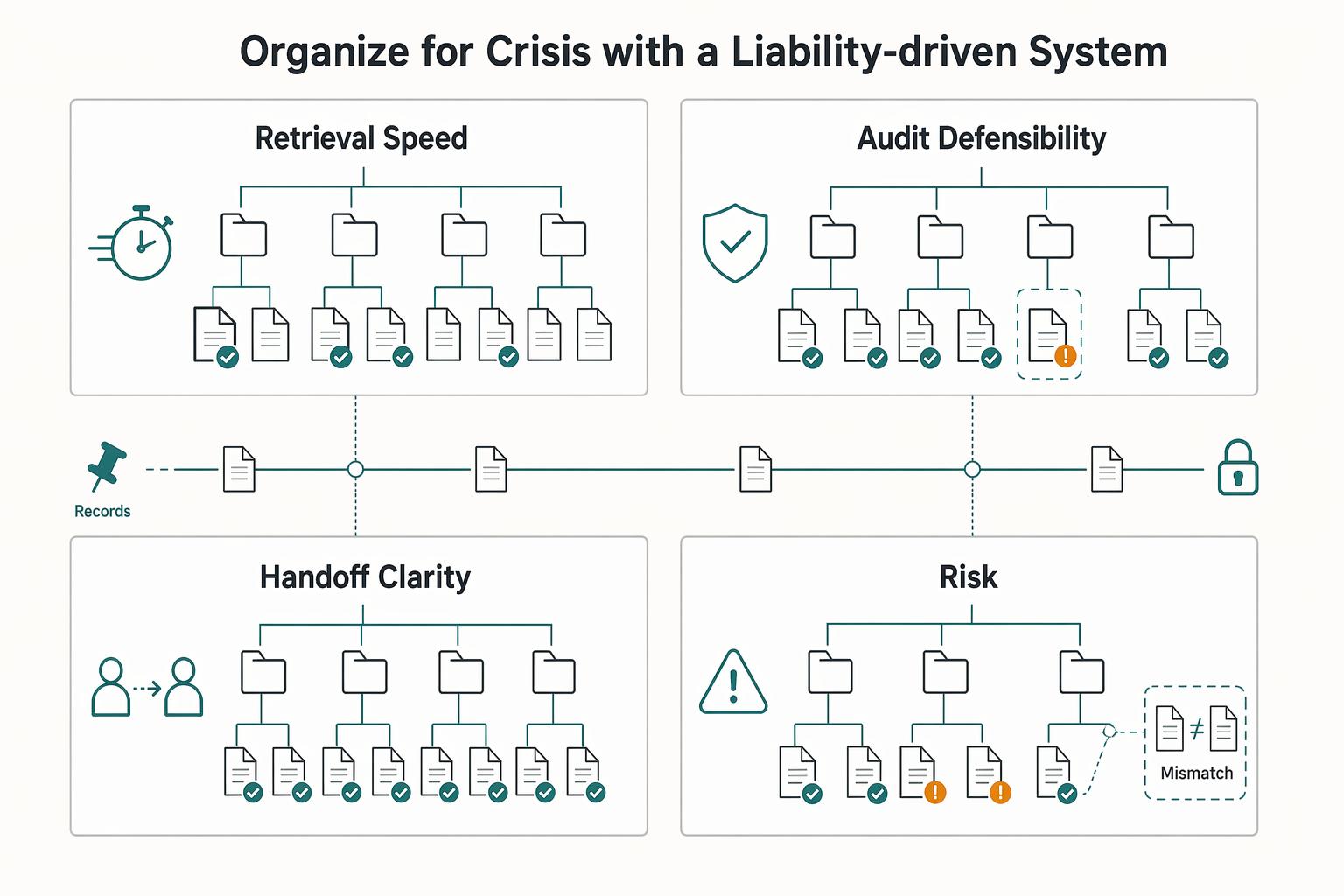
Organize by liability first so you can prove decisions quickly when a client challenge, audit request, or handoff happens. Convenience folders like Client > Year > Misc Docs are easy to create but harder to defend under pressure.
Use this working taxonomy: compliance domain → entity → period → status → evidence type. Example: Payroll / Northshore LLC / Q1 2026 / approved / bank statement.
This is an operating rule, not a universal standard. Keep each file tied to the compliance question it supports. For evidence type, use explicit labels such as source document, engagement letter, reconciliation, client approval, filed copy, correspondence, and export.
| Decision point | Convenience-based folders | Liability-driven architecture |
|---|---|---|
| Retrieval speed | Often depends on who remembers where it was saved | Starts from the compliance question, then narrows by entity and period |
| Audit defensibility | Harder to show why these files were grouped together | Easier to show a consistent basis for the proof package |
| Handoff clarity | New staff may infer structure differently | The path itself shows filing logic |
| Error risk | Mixed periods, duplicates, and version confusion are common failure points | Clear status and evidence labels make those mistakes easier to spot |
Turn the fire drill into a repeatable workflow#
Run the same drill when a trigger appears: inquiry, dispute, reassigned account, or year-end review.
| Workflow step | Key action |
|---|---|
| Trigger scenario | Define the exact question first, for example support for one quarter or support behind a filed return. |
| Retrieval checklist | Pull the foundation record, source evidence, reconciliations, approvals, and the final filed or delivered copy. Include the engagement letter when scope or billing is part of the issue. |
| Proof package assembly | Assemble one packet in time order with a short index. If something is missing, mark it clearly instead of substituting another file. |
| Post-drill fixes | Log what failed: naming, OCR coverage, missing approvals, duplicate versions, and untracked exports. Update the rule so the same gap does not repeat. |
Make the evidence chain visible and searchable#
Set a clear internal standard in your DMS: track ingestion, edits, access, exports, and approvals for every file event. For each event, capture who acted, when it happened, what action occurred, and which file/version was affected. That gives you a defensible timeline of what arrived, what changed, and what left your control.
| File event | Required tracking |
|---|---|
| Ingestion | Capture who acted, when it happened, what action occurred, and which file/version was affected. |
| Edits | Capture who acted, when it happened, what action occurred, and which file/version was affected. |
| Access | Capture who acted, when it happened, what action occurred, and which file/version was affected. |
| Exports | Capture who acted, when it happened, what action occurred, and which file/version was affected. |
| Approvals | Capture who acted, when it happened, what action occurred, and which file/version was affected. |
Apply a controlled retrieval rule: required metadata on save plus searchable content (native text or OCR). If a scan is not searchable or readable, flag it for rescan immediately.
Two failure modes are common: using a DMS at only a basic level, and relying on preview/beta features before reliability is proven. Related reading: The Best Accounting Firms for Startups.
Step 3: Run Retention and Destruction as a Controlled Policy#
Treat retention as a risk-control system, not storage cleanup. If you keep everything forever, you increase exposure; if you delete without a controlled policy, you create a different risk, especially in finance where weak document control can lead to legal, financial, and reputational harm.
Build this on what you set up in intake and retrieval: you already know what arrived, what changed, and what left your control. Now define when each document class becomes eligible for disposal, who owns that decision, and how legal hold stops it. Keep one master version for each controlled document, and set retention rules by document class plus governing authority, not by client preference or folder pressure.
| Document category | Trigger event | Retention owner | Review cadence | Legal hold override | Approved disposal method |
|---|---|---|---|---|---|
| Tax returns and workpapers | Filing or final delivery date; current retention requirement pending legal/tax/source-record verification | Engagement owner | Annual | Stop disposal when hold flag is active or a dispute is open | Firm-approved secure deletion for digital copies; paper method only when paper originals exist |
| Payroll support and filings | Filing, payment confirmation, or period close; current retention requirement pending legal/tax/source-record verification | Payroll service owner | Quarterly | Stop disposal when hold flag is active or an inquiry is open | Firm-approved secure deletion method |
| Engagement letters, approvals, and correspondence | Signature date, project close, or last material communication; current retention requirement pending legal/tax/source-record verification | Client relationship owner | Annual | Stop disposal when hold flag is active or a complaint/review is open | Firm-approved secure deletion method |
| Permanent or ongoing entity records | Superseded date, client exit, or policy trigger; current retention requirement pending legal/tax/source-record verification | Practice admin or partner | Annual | Stop disposal when hold flag is active | Firm-approved secure deletion method, or transfer to designated archive if still authoritative |
Make automation explicit#
Automation is only defensible when you define the rule inputs at intake.
| Automation element | Rule |
|---|---|
| Required metadata | Document class, governing authority, trigger event date, retention owner, legal-hold status, and authoritative-copy status. |
| Rule assignment logic | Map each document class to its retention rule. If authoritative copy = no, route to a convenience-copy rule or review queue instead of treating it as the master record. |
| Exception handling | If a file is missing trigger date, owner, or hold status, send it to an exception queue, not a purge queue. |
| Approval checkpoints | Before destruction, confirm policy eligibility, confirm no legal hold, and require named approval from the retention owner or delegate. |
Keep a defensible destruction record#
Your destruction log should show routine policy enforcement, not ad hoc cleanup. For each destruction batch, keep a package that records who approved it, what was destroyed, why it was eligible, when it was destroyed, and where that record is stored. Keep that package in a restricted admin location outside the same purge rule.
Run one final legal-hold check immediately before disposal. Records can be correctly classified at intake and still become ineligible later because of a dispute or inquiry, and that last stop protects your credibility. For a step-by-step walkthrough, see The Best Project Management Tools for Freelance Designers.
Step 4: Reclaim Your Focus with Intelligent Automation#
Once your intake, filing, and retention rules are in place, automate the repeatable work around them so your time goes to review quality and client advice, not admin cleanup.
In practice, that usually means running work through a centralized, cloud-based DMS that keeps documents in one place, supports auditability, and carries files through intake, review, approval, storage, and retrieval with fewer manual handoffs.
| Area | Manual operation | Automated operation |
|---|---|---|
| Consistency | Folder setup, permissions, and request lists vary by person and timing | Triggered templates apply the same portal structure, access controls, and task checklist every time |
| Turnaround | Files wait in inboxes or shared drives until someone spots them | Auto-routing and task creation move work when status changes or documents arrive |
| Client communication quality | Instructions fragment across email threads | Portal workflows give clients one path to upload, review, sign, and access documents |
| Exception handling effort | Missing items surface late, often during review | Open items appear in an exception queue for assigned follow-up and escalation |
Use a trigger-based onboarding map so the sequence is predictable and visible:
- Client status change
Mark the client active in your system to start onboarding.
- Engagement execution
Confirm the engagement is executed before provisioning access.
- Portal provisioning
Create the client portal space, apply your standard folder structure, and set permissions by role or engagement.
- Task creation
Generate internal tasks and ownership so no setup step depends on memory.
- Reminder cadence
Send document requests and follow-ups through the portal; keep open items in a tracked exception flow.
- Completion tracking
Route ready files to review, preserve version history/audit trail/file locking on the authoritative copy, and send deadline-driven work to the right queue based on status.
After onboarding, keep the same logic for recurring operations: document request follow-ups, missing-item escalation, review handoffs, and deadline-based routing. This is where automation protects consistency and reduces rework, especially when volume spikes and version-control risk increases.
Treat the value as capacity reallocation: more time for advisory work, stronger review quality, and fewer avoidable rework loops. Measure impact against your own baseline, and verify any KPI benchmark against firm source records before using it in planning. We covered this in detail in The Best Project Management Tools for Freelance Developers.
Conclusion: Your Practice, Fortified#
The point of document management for accounting firms is not prettier storage. It is giving yourself a cleaner way to receive files, find the right version quickly, and show what happened when a client, auditor, or reviewer asks.
-
Set one secure intake rule. Pick a single front door for client files, ideally a portal or other secure file-sharing method built into your DMS. Then write the rule in plain language: what clients send there, what staff do on receipt, and what gets rejected. The real differentiator is accountability. Access control and audit trails let you verify who uploaded or viewed a file, which can lower compliance friction and help reduce missed communications and duplicate requests.
-
Use one liability-based filing standard. Stop relying on loose client-name folders alone and formalize a taxonomy that reflects the work and the risk, such as permanent records, current-year tax support, signed approvals, and correspondence. The payoff is retrieval speed and consistency. A well-structured DMS centralizes files and makes it easier for two people to find the same document in the same place without asking each other.
-
Formalize one retention workflow. Choose one document class, define its retention trigger, exception path, approval step, and destruction method, then document and communicate that procedure to everyone who touches it. The value is predictability. Version control, documented policies, and a clear exception log can produce cleaner audit responses than memory and habit. If you delay this because tool setup feels expensive or incomplete, the risk does not go away.
This week, choose one intake standard, one folder standard, and one retention workflow, and write them down. Better document handling will not transform your firm by itself, but it can give you faster retrieval, steadier client service, and more room to do the advisory work clients actually remember. If you want a deeper dive, read Value-Based Pricing: A Freelancer's Guide.
Frequently Asked Questions
How long should you keep client documents?
Keep client documents by document type, not by one universal number. Build a written retention matrix that lists the trigger, policy owner, destruction method, and approval step for each document class, then confirm each period against the legal, tax, and professional requirements that apply to your firm. If a matter is under review or dispute, pause destruction and log the exception before deletion.
Is Google Drive or Dropbox secure enough for an accounting firm?
They may work for basic storage, but they should not be assumed to cover full client-document handling in a regulated practice. The real test is whether you can show who accessed a file, what changed, which version is authoritative, and how work moves from intake to review without manual chasing. If you cannot demonstrate those controls in a live file, shared storage is incomplete rather than good enough.
What is the best DMS for a solo accountant?
There is no single best choice, so use a scoring rubric instead of relying on brand opinions. Prioritize audit trails, access controls, version history, workflow support, and full-text search, then check integration fit and setup or migration support. Ask vendors to walk through a real scenario from upload to retrieval, and expect more implementation time if heavy custom configuration is required.
How do you create a document retention policy you can actually run?
Start by grouping documents into categories and assigning clear ownership for the policy, exceptions, and destruction approvals. Apply retention triggers by document type instead of memory, and include an exception process, a decision log, and recurring review triggers. If intake is still unstructured, fix that first so the policy is easier to run.
What is the difference between cloud storage and a true DMS?
Cloud storage mainly keeps files available, while a true DMS is built to organize, secure, track, and collaborate on documents across the full lifecycle. A true DMS should provide stronger permissions, versioning, audit trails, workflow support, and searchable records. The key buying question is whether it can produce evidence, route work, and reduce admin load without creating migration problems you did not plan for.
Try a related tool
Researched and edited by the Gruv editorial team. Gruv builds cross-border billing, payouts, and finance-operations software for global businesses.
Sources
Includes 3 external sources outside the trusted-domain allowlist.
- dol.gov/sites/dolgov/files/ETA/grants/pdfs/2%20CMG%2...trusted
- elibrary.imf.org/display/book/9781557754851/c04.xmltrusted
- icatalog.dau.edu/doc/2014Catalog_Online.pdftrusted
- lao.ca.gov/analysis/1966/20_capital_outlay_1966.pdftrusted
- sec.gov/Archives/edgar/data/1740604/0001628279250005...trusted
- clustdoc.com/blog/client-intake-process-stepsexternal
- glasscubes.com/5-essential-advantages-of-a-document-managem...external
- irisglobal.com/guide/top-20-questions-to-ask-a-document-man...external
Educational content only. Not legal, tax, or financial advice.
Related Posts

Value-Based Pricing for Freelancers Under Real Payment Risk
Value-based pricing works when you and the client can name the business result before kickoff and agree on how progress will be judged. If that link is weak, use a tighter model first. This is not about defending one pricing philosophy over another. It is about avoiding surprises by keeping pricing, scope, delivery, and payment aligned from day one.
The Best Accounting Software Stack for Bookkeepers Serving Global Clients
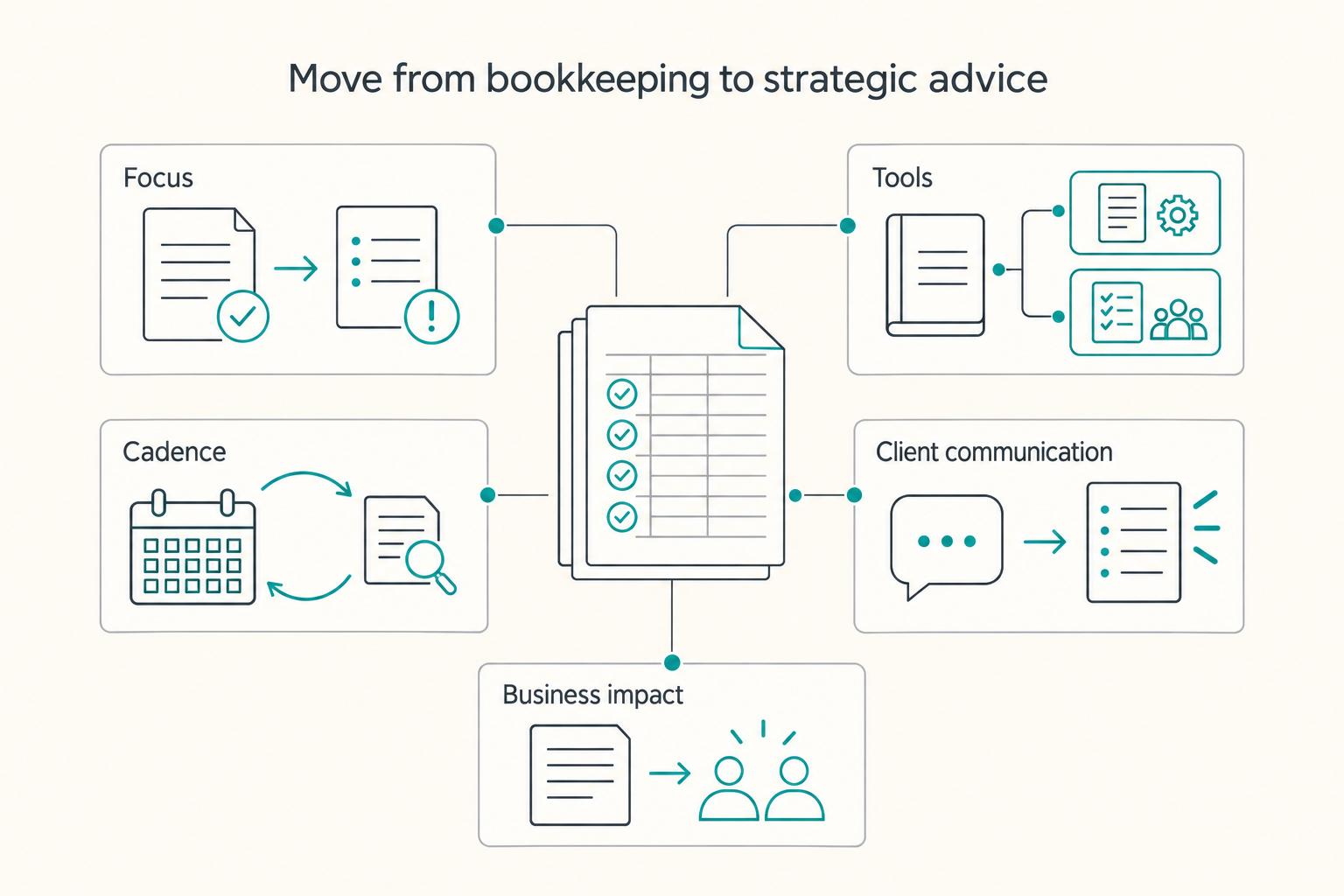
If you serve cross-border clients, you are not just choosing software to post transactions. You are deciding whether your stack can protect cash flow, filing deadlines, and compliance risks that standard bookkeeping screens may not catch. In practice, the right choice is often not a single app. It is a stack built for control.
How to Organize a Digital Shoebox for Tax Time
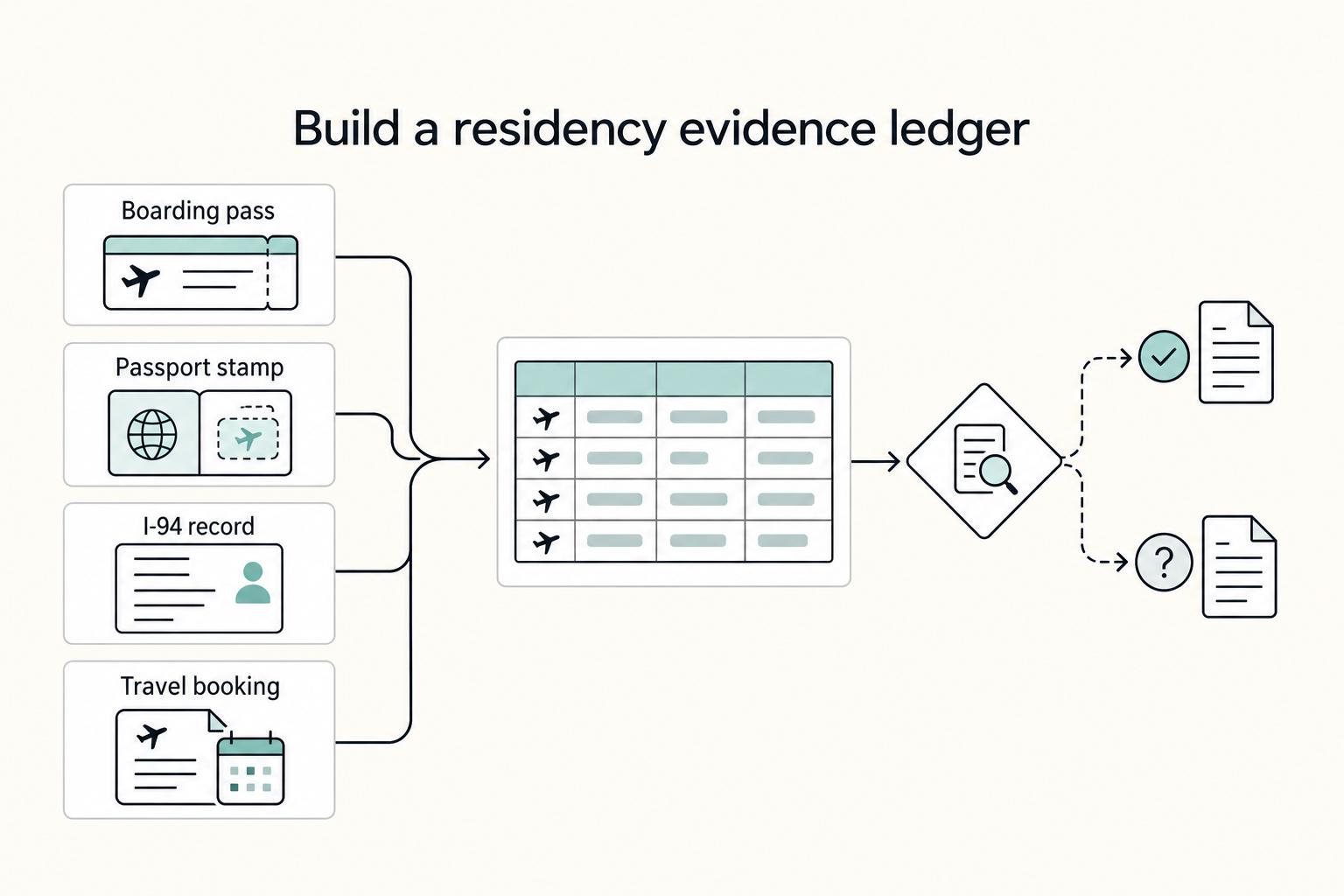
The goal is simple: one Master Timeline you can trust at a glance. Keep one row per trip, and link each row to proof you can actually retrieve. For each trip, log departure and return dates, jurisdiction or locality, where you were at day-end or midnight when that matters, the trip purpose, and links to the source files. If you cannot answer "Where were you on this date?" quickly from one place, the system is not ready.