
Quick Answer
Shortlist a CRM that fits your consulting workflow, then test real deals, dated next actions and one closed-won delivery handoff. Consider HubSpot for shared sales, marketing and service records, or Pipedrive for activity-based pipeline work. HubSpot free tools currently allow up to two users and 1,000 contacts with no time limit; confirm paid-plan needs before importing. Choose only after reporting, record export and handoff checks work in the plan you will use.
You are not buying a CRM tool you are installing an operating system for your consulting business#
Judge a CRM by one standard first: does it help you execute the next client move when you are busy? Feature count matters far less than whether the tool can become your daily system of record for pipeline stage, next action, and client context. If it cannot do that, it adds admin without giving you control.
For an independent consultant, that is the real job. A CRM is not abstract relationship management. It is the place where you should be able to open an opportunity and see where it stands. You should know what happens next and recover the client story without digging through email, calendar notes, and a spreadsheet. That is why day-to-day fit matters more than feature volume when you evaluate the best crm for consultants.
One practical way to test this in a trial is to use one real discovery call and see whether the tool holds up. Right after the call, check whether you can do these cleanly:
- Record the opportunity with a clear stage in your sales pipeline, not just a contact entry.
- Set the next action so a follow-up is attached to the deal, not left in your head or inbox.
- Capture client context like goals, objections, timing, and decision details in the same record.
- Find it again from the pipeline view without clicking across multiple screens or relying on memory.
If any of that feels awkward in a trial, it can get worse once live client work piles up. If you need a broader shortlist after this orientation, start with The Best CRMs for Freelancers to Manage Client Relationships.
| Success standard | Observable behavior | Failure signal | Good enough to proceed |
|---|---|---|---|
| Next action control | Every active deal has a current stage and a scheduled follow-up tied to it | Tasks live in email, calendar, or sticky notes instead of the deal record | You can review open opportunities and see what to do next without hunting |
| Client context quality | Notes from calls, key objections, and promised follow-ups sit in one place | You reread inbox threads to remember what was agreed | A second look at the record is enough to write an accurate follow-up |
| Delivery handoff fit | Sales details can pass into delivery without retyping critical info | Proposal details, scope notes, or pricing context break at handoff | If you sell and deliver in one flow, tools that support proposal-to-project handoff, quoting, or margin visibility deserve extra weight |
| Growth fit | You know who needs access now and who may need it in the next 12 to 18 months | The tool works only for you today and becomes unclear for even modest growth | You can picture the same setup still working for your business in three years |
That last row matters more than most first-time buyers expect. A cheap or free plan can be a good on-ramp. It only works, though, if it will not force a disruptive migration within a year or two because it hits a functional or capacity wall. If your business may add collaborators, more complex sales steps, or a tighter sales-to-delivery link, check that before you get comfortable in the wrong tool. For a broader team-oriented angle, see The Best CRMs for a B2B SaaS Sales Team.
Set your selection criteria before you touch a demo#
Set your decision rules before any demo, or the walkthrough will drive your choice instead of your operating needs. Build your shortlist from four factors: how you sell, how work is handed off, what reporting you need, and who will keep records clean.
| Business shape | Fit | Misfit | First proof to request in trial |
|---|---|---|---|
| Solo consultant moving off spreadsheets | You need fast setup, a clear pipeline, and one place for notes plus next actions. | You already need deep field logic, multi-step approvals, or complex reporting by service line. | Import 10 real contacts, create 1 live deal, add notes and a dated follow-up, then find it again from pipeline view in under 2 minutes. |
| Small consultancy with shared selling | Multiple people touch deals, tasks, or reports, so ownership and stage discipline matter. | You want enterprise-level customization before agreeing on stage names and handoff rules. | Reassign a deal, confirm both users can see activity history, and run a basic report without field cleanup first. |
| Delivery-heavy or cross-border consulting practice | You need sales data to flow into delivery and billing without re-entering client context. | You expect no setup, no process owner, and no agreement on required intake data. | Mark a deal won and verify scope notes, pricing context, billing details, and key documents move into the next handoff cleanly. |
Test handoff early. For example, if you copy the same scope notes from a CRM into a project tool and then into an invoice, each copy creates another chance to lose context. In your trial, mark one deal won and follow its client details, agreed scope and billing references into delivery. Record the manual steps so you can compare actual effort rather than assuming a universal productivity gain.
Use this pass/fail checklist during your trial:
- Pipeline control
Pass if every active deal has a current stage and dated next action in one view. Fail if follow-ups still live in inbox or calendar.
- Data reuse at handoff
Pass if call notes, scope detail, and pricing context move forward after a win without copy-paste. Fail if the client record must be rebuilt in another tool.
- Reporting hygiene
Pass if, after entering 5 sample deals, you can see what is open, stalled, and won in native reporting. Fail if reports break because fields are inconsistent or optional in the wrong places.
- Activity trail
Pass if emails, tasks, notes, and files appear in date order on one record. Fail if you need multiple systems open to reconstruct one client story.
Keep cross-border readiness in scope, but treat it as intake design and handoff control. Verify current requirement for your jurisdiction, then confirm the CRM can capture the required client and billing data, track document status, and enforce a clear checkpoint before invoicing starts.
Choose simplicity or customization based on operating complexity, not preference alone. Stay lightweight when you run one core offer, own the pipeline yourself, and need basic reporting. Move to configurable systems when multiple people update records, reporting splits by owner/service line/country, or pipeline logic is genuinely complex. If you want a solo example, see Using Airtable as a CRM for a Solo Marketing Consultant.
Which CRM archetype fits your consulting model?#
Choose the archetype your real weekly workflow can run consistently, then compare vendors inside that lane.
Map your decision to who owns records, who is accountable for follow-up, and what you review every week. A polished demo can hide process drift; operational fit is what keeps a CRM usable when client work gets busy.
| Archetype | Best-fit signals | Early warning signs | Handoff complexity |
|---|---|---|---|
| Pipeline-first | You need clear stages, named ownership, dated next actions, and a fast weekly view of open, stalled, and won work by owner. | Delivery context lives in other tools, multiple people edit records without clear ownership, or reporting needs branch into many slices. | Lower before close; often higher after close if delivery or billing handoff happens elsewhere. |
| All-in-one sales plus delivery | Multiple people touch the same client record, and won deals must pass scope, timing, contacts, and responsibilities forward with minimal re-entry. | No clear owner for fields, required data, or report definitions; setup turns into too many decisions. | Higher upfront design effort; lower ongoing friction if sales and delivery stay connected. |
| Simplicity-first follow-up | Your main gap is follow-up consistency, and you want lightweight structure for next actions and visibility. | You soon need deeper forecasting, formal approvals, or broader traceability across sales, onboarding, and billing. | Very low at first; rises as reporting, collaboration, or control requirements expand. |
If two rows still fit, tighten requirements before choosing: define musts, shoulds and woulds, then rerun the comparison against one real client workflow. Use the same criteria for each vendor so the shortlist reflects clear tradeoffs.
Run a short rehearsal in trial mode#
Before committing, run this workflow with live records:
| Step | Trial action | Confirm |
|---|---|---|
| 1 | Create one real contact and one live deal | Assign an owner and a dated next action |
| 2 | Move the deal forward one stage | Notes, files, and activity history stay on the same record in date order |
| 3 | Mark the deal won | Scope summary, billing contact, legal entity name, country, and document received date pass into the next handoff step |
| 4 | Pull the weekly report you will actually use | Read open, stalled, and won work by owner without field cleanup |
If this rehearsal feels clumsy in trial, it usually feels worse under real workload.
Keep the operations boundary clear#
Use the CRM for intake, reminders and status tracking. If your business has tax-document, identity-verification or regulated review requirements, record request status, received date, reviewer and the next handoff in the CRM. Keep formal determinations and money movement in the appropriate governed systems. Confirm the applicable rule and record its source before enabling any threshold-based automation.
Treat integrations the same way: APIs and automations are connectors, not controls. If sales, billing, and delivery tools stop lining up, you get a Franken-stack and rebuild client history by hand. Pick the simplest archetype that keeps accountability clear now and passes verified data forward later. We covered this in detail in Best PRM Software for Solo Consultants and Independent Professionals.
How do you choose in 10 minutes without guessing?#
Run this as a short decision sprint against your current workflow, not a feature tour. Your goal is to remove mismatches quickly based on how you sell, who uses the system, and what must happen after a deal is won.
Use a strict pass/fail filter: if a tool fails one non-negotiable, cut it.
Use five pass-or-fail prompts#
| Prompt | Pass if | Fail if |
|---|---|---|
| One person can keep it current in a normal week | You can add a contact, move a live deal, set a dated next action, and review open work without cleanup | It already feels clunky in trial mode |
| It can keep the full client history in one place | Calls, notes, emails, files, and stage changes are visible in a unified timeline on the record | The history fragments across tabs or tools |
| It matches your current handoff reality | Your team can win work and move into delivery without re-entering the same client data in other systems | Handoff requires rebuilding records |
| You can get your real weekly view without rework | You can see open, stalled, and won work by owner or equivalent without renaming fields or exporting first | Reporting depends on undefined future customization |
| It is right-sized for this stage | It is not too basic and not too expensive for how you operate now, with a credible path to add capability later | It already feels too basic, expensive, or both |
| Tool | Best-fit conditions | Proof to request in trial | Early disqualifier signals |
|---|---|---|---|
| HubSpot | You need contact, deal and task management to start. HubSpot free tools currently allow up to two users and 1,000 contacts with no time limit; paid products are needed beyond those limits or for additional capabilities. | Build one live pipeline and pull your weekly deal view. Check the selected plan for timeline, reporting, automation and contact/user limits before importing all records. | You hit reporting gaps you cannot accept now, or the upgrade path pushes features you do not need. |
| Pipedrive | You run a pipeline-first motion and care most about follow-up discipline. | Recreate real stages, assign owners, add dated next steps, and confirm stalled work is obvious. | Delivery handoff needs more context than your deal flow can hold cleanly. |
| Productive | You want sales deals, project budgets and resource planning in a connected operating system. Verify the sales-to-delivery workflow in the Productive plan you would buy. | Mark a deal won and verify scope notes, contacts, and handoff details carry forward. | Setup overhead is heavier than your team can maintain at this stage. |
| Salesforce | You have real process/reporting requirements that likely need deeper tailoring. | Request a trial flow for one real approval or reporting cut you cannot compromise on. | You start customizing before your field definitions and reporting needs are stable. |
| ClickUp | You want configurable CRM structure and can define how leads, deals, accounts, and contacts should work together. | Confirm the setup can produce your real pipeline and handoff views without workarounds. | Trial time is spent debating structure instead of moving real records through the workflow. |
| OnePageCRM | You are solo or very small and need strong next-action follow-up more than complex reporting. | Test whether every active opportunity ends with one clear next action and owner. | You already need formal reporting, broader collaboration, or more operational controls. |
Default to the simplest option that gives you reliable reporting and a clean interaction record. Escalate only when you repeatedly see one of these: handoff rework between sales and delivery, or weekly reporting gaps that force manual exports.
Keep one integration disqualifier: if a vendor cannot explain duplicate-event handling, failed sync recovery and record matching across tools, do not proceed on assumptions. Check official documentation for the chosen plan and integration, record the limits and test failure recovery before automating the handoff.
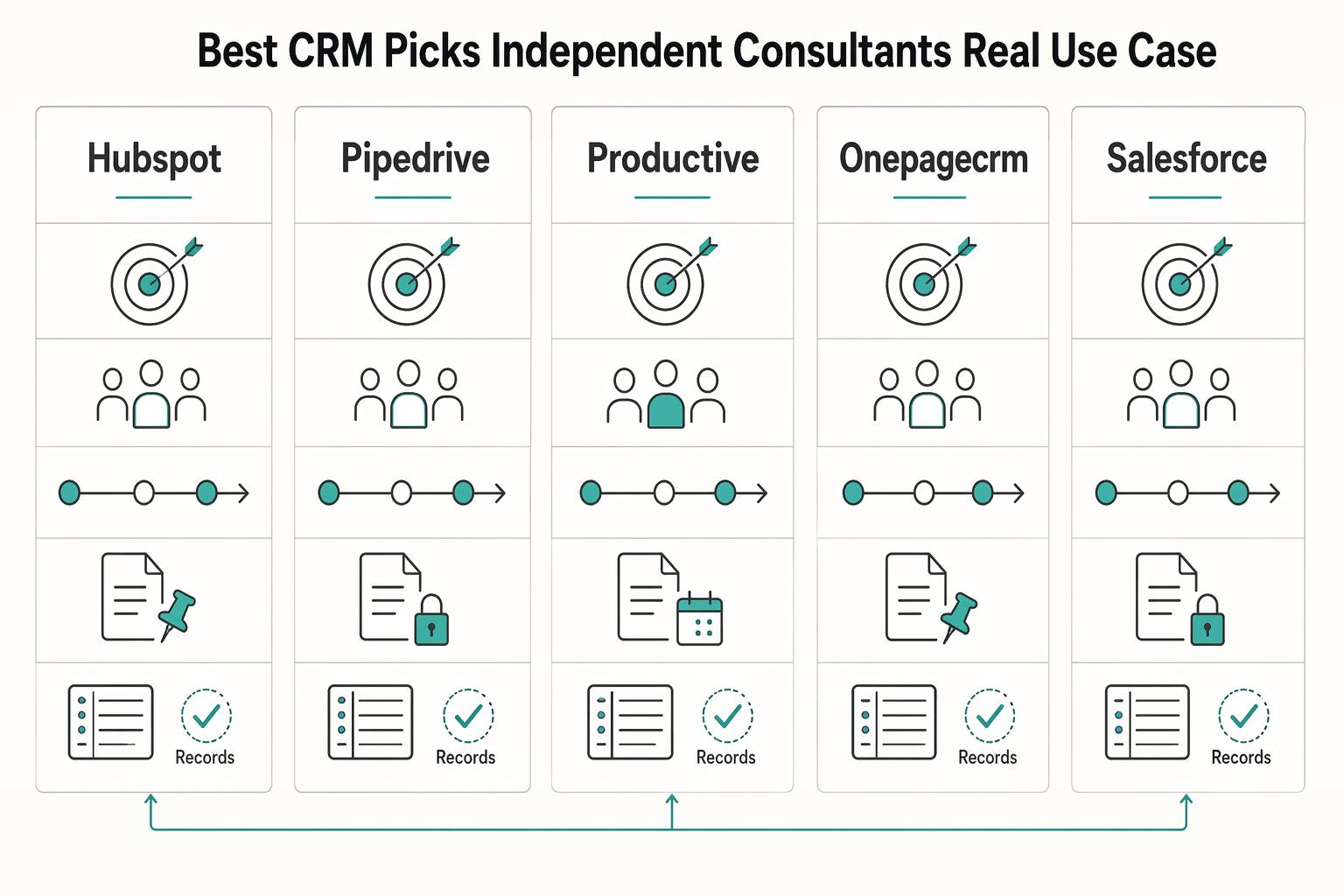
Best CRM picks for independent consultants by real use case#
Use-case fit should decide this section, not brand preference. There is no universal winner: pick the tool that matches how you sell, who touches the record, and how reliably context survives after a deal is won.
| Pick | Choose it when | Handoff and reporting expectation | Implementation risk | Who should avoid this for now | Proof in trial |
|---|---|---|---|---|---|
| HubSpot | You want a flexible starting point while your process is still settling. | Expect one workable pipeline, one shared client timeline, and a usable weekly deal view. | Customizing too early can create messy fields and inconsistent updates. | Avoid for now if you already need strict approval control or a clear sales-to-delivery system in one tool. | Build one live pipeline, connect inbox and calendar, and confirm a quiet conversation gets surfaced for follow-up. |
| Pipedrive | Your priority is pipeline discipline and straightforward stage movement. | Expect clear open, stalled, and won pipeline visibility. | Context can split across tools after close if delivery lives elsewhere. | Avoid for now if continuity of stakeholder context matters more than pipeline speed. | Rebuild your real stages, assign dated next actions, and verify stalled conversations are visible without extra reporting work. |
| Productive | You need sales and delivery to stay connected in one system. | The client record should stay intact from opportunity through active work, with reporting that reflects both phases. | If your operation is lean, setup weight can become work-intensive quickly. | Avoid for now if you only need simple pipeline tracking and no real handoff continuity yet. | Mark one deal won and confirm scope notes, stakeholder details, and deal context remain intact as delivery starts. |
| OnePageCRM | Your main issue is missed follow-up, and you want a simpler operating rhythm. | Expect basic visibility into what is active, waiting, and next. | You can outgrow it if shared context and deeper reporting become core needs. | Avoid for now if multiple people need richer shared client context. | After three calls, every active opportunity should end with one clear next action and owner. If that breaks down in trial, move on. |
| Salesforce | You already run a complex pipeline and need tighter process control. | Use it when specific reporting cuts or approval paths are non-negotiable. | Buying complexity before your fields and ownership rules are stable is a common failure path. | Avoid for now if you are still defining stages, reporting needs, or ownership. | Model one real approval path or reporting cut, then test whether your team can keep records current without admin rescue. |
| ClickUp | You want high control and are comfortable shaping structure yourself. | It can work when sales tracking needs to stay close to delivery work, but readability under load is the real test. | Trials can stall in structure debates instead of real workflow testing. | Avoid for now if you want CRM conventions ready on day one. | Build one account, one contact, and one live opportunity, then test whether notes, stage history, and synced activity stay clear after a busy week. |
Reality check before committing: selection and implementation both determine results, and unused systems fail regardless of feature depth. Run a short adoption test under real workload: capture the next action immediately after a call, confirm context stays on one client record as work progresses or stalls, and verify synced activity still leaves a clear trail of what changed, by whom, and what follow-up is due. Keep three sample records as proof: one active deal, one stalled conversation, and one won client. If those records are not consistently clear, the tool is not ready for your practice.
If your shortlist is still pipeline-first, sanity-check it with The Best CRMs with Sales Pipeline Features for Freelancers.
HubSpot or Pipedrive which safe default should you pick first?#
Use this branch rule: choose HubSpot if your client record needs to support more than sales, and choose Pipedrive if your main issue is daily deal movement and follow-up discipline.
- HubSpot: if this sounds like you
You already work across sales, marketing and support touchpoints, or expect to soon. HubSpot connects records across those functions. Its free tools currently allow up to two users and 1,000 contacts with no time limit; broader capabilities depend on the products and tiers you buy. Test the required timeline, reporting and handoff views in that exact plan, and define stages and ownership before customization.
- Pipedrive: if this sounds like you
Your sales process is pipeline-first, and you need clear next actions on every open opportunity. Pipedrive emphasizes a visual pipeline and activity-based selling. In its 14-day trial, recreate your stages and dated next actions, then test the delivery handoff. Measure setup effort yourself and check which reporting, automation and integration features your chosen plan includes.
| Trial decision point | HubSpot test | Pipedrive test |
|---|---|---|
| Setup effort | Configure the same sample deals, ownership fields and required views | Configure those same records and views; compare actual effort |
| Daily execution | Check whether shared account history helps all involved roles | Check whether next activities and stalled deals are easy to see |
| Reporting | Build the cross-functional view you need in the chosen tier | Build the sales and forecast view you need in the chosen tier |
| Integration | Test each required connector and its plan limits | Test each required connector and its plan limits |
| Growth cost | Quote the users, contacts and features you expect to need | Quote the users, add-ons and features you expect to need |
If you switch later, treat migration as an implementation project, not a quick tool swap:
- Switch triggers: move only when missed follow-ups, split records, or reporting blind spots are recurring.
- Pre-migration validation: verify three records before moving data: one active deal, one stalled deal, and one won client.
- Reporting continuity checks: compare weekly old-vs-new views so stage counts and next actions still align.
- Pilot-first rollout: run a small live subset first, then expand after records stay clean and usable for two weeks.
Build the risk and operations layer most CRM reviews skip#
After you pick a front-runner, set boundaries before you scale usage. Your CRM should help you execute faster while clearly defining what it records, what it can trigger, and what it must never execute. That keeps it as a single source of truth for client activity instead of turning it into a substitute for compliance checks or money movement.
Put governance on paper#
Use this as a pre-integration checklist:
| Practice | What to do | Why |
|---|---|---|
| Field ownership | Name one owner for each core field you rely on, such as deal stage, legal entity name, primary contact, billing contact, and close status | Corrections are accountable and fast |
| Naming rules | Lock naming rules for companies, contacts, and stages before imports | Reporting does not fragment across duplicate records |
| Process playbooks | Keep dated versions of intake, qualification, proposal approval, and escalation steps | Change history is auditable instead of implied |
Practical audit-trail test: if a referred prospect moves from qualified to proposal sent, then the legal entity is edited, then the deal is escalated because signer and billing contact do not match, you should be able to trace stage changes, entity updates, and escalation decisions in order from one record history.
Keep the handoffs explicit#
| Activity area | CRM role | Handoff point | Control expectation |
|---|---|---|---|
| Outreach and qualification | Capture meetings, notes, next actions, and stage movement | Verification, contracting, or payment setup starts | Timestamped activity history tied to one record ID |
| Verification status (KYC, KYB, AML) | Store status only (requested, pending, passed, failed) | Compliance provider/tool executes checks | Clear status values, owner, and timestamp per decision |
| Billing, collections, payouts, virtual accounts, MoR flows | Store commercial intent and reference IDs, not execution | Finance/payment system becomes system of record when funds move | Record-to-ledger mapping that supports reconciliation |
For integrations, define operational controls: log events, handle duplicates safely and keep stable record mappings for reconciliation. During your trial, test one create, one update, a failed sync and a duplicate where the integration supports them. Check its documented retry behavior rather than assuming every provider uses webhooks in the same way. If the receiving system cannot show what happened clearly, keep that handoff manual until it can.
Roll out the CRM in three sprints, then watch for drift#
Run this as three controlled sprints so your CRM gets better without disrupting active client delivery.
| Sprint | What you implement | Validate before you move on | Failure mode this prevents |
|---|---|---|---|
| Sprint 1, Audit | Document how work actually moves today and publish a Current State Report. Clean pipeline records that look active on paper but are not real opportunities (ghost deals). | Check a sample of records against real conversations and next steps so pipeline status reflects reality, not assumptions. | Chaotic manual processes that do not scale, plus misleading pipeline health. |
| Sprint 2, Align | Define your future state framework, standardize discovery/qualification flow, and make handoffs explicit, including a sales-to-CS handoff when delivery starts after close. | Confirm each handoff has a clear owner, required context, and a visible completion point before it leaves one team or role for another. | Black-box handoffs that lose momentum and create missed follow-up. |
| Sprint 3, Optimize | Tune reporting and process automation around real operating signals, including lead source, conversion, and lifecycle value. If your work begins after signature, formalize a structured 30-90 day onboarding path with clear expectations and deliverables. | Verify you can explain forecast movement and outcome changes from CRM history and process notes, not memory. | False confidence in forecasts and weak exception handling. |
Where tax or compliance requirements apply, make intake conditional on entity type and jurisdiction and route final determinations to the responsible specialist. Track request status, owner and verification state in the CRM. Confirm the required document and due date from the relevant authority or advisor before setting reminders or release gates.
Use a monthly operator scorecard so drift triggers action early:
- Adoption: monitor whether records are updated with current stage, notes, and next step. Drift signal: activity exists but records stay stale. Action: retrain on required fields and simplify the update workflow.
- Follow-up: monitor open next actions by stage. Drift signal: qualified opportunities with no scheduled next step. Action: tighten stage rules and reassign stalled follow-up.
- Forecast quality: monitor expected outcomes versus actual outcomes and logged slip reasons. Drift signal: repeated late-stage reversals without documented cause. Action: tighten exit criteria before records enter commit stages.
- Exceptions: monitor missing required fields and failed handoffs. Drift signal: the same exception repeats across cycles. Action: fix the process design, then reinforce ownership.
Pick the CRM you can run consistently and evolve deliberately#
Pick the CRM you can run every week without workarounds. Most bad choices come from workflow mismatch, not missing features, and from paying for extras you will not use in the next 90 days.
| Check | Go / No-go test | Why it matters |
|---|---|---|
| Operating method | Go if you can shortlist, test, and decide in 1 to 2 weeks using your real leads, proposals, and follow-up tasks. No-go if next actions are still unclear once records are live. | You are selecting for weekly operability, not feature volume. |
| Safe default scope | Go if the starting plan covers current pipeline and contact tracking. Confirm the current free-tier limits with the vendor. Upgrade only when a real constraint appears within 90 days. | This avoids paying early for advanced capabilities that are not yet needed. |
| Data discipline | Go only after one Excel/CSV import test: map each column to the correct CRM field, then verify export path, API limits, retention, and ownership before automation. No-go if imported records break stage reporting or next-step tracking. | Field mapping is the control step that protects forecast and follow-up quality. |
| Handoff readiness | Go if one closed-won record shows proposal context, scope notes, owner history, and delivery handoff in one place. No-go if handoff depends on inbox reconstruction. | Linking pipeline and delivery context reduces missed details at kickoff. |
If nobody owns setup, cleanup, and training, adoption will drift. A cloud CRM can often be configured in days or weeks, but weak record standards still create reporting disputes.
Keep your current setup if it still delivers clean records, consistent follow-up, and usable handoffs. Upgrade when those outcomes break under normal load, and judge total cost of ownership over 12 months, not just the first bill. For one final comparison pass, review The Best CRMs with Sales Pipeline Features for Freelancers.
Frequently Asked Questions
What is the best CRM for an independent consultant?
There is no universal winner. The right choice depends on whether you are pipeline-first, handoff-heavy, or mainly trying to keep follow-up consistent. Pick your archetype first, then test one real week of leads, proposals, and client notes before you commit. If you want a wider comparison set, review The Best CRMs for Freelancers to Manage Client Relationships.
HubSpot or Pipedrive for a small consulting practice which should I pick first?
Pick first based on your actual workflow, not brand or rankings. Before you choose, recreate the same 5 to 10 active deals in both and check which one makes next actions more obvious with less admin effort. The better first choice is the one you will consistently use.
What features are non-negotiable in a consulting CRM?
You need three things at minimum: clear pipeline visibility, reliable follow-up execution, and a clean customer data structure you can report on. If owners cannot update stage, next step, and core client fields without extra admin friction, adoption slips and the data rots. Verify this by checking whether a sampled record shows owner, stage, last activity, and next action without hunting.
How do I choose a CRM if I need both sales tracking and delivery handoff?
Choose the option that keeps proposal context, scope notes, and owner history attached when a deal closes. If your handoff requires copying details into email threads or a second tool by hand, treat that as a red flag because delivery can start with missing context. Test one closed-won record and confirm you can reconstruct the story from first contact through kickoff.
What should solo consultants avoid when selecting a CRM?
Avoid buying on brand, rankings or feature volume alone. Define two or three measurable goals, such as every active deal having a dated next action or a closed-won record retaining its scope notes. Reject a setup that adds heavy admin work to basic updates.
How long does it take to implement a CRM without disrupting active client work?
Plan around checkpoints, not promises from a pricing page or vendor demo. Use SMART targets and KPIs for each phase, such as duplicate cleanup, stage adoption, or forecast accuracy. If your imports are messy, your stages are vague, or your scope and budget are unclear, implementation usually takes longer and can stall before completion.
When should I connect my CRM to payout and compliance systems?
Connect once payments, payouts, or formal verification requests are part of the real client path, not as an afterthought. Keep the CRM focused on status, request date, owner, and document tracking. Before automating anything sensitive, verify the exact external requirements with the relevant provider or authority.
Try a related tool
Researched and edited by the Gruv editorial team. Gruv builds cross-border billing, payouts, and finance-operations software for global businesses.
Sources
Includes 8 external sources outside the trusted-domain allowlist.
- help.clickup.com/hc/en-us/sections/17649878639255-ClickUp-for...external
- help.onepagecrm.com/article/711-action-streamexternal
- hubspot.com/pricing/crmexternal
- hubspot.com/products/crmexternal
- pipedrive.com/en/pricingexternal
- pipedrive.com/en/crm-free-trialexternal
- productive.io/pricingexternal
- salesforce.com/crm/reportexternal
Educational content only. Not legal, tax, or financial advice.
Related Posts

Best CRM for Freelancers Who Need Reliable Client Follow-Up
If your client work is solid but your admin lives across email, notes, calendar alerts, and a spreadsheet, your CRM choice will succeed or fail on operations, not features. That is why so much advice on the **best crm for freelancers** misses the real issue. The main risk is not choosing a tool with too few buttons. It is choosing one that looks polished in a demo but still lets follow-ups slip when work gets busy.

The Best CRMs with Sales Pipeline Features for Freelancers
If your follow-up lives across email, a notes app, calendar reminders, and memory, the issue is not effort. It is control. You do not need the **best crm with sales pipeline** on paper. You need a tool you will update in the moment and review regularly, because that is what keeps deals moving.

The Freelance Payment Penalty: A Modeled Audit of Platform Fees, FX Spreads, and Payout Delays
The money rarely disappears through a single, easy-to-spot fee. The real loss is stacked. A marketplace takes its commission, a processor adds a charge for international cards, a bank or payment company converts the currency at a spread, a platform holds the funds before release, and a wire sheds a little to intermediaries on the way in. Each layer looks defensible on its own, but the worker feels the combined result as a smaller deposit and a later payday.