
Quick Answer
The best bank accounts for kids and teens are the ones that match your household workflow, not the flashiest brand. Start by choosing savings rail vs spend rail, then verify fees, overdraft posture, ownership model, controls, and eligibility in official disclosures. A practical default is two rails: savings for protected goals and a controlled spend account for day-to-day practice.
Stop guessing: a 10-minute framework to pick the right kids/teen account (without fee surprises)#
Design a controlled money workflow first, then pick the product whose official terms match it. You are not shopping for a shiny "best kids account." You are building a predictable system where money flows in, spending stays bounded, savings stays protected, and you can review activity without turning it into a daily fight.
If you run your household like a business, you are the CEO of a business-of-one. You need a setup that operates cleanly even when you are busy.
Step 1: Choose the job (save vs spend) before you compare brands#
Some accounts are better suited for "store value," while others are better suited for "day-to-day spending." Many roundup lists blur the difference, so split it yourself first:
- If you need a spending experience (like a card or everyday payments), compare products built for that use case.
- If you need a low-drama "vault," start with products positioned for saving.
Hypothetical: your kid receives gift money and also wants snack-money autonomy. Do not force one account to do both jobs. If it helps your household, separate "save" from "spend" so each has clear rules.
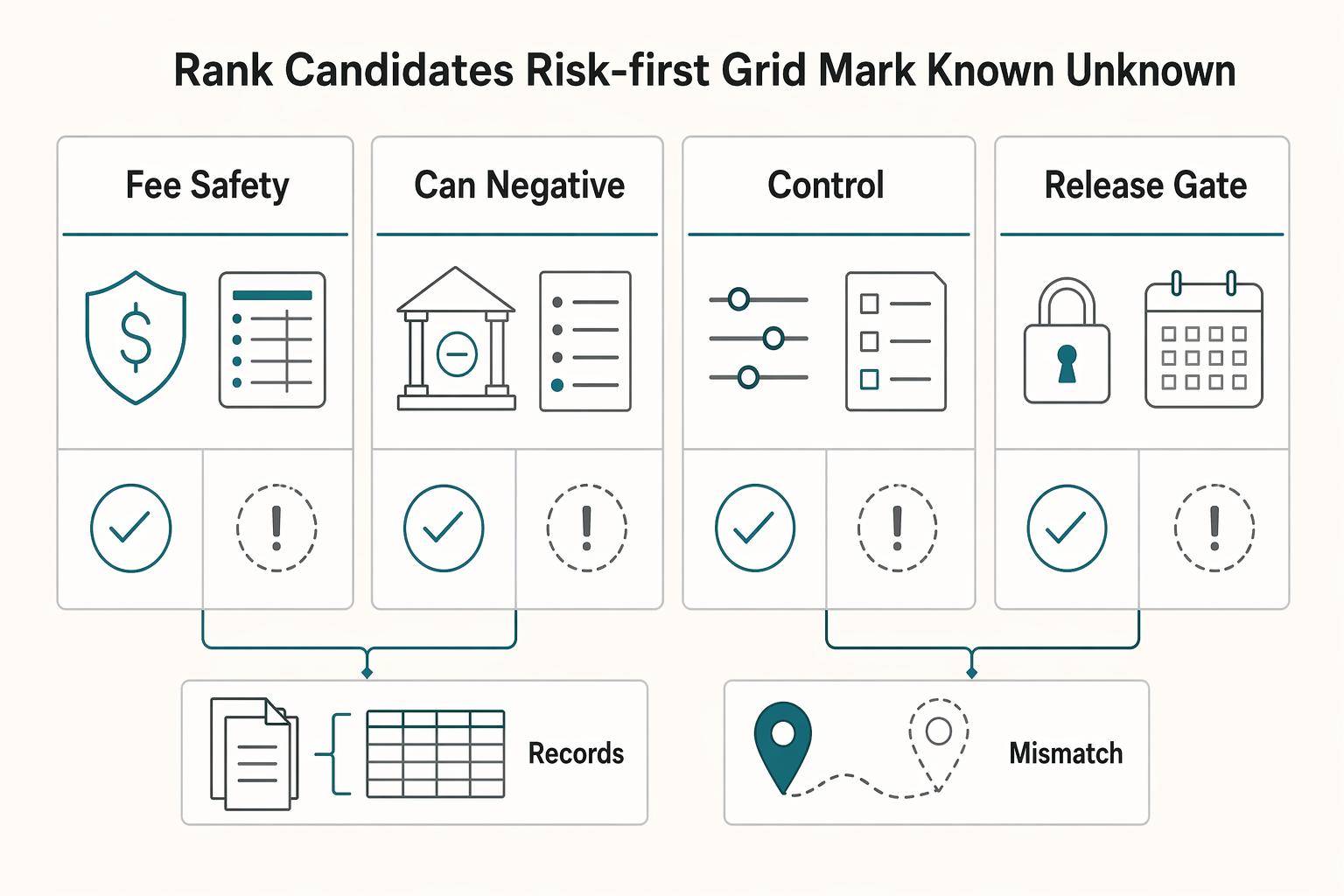
Step 2: Rank candidates with a risk-first grid (and mark "Known vs Unknown")#
Treat marketing pages like discovery, not truth. I like the discipline behind primary records. The Parliament of Canada DocumentViewer defines "Evidence" as "the edited and revised transcript of what is said before a committee." Apply that mindset here. Your "evidence" equals the bank's disclosures and fee schedule, not the homepage bullets.
Use this quick grid to shortlist, then fill the Unknowns by opening the disclosures:
| Criterion (rank in this order) | What you want | Known from product page | Must verify in disclosures |
|---|---|---|---|
| Fee safety | Predictable fees | Often partially | Full fee schedule and any variations |
| "Can it go negative?" posture | Clear rules for declined vs approved transactions | Often vague | How negative balances are handled and any related fees |
| Parent controls | Limits, alerts, lock/unlock | Sometimes clear | What controls exist and when they apply |
| Eligibility gates | Any requirements to open/use | Usually clear | Any extra onboarding steps |
| Access and control | Clear understanding of who can do what | Often unclear | Account agreement details |
Use this as a decision blueprint, then confirm final terms in the official disclosures. If you want the "risk controls as a system" mindset, borrow the same approach you use for payments: A Guide to Stripe Radar for Fraud Protection. Related: A Guide to Creating a Freelance 'Press' or 'Featured In' Page. Want a quick next step for "best bank accounts for kids"? Try the free invoice generator.
The selection criteria (and who this list is for / not for)#
Use this list if you want a repeatable household money system with low fee and overdraft risk, not a "highest APY" trophy. You already have a workflow (two rails) and a way to separate Known from Unknown. This section draws a hard line so you stop comparing products that cannot meet your actual requirements.
Who this list serves (and who should skip it)#
Keep reading if you operate your household like finance ops. You want predictable cash movement (allowance or income in, bounded spend out, savings protected), clear controls, and quick visibility. Think "kids bank account as a system," not vibes. This often matches parents comparing popular apps and big banks, but the brand is secondary to the workflow.
Skip this list if you optimize purely for yield or you want complex investing features. Even moneyGenius notes that kids can use chequing and savings accounts, and that savings interest rates typically run low. If your real requirement includes a teen debit card, ATM access, or merchant-level guardrails, a yield-first approach will not carry the decision.
Here's the decision rule:
| If you primarily need... | You belong in... | What "good" looks like |
|---|---|---|
| Saving habits + goal tracking | Savings rail | Simple rules, low surprises, easy transfers |
| Real-world spending practice | Debit/checking rail | Hard limits, strong alerts, clear "can it go negative" behavior |
Hypothetical: your teen starts earning money from weekend gigs. You want spending autonomy without financial chaos. You prioritize controls and fee safety first, then worry about yield later.
Our risk-first weighting (what to verify)#
You can only trust what you can verify in disclosures. That includes big names. Marketing pages compress details and hide edge cases. We weight these criteria highest, in this order:
| Priority | Criterion | Verify in disclosures |
|---|---|---|
| 1 | Fee safety | Monthly fee policy; ATM fee exposure, including out-of-network behavior; replacement card fees |
| 2 | Overdraft posture | Whether the account can go negative and how the bank implements overdraft protection |
| 3 | Guardrails and visibility | Alerts, spending limits, lock/unlock, low-friction transfers, and what each control truly covers |
| 4 | Eligibility gates | Whether it requires a parent account at the same institution, credit union membership, or an ownership model you cannot accept |
- Fee safety: Confirm the monthly fee policy, ATM fee exposure (including out-of-network behavior), and replacement card fees in the official disclosures, not the homepage bullets.
- Overdraft posture: Identify whether the account can go negative and how the bank implements "overdraft protection." Treat this as non-negotiable for any teen debit experience.
- Guardrails and visibility: Require alerts, spending limits, lock/unlock, and low-friction transfers. Compare control surfaces you can actually operate day-to-day, then verify what each control truly covers.
- Eligibility gates that kill the deal: Eliminate options fast if they require a parent account at the same institution, credit union membership, or an ownership model you cannot accept.
Kids savings vs teen debit: which account type actually solves your problem?#
Pick the account type by workflow first (save rail vs spend rail), then evaluate specific brands inside that lane. Most "best bank accounts for kids" roundups get messy here because they mix savings containers with spend-capable tools and call them all "kids accounts."
Two rails, two different jobs (and what to verify in each)#
Instead of assuming what any named product does (Capital One Kids Savings Account, Alliant Credit Union Kids Savings Account, Chase First Banking, Greenlight, Bank of America Advantage Banking), treat them as contenders and verify which rail they actually support in their disclosures.
| Rail you're choosing | What it lets you do | Primary risks to manage | Your verification checklist |
|---|---|---|---|
| Savings rail (savings container) | Hold money for goals and future use | Access friction, transfer limits, surprise minimums or fees | Who can withdraw, transfer rules, minimum balance rules (if any), any fees, statement visibility |
| Spend rail (spend-capable account or program) | Day-to-day spending practice | More moving parts (fees, spending discipline, and what happens when something goes wrong) | Fee schedule, how transactions are authorized/declined, any limits or controls (if offered), ATM and transfer rules, alerts/notifications (if offered), dispute process |
Why be strict? Because consumer finance risk is real. The OECD's Consumer Finance Risk Monitor (2024) analyses consumer harm and complaints across product markets that include banking and payments, and it also presents data on financial scams and frauds. Your job is to design a system that stays predictable under stress, not just to pick a popular logo.
Safe default rule (use-case-first, operator style)#
Use this decision rule to choose the starting rail, without overcommitting:
- If the goal is allowance + spending practice + financial literacy, start by evaluating a spend-capable option first, then verify the full fee schedule and how day-to-day transactions are handled.
- If the goal is gift money + long-term saving, start by evaluating a savings container first, then add a spend-capable option later when you can operate the setup confidently.
Operational reality check: many families need two rails. One container for saving, one container for spending. Do not force one product to do both if it increases uncertainty or makes it harder to verify the rules that matter.
Hypothetical: your kid gets birthday money and also starts buying lunches with friends. Route gifts into the savings container, then drip a controlled amount into the spend rail weekly. Clean separation. Fewer arguments.
Finally, keep your evidence posture sharp. Editorial lists can help you discover options, but they can omit the details you actually need to operate the account. In some cases, you may not even be able to access a page at all (for example, a captured excerpt of a NerdWallet page on opening a child's first bank account was blocked by a security service). Your decision should come from disclosures, not summaries.
What ages are supported - and who legally owns the money?#
Treat ownership and age eligibility as first-class requirements, because they decide who controls the account, who gets alerts, and what happens when your kid ages out. Once you know which rail you need, confirm whether the account matches your child's age today and your household's control model tomorrow. This is a quiet failure mode in "best bank accounts for kids" lists.
Ownership model: the hidden gotcha you must verify#
Start with a simple definition: Ownership model is who the institution recognizes as the account owner (and what permissions the parent and child each get). Marketing language often blurs this, especially for teen debit card experiences.
Use Bank of America as a concrete example because their student banking page states specific ownership rules for SafeBalance Banking®:
| Question you're answering | What to look for | Bank of America SafeBalance Banking (confirmed) |
|---|---|---|
| Who can own it on the bank's paperwork? | "Sole owner" vs "joint owner" language | You can "share ownership with a parent at any age" or "be the sole owner of the account starting at age 16." |
| What happens on the way to adulthood? | Any age gates where control shifts | The shift can happen at 16 (sole ownership becomes possible), so plan for a permissions change. |
| What are the fee tripwires? | Monthly maintenance fee policy | Bank of America states "no monthly maintenance fee on these accounts until age 25." |
| Overdraft posture | Fees vs ability to go negative | Bank of America states "No Overdraft Item Fees" (that does not equal "cannot go negative"). |
| Transfers teens care about | Zelle, ACH, etc. | Bank of America states you can send and receive money using Zelle®. |
Age bands: map the workflow before you pick a product#
| Age band | Primary focus | What to verify |
|---|---|---|
| Younger children | Tighter parent control | Language like a parent-owned account with guardrails and exactly what parents can see and do |
| Teens and young adults | Social money movement and spending | Whether Zelle is supported, ATM constraints, dispute handling, and whether sole ownership becomes possible |
| Transition to adulthood | Planned migration | What changes when ownership shifts and how fees change over time |
- Younger children: If you want tighter parent control, look for language like a parent-owned account with guardrails and verify exactly what parents can see and do.
- Teens and young adults: This is where transfer rails like Zelle (if supported), ATM constraints, and dispute handling matter, because teens start moving money socially, not just spending it. Also verify whether (and when) sole ownership becomes possible, like the age 16 option described for SafeBalance Banking.
- Transition to adulthood: Treat it like a planned migration, not a surprise. Confirm in advance what changes when ownership shifts and how fees change over time (for example, Bank of America states no monthly maintenance fee on these accounts until 25).
Non-negotiable control-surface questions (copy/paste checklist):
- Who sets spend limits and ATM limits?
- Who receives real-time purchase and balance alerts?
- Who can lock or unlock the card instantly?
- Who can move money in or out, and through which rails?
Hypothetical: your teen starts a part-time job and wants independence. You keep a separate savings container for goals, then use a spend rail that supports the right ownership and controls for their age, so your rules survive the next birthday without a scramble.
The risk-first comparison grid (with "Known vs Unknown" evidence flags)#
Use a risk-first grid to shortlist options fast, then turn every "Unknown" into a confirmed yes or no by reading the official disclosures. With age eligibility and ownership mapped, this is your operator-grade filter for downside risk. This is also where most listicles fail because they optimize for vibes, not fee and overdraft certainty.
Quick comparison table (starter shortlist). Verify before opening.#
Unknown means you have not confirmed it in the official fee schedule, account agreement, and disclosures for the exact product version you would open. Treat it as a verification task, not a debate.
| Option | Type | Best for | Key gate to check | Controls to confirm | Fee/overdraft risk to confirm | Evidence level (not yet verified) |
|---|---|---|---|---|---|---|
| Chase First Banking | Kid-focused spending account (verify structure) | Parent-managed spending practice | Parent relationship requirements (if any) | Parent controls, limits, alerts, visibility | Overdraft posture, ATM fees, replacement card fees | Unknown until verified |
| Bank of America (Advantage Banking / SafeBalance Banking) | Checking/debit-style account (verify exact tier) | Big-bank access and branch support | Exact product tier and enrollment rules | Parent and teen permissions by tier | Fee schedule details, overdraft and "overdraft protection" behavior | Unknown until verified |
| Greenlight | App + debit card program (verify current terms) | Guardrails and automation | Current plan structure and what happens if you cancel | Category controls, alerts, allowance flows (if offered) | Subscription costs, any out-of-network cash access costs | Unknown until verified |
| Capital One Kids Savings Account | Savings-style account (verify terms) | Simple savings container | Eligibility and parent/child roles | Online access and transfer workflow | Any minimums or account maintenance conditions | Unknown until verified |
| Alliant Credit Union Kids Savings Account | Credit union savings-style account (verify terms) | Credit union savings + education | Membership rules | Online banking access and transfer rules | Minimums, fees, membership-related constraints | Unknown until verified |
| Spectra Credit Union Brilliant Kids Saving | Credit union savings-style account (verify terms) | Local CU option | Membership rules | Parent visibility and statement access | Minimums, fees, access constraints | Unknown until verified |
Operator mode: how to turn "Unknown" into a safe decision#
Run this like vendor onboarding. You do not argue with uncertainty. You eliminate it.
- Step 1: Kill gates first. If a product requires a parent relationship or credit union membership, decide that before you compare features.
- Step 2: For any debit rail, verify overdraft behavior in writing. Do not accept "overdraft protection" as a feature until you can explain what happens when the balance hits zero, including whether transactions decline or create a negative balance.
- Step 3: Fill your "unknowns" checklist from the fee schedule and account agreement:
- Transfer limits and transfer types (ACH, peer-to-peer, internal transfers) * ATM network and out-of-network fees * Instant transfer pricing (if offered) * Replacement card fees and shipping options * Parent approval flow for new payees or transfers * Whether Zelle access exists for the teen profile (if that matters to your workflow)
Hypothetical: your teen wants more autonomy and you're choosing between Greenlight and a big-bank option like Bank of America Advantage Banking. Pick the one where you can document the "can it go negative?" rule on one page, then configure limits and alerts so you stop micromanaging day-to-day spending.
Use CNBC Select or Reddit threads as question generators (migration at 18, dispute handling), not as policy. If you want a deeper dive, read How to Set Up a US LLC from Australia.
The 6 best bank accounts (and alternatives) for kids and teens - ranked by use-case, controls, and fee risk#
Pick the account that matches your household money workflow first (save vs spend), then verify fee and overdraft rules in the disclosures before you call anything "best." You now have a grid, a weighting order, and a shortlist method. This section turns that into ranked picks by use-case, with the verification gates that prevent surprise fees.
Ranked picks (use-case first, then risk gates)#
- Chase First Banking (alternative: any parent-managed debit option)
| Option | Best for | Verify first |
|---|---|---|
| Chase First Banking | Parent-supervised spending practice | Eligibility requirements, overdraft behavior, and ATM fee exposure |
| Greenlight | Subscription-style setup with app-based management | Current plan tiers and what changes if you cancel, including card access and control features |
| Capital One Kids Savings Account | A clean savings container for gift money and goals | Minimum balance requirements, withdrawal or transfer options, and any maintenance or statement fees |
| Bank of America Advantage Banking / SafeBalance Banking | Branch access and mainstream bank structure | Which tier you're opening and the exact overdraft posture for the teen profile |
| Alliant Credit Union Kids Savings Account | Credit-union savers who want a savings-first lane | Membership eligibility, minimums, and how transfers work |
| Spectra Credit Union Brilliant Kids Saving | In-person service and local accountability | Membership rules, fee schedule, minimums, and parent visibility |
- Best for: parent-supervised spending practice when you want a big-bank option.
- Operator edge: treat it like a controlled "teen debit card" sandbox.
- Verify (3-point gate): eligibility requirements, overdraft behavior (decline vs negative balance), and ATM fee exposure (in-network vs out-of-network).
- Greenlight (alternative: any subscription-based debit + app platform)
- Best for: families who want a subscription-style setup and prefer app-based management over branch support (features vary by plan).
- Operator edge: you can standardize rules across multiple kids, if the plan you choose supports it.
- Verify (2-point gate): current plan tiers and what changes if you cancel, including card access and any control features.
- Capital One Kids Savings Account (alternative: any kids savings account)
- Best for: a clean savings container for gift money and goals.
- Operator edge: savings-first reduces operational drama because you remove day-to-day spend risk.
- Verify (3-point gate): minimum balance requirements, withdrawal/transfer options, and any fees tied to maintenance or statements.
- Bank of America Advantage Banking / SafeBalance Banking
- Best for: households that value branch access and mainstream bank structure.
- Concrete facts you can anchor on: Bank of America advertises "no monthly maintenance fee...until age 25," "No Overdraft Item Fees," and a debit card with a "$0 Liability Guarantee." It also states SafeBalance Banking can share ownership with a parent at any age and allows sole ownership starting at age 16, plus Zelle support.
- Verify (2-point gate): which tier you're opening and the exact overdraft posture for your teen's profile.
- Alliant Credit Union Kids Savings Account
- Best for: credit-union savers who want a savings-first lane.
- Outside signal (not policy): Bankrate labels it "Best for a high yield."
- Verify (3-point gate): membership eligibility, minimums, and how transfers work (especially from your primary checking).
- Spectra Credit Union Brilliant Kids Saving (or a similar local credit union option)
- Best for: families who want in-person service and local accountability.
- Operator edge: branch support can simplify onboarding for a first-time saver.
- Verify (4-point gate): membership rules, fee schedule, minimums, and parent visibility (statements, online access, alerts).
How we're not getting fooled by marketing pages (methodology transparency)#
Bankrate gives the right baseline: "prioritize accounts with no monthly maintenance fees or minimum balance requirements" and choose options with parental controls and educational tools. Use lists like Forbes Advisor as discovery, then rerank using your risk gates. Requirements first, exceptions second, marketing last.
Which one should you pick in 10 minutes? (Decision tree + safe defaults)#
Pick the rail first (save vs spend), then apply eligibility, controls, and a fee or overdraft kill switch to narrow to one workable option. This is the 10-minute version that prevents you from choosing an account you cannot open, cannot control, or cannot explain.
The 10-minute decision tree (use this in order)#
-
Step 1: Pick the rail (your workflow decides). If the job is store value + goals, choose a savings-only rail (for example, a kids savings account at a bank or credit union). If the job is spending practice, choose a debit-spend rail (for example, a teen debit card program or a kids finance app with a debit card). Bankrate notes, "The earlier you start to save for your child's education, the better." That pushes many operators toward a savings container even if they add a debit card later.
-
Step 2: Eliminate eligibility gates fast (no fantasy comparisons). Do not assume eligibility. Verify whether a program requires an existing parent relationship (for example, an eligible account) or whether a credit union requires membership. If you cannot satisfy the gate in one phone call or one web page, drop it and keep moving.
-
Step 3: Set non-negotiable controls (policy beats willpower). PenFed frames why this matters: kids' finance apps can help kids learn "the difference between needs and wants, learn to track spending, and set goals." Translate that into controls you can enforce.
- Lock or unlock card
- Spend limits
- Category or merchant controls
- Real-time alerts
Compare the control surface you get in a standard bank app versus a controls-first kids finance app.
- Step 4: Fee or overdraft kill switch (clarity only). If you cannot explain the exact overdraft behavior (or whether overdrafts are even possible), decline logic, and fee triggers in plain language to your teen, do not deploy that debit product yet. This matters most when you evaluate checking tiers, because tiering can make the rules you actually live with harder to see.
Safe default configurations (starting points, not gospel)#
Use these as baseline setups to evaluate, then confirm terms in disclosures:
| Household reality | Low-chaos starting configuration | Why it works operationally |
|---|---|---|
| You want maximum controls and automation | A kids finance app (spend controls) + a separate kids savings account (savings container) | Separates "spend" from "save," so one account's rules do not contaminate the other. |
| You already bank with one provider and want one app | That provider's kid/teen spending option + a separate savings account | Keeps spending practice centralized, while savings stays protected from day-to-day noise. |
Hypothetical: your kid wants a teen debit card for school lunches. You pick a controlled spend rail first, add a savings container for gifts, then run a simple weekly review like you reconcile client invoices.
Monitor fees like tripwires: base pricing plus add-ons#
Stripe Standard is pay-as-you-go, with no setup fees, monthly fees, or hidden fees. The ops move is to treat fees like "tripwires" you monitor: base pricing, plus add-ons (manually entered cards, international cards, currency conversion) and, if you use Connect, monthly active accounts and payouts.
Day-1 fee tripwire pack (set once, then tweak)#
Treat this as your launch checklist and do it the same day you go live.
| Tripwire | Set a default | Why it prevents chaos | What to watch |
|---|---|---|---|
| Base card pricing | Start from the listed domestic card rate: 2.9% + 30¢ per successful transaction | Gives you a clean baseline to sanity-check margins | Your effective rate vs. 2.9% + 30¢ |
| Manually entered cards | Decide whether you will accept them, and treat them as "premium risk" | They add cost and can distort unit economics fast | +0.5% on manually entered cards |
| International cards | Decide how you'll handle international demand (accept vs. limit) | "Small volume" can still create outsized fee drift | +1.5% on international cards |
| Currency conversion | Decide when you'll price in local currency vs. force a single currency | FX decisions quietly change your take rate | +1% if currency conversion is required |
| Alternative methods (if enabled) | Pick the methods you'll promote vs. treat as optional | Different rails have different pricing | Instant Bank Payments: 2.6% + 30¢; Klarna: 5.99% + 30¢ |
Connect tripwire (one-paragraph memo): if you run Stripe Connect (and you handle pricing), write a plain-language rule for two separate meters: $2 per monthly active account (an account is active in any month payouts are sent to its bank account or debit card), and 0.25% + 25¢ per payout sent. Then pin the rule where operators actually look before they change payout behavior.
Weekly review ritual (10 minutes, repeatable)#
Run this like a mini reconciliation for financial literacy, not a lecture.
- Review 5 charges together (pick the ones with the most "fee signal," not the most emotion).
- Flag 1 fee driver (manual entry, international, conversion, payout volume).
- Set 1 rule tweak (pricing copy, supported payment methods, payout behavior, or internal escalation rules).
Hypothetical: your "effective fee rate" creeps up week-over-week. You do not debate vibes. You isolate whether it's manual entry, international volume, currency conversion, or payout behavior, then make one adjustment and recheck next week.
Operator tie-in: build money controls the way you build client cashflow controls. Prefer clear fee logic over vibes, and insist on rules you can repeat in one sentence.
Your safe default shortlist (and the one checklist you'll reuse for every money decision)#
Use two simple anchors you can explain in plain language, then ignore the rest of the noise. They are behavior rules, not product recommendations.
Two principles that keep you out of trouble#
Start with two anchors you can actually remember:
- "Invest in assets, not in liabilities." A personal-finance maxim shows up verbatim in a Quora answer: "Invest in assets, not in liabilities." Treat that as a behavior rule, not a portfolio lecture. Ask: does this decision move you toward owning useful, lasting value, or toward paying for something that drains you over time?
- Avoid reinforcement loops that hijack attention. A Medium author describes choosing long-form writing over social platforms to "avoid trigger-action-reward loop of positive/negative reinforcement on social media." Translate that broadly: be cautious of experiences that push you into seeking constant reinforcement instead of making calm, reviewable decisions.
Frequently Asked Questions
What’s the difference between a kids savings account and a kids debit account?
These labels can vary by institution, so do not decide based on the name alone. Decide based on what the account actually lets your kid do, like whether it’s mostly for holding money or whether it supports everyday spending. If you want financial literacy reps, TD specifically calls out teaching “saving money, budgeting and how time can help grow their savings through compound interest,” and also recommends opening a bank account for a child to help make saving a habit and learn about short- and long-term goals, so map the product to the behavior you want to practice.
What age ranges are supported for Chase First Banking and Bank of America teen accounts?
Age eligibility is not one-size-fits-all and can change, so confirm it directly in the provider’s official terms and eligibility section. Also confirm whether the child needs their own identity verification step. If the web page stays vague, call and ask, “What is the minimum and maximum age for this specific account?”
Who owns the account, the parent or the child, and when does that change?
Do not assume ownership from the marketing page. Open the account agreement and search for words like owner, joint, custodial, minor, and age of majority, then write one sentence that explains who controls withdrawals today. If you cannot explain ownership in plain language, treat the account as a risk and pick a simpler setup.
Which options have no monthly fees and what’s the overdraft posture?
Only claim “no monthly fee” when the fee schedule states it clearly (and states the conditions). For example, Scotiabank advertises its Preferred Package for Students and Youth at $0 per month if you’re under 23 years old (or enrolled full time in post-secondary), and it includes unlimited debit and Interac e-Transfer transactions. Beyond that, verify negative-balance rules in the disclosures, not a blog summary.
What parent controls can I set (limits, alerts, lock/unlock, ATM caps)?
If controls matter to you, verify them inside the app before you rely on them. Common examples people look for include spend limits, real-time alerts, card lock/unlock, and ATM controls, but availability varies by provider. If you cannot find the control in the app, assume it does not exist.
What hidden constraints should I look for (like requiring Chase checking or credit union membership)?
Watch for eligibility gates that waste time, like requirements for an existing parent relationship, residency rules, membership qualifications, or in-branch opening. Also scan for operational constraints that break your workflow, like transfer rules and limits on online banking access. TD explicitly notes kids can use online banking to “quickly check their deposits and balances,” so confirm the child can actually see what they need to see.
How do I choose the right account in 10 minutes without reading 40 pages of disclosures?
Choose based on three questions: what behavior you want (save only or spend with guardrails), who controls money movement (ownership and permissions), and what the fees and negative-balance rules are. Then open the disclosures and search those exact terms. Stop when you can explain the setup to your kid in two sentences.
Try a related tool
Researched and edited by the Gruv editorial team. Gruv builds cross-border billing, payouts, and finance-operations software for global businesses.
Sources
- content.leg.colorado.gov/sites/default/files/fy25-26brfsum-12-30-24-a...trusted
- dol.gov/sites/dolgov/files/ETA/Performance/pdfs/2025...trusted
- effectivehealthcare.ahrq.gov/sites/default/files/pdf/cancer-communication...trusted
- home.treasury.gov/system/files/136/Assessing-the-Impact-of-New...trusted
- schools.nyc.gov/about-us/policies/data-privacy-and-security-...trusted
Educational content only. Not legal, tax, or financial advice.
Related Posts

How to Set Up a US LLC from Australia
**Treat a US LLC from Australia as a system, not a one-time filing.** Forming the LLC is only the first milestone. What matters after that is how you handle the ongoing obligations in Australia and the United States.
A Guide to Stripe Radar for Fraud Protection
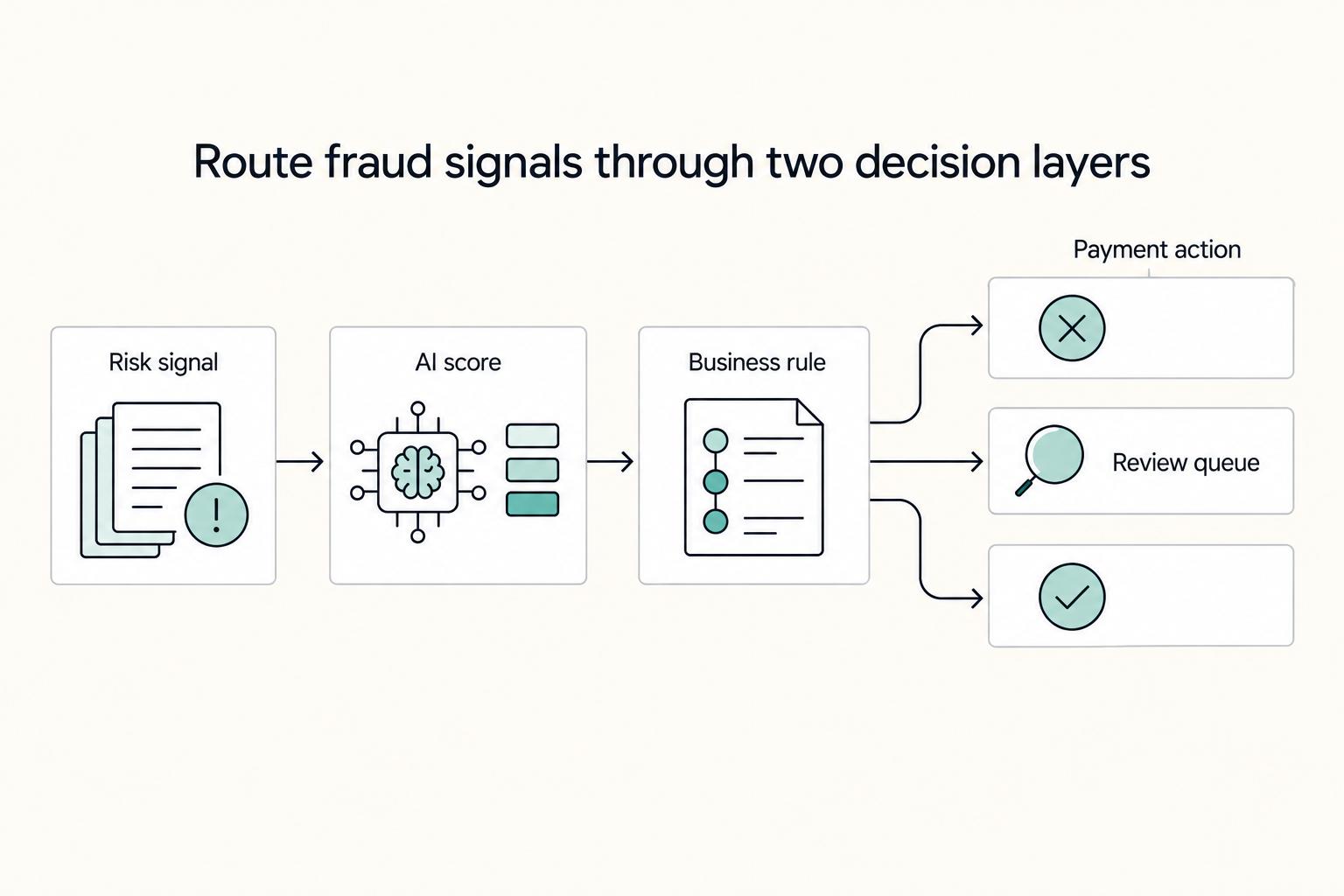
**Treat Stripe Radar for fraud as a cashflow protection system, not a vanity fraud score.** Stripe Radar gives you real-time screening with AI and no extra development setup, but outcomes still depend on your rules and operations. Your job is simple: decide when to `Block`, `Review`, or `Allow`, then tie those decisions to fulfillment timing and client communication so fraud protection supports more predictable revenue.

Build a Freelance Press Page Clients Can Verify
Your freelance press page should do two jobs at once: help prospects assess your credibility quickly, and keep weak, inflated, or poorly sourced claims off your site. Treat it as a short evidence archive on your website, not a brag wall.