
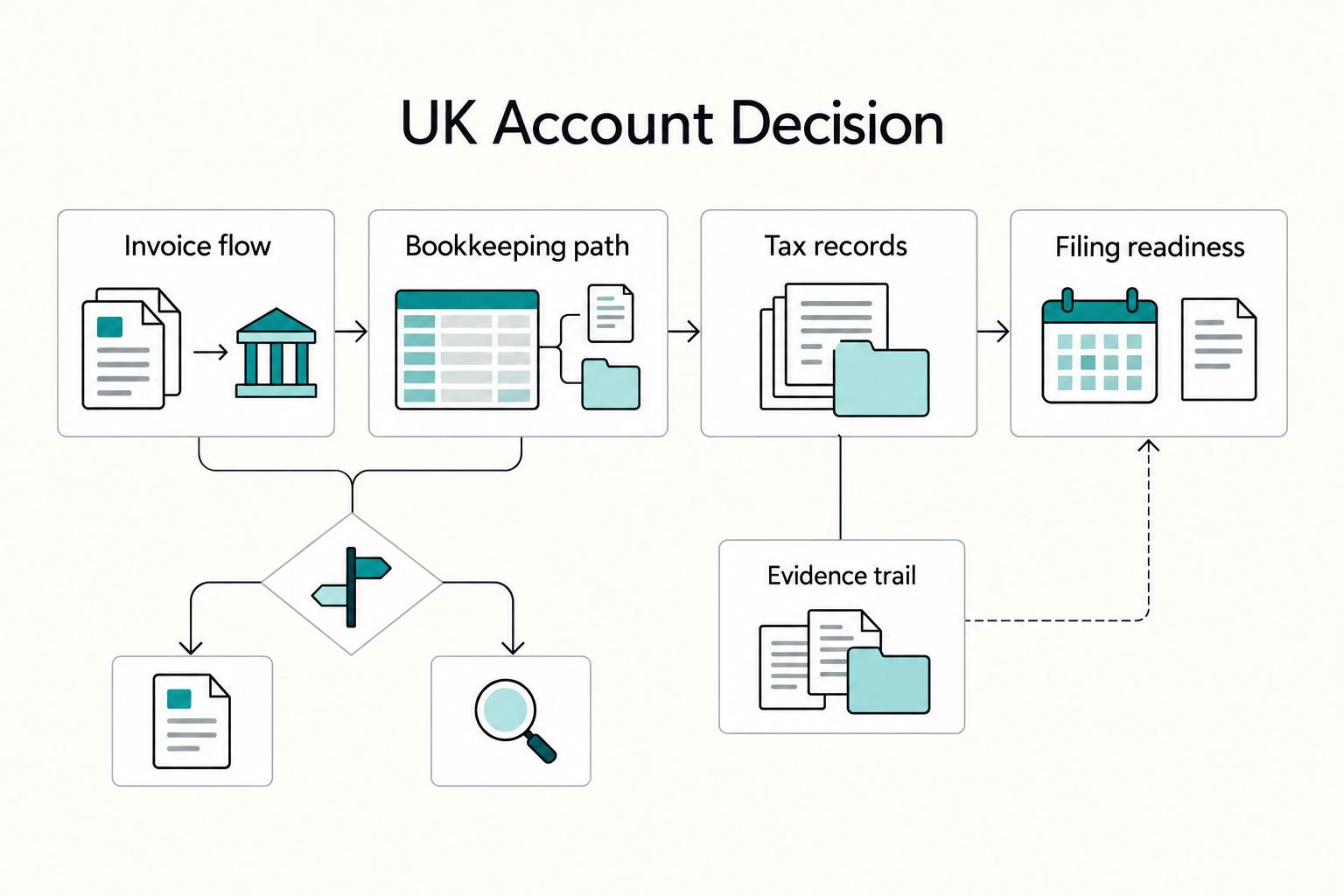
Quick Answer
For mainly GBP invoices, compare Starling’s sole trader account, Monzo Business Lite and Tide Free. For regular overseas receipts, test Wise Business alongside a domestic current account. Include usage fees and bookkeeping work in the cost, and check that the account permits your business structure.
Start with the way your clients pay#
For mainly GBP invoices, start by comparing Starling’s sole trader account, Monzo Business Lite and Tide Free. Each has a no-monthly-fee option, but cash handling, paid bookkeeping tools and international payments can change the total. For regular overseas receipts, compare Wise Business alongside a UK current account. Product prices below were checked on 2 October 2026.
| Your payment pattern | Start your comparison here | Test before moving client payments |
|---|---|---|
| Mainly UK bank transfers | Starling sole trader or Monzo Business Lite | Payment reference, statement export and invoice matching |
| Business tools alongside banking | Tide Free versus its paid plans | Transfer usage and the exact accounting tool you need |
| Regular foreign-currency invoices | Wise Business alongside your domestic account | Local receiving details, conversion quote and net amount received |
| Cash, cheques or branch services | Virgin Money, Co-operative Bank or Barclays | Deposit charges, local access and the tariff after any introductory period |
Pick two candidates and put your normal month through their tariffs. Then run a small payment and reconcile it against an invoice. A lower fee helps only if you can explain what arrived, what was deducted and which invoice it settles.
Do you need a business bank account as a UK sole trader?#
A UK sole trader is not legally required to have a business bank account. A limited company needs a separate business account. The government’s banking guide also explains that some personal accounts prohibit business transactions, so permission under the provider’s terms matters even when the law does not require a dedicated account.
Separation is still useful: client receipts, business purchases and money set aside for tax are easier to track without personal spending mixed in. Choose the account for your actual structure; a sole trader product is not automatically available to a limited company.
Check residency, supported business activities and identity requirements before comparing features. Also check who holds the money and whether eligible deposits have FSCS protection or funds are safeguarded under e-money rules; those are different protections.
Compare the shortlist before reading individual reviews#
The shortlist below separates domestic banking, business tools and cross-border receipts. It gives a starting cost and a reason to test each option, rather than treating every account as interchangeable.
| Provider or product | Starting cost | Useful fit | Cost or eligibility check |
|---|---|---|---|
| Starling sole trader | No monthly account fee | GBP invoicing with accounting connections | UK-resident sole traders aged 18+; cash deposits have charges |
| Monzo Business | Lite free; Pro £9/month; Team from £25/month | App-based domestic banking; paid admin features | Eligible UK-based sole traders or limited companies; check structure-specific criteria |
| Tide | Free £0/month; paid plans from £12.49/month | Banking plus business tools | Usage fees apply; standard Free plan includes five bank transfers a month |
| Wise Business | £50 one-off setup fee for all features; usage-based fees | Receiving and converting overseas client payments | Compare domestic receipt versus wire/SWIFT and the actual currency quote |
| Revolut Pro / Business | Pro has no opening or holding fee; Business Basic from £10/month | Pro for eligible self-employed individuals; Business for eligible businesses | Pro uses personal-plan limits; Business sole-trader eligibility needs confirmation |
| Virgin Money M Account for Business | No monthly account fee | Businesses with annual turnover under £1m | Cash, cheque, CHAPS and international-payment charges can apply |
| Co-operative Bank Business Directplus | Conditional introductory tariff; standard monthly charge £7 | Established-bank alternative | New-to-bank offer requires balance above £1,000 throughout; model later usage charges |
| Barclays Business | Calculated for the selected payment plan | Businesses comparing electronic and mixed payment usage | Use the bank’s selector with turnover, cash, cheque and electronic-payment volumes |
Start with the rows that match how you get paid. A designer receiving GBP bank transfers has different costs from a consultant receiving USD wires, even if both accounts advertise low ongoing fees.
Starling Bank for freelancers who want low ongoing friction#
Starling’s sole trader account has no monthly account fee and is designed for UK-resident sole traders aged 18 or over. It offers free invoicing, tax Spaces and accounting connections to Xero, QuickBooks and FreeAgent.
It is a strong first comparison for a solo freelancer billing in GBP who wants a dedicated account without paying for a monthly plan. Acceptance still depends on business activity and onboarding checks; this is the sole trader product, not the limited-company account.
Where costs and workflow still matter#
- Fee posture
No monthly fee does not mean every service is free. Starling lists a cash-deposit charge of £3 or 0.7%, whichever is higher. If you are paid in cash, include deposits in the comparison rather than judging the account only by its plan price.
- Support availability
Starling advertises 24/7 UK support by live chat and phone. When testing the account, keep the payment reference and support case together so you can assess resolution rather than response speed alone.
- Accounting fit
Connect your bookkeeping package and check that the imported transaction retains enough detail to match the invoice. A connection that imports a payment still needs a reconciliation rule for fees and partial payments.
A practical use case#
For example, a GBP invoice paid by bank transfer should match to one statement line and one ledger entry. Test that path before replacing the bank details on every invoice; it gives you a small, concrete check of whether the account simplifies month-end work.
Related: Automating Your Freelance Finances: A Zapier Workflow for Connecting Stripe.
Monzo Business Lite, Pro and Team for app-first control#
Monzo Business is the product family: Lite is its free plan, Pro costs £9 a month and Team starts at £25 a month. Compare the plans within the same account rather than treating “Monzo Lite” and “Monzo Business” as separate banks.
Monzo’s eligibility rules cover eligible UK-based sole traders and directors of limited companies aged at least 16. Its limited-company criteria include being tax resident in the UK and no other country. Check the criteria for your structure before applying.
Monzo Lite Business Account#
Lite is the starting point for simple domestic invoicing. Test whether its statements and your bookkeeping process cover your needs before paying for extra features.
- Retrieve a statement and match an incoming payment to its invoice.
- Check whether you need manual exports, a bank feed or an in-app accounting connection.
- Compare the paid plan against the specific task you repeat each month.
Pro and Team#
Pro adds paid administration features such as integrated accounting and Tax Pots; Team adds tools for team spending and bulk payments. Check the current plan comparison for the feature you need rather than upgrading just because a paid tier sounds more complete.
A paid tier can be worth it if it removes repeated month-end repair work, but test that with one real bookkeeping cycle before you switch client payments over.
The decision rule that holds up#
Start with Lite if your export and reconciliation process works. Choose a paid plan when a named feature saves repeated work, and compare that saving with its monthly price.
Banking and filing are separate choices. An account can make records easier to keep, but your tax registration and filing software still need to match your circumstances. The setup section below covers those checks.
Tide Business Account for early-stage freelancers balancing cost and structure#
Tide’s Free plan has no monthly plan fee. Its standard comparison lists five bank transfers a month on Free, 30 on Smart and unlimited transfers on Pro and Max; other transaction and ATM charges can still apply.
Tide’s UK current accounts are provided by ClearBank. The application is available to eligible sole traders and limited companies; applicants must be over 18 and provide photo ID and a selfie for a UK-based business.
Before switching client payments, run a one-month reality check. Map your actual incoming payments, outgoing transfers, supplier or software payments, and export needs. Pricing only helps if your real usage stays within documented limits and does not create month-end cleanup work.
Tide lists third-party accounting integrations across its plans, while its Xero Connector appears on paid plans. Check which connection you actually need; a general integration listing does not make every bookkeeping feature part of Free.
Wise Business and Revolut for cross-border client payments#
For overseas clients, compare the amount you receive after collection, conversion and transfer fees. Wise Business is a useful route-pricing benchmark; with Revolut, establish whether you need Pro or Business before comparing allowances.
| Checkpoint | Wise Business UK | Revolut Business UK |
|---|---|---|
| Starting cost | £50 one-off setup fee for all features | Basic from £10/month |
| Conversion | Mid-market exchange rate plus a fee; compare the live quote | Basic includes £1,000 monthly exchange allowance; overage and out-of-hours fees apply |
| Incoming payments | Local non-wire/non-SWIFT receipts differ from wire/SWIFT receipts | Confirm account details and incoming route for the currency |
| Eligibility | Use the UK Business application for your business structure | Help page excludes sole traders while UK legal terms mention new sole traders; confirm the product offered before relying on it |
Wise#
Wise’s UK Business pricing is usage-based, with a £50 one-off setup fee for all features. Sending and conversion are advertised from 0.24%, with the actual fee depending on currency; volume discounts start above £20,000 or equivalent. Use a quote for your currency and payment method, not the minimum rate as a budget for every transaction.
That transparency is useful, but it does not prove Wise will always be cheapest. Compare the net amount received after both collection and conversion, including any intermediary charges on the client’s chosen route.
Wise lists domestic non-wire/non-SWIFT receipts in supported currencies as free. Its UK page lists fixed receiving charges of 6.11 USD for USD wire or SWIFT, 2.16 GBP for GBP SWIFT and 2.39 EUR for EUR SWIFT. Give the client the correct local details when that route is available.
Revolut Pro versus Revolut Business#
Revolut Pro is for eligible self-employed individuals with an existing Revolut Personal account, business-only use and successful onboarding. There is no fee to open or hold Pro, but usage fees and limits follow the personal plan; the Pro card can cost extra. It is a separate business balance accessed in the personal app.
Revolut Business pricing starts with Basic from £10 a month. Basic includes £1,000 of monthly currency exchange allowance, then a 0.6% overage fee; exchanges outside market hours incur 1%. Before applying as a sole trader, resolve an eligibility conflict: the UK help page excludes freelancers and sole traders, while the UK Business terms mention new sole traders. Confirm the account offered to your legal structure before giving clients its details.
The decision rule that matters#
Compare Wise against the Revolut product you can actually open, using the same currency, amount and payment route. If overseas receipts are occasional, a domestic current account plus a specialist cross-border account may keep everyday bookkeeping simpler.
For freelancers billing UK and non-UK clients, the goal is fewer workarounds and cleaner reconciliation. Run a one-month evidence check: one invoice per currency, remittance advice, provider fee and conversion breakdown, ledger transfer reference, and month-end export.
Cash access is a separate cost. Wise’s UK pricing allows £250 of ATM withdrawals per month per account without a Wise withdrawal fee, then charges 2.69% on the excess. ATM operators may add charges; relocated cardholders should check their applicable allowance in the app.
Virgin Money, Co-operative Bank, and Barclays when you prefer established banks#
These banks are worth comparing if you use cash, cheques or services beyond app-based GBP payments. Look at the named product and its tariff, because introductory offers and deposit charges can matter more than the bank’s age or familiarity.
| Product | Tariff checkpoint | Workflow test |
|---|---|---|
| Virgin Money M Account for Business | Annual turnover under £1m; no monthly fee, but cash/cheque deposits and CHAPS/international payments can cost extra | Reconcile your usual incoming payments and any deposit fees |
| Co-operative Bank Business Directplus | New-to-bank customers: 30 months without the account fee only while balance stays above £1,000; standard charge £7/month | Model the cost when the offer ends or the balance falls |
| Barclays Business | Compare e-Payments and Mixed Payments plans using the bank’s selector | Include cash, cheque and electronic-payment volumes, then test exports |
Virgin Money M Account for Business#
Virgin Money’s M Account for Business is for businesses with annual turnover under £1m. It has no monthly account fee and free day-to-day app and online banking. Cash and cheque deposits, CHAPS and international payments can incur charges, so include those if they are part of your usual month. The business must operate and be based in the UK, excluding Northern Ireland, the Channel Islands and the Isle of Man.
Before opening, ask for a sample statement or export format and run a test reconciliation in your bookkeeping process. A risk to avoid is choosing a reassuring brand and then finding month-end matching still depends on manual cleanup.
The Co-operative Bank Business Bank Account#
Co-operative Bank Business Directplus offers new-to-bank customers 30 months without a monthly account fee while the balance remains above £1,000 throughout the charging period. The standard monthly fee is £7, also charged if the balance drops below the threshold. Compare the full tariff after the introduction, including outgoing payments.
Barclays Business Bank Account#
Barclays’ price-plan selector compares electronic and mixed payment usage. Enter your expected turnover and monthly volumes for electronic payments, cash and cheques. Use that result for your own usage rather than treating one plan as the cheapest for every freelancer.
Keep a small evidence pack from day one: invoice, payment confirmation, bank statement line and ledger match. Test the export you intend to use every month, and keep payment references when raising delayed or mismatched-payment queries.
When a free account becomes expensive in real freelance operations#
A free headline is only cheap if it keeps payments clear, records usable, and filing on schedule. When it creates repeated tracing, reconciliation, or uncertainty around payment issues, the real cost shifts into time and filing risk.
1. Transfer friction#
Transfer friction gets expensive when incoming payments are hard to match to invoices. If statement lines or references are unclear, month-end reconciliation turns into manual cleanup.
Treat statement and reference quality as part of the price. Before you commit, verify what incoming-payment detail appears in exports and keep key account records.
2. International payment drag#
If you regularly receive payments from outside the UK, zero monthly fees can still come with operating drag. The risk here is not one specific provider fee, but extra handling when payments are delayed, unmatched, or returned.
Take a verify-first approach: confirm what evidence you get when a payment fails or is returned, and save that response. If the resolution steps are unclear, expect extra follow-up later.
3. Reconciliation drag#
Reconciliation drag is the time spent fixing incomplete references, separating fees and matching partial payments. A free account loses its advantage if that work repeats each month. Track the time alongside actual bank charges.
For a hypothetical comparison, if a £9 monthly plan removes an hour of recurring bookkeeping, decide whether that hour is worth more than £9 to you. Keep the estimate grounded in your own workload; a paid plan only earns its place if the feature solves that recurring task.
Red flags worth treating seriously#
- Missing failed-payment detail: you cannot identify why a payment returned or what to correct.
- Weak record evidence: exports lose references or leave fees unexplained.
- Repeated support loops: the same issue remains unresolved across month-end.
- Growing cleanup time: reconciliation takes longer despite a stable payment mix.
A practical rule is to compare free versus paid on recurring operating failure, not headline price alone. A paid setup can win when it removes repeat cleanup and lowers filing-delay risk.
Before you choose, run your typical monthly transfer mix through this payment fee comparison tool to compare options beyond headline monthly fees.
Set up your get-paid system on day 1 after you choose#
Once you choose an account, make it usable immediately. Every payment should be easy to match, easy to evidence, and easy to carry into Self Assessment.
1. Separate client inflows before the first invoice goes out#
Route new client payments to the new account once the details and test payment are confirmed. Sole traders can use an account permitted for business activity; limited companies need their own business account. Keep business records from the start of trading.
Your day-1 check is simple: update payment details on invoice templates and billing pages, then verify a test invoice shows the new details.
2. Use one source of truth for reconciliation#
Pick one place to match payments to invoices and use it consistently. Splitting status across email, spreadsheets, and statements can create mismatches that only surface later at tax time.
Set one rule: every payment is matched in one place, and every exception is logged there with date, amount, payer name, and expected reference.
3. Build a minimum evidence pack#
Do not overbuild this. Keep a repeatable pack you can retrieve quickly during busy periods:
- invoice record
- payment confirmation or remittance message
- transfer reference or statement description
- month-end statement or export for that period
Use consistent period names so you can retrieve the invoice, receipt and bank evidence together when preparing your return.
4. Add filing readiness to setup, not later#
If annual gross trading income exceeds £1,000, register for Self Assessment; this is income before expenses, not profit. Other circumstances can require registration below that amount. HMRC’s trading-allowance guidance explains the threshold and records to retain.
For the 2025–26 tax year, someone who needs to file and is not already registered must tell HMRC by 5 October 2026. The normal online filing and balancing-payment deadline is 31 January 2027; paper returns are normally due 31 October 2026. A second payment on account may be due 31 July. Check HMRC’s deadlines against your filing route and notice.
Making Tax Digital for Income Tax began on 6 April 2026 for qualifying sole traders and landlords whose 2024–25 qualifying income exceeded £50,000, unless exempt. If it applies, choose compatible software for digital records and quarterly updates. A bank export alone does not complete that filing process.
5. Define payment-failure handling before anything breaks#
Set a basic response path now for delayed, returned, or mismatched payments. When something is missing, check in order: invoice details sent, client confirmation, then statement or reference match.
Keep a short issue template so each case is documented the same way and handled consistently.
| Setup task | Owner | Verification checkpoint | Done evidence |
|---|---|---|---|
| Update client-facing payment details | You | New details appear on invoice templates and billing pages | Saved updated invoice template |
| Set one reconciliation source of truth | You | All payments are matched in one place | First matched test payment plus written rule |
| Create monthly evidence folders | You | Period naming is consistent | First folder with statement or export saved |
| Record Self Assessment admin readiness | You | National Insurance number, UTR status, and filing route are noted | Checklist entry with current status |
| Create payment-issue response template | You | One standard process exists for delayed, returned, or mismatched payments | Template with payer, amount, date, and reference fields |
Review monthly and know when to switch accounts#
Review the account on a fixed monthly cadence, and switch only when your evidence shows a repeating pattern rather than a one-off incident.
1. Run the same scorecard every month#
Use the same scorecard each month so you can spot drift in real operating cost, speed, and admin effort. Pull data from the same sources every time: statements, exports, invoice matches, and support threads.
| Scorecard item | What to record monthly | Verification checkpoint | What should worry you |
|---|---|---|---|
| Fee leakage | Paid fees, failed-payment costs, transfer or card charges, and cash-withdrawal charges | Match statement line items to the provider's current pricing terms | Costs keep rising while your usage pattern is unchanged |
| Payment speed | Delayed incoming payments, slow outgoing transfers, status chases | Compare paid or sent date versus when funds were usable | Recurring delays on normal transactions |
| Support responsiveness | Time to first reply, time to resolution, whether outcome fixed the issue | Keep dated chat or ticket history | The same issue type keeps reopening or bouncing |
| Bookkeeping effort | Time spent matching payments, fixing references, cleaning exports | Track month-end cleanup time and unresolved exceptions | The same manual reconciliation pain repeats each month |
2. Check route-level costs, not just the plan headline#
If you use Wise, validate costs at route level each month instead of assuming last quarter still applies. Wise says transfer fees depend on route and payment method, and some fees can rise after fee reviews.
Use Wise’s UK Business pricing for your selected currency and route, and check ATM allowances in the app if your card’s location has changed. Keep the quote and final charge with the transaction so you can compare estimated and actual cost.
3. Use repeated friction as the switch trigger#
When the same friction keeps showing up in transfers, reconciliation or support resolution, re-run your shortlist against the domestic options and cross-border products you are eligible to use.
Keep the decision clean: separate temporary incidents from structural issues. One bad week is noise. Repeated monthly failures in the same part of the process are a switch signal.
4. Preserve continuity before you migrate#
Before switching, make sure you can still access the records you rely on for your monthly review. Keep a simple handover note with the old-account stop date and new-account go-live date.
Use one continuity check before final cutover: can you still run the same scorecard across old and new accounts without missing data? If not, finish the handover first, then switch.
Choose the account that keeps payment records clear#
Choose a top two based on your payment mix, then test invoice matching, fees and exports. The best account is the one that supports that workflow at a cost you can explain.
On day one, update invoice details, keep one reconciliation record and save payment evidence. Review fees, payment speed, support outcomes and bookkeeping time monthly. Change accounts when the same problem repeats, and preserve old records before cutting over.
Frequently Asked Questions
Do freelancers in the UK need a business bank account?
UK sole traders are not legally required to have a business bank account, but the account’s terms must permit business transactions. A dedicated account often makes bookkeeping easier. Limited companies need a separate business account.
Can I use a personal current account as a sole trader?
Yes, if the bank permits business use under that account’s terms. Some personal accounts prohibit it. Check the terms before using one for client receipts, and consider a dedicated account if personal spending makes reconciliation harder.
What should I compare first for UK freelance banking, monthly fee or transfer fees?
Compare total monthly cost for your payment mix. Cross-border work adds receiving, conversion and transfer charges; domestic work may depend more on transfer volumes, cash deposits and paid bookkeeping tools. Use actual quotes and tariff allowances rather than assuming the lowest monthly fee wins.
Is Starling Bank or Monzo Business better for freelancers?
Starling’s sole trader account has no monthly fee and accounting connections. Monzo has free Lite and paid Pro and Team plans with different admin features. Test the export or connection you need and compare that task’s cost; neither is the best choice for every freelancer.
When does a free account become more expensive than a paid plan?
When recurring usage fees and the value of extra bookkeeping work exceed the cost of a suitable paid plan. Track charges and reconciliation time for a normal month, then compare a paid feature against the specific work it would remove.
Which account types are usually better for cross-border clients, Wise Business or Revolut Business?
Compare the same currency and payment route, then the account you are eligible to open. Wise Business quotes collection and conversion costs separately. Revolut Pro is for eligible self-employed individuals; Revolut Business has different plans and allowances, and its UK sole-trader eligibility pages currently conflict, so confirm that eligibility before relying on Business.
Try a related tool
Researched and edited by the Gruv editorial team. Gruv builds cross-border billing, payouts, and finance-operations software for global businesses.
Sources
Includes 6 external sources outside the trusted-domain allowlist.
- business.gov.uk/support/accounting-tax-cashflow/getting-a-bu...trusted
- wise.com/gb/pricing/businesstrusted
- business.support.virginmoney.com/subtopic/pagecontent/article/KA-13086external
- co-operativebank.co.uk/business/products/bank-accounts/business-dir...external
- gov.uk/guidance/tax-free-allowances-on-property-and...external
- gov.uk/self-assessment-tax-returns/deadlinesexternal
- help.revolut.com/business/help/setting-up-an-account/is-my-bu...external
- help.starlingbank.com/business/topics/fees/are-there-any-business-...external
Educational content only. Not legal, tax, or financial advice.
Related Posts

Understanding the UK's Statutory Residence Test (SRT)
Treat SRT like ops, not folklore. You want a repeatable workflow you can run monthly so your tax-year answer is boring, documented, and easy to defend.
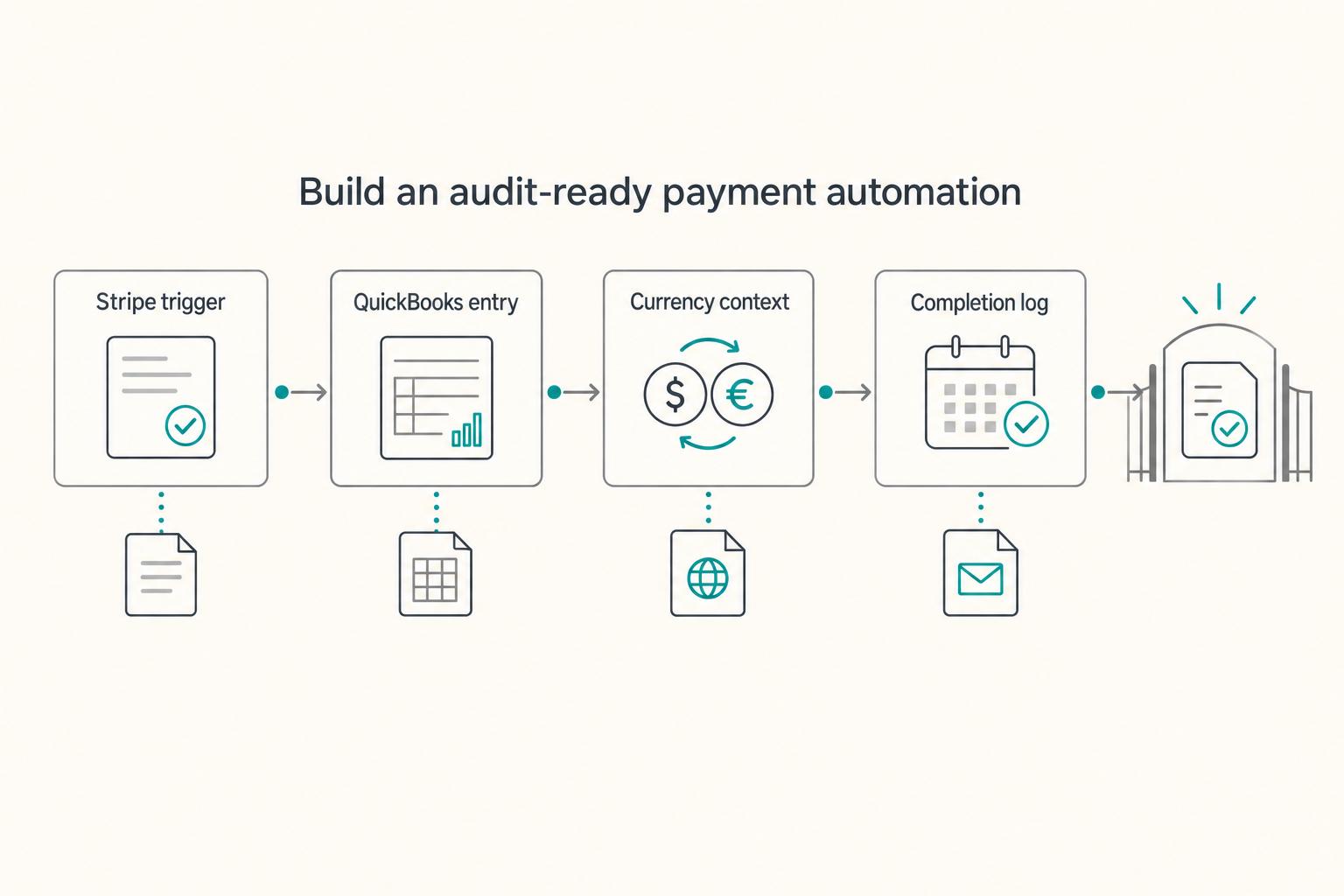
Automating Your Freelance Finances: A Zapier Workflow for Connecting Stripe, QuickBooks, and Wise
Start with one payment flow you understand, then automate its accounting record without losing the source reference. Stripe captures payments, QuickBooks holds the books, Zapier connects the selected steps, and Wise records any separate cross-border balance or conversion activity.

How to Create a Unique Selling Proposition (USP) for Your Freelance Business
Your USP needs to hold up in real buying conversations, not just look polished on a profile. When positioning is vague, clients often compare on price or choose arbitrarily. Start by naming one concrete benefit you can defend with work you already delivered.