
Quick Answer
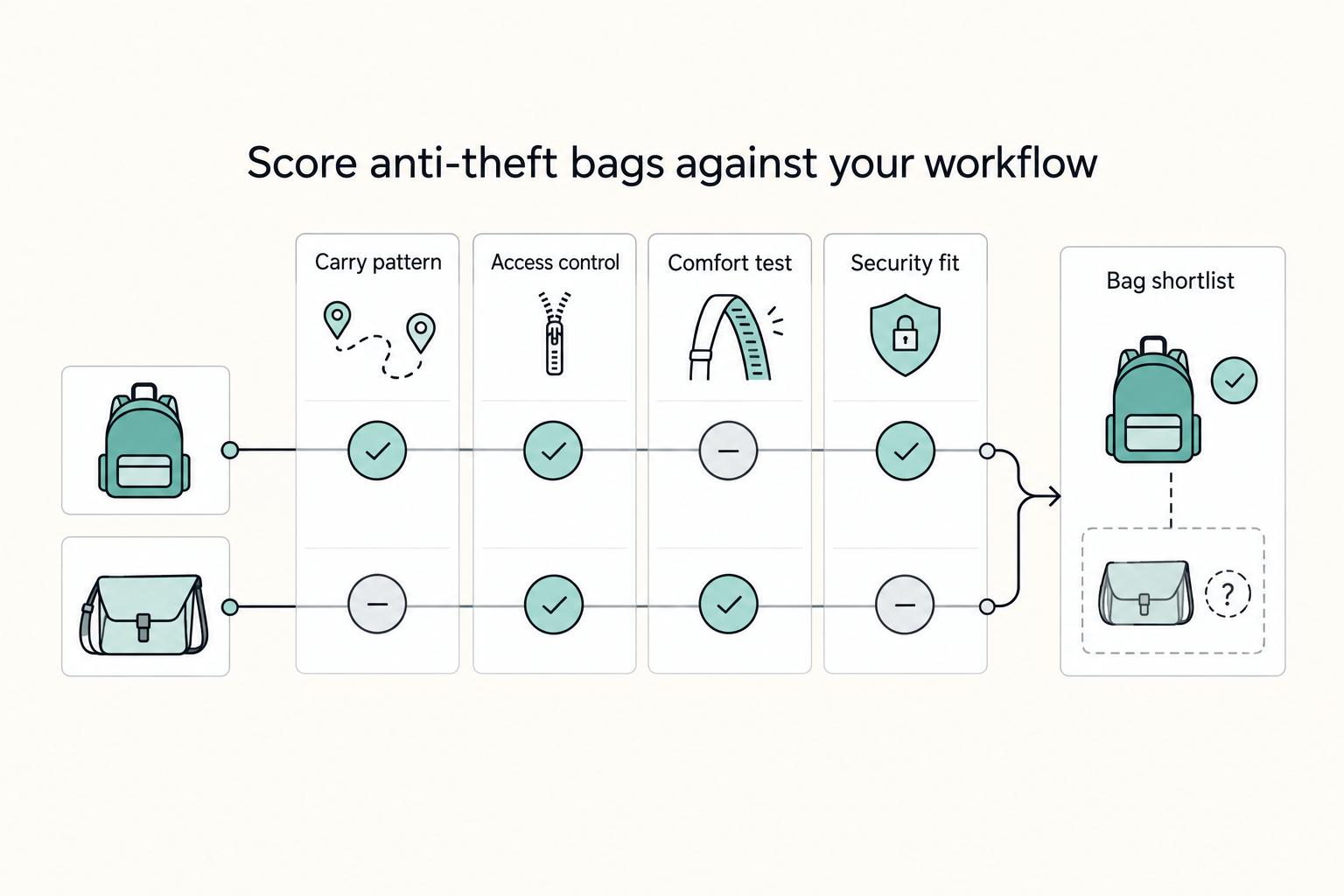
The best anti-theft backpack is the one that matches your relocation scenario and passes your non-negotiables for security, access, and comfort. Use a 10-minute flow: set must-have controls, shortlist two bags, and test real passport-plus-laptop retrieval under movement. Then lock a theft contingency routine and choose a primary pick plus backup so your setup works under pressure.
Pick Your Bag, a Backup, and a Theft Routine in 10 Minutes#
Choose your anti-theft backpack by running a 10 minute risk-control decision, then lock in a primary pick, a backup pick, and a theft contingency routine.
You are not shopping for vacation photos. You are choosing secure travel infrastructure for airport handoffs, coworking days, and relocation paperwork.
Treat the backpack as one part of your broader setup: access control, carry comfort, and recovery steps when something goes wrong. The goal is simple: when you land in a new city and need passport plus laptop in public, you can get in and out fast without exposing the rest of your kit.
Run this operator flow in 10 minutes#
| Minute range | Action | Details |
|---|---|---|
| 0 to 3 | Define non negotiables | Write a pass or fail list for theft deterrence, document access, and daily carry comfort. If a bag fails one item, remove it. |
| 4 to 7 | Build a two bag shortlist | Select one primary option and one backup you can buy now, as long as both fit your workflow. |
| 8 to 10 | Set your theft routine | Decide where backup payment access lives, who you contact first, and what you lock down immediately after a suspected loss. |
Use evidence with clear confidence levels#
| Evidence signal | What it tells you | Decision impact |
|---|---|---|
| Storefront positioning (example: a "Vegas Anti-theft Backpack" highlighted with hidden pockets and organized storage) | Brands frame value around discreet storage and easier access | Use this for screening, not final proof |
| Broad roundup format (one example includes 37 travel products, including an anti-theft backpack) | Listicles optimize breadth and speed | Good for discovery, weak for final selection |
| Affiliate partnership disclosures in commerce media | Publishers may earn compensation from links | Treat rankings as input, not a verdict |
| Limited excerpt visibility in commerce content | You may get names and signals, not full test methodology | Mark unknowns before committing |
If you want the behavior layer that sits on top of gear choice, read How to Keep Your Valuables Safe While Traveling. Then run the playbook end to end. You should finish with one primary pick, one backup pick, and a routine you can execute under pressure.
Who Is This List For and Which Features Are Non Negotiable?#
Use this list if you are relocating for months with daily passport and laptop carry, and skip it if you only need a weekend bag.
Before you compare brands, including anti-theft lines from Pacsafe, Travelon, or others, lock your gate criteria. You are selecting for repeatable execution, not aesthetics.
If your week includes airport transfers, coworking commutes, and document checks, treat your backpack as core gear. If your trips stay short and low friction, you can loosen controls and prioritize comfort.
The point of this split is to avoid overbuilding for a simple use case, or underbuilding for relocation days that punish weak access design.
Apply the three gate filter first#
| Gate | Focus | What to check |
|---|---|---|
| Gate 1 | Must-have controls | Look for lockable access points (when offered), practical compartment layout, and clear RFID claims you can verify in current product details. |
| Gate 2 | Carry reality | Test laptop fit, shoulder comfort, and quick passport retrieval while standing, walking, and boarding. |
| Gate 3 | Budget | Compare price only after a bag passes Gates 1 and 2. |
Treat evidence with discipline. Some popular backpack guidance still shows an update date of Nov 30, 2019, and some anti-theft storefront content remains password-gated. Use those pages for orientation, then rely on what you can verify now.
Build your pass fail matrix before brand debate#
Pick two candidates you are seriously considering. Do not force a winner early. Score each bag against your workflow.
| Checkpoint | Candidate A | Candidate B | Your rule |
|---|---|---|---|
| Lockable access (if included) works in your daily routine | Pass or Fail | Pass or Fail | Fail once, remove |
| Compartment flow supports passport plus laptop sequence | Pass or Fail | Pass or Fail | Choose lower friction |
| RFID claim is clear enough for your risk tolerance | Clear or Unclear | Clear or Unclear | Unclear means backup pick only |
| Comfort after a real carry simulation | Pass or Fail | Pass or Fail | Keep what stays comfortable |
Decision standard: you should be able to step off a train, pull passport quickly, and keep the rest of the bag controlled in a crowded station.
Which Backpack Wins for Your Daily Relocation Scenario?#
Pick the winner by matching your relocation pattern to a bag profile first, then compare price only between finalists that pass your gates.
You already set non negotiables. Now translate them into a scenario choice so the bag supports your week, not a product page narrative.
Start with route reality. If your week centers on metro hops, coworking, and client meetings, start with a compact, city-first anti-theft profile. If your move week includes train stations, airport transfers, and larger loads, start with a travel-first backpack profile before you look at cost.
Before you compare models, set your baseline anti-theft gates. Common categories include lockable compartments and a secret compartment (a hidden compartment intended to add a layer of security by concealing valuables).
Use this 60 second comparison table#
| Profile | Best For | Key Pros | Key Cons | Choose this if... |
|---|---|---|---|---|
| Polished urban anti-theft backpack | Work-forward city carry | Cleaner, office-friendly look; easier to keep a laptop setup organized | Often costs more than simple daypacks | Choose this if you want a sharper work look for coworking plus meetings and you can accept a higher tier. |
| Lightweight daily anti-theft daypack | Budget-conscious daily use | Easier on the back for short loops; simpler to live out of | Less forgiving on heavy carry days | Choose this if you run a lean daily kit and want a lighter option for city loops. |
| Travel-first backpack | Transit-heavy moves | More room for transfer days and uneven routes | Bulkier for routine cafe loops | Choose this if relocation days dominate your calendar and you need more room for document-heavy transfers. |
| Value anti-theft backpack | Value-first security | Covers the basics (look for lock points and hidden storage) | You may need to personally verify access flow and fit | Choose this if you want a value-first secure setup and you will validate carry comfort and pocket logic yourself. |
Keep your confidence levels explicit. Different publishers can help you shortlist, but that does not mean they share one unified testing method.
One major review format reports updates as recently as October 14, 2025 and states it buys the products it tests rather than accepting freebies. Another uses editorial scores out of 10, and includes an affiliate disclosure (it may earn commissions from qualifying purchases through links). Use that mix for direction, then run your own carry simulation.
Your goal is clean execution on a tight transfer day: step off transit, check in, then go straight into a work session without bag friction. If you need a broader gear view after this decision, review The Best Travel Backpacks for Digital Nomads.
The Best Anti Theft Backpacks for Digital Nomads Right Now#
Match your daily relocation pattern first, then lock a primary pick and a backup pick from a shortlist you can actually defend.
You already mapped the scenario. Now make the call and move on.
Operator shortlist right now#
| Candidate | Status in excerpt | Stated note |
|---|---|---|
| PacSafe CX Anti-Theft Backpack | Validated pick in this section | Best for city-forward work carry; a long-use reviewer reports almost four years of daily use and highlights a padded 16" laptop sleeve, lockable zippers, an RFID-blocking pocket, and cut-resistant straps + slashproof panels. |
| PacSafe GO Backpack | Research next | Consider it if you want a simpler day-pack style option, but verify capacity, materials, and anti-theft features in primary product details before committing. |
| Pacsafe Venturesafe EXP35 Travel Backpack | Research next | Consider it if you want a travel-pack profile for bigger transfer days, but verify size, carry comfort, and security features yourself. |
| Travelon Heritage Backpack | Research next | Consider it if you're balancing cost and anti-theft branding, but confirm real-world access flow and build details before buying. |
| Pacsafe Metrosafe X Urban Sling | Research next | Consider it as a smaller secondary secure-carry option, but confirm whether it fits your actual daily loadout. |
- PacSafe CX Anti-Theft Backpack
Best for city-forward work carry when you move between coworking and meetings. A long-use reviewer reports almost four years of daily use, ties the purchase to a planned two-month digital nomad move to Ecuador, and highlights a padded 16" laptop sleeve plus anti-theft features like lockable zippers, an RFID-blocking pocket, and cut-resistant straps + slashproof panels. Key differentiator: this is the one pick in this section with clear, specific, real-world reviewer evidence.
For the other options in the table, treat them as research-next candidates rather than validated picks. Verify capacity, materials, fit, and security features in primary product details before you commit.
Treat this shortlist as directional, not final proof. One major travel-backpack roundup shows an update of December 19, 2025, but its highlighted "Best value" pick is Aer Travel Pack 3, which is outside this shortlist. Also, no backpack is perfect in every respect, and adding more features and compartments usually means a heavier bag.
Your winner is the one that keeps access calm, fast, and predictable when the day is messy.
What Do You Lose with Budget Picks and What Actually Matters?#
You do not lose safety by default with a budget pick, but you often lose confidence in feature quality, layout control, and verification depth.
This is where you stop arguing brands and start pressure-testing controls.
Start with a budget baseline, then compare it against your premium finalist with the same checklist.
The job is to confirm which controls still work when you carry your gear through stations, cafes, and check-in lines.
Keep safe defaults and demote everything else#
| Feature bucket | Safe default | Why it matters | Optional extra |
|---|---|---|---|
| Access control | Locking zippers | Slows quick unauthorized access and forces more effort | Decorative zipper design |
| Material defense | Slash-resistant panels or materials | Adds resistance when someone targets the bag body | Premium finish details |
| Data protection | RFID-blocking options (if you want them) | Commonly advertised, but not a substitute for real-world protection | Extra branded tech claims |
| Carry flow | Fast passport and laptop retrieval | Reduces exposure time during transitions | Style-first compartment layouts |
Run this tradeoff checklist before model loyalty#
- Capacity: Pack your real load, then check if the bag keeps essentials organized without overflow.
- Comfort: Walk your normal commute route with full weight and confirm strap and back comfort.
- Control speed: Practice open, retrieve, and close cycles for passport, wallet, and laptop.
- Claim quality: Remove any option that relies on buzzwords but gives weak proof of real-world protection.
- Evidence balance: Use editorial roundups for discovery, then verify with hands-on tests and broader user feedback without copying crowd opinion.
Keep context in view. One mainstream roundup presents 16 anti-theft travel bags and shows an update date of April 10, 2025. A commerce-heavy shopping article updated Feb 11, 2026 also discloses partner compensation. Use both for discovery, then let your own test decide.
How Should You Pack Passport Cards and Laptop on Move Week?#
Keep move-week essentials reachable without turning your bag into a rummage zone: set up two access zones and stick to one repeatable routine for passport, cards, and laptop.
You already narrowed the bag. Now turn it into a handling system.
Build your two-zone carry map#
A practical approach is one on-body zone for what you may need in seconds, and one in-bag zone for backups you only touch in controlled moments. Whatever bag you picked, keep the same logic so muscle memory holds under stress.
| Zone | What goes here | Access rule | Key differentiator |
|---|---|---|---|
| On-body essentials | Primary payment card, phone, passport during transit windows | Touch only for checkpoints, ticket scans, and payment | Fast access with low rummaging risk |
| In-bag backups | Backup card, document copies, secondary wallet, laptop charger | Open only in seated or private settings | Reduces single-point loss if theft happens |
If your setup uses a larger backpack and a slim secondary carry, treat them as role labels, not magic products.
Set document priority before move week starts#
Confirm what you'll need for your destination and your own onboarding checklist (use The 2026 Global Digital Nomad Visa Index for 50+ Countries if it helps your planning), then assign each paper to one of three tiers: instant access, same-day access, and archive. This keeps border and check-in friction predictable.
Pack Hacker frames one-bag travel as a real complexity problem. Its travel backpack guide was updated on December 19, 2025, which is a good reminder that your packing system benefits from periodic review.
Create one theft-loss contingency card and place it inside your bag:
- Step 1: Freeze cards in priority order.
- Step 2: Switch to backup payment access.
- Step 3: Contact your emergency person and share your location.
- Step 4: Start document replacement actions.
Operational test: if staff asks for ID in a queue, you should retrieve the right item in one motion, keep backups sealed, and move.
When Should You Buy Test and Lock Your Setup Before Departure?#
Buy early enough to test under real conditions, then lock one repeatable routine so your anti-theft backpack performs on move day, not just on paper.
You already defined zones. Now turn the setup into a repeatable workflow so it becomes automatic.
Run this four-stage pre-departure workflow#
| Stage | Name | Brief description | Key differentiator |
|---|---|---|---|
| 1 | Shortlist and fit check | Shortlist a few anti-theft backpack options, then test actual laptop fit, charger fit, and daily essentials with no overstuffing. | You remove fit risk before you waste time on feature debates. |
| 2 | Route simulation | Run your real commute pattern with full load, including a transit transfer, a payment stop, and a laptop retrieval. If you use a secondary carry (like a hip bag or crossbody), test bag-to-bag handoff speed and document control. | You validate handling friction in motion, not at home. |
| 3 | Lock and backup protocol | Finalize one lock routine, including zipper-close order and (if you use one) retractable lock placement, then assign backup card and document positions. Create one failure card with contact flow and payment fallback steps. | You build muscle memory before stress spikes. |
| 4 | Departure execution check | Run a final checklist against your itinerary and confirm your primary and backup carry plan for each leg. Remove non-essential items that slow access at checkpoints, stations, or check-in desks. | You cut last-minute decisions and protect secure travel flow. |
Use current editorial recency as a filter, not a verdict. Travel + Leisure updated its roundup on January 30, 2026, and notes that it independently evaluates its recommendations. CNN Underscored updated its anti-theft bag guide on April 10, 2025, and includes a dedicated section on what to look for in an anti-theft bag. Keep your own tests in charge.
Pressure test once before you leave#
Pressure-test the worst moment, not the easy one. If you arrive tired and staff asks for ID while your laptop also needs screening, you should be able to retrieve, re-secure, and move on without rummaging.
Use this quick rehearsal:
- Pack exactly what you will carry on departure day.
- Run one timed access cycle for passport, card, and laptop.
- Re-pack to reduce any repeated snag point.
- Keep only the items that support fast, secure travel.
If you want alternate loadouts before locking your final anti-theft backpack setup, review The Best Travel Backpacks for Digital Nomads.
Choose Your Bag Like an Operator Not a Browser#
Choose an anti-theft bag by running one repeatable decision flow, then lock your routine and stop reopening tabs. You have the gates, the shortlist, and the packing system. Now make the final decision and move on to execution.
Run the final operator flow#
| Step name | Brief description | Key differentiator |
|---|---|---|
| Evidence clock | Tag each input by age before you trust it. The anti-theft bag explainer published on August 12, 2019 at 9:00 AM, so treat it as context, not current market truth. | You control recency risk before brand preference takes over. |
| Must-have gate | Keep only bags that show anti-theft technology and practical controls, such as flexible stainless steel wire mesh to reduce slashing risk and optional RFID blocking for card security. | You prioritize travel security function over marketing copy. |
| Primary plus backup | Choose one daily anti-theft bag for your full digital nomad loadout, then add one light backup carry. A historical Pacsafe Stylesafe Convertible Crossbody Bag example lists S$135, just under 400 grams, and room for an 11 inch MacBook, which shows how a backup can stay compact and useful. | You reduce single point failure without overpacking. |
| Evidence gap rule | Do not break a close tie with claims you cannot verify in this section. Keep Pack Hacker, Reddit, and The Girl Who Goes inputs out of your final score unless you can confirm tested comparisons. | You remove vague claims and keep explicit tradeoffs. |
Final test. If you exit a train and need ID plus laptop in seconds, your system should let you retrieve and re-secure fast. You should be able to move without exposing the rest of your bag.
If you need the next planning layer after gear, continue with Global Digital Nomad Visa Index. If you want operations-grade money movement workflows (collect, hold, convert, and pay out) beyond this anti-theft bag playbook, request access where available.
Frequently Asked Questions
What anti-theft backpack features matter most for digital nomads?
Start with lockable zippers, an RFID-blocking pocket for cards and passport, and slashproof panels or cut-resistant straps. Then validate the one thing product pages rarely show clearly: whether the layout lets you retrieve passport and laptop quickly without opening the whole bag in public.
Is an anti-theft backpack worth it or is behavior more important?
Use both. The bag adds friction for opportunistic theft, and your routine closes the remaining gaps. Travel + Leisure updated its roundup on January 30, 2026 and states it independently evaluates recommendations, so use recency and editorial posture as a filter, then rely on your own route simulation to decide.
What size anti-theft backpack is best for a laptop up to 16 inches and daily city transit?
Pick the smallest size that fits your full daily load without forcing overpack. Confirm a padded sleeve that fits your device, since at least one cited feature list specifies support up to a 16-inch laptop. Then run a full commute cycle and verify laptop access plus fast re-pack.
Pacsafe vs budget alternatives: what do you actually lose?
One durability signal worth noting: a reviewer on The Girl Who Goes reports using a PacSafe CX backpack every day for almost four years. You cannot build a brand-specific “loss table” for other budget options, so do not guess. Compare both options against the same feature checklist and the same route test.
Can anti-theft backpacks really protect against pickpocketing and bag slashing?
They can reduce risk, but they do not guarantee full protection. Lockable access and slash-resistant design can raise effort for thieves, which improves practical security in busy areas. Strong market interest, such as 10,665 backers and £640,923 on one campaign page, shows demand but does not prove controlled theft-reduction outcomes.
How should I carry passport cards and laptop when relocating abroad?
Keep passport and primary card in a fast-access zone during transit windows, and keep the laptop in its dedicated padded sleeve. Store backup payment and secondary documents deeper so you do not expose everything during each stop. The goal is fast ID checks without turning your bag into an open tray.
What should be in a theft contingency checklist before move week?
Write a short card that tells you exactly what to do first under stress. Include card-freeze order, backup payment method, emergency contact sequence, and your document replacement start steps. Keep the card inside your bag so you can execute without guesswork when your routine breaks.
Try a related tool
Researched and edited by the Gruv editorial team. Gruv builds cross-border billing, payouts, and finance-operations software for global businesses.
Sources
Includes 5 external sources outside the trusted-domain allowlist.
- justice.gov/d9/criminal-ccips/legacy/2015/01/14/ssmanual...trusted
- oasis.library.unlv.edu/cgi/viewcontent.cgitrusted
- packhacker.com/blog/general/anti-theft-bagexternal
- packhacker.com/blog/general/anti-theft-bagexternal
- pacsafe.comexternal
- thegirlwhogoes.com/best-anti-theft-travel-backpack-for-city-tra...external
- thegirlwhogoes.com/best-anti-theft-travel-backpack-for-city-tra...external
Educational content only. Not legal, tax, or financial advice.
Related Posts

The 2026 Global Digital Nomad Visa Index for 50+ Countries
Start with legal fit, not lifestyle filters. The practical order is simple: choose a route you can actually document, then decide where you want to live. That single change cuts a lot of wasted comparison work and stops you from falling in love with places that were never a real filing option.

The Best Travel Backpacks for Digital Nomads
Start by ruling out bad fits, not by chasing a universal winner. If a bag does not match how you move, how you work, or what you can comfortably carry, drop it early. That matters far more than one extra pocket or a slick product page.

How to Keep Your Valuables Safe While Traveling
You are not failing at travel security. You are operating without a clear spec. If your goal is to **keep valuables safe traveling**, you need a repeatable playbook, not another pile of tips.