

Quick Answer
Start with a two-tool shortlist, not a universal winner. For best ai image generators, this article recommends matching the tool to the deliverable, then running the same prompt set side by side before committing. Use ChatGPT with GPT-4o for fast first drafts, move to Midjourney for style-led directions, and test Nano Banana Pro or Ideogram when in-image text must stay readable. Ship only after five gates: brief lock, generation pass, technical QA, rights check, and export package.
Why freelance designers need a stricter way to pick AI image generators#
For paid client work, a shortlist is usually safer than chasing a single tool labeled best. Tool fit depends on the brief, and cost, output quality, and licensing clarity can shift across options.
That is why winner labels conflict so often. One guide curates 15 tools, another compares twenty plus, and another highlights 8. Those are different editorial frames, not a shared benchmark. In that setting, GPT-4o image features and Nano Banana can both show up in "best" conversations without either being right for every brief.
A shortlist gives you two things a ranking alone often cannot: a faster first decision and a cleaner fallback when round one fails. You stop debating internet winners and focus on one paid deliverable, one deadline, and one set of acceptance checks. Use this filter before you commit:
- Treat rankings as inputs, not verdicts.
- Pick by the first deliverable you need to ship.
- Check commercial-rights clarity and flag copyright, data provenance, and public exposure risk before handoff.
- Run a repeatable side-by-side test, then lock one tool for round one.
The rest of this guide follows that sequence: shortlist, scan-first table, tool picks, and a reusable pre-delivery checklist. If legal clarity matters in your niche, pair your choice with AI and Copyright: Legal Implications of Using AI Content in Client Work. Keep it in your delivery notes before you send final files.
How this list was evaluated and who it is for#
This list is for freelance designers shipping paid client work, not hobby experimentation without delivery standards. If your work is judged on revision speed, usage-rights clarity, and clean handoff, this method fits.
| Confidence | Evidence source |
|---|---|
| Higher confidence | Editorial rankings with clear scope and date, such as an 8-tool roundup dated October 9, 2025 |
| Medium confidence | Product marketing pages |
| Lower confidence | Anecdotal user opinion or single-author takes with limited method detail |
The scoring is strict because best labels come from mixed editorial scopes, not a universal benchmark. One roundup covers 8 tools, another headline covers 30, and one comparison runs the same prompt across seven tools. Selection here is treated as a client-delivery decision, and each tool is reviewed against the same criteria:
- Prompt adherence
- Text legibility for image text
- Style range
- Pricing clarity
- Client-risk checks: licensing terms, indemnification language where stated, and brand-safety fit
Confidence labels show evidence strength: higher confidence for editorial rankings with clear scope and date, medium confidence for product marketing pages, and lower confidence for anecdotal user opinion or single-author takes with limited method detail. For tools with mostly anecdotal evidence, conclusions stay provisional.
When you score your own shortlist, keep the pass-fail rule simple. If a tool misses prompt adherence or text legibility on the first real brief, it does not move forward just because outputs look stylish. That keeps evaluation tied to delivery risk instead of taste.
and apply the same pass-fail checks used in this article.
Quick comparison table for client work decisions#
Use this as a first-pass decision aid, not a universal winner list. Prioritize brief fit, delivery risk, and evidence strength. Confidence here is weighted by source type and recency, with late 2025 to early 2026 editorial comparisons carrying more weight than isolated takes.
| Tool | Best for | Biggest strength | Biggest tradeoff | Confidence level |
|---|---|---|---|---|
| ChatGPT | First-pass concept testing from text prompts | Explicitly included in current 2026 comparison coverage | Evidence here is comparison-level, not controlled benchmarking | Medium |
| Midjourney | Early visual-direction exploration | Explicitly included in current 2026 comparison coverage | Evidence here is comparison-level, not controlled benchmarking | Medium |
| Google Imagen 3 (Nano Banana / Gemini) | Testing an Imagen lane during shortlist trials | Explicitly covered in current 2026 comparison coverage | Evidence here is comparison-level, not controlled benchmarking | Medium-Low |
| Ideogram | Typography-sensitive concepts that need legibility checks | Text-in-image performance is a named scoring criterion | No quantified win rate versus peers available | Medium |
| Stable Diffusion & FLUX (Open Source) | Open-source workflows where control is a priority | Explicitly included in open-source coverage | Benchmark-style performance data is not provided here. | Medium-Low |
| Specialized tools (category) | Niche cases when core shortlist tools miss the brief | 2026 comparisons explicitly include specialized tools | Tool-level evidence depth is thinner; verify with hands-on testing | Low |
Three practical reads from the table:
- Text-in-image reliability: Treat this as a typography check, not a fixed ranking. The grounded evidence supports text-in-image as a key criterion, but not a quantified winner.
- Control vs speed (Stable Diffusion & FLUX vs faster in-app options): Read this as a tradeoff: deeper control options versus faster draft flow.
- First tool to trial (solo, limited time and budget): Start with one primary tool, then run one backup on the same prompt and acceptance checks before committing.
Use the table as a triage layer. It helps you decide which two tools deserve real testing this week. It is not a replacement for your own side-by-side run on a live brief.
Red flag: if you switch tools mid-project, rerun the same prompt set and re-check prompt adherence, text legibility, speed, and usage-rights clarity before delivery.
ChatGPT with GPT-4o and DALL·E 3#
Start here when the brief is uneven and the deadline is tight. ChatGPT is strong for fast natural-language iteration with minimal setup, but fine-grain control can feel lighter than more configurable workflows.
This is a speed-first pick, not a universal winner. OpenAI introduced 4o image generation on March 25, 2025 and positioned it as practical, not only aesthetic. By October 9, 2025, ChatGPT with GPT-4o was already included in a major editorial roundup.
For client work, draft three concept directions from one core prompt. Move only the approved direction into a higher-control tool if the brief shifts toward stricter art direction or tighter repeatability.
Use this checkpoint before you share round-one comps:
- Prompt adherence check: Run the same brief twice, including one negative instruction such as no extra text blocks. If misses repeat, revise prompt structure or switch tools.
- Iteration speed check: Track time from brief paste to first usable draft to protect same-day delivery.
- Account-tier check: One published comparison reports paid ChatGPT accounts had moved to 4o image generation, while free accounts seemed limited to DALL·E 3 with one image per prompt and slower peak behavior. Log account tier and test date so your timelines stay realistic.
- Control handoff check: If strict repeatability is required, hand off the approved direction to a higher-control tool early.
Capture a short run log while you test: prompt version, account tier, first usable output time, and pass-fail notes. That record turns a subjective preference into a defensible production choice when a client asks why one tool was selected.
Decision rule: if briefing quality is uneven and turnaround is tight, start in ChatGPT image generation. If precision and repeatability become mandatory, hand off early and keep the approved direction as your anchor.
Midjourney for high-style visuals#
When the brief is mood-led and style is the core deliverable, start in Midjourney for key art and plan a second step for headline-heavy versions.
Treat this as a process choice, not a controlled benchmark result. A major roundup published October 9, 2025 and a separate review published March 5, 2026 land at different points in a fast-moving category, so keep selection brief-specific and re-check before delivery.
For campaign work, generate three key-art directions in Midjourney, then rebuild the approved direction with headline text in a layout-first or text-first tool. If strict repeatability becomes mandatory, move the approved look into a higher-control workflow after sign-off.
Before you present round one, use this client-brand fit pass:
- Style anchor check: Compare each output to two fixed brand references and one banned-style note from the brief.
- Text-risk check: Mark any asset with critical in-image copy as
rebuild text, then route those versions to a text-first tool. - Representation check: Review people imagery for unintended skew, since text-to-image outputs can reflect social bias.
- Selection gate: Advance one approved direction to production, and archive the other options with prompt notes and test date.
A practical guardrail is to decide your handoff trigger in advance. Example: if the first set needs two or more rounds only to fix copy readability, stop polishing in the style-first lane and rebuild text assets in the text-first lane immediately.
Nano Banana Pro and Gemini 3 for realism and readable text#
If your deliverable needs realistic visuals and readable in-image text in the same draft, this is a practical lane to test next. Reported strengths in available product messaging are visual accuracy and text legibility. The main constraint is evidence quality: most support here comes from vendor or partner messaging, not transparent independent benchmarking.
Google introduced Nano Banana Pro on Nov 20, 2025 as an image generation and editing model from Google DeepMind, built on Gemini 3 Pro. Google's on-page summary, marked AI-generated and experimental, says it can produce accurate visuals with legible multilingual text and that Nano Banana Pro is available across Gemini app, Google Ads, and Google AI Studio. Treat those points as product-positioning signals, not head-to-head proof. Full CNET methodology is not detailed here, so broad ranking claims remain unverified.
Use this validation pass before paid delivery:
- Run a matched prompt test: Compare Nano Banana Pro and Ideogram on the same brief and pass-fail criteria.
- Check channel behavior early: Test in the Gemini app, then in your actual handoff surface such as Google Ads or Google AI Studio.
- Stress-test text readability: Include a headline, subhead, and short body line in-image to catch legibility failures before review.
- Log evidence strength clearly: Mark performance as reported with limited independent validation.
Set your failure conditions before you start. If either tool fails readability in the final crop or misses required elements twice on the same prompt family, treat that lane as backup and continue with the stronger candidate.
Keep version naming explicit in your notes. Do not treat Nano Banana Pro and Nano Banana 2 as the same release unless account labeling confirms it.
Canva with Magic Media and Dream Lab for production speed#
Canva is a practical choice when the main constraint is speed from prompt to client-ready layout. You can generate and place visuals in one place, which reduces handoff friction for freelance delivery.
The platform describes Magic Media and Create an image, powered by Dream Lab, as ways to turn words into visuals for presentations, social posts, and similar deliverables. A third-party comparison also frames it as GUI-first for non-technical users and marketers, which can support fast approval cycles.
What each part is best for#
Use the platform components this way:
| Part | Best for | Reported detail |
|---|---|---|
| Dream Lab | First-pass hero concepts inside the same project space | One third-party comparison says Pro includes 500 credits/month and attributes Dream Lab to Leonardo Phoenix |
| Magic Media | Quick variants from short prompts | The same comparison says Magic Media is powered by DALL·E and Google Imagen |
| Templates plus Magic Studio context | Moving selected outputs into social and presentation layouts without changing tools | A third-party report claims AI features on this platform were used over 16 billion times since Magic Studio launched in 2023 |
In practice, Dream Lab is the hero-concept lane inside the same project space. Magic Media is the quick-variant lane. Templates plus Magic Studio context are where you finish social and presentation layouts without changing tools midstream.
The tradeoff is control depth. If you need strict parameter-level behavior and deeper tuning, more specialized image tools may be a better fit. If you need same-day, multi-format delivery, this platform is often a practical start.
Practical handoff pattern for freelancers#
Generate hero options in Dream Lab, align on one direction with the client, then build social variants in templates in the same session. Keep a stable prompt core and change only channel-specific details such as crop, headline length, and CTA placement.
Before export, run one quality pass: confirm text legibility, check safe crop in square and portrait formats, and verify the same visual motif across variants. That checkpoint catches common late rework.
When revisions start stacking, protect cycle time with a fixed order: concept first, then copy fit, then layout polish. If you reverse that order, you risk polishing a direction the client has not approved.
Keep assets traceable from draft to export#
Use a naming pattern that captures source and revision state, such as client-campaign_conceptA_dreamlab_v03_edit_v05_export_2026-03-16. Save the winning prompt, rejected prompts, and final exports together so approvals and later revisions stay explainable.
For broader client-facing approval and delivery guidance, this companion guide is useful: How Freelancers Use AI Without Scope, Compliance, or Payment Chaos.
For payment setup, read The Best Ways to Ask for a Deposit or Upfront Payment.
Ideogram and Recraft for text-first client assets#
Use Ideogram and Recraft as a practical pair: test text legibility early, then standardize the approved direction for repeatable delivery. For text-first assets, make text rendering a first-pass check, not a final polish step.
A simple method is a same-prompt comparison. Run the exact same brief across three models, then review readability, spacing, and close-up artifacts before you pick a direction. This matters because outputs can look strong at first glance and still break under inspection.
Where each tool fits in the process#
Start with either Ideogram or Recraft based on the risk you need to test first: legibility for headline-led posters, social graphics, and thumbnails, or consistency across multiple deliverables. A 2026 quick-comparison format includes both tools, so keeping both on the shortlist is reasonable until your own tests show a clear winner for that client category.
Use the same zoom checks every time: a consistent zoom level for layout fit and close-up inspection for edge artifacts around letterforms. Passing only one view is not enough for paid delivery.
Practical handoff pattern#
- Create headline-led concepts and keep one prompt core per concept.
- Run the same prompt across three models and reject options with weak text clarity or zoom-level artifacts.
- Move approved directions into the second tool for brand-consistent variants.
- Re-check readability in square and portrait crops before final export.
If outputs clash with Midjourney-led key art, lock a shared style sheet first, including palette, type tone, corner treatment, and texture level, then regenerate with the same checklist.
Adobe Firefly, FLUX, and Stable Diffusion when control matters most#
Use this group when revision-heavy work demands consistent outputs, and choose by control needs instead of hype. The model market is crowded, and one 2026 guide notes over 90,000 text-to-image models, so a popularity pick is rarely enough.
Stable Diffusion is consistently framed as a major name in image generation, and FLUX.2 is explicitly listed in current open-source model guides. They are grouped together in some open-source comparisons, which makes side-by-side testing practical when control is a priority.
How to choose inside this control tier#
Adobe Firefly can serve as a baseline option in this tier. The key test is whether it can hold the approved style through multiple revision rounds.
FLUX.2 is useful to test when control is a priority. Stable Diffusion is useful when you want to compare several control approaches inside a broad open-source set before you standardize.
Pick your first lane by failure cost. If drift between revisions causes approval delays, run earlier side-by-side testing across FLUX.2, Stable Diffusion, and Firefly. If the review process is the bigger client concern, start with the option that best fits your review flow and validate consistency from there.
Monthly retainer style recipe#
For a monthly retainer where visual consistency is contractually important, create one reusable style recipe before production starts. Include prompt core, banned traits, color targets, typography tone, crop rules, and pass-fail checks.
Run this checkpoint sequence before client review:
- Generate a small batch from the same brief and lock one direction.
- Test key crops and reject outputs that drift from the approved look.
- Recreate one approved concept in a second pass to check repeatability.
- Log accepted and rejected settings in the same recipe file.
A common failure mode is over-tuning before the brief proves that level of control is necessary. If strict repeatability is not required, keep tuning limited and ship. If it is required, invest in validation early to reduce revision drag later.
Reve and specialist tools when prompt adherence is the main risk#
If missed prompt elements are driving rework, run an adherence-first lane before style exploration. Prompt control, adherence, and prompt-based revisions are explicit criteria in current comparisons, and some tools are noted to miss prompt details in practice.
Use Reve and similar specialist options as a targeted first pass, not an automatic default. Reve appears as its own comparison entry, but detailed performance results aren't available here, so treat it as a test candidate rather than a guaranteed winner.
Pros and cons checkpoint#
- A stronger adherence focus can help reduce revision churn on element-heavy briefs.
- Tradeoff: this lane prioritizes instruction fidelity over early style exploration.
- Practical rule: move specialist tools to first pass when missed prompt elements repeatedly trigger rework.
Pair this lane with a strict acceptance script: required elements present, banned elements absent, and no critical instruction dropped in two consecutive generations. If one condition fails repeatedly, switch lanes instead of adding more stylistic tweaks.
Concrete use case#
For compliance-sensitive visual drafts, validate required scene elements first and hold style polish until those elements are present. This sequence is designed to lower late review risk when specific instructions must be followed exactly.
Decision rule#
If instruction misses keep happening, shift first-pass drafting to Reve or another tool you are testing for adherence. If adherence is stable, keep your broader creative tool first and use specialist tools selectively.
Client delivery checklist that prevents expensive surprises#
The safest way to protect margin at delivery is a strict five-step gate. If any step fails, block handoff until it is fixed.
| Step | What to confirm |
|---|---|
| Brief lock | Confirm one approved brief and acceptance tests before generation so review criteria do not drift later |
| Generation pass | Run a consistent prompt set, keep outputs comparable, and label files so each result is traceable |
| Technical QA | Apply objective pass-fail checks, including text legibility and anatomy sanity, before aesthetic debate |
| Rights and usage check | Review commercial usage readiness separately, focusing on licensing terms, indemnification language, and brand-safety fit |
| Client-ready export package | Deliver finals plus editable assets, prompt/version notes, and a short decision summary so future revisions stay practical |
Those five steps are the whole gate. The point is not complexity. It is to stop a fast-looking draft from skipping the boring checks that usually create the expensive surprises.
Fast turnaround claims are not enough proof of quality on their own. A WIRED test described a $39 offer promising 40 headshots in less than two hours, and the reviewer still reported severe output problems. Speed should never replace QA.
Use pass-fail checks that are easy to audit:
- Text legibility: Critical text remains readable in the final crop.
- Anatomy sanity check: Obvious issues in hands, teeth, eyes, or limb proportions are screened out.
- Brand consistency: Color, tone, and composition stay aligned with the approved reference direction.
- Editability for future revisions: Outputs stay revision-ready, with versioned prompt notes and editable working files when available.
Treat client communication as part of QA. Share what passed, what failed, and what changed between rounds in plain language. That reduces surprise feedback and gives you written alignment before final export.
Add a short known-versus-unknown note in client communication when evidence is thin. Example: known, the image passed your agreed QA gates; unknown, broad performance claims that rely only on forum-style opinions.
For deeper process and risk context, point to our guide to using AI without scope, compliance, or payment chaos. Pair it with AI and Copyright: Legal Implications of Using AI Content in Client Work when rights questions are likely.
Pick your tool by job type and risk tolerance#
Pick by deliverable type and revision risk, not by a single best overall label. The right setup is the one you can repeat under deadline, explain to a client, and trust when pressure exposes weaknesses.
Match your first choice to the job in front of you with three checks. Fast concept delivery usually benefits from consistent first-pass outputs. Style-led work usually benefits from repeatable creative direction. Text-heavy assets make text-in-image reliability a key check. For paid delivery, treat commercial usage readiness as a hard gate whenever rights language is unclear.
Run one practical test before committing: choose two tools, use one real client brief, and compare side by side with the same prompts, creative goals, and deadline. Score both with your existing QA checks so the decision is explainable and repeatable.
Once one lane proves reliable, standardize it for that client category and keep one backup lane warm. That gives you speed without betting the whole project on a single tool profile.
If you need client-facing legal context, keep AI and Copyright: Legal Implications of Using AI Content in Client Work in your delivery notes. The winning setup is the one that stays consistent, explainable, and low-friction when real client pressure hits.
Frequently Asked Questions
What is the best AI image generator overall right now for freelance designers?
There is no single winner you can defend from this evidence alone. One 2026 roundup presents eight tools, which supports shortlisting and testing instead of picking a default. Choose the option that meets your brief and clears your QA gates with the fewest revision loops.
Which AI image generator is best for artistic results?
There is no definitive artistic winner you can defend here. Treat style claims as hypotheses, then compare shortlisted tools on the same prompts and review criteria. Decide based on repeatable results across a full client set, not one standout image.
Which tool handles text in images best?
Do not assume a permanent text-rendering winner from this evidence. Current generators can produce strong results across a wide range of text and image prompts, so prompt quality and QA discipline matter most. Run a text-heavy sample and reject outputs where critical words fail after final crop.
Which AI image generator is easiest for beginners with a free option?
Do not assume there is one clear free-option champion. A practical start is to spend a few hours in one text-to-image app to build basic fluency before switching tools. Keep easiest defined as the shortest path from prompt to client-ready file with the least friction.
Should freelancers start with ChatGPT, Midjourney, or Canva first?
Start with the tool that best matches the deliverable due now and your existing process. From this evidence, there is no defensible first pick among those names. Add a second tool only after your first-pass method is stable and repeatable.
How do I choose between Nano Banana Pro and Ideogram for client text-heavy work?
Run a head-to-head test with the same prompts, sizes, and crop checks. If claims rely on community chatter or an unanswered thread, treat confidence as low and document that uncertainty for the client. Keep a backup option ready until your own results are consistent.
What is the minimum QA checklist before sending AI-generated images to a client?
This guide does not define a single minimum checklist. At minimum, confirm brief fit, run technical QA, check rights and usage terms, and prepare a client-ready export package. Send finals with editable assets plus prompt/version notes so future edits do not restart from zero.
Try a related tool
Researched and edited by the Gruv editorial team. Gruv builds cross-border billing, payouts, and finance-operations software for global businesses.
Sources
Includes 4 external sources outside the trusted-domain allowlist.
- sessions.edu/notes-on-design/best-ai-tools-for-graphic-de...trusted
- articles.emp0.com/best-ai-image-generators-2026-2external
- cnet.com/tech/services-and-software/best-ai-image-gen...external
- creators.spotify.com/pod/profile/ai-agents-podcast/episodes/The-B...external
- zekagraphic.com/best-ai-image-generators-2026-graphic-designersexternal
Educational content only. Not legal, tax, or financial advice.
Related Posts
How Freelancers Use AI Without Scope, Compliance, or Payment Chaos
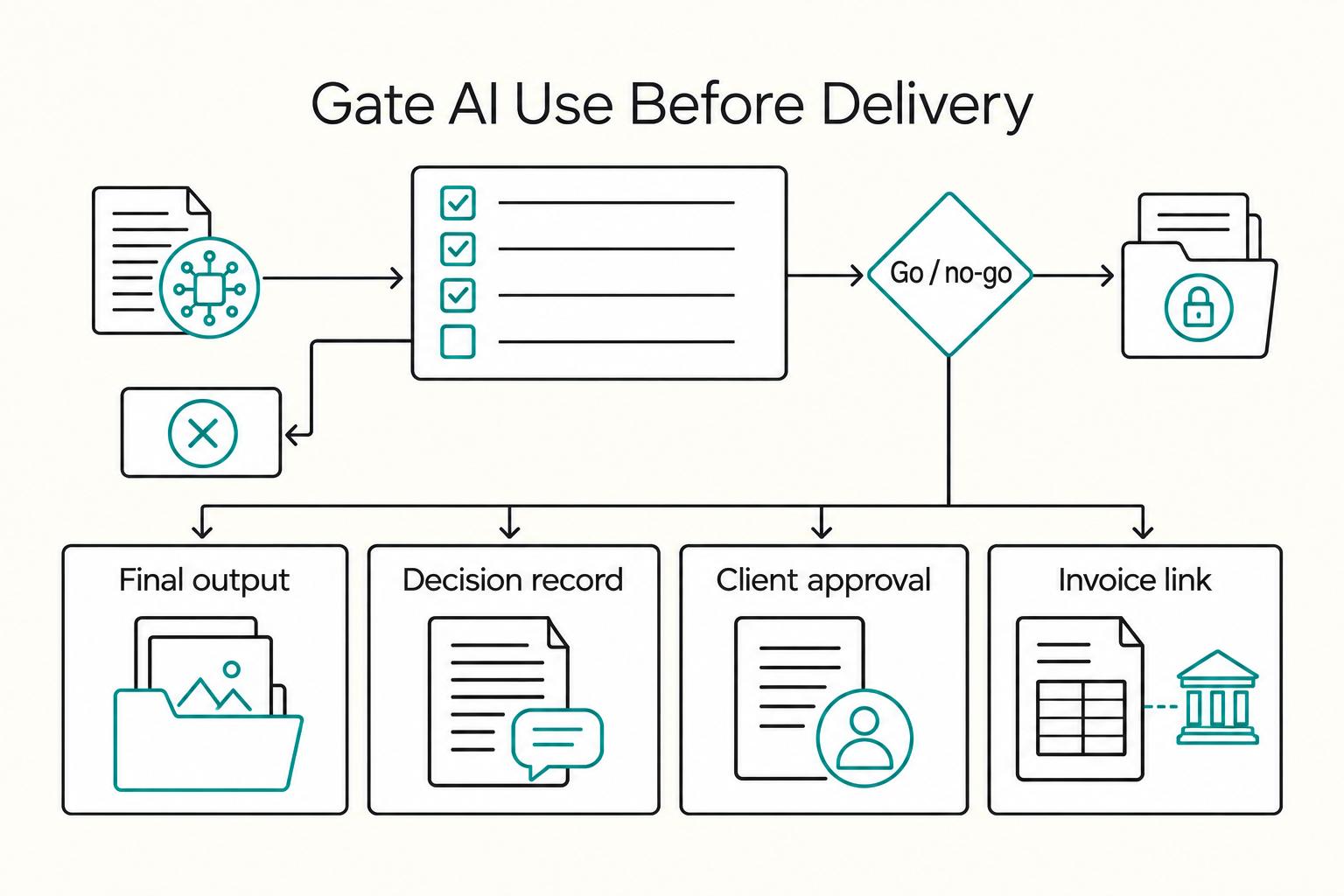
If you are hunting for more **AI tools for freelancers**, stop and put controls in place first. One practical setup is `Acquire -> Deliver -> Collect -> Close-out`, with each AI action checked through `Data`, `Client Policy`, `Quality`, and `Money`. If a tool has no named job, no clear data boundary, and no record you can retrieve later, it probably does not belong in your stack.

AI Content Copyright Issues in Client Work Contracts
You can use generative AI in client work, but only if copyright risk is treated as a delivery requirement from day one. The practical question is not whether you can use AI. It is whether you can defend human contribution, ownership intent, and jurisdiction before production starts.

The Best Ways to Ask for a Deposit or Upfront Payment
You already know why you need to ask for a deposit. You feel it the moment you ship a draft, reserve time on your calendar, or turn down other work, then the client goes quiet on the **Deposit Invoice**.