
Quick Answer
Start with the edition your accountant can support, then test the tier with your required project, currency and billing features. US QuickBooks Projects needs Plus or Advanced; Xero Established covers project tracking and multicurrency; FreshBooks profitability needs Premium or Select; Zoho Books Professional includes project billing and profitability. Separate Sage 50 desktop needs from Intacct consolidation requirements.
What Small Agencies Need From Accounting Software#
Choose accounting software that keeps invoice balances, payment records and project costs traceable. Those records answer different questions: receivables show what clients still owe, bank reconciliation shows money received, and project reports show revenue and costs. Software can expose delays and exceptions, but it cannot guarantee that a client will pay.
Cashflow pressure often starts outside the ledger, in handoffs and manual entry. When time and expense data show up late or live across separate systems, delivery, account management, and finance records can drift. Once records diverge, invoice sends can slip, corrections multiply, and cash visibility gets worse.
That is why software choice and operating discipline should be judged together. A strong tool does not fully offset weak input habits for long. Weak tooling can also make good habits harder to sustain because people spend energy patching records instead of running a clean billing cycle.
Use one filter for every finalist: can your team trace project time and costs to the invoice sent, then read project profit and loss without heavy cleanup? If the answer is no, cashflow protection is still weak, even if the demo looks polished.
Stress test your process against a bad week before you commit: one billing dispute, one late timesheet, and one partial payment. If the team still knows who owns each step and what happens next, your controls are probably durable. If work stalls while people reconcile records across tools, the setup is fragile under load.
Define success before migration starts. Your first objective is cleaner behavior, not a prettier dashboard: fewer corrected invoices, fewer billing disputes, and less month-end cleanup. When those habits improve, cash visibility usually improves with them.
If delayed payment is the main problem, prioritize invoice balances and named follow-up ownership. If project margins are drifting, prioritize time, expenses and cost allocation. Evaluate both under a correction and a partial payment before choosing a plan.
Who this shortlist is for and how we score cashflow protection#
This shortlist is for teams that invoice regularly and need fewer payment surprises. If overdue balances, billing corrections, or spreadsheet cleanup are recurring, these differences matter. If receivables and close are already stable, they matter less.
For this guide, cashflow protection is simple: your system should surface risk early enough to act, not just document problems after the fact. We score that through three operational checks:
- Risk signal quality: can you clearly see early warnings like slow-paying customers, unexpected spend, or timing mismatches between inflows and outflows?
- Integration reliability: does data stay aligned across accounting, CRM, payments, and other connected tools in day-to-day work?
- Forecast clarity: can you see where cash is likely to land in practical windows like two, four, or twelve weeks using integrated data?
The scorecard#
Apply pass/fail requirements first, then score the viable options from 1 to 5. For an agency whose biggest problem is collections, an illustrative weighting is 35% invoice-to-cash control, 25% integration reliability, 20% project reporting, 10% forecast clarity and 10% setup cost. A candidate scoring 4, 3, 4, 2 and 4 gets 3.55 out of 5. Set weights before demos and retain the evidence behind each score; these weights are an example, not a product ranking.
| Criterion | Pass in daily operations | Weak signal | What to verify |
|---|---|---|---|
| Invoice-to-cash control | Open invoices, overdue status, partial payments, and follow-up ownership are visible without a side spreadsheet. | Slippage is noticed only after month end or after client complaints. | Run one real invoice, one corrected invoice, and one overdue follow-up path. Confirm status, balance, and owner stay clear. |
| Risk signal quality | Early warnings appear clearly enough for someone to act. | Risk is split across portals, spreadsheets, and ad hoc reports, so decisions stay reactive. | Check whether the same account risk is visible from aging, payment status, and recent activity. |
| Forecast clarity | Near-term cash can be projected over two, four, or twelve weeks from integrated data. | Forecasting depends on manual exports and stale assumptions. | Build a simple forecast, shift one payment date, and confirm the view updates quickly. |
| Integration reliability | Client, project, payment, and billing records stay matched across connected systems. | Duplicate records, mapping drift, or repeat re-entry work appears regularly. | Test edits across accounting plus adjacent tools and check for drift. |
| Reporting signal quality | Core outcomes and exceptions are visible without extra tooling for basic questions. | Simple insight depends on add-ons or manual reconciliation. | From the product alone, answer: who owes you now, what is slipping, and what changed recently. |
A score alone is not enough. Add two notes per criterion: the current failure mode and who owns the fix. If ownership is unclear, your first problem is handoff design, not features. If billing structure is still shifting, review Value-Based Pricing: A Freelancer's Guide before you over-weight software differences. If record discipline is inconsistent, tighten process first with How to Manage Bookkeeping for Your Freelance Business.
How to use this scorecard#
Use copies of representative client, project and invoice records in a trial or test environment first. Exercise a normal invoice, a credit or correction, and a partial payment. Keep an evidence pack with aging, balance history, ID mapping and forecast assumptions. Then run one authorized live pilot without resending existing invoices or importing the same payment twice.
| Priority | Choose first when |
|---|---|
| Collections control | Pain starts after invoice send, such as aging surprises, disputed balances, or unclear follow-up ownership |
| Forecasting clarity | Payments arrive but cash landing is still unclear across upcoming weeks |
| Handoff reliability | Work breaks at data movement, such as duplicates, missing project codes, or broken syncs |
Use these tie-break triggers:
- Choose collections control first when pain starts after invoice send, such as aging surprises, disputed balances, or unclear follow-up ownership.
- Choose forecasting clarity first when payments arrive but cash landing is still unclear across upcoming weeks.
- Choose handoff reliability first when work breaks at data movement, such as duplicates, missing project codes, or broken syncs.
Treat untraceable invoice balances, unavailable exports, weak permissions and missing correction history as selection problems. Evaluate an add-on by the control it provides and its cost, rather than rejecting it merely because it is separate. Availability and accurate synchronization are different controls: an uptime claim does not prove that payment status is current.
Before selecting a tool, answer one diagnostic question: does your first break happen because data arrives late, or because ownership is unclear between delivery, account management, and finance?
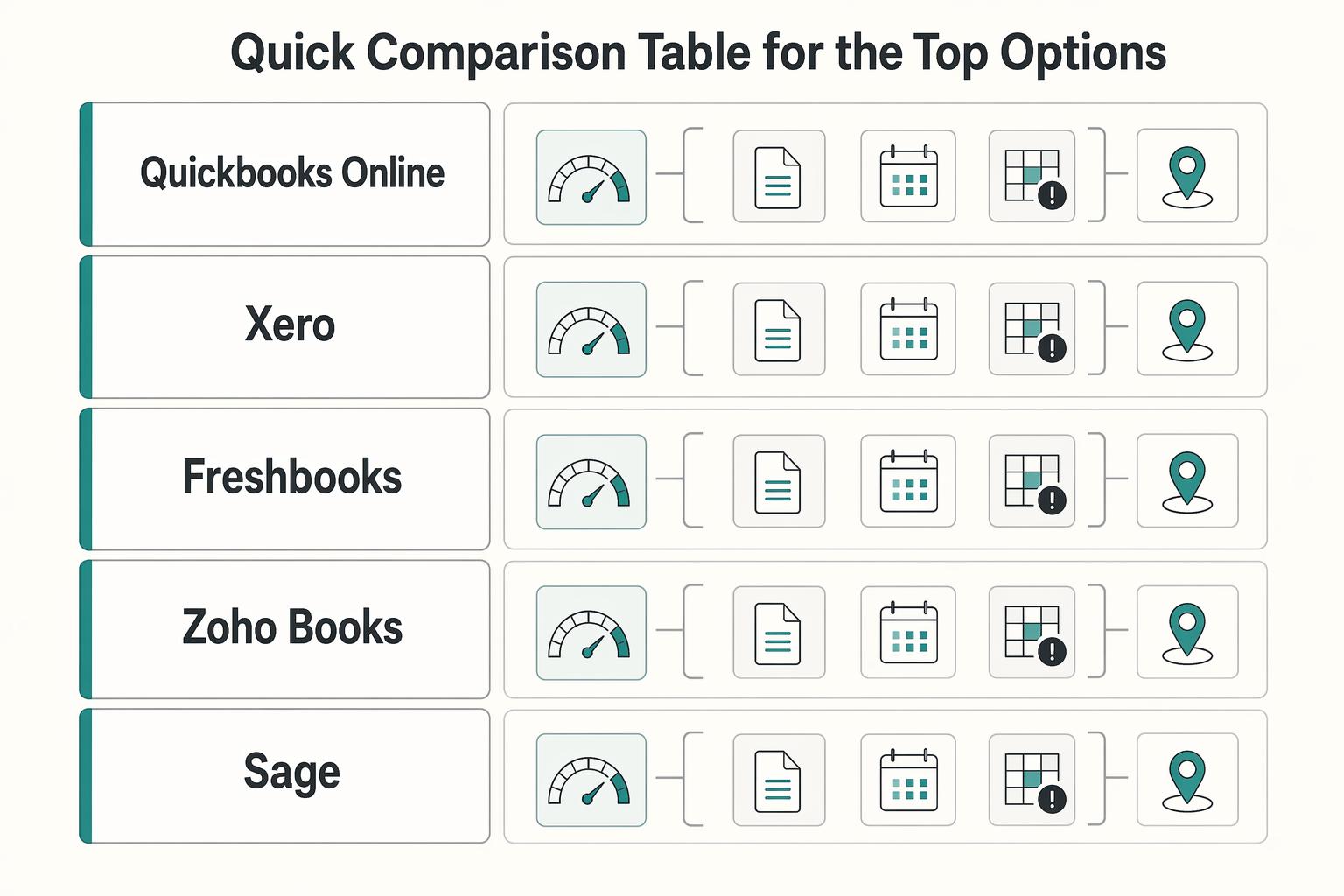
Quick comparison table for the top options#
The plan examples below use current US product information checked in October 2026. Names, feature gates, tax support and pricing differ by country; use the edition for your legal entity. Compare the tier that covers your requirements, including users, project costs, currencies and the exact connector.
The table identifies a documented capability and a practical limit for each option. Workflow risks and switch triggers are evaluation criteria, not vendor performance measurements. Do not interpret these rows as hands-on test results or guaranteed cashflow improvements.
| Option | Best fit to test | Relevant capability | Plan or product boundary | Operational qualifier | Risk to test | Switch or upgrade trigger |
|---|---|---|---|---|---|---|
| QuickBooks Online | Agency working with an accountant in the QuickBooks ecosystem | Projects tracks project income and costs | US Projects is in Plus and Advanced | Assign project codes to income, expenses and time consistently | Connector duplicates or missing project allocation | Required project reporting cannot be produced in the current tier |
| Xero | Agency wanting invoice/bank reconciliation plus project tracking | US Established includes multicurrency and project time/cost tracking | US Early has invoice and bill limits; project needs may require Established | Test the edition and project-to-invoice workflow with your accountant | Partial payments or credits fail to update the originating record | Current plan limits or required project/currency features are insufficient |
| FreshBooks | Small service team invoicing tracked time and expenses | Project profitability supports cost rates and reports | Profitability features require Premium or Select | Test staff cost inputs and the required client/user allowances | Late time or missing cost rates distort project results | More complex reporting needs exceed the actual plan capabilities |
| Zoho Books | Agency using Zoho or needing integrated project billing | US Professional includes timesheet billing, project profitability and multicurrency | Those features are not all in the entry plan | Map CRM/project/client identities and approval rules | Automation maps a payment or project to the wrong record | Required controls or volume exceed the edition and tier |
| Sage 50 US | Small business that wants desktop accounting | Desktop accounting product aimed at small business | Distinct from Sage Intacct; verify its deployment and exact tier | Check workstation access, accountant workflow and required reports | Deployment or reporting does not match the agency’s workflow | Cloud or consolidation needs require a different product |
| Sage Intacct | Agency with demonstrated multi-entity or consolidation requirements | Multi-entity accounting and consolidation subscriptions | Multiple base currencies plus consolidation require Global Consolidations | Scope modules, implementation, controls and recurring cost | Entity mappings or eliminations remain unresolved | Existing accounting process cannot satisfy required group reporting |
If your billing model is still shifting across retainers, schedules, and project invoicing, treat software selection as a second step. Mixed billing patterns make cashflow handling harder, so tightening pricing and billing structure first can reduce tool risk. Use Value-Based Pricing: A Freelancer's Guide if that foundation is still moving.
Use the table with your scorecard in this order. Test exception paths first by running one corrected invoice and one overdue account through each finalist. Then confirm status, balance, and owner remain clear across connected systems. Score the Operational qualifier honestly. If naming, project codes, or bookkeeping discipline are weak, fix those first with How to Manage Bookkeeping for Your Freelance Business.
Break ties on handoff stability by choosing the option that needs fewer weekly checks to explain what changed and who owns follow-up. Keep a small evidence pack per option: aging view, corrected invoice trail, overdue owner, sync check, and short-term cash view. If exceptions repeatedly require side spreadsheets, treat that as the losing signal.
That comparison sets the shortlist. The next step is to look at where each option tends to hold up, and where it starts to strain. If invoicing is the immediate bottleneck, see The Best Invoicing Software for Freelancers in 2026.
QuickBooks Online for broad integrations and accountant familiarity#
Consider QuickBooks Online when your accountant already uses it and your required connected applications support the correct workflow. Verify the exact integration, permissions and plan rather than using the size of an app catalog as proof that your project system will synchronize correctly.
For US QuickBooks Online, Projects is available in Plus and Advanced and tracks income and costs by project. Advanced also offers estimate-versus-actual project reporting. Start with the tier covering your actual report needs; do not assume that a generic Advanced subscription supplies every multi-entity consolidation capability. Verify entity count, intercompany handling and any separately licensed product before buying.
For small agencies with mixed billing models and outside accounting support, QuickBooks Online is often a practical fit. Teams usually choose it for the integration range and accountant familiarity. The tradeoff is straightforward: reporting quality often depends on consistent client, project, time, and cost coding. Enforce naming and coding rules before adding connectors so mapping issues are easier to isolate.
Execution order matters more than feature selection:
- Lock client and project naming standards.
- Standardize required invoice fields for all account owners.
- Set a weekly review for uncategorized expenses and late time entries.
- Add integrations one at a time so mapping issues are easy to isolate.
- Pause new connectors immediately if duplicates or mapping drift appear.
Integration sprawl is a common risk. Connecting too many apps too quickly can create duplicates and mismatched records after billing has already started. A better sequence is to treat data hygiene as the gate. No new connector goes live until existing records are stable and ownership is explicit.
Use one practical checkpoint before you expand the stack: does the same invoice status appear across systems without manual reconciliation? If that status drifts each week, stop expanding and tighten naming and coding controls first. QuickBooks can work well as a standardization anchor, but only if the setup stays disciplined enough that the accounting record remains the trusted record.
For a step-by-step walkthrough, see The Best Accounting Software Stack for Bookkeepers Serving Global Clients.
Xero for service teams that want cleaner day to day operations#
Consider Xero when invoice, bank reconciliation and accountant handoffs fit your workflow. In the current US lineup, Established includes multicurrency and project time/cost tracking; Early has limits of 20 invoices and five bills. Test the needed plan rather than attributing every feature to all Xero subscriptions.
Best fit and not fit#
Xero can be a strong fit when your workflow is clear but execution is drifting. Invoice status, payment follow-up, and coding quality start separating during the month, even though the underlying process is simple. It is a higher-risk rollout when your decision depends on highly customized reporting expectations or many specialized tools feeding finance at once, because those requirements should be defined and tested before migration.
If your billing model varies by client, set pricing and coding logic first so service codes, approvals, and exceptions are consistent from day one. Value-Based Pricing: A Freelancer's Guide is a useful planning reference before rollout.
Verify the handoff, not the demo#
One concrete example is the Xero App Store’s ServiceM8 listing: approved ServiceM8 invoices are raised in Xero, clients and items synchronize, invoice payments synchronize both ways, and Xero tax rates and income account codes import. ServiceM8 is a field-service tool, so this example does not prove an agency’s chosen CRM or project connector behaves the same way.
Turn that into verification work for your team:
- Create or export one approved invoice and verify its original and accounting IDs.
- Record a partial payment, credit and edited client record; verify direction, timing and failure logs for each supported change.
- Disconnect the connector, restore it and confirm the recovery does not create duplicate invoices or payments.
Use the documented connector behavior to design the trial. Check its present edition, required subscription and support limits. Review ratings and trial duration may change; they do not replace invoice and payment reconciliation evidence.
Pilot under real operating conditions#
Do not judge Xero from the demo alone. Run one real client segment through a full billing cycle and decide based on three checks:
- Invoice lifecycle integrity: approved work becomes the correct invoice without manual rebuilds.
- Payment-status sync: payment state matches across systems without shadow tracking.
- Exception handling: corrected invoices or payment exceptions can be resolved without breaking record traceability.
Expand only when those checks stay stable through weekly review. Pause when status drift increases, coding exceptions rise, or ownership of the trusted record is unclear. Weak setups can show up as lost invoices and late payments.
Assign ownership before you scale#
Ownership has to be explicit before rollout grows:
| Role | Primary responsibility |
|---|---|
| Finance owner | Maintains the shared coding dictionary for clients, services, tax treatment, and exception reasons |
| Billing owner | Runs invoice QA before send, including client, scope reference, dates, tax code, and account code |
| Collections owner | Manages overdue follow-up and keeps approval, change, and acceptance evidence together |
If those roles are unclear, rollout risk stays high regardless of tool choice. How to Manage Bookkeeping for Your Freelance Business is the companion process guide before broader expansion.
FreshBooks for solo operators and tiny teams that bill by the hour#
FreshBooks can be a strong first move when a solo operator or very small team needs cleaner invoicing quickly. Its value is speed. You can move from tracked work to invoice with less friction. Tracked time and expenses can be added automatically, taxes can be calculated, and payment options can be customized in one place.
FreshBooks supports invoicing from time and expenses, online payments and reminders. Check which payment methods work in your country and how fees reconcile; a reminder is evidence of outreach, not evidence that cash arrived.
If project profitability matters, FreshBooks offers cost rates, estimates and profitability reports in Premium and Select. A simple hourly team may need fewer features, while an agency tracking staff costs across projects should test those reports early. For a solo consultant, a useful trial is closing one week of time, drafting its invoice and reconciling a partial receipt.
To keep the setup reliable, close time and expenses on a weekly schedule before drafting invoices. For expense tracking, confirm connected accounts are importing transactions as expected and keep receipts organized in one place. Assign an owner for invoice review and an owner for overdue follow-up, even if one person holds both roles. Explicit ownership keeps backlogs from growing quietly.
Keep a simple exception log from day one. Track disputes, credits, and corrected invoices in one place. As the business grows, manual expense handling usually gets harder, so this is often the point to evaluate whether your current setup still fits. Another useful checkpoint is invoice rework rate. If the same clients need repeated corrections, the process is no longer lightweight even if the team is still small.
FreshBooks is strongest when the immediate goal is to lock in dependable billing behavior fast. Build repeatable habits first, then upgrade tooling when the data shows that complexity has changed.
For foreign-currency requirements, compare invoicing, revaluation and reconciliation in The Best Accounting Software That Handles Multi-Currency Invoicing.
Zoho Books for cost-conscious teams already using Zoho apps#
Choose Zoho Books when the main problem is coordination. Its advantage is continuity across core accounting steps instead of splitting them across disconnected tools.
Zoho Books is positioned as a cloud system for end-to-end accounting workflows, including invoicing, inventory, and expenses. For teams focused on coordination, that continuity can reduce handoff friction and make follow-up ownership clearer. This matters most when coordination is the current bottleneck and deep analysis is not yet the blocker. If your issue is not lack of features but too many small handoff misses, Zoho Books can be a practical way to tighten the chain.
Zoho Books does offer project functionality: the current US Professional tier lists timesheet billing, project profitability, multicurrency transactions, retainers and sales/purchase approvals. Test cost allocation and required reports rather than assuming profitability is absent. The supported Zoho Projects integration brings project and timesheet records into Books; define the originating system and prevent duplicate billable entries.
Start rollout by mapping workflow stages to billing triggers before you enable automations. Then test a full billing cycle and verify that key records and invoice status stay aligned without manual repair. If they do not, revisit the mappings first.
Run a recurring mapping review as part of close so workflow changes are caught early. It is easy to improve templates before underlying status flow is stable, which can leave presentation cleaner than the data behind it. Fix mapping discipline first, then improve presentation.
Choose Zoho Books when integrated workflow alignment is the urgent need. Reassess when reporting complexity starts forcing recurring manual profitability work. For tax-related workflows, see The Best Software for Calculating and Remitting Sales Tax.
Sage 50 and Sage Intacct serve different deployment and reporting needs#
Name the Sage product before comparing it. Sage 50 US is desktop accounting for small business. Sage Intacct has multi-entity and consolidation capabilities through its subscriptions; it is a different product with a different implementation decision.
If handoffs improved but month-end pressure is still recurring, treat Sage and Sage Intacct as different answers to different levels of complexity.
Choose the Sage tier based on proven pain#
| Option | Best fit now | What to verify |
|---|---|---|
| Sage 50 US | Desktop accounting meets the agency’s access, reporting and bookkeeping needs. | Confirm workstation requirements, accountant access and the exact tier; do not assume Intacct consolidation features. |
| Sage Intacct | Multiple entities, currencies or required consolidated reporting exceed the current process. | Confirm modules, consolidation rules, intercompany eliminations, permissions and implementation cost. |
Specify the group-reporting requirement before choosing a consolidation product: entities included, ownership, currencies, eliminations and reporting periods. Faster close is a pilot outcome to measure, not a guaranteed effect of centralizing software.
Sage Intacct’s documentation states that using multiple base currencies and consolidating across entities requires a Global Consolidations subscription. Get a scope and quote covering the required modules, entity setup, integrations, training and recurring support. A sales response promise or catalog count does not verify your reporting design.
Use this readiness check before you migrate#
Use these checks to gauge readiness before expanding platforms:
- Data standards are stable: client, entity, and project naming is consistent.
- Ownership is clear: invoice release, reconciliation review, and consolidated reporting checks each have a named owner.
- Approval design is defined: creation, edit, approval, and release rights are explicit before rollout.
- Training is ready: your team has working mapping rules, approval guidance, and exception-handling notes.
If bookkeeping basics are still inconsistent, clean that up first with How to Manage Bookkeeping for Your Freelance Business.
Pilot in one contained scope first#
Do not pilot the full business first. Run one entity group or reporting segment and judge the result from actual close behavior.
Use practical signals from the pilot: close timing is more consistent, invoice release is faster without approval confusion, and reconciliation exceptions are resolved cleanly. Watch for failure signals too: approvals stall billing, permission rules are bypassed, or consolidated reports still require manual repair. If the pilot still relies on spreadsheet patchwork after cleanup, pause expansion and fix process design before adding scope.
When Productive or FunctionFox should handle delivery before accounting#
Project and time systems can complement the ledger. Productive documents accounting integrations for invoice and payment synchronization; FunctionFox documents project, time, budget and reporting workflows for creative agencies. Choose a delivery tool when approved work reaches billing late, and keep accounting responsible for receivables and reconciliation. Neither decision requires abandoning a working ledger.
| First failure source | Better next move | Expected workflow outcome |
|---|---|---|
| Project-stage control gaps, including unclear status, budget burn, or bill-ready handoff | Productive | Clearer project-to-billing handoff for project leads and ops |
| Time-capture discipline gaps, including late timesheets, inconsistent approvals, or weak effort records | FunctionFox | Stronger time and workflow discipline before finance bills |
| Close or reporting-depth gaps, where delivery records are clean but month-end still needs manual repair | Deeper accounting lane | More reliable close and reporting controls for finance |
Trace one bad invoice backward#
When you are unsure whether the fix belongs in delivery or accounting, review one late or disputed invoice across these checkpoints:
- Project stage update
- Time-entry approval
- Billing handoff
- Close and reporting
Then map the first broken point to the next action:
- If project stage or budget control breaks first, evaluate Productive’s relevant workflow and accounting integration.
- If time capture breaks first, evaluate FunctionFox’s timesheet and project workflow, including the actual handoff to accounting.
- If delivery controls are clean but close or reporting still breaks, stay in the accounting decision lane and tighten fundamentals in How to Manage Bookkeeping for Your Freelance Business.
Reassess after one billing cycle. If delivery evidence is clearer and invoices are going out on time, keep improving delivery controls first. If delivery data is now clean and finance still depends on workaround-heavy reporting, move into a deeper accounting-software review.
Build your get-paid system in 30 days after you choose#
Treat these 30 days as a practical cashflow reliability build, not a box-checking onboarding exercise. You move forward only when normal billing works and one real exception path works with a named owner.
| Phase | Decision gate | Owner | Move forward when |
|---|---|---|---|
| 1. Lock data discipline | Can you bill without cleanup from inconsistent records? | Finance lead with ops input | New records follow one naming and required-field standard for a full week |
| 2. Prove invoice exceptions | Can one corrected invoice and one partial or disputed case run end to end without confusion? | Billing owner | Approval, evidence, and follow-up steps are clear and repeatable |
| 3. Add connectors carefully | Do integrations stay aligned without duplicate records or re-entry work? | Ops or systems admin, with finance review | Mismatch log is shrinking and unresolved mapping issues are controlled |
| 4. Make receivables review repeatable | Can weekly aging, invoice-status, and missing-billable review run without rescue work? | Finance lead or founder | Overdue follow-up and close prep happen on schedule without heroics |
Minimum operating controls#
Use a named owner, an exception log, a weekly review and an invoice evidence pack in each phase. Log client, project/invoice ID, issue, owner, next action, due date and status. Preserve the governing agreed terms, approved changes, relevant acceptance evidence and correction history. Do not impose a fresh signature or approval requirement when existing terms already authorize billing.
Phase 1. Start with record discipline#
Start with record discipline. Finance should own the gate, with ops validating how work is created in practice. Pass when one full week of new client, project, service, and billing-owner records lands cleanly with no relabeling. Fail if people still debate which record is correct.
If confusion starts at pricing or scope handoff, fix that before adding automation. Tighten that upstream in Value-Based Pricing: A Freelancer's Guide.
Phase 2. Test corrected and disputed invoice paths#
The second gate is exception handling, not invoice creation. The billing owner should run it. Test one standard invoice, one corrected invoice, and one partial or dispute path under your current terms. Pass when correction approvals, required evidence, and receivables follow-up are clear from request to reissue to client communication. Fail if any step depends on memory or message-thread archaeology.
Worked partial-payment and credit test#
Use a hypothetical $1,000 invoice with no tax or foreign currency. Apply a $100 credit that reduces both the invoice and its revenue, then a $400 client payment. The remaining receivable is $500: $1,000 − $100 − $400. If the processor deducts a $12 fee, the bank receives $388, but the client still paid $400; posting only the net bank deposit against the invoice would wrongly leave $512 due.
Match the $400 receipt to its invoice and the $12 fee to its own expense record, using provider and accounting references. If all adjusted $900 revenue belongs to completed work and project delivery costs are $600, project margin before processing fees is $300, and $288 after the $12 fee. That result differs from both the $388 bank receipt and $500 receivable. Check whether each finalist’s project report includes those costs and label any exclusions.
Retain the original invoice and linked credit history. Replay the same payment event and confirm the client balance remains $500. Then simulate a failed synchronization: the operator should locate the existing receipt before attempting recovery. If the project app still shows unpaid, repair its status from the authoritative record rather than collecting $400 again.
Phase 3. Check connector reliability under billing pressure#
This phase is about connector reliability under billing pressure. Ops or systems should own the work, with finance checking invoice and report output.
Keep a mismatch log and pause new connector additions while conflicts remain. For each record, retain originating and accounting IDs, sync timestamps, source-of-truth fields and last error. When a sync fails or times out, query both systems before replaying it. Repair the mapping or retry the failed operation once through the supported recovery path, then reconcile record counts and balances. Do not resend an invoice merely because the originating app lacks its updated status.
Phase 4. Make weekly receivables control repeatable#
The last gate is repeatable weekly receivables control. Finance leads it, or the founder does on a tiny team. Run the same weekly review for aging, invoice status, and approved-versus-invoiced work. If your bookkeeping rhythm still feels loose, use How to Manage Bookkeeping for Your Freelance Business as the operating companion.
Pass when overdue accounts have named owners, missing billables are caught before send day, and close prep no longer depends on one person remembering exceptions. At day 30, run a brief Post-implementation Review, or PIR: what held, what broke, and what must be fixed before adding more volume.
Reconcile the cutover before switching invoice sends#
Choose a cutover date and export customers, open invoices, credit balances, unpaid bills and ledger balances from the old system. Preserve IDs and a read-only archive. Reconcile opening item counts and totals by currency against the import; document unmatched items and assign owners. Designate one system to issue invoices and reminders after cutover so both cannot bill the same work. Keep rollback available until the first authorized cycle and bank reconciliation pass.
Compare the same first-year scope in your quote. For illustration, a $60 monthly plan plus $20 monthly connector, $300 setup and two hours of monthly maintenance at an assumed $50/hour totals $2,460: $720 + $240 + $300 + $1,200. A $100 monthly plan with no connector, $300 setup and one maintenance hour per month totals $2,100. These are invented evaluation assumptions, not vendor prices; include payment fees, extra users and taxes where applicable.
Compare recurring plan costs, users, project/currency features, paid integrations, payment fees, setup and ongoing reconciliation effort over the same period. Use the payment fee comparison tool for a simple per-payment estimate; separately model actual provider terms, monthly charges and volume-dependent caps.
Red flags that cause delays fees and payment disputes#
Control drift is a common risk: weekly checks slip, ownership blurs, and small exceptions can reach the client before they are resolved.
| Red flag | Early signal | Escalate when |
|---|---|---|
| Clean reports but weak collections follow-through | Invoices are marked sent or reminded, but there is no dated next action and no single account owner | The pattern repeats for 2 weeks, or overdue accounts are still first discussed at month end |
| Billable inputs are late uncoded or unapproved | Time is backfilled near billing day, project codes are missing, or finance edits drafts after internal review | Uncoded time or post-review edits appear across 2 billing cycles, or corrected invoices replace clean first-pass invoices |
| Scope terms and acceptance are missing from the invoice thread | Invoice questions can only be answered from memory, private messages, or verbal recall | Disputes repeatedly hinge on unclear deliverable boundaries, or scope is debated after invoice send |
| Exception handling lives across too many disconnected tools | Teams manually correct statuses across systems, or the same invoice exception reappears in multiple tools | The same mismatch survives 2 weekly reviews, or multi-entity or client-book consolidation is becoming messy, error-prone, or slow |
Run this as a weekly operator review, not a month-end rescue. The goal is early diagnosis: what failed, who owns the next action, and when to escalate from manual fixes to process or tool changes. If your control rhythm is loose, pair this with How to Manage Bookkeeping for Your Freelance Business.
Minimum weekly check:
- Review aging, reminder activity, and a dated next action on every overdue invoice.
- Compare draft invoices against approved time, expense coding, and project ownership before send day.
- Open at least one challenged invoice thread and confirm the evidence pack is complete: signed terms, approved scope changes, acceptance notes, and corrected-invoice history.
- Review the mismatch log for status conflicts across CRM, time tracking, project records, and accounting.
- Escalate when the same red flag appears in 2 consecutive weekly reviews, or when collection signals are clearly worsening. DSO above 45 days and CEI below 80% are example warning levels, not universal thresholds.
1. Clean reports but weak collections follow-through#
- Failure mode: Reporting exists, but no one owns the next collections step.
- Early signal: Invoices are marked sent or reminded, but there is no dated next action and no single account owner.
- Cashflow consequence: Overdue balances age while the team loses time to resolve disputes or agree a collection plan.
- Review evidence: Aging report, reminder log, client response notes, and owner field on each overdue account.
- Owner: Finance runs the weekly review; one named billing owner or account lead owns each overdue thread.
- Escalate when: The pattern repeats for 2 weeks, or overdue accounts are still first discussed at month end.
Do not start with more reminder automation if ownership is unclear. Automation without ownership can create tidy dashboards while collections still slow down.
2. Billable inputs are late uncoded or unapproved#
- Failure mode: Invoice drafting is being used to clean up bad inputs.
- Early signal: Time is backfilled near billing day, project codes are missing, or finance edits drafts after internal review.
- Cashflow consequence: Send dates slip, corrected invoices become routine, and margin signals lose reliability.
- Review evidence: Approved hours versus draft invoice, plus a basic three-way match between approved work, the correct project or service code, and the invoice line.
- Owner: Project leads resolve missing work approvals; finance holds affected invoice lines for verification and releases undisputed, billable work under the governing terms.
- Escalate when: Uncoded time or post-review edits appear across 2 billing cycles, or corrected invoices replace clean first-pass invoices.
The tradeoff here is speed versus credibility. Sending weak drafts faster usually creates more correction work later.
3. Scope terms and acceptance are missing from the invoice thread#
- Failure mode: Work changed, but the agreement record did not.
- Early signal: Invoice questions can only be answered from memory, private messages, or verbal recall.
- Cashflow consequence: Approval can slow, and normal billing can turn into negotiation.
- Review evidence: Signed terms, approved scope changes, delivery acceptance notes, and corrected-invoice history in one thread or linked record.
- Owner: Project lead owns scope proof; billing owner owns invoice readiness.
- Escalate when: Disputes repeatedly hinge on unclear deliverable boundaries, or scope is debated after invoice send.
If this pattern persists, fix term and scope alignment upstream with Value-Based Pricing: A Freelancer's Guide.
4. Exception handling lives across too many disconnected tools#
- Failure mode: The bottleneck sits in approvals, coding, exception handling, and reporting, not the front-screen feature set.
- Early signal: Teams manually correct statuses across systems, or the same invoice exception reappears in multiple tools.
- Cashflow consequence: Disputes bounce between teams, corrected invoices take longer, and receivables review becomes record hunting.
- Review evidence: Mismatch log entries for duplicate records, status conflicts, rejected payment notes not reaching finance, and multi-system dispute trails.
- Owner: Ops or systems admin owns the mismatch log; finance validates that fixes improve invoice output and collections behavior.
- Escalate when: The same mismatch survives 2 weekly reviews, or multi-entity or client-book consolidation is becoming messy, error-prone, or slow.
When escalation is justified, use phased rollout and governance planning instead of a big-bang switch.
Conclusion#
Choose the platform your team can run cleanly every week, not the one with the broadest feature sheet. There is no universal best pick for every agency, and cash-flow management gets harder when client work mixes payment schedules, retainers, and project-based invoicing, so keep three decisions in focus:
- Select by operational fit, not feature volume.
Weight integration quality, project-level visibility, and billing-path reliability against your actual failure modes. If live testing still depends on manual workarounds, treat that as a warning sign.
- Lock control discipline before scaling usage.
Project-centric accounting keeps profitability decisions grounded. Accurate time capture protects revenue. Keep the handoff from time tracking to invoicing clear so exceptions are easy to catch.
- Reuse the same checks as complexity grows.
These checks are not one-time selection tools. Reapply them as client mix and team load change so cash-flow reliability stays intact.
After launch, keep the operating cadence steady: review exceptions regularly, maintain clear overdue ownership, and reassess tooling only when complexity materially changes. Consistent execution helps turn a good software choice into dependable payment performance.
If your agency is also evaluating collections, conversion, and payouts workflows, review Merchant of Record for business.
Frequently Asked Questions
What is the best accounting software for agencies if cashflow protection is the top priority?
There is no universal winner, so pick the option that handles your highest-risk failure mode first. For cashflow protection, a better tie-breaker than feature count is integration fit that keeps data consistent when invoices are corrected, followed up, and reconciled. If your live test still depends on repeated manual repair, that is your trigger to change course.
Do I really need project-centric accounting if I am still small?
If you are running multiple active client jobs, project-centric accounting can be worth adopting early. It helps cashflow decisions by showing project-level profitability. A practical checkpoint is whether you can produce project P&L output without manual rebuilds. If you cannot explain profit by client or job from current records, tighten tracking and revisit scope and pricing assumptions with Value-Based Pricing: A Freelancer's Guide.
Which is easiest to implement for a two-to-five person team: FreshBooks, Xero, or QuickBooks Online?
The easiest tool is the one your team can keep clean under real billing conditions, not the one that looks simplest in a demo. Run a short pilot with your actual invoice patterns and exception paths, then compare cleanup effort and reconciliation effort. If setup only works after repeated CSV fixes or other manual invoice repairs, treat that as an implementation risk.
How do I decide between QuickBooks Online and Xero when both meet my core requirements?
If both pass your required workflows, compare your accountant’s familiarity, plan features, total cost and the actual connector’s error handling. Set a tolerable sync delay for each field and measure it during the pilot; a generic 24-hour claim says nothing about a specific integration. Choose the arrangement requiring less recurring repair for your own records.
When should I move from FreshBooks or Zoho Books to Sage Intacct?
Evaluate Sage Intacct when specific multi-entity, currency, consolidation or control requirements exceed your current supported setup after data cleanup. Write those requirements and compare the implementation cost with the recurring cost of manual reconciliation. A few corrected invoices alone do not justify an enterprise migration.
Why are invoices still late even after switching software?
Late invoices after a switch can still reflect process gaps, not software alone. Common failure points can include weak time capture and fragmented handoffs between delivery, billing, and collections. If delays keep repeating, map one invoice end to end and fix the first broken handoff. For tighter control routines, use How to Manage Bookkeeping for Your Freelance Business.
What should I verify before I trust a new tool with live billing?
Verify that invoice control is explicit: draft, review, then send. Also confirm the tool can support your real billing mix, including recurring invoices, milestone-triggered billing, and ad hoc schedules tied to contract terms. If approvals and version history spill into disconnected threads, treat that as control and version-risk exposure.
Which weekly metrics catch payment risk early without overbuilding reporting?
Track a small set that maps directly to failure risk: time-capture quality, open integration exceptions, sync lag, and adherence to draft-review-send invoice controls. This works because billing accuracy depends on clean time-to-invoice conversion, and stale or fragmented syncs can hide emerging collections issues. If the same metric keeps worsening across consecutive reviews, act before adding more automation.
Try a related tool
Researched and edited by the Gruv editorial team. Gruv builds cross-border billing, payouts, and finance-operations software for global businesses.
Sources
Includes 8 external sources outside the trusted-domain allowlist.
- apps.xero.com/us/app/servicem8external
- freshbooks.com/pricingexternal
- functionfox.com/time-trackingexternal
- functionfox.com/project-managementexternal
- help.productive.io/en/collections/8856214-accountingexternal
- help.zoho.com/portal/en/kb/one/admin-guide/integrations/zo...external
- intacct.com/ia/docs/en_US/help_action/Multi-entity/Setup...external
- quickbooks.intuit.com/accounting/job-costingexternal
Educational content only. Not legal, tax, or financial advice.
Related Posts

Value-Based Pricing for Freelancers Under Real Payment Risk
Value-based pricing starts with the client’s expected benefit and willingness to pay. It still needs a deliverable, scope and payment agreement you can perform. Use a discovery phase when the benefit or effort is too uncertain to support a defensible quote.

Freelance Bookkeeping: Invoices, Receipts, and Month-End Close
Freelance bookkeeping connects what you earned, what a client owes, what a provider received, and what reached your bank. It also records expenses and the evidence behind them. Clear records help you identify missing payments and resolve mismatches; they cannot guarantee faster payment or prevent every dispute.

The Freelance Payment Penalty: A Modeled Audit of Platform Fees, FX Spreads, and Payout Delays
The money rarely disappears through a single, easy-to-spot fee. The real loss is stacked. A marketplace takes its commission, a processor adds a charge for international cards, a bank or payment company converts the currency at a spread, a platform holds the funds before release, and a wire sheds a little to intermediaries on the way in. Each layer looks defensible on its own, but the worker feels the combined result as a smaller deposit and a later payday.