
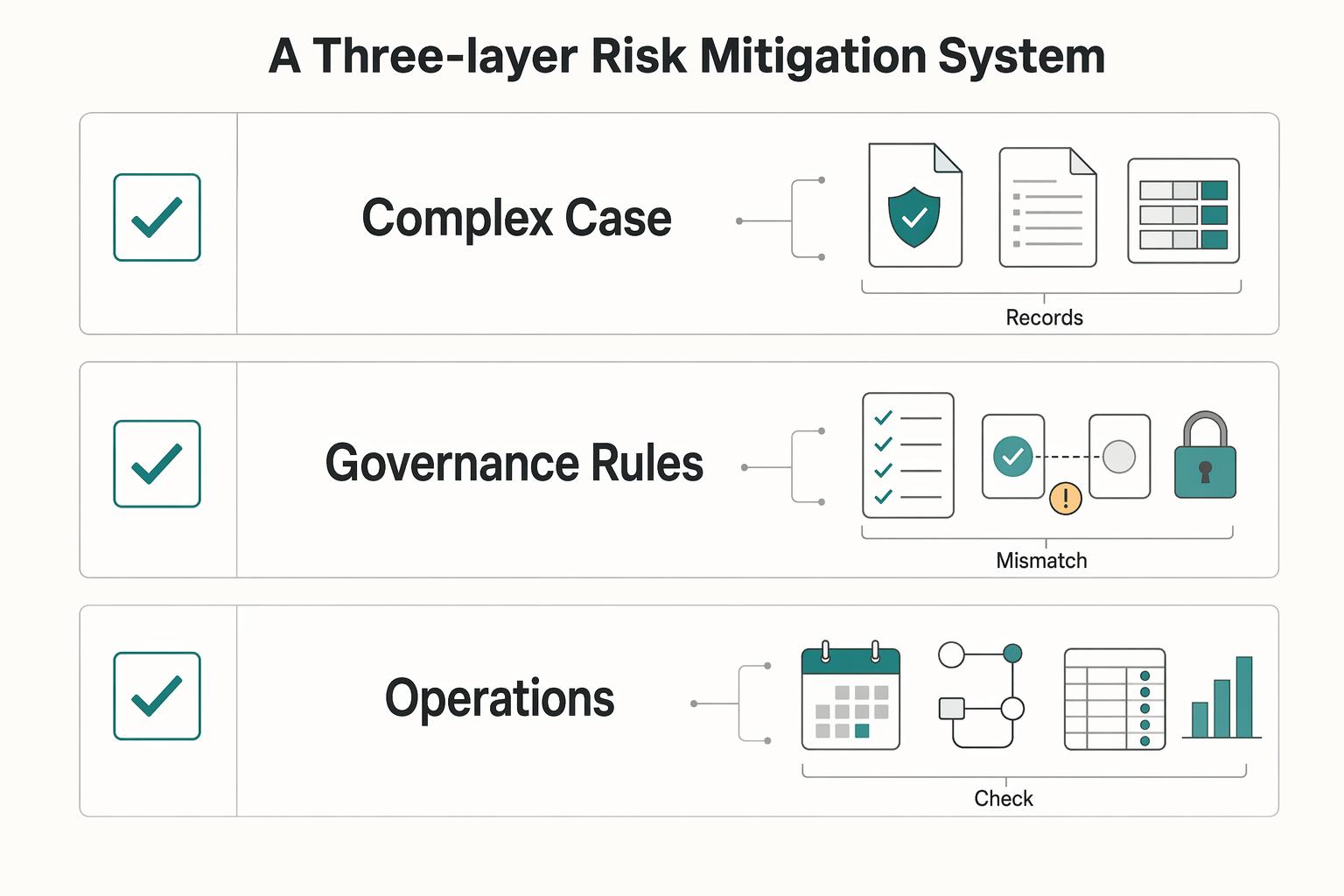
Quick Answer
Start with a three-layer control sequence for freelance finance automation: confirm identity records, define governance gates, then automate only validated operations in Zapier and Stripe. Keep invoice language and tax treatment as placeholders until verified, and route uncertain items to review instead of auto-send. Maintain one evidence file for role, authority, and scope, then reconcile location logs, account inventory, invoices, and statements on a recurring cycle so exceptions surface early.
Why 'Just an LLC' Isn't Enough for Your Global Business#
An LLC is a baseline, not a complete safety system. It may help limit collection to business assets for some debts. It does not remove personal exposure when you personally co-sign or when you are named personally alongside the entity. In practice, the real risk often comes down to what you sign and whether claims are directed at you personally.
| Gap | Consequence | Control |
|---|---|---|
| You assume the entity always separates liability, but a financing or credit step includes your personal co-sign | Personal exposure can remain even with the LLC in place | Review each borrowing or credit document for personal guarantee or co-sign terms before signing |
| You assume only the LLC can be named in a dispute | You may still be sued personally in addition to the LLC | Account for that possibility before treating the entity as full separation |
| You operationalize rules from old notes or summaries without source checks | One unverified assumption can spread through decisions | Verify against a current official source first, and mark unresolved items for follow-up |
In short, the entity may help in some debt scenarios, but personal signatures and direct personal claims can still create personal risk.
Keep evidence quality in view. The liability warning here comes from a community Q&A dated Jun 3, 2013, so treat it as a caution signal, not legal authority for current requirements. You might also find this useful: How Freelance Developers Use Linear to Control Scope and Billing.
Building Your Compliance Shield™: A Three-Layer Risk Mitigation System#
Treat this as three decisions, not one setup. Layer 1 sets your boundary, Layer 2 defines what must be true before work moves forward, and Layer 3 handles repeatable execution.
That distinction matters because execution tools belong in Layer 3. They support execution, but they do not replace Layer 1 records or Layer 2 rule ownership.
| Layer | Trigger | Owner | Automation boundary | Escalation path | What it does not protect |
|---|---|---|---|---|---|
| 1. Entity setup | Define in your policy | Assign accountable reviewer | Record and status tracking only after review | Move to manual review when core details are missing or unclear | May not prevent day-to-day execution mistakes |
| 2. Governance rules | Define in your policy | Assign a rule owner | Automate reminders and logging only after approval | Route unverified requirements for review | May not correct live workflow errors on its own |
| 3. Operations | Define in your policy | Assign daily workflow owner | Auto-run only from validated inputs and clear statuses | Route missing, conflicting, or unverified records to manual review | May not repair weak setup or weak governance |
Use a simple control policy, then define your own hard-stop, warning-only, and manual-review thresholds. Keep unresolved thresholds marked as Current requirement pending source-record verification until the source record is verified.
If you let those boundaries blur, control consistency degrades over time. The next three sections show how to apply that model in practice.
This pairs well with our guide on Freelance Work-Life Balance That Holds Up in Real Weeks.
Layer 1: Choosing Your Shield - The Right Structure for a Global Professional#
Do not automate around identity mismatches. If your contract entity, Stripe profile, payout account, and bookkeeping identity do not reconcile, pause rollout until they do.
Start with your actual cross-border workflow: who signs, who invoices, which Stripe account collects, which bank receives payouts, and which legal identity your books use. Get the structure right first, because your business form determines which income tax return form you file.
Pick the structure, then verify the identity trail#
If you have not registered another form, you are treated as a sole proprietorship. If you run a single-member LLC, remember that the LLC is a state-law structure. It may still be treated as a disregarded entity for federal income tax reporting. That is why Layer 1 is a records problem first: your legal form, tax identity, payment profile, and books need to map cleanly.
For LLC, partnership, or corporation workflows, form the state entity before EIN-dependent automation. Also plan the sequence around the EIN constraints: one EIN application per responsible party per day, and the responsible party must be an actual person.
| Option | Fit signal (supports rollout) | Risk signal (block rollout) | Layer-1 data checks |
|---|---|---|---|
| Sole proprietorship | Contract party, invoice identity, Stripe business info, payout owner, and bookkeeping profile all align to you or your registered business identity | You contract under one name but Stripe or books use another identity with no clear mapping | Match contract legal party, QuickBooks invoice-facing business identity, Stripe profile, and bank account holder name |
| Single-member LLC | Formation is complete; Stripe and bookkeeping reflect the LLC where needed; owner-vs-LLC reporting identity is explicitly documented | Team treats the LLC as separate operationally, but reporting and account identity still mix owner/LLC with no clear responsible-party mapping | Verify LLC legal name, formation record, responsible party, Stripe business identifiers, payout owner name, and bookkeeping naming conventions |
| Partnership or corporation | Entity formed; EIN in place after formation; contracts, payouts, and books use the same legal entity | Entity exists, but invoicing, collection, or bookkeeping still runs through an older sole-prop identity | Confirm legal entity name, EIN-linked records, Stripe account profile, payout destination identity, and bookkeeping company identity |
Stripe is a useful hard check at this layer. It verifies business identification and may require formation documents, and payout setup depends on bank details matching bank records, including owner-name alignment. If those records do not line up, treat that as a stop condition.
Before you automate#
Before you add new Zaps, filters, or payout logic, make sure the underlying records are ready. Assemble the required records first: formation or registration record if applicable, EIN record if applicable, Stripe verification documents, and bank ownership documentation if requested. Make ownership explicit so one person owns entity records, one owns Stripe profile accuracy, and one owns bookkeeping identity.
| Check | Confirm | Note |
|---|---|---|
| Formation or registration record | Assemble it first if applicable | Gather before adding new Zaps, filters, or payout logic |
| EIN record | Assemble it first if applicable | Form the state entity before EIN-dependent automation |
| Stripe verification documents | Assemble them first | Gather before adding new Zaps, filters, or payout logic |
| Bank ownership documentation | Assemble it if requested | Gather if requested before adding new Zaps, filters, or payout logic |
| Identity reconciliation | Contract entity name, Stripe business profile, payout destination owner, and QuickBooks invoice identity should reconcile | Use Zapier Filters to hard-stop when required identity conditions fail |
| Country setup | Check it before Stripe activation | Account country cannot be changed once activated |
| Verification timing | Leave room in go-live timing for review delays | Reviews can take up to 24 hours |
Then confirm that identity fields reconcile across the contract entity name, Stripe business profile, payout destination owner, and QuickBooks invoice identity. Check country setup before Stripe activation, since account country cannot be changed once activated. Route any open legal or tax question to manual review until the current requirement is verified from official or source records. Also leave room in your go-live timing for verification delays, since reviews can take up to 24 hours.
Do not try to patch Layer 1 mismatches with more automation. Use Zapier Filters to hard-stop when required identity conditions fail. Use Paths to route uncertain records to review instead of pushing them into invoices, payouts, or filings. For a related operations view, see Choosing Embedded Finance for Freelance Platforms With an Operations-First Scorecard.
Layer 2: Decide What Runs Unattended and What Stops for Review#
At this layer, the rule is simple: if an action cannot be explained from source records, it should not run unattended. Once your records line up, decide what your automation may do on its own and what must stop for review.
A common failure pattern is drift, not one obvious break. In practice, watch four places first: requirement interpretation, source-record quality, exception patterns, and tool-change drift across the workflow.
Build your risk list from real actions#
Keep the risk list short and tied to actions you already run:
- Requirement interpretation drift
- Source-record quality issues
- Exception patterns in execution
- Tool-change drift
This is about traceability, not a giant risk register. End-to-end finance-agent research is a useful warning here. Performance dropped by 15.4 from single modules to full execution chains, and average violations increased by 172.3% in Round 2 under adversarial multi-turn attacks. That is not a direct measure of your stack, but it is a strong reason to trust full chains less than isolated steps unless your controls are explicit.
Turn each risk into an operating gate#
Once the risk list is clear, turn each item into a gate by asking one practical question: does this step have enough evidence to run automatically? Use the same sequence whenever you change or add automation:
- Risk selection: Name the exact failure you want to prevent, such as unclear requirements or an unexplained exception.
- Gate design: Decide whether the action runs automatically or requires review, based on the evidence you need. Include a tool-verification checkpoint so the action can be traced from requirement to tool action.
- Exception handling: If evidence is missing, conflicting, or unclear, route to reviewed exception handling and label the unresolved item Current requirement pending source-record verification.
- Control updates: If the same exception repeats, update the control instead of normalizing repeated manual overrides.
Document each gate consistently so reviewers can reconstruct what happened and why.
Apply the traceability-before-scale test#
Before you scale, run a simple pass/fail test. Sample recent actions and trace each one from source record to final tool action.
- Pass: You can explain the path quickly and show the records.
- Fail: You cannot explain it from source records, so it must route to reviewed exception handling until the current requirement is verified from source records.
Keep the standard strict. In risk-sensitive chains, even minor compliance errors can escalate into critical failures when they propagate through full execution flows.
For a step-by-step walkthrough, see A Freelancer's Guide to Business Process Automation (BPA).
Layer 3: The Operational Toolkit - Your Active Defense System#
Layer 3 is where your review rules become usable in daily work. The safe claim is narrow: automation labels describe capabilities, not approvals. Legal, tax, pricing, and compliance requirements are not established, so keep sensitive steps review-required when records or rules are unclear.
As an internal check, ask: can you show the source record, the rule used, the resulting action, and the reviewer note when someone overrides the default? If not, that step is not ready for unattended processing.
Keep one PE-related fact file, not scattered clues#
PE documentation requirements, legal thresholds, and a required PE record set are not defined here. If you maintain a PE-related file, treat it as an internal working log and route unresolved items to review.
If records conflict, are outdated, or rely on assumptions, do not finalize the classification until source records verify it; send the item to review.
Gate every invoice before it is sent#
Required invoice wording, jurisdiction-specific fields, and tax-treatment rules are not defined here. If a draft depends on any of those details, keep placeholders until verified and route the draft for review before sending.
If a required invoice statement or local field is unresolved, keep the draft in review until the current requirement is verified from official or source records.
Treat tool labels as prompts, not permissions#
Product labels can help, but they are not approvals. Labels like Data Analysis Agent, Support Agent, and CRM Agent may describe functions, but they do not replace your control checks. Phrases like "Automatically triage issues and spot patterns." and "Manage your CRM without clicking into your CRM." describe capabilities, not permission to finalize finance actions without review.
Before you trust a new step, check behavior in the product Docs and test outputs against a small sample of your source records. If mapping, routing, or resulting records are unclear, keep that step in review.
| Signal | Action | Evidence to store |
|---|---|---|
| Label suggests automation (Data Analysis Agent, Support Agent, CRM Agent) | Treat as a capability prompt, not an approval | Label + intended-use note |
| Output triages or updates records automatically | Keep human review and verify on a small sample | Test sample output + reviewer note |
| Product behavior is unclear or has changed | Keep review-required path and re-check Docs | Docs check note + retest output |
Run the monthly loop from source records, not memory#
A required monthly cadence is not prescribed here. If you run one, keep it focused on current records: re-check tool behavior in Docs, retest key steps, and keep unresolved exceptions in review until verified.
For a broader workflow example, see Freelance Prompt Engineering Without Scope Creep.
Conclusion: Your Business Structure is Your Declaration of Professionalism#
Treat your structure as a weekly operating discipline, not a one-time setup. If your entity setup, invoicing flow, banking separation, and filing workflow do not align on a single client trace, pause and fix the control before you scale automation.
Run one quick alignment test each week: trace one client from agreement to invoice, payment, bank entry, and filing record. If the names, accounts, or records do not match without inbox digging or memory, your process is out of sync.
Your three-layer action checklist#
- Entity
Confirm the legal name in your agreements matches the name on invoices, the account receiving funds, and the filing records you maintain. If your working model changed, update your entity assumptions and document the current flow in one dated note.
- Governance
Keep business and personal money separate in day-to-day practice. Verify that each payment maps to the correct bank record and that each business expense has source documentation. Do not use a reporting trigger or jurisdiction filing requirement until it has been verified from official or finance source records.
- Operational Toolkit
Use an automation platform (for example, n8n) with direct API connections for repeatable updates after facts are verified. Avoid relying only on RSS-style inputs for critical records, since delayed or outdated entries can break your checks. If you use Stripe or Zapier in your stack, verify platform-specific behavior before you depend on it.
Let tools handle repetition, and keep judgment in review. Your weekly control is simple: sample records, prove the chain, and tighten rules where traceability breaks. If you want to sharpen execution next, Automating Freelance Finances Without Losing Cashflow Control is the right follow-on read. For a deeper dive, read Automating Your Freelance Finances. If you want one place to run invoicing, payment tracking, and compliance-gated payout workflows as your client mix grows, start here: Explore Gruv for freelancers.
Frequently Asked Questions
I am just starting out. Is a simple setup fine for now?
Yes. Start with a simple value proposition: a clear message describing the benefit your product or service offers customers. The source includes 12 templates you can use as starting points, then refine by repeatedly asking "Why?" to uncover real buying drivers.
What is the practical difference between simple and risk controlled?
In this source, the practical difference is validation depth, not tool count. A simple setup states the benefit clearly. A more controlled setup keeps asking "Why?" and checks that the message still fits value-proposition framing. | Scenario | What you do now | What to verify | When to escalate | | --- | --- | --- | --- | | First draft of your message | Write one clear benefit statement | Confirm it describes customer benefit | Escalate if you cannot explain why customers buy | | Message sounds generic | Run repeated "Why?" checks | Confirm answers move past surface-level reasons | Escalate if reasoning stays vague | | Team edits create confusion | Re-check against value-proposition framing | Confirm the message is still a value proposition | Escalate if the message no longer fits the definition | | You want Zapier and Stripe specifics | Use only the source’s high-level automation checkpoint | Confirm you have separate operational documentation for detailed controls | Escalate before implementation because detailed control steps are not provided here |
Can I create a problem just by working from a client’s office?
Workplace-presence risk and permanent establishment analysis are outside this FAQ's scope. Route those questions to legal or tax review.
How do I decide on entity or jurisdiction choices without overcomplicating things?
Entity and jurisdiction choices are not covered here. Use this FAQ for value proposition work, and use qualified legal/tax guidance for structure decisions.
What should my weekly check actually include?
A practical weekly check is whether your message still reflects why customers buy and still reads as a value proposition. If not, rerun the "Why?" process and revise.
Where should I allow Zapier and Stripe to automate, and where should I require manual review?
This guide makes only a high-level point: deliver your value proposition with automation. It does not provide Zapier step-by-step finance workflow guidance or Stripe fee, payout, reserve/hold, or chargeback timeline controls, so keep those decisions in manual review until confirmed elsewhere.
How do I know an automation is helping instead of hiding problems?
It is helping when automation supports consistent delivery of the promised benefit and the logic remains easy to explain. It is hiding problems when outputs are harder to justify even if the workflow is faster.
When do I stop trying to self-resolve and escalate?
Escalate when your question depends on details this guide does not cover, including Stripe operational timelines/fees, Zapier finance-step specifics, jurisdiction-specific legal or tax rules, or quantified outcome claims.
Try a related tool
Researched and edited by the Gruv editorial team. Gruv builds cross-border billing, payouts, and finance-operations software for global businesses.
Sources
Includes 2 external sources outside the trusted-domain allowlist.
- irs.gov/businesses/small-businesses-self-employed/bu...trusted
- irs.gov/businesses/small-businesses-self-employed/ge...trusted
- madisoncollege.edu/files/media-document/2021-12/Madison-College...trusted
- sba.gov/business-guide/launch-your-business/choose-b...trusted
- support.stripe.com/questions/documents-for-business-verificationtrusted
- support.stripe.com/questions/bank-account-ownership-verificationtrusted
- afi-global.org/wp-content/uploads/2024/10/KEP_WR_AW2_digita...external
- agents.sabrina.devexternal
Educational content only. Not legal, tax, or financial advice.
Related Posts

The Freelance Payment Penalty: A Modeled Audit of Platform Fees, FX Spreads, and Payout Delays
The money rarely disappears through a single, easy-to-spot fee. The real loss is stacked. A marketplace takes its commission, a processor adds a charge for international cards, a bank or payment company converts the currency at a spread, a platform holds the funds before release, and a wire sheds a little to intermediaries on the way in. Each layer looks defensible on its own, but the worker feels the combined result as a smaller deposit and a later payday.

How to Respond to a Subpoena for Business Records
Move fast, but do not produce records on instinct. If you need to **respond to a subpoena for business records**, your immediate job is to control deadlines, preserve records, and make any later production defensible.

A US Expat's Guide to Investing in UCITS ETFs to Avoid PFIC Issues
The real problem is a two-system conflict. U.S. tax treatment can punish the wrong fund choice, while local product-access constraints can block the funds you want to buy in the first place. For **us expat ucits etfs**, the practical question is not "Which product is best?" It is "What can I access, report, and keep doing every year without guessing?" Use this four-part filter before any trade: