
Quick Answer
Choose one Studio tool for delivery and keep your finance platform as the source of record. In airtable vs notion vs clickup, Airtable works best for linked clients/projects/deliverables, Notion for doc-led work, and ClickUp for assignee-and-stage execution. Before kickoff, require one opportunity path with a final proposal artifact, signed scope evidence, linked intake, and a named owner. Before closeout, verify a retrievable chain tied to finance_record_id instead of treating workspace status as accounting truth.
Airtable, Notion, and ClickUp solve different operating problems. Airtable is strongest when clients, contacts, projects, and deliverables need to stay linked. Notion fits doc-led selling and delivery. ClickUp works best when assigned follow-up and visible stage control matter most.
For most solo operators and global professionals, the practical move is to use one of them as your delivery hub, not as the place that runs your entire business. Your stack still has to do three jobs: win clients in the Front Office, deliver the work in the Studio, and protect revenue and compliance in the Back Office.
Most comparisons stop at delivery. That is useful, but it misses where sales handoff, invoicing, payments, and recordkeeping usually break. This guide looks at the full operating picture: where each tool is strongest, where it creates risk, and how to choose a setup that holds up in practice.
The Front Office: The Client Acquisition Engine#
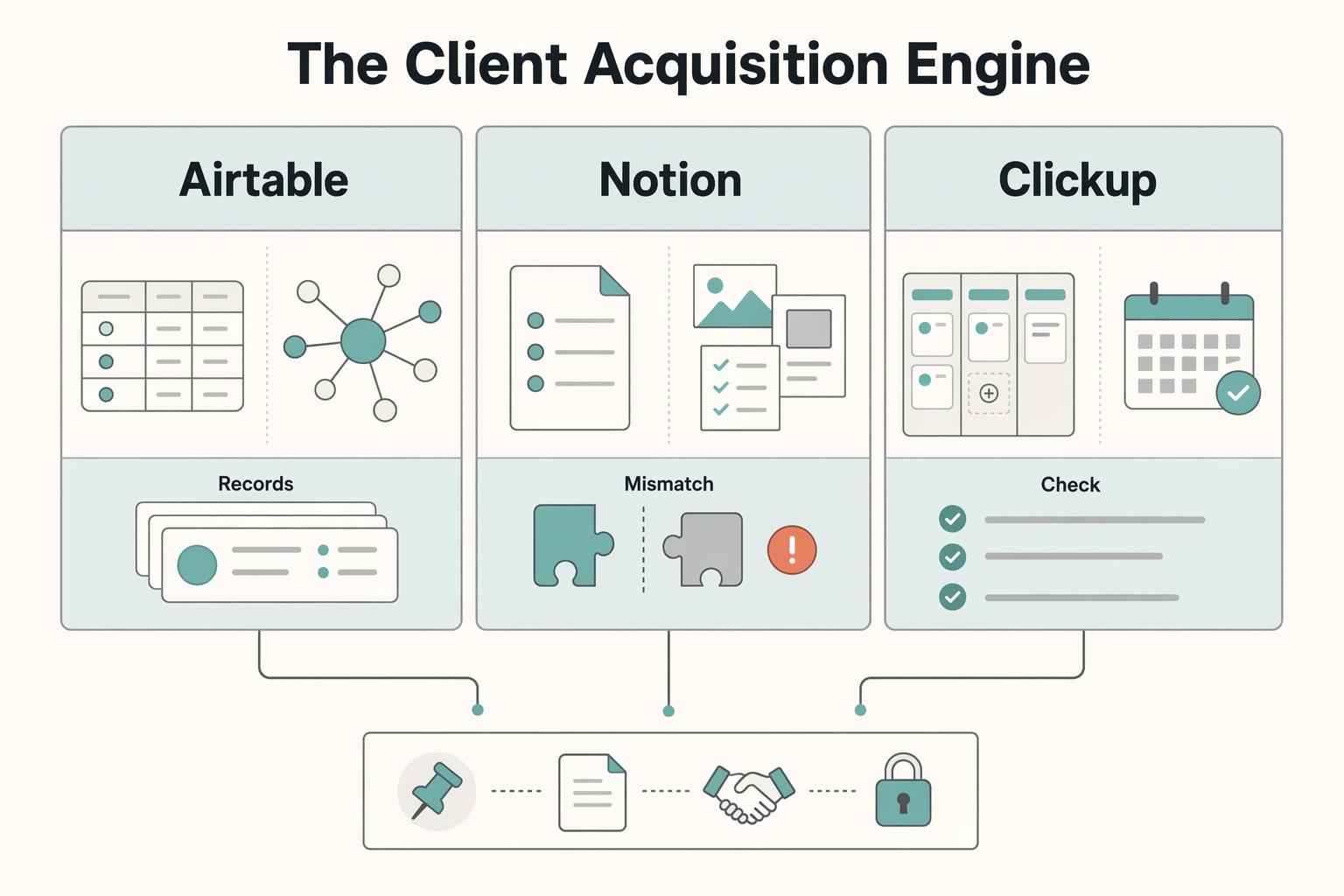
Start with your sales motion and handoff risk, not feature breadth. Airtable fits relationship complexity, Notion fits doc-led selling, and ClickUp fits repeatable stage control.
| Tool | Choose it when | Wrong for your pipeline when | Main front-office failure | Control that matters most |
|---|---|---|---|---|
| Airtable | Deals involve multiple contacts, companies, referrals, or linked records that need to stay connected | Your sales process lives mostly in one proposal page and you do not need relational structure | Proposal, intake, and signed scope get split across tables or email | Keep one opportunity record linked to related records with Airtable linked record fields |
| Notion | The proposal page, notes, and onboarding context do most of the selling | You need rigid stage movement and people already skip evidence before moving deals forward | Duplicate pages and drifting proposal versions create uncertainty about what was approved | Use one deals database with relation properties and mark one final proposal artifact |
| ClickUp | You sell through clear stages, assigned follow-up, and a visible pipeline | Your selling depends on polished documents more than stage movement | A deal is marked won because status changed, while scope or intake proof is missing | Use evidence fields and verify required-field support on the chosen plan; make kickoff depend on the actual artifacts |
Whatever you pick, keep one opportunity record from first inquiry to signed scope. You do not need full CRM sprawl. You do need a small control set you can audit quickly:
- Owner assigned: pass if one named person owns the next action or delivery handoff; fail if ownership is implied in chat.
- Proposal artifact: pass if one final file or page is linked on the opportunity; fail if the "latest" version is guesswork.
- Signed scope evidence: pass if the signed scope is attached or directly linked; fail if the record only says approved.
- Intake linkage: pass if the discovery form, intake notes, or request entry connects back to the same deal path; fail if it sits in a separate inbox.
- Handoff state: pass if the deal clearly says ready for kickoff; fail if kickoff depends on someone remembering context.
What handoff gate should you run?#
Run a one-minute rehearsal before you trust the setup. Open the opportunity record as a non-admin or restricted collaborator. Check four things in order: can they see the final proposal artifact, retrieve the signed scope, find the linked intake, and see a delivery owner? If any answer is no, there is no kickoff.
| Check | Pass when | Fail when |
|---|---|---|
| Owner assigned | One named person owns the next action or delivery handoff | Ownership is implied in chat |
| Proposal artifact | One final file or page is linked on the opportunity | The "latest" version is guesswork |
| Signed scope evidence | The signed scope is attached or directly linked | The record only says approved |
| Intake linkage | The discovery form, intake notes, or request entry connects back to the same deal path | It sits in a separate inbox |
A status value or required field is not proof that the linked artifact is valid. Configure the controls your plan supports and enforce the actual kickoff decision. ClickUp offers required Custom Fields on Business and above, but you still need to validate the evidence and every path that creates or changes a task; the API can ignore required fields unless configured otherwise.
Permissions are where many front offices quietly fail. Airtable permissions control what collaborators can view or edit across workspaces, bases, and interfaces, so test with the actual role you plan to share. In Notion, the useful control is Can edit content, which lets someone update entries without changing database structure. In ClickUp, guests can be limited to view, comment, or edit access and can be invited only to specific items or locations.
A quick rehearsal with a non-admin account catches both overexposure and missing access before a client sees the mess.
Where each tool creates front-office risk#
The pattern to watch is simple: cost creep in Airtable, version drift in Notion, and field limits in ClickUp.
Budget for the collaborators who are actually billable. Airtable Team lists $24 per collaborator per month on monthly billing or $20 per month on annual billing; this is not $20 for a full year. Read-only collaborators, form submissions and share links are not charged on Team/Business under the listed terms. In ClickUp Free Forever, 60 Custom Field uses means populated values on tasks, not 60 distinct field definitions; creating field definitions is not itself a use. Check the plan before designing a CRM around those fields.
| Tool | Risk condition | Cited detail |
|---|---|---|
| Airtable | Collaborators are added casually | Team: $24/month monthly or $20/month annually per billable collaborator; read-only users are not charged |
| Notion | Team treats database pages casually | No one owns the final proposal version |
| ClickUp | CRM metadata is scattered on Free Forever | Free Forever: 60 value-population uses, not 60 field definitions |
If your selling is heavily document-led and you want a next-step setup reference, A Guide to Notion for Freelance Business Management is the most relevant follow-on.
Which front-office questions matter most?#
Can one tool handle CRM and delivery safely? Yes, but only if you design the opportunity record, handoff evidence, and permissions on purpose. It is not safe by default just because projects and docs can live in the same app.
What is the minimum handoff proof before kickoff? One retrievable final proposal artifact, one retrievable signed scope, a linked intake record, and a named owner. If any of those is missing, do not start the work.
If you want a deeper dive, read Notion vs. Trello for Freelance Project Management.
The Studio: The Engine of Delivery#
Your Studio should prevent delivery failures, not just log activity. Pick the tool that matches the failure pattern you actually see: broken relationships, drifting docs, or weak stage control.
| Tool | Choose it when delivery depends on | Primary failure pattern it helps prevent | Switch if you keep seeing |
|---|---|---|---|
| Airtable | Connected records across projects, deliverables, clients, approvals, or assets using linked records | Orphaned work, duplicate names, and missing context because related items are not truly connected | Most work happens in one project page or brief, and the database turns into backfill |
| Notion | Project pages that need tasks, notes, and references tied together with relations and rollups | Polished project spaces with unclear execution truth because tasks and docs drift apart | Review depends on stage control, but status still lives in page text, comments, or memory |
| ClickUp | Assignee-driven execution where custom task statuses mark real delivery decisions | Stage drift, where work moves because status changed instead of a gate being met | You repeatedly need richer cross-entity relationships than a task list can comfortably show |
Use this rule of thumb when deciding: if your team keeps asking what is blocking an item and who approved it, favor Airtable; if execution lives inside briefs and draft pages, favor Notion; if handoffs fail because ownership and stage movement are fuzzy, favor ClickUp.
| Stage | Required artifact | Owner | Exit rule |
|---|---|---|---|
| Kickoff | Final brief linked on the project record | Delivery lead | Do not move forward until the live project record exists and first deliverables are created |
| Production | Current task list or deliverables set | One named assignee per live item | An item cannot advance if it has no owner or no current working artifact |
| Review | Review package or draft link with captured feedback | Reviewer or project owner | "Ready for review" means the reviewer can start from the record without asking for files in chat |
| Closeout | Final delivery proof and completion note | Project owner | Do not pass to Back Office until delivery proof is retrievable and billing handoff is explicit |
If reliability feels shaky, diagnose before rebuilding. Check active items for four controls: ownership clarity, artifact traceability, workflow state integrity, and escalation path. If you cannot quickly find the current owner, the latest artifact, the reason for the current status, and who resolves a stall, the gap is usually operating discipline, not tool features.
Run a lightweight weekly rhythm to keep the Studio reliable: clean backlog clutter, such as duplicates, dead items, and inconsistent naming; triage stale items by reassigning them or recording the blocker; and review automation exceptions where status moved without an artifact, owner, or clear handoff.
Which delivery checks matter most?#
Keep the checks boring and fast. You should be able to identify the current owner, retrieve the latest working artifact, explain the current status, and name who resolves a stall without digging through chat.
How should you distinguish "In Progress" from "Ready for Review"?#
Make the line artifact-based. "In Progress" means the assignee is still changing the work. "Ready for Review" means the review artifact is linked on-record and a reviewer is named. If the reviewer still has to ask what to review or where the file lives, it is not ready.
What must be present before closeout moves to Back Office?#
At minimum, keep final delivery proof and a completion note on the project record. Make the billing handoff explicit as well. If someone must search chat or inbox to confirm delivery, closeout is not complete.
If your delivery is assignee-heavy and stage-driven, follow the ClickUp path in How to Manage a Software Project in ClickUp with a Remote Team. If your team works mainly from briefs, drafts, and review pages, follow the Notion path instead.
For a step-by-step walkthrough, see How to Create a Content Workflow in Notion for a Marketing Team.
The Back Office: The Unseen Engine of Survival#
Keep finance authoritative. Use Airtable, Notion, or ClickUp as operational mirrors for visibility, and let your finance system remain the record of truth for invoice issuance, settlement, tax handling, and retention decisions.
If your evidence chain is weak, fix handoff hygiene before you add more fields. Go back to front-office scope capture and studio closeout discipline, because missing proof here usually starts upstream.
| Back-office area | Mirror-only in Airtable, Notion, or ClickUp | Finance-authoritative | Audit question |
|---|---|---|---|
| Invoicing | draft amount, billing trigger, due date, client and project link, finance_record_id, invoice_status_mirror | invoice creation, issued invoice artifact, invoice treatment, tax treatment, official invoice record | Can you show the actually issued invoice without relying on a workspace status field? |
| Payment settlement | payment link, reminder state, expected payment date, internal note, settlement_state_mirror | Customer payment outcome, receivable application, processor balance/fees, bank payout and reconciliation as distinct records | Can finance explain which invoice was paid and which cash is still held by the processor? |
| Record retention | signed_scope, invoice artifact link, payment proof link, obligation reminders | official financial records, reporting support, retention decisions | Can one project record retrieve a complete scope-to-payment chain? |
| Profitability | budgeted revenue, planned hours, internal cost tags, delivery notes | final revenue, captured costs, fees, taxes, reimbursements | Does margin reporting depend on mirrored values that never made it into finance? |
Separate billing handoff from cash closeout. To issue an invoice, finance needs the agreed billing trigger, amount, due date, client details, scope and any required approval evidence. A contractual deposit can be billed before delivery. Add the issued invoice ID and payment evidence as those events occur; do not require proof of payment before handing an unpaid invoice to finance.
Treat failure checkpoints as early warnings with immediate correction:
| Early warning trigger | Immediate corrective action |
|---|---|
| Workspace marked paid solely from an unverified success event | Verify the actual payment and application in finance, reset an incorrect mirror and investigate pending/returned/disputed amounts; do not reverse a valid payment merely because bank payout is later |
| Client profile changed but prior invoice setup reused by habit | Recheck invoice treatment in finance first, then update workspace mirrors to match |
Before you scale the setup, keep a short verification list:
| Pre-scale check | Owner | Pass | Fail | Verification |
|---|---|---|---|---|
| Invoice treatment review | Finance owner | Current client profile reviewed in finance before issue | Prior project setup reused without review | Client profile check logged |
| Payment-state reconciliation | Finance owner | Invoice payment and processor/bank movement are separately verified | Workspace event treated as final cash evidence without reconciliation | Payment references and current finance state linked |
| Obligations tracking | Business owner | Tracking exists and unknown rules are marked unresolved until verified | Unverified assumptions treated as final | Unresolved-rule review logged |
| Reporting method consistency | Finance owner | One reporting method selected and applied consistently | Mixed treatment across projects | Method documented |
If your back-office evidence quality is weak, tighten your front-office and studio handoff gates first, then audit mirror fields. For project-side structure, start with A Guide to Notion for Freelance Business Management. You might also find this useful: Using Airtable for Freelance Project Management That Stays Reliable.
The Final Verdict: A Two-Part Stack for a Resilient Business#
Use a two-part stack: let your Studio tool run delivery, and let your finance system own invoicing, settlement confirmation, and official records. That boundary matters because business records need to clearly show income and expenses, with supporting documents behind the entries. If a workspace status alone can make something look "paid," the boundary is too loose.
| Studio tool | Best-fit constraint | Primary risk | Mitigation |
|---|---|---|---|
| Airtable | You need relational structure across clients, projects, and deliverables in one base | Automations and integrations become fragile as volume grows | Use Airtable when relationship design is the core need, then check API/rate constraints before scaling (for example, per-base and plan limits) |
| Notion | Your process is document-led, and projects/tasks must live beside notes and briefs | Handoff proof gets buried across pages | Keep one project index, one closeout location, and one finance link per project; plan governance intentionally since plans are billed at the workspace level |
| ClickUp | You need strict execution control through tasks, assignees, and due dates | Delivery completion and finance/payment closeout collapse into one status | Separate delivered, invoiced, customer-paid and cash-reconciled states; verify plan permissions, field enforcement and current attachment limits |
Set up a small trial before moving every client. Name a workspace owner and a finance-record owner. Create one project, invoice it at the contractual trigger and retrieve the issued artifact from its finance ID. Then follow payment and bank reconciliation separately. For a hypothetical $1,000 card payment with a $30 processor fee, the receivable can be settled by the $1,000 customer payment while $970 awaits bank payout; record the $30 fee and the processor balance rather than leaving $30 of the invoice unpaid. If the payment is later returned or disputed, keep that subsequent event and its effect traceable.
Can one tool safely own both delivery and finance truth?#
For most freelancers, no. A workspace can mirror finance status for visibility, but it should not be treated as the accounting record. Keep delivery and accounting authority separate so your closeout decisions stay traceable.
What is the minimum proof before marking a project fully closed?#
Keep agreed scope, delivery evidence, the issued invoice and verified finance-side payment records retrievable. Separate delivery closeout from outstanding collection, and customer payment from a later processor-to-bank payout. Final cash reconciliation requires its own evidence; a workspace status alone proves none of these events.
If your decision is still mostly about workspace architecture, use Notion vs Coda for Internal Tools in a Solo Business. If you need country- or program-specific support details, Talk to Gruv.
Frequently Asked Questions
What handoff gate should you run?
Run a one-minute rehearsal before you trust the setup. Open the opportunity record as a non-admin or restricted collaborator. Check four things in order: can they see the final proposal artifact, retrieve the signed scope, find the linked intake, and see a delivery owner? If any answer is no, there is no kickoff. A status value or required field is not proof that the linked artifact is valid. Configure the controls your plan supports and enforce the actual kickoff decision. ClickUp offers required Custom Fields on Business and above, but you still need to validate the evidence and every path that creates or changes a task; the API can ignore required fields unless configured otherwise.
Which front-office questions matter most?
Can one tool handle CRM and delivery safely? Yes, but only if you design the opportunity record, handoff evidence, and permissions on purpose. It is not safe by default just because projects and docs can live in the same app. What is the minimum handoff proof before kickoff? One retrievable final proposal artifact, one retrievable signed scope, a linked intake record, and a named owner. If any of those is missing, do not start the work.
Which delivery checks matter most?
Keep the checks boring and fast. You should be able to identify the current owner, retrieve the latest working artifact, explain the current status, and name who resolves a stall without digging through chat.
How should you distinguish "In Progress" from "Ready for Review"?
Make the line artifact-based. "In Progress" means the assignee is still changing the work. "Ready for Review" means the review artifact is linked on-record and a reviewer is named. If the reviewer still has to ask what to review or where the file lives, it is not ready.
What must be present before closeout moves to Back Office?
At minimum, keep final delivery proof and a completion note on the project record. Make the billing handoff explicit as well. If someone must search chat or inbox to confirm delivery, closeout is not complete.
Can one tool safely own both delivery and finance truth?
For most freelancers, no. A workspace can mirror finance status for visibility, but it should not be treated as the accounting record. Keep delivery and accounting authority separate so your closeout decisions stay traceable.
What is the minimum proof before marking a project fully closed?
Keep agreed scope, delivery evidence, the issued invoice and verified finance-side payment records retrievable. Separate delivery closeout from outstanding collection, and customer payment from a later processor-to-bank payout. Final cash reconciliation requires its own evidence; a workspace status alone proves none of these events.
Try a related tool
Researched and edited by the Gruv editorial team. Gruv builds cross-border billing, payouts, and finance-operations software for global businesses.
Sources
Includes 6 external sources outside the trusted-domain allowlist.
- irs.gov/businesses/small-businesses-self-employed/wh...trusted
- irs.gov/businesses/small-businesses-self-employed/re...trusted
- airtable.com/pricingexternal
- developer.clickup.com/reference/createtaskexternal
- help.clickup.com/hc/en-us/articles/6303536766231-Intro-to-Cus...external
- help.clickup.com/hc/en-us/articles/10993484102167-Custom-Fiel...external
- notion.com/help/relations-and-rollupsexternal
- notion.com/help/intro-to-databasesexternal
Educational content only. Not legal, tax, or financial advice.
Related Posts

A Guide to Notion for Freelance Business Management
If your workspace feels busy but fragile, you do not need more pages. You need one connected system. Treat your freelance business like a business-of-one and use Notion as the control layer that connects client decisions, delivery, and billing in one place.

Notion vs. Trello for Freelance Project Management
**Quick answer:** for **notion vs trello for freelancers**, pick Trello if work stalls because task status is fuzzy. Pick Notion if work stalls because briefs, decisions, and notes are spread across too many places.
How to Manage a Software Project in ClickUp with a Remote Team
For a solo professional, ClickUp works best as the control center for the business, not just a to-do list. The shift from a basic task tracker to a reliable client system starts with one deliberate choice: build a repeatable structure for every new engagement before the work begins.