
Quick Answer
Use virtual team building activities as short, structured interactions tied to one operating problem at a time. For remote agencies, the strongest approach is to run them in existing channels like Zoom or Slack, keep prep low, and capture one practical output after each session. Then review a 30-day checkpoint using participation, speaking distribution, usefulness, and one coordination metric. If collaboration does not improve, replace the format instead of scaling it.
Virtual team building activities for remote agencies without the cringe#
Most remote agencies do not need bigger social calendars. They need shorter, better-timed interactions that make daily work easier. The point is not to manufacture fun for its own sake. It is to reduce the friction that shows up in missed handoffs, quiet calls, weak trust, and low participation across distributed teams.
That matters more in remote work because your team is spread across locations and time zones, often without the casual contact office teams get for free. For the same reason, team-building can feel bolted on. If a format gets in the way of finishing work or pushes people into extra calls outside working hours, it is already off track.
The scope here is intentionally narrow. This guide is for remote agencies, client service teams, and distributed freelancer groups working in tools like Zoom and Slack. It is not an office event planning guide, and it is not about elaborate virtual parties. Think short, practical interactions that fit at the start or end of an existing meeting, or run asynchronously in a Slack thread when schedules do not line up.
Use a simple standard. If an activity does not help people coordinate better, speak up more easily, or understand each other's working style, it is probably just a morale event. Morale is not worthless, but for an agency it is not enough on its own. The better test is whether the activity improves day-to-day execution. That might mean clearer ownership after a kickoff, better context sharing when a contractor joins, or more balanced participation in project discussions.
These activities should stay light. Formats that need little to no participant preparation are usually easier to repeat, easier to attach to an existing cadence, and less likely to get dropped the moment client pressure rises. A reliable early red flag is prep creep. If a quick session needs custom decks, mandatory cameras, or a long explanation every time, it can be hard to sustain.
From here, the guide stays practical. It sorts activities by the team problem they solve, sets time boundaries that do not eat into delivery, and uses simple tool setups that fit agency reality instead of listicle novelty. It also covers the part most teams skip: how to check whether the exercise actually improved coordination, and how to start with one small format before you roll it out more widely.
Team-building is easier to sustain when your agency already has clear habits for sharing ideas and involving people across the team. How to Build a Culture of Innovation in a Remote Agency covers that broader foundation.
What virtual team building means in agency operations#
In agency operations, virtual team building means structured interaction in tools like Zoom or Slack that improves how people work together, not just how they socialize online. The useful version has a shared objective and strengthens communication or collaboration.
| Check | What to look for |
|---|---|
| Purpose | A clear purpose tied to communication or collaboration |
| Channel | Run it in the channels where work already happens |
| Output | Capture a clarified owner, a decision note, or a shared working preference |
| Verification | Check recent Zoom calls or Slack threads for better participation and context sharing |
This matters because remote teams need more than basic tools. Without intentional connection, people can feel isolated or undervalued, and coordination can get harder across distributed teams and time zones. Morale events can still be useful, but they are not the same as an operating practice.
Use a simple check:
- Set a clear purpose tied to communication or collaboration.
- Run it in the channels where work already happens.
- Capture one practical output, such as a clarified owner, a decision note, or a shared working preference.
- Check recent Zoom calls or Slack threads for better participation and context sharing.
If a recurring format is not improving communication quality or participation, replace it.
Related: Remote Team Performance Management for IT Agencies.
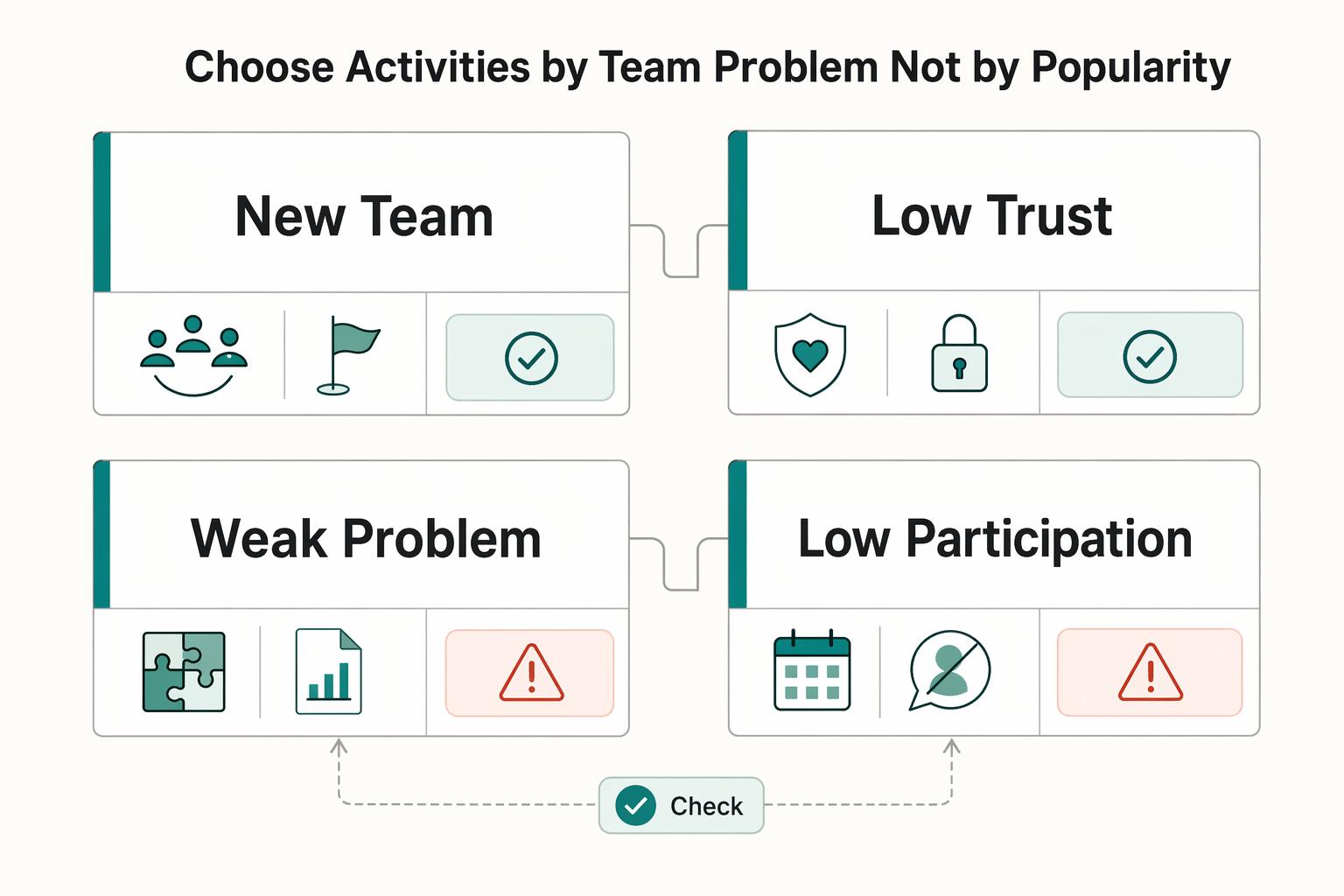
Choose activities by team problem, not by popularity#
Choose the activity based on the operating problem you see, not on what is popular. Deel separates activities by context, for example new teams vs. problem-solving, and Atlassian frames its examples as practices used by real teams. That is the right filter for agency operations.
| Problem signal | Best-fit activity type | Expected outcome | Effort |
|---|---|---|---|
| New team, new contractor, or newly mixed pod; people do not know each other's role or working style yet | Short intro or icebreaker prompt at the start or end of a regular meeting | Faster context sharing and easier first collaboration | Low |
| Low trust; help-seeking is rare and discussion stays guarded | Human-to-human connection prompt or paired check-in | More candor and earlier blocker escalation | Low to medium |
| Weak problem-solving; the same blocker keeps returning | Structured problem-solving activity | Shared diagnosis, clearer tradeoffs, one agreed next action | Medium |
| Low participation; the same few people always speak | Low-risk speaking prompt or chat-first round | Broader participation and better meeting signal | Low |
This distinction matters because activity categories do different jobs. Asana's icebreaker-vs.-problem-solving grouping is a practical mental model: use connection formats for relationship gaps, and work-adjacent formats for execution gaps.
Use a simple if-then rule. If your standups are quiet, start with low-risk prompts, for example one priority, one blocker, or one help request per person, and allow chat-first responses. If the issue is cross-functional conflict, skip novelty and run a structured problem-solving session with one defined question, one facilitator, and one captured output.
Add one failure checkpoint before you run it: write the problem signal and expected change in the agenda. Then verify the outcome after the session. If participation is high but delivery friction is unchanged, the format is probably social-only and should be redesigned closer to real work.
Related reading: A Guide to Employee Handbooks for a Remote-First Company.
Set cadence and time boundaries people can sustain#
Use a cadence your team can actually keep: short, intentional interaction placed inside existing work rituals, not extra after-hours social time. That is usually more respectful of people's time and easier to sustain.
A simple maturity-based rhythm works better than one fixed schedule for everyone:
| Team stage | Cadence direction | What you are trying to build |
|---|---|---|
| New team, new contractor mix, or newly restructured pod | More frequent, very short check-ins early on | Basic familiarity, faster context sharing, lower first-ask friction |
| Team knows each other but trust or participation is uneven | Steady, short recurring sessions | Safer help-seeking and broader participation |
| Stable team with healthy working relationships | Lighter maintenance rhythm | Connection without unnecessary meeting load |
Keep these sessions tightly time-boxed. If a format keeps running long, simplify it or retire it instead of forcing it through.
Also treat attendance expectations carefully. Depending on local employment rules and contract terms, social events can create risk if they feel mandatory but sit outside paid time. Check your agreements and calendar language before you make recurring invites.
The formats that tend to last are low-pressure and low-prep. Consistency usually beats spectacle.
Standardize tool setup and facilitator rules before session one#
Before session one, standardize the setup in writing: one shared checklist, clear participation rules, and a pre-agreed fallback if live video fails. That upfront structure makes remote sessions easier to run and easier to trust.
| Setup item | Include |
|---|---|
| Session space | The primary session space and backup async space |
| Ownership | Who owns invites, who posts the prompt, and who captures notes |
| Participation constraints | Camera-off preferences, accessibility needs, or avoiding competitive formats |
| Activity basics | Simple instructions, materials, timing, and debrief questions |
Use a one-page checklist your team can reuse each time. Keep it practical and include:
- the primary session space and backup async space
- who owns invites, who posts the prompt, and who captures notes
- participation constraints already agreed, for example camera-off preferences, accessibility needs, or avoiding competitive formats
- the activity basics: simple instructions, materials, timing, and debrief questions
Facilitation quality matters. A practical structure is to name a host, timekeeper, and note owner for each session, then rotate those roles so ownership is shared.
Write participation rules directly in the invite and repeat them at the start: camera optional, chat contributions count, and no forced personal disclosure. This keeps sessions usable across different comfort levels and working conditions.
Set fallback behavior before the session starts. If the live call breaks, move the same prompt to your pre-named async thread and define a clear close time. If your team relies heavily on async participation, align this with your broader asynchronous communication standards.
Before each session, verify the invite is visible, the prompt is posted, owners are assigned, and timing is clear for participants.
Use a practical activity set matched to agency realities#
Use a short, repeatable activity set tied to real team needs, not novelty. Less face-to-face time can make culture and morale harder to maintain, so format choice matters.
There is no shortage of options. Zendesk lists 20 remote activities (updated February 6, 2026), Employment Hero lists 39 free online games (updated Mar 12, 2026), and Time Out lists 40 virtual activities. The practical move for agencies is to run a smaller menu that fits client delivery, time zones, and handoff pressure.
Reference set#
Use a compact menu like this, and retire formats that repeatedly drift into dead air or status updates.
| Activity | Team size | Sync or async | Prep load | Best use case |
|---|---|---|---|---|
| Two-slide intro | 2 to 12 | Sync | Medium | Onboarding a new contractor or teammate |
| One-word check-in plus why | 3 to 15 | Sync | Low | Quick temperature read before planning or retro |
| Async check-in thread | 3 to 20 | Async | Low | Teams spread across time zones |
| Prompted problem-solving | 3 to 8 | Sync | Low | Unblocking delivery and surfacing options |
| Handoff cleanup review | 2 to 10 | Sync | Medium | Reducing repeat confusion across roles |
| FAQ seed thread | 2 to 20 | Async | Low | Helping new people find context without repeat pings |
| Working norms refresh | 3 to 10 | Sync | Medium | Trust refresh for established pods |
| Client win-and-miss round | 3 to 12 | Sync | Low | Building shared judgment quickly |
| Pair intro map | 2 to 6 | Sync | Low | Clarifying ownership between new collaborators |
| Micro-retro prompt | 3 to 10 | Sync or async | Low | Closing a sprint or campaign with one takeaway |
Match the format to the team stage#
If you are bringing on a new contractor, start with identity and context-sharing so they can find answers without waiting on a manager. For a long-running pod, prioritize trust refresh and collaboration drills that expose recurring friction and improve handoffs.
Keep participation low-pressure and useful#
Set simple guardrails: no forced participation mechanics, no public embarrassment, and a clear way to contribute asynchronously when needed. As an internal quality bar, favor activities that leave a reusable output, such as a clarified norm, a handoff rule, or a short decision note.
Measure impact in 30 days with simple checkpoints#
If an activity has not changed team coordination after 30 days, treat it as unproven. Use a small before-after scorecard so you are judging observable behavior, not how fun the session felt.
Treat each activity as a diagnostic: it should produce evidence about communication, leadership, and coordination. That approach is more reliable for agency teams than broad morale claims, especially since one-off events often do not create lasting impact.
Use a four-part scorecard#
Keep this lightweight so it gets updated every time.
| Measure | What to record | Good signal | Red flag |
|---|---|---|---|
| Participation rate | Who contributed by voice, chat, or async reply out of those invited | Contribution stays steady or rises over time | People attend but do not contribute |
| Speaking distribution | Rough airtime spread across people or roles | Participation extends beyond the same few voices | The same 1-2 people dominate every session |
| Usefulness rating | Quick 1-5 pulse in Slack after each session | Most responses are 4-5 with specific comments | Low scores or no responses |
| Coordination metric | One operating metric tied to the problem you are fixing | Fewer coordination misses across the month | Sentiment improves but execution does not |
Use one coordination metric at a time. The key checkpoint is simple: did this activity reduce a repeat coordination problem, even slightly?
Make the before-after review traceable#
Track each recurring activity in one Trello card or one Slack thread. Log the activity, team/pod, target problem, baseline, and a short after-session note on what changed.
Review briefly after each session, then run a 30-day lookback. Compare the same four measures side by side and record the decision in the same thread or card.
Set stop-or-scale rules#
- Keep and scale activities that improve both usefulness and execution.
- Modify activities with mixed signals, such as good participation but no coordination change.
- Stop activities with low usefulness and no coordination improvement after a month.
External benchmarks can frame why engagement matters, but treat them as context, not proof. A cited 2022 benchmark notes 36% engagement among U.S. employees and references 21% higher profitability for highly engaged teams; that is not evidence your team improved. Your own Trello/Slack trail and 30-day before-after evidence should drive the decision.
For a step-by-step walkthrough, see How to Create a Communication Policy for a Remote Team.
Avoid the common mistakes that waste team time#
Most wasted sessions come from poor fit, not poor intent: the format does not match your team, your objective, or your remote setup. If you borrow an idea from MuchSkills or Deel, use it as a starting point, not a script.
| Mistake | What to do instead |
|---|---|
| Copying listicles without adapting them | Pick activities that match team maturity, current workload, and the behavior you want to improve |
| Running everything in one channel | Choose the channel based on the task, or split the activity across live and async steps |
| Confusing attendance with impact | Capture one post-session action, norm, or decision, then check whether it was used in real work |
| Letting the session become a manager monologue | Use tighter prompts and rotating facilitation so the group does the work, not just the host |
Start small and run it like an operator#
Start narrower than feels ambitious: choose one coordination problem, one activity format, one channel, and one 30-day window to evaluate it. Anything broader usually creates noise, especially when the team is already feeling online meeting fatigue from back-to-back sessions.
Pick one variable to improve#
Treat the first month as a controlled test, not a culture overhaul. If live-call participation is weak, run one low-pressure speaking prompt in Zoom. If handoffs lag across time zones, run one async prompt in Slack and review whether replies arrive faster with fewer follow-up questions. These formats can support cohesion, trust, and engagement, but they still need facilitation and follow-up to improve coordination.
Use one pre-session checkpoint: confirm the prompt, owner, timebox, and channel are visible to everyone one business day before the session. You are testing both the activity and whether the team can reliably find, join, and use it.
Keep evidence, not opinions#
After 30 days, keep only what improved teamwork signals. Review: who participated, whether more than the same two people spoke, whether people found it useful, and whether communication got smoother afterward. Add one artifact check: did the session produce a note, norm, or agreement the team still used a week later?
A lightweight log is enough if it captures:
- the problem you were solving
- the format and channel you used
- the dates run in the 30 day window
- what changed, what did not, and what you will stop
Attendance alone is not proof of value. A full room can still mean the format is too vague or too manager-led to help delivery.
Standardize lightly, then tune by pod#
When one format works, standardize the minimum, not every detail. Reuse the same setup checklist, timing rules, and review questions across pods so managers do not reinvent the process. Then tune by team maturity and time-zone reality: newer pods usually need more structure, while stable pods may only need a light maintenance rhythm.
If you also work with global freelancers, connect this system to your broader async communication and handoff standards so execution stays consistent across different working styles. If that is your setup, pair this section with How to Manage a Global Team of Freelancers.
If you want these routines to feel normal instead of optional, build them into onboarding early. How to Onboard a New Employee in a Remote-First Company shows how to structure that first stretch.
Frequently Asked Questions
What are virtual team building activities for remote agencies?
They are structured online interactions that help remote teammates build human connection and work better together, not just fill time. Atlassian defines virtual team building as creating human to human connections between remote team members, and its Team Playbook treats these exercises as a way to help teams work better together. For an agency, that means choosing formats that support trust, communication, or participation around real delivery work.
How often should a remote agency run virtual team building?
There is no universal cadence that fits every team, so do not copy someone else’s weekly or monthly pattern by default. Run them only as often as your team can sustain, and tie frequency to a clear need. If people keep showing up but coordination is not getting any smoother, reduce or redesign the format.
Which non-cheesy activities work best for new remote teams?
Start with low pressure prompts that help people find common ground without forcing personal disclosure. Icebreaker questions are useful here because they help teams connect beyond daily tasks and are framed as a trust and collaboration practice, not just a warm up. Short intros, simple "how I work" prompts, and work adjacent questions can be easier starting points than higher-pressure activities.
How do we run a five-minute activity without hurting billable time?
Do not assume any activity has zero time cost. Attach it to an existing team ritual instead of creating a separate meeting. Keep the prompt visible in advance, timebox it hard, and stop when the timer ends even if the conversation is getting good. If the format regularly runs long, that is your signal to simplify it or move it async rather than pretending it is still a five minute exercise.
Which tools should we use first between Zoom, Slack, and Microsoft Teams?
Pick the tool by interaction type, not by brand loyalty. Use Zoom or Teams when you need real time reactions and spoken participation, and use Slack when thoughtful async replies are more realistic across schedules. Remote work increases the need for digital tools that keep people connected and aligned, but none of these is universally the right first choice. If your team is already strong asynchronously, start there and add live sessions only when the topic needs it. For deeper async norms, see How to Create a Culture of Asynchronous Communication.
How do we measure whether remote team building is actually working?
Use a simple recurring check: who participated, whether more than the same two people spoke, whether the session felt useful, and whether communication got smoother afterward. Atlassian links stronger remote bonds with smoother communication and higher productivity, so look for those signals in your own team rather than assuming the activity worked. A good verification point is whether the action, norm, or decision captured after the session is still being used later.
What should managers avoid when introducing virtual team building?
Do not present it as mandatory fun or turn it into a manager led meeting with a warm up attached. Avoid forced vulnerability, camera pressure, and vague prompts with no work relevance. If you cannot name the problem you are trying to improve, skip the session and choose a tighter format later.
Try a related tool
Researched and edited by the Gruv editorial team. Gruv builds cross-border billing, payouts, and finance-operations software for global businesses.
Sources
Includes 2 external sources outside the trusted-domain allowlist.
- bellincollege.edu/wp-content/uploads/2022/01/January-2021-Medi...trusted
- dir.ca.gov/chswc/carveoutreport/carveoutreport.htmltrusted
- ega.edu/about/institutional-advancement/infectious-d...trusted
- pmc.ncbi.nlm.nih.gov/articles/PMC9394427trusted
- portal.cops.usdoj.gov/resourcecenter/content.ashx/cops-w0703-pub.pdftrusted
- rosseducation.edu/our-school/catalogs/2023-2024-ross-education...trusted
- agencyanalytics.com/blog/virtual-team-building-activitiesexternal
- atlassian.com/blog/teamwork/virtual-team-building-activiti...external
Educational content only. Not legal, tax, or financial advice.
Related Posts
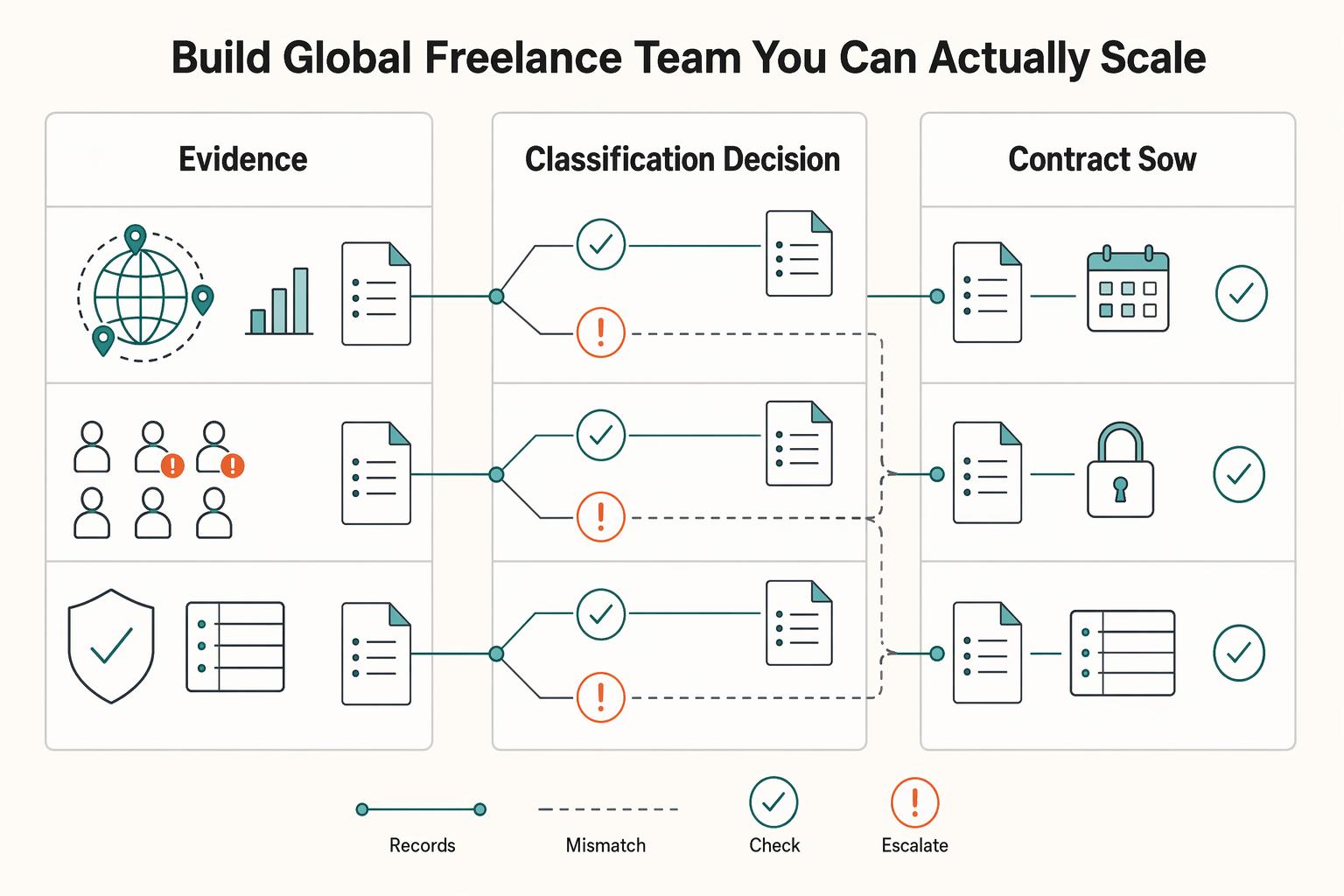
How to Manage a Global Freelance Team Without Compliance Gaps
If you want to manage a global freelance team without constant cleanup, use the same intake-to-payout process for every engagement and save an artifact at each gate. Common failure points are instinct-based classification, vague scope, and payments approved in chat with no audit trail.
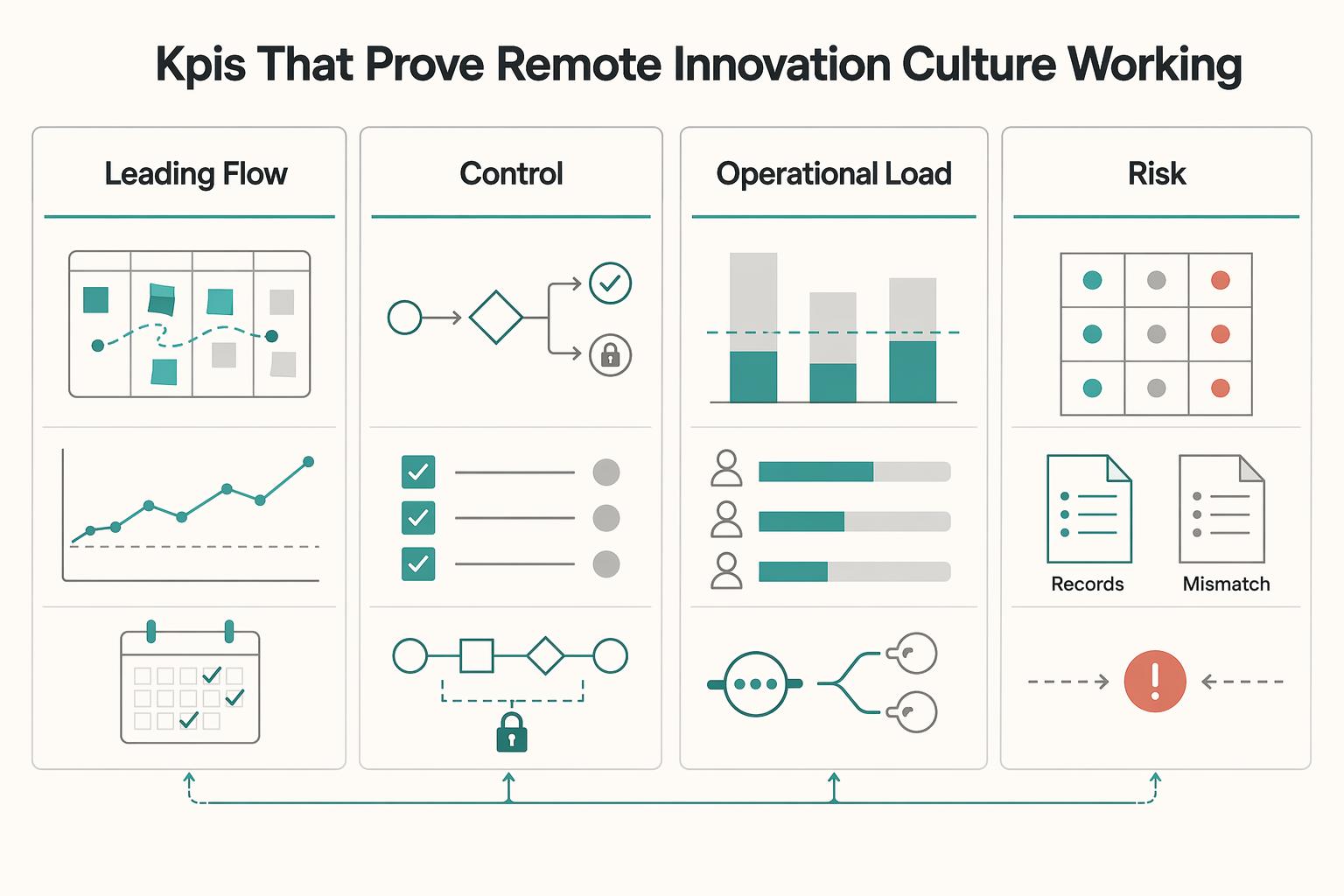
How to Build a Culture of Innovation in a Remote Agency
**Run your remote agency innovation culture through a one-week system with named owners, fixed Innovation Hours and Innovation Sprints, and simple controls that protect delivery quality and client trust.** Start here before you tune metrics or tooling. Execution discipline comes first, because remote culture alone does not create better ideas.
How Solo Professionals Create an Async-First Client Communication System
For a solo professional, async is not just a style preference. It is an operating mode that protects focus by reducing constant interruption and pushing more work into clear written communication.