
Quick Answer
Choose OAuth first when using plaid for connecting bank accounts, then approve only the accounts and data types the feature truly needs. Verify you are redirected to your bank’s official site or app, and back out if the consent boundary is unclear. For setup-only needs, use manual verification instead of keeping a live feed. After linking, review permissions in Plaid Portal and revoke dormant apps so access stays aligned with current work.
What is Plaid? Your Business's Digital Handshake Explained#
When you use Plaid to connect a bank account, think of Plaid as connection infrastructure, not your bank. It moves permissioned data between your bank and an app.
A data aggregator is the middle layer that runs authorization steps for a third party seeking consumer-permissioned data access. In this model, open banking means you approve secure electronic sharing of your financial data from your institution to a third-party service.
The terms that matter#
Plaid Link is the part you see. It is the interface where you choose your institution, review requested access, and select which accounts to connect.
If your institution uses OAuth, you leave Link, authenticate on your bank's site or app, and then return to finish. In that flow, Plaid acts as the OAuth client on behalf of the app. OAuth is designed so you can grant access without sharing credentials directly with the app.
Tokenized access means API access is tied to tokens, for example an access_token, for a specific connected item instead of passing reusable bank credentials to the app. Plaid also states that it does not share your bank username and password with your apps.
Plaid vs your bank vs the app#
| Party | Role | Data handled | Responsibility |
|---|---|---|---|
| Plaid | Data-access infrastructure and aggregator | Permissioned data needed for the approved connection; connection tokens | Run Link and request access on the app's behalf in supported OAuth flows |
| Your bank or financial institution | Data provider | Your account records and authentication | Authenticate you and issue OAuth tokens to Plaid in supported flows |
| The app you connect | Authorized third party | Only the data scope you approve for its feature | Request scope, explain use, and deliver the service |
That is the trust boundary: your bank authenticates you, the app asks for scope, and Plaid handles the connection path between them.
What you actually approve#
The approval path is straightforward, but the key decisions are where you authenticate and what scope you allow:
- You start from the app.
- Plaid Link shows institution options and requested access.
- You authenticate with your bank, and in OAuth flows that happens on the bank's own site or app.
- You choose accounts and approve data types, for example transactions or account and routing numbers.
- The app gets the authorized access needed for that feature.
Before you approve, do two checks. Confirm the requested scope matches the feature, and in OAuth flows confirm you are authenticating on your bank's own site or app before returning to Link.
Plaid publishes broad coverage figures, but the context varies by page, including over 10,000 institutions in the US and Canada, more than 12,000 global banks and credit unions, and over 7,000 apps and services. Treat those numbers as directional, and verify your specific bank-app pair before you rely on a connection.
Use that framework when you decide whether to connect an app to your account data. If you want a deeper dive, read Value-Based Pricing: A Freelancer's Guide.
"Do I Give Plaid My Password?" Understanding the New Gold Standard of Security#
In an OAuth-based Plaid connection, you sign in with your bank and approve access there, so you do not hand your password to the app. In an OAuth flow, you can authorize sharing without giving credentials directly to the third party.
The key detail is the connection type. Plaid says that in some non-OAuth connections it can access and store credentials, while in other connection types it does not. So the practical question is not "Is this Plaid?" but "What flow is this bank connection using?"
What the secure flow actually looks like#
In the preferred path, an OAuth permission flow works like this:
- You start in the app.
- A redirect sends you to your bank to authenticate, then brings you back to Link to finish.
- You review a consent screen that names the app and shows what data will be shared.
- Access is granted through a revocable token, an API key for that connected item, not your reusable bank password.
Keep scope in mind as you review consent. Plaid says shared data can include identity fields such as name, address, phone, and email, and may include data from multiple accounts tied to one credential set.
Plaid also states that OAuth support is required for integrations connecting institutions in the US, EU, and UK. Treat that as your default expectation in those regions.
Your decision checklist at the moment of connection#
At the moment of approval, run three checks, then confirm in Plaid Portal what data types were actually shared:
- Verify the redirect: confirm you are on your bank's official domain or in its real app before entering credentials.
- Review data scope: confirm the app name and requested data match the feature you want.
- Confirm revocation path: make sure you know where to manage or remove access later, including Plaid Portal controls.
When to back out#
Back out when the control boundary is unclear. If you are asked for bank credentials without a bank redirect, cannot verify the bank domain, or do not get a clear consent screen, treat it as a possible non-OAuth credential-sharing path.
Pause and ask the app which connection type it uses for your specific institution and whether OAuth is available. If it is not, decide explicitly whether the feature is worth the weaker control model.
| Question | OAuth permission flow | Credential-sharing flow |
|---|---|---|
| Who sees your credentials? | You enter them with your bank during redirect; the app does not receive them directly | Plaid may access or store credentials; the app still does not get them from Plaid |
| What can be revoked? | API access tied to the connected item can be revoked | You can remove the connection, but the model relied on stored credentials |
| How much control do you have? | Higher control through bank authentication, explicit consent, and visible scope | Lower control when login and permission boundaries are less visible |
For bank connections, keep the rule simple: prefer OAuth, verify the bank redirect, and only approve scope you can explain in one sentence. Once you can spot the safer path, the next step is choosing the lowest-access method that still gets the job done. Related: Mercury vs. RelayFi: Which is the Best US Bank Account for a Non-Resident LLC?.
The Hierarchy of Connection: A Strategic Framework for Sharing Your Data#
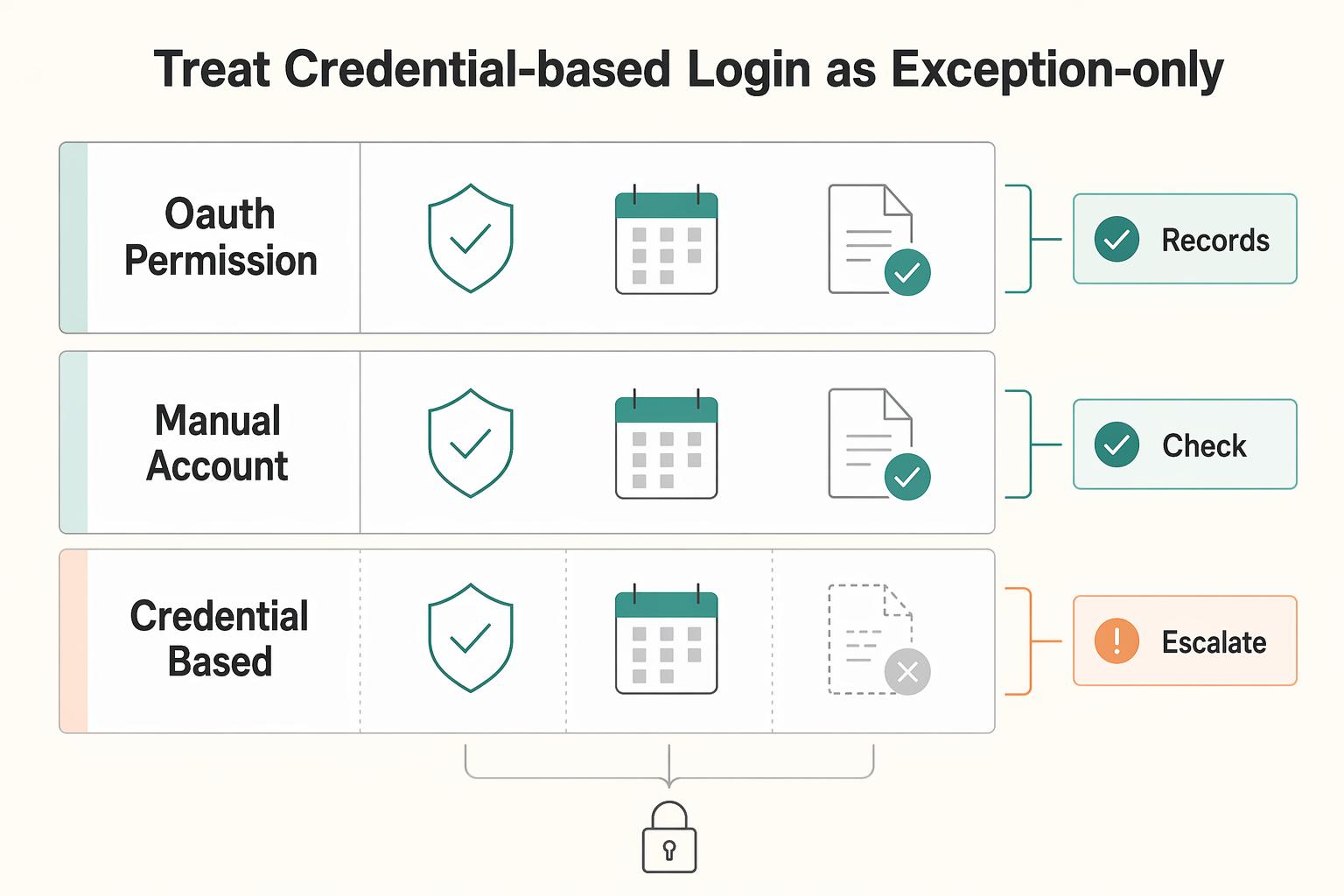
Choose the lowest-access connection that still supports your use case. Use OAuth when you need ongoing sync from a trusted app. Use manual verification when you only need account setup and not continuous access. Treat credential-based login as exception-only.
Choose OAuth when you need ongoing data sync#
Choose an OAuth permission flow when the app truly needs a live, recurring connection. You are redirected to your bank's site or app to authenticate and authorize sharing. Then you return to Link, and the app gets ongoing access to the data you approve.
Use OAuth by default when all four are true: you trust the app, you need recurring updates, the account sensitivity is acceptable for ongoing sharing, and you want a clear revocation path. In the US, EU, and UK, OAuth support is required for Plaid integrations. That should be your baseline expectation there.
Treat later permission prompts as new decisions. Plaid Update mode can request additional permissions after the initial connection, so re-check whether the new scope is necessary before approving.
Choose manual verification when setup is the goal, not continuous access#
Manual verification is the better choice when you need narrower access and do not need live sync. In Plaid Database Auth, you enter routing and account numbers manually instead of online-banking credentials.
| Manual path | Details in article |
|---|---|
| Database Auth | Enter routing and account numbers manually instead of online-banking credentials. It is not a live connection, cannot provide real-time balances, does not verify that the user controls the account, and does not fully guarantee account existence. |
| Instant Micro-deposits | Plaid documents it as a manual fallback option when Instant Auth is unavailable or when the user chooses manual flow. |
| Same-Day Micro-deposits | The user verifies a code from the transaction description after deposit posting. Timing is described as within one business day in one place and as one to two business days in flow documentation. Verification is currently US-only, and Same-Day manual micro-deposit Items are limited to Auth or Transfer. |
This usually fits better when trust is limited, the account is sensitive, or the task is one-time, for example transfer setup. The tradeoff is clear: Database Auth is not a live connection and cannot provide real-time balances.
Keep two limits in mind. Plaid says Database Auth does not verify that the user controls the account and does not fully guarantee account existence. Plaid also documents manual fallback options when Instant Auth is unavailable or when the user chooses manual flow: Database Auth, Instant Micro-deposits, and Same-Day Micro-deposits.
For Same-Day Micro-deposits, the user verifies a code from the transaction description after deposit posting. Plaid describes timing as within one business day in one place and as one to two business days in flow documentation. Plaid also states micro-deposit verification is currently US-only, and Same-Day manual micro-deposit Items are limited to Auth or Transfer.
Treat credential-based login as exception-only#
Treat a credential-based flow as the last resort. This is the traditional non-OAuth Link experience where institution credentials are entered in Link, and Plaid still documents credential-based login coverage across many institutions.
Your decision criteria should be strict: high trust in the app, a real need for ongoing access, and no workable manual or OAuth path for that institution. If any one of those is missing, do not proceed.
For exit control, use Plaid Portal to review shared data types and disconnect apps. Disconnecting blocks future access through Plaid, but it may not remove data the app already collected. Deletion from the app may require contacting the app directly.
| Connection type | What access it grants | Control | Revocability | Recommended default |
|---|---|---|---|---|
| OAuth permission flow | Ongoing access to approved account data through bank-authorized consent | Higher control at setup through bank authentication and explicit consent | Strong for future access through disconnect, but prior app-held data may remain | Default for trusted apps that need recurring balances or transactions |
| Manual account verification | Account and routing-based verification for setup; no live Database Auth sync | High control with narrower shared access | Strong for future access; no ongoing live feed to maintain | Use when setup matters more than ongoing sync |
| Credential-based Link flow | Ongoing access tied to credentials entered in Link | Lower control than an OAuth approval flow | You can disconnect future access; prior app-held data may remain | Exception-only path |
If only credential-based login is offered, first ask whether OAuth or manual options are available for your institution. If unavailable, make an explicit tradeoff decision before proceeding. For a step-by-step walkthrough, see The Best Business Bank Accounts for Freelancers.
The Compliance Lens: How Plaid Impacts Your FBAR and Tax Reporting#
Use Plaid as a compliance support tool, not a filing tool. It can support monitoring and recordkeeping, but legal filing responsibility stays with you or your preparer.
FBAR means FinCEN Report 114, used to report financial interest in or signature authority over a foreign financial account. Tax recordkeeping, here, means keeping statements that support how you determined each account's annual maximum value. Audit trail means documenting any non-Treasury exchange rate you used and the source of that rate.
Know the filing boundary before you trust the dashboard#
Start with the filing boundary, then decide what the dashboard can and cannot tell you. Confirm current FinCEN instructions for your filing year before you rely on any app view. In FinCEN guidance, a U.S. person with financial interest in or signature authority over foreign financial accounts must file when aggregate value exceeds $10,000 at any point in the calendar year.
| FBAR item | Details in article |
|---|---|
| Tool role | Plaid can support monitoring and recordkeeping, but legal filing responsibility stays with you or your preparer. |
| Filing trigger | A U.S. person with financial interest in or signature authority over foreign financial accounts must file when aggregate value exceeds $10,000 at any point in the calendar year. |
| Filing system | FBAR is filed electronically through the BSA E-Filing System, and individuals can use the no-registration option. |
| Due dates | The general due date is April 15, with an automatic extension to October 15. When the federal tax due date falls on a weekend or legal holiday, it shifts to the next business day. |
FBAR is filed electronically through the BSA E-Filing System, and individuals can use the no-registration option. The general due date is April 15, with an automatic extension to October 15. When the federal tax due date falls on a weekend or legal holiday, it shifts to the next business day.
Turn account feeds into a monitoring routine#
Connected feeds help only if you review them on a schedule. A simple routine can surface missing periods, duplicates, stale balances, disconnected feeds, and closed accounts that still appear in your records:
- Consolidate account feeds into one ledger or accounting view so you can monitor aggregate exposure across institutions.
- Normalize labels and currencies so account names, categories, and native-currency values stay consistent alongside USD conversions.
- Review exceptions such as missing periods, duplicates, stale balances, disconnected feeds, and closed accounts still listed, then resolve conflicts against official statements.
- Keep an exportable evidence pack with periodic statements, a maximum-value worksheet, and exchange-rate support when needed.
FinCEN's standard is a reasonable approximation of the greatest value during the year, so do not rely on a single year-end snapshot alone.
The digital shoebox, made concrete#
| Task | Manual process | Connected ledger |
|---|---|---|
| Effort | Download and rename statements, then re-enter data manually | Data can flow into one view; you still review and classify |
| Error risk | Can carry higher risk of omissions, duplicates, and conversion mistakes | Can reduce re-entry risk, but still vulnerable to sync gaps and categorization errors if not reviewed |
| Filing readiness | Evidence is fragmented across files and threads | Evidence is easier to package for your preparer, including statements, mappings, and the max-value worksheet |
That is the operational benefit: a potentially faster path from raw account activity to a reviewable filing record. But a useful record is not just complete. It also needs to be traceable.
Build a verifiable financial history#
Retain records that directly support the form: periodic statements for each foreign account, plus worksheets used to determine maximum values. If you use a non-Treasury exchange rate, keep the source so the conversion is verifiable.
Set a reconciliation cadence that matches account activity and complete a full tie-out before filing. Each account should map to official statements, each maximum-value figure should be worksheet-supported, and each USD amount should be traceable to the rate used.
Escalate to a qualified tax professional when treatment is unclear, including uncertainty about account scope or whether you can determine aggregate maximum value. FinCEN provides one specific fallback: if you have fewer than 25 accounts and cannot determine whether aggregate maximum value exceeded $10,000, you can check item 15a ("amount unknown").
For form mechanics, record values in U.S. dollars and round up to the next whole dollar, for example $15,265.25 -> $15,266. If a calculation produces a negative value, enter 0 in item 15.
You might also find this useful: The Modern Financial Architecture: Augmenting Your Offshore Company with FinTech.
How to Perform a Quarterly Data Access Audit#
A data access audit is a recurring review of each connected app's access, permission scope, and current business need. You are checking one connection at a time to decide whether access should stay as-is, be narrowed, or be removed.
Start in Plaid Portal. Use it as your first control point to review many Plaid-based connections. There you can see what data types each app can access and when each data type was last accessed. If access is stale and the app is no longer part of your workflow, treat that as a decision trigger, not a detail to ignore.
Decide connection by connection#
Make a keep, reduce, or revoke decision for every connected app, not in the abstract. Use this three-way rule on each one:
- Keep: You actively use the app, the requested data matches the app's purpose, and no lower-access option fits.
- Reduce scope: The app only needs certain accounts or narrower access; use account-level selection where available.
- Revoke: The app is dormant, access is broader than needed, or a lower-access method can replace it.
Apply a higher bar to sensitive access. Transaction history, balances, and account details, including account and routing numbers, should only stay connected when the use case clearly requires them.
| App purpose | Data requested | Reason needed | Risk if left connected | Action this cycle |
|---|---|---|---|---|
| Accounting tool | Transactions, balances | Bookkeeping and reconciliation | Continued read access to full account history | Keep or reduce to needed accounts |
| Cash flow app | Balances, transactions | Forecasting | Dormant app still receives new activity data | Revoke if dormant |
| Payment app | Account and routing numbers, balances | Bank-linked transfers | App may retain stored payment data | Check app settings, then keep or revoke |
Know the control boundary#
Plaid Portal is a strong control point, but it is not a complete inventory in all cases. Some connections, including some manual microdeposit connections, may not appear there. You may need to review controls in both the connected app and your bank's online settings.
Also separate stopping future access from removing past data. Disconnecting in Portal stops additional data access via Plaid going forward, but it may not remove data the app already stored. Deleting an account in Portal also does not remove third-party payment authorizations already in place.
Close each quarterly audit with a simple log: app name, keep, reduce, or revoke decision, what you checked, owner, and follow-up date. If a connection is broken, document it and contact the app directly, since Portal is not a troubleshooting tool. Carry unresolved items into the next quarter until they are closed.
We covered this in detail in Choosing Plaid Alternatives for Open Banking. Turn your quarterly review into a repeatable habit, and if it fits your workflow, pair it with the FBAR calculator.
Conclusion: Approve, Review, and Prune Every Data Connection#
Approval is your responsibility, not the app's. For every new connection, make one operating decision using three checks: does the method fit the risk, is the requested scope the minimum necessary, and does this integration improve operations without creating unmanaged exposure.
Keep this execution standard:
- Continue: apply those three controls every time.
- Stop: approving connections just because onboarding is fast.
- Review before approval: method fit, data scope, and clear operational benefit.
Connection choice means selecting the authorization method that matches trust and purpose. Prefer OAuth redirect authentication when available. You authenticate at the financial institution's interface and can authorize access without sharing credentials directly with the third-party app. At institutions where Plaid requires OAuth support, including all financial institutions in Europe and many large U.S. banks, that should be your baseline expectation. If consent screens do not clearly show which accounts will be shared, or the app cannot explain why it needs balances, transactions, or ongoing access, pause.
Access governance means reviewing and pruning permissions after setup. Use Plaid Portal at my.plaid.com as your first control point, and verify the linked account details shown there before keeping or revoking access. A connection can stay technically active long after it stops being justified.
Compliance awareness means treating data access and legal duty as separate. A bank-data feed can help with monitoring, but it does not change filing obligations. If your reportable foreign financial accounts exceed $10,000 in aggregate at any point in the year, file FBAR on FinCEN Form 114 by April 15, whether or not the accounts produced taxable income. Keep account records and support files for 5 years under [31 CFR 1010.420](https://www.ecfr.gov/current/title-31/subtitle-B/chapter-X/part-1010/subpart-D/section-1010.420).
To put that into practice, use this close-out checklist:
- New app intake check: confirm the connection method, review the consent screen, and approve only the minimum data scope tied to a real use case.
- Periodic access review: check Plaid Portal on a set schedule and remove connections you no longer need.
- Compliance record hygiene: keep account lists, balance snapshots, and filing support organized so you are not rebuilding evidence at tax time.
This pairs well with our guide on The Best Bank Accounts for College Students.
Frequently Asked Questions
Is it okay to enter my bank login during setup?
It depends on the connection flow the app is using. Plaid Link is the client-side widget used to connect accounts; if the setup path is unclear, pause and contact the app directly for guidance.
What data does Plaid actually use once I connect?
For transfer workflows, Link is used to obtain and verify account and routing numbers needed to initiate a transfer. In plain terms, token-based access means Link returns a public_token at completion, and the app exchanges it for an access_token after onSuccess. The app must also store the target account_id for later transfer authorization.
How do I review or turn off existing connections?
Use Plaid Portal as your first control point. In plain terms, the Plaid Portal is where you review current connections and manage Plaid’s access to your financial data. When checking linked accounts, verify using the account mask, typically the last 2-4 digits, instead of full account numbers.
What should I do if a connection fails or goes stale?
Start with institution status in Plaid Dashboard to check support, downtime, and connectivity before retrying. If the issue appears inside a specific Plaid-powered app, contact that app directly. On the product side, use Dashboard logs and Item Debugger for request-level troubleshooting, and note that support tickets require Production access and team-level Support permission.
Does connecting a foreign bank through Plaid change my tax or reporting duties?
Tax and reporting duties depend on your situation and current rules. If foreign account reporting may apply, verify the current thresholds and requirements with your tax adviser when needed.
Try a related tool
Researched and edited by the Gruv editorial team. Gruv builds cross-border billing, payouts, and finance-operations software for global businesses.
Sources
- bsaefiling.fincen.gov/resources/FinCENFBARHelp.pdftrusted
- bsaefiling.fincen.gov/docs/XMLUserGuide_FinCENFBAR.pdftrusted
- cisa.gov/resources-tools/training/manage-application-...trusted
- consumerfinance.gov/rules-policy/regulations/1033/431trusted
- ecfr.gov/current/title-31/subtitle-B/chapter-X/part-1...trusted
- fincen.gov/reporting-maximum-account-valuetrusted
- fincen.gov/report-foreign-bank-and-financial-accountstrusted
- irs.gov/businesses/small-businesses-self-employed/re...trusted
Educational content only. Not legal, tax, or financial advice.
Related Posts

Value-Based Pricing for Freelancers Under Real Payment Risk
Value-based pricing works when you and the client can name the business result before kickoff and agree on how progress will be judged. If that link is weak, use a tighter model first. This is not about defending one pricing philosophy over another. It is about avoiding surprises by keeping pricing, scope, delivery, and payment aligned from day one.

Mercury vs RelayFi for Non-Resident LLC Banking
Pick the setup that keeps money moving under pressure, then worry about nicer features.
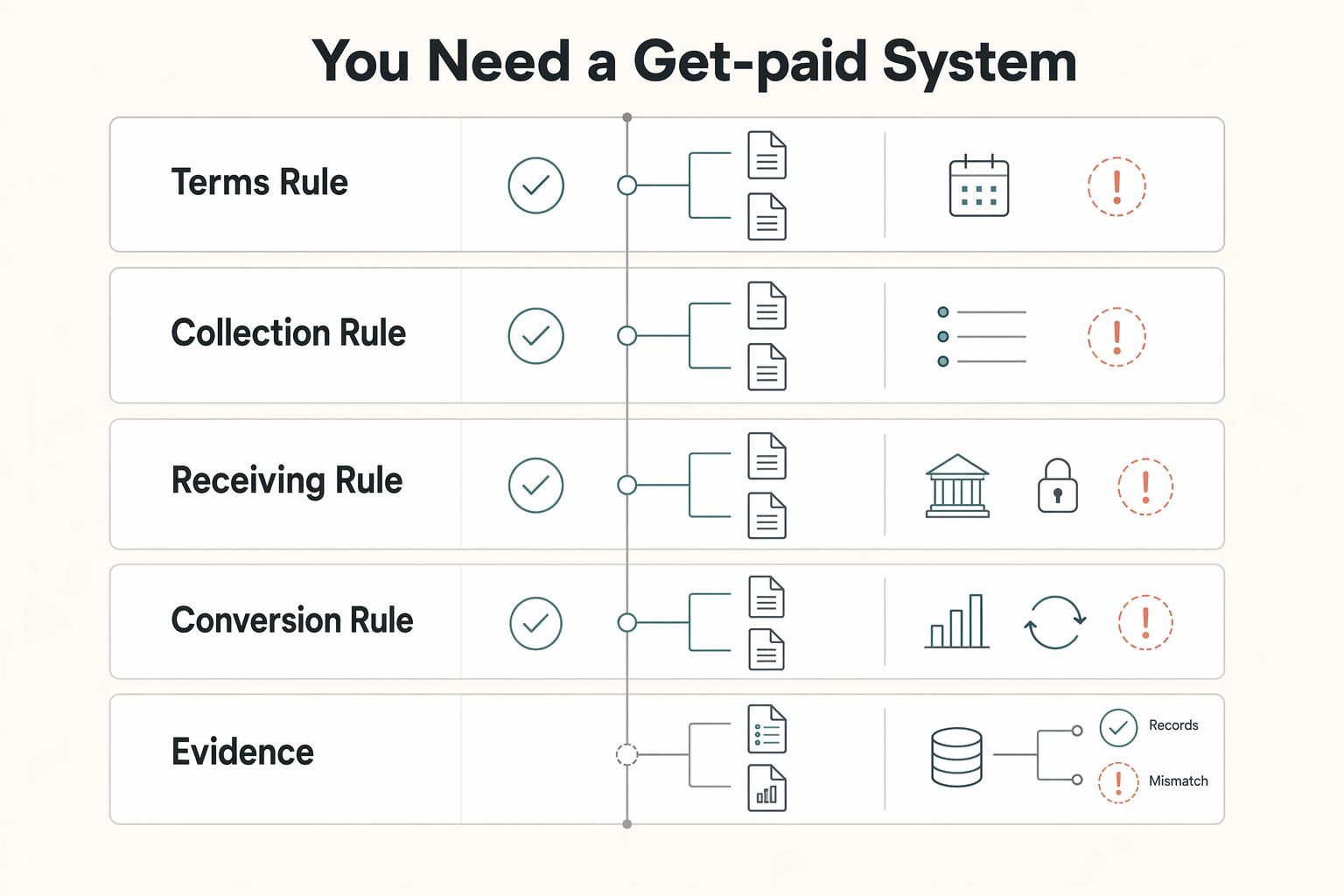
Build a Get-Paid Financial Architecture for Offshore Companies
If cashflow is unpredictable, one common issue is payment setup, not just a missing tool. Late payments, surprise holds, avoidable fees, and weak terms can pile up fast and force reactive decisions.