
Quick Answer
Use Notion databases for freelance project management by linking six core databases: Clients, Projects, Tasks, Proposals & Contracts, Scope & Deliverables, and Invoices. This three-stage setup keeps onboarding, execution, and billing connected so you can verify scope, track status, log client decisions, and trigger invoices from approved work instead of memory.
What the Three Stages Do and Why Linked Records Matter#
If your client work is spread across docs, inbox threads, task lists, and billing notes, you are not really managing delivery. You are reconstructing context every time a question comes up. A linked Notion setup will not fix every delivery problem, but it can give you one place to verify scope, status, and key project details before a handoff gets messy or a client update gets vague.
For project management in Notion, the real advantage is connection. When records, research, decisions, and outcomes live in one system, context is less likely to disappear between planning and execution. That matters most when a client asks, "Was this approved?" or "Where does this stand?" and you need an answer tied to the project record, not your memory.
| Risk area | Disconnected stack | Integrated Notion workflow |
|---|---|---|
| Scope control | Decisions sit in scattered places, so approved deliverables are harder to verify | Deliverables, notes, and project records stay linked, so scope checks are easier |
| Status visibility | You piece together progress from multiple tools | Tasks, timelines, and resources can be viewed from the same project record |
| Planning continuity | Research and decisions get split across tools between cycles | Scoring, research, and outcomes stay in one system, so context is easier to carry forward |
The framework is simple:
- Stage 1 creates the onboarding record so scope, approvals, and key project details are captured before work starts.
- Stage 2 gives you a live execution view, with tasks and phase-based timelines tied back to the project.
- Stage 3 connects completed work to follow-through so next actions come from the same record.
Two working rules make the whole setup hold up when projects get busy. First, keep a checkpoint for each phase of the work. Second, resist complex nested pages that look impressive but are hard to scan. If the structure is slow to read, it will be slow to use. That structure gets set in Stage 1, so start there.
Related: A Guide to Notion for Freelance Business Management.
Stage 1: The Fortified Onboarding Zone (Eliminate Risk Before Day One)#
Stage 1 is complete only when the project is clearly execution-ready. If the client record, signed agreement, scope record, and project entry are not linked yet, pause kickoff until they are. This keeps onboarding consistent and reduces the manual backtracking that usually causes early confusion.
Use the same four-database backbone for every engagement: Clients, Proposals & Contracts, Scope & Deliverables, and Projects. Set one onboarding trigger you use every time, like a new intake form submission or a confirmed discovery call, then create or update all four records from that trigger.
Set up the client record first#
Start with Clients as the source of truth. Before kickoff, capture the minimum operational and billing details you need to run the project cleanly:
| Client record field | Note |
|---|---|
| legal client name | Capture before kickoff |
| primary contact name | Capture before kickoff |
| primary contact email | Capture before kickoff |
| billing contact or billing email | Capture before kickoff |
| billing address | Capture before kickoff |
| client country or jurisdiction | Capture before kickoff |
| tax, VAT, or registration ID | Capture when relevant to your invoicing workflow |
| requirement verification reminder | Record the source policy or official record you must verify before using this field |
Use that reminder field on purpose. Jurisdiction-specific checks vary, so verify current requirements before relying on assumptions in your template.
Make the agreement trail explicit#
In Proposals & Contracts, keep one status path you will actually maintain, for example: Draft, Sent, Under Review, Signed, Closed. Store the final proposal and signed agreement on that record, and link it to one Clients record so names and billing details stay in one place.
In practice, this is your dispute-control workflow: current status, signed files attached, and one source-of-truth client link. When questions come up later, you can verify what was agreed without rebuilding the history from inbox threads.
Define deliverables so approval is possible#
If a deliverable cannot be reviewed and accepted, it is too vague for reliable scope control. In Scope & Deliverables, define each item so approval or change is unambiguous.
| Vague scope statement | Acceptance-ready deliverable definition | Owner | Approval state | Change-request trigger |
|---|---|---|---|---|
| Website copy | Homepage copy, first draft, up to 500 words, submitted in Google Doc | You | Pending client review | Client requests extra pages or higher word count |
| Logo design | Three initial logo concepts delivered as PNG files | You | Approved / revision requested | Client requests additional concept rounds |
| Monthly reporting | One performance summary PDF for March data | You | Accepted | Client requests dashboard build or extra analysis |
When work falls outside an approved deliverable, route it through a standard change-order workflow tied to that Scope & Deliverables record. Log the request, scope impact, price impact, timeline impact, and approval status there instead of negotiating it across messages.
Stage 1 execution-ready checklist:
Clientsrecord is complete, including the verification reminder fieldProposals & Contractsstatus is current and signed files are attachedScope & Deliverablesentries have clear definitions, owner, and approval stateProjectslinks to the client, agreement, and scope records- kickoff starts only after all four records are linked
You might also find this useful: How to Create a Project Timeline in Notion.
Stage 2: Connect Tasks and Client Decisions to the Project Record#
Execution stays reliable when tasks and client decisions connect to the same project record. Keep one master Tasks database, link every task to a Project, and log each meaningful client decision where you can find it later. If any of those links break, your dashboard can look complete while hiding real risks.
This is where the setup either stays useful or turns into disconnected lists. Keep it simple: one master Tasks database, linked dashboard views, and a Client Comms Log tied to the same project records.
Standardize the task record#
Do not allow half-complete tasks into Tasks. There is no single required field set here, so define your own minimum and enforce it. A practical starting point is task name, related Project, status, owner, due date, priority, and a flag for blocked work or waiting on client input.
| Task field | Guidance |
|---|---|
| task name | Include in your minimum required field set |
related Project | Link each task to one Projects record |
| status | Keep status ownership explicit |
| owner | Fix blank owners before execution starts |
| due date | Use Rollups on the project side to surface upcoming due dates |
| priority | Use in views sorted by priority and nearest due date |
| blocked / waiting on client input flag | Flag blocked work or waiting on client input |
The Projects relation is the key control. Link each task to one Projects record, then use Rollups on the project side to surface open work, upcoming due dates, and unresolved blockers. That Relation + Rollup combination is what makes the dashboard trustworthy instead of cosmetic.
Status ownership should be explicit. If something is Blocked, someone owns unblocking it. If it is Awaiting Client Input, someone owns follow-up. Before execution starts, scan for unlinked tasks and blank owners, then fix those first.
Use one recurring review rhythm, but verify the exact cadence against your workspace process before relying on it in the dashboard.
Build views that support decisions#
Each linked view should answer one question and trigger one next action. Use a board for progress visibility, formulas for workflow handling, and a calendar view for deadline visibility.
| Dashboard view | Suggested setup | Question it answers | Action when risk appears |
|---|---|---|---|
| Priority today | Open items, sorted by priority and nearest due date | What should you do first today? | Reorder work and defer lower-value tasks |
| Due soon | Open items inside your defined near-term window, sorted by due date | What is most likely to slip next? | Confirm owner and dependencies, then flag risks early |
| Blocked items | Items marked Blocked, sorted by oldest update | What has stopped moving? | Assign the unblock step or escalate dependency |
| Awaiting client input | Items marked waiting on client, sorted by follow-up date | Where are you stalled on client action? | Send one clear follow-up and set a response deadline |
| Calendar deadlines | Calendar view of task due dates and milestones | Where are deadline clusters forming? | Rebalance workload before collisions cause delays |
Avoid overbuilding. A few maintained views are better than many stale views, and there is a learning curve before this setup feels natural.
Log client decisions while they are fresh#
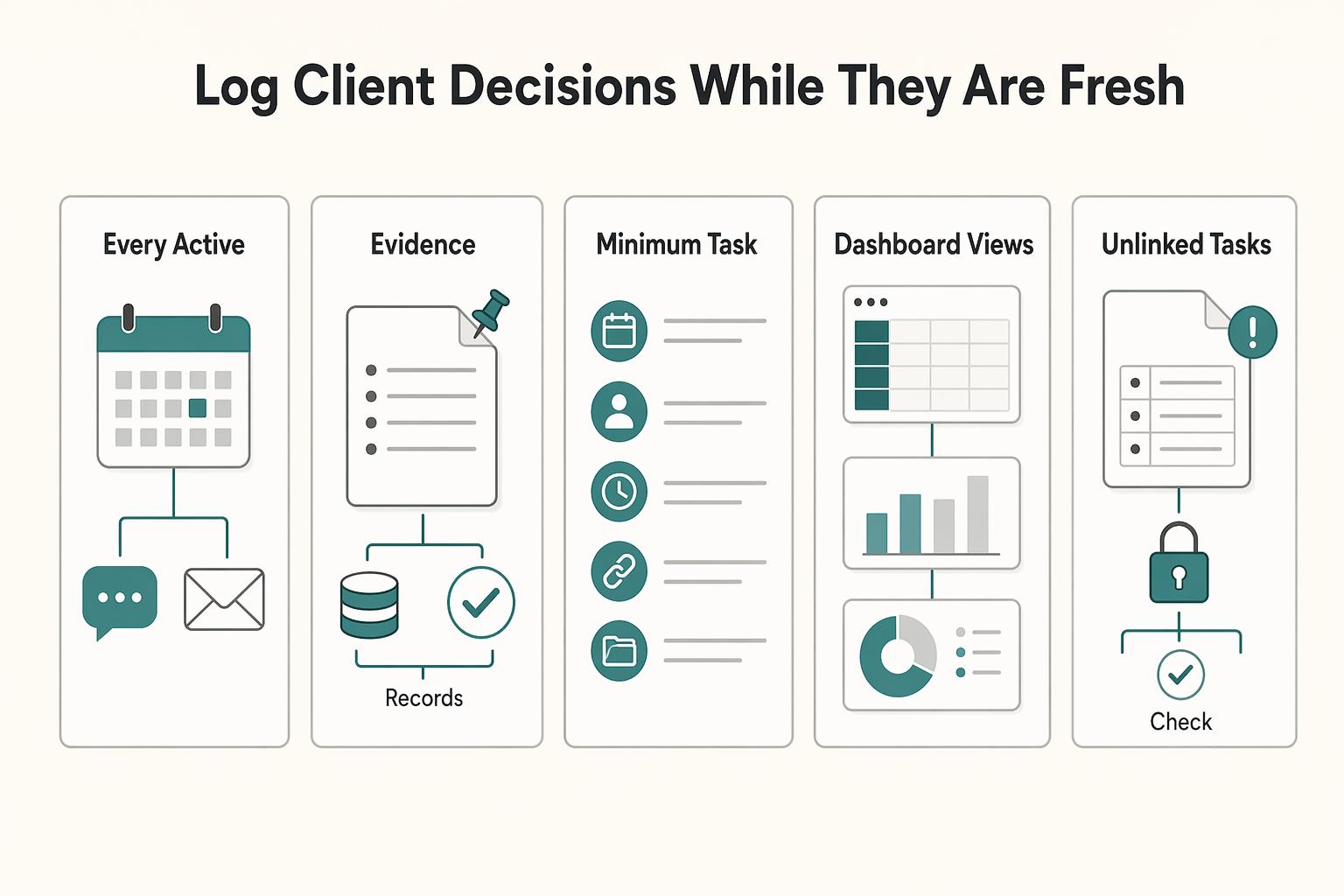
Treat your Client Comms Log as a required step. After each call, meeting, or important email thread, add one entry with date, decision, owner, deadline, and links to the related Task and Project.
This log is not a legal shield by itself, but it reduces ambiguity and improves your record when details are disputed later. If you use Notion AI to summarize notes, review the output before you rely on it, especially for complex requests.
Use this Stage 2 readiness checklist before moving to payment operations:
- every active task is in the master
Tasksdatabase - every task links to one
Projectsrecord - your minimum task fields are consistently filled
- dashboard views exist for priority, due soon, blocked work, awaiting client input, and calendar deadlines
- unlinked tasks and blank owners are checked before execution begins
Client Comms Logentries capture date, decision, owner, deadline, and linked task/project records
With execution and decision records tied to the project, billing can start from documented acceptance instead of memory. For a step-by-step walkthrough, see Notion vs. Trello for Freelance Project Management.
Stage 3: The Automated Payment Engine (Guarantee You Get Paid On Time)#
Late payment usually starts with a late invoice handoff. To reduce that risk, keep one Invoices database linked to Projects and Clients, and trigger billing from project approval, not memory.
This keeps billing visible in one place and cuts down admin drag. You avoid retyping client details, hunting for dates, and guessing what needs follow-up.
Build the invoice record for action, not storage#
Keep the core fields: Invoice #, Status, Amount, Sent Date, and Due Date. Keep Project and Client relations mandatory so each invoice stays tied to delivery and client context.
| Invoice field | Role |
|---|---|
Invoice # | Keep as a core field |
Status | Keep as a core field |
Amount | Keep as a core field |
Sent Date | Keep as a core field |
Due Date | Keep as a core field |
Project relation | Keep mandatory so each invoice stays tied to delivery context |
Client relation | Keep mandatory so each invoice stays tied to client context |
Payment Method | Add as an operational field |
Reminder Status | Add as an operational field |
Proof of Payment Link | Add as an operational field |
These fields help you act, but they do not send reminders or process payments for you. Notion databases can centralize many records with custom properties, so this structure works best when paired with a consistent weekly review habit.
Before you rely on formula outputs, confirm each input property type in Notion's formula setup. If a field like Due Date is mis-typed, the result can look correct while being wrong.
Use two date signals to prioritize follow-up#
Use two formula outputs so next actions are obvious:
Days to Duefor sent invoices that are not lateDays Overduefor unpaid invoices past due
Use a readable logic pattern in a Formula property:
- if
StatusisPaid, return a neutral value - if today is before
Due Date, return remaining days - if today is after
Due Date, return overdue days
Before using that formula, verify the exact Notion formula syntax against your workspace properties and Notion's current formula reference.
Keep billing logic simple. Overly complex structures can create confusion, and over-automation can reduce flexibility when a client needs a one-off arrangement.
| Criteria | Manual invoicing workflow | Linked Notion workflow |
|---|---|---|
| Visibility | Status is split across email, files, and memory | One Invoices view shows Draft, Sent, Paid, and overdue records |
| Follow-up consistency | Reminders depend on memory | Reminder Status, Due Date, and formula outputs surface next action |
| Dispute readiness | Evidence is gathered after the issue starts | Relations to Projects, Clients, and your comms records keep a cleaner trail |
Make approval the billing trigger#
Use this fixed sequence so invoices do not wait on memory:
- deliverable approved
- invoice draft created
- invoice sent
- follow-up state updated
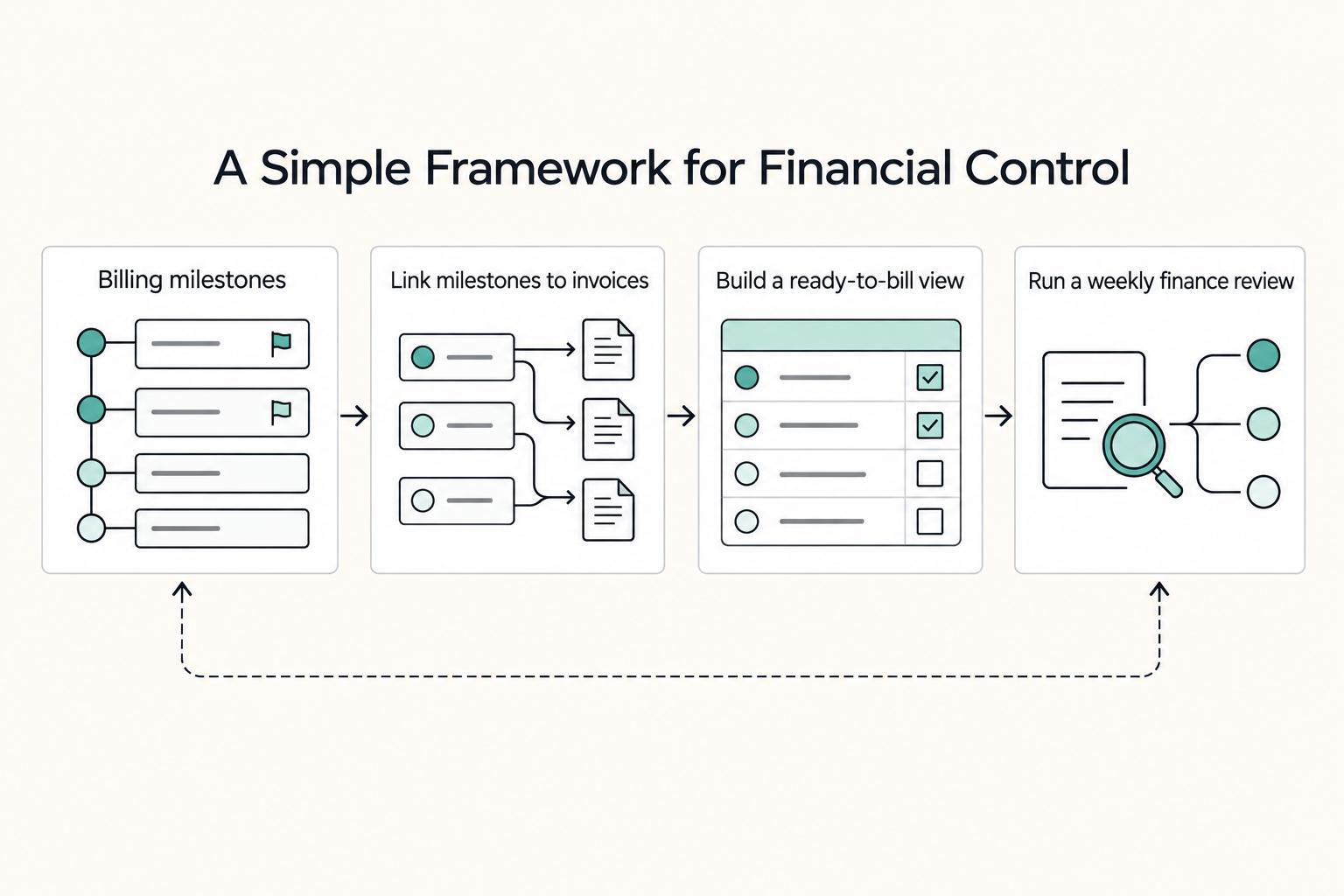
When an invoice is marked Paid, add payment date and Proof of Payment Link the same day. That keeps records clean for review and dispute handling.
Weekly payment-ops checklist:
- every active invoice links to one
Projectand oneClient - every
Sentinvoice hasSent DateandDue Date - every overdue invoice has a current
Reminder Status - every
Paidinvoice has payment date and proof link - no approved deliverable is missing an invoice draft
We covered this in detail in Using Airtable for Freelance Project Management That Stays Reliable.
Run Onboarding, Delivery, and Billing as One Connected System#
You get a more reliable workflow when you run onboarding, delivery, and billing as one connected system instead of separate notes, chats, and spreadsheets. The shift is practical: fewer dropped details, clearer status checks, and cleaner payment follow-up.
- Stage 1: The Fortified Onboarding Zone. You run client intake and agreed work in one record set. This helps prevent new requests from disappearing into email or chat before they are reviewed and scoped.
- Stage 2: The Command & Control Dashboard. You run active delivery from current project and task views, not memory. This helps prevent missed handoffs and last-minute surprises because status is visible in one place.
- Stage 3: The Automated Payment Engine. You run invoicing and follow-up from one tracker tied to the work. This helps prevent scattered collections activity across messages and spreadsheets.
| Behavior | Reactive workflow | System-led workflow |
|---|---|---|
| Handling new requests | Requests stay in inbox threads until they become urgent | Requests are logged, reviewed, and tracked before work shifts |
| Checking delivery health | You reconstruct status from memory and scattered updates | You read the current board/dashboard and decide from visible status |
| Following up on payment | You chase ad hoc through old messages | You review one invoice tracker and act on current status |
Your setup checkpoint for this week:
- Start with a template so you are not building from a blank page.
- Use the official Notion Marketplace and filter by category, price, and creator to narrow options quickly.
- Build only the core flow first: onboarding records, delivery tracking, and invoice follow-up in one workspace.
- Run one weekly review to move key updates from chat or email into your system of record.
If you want a deeper dive, read Value-Based Pricing: A Freelancer's Guide.
Frequently Asked Questions
How do you prevent scope creep with Notion?
Use Scope & Deliverables as the record of what was actually agreed, not just a planning list. Create one database item per promised deliverable, link it to its Project, and keep notes, approvals, or revision context on the item page. When a client asks for something new, add it as a new item instead of leaving it buried in chat or email.
What database structure should you start with?
Start with six connected databases: Clients, Projects, Tasks, Proposals & Contracts, Scope & Deliverables, and Invoices. Use Relation properties to connect them and keep properties practical, such as dates, status, links, and a few fields you review every week. Before building page layouts, make sure each Project can link to the right client, tasks, deliverables, and invoice trail.
How do you create a useful invoice tracker in Notion?
Keep one Invoices database linked to both Projects and Clients. Add the fields you need to act on, including Invoice #, Status, Amount, Sent Date, Due Date, Reminder Status, and Proof of Payment Link, then create separate filtered views for Draft, Sent, overdue, and Paid. If you use a formula, confirm the source fields are the correct property types before relying on the result.
Can Notion replace Asana for freelance work?
Yes, Notion can fit this three-stage approach if you want one connected place for Clients, Projects, Tasks, Proposals & Contracts, Scope & Deliverables, and Invoices. Relations, views, and templates help keep the full chain connected. If you choose Asana instead, decide upfront where contracts and billing will live and how they connect back to project work.
Try a related tool
Researched and edited by the Gruv editorial team. Gruv builds cross-border billing, payouts, and finance-operations software for global businesses.
Sources
Includes 5 external sources outside the trusted-domain allowlist.
- nasa.gov/wp-content/uploads/2024/09/ppc-handbook-1-5-...trusted
- ntrs.nasa.gov/api/citations/19860002426/downloads/19860002...trusted
- pmc.ncbi.nlm.nih.gov/articles/PMC12904471trusted
- bosspersonalplanner.com/blogs/articles/top-notion-templates-to-skyro...external
- notion.com/use-case/product-management/product-prioriti...external
- notion.com/templates/collections/top-10-paid-product-la...external
- notionsender.com/blog/post/notion-dashboard-templatesexternal
- recurrr.com/articles/project-management-tools-for-freela...external
Educational content only. Not legal, tax, or financial advice.
Related Posts

Value-Based Pricing for Freelancers Under Real Payment Risk
Value-based pricing works when you and the client can name the business result before kickoff and agree on how progress will be judged. If that link is weak, use a tighter model first. This is not about defending one pricing philosophy over another. It is about avoiding surprises by keeping pricing, scope, delivery, and payment aligned from day one.

A Guide to Notion for Freelance Business Management
If your workspace feels busy but fragile, you do not need more pages. You need one connected system. Treat your freelance business like a business-of-one and use Notion as the control layer that connects client decisions, delivery, and billing in one place.
How to Create a Project Timeline in Notion
**Step 1. Anchor everything in one master project database.** You do not need a rigid methodology to make a project timeline useful. You need one master project database with a Timeline view so key project details, tasks, costs, and progress live in the same place. This approach is intentionally light. One database, a few working views, and a record you can trust. It is not a heavy process, a pile of disconnected templates, or a setup that makes you manage work in three places.