
Quick Answer
Start by treating the para method for organization as a decision system, not a cleanup exercise. Place time-bound outcomes in Projects, ongoing accountability in Areas, useful background in Resources, and inactive records in Archives. Then stress-test it with real scenarios: pull a signed contract, confirm invoice status, and locate proof tied to a compliance tracker row. If any step is slow or unclear, simplify folder purpose and remove duplicates.
What is the PARA Method? (And Why Most Professionals Use It Wrong)#
The PARA method works best when you file by action, not by topic. When you are handling client delivery, invoicing, contracts, or compliance tasks, the useful question is not "what is this document?" but "what am I expected to do with it now?"
PARA gives you 4 top-level buckets. Projects are things you are actively working on right now. Areas are responsibilities you manage over time. Resources are reference topics that may be useful later. Archives hold anything completed or inactive. The point is actionability: your folders should make current work obvious across your files, cloud storage, and notes app.
| Bucket | What belongs here | What does not | Typical move trigger |
|---|---|---|---|
| Projects | Active client deliverables, contract redlines, invoice follow-up, a proposal due this week | General templates, old closed work, broad business topics | Move to Archives when completed or inactive |
| Areas | Ongoing responsibilities like compliance, bookkeeping, client operations, business development | One-off tasks with a clear finish line | Pull related material into a Project when active work starts |
| Resources | Contract clause examples, invoicing guides, research notes, vendor comparisons | Anything with a live deadline, owner, or follow-up | Move into Projects or Areas when it becomes relevant to current work |
| Archives | Signed old contracts, paid invoices, completed deliverables, inactive notes | Anything you still need to monitor or act on | Keep here unless it becomes active again |
A common mistake is treating active responsibilities like reference material. A compliance checklist, renewal notes, contract version history, or accounts receivable tracker can look like "just documents," so it gets buried in Resources. When active obligations are mixed with passive reading, important information is easier to lose and the work can feel more overwhelming.
A simple checkpoint helps: if a folder contains due dates, open questions, people waiting on you, or evidence you still need to collect, it is not a Resource. Put it where active work lives. If it is there only to inform future work, it belongs in Resources.
Quick filing rules you can use today#
| Signal | Bucket | Examples |
|---|---|---|
| Outcome with a deadline or finish line | Projects | Send final deliverables to Client A; Collect overdue invoice from Client B |
| Ongoing standard you must maintain | Areas | contracts; compliance; bookkeeping; client care |
| Useful later, no current commitment | Resources | proposal templates; research on pricing models; sample contract clauses |
| Inactive record | Archives | fully executed contracts; paid invoices; closed engagements |
- Outcome with a deadline or finish line: put it in Projects
Example: "Send final deliverables to Client A," "Collect overdue invoice from Client B."
- Ongoing standard you must maintain: put it in Areas
Example: contracts, compliance, bookkeeping, client care.
- Useful later, no current commitment: put it in Resources
Example: proposal templates, research on pricing models, sample contract clauses.
- Inactive record: put it in Archives
Example: fully executed contracts, paid invoices, closed engagements.
Do not over-optimize this. PARA does not need to be perfect to be useful. Your job is to give each item one current home, then move it when the action changes.
If you want a deeper dive, read The Best Note-Taking and Knowledge Management Apps for Freelancers.
Beyond Tidiness: Building Your 'Compliance Dashboard' with PARA#
Your compliance Area should run like an operating dashboard, not a document drawer. Put live obligations in one visible Global Compliance home so you can see current status, next check, and linked proof at a glance.
You are not just storing files. You are tracking what must be true, how you verified it, when you will verify again, and where the evidence lives. Keep jurisdiction-specific thresholds, deadlines, rules, and filing examples marked as unresolved until they are verified against current source records, adviser records, or approved operating records before use.
Set up the dashboard around trackers and evidence#
A reliable setup separates the tracker from the evidence behind it. In formal regimes, those are distinct artifacts, for example written program, maintained lists, and evidence records. You can use that same structure inside PARA without assuming any specific rule applies to your situation.
Use one dashboard note or sheet in Areas/Global Compliance, and link each row to its proof folder:
| Tracker | What you monitor | Update trigger | Where to file evidence |
|---|---|---|---|
| Tax calendar | Verified filing dates, payment confirmations, thresholds to confirm against current source or adviser records, advisor notes | New invoice batch, payment made, notice received, advisor update | Areas/Global Compliance/Tax/Tax Year Records/Receipts and Filings |
| Entity register | Incorporation details, official notices, filing windows to confirm against current source or adviser records, address/owner changes | New government email, address change, owner update | Areas/Global Compliance/Entity/Jurisdiction Records/Official Records |
| Residency log | Entry/exit records, permit expiry, registration requirements to confirm against current source or adviser records | Border crossing, permit renewal notice, address move | Areas/Global Compliance/Residency/Country Records/Travel and Status Proof |
| Contract register | Signed MSA/SOW, version status, renewal/notice dates to confirm against approved operating records, related legal docs | New client, amendment, signature, renewal reminder | Areas/Global Compliance/Legal/Client or Template Records/Signed Docs |
Guardrail: if a tracker row has no linked proof, such as a receipt, signed file, approval email, or portal confirmation, treat it as incomplete.
Legal, contract, and residency workflows that hold up#
For legal and contract records, use the same simple workflow each time:
| Step | Legal and contract records | Residency records |
|---|---|---|
| Intake | save original immediately and log counterparty, effective date, and next review date | capture core status documents, for example approvals, address records, registration receipts |
| Naming | use a sortable pattern like YYYY-MM-DD_Client_DocType_Status_v01 | use consistent labels such as YYYY-MM-DD_Country_DocType_Expiry-YYYY-MM-DD |
| Review cadence | keep an explicit cadence, for example weekly for active client docs and monthly for templates | set and follow one cadence based on your movement and status changes |
| Escalation trigger | status changes such as work starting before signature, redlines that change scope, renewal notice, or cross-border dispute risk | address, permit status, or travel pattern changes in a way that could affect obligations |
- Intake: save the original immediately and log counterparty, effective date, and next review date.
- Naming: use a sortable pattern like
YYYY-MM-DD_Client_DocType_Status_v01. - Review cadence: keep an explicit cadence, for example weekly for active client docs and monthly for templates.
- Escalation trigger: escalate when status changes, such as work starting before signature, redlines that change scope, renewal notice, or cross-border dispute risk.
In one cited foreign-judgment context, the procedural path referenced is indirect recognition under Section 11(b). The practical lesson for your dashboard is to store both the document pack and a short note on the exact procedural point you verified.
Apply the same workflow to residency records:
- Intake: capture core status documents, for example approvals, address records, and registration receipts.
- Naming: use consistent labels such as
YYYY-MM-DD_Country_DocType_Expiry-YYYY-MM-DD. - Review cadence: set and follow one cadence based on your movement and status changes.
- Escalation trigger: escalate when address, permit status, or travel pattern changes in a way that could affect obligations.
Misclassification guardrail: the standing responsibility stays in Areas/Global Compliance; anything with a clear finish line becomes a Project linked back to that Area.
You might also find this useful: How to Build a Second Brain for Your Freelance Business.
Managing Your Client Pipeline as Active Work in PARA#
Treat every live client engagement as a Project so you can run follow-up, handoffs, and delivery from one working record instead of scattered files. This is the shift from using PARA as storage to using it as a system for active work.
Carry over the same rule from compliance: each active item needs a clear home and current status. For pipeline work, a record is only reliable if you can quickly see past conversations, active work, revenue context, and next follow-up in one place.
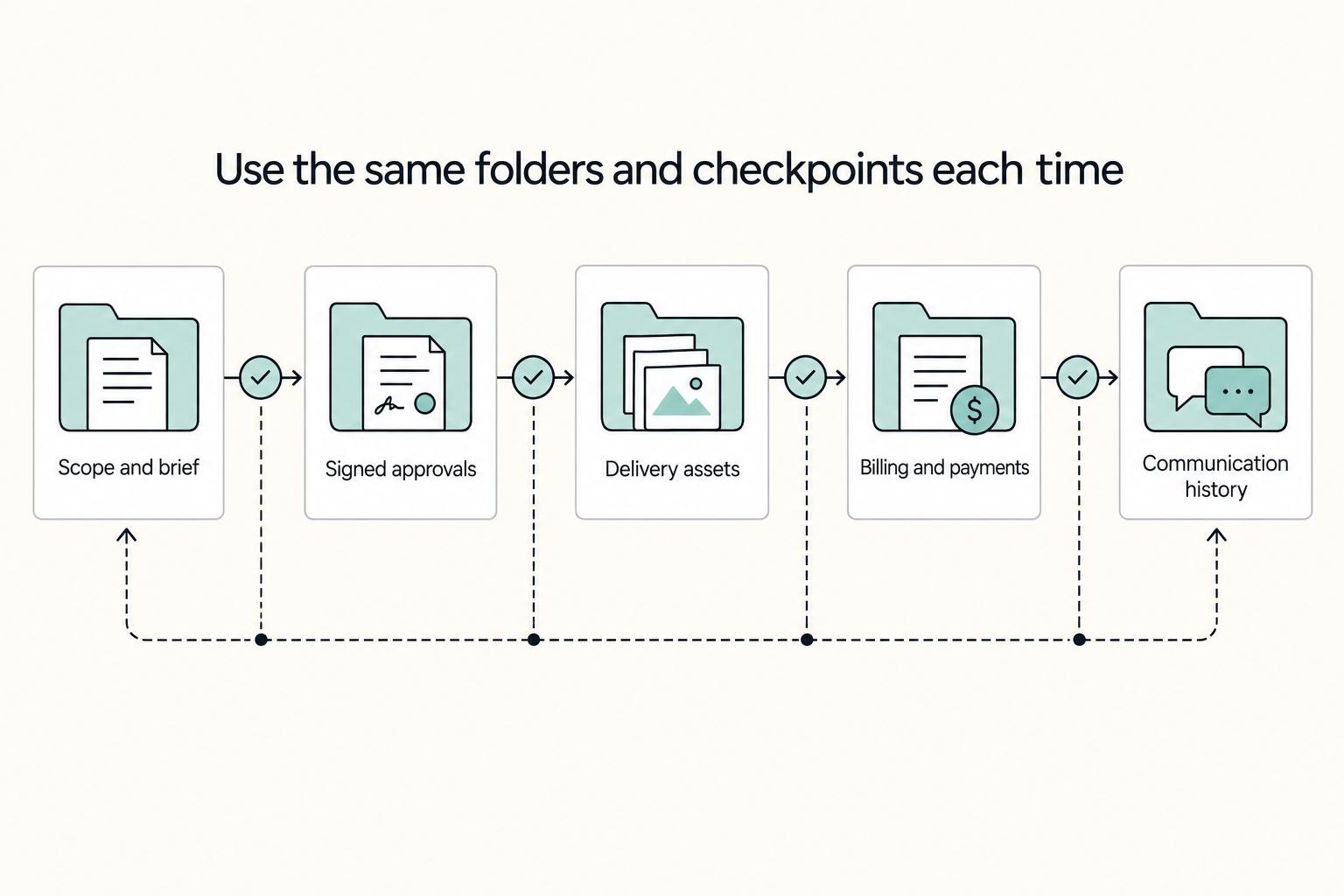
Create each engagement project with the same folders and checkpoints#
Create a Project when a prospect becomes an active opportunity, for example when tailored proposal work starts, or when work begins. Do not wait for kickoff if the opportunity already needs active coordination.
| Folder | Purpose | Store here |
|---|---|---|
01_Scope and Brief | scope and brief | discovery notes and agreed scope |
02_Approvals and Signed Docs | approvals and signed docs | signed proposal/contract/SOW and written approvals |
03_Delivery Assets | delivery assets | working and final outputs |
04_Billing and Payments | billing and payments | invoices and payment confirmations |
05_Communication History | communication history | meeting notes and key email summaries |
Use this folder blueprint for each engagement:
01_Scope and Brief02_Approvals and Signed Docs03_Delivery Assets04_Billing and Payments05_Communication History
Keep each folder purpose-specific. Put discovery notes and agreed scope in 01_Scope and Brief; signed proposal, contract, or SOW plus written approvals in 02_Approvals and Signed Docs; working and final outputs in 03_Delivery Assets; invoices and payment confirmations in 04_Billing and Payments; and meeting notes plus key email summaries in 05_Communication History.
For each active deal or client, track these four checkpoints in your communication record: past conversations, active work, revenue context, and next follow-up. If one is missing, handoff and follow-up risk goes up.
Map the funnel without mixing containers#
Use actionability as your rule. PARA has four containers, Projects, Areas, Resources, and Archives, and each should hold a different kind of pipeline information.
| Container | Use it for | Do not store | Promotion trigger |
|---|---|---|---|
Resources | Reusable sales support material, case studies, proposal examples, pricing notes, objection notes, target-industry research | Live prospect threads, current tailored proposal drafts, anything requiring active follow-up | A named prospect becomes active and you are preparing, sending, or revising a tailored proposal |
Projects | Time-bound opportunities and active engagements with a concrete outcome | Evergreen templates, broad networking notes, old closed work | Meeting booked, proposal requested, deal under review, or delivery started |
Business Development Area | Ongoing pipeline responsibility: outreach rhythm, relationship upkeep, review cadence | One-off delivery files or completed engagements | Always active (this is a standing responsibility, not a deal folder) |
Archives | Closed-lost deals, completed engagements, paid records, finished communications | Active tasks, pending approvals, current drafts | Work ends, deal closes, or prospect is inactive with no next follow-up planned |
A useful critique to keep in mind: organizing what you know is not the same as operating what you do, especially once you have many concurrent engagements, for example around 12 active clients. Keep a simple pipeline tracker in your Business Development Area with stage, owner, next follow-up, blocker, and linked Project so action stays visible.
Keep the pipeline clean every week#
Run this short weekly checklist:
- Review all active deals and client
Projects. - Move stale prospects out of
Projectswhen no real next action exists. - Archive completed work, paid billing records, and closed communication threads.
- Surface blockers early, especially missing approvals, unsigned scope, or unpaid invoices.
Used this way, each container has a clear job: Resources supports selling, Projects runs active revenue work, Business Development keeps pipeline operations visible, and Archives preserves record history without cluttering current execution. Related: How to Handle Sales Objections as a Freelancer.
Your Business-in-a-Box: A Practical PARA Template#
Use this as your starter template: set up the four buckets quickly, then let real work show you what needs refining.
| Bucket | Use this for | Example items | Move-out trigger |
|---|---|---|---|
Projects | Active work with a clear outcome | Client onboarding - client name, Website refresh, Proposal for named prospect, Q2 tax prep | The outcome is complete, cancelled, or no longer active |
Areas | Ongoing responsibilities you maintain continuously | Global Compliance, Business Development, Financial Health | It becomes one-off work or pure reference |
Resources | Useful reference you are not acting on right now | proposal examples, research notes, pricing reference, filing examples to confirm against current source records, adviser records, or approved operating records before use | It becomes active work or stops being useful |
Archives | Inactive records you may need later | closed projects, paid invoices, signed older contracts, prior-year records | It becomes active again and needs current review |
Apply one inclusion rule and one exclusion rule to each core Area:
Global Compliance: include current obligation tracking and supporting documents; exclude finished filings kept only for retention.Business Development: include active pipeline tracking, outreach notes, and relationship follow-up; exclude stale prospects with no next step and reusable templates.Financial Health: include current cash tracking, invoice status, and live budgeting notes; exclude paid, closed records that belong inArchives.
Set up your first version in four moves:
- Create the four top-level buckets (the preview references a quick-start setup that can take less than sixty seconds).
- Seed only essential folders under active
Projectsand your coreAreas. - Run one triage pass across recent files and notes.
- Set a reminder for a couple of weeks later, then adjust based on what was hard to retrieve or what felt heavy.
Your quality check is simple: can you find the latest contract, invoice status, and next action quickly? If not, simplify early. Structural choices made at the start tend to stick, and friction compounds over time.
For a step-by-step walkthrough, see How to Implement the 'PARA' Method in Notion.
Your System is Your Safety Net#
PARA is most useful when it helps you retrieve and defend records on demand, not when it just looks tidy. The practical test is simple: you should know where to look and why each item was saved.
Use each bucket as an operating rule. When a client asks which terms apply, pull the signed file from Archives, not an in-progress draft from Resources. When you need to confirm the status of an ongoing responsibility, check the relevant Area, including your compliance dashboard. When someone asks for proof of past work, use archived final deliverables or closed engagement records.
If this feels hard, your structure is probably carrying old clutter. A common failure mode is forcing a messy legacy setup into PARA without trimming what is no longer useful, which leaves duplicate files and unclear folder purpose.
| Approach | What you can verify quickly | Main risk | Best fit |
|---|---|---|---|
| Ad hoc file storage | Only what you remember | Wrong version or missing context | Early, low-volume work |
| Maintained PARA system | Current work, ongoing responsibilities, reusable material, and finished records | Requires regular review and archiving | Most solo businesses |
| Assisted automation | Same structure with less manual sorting | Weak categorization can go unnoticed without review | Higher-volume admin |
For day-to-day confidence, keep Projects current, keep ongoing responsibilities in Areas, keep reusable reference in Resources, and move completed work into Archives. That is what makes your system reliable when a decision, file, or result needs to be checked later.
We covered this in detail in How to Create a System for Naming and Organizing Your Digital Files.
Frequently Asked Questions
What are some good examples if you are using the para method for organization in a solo business?
A practical PARA-style setup is to separate active outcomes, ongoing responsibilities, reference material, and completed work. For example: Proposal for Redwood Studio, Client onboarding: Kim, or Refresh portfolio site as active work; Business Development or Financial Health as ongoing responsibilities; pricing notes, proposal examples, and research as reference; and finished engagements, paid invoices, and signed old contracts as archived history.
How do you use PARA for client management without turning it into a messy pseudo-CRM?
Keep active client pursuits and live engagements in your active-work bucket so each item still points to a current outcome. Keep ongoing relationship maintenance in an ongoing-responsibilities bucket, and store reusable case studies, call-question lists, and proposal templates as reference material. If a lead has gone cold and you are only keeping the record for history, archive it instead of treating it as active.
What if I cannot tell whether something belongs in Projects or Areas?
Use a lightweight heuristic, not a rigid rule: are you trying to finish something soon, or maintain it over time? If it has a near-term finish line, treat it as active work; if it is ongoing, treat it as a standing responsibility. A common failure mode is letting long-running responsibilities sit in active buckets forever, which makes it harder to see what needs action now.
Can PARA work with GTD?
Do not assume there is one specific PARA+GTD integration model; avoid treating any one split as canonical. A practical approach is to keep knowledge and support material in your PARA structure, and track next actions in your task system. This GTD guide gives one way to do that.
How often should I review and organize it?
Review often enough that the structure still matches your current work, but keep the pass light so you will actually maintain it. A quick maintenance check can be as simple as moving completed items to archived folders, renaming vague folders, filing loose notes and downloads, and confirming each active item still has a real outcome attached. Your checkpoint is retrieval speed: if you cannot find the latest version of a contract, proposal, or client note quickly in your file system, cloud drive, or notes app, the issue is usually not volume but fuzzy organization.
Try a related tool
Researched and edited by the Gruv editorial team. Gruv builds cross-border billing, payouts, and finance-operations software for global businesses.
Sources
Includes 3 external sources outside the trusted-domain allowlist.
- blogs.ischool.berkeley.edu/i290ma-f12/files/2012/08/EffectiveProjectMan...trusted
- osha.gov/laws-regs/regulations/standardnumber/1910/19...trusted
- pmc.ncbi.nlm.nih.gov/articles/PMC11617406trusted
- pmc.ncbi.nlm.nih.gov/articles/PMC11550666trusted
- buildingasecondbrain.com/paraexternal
- fortelabs.com/blog/paraexternal
- fortelabs.com/blog/team-knowledge-management-how-to-use-pa...external
Educational content only. Not legal, tax, or financial advice.
Related Posts
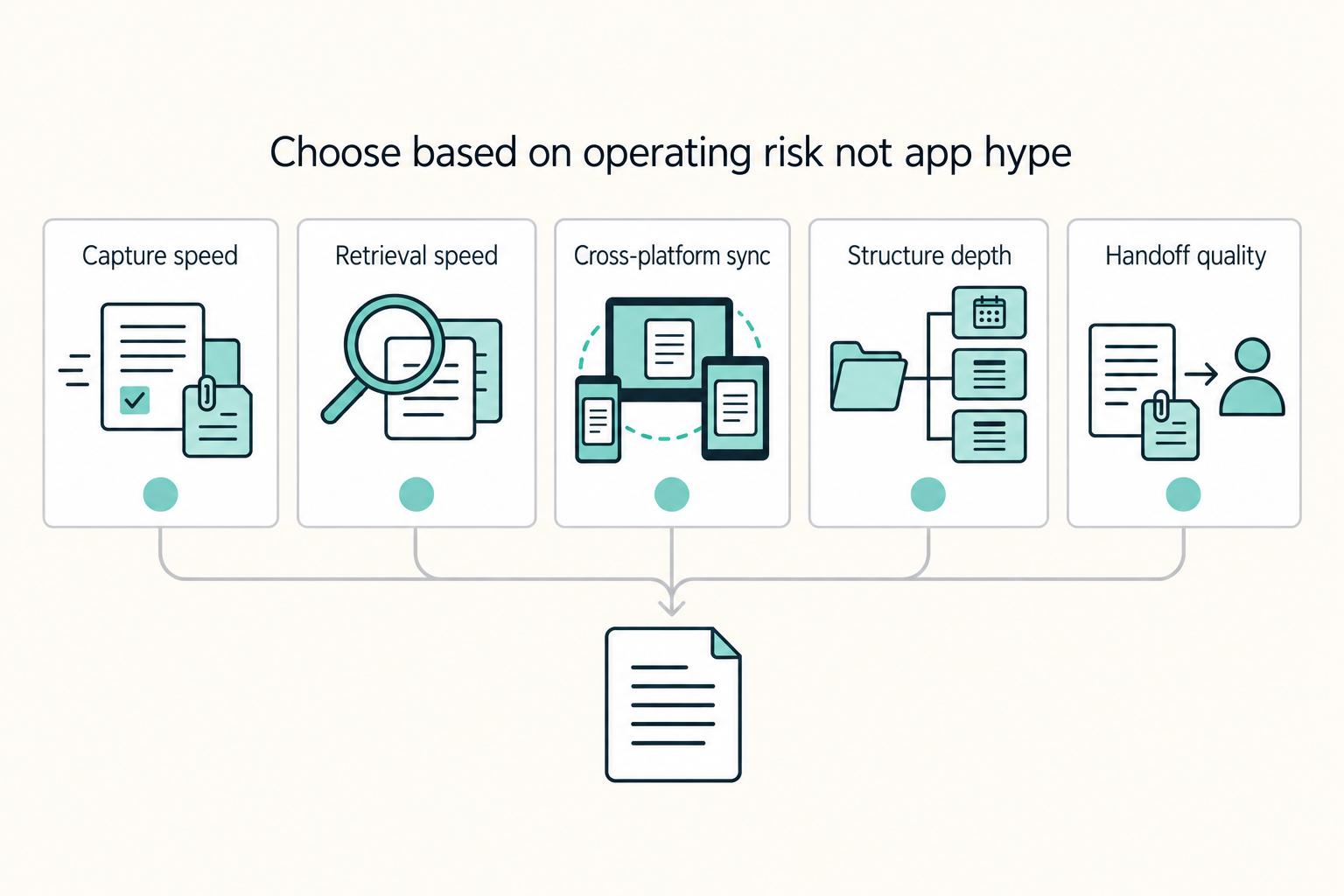
The Best Note-Taking and Knowledge Management Apps for Freelancers
Make this decision in one sitting, then move on. One primary note app, used as the default place for client decisions, follow-ups, and reference notes, does more to cut missed details, messy handoffs, and tool churn than another week of comparing screenshots ever will.

The Best Productivity Systems for Freelancers: GTD, PARA, and Second Brain
**Treat productivity as a system you can run under load, not a vibe you summon on demand.** Client work is messy by default: requests scattered across Gmail and Slack, scope shifting midstream, and the annoying truth that "done" does not always mean "paid."
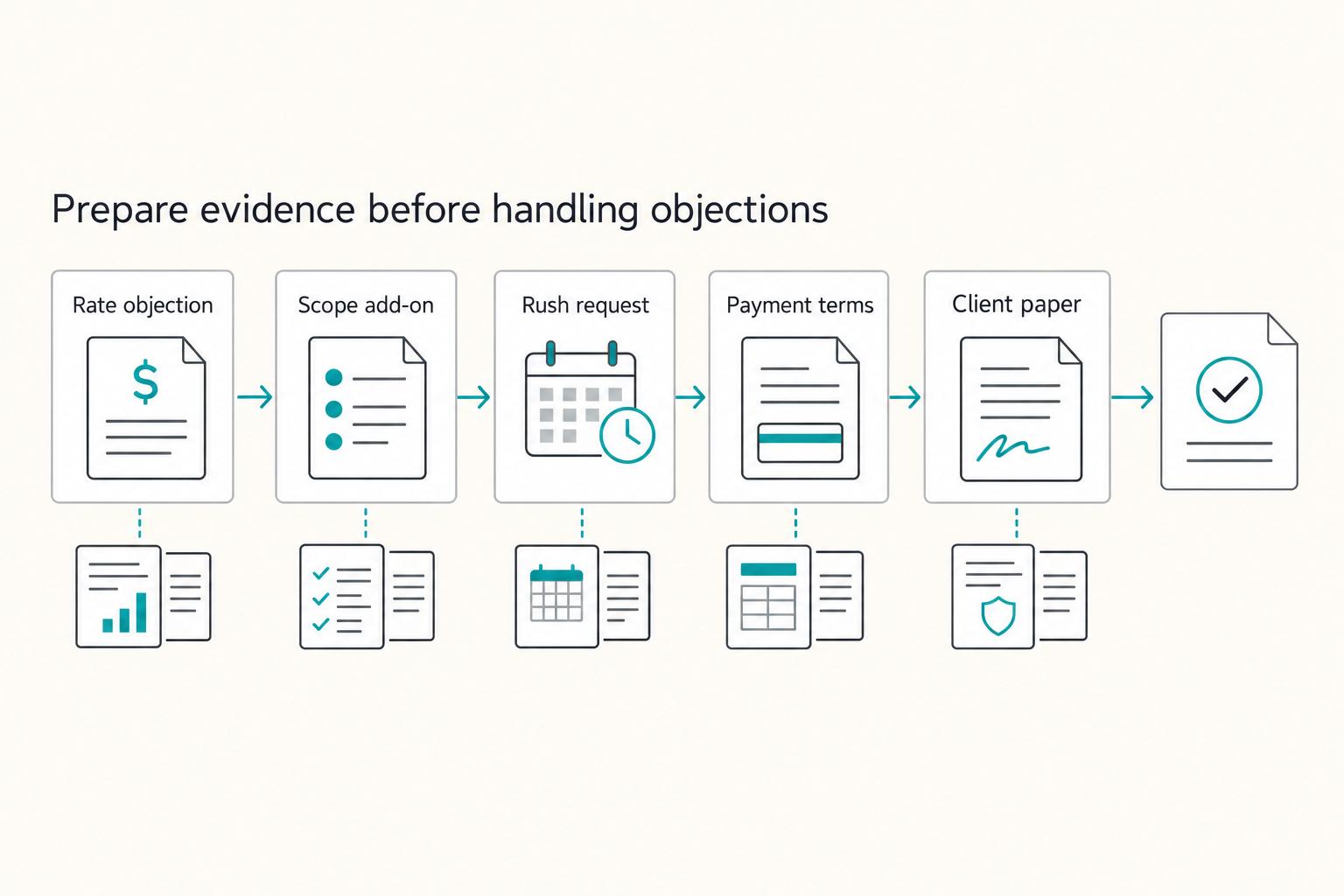
How to Handle Sales Objections as a Freelancer
When you hear an objection in cold outreach, treat it as a risk signal, not an immediate "no." A simple loop can help: clarify the risk, choose one next step, write down what was agreed, and confirm timing.