

Quick Answer
For general-rule B2B services, the EU customer accounts for VAT under reverse charge if it buys in a business capacity and the supplier is not established in that Member State, including the non-intervening fixed-establishment rule. OSS covers qualifying B2C supplies instead. Classify the service and its place of supply first. The EUR 10 000 exception applies only to combined qualifying cross-border TBE and intra-EU distance goods sales by a supplier established/resident in one Member State, measured in the current and preceding years—not every digital sale.
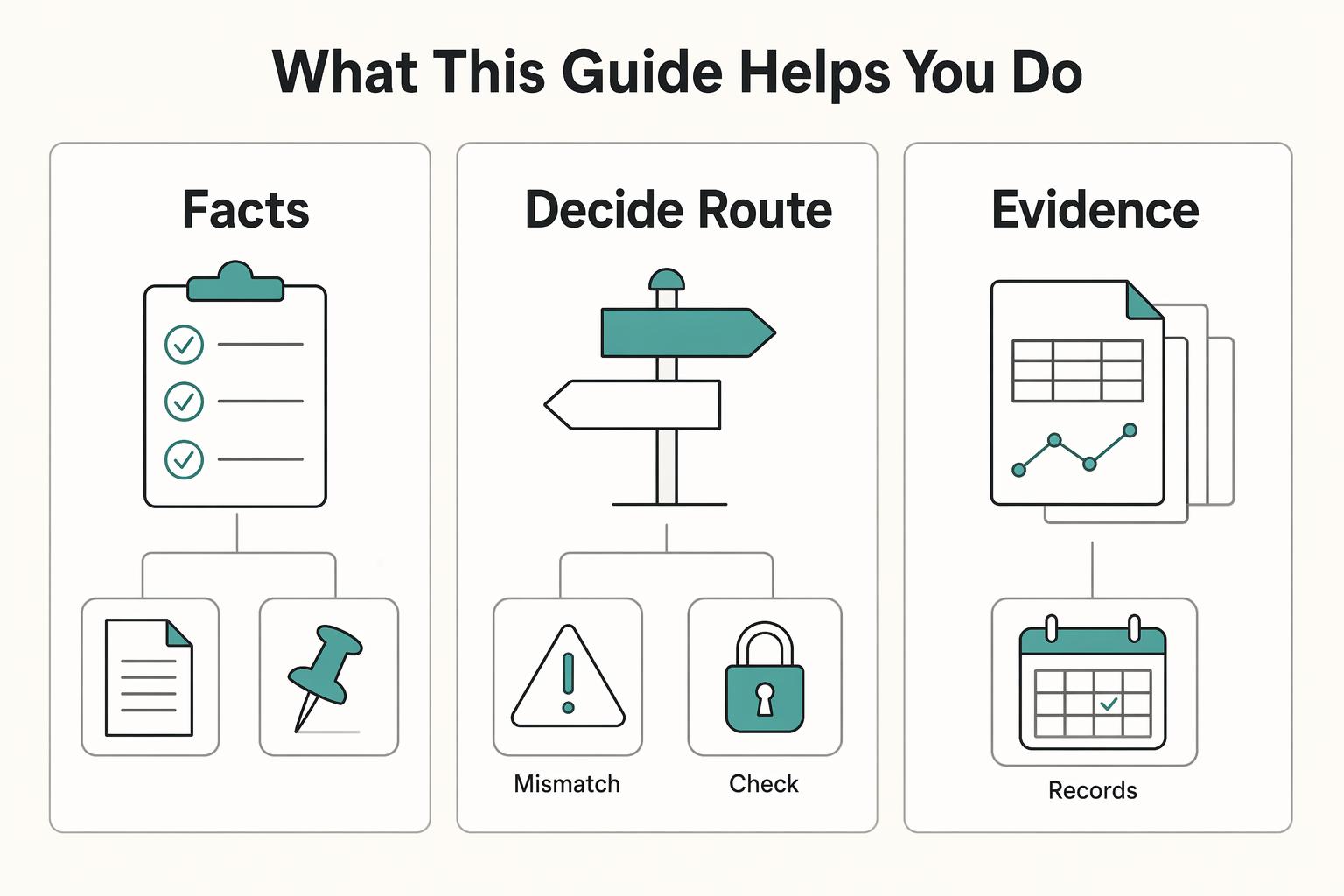
For an EU invoice, establish two facts before choosing a VAT treatment: who is buying, and what service you are supplying. Business services under reverse charge and consumer sales reported through OSS follow different rules.
For professionals selling services, start by distinguishing a customer acting in a business capacity from a private consumer. Then check the service’s place-of-supply rule and whether you are established in the country where VAT is due. A business label or an online delivery method alone does not settle the answer.
This guide is built around that decision so you can issue EU invoices with confidence, keep a clean record, and avoid preventable payment friction.
Step 1: The Foundational Question - Is Your Client B2B or B2C?#
Classify the client first, because that decision sets your VAT path for the rest of the engagement. If you get it wrong, you can end up charging VAT when you should not, or missing B2C obligations where OSS may apply.
For an EU business customer, ask for the VAT ID, legal name, and registered address. Validate the number in VIES and confirm it is associated with that name and address. Article 18 of the implementing regulation permits reliance on this evidence unless you have contrary information. Also confirm that the purchase is for business use: Article 19 treats services bought exclusively for private use as B2C. Use this onboarding checklist every time:
- Verify the VAT ID in VIES.
- Confirm the VAT number is associated with the customer's legal name and address; if details do not match, request confirmation from the relevant tax administration.
- Capture dated evidence of the result, such as a screenshot or PDF.
- Store that evidence with the client record and invoice support files.
- Re-validate after material client changes, such as a new VAT ID, legal name, or address, since VIES checks are point-in-time only.
- Do not treat a VIES confirmation by itself as complete legal proof for a VAT exemption decision.
Handle edge cases with follow-up, not assumptions. For an EU customer that has not communicated a VAT ID, Article 18 generally permits non-taxable-person treatment unless you have contrary information. An invalid VIES result can mean the number is not activated for cross-border transactions or registration is unfinished. Ask the client to obtain tax-administration confirmation. For a pending VAT ID, obtain proof that the client has applied, other evidence of taxable-person status, and reasonable identity or payment verification. For a non-EU business, Article 18 provides a separate route using a tax-authority certificate or a business identifier or other proof, with reasonable verification. If you need broader freelance tax background, see Taxes in Germany for Freelancers and Expats.
| Client path | Evidence you should hold | Common misclassification risk | Next step |
|---|---|---|---|
| B2B with valid VAT ID | VAT ID, VIES result, matching legal name and address | Accepting a VAT ID tied to a different entity or address | Continue to the B2B VAT treatment path |
| B2B with VAT ID pending | Proof of VAT ID application, business identity details, verification notes | Treating an applicant as fully validated too early | Escalate carefully and document why taxable-person treatment is justified |
| B2C | Private-use purchase, or no VAT ID communicated and no contrary evidence of business status | Assuming one invalid VIES check automatically means consumer | Continue to B2C analysis and assess whether OSS rules apply |
Step 2: The B2B Protocol — When Reverse Charge Applies#
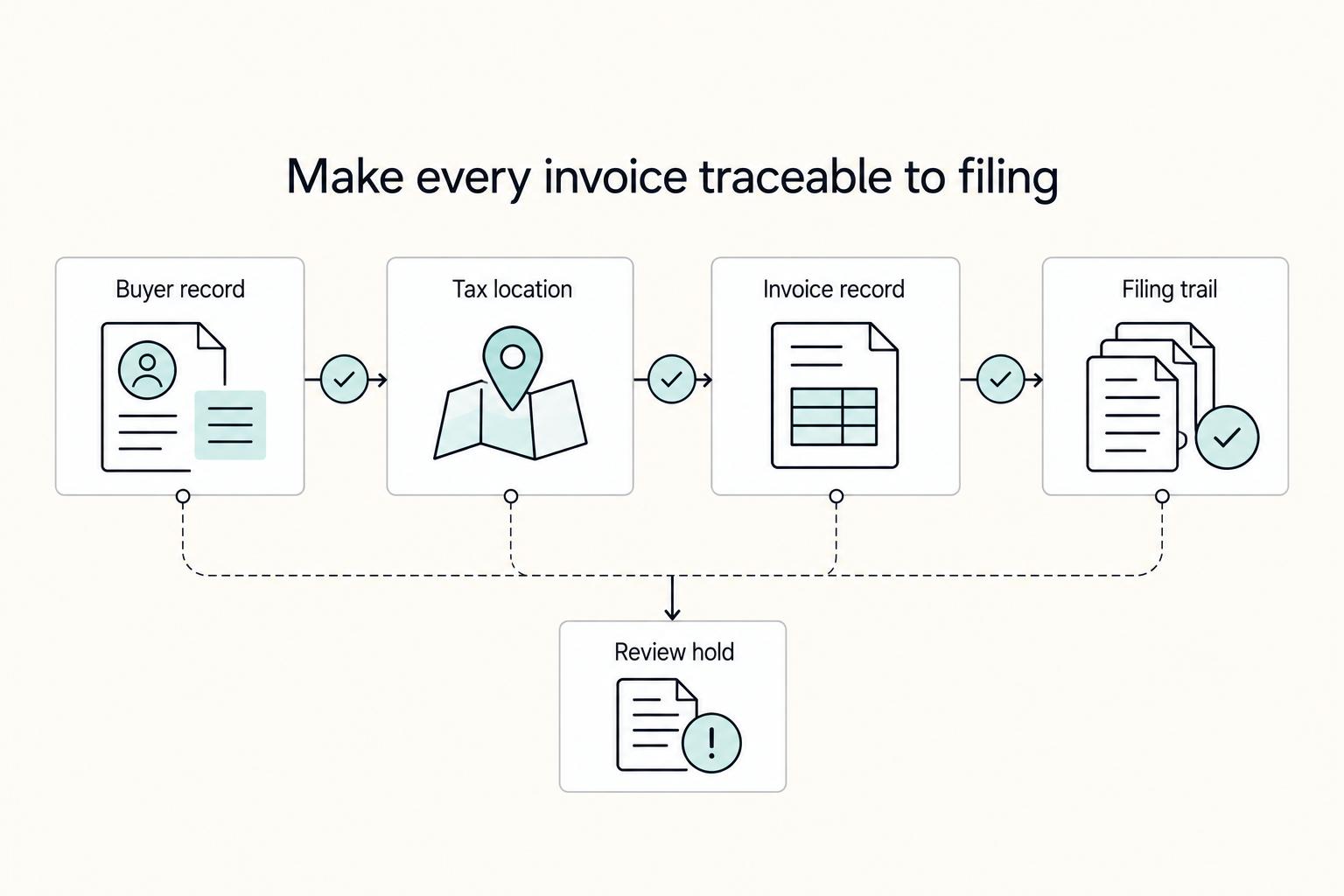
For B2B work, confirm the client entity and the service’s VAT treatment before the invoice goes out. Keep supporting records in one place so the issued invoice can be traced to that decision.
Under the general B2B rule, services are taxed where the business customer is established, or at the relevant fixed establishment receiving the service. Article 196 makes the customer account for VAT when that rule applies and the supplier is not established in the customer’s Member State. A supplier’s local fixed establishment that does not intervene in the supply does not by itself prevent this treatment. Exceptions such as property-related services need their own place-of-supply check; reverse charge is not automatic for every business invoice.
Before you send the invoice#
A quick review helps prevent common invoice issues. Use this pre-send check every time:
- Client identity: legal name, billing or registered address, and the tax identifier you used when classifying the client.
- Entity alignment: contract entity, invoiced entity, and paying entity are consistent, or any differences are documented and confirmed.
- Tax treatment wording: where the customer is liable for VAT, include the words “reverse charge” and the applicable VAT identifiers; distinguish this from an exempt supply.
- Field placement: place tax-related notes consistently so finance teams can find them quickly.
- Amount check: the tax section matches the intended treatment and does not carry a leftover default rate.
- Reporting checkpoint: confirm the relevant domestic VAT return and, where applicable, recapitulative statement requirements; the B2C EUR 10 000 threshold does not govern B2B reverse charge.
Correct vs incorrect setup#
| Checkpoint | Correct setup | Incorrect setup | Tax-treatment clarity | Evidence to retain |
|---|---|---|---|---|
| Client entity | Invoice matches verified legal entity and tax ID on file | Invoice is issued to a different or incomplete entity | Clear and consistent with your validated setup | Verification proof plus any entity-confirmation message |
| Tax amount field | Tax lines match intended treatment | Template default adds an unintended tax amount | Clear in the issued invoice | Final issued invoice copy and corrected version if reissued |
| Tax-treatment note | “Reverse charge” appears when the customer is liable, with identifiers required for that invoice | Wording is missing, ad hoc, or inconsistent | Not clear to reviewer or AP team | Template text used plus issued invoice |
| Audit trail | Verification proof and invoice are stored together | Records are scattered or missing | Hard to confirm after the fact | Dated verification record plus final invoice copy |
Your minimum audit file standard#
Keep one small file set for each B2B invoice decision. That gives you practical documentation without turning invoicing into a heavy process:
- The verification proof you relied on.
- The final issued invoice copy.
- A short note only if there was a mismatch or exception and how you resolved it.
- Any record needed to support tax rates, calculation, documentation, and return-filing decisions.
When to escalate instead of guessing#
Escalate before issuing the invoice if client status is unclear or your records conflict. Common triggers include a contract entity that differs from the paying entity, a tax ID that does not match the legal name, or uncertainty about whether a registration-threshold decision applies. Other triggers are requested tax wording you do not recognize or internal records pointing to different treatments. If the facts are clean, send the invoice. If they conflict, pause and resolve the issue with one documented question first.
Use the VAT number validator to support the identifier check, and store the result with your invoice records. The check supports customer classification; it does not determine the service’s place of supply.
Step 3: The B2C Path — When the OSS System Applies#
If your customer is a private EU consumer, classify the service next. An electronically supplied service is essentially automated, involves minimal human intervention, and depends on information technology—for example, an automated software download. Email advice from a professional or a teacher-led online course is not an electronic service merely because it uses the Internet. B2C services generally follow the supplier’s location, with exceptions including electronic services taxed at the customer’s location. OSS covers qualifying B2C services more broadly than just digital sales; choose a scheme only after establishing where VAT is due.
The EUR 10 000 threshold is a narrow exception to destination taxation. It combines cross-border B2C telecommunications, broadcasting and electronic services (TBE) with intra-EU distance sales of goods, excluding VAT, in the current and preceding calendar years. The supplier must be established, have a permanent address or usually reside in only one Member State; relevant goods must be dispatched from that state, and customers must be in other Member States. If the combined total does not exceed EUR 10 000 in either year and all conditions hold, home-state treatment can apply. Once exceeded, destination treatment applies from that point. The exception does not cover other B2C services, imported goods, or non-EU-established suppliers. An eligible supplier can opt for destination taxation below the threshold, binding it for two calendar years; OSS is then one optional reporting route.
The practical sequence#
OSS includes the non-Union and Union schemes; IOSS is the separate import scheme for certain goods. The Commission’s scope guidance distinguishes them by establishment and supply facts. Each is optional and uses one Member State of identification for covered declarations and payments.
| Scheme | Scope relevant to choosing it | Return timing |
|---|---|---|
| Non-Union OSS | Supplier with no EU business or fixed establishment: B2C services with an EU place of supply, including in the identification state | Quarterly |
| Union OSS | EU-established supplier: B2C services taxable in Member States where it has no establishment. Also covers intra-EU distance goods sales and certain deemed-supplier goods sales | Quarterly |
| Import scheme (IOSS) | Distance sales of imported goods in consignments of intrinsic value no more than EUR 150; excise goods excluded. It does not cover freelance services | Monthly |
- Determine the customer's EU Member State.
- Determine the service’s place of supply and apply destination-country VAT where that rule requires it; check the narrow threshold exception before assuming destination treatment.
- Submit the OSS VAT return electronically through your Member State of identification portal.
- Remit VAT through that same route.
If you use a scheme, report all supplies within that scheme across the relevant Member States. Returns are due by the end of the month following the quarter or month, including nil returns while registered. Union OSS does not cover your services taxable in a Member State where you are established; use that state’s domestic VAT return for those services.
Monitoring versus filing#
| Checkpoint | Threshold monitoring, if eligible | If you opt to use OSS |
|---|---|---|
| Sales tracking | Only a supplier established/resident in one Member State can use the exception: combine qualifying cross-border TBE and intra-EU distance goods sales, exVAT, in current and previous years against EUR 10 000 | Track each reportable sale by customer Member State so return data matches VAT treatment |
| Customer classification | Keep B2B and B2C revenue separate | Keep the same separation. OSS applies to supplies within the scheme, not automatically to your entire business |
| Invoicing and checkout behavior | Record service type, customer status and country; other B2C services have no EUR 10 000 exception | Apply destination-country VAT consistently and keep sale records aligned with the Member State used |
| Filing action | Below threshold and all conditions met: home-state treatment unless destination taxation elected; otherwise apply destination rules and use OSS or the required local registration | File electronic OSS VAT returns through your chosen portal and remit through that Member State |
| Record pack | Keep current/previous-year combined qualifying-sales totals and evidence of threshold eligibility | Keep the same records plus submitted OSS returns and payment confirmations |
Edge cases that deserve a pause#
Mixed B2B and B2C revenue can create errors. If you serve EU businesses and also sell digital products or services to EU consumers, separate those streams in your books from day one.
| Edge case | What to do | Why it matters |
|---|---|---|
| Mixed B2B and B2C revenue | Separate those streams in your books from day one | Mixed B2B and B2C revenue can create errors |
| A buyer claims business status but your records do not support that classification | Pause and resolve it before invoicing or checkout | Unclear customer status is another risk |
| Platform sales | Do not assume platform sales should be handled like direct sales unless the contract and settlement documentation support that conclusion | A marketplace may be treated as the deemed supplier for VAT purposes |
Unclear customer status is another risk. If a buyer claims business status but your records do not support that classification, pause and resolve it before invoicing or checkout.
Platform sales need extra care. In some situations, a marketplace is treated as the deemed supplier for VAT purposes. Do not assume platform sales should be handled like direct sales unless the contract and settlement documentation support that conclusion.
Pause for adviser input when customer status, the service’s place of supply, or platform supplier status is unclear. OSS returns are additional and do not replace domestic VAT returns. Keep the underlying sale distinct in each reporting workflow so it is not taxed twice.
Beyond VAT: Making Your International Invoice Clear#
Once the VAT treatment is set, invoice quality can determine whether payment flows smoothly or gets stuck. A good invoice matches the client's records, gives accounts payable complete payment instructions, and leaves a clean compliance trail.
Use W-8BEN for the applicable foreign-status documentation request#
A payer, withholding agent or financial institution may request Form W-8BEN to document a foreign individual’s beneficial-owner or foreign status for U.S. tax withholding and reporting. A legitimate request can arise even when no tax is withheld—for example, a foreign financial institution documenting an account as non-U.S., or a payer applying an information-reporting or backup-withholding exception. Confirm that the form matches your status and payment; it is not a default attachment for every cross-border invoice.
| Situation | Action or rule | Note |
|---|---|---|
| A payer, withholding agent or financial institution requests foreign-individual beneficial-owner or foreign-status documentation | Check whether Form W-8BEN fits your status and the requested tax-reporting purpose | A valid documentation request need not involve tax actually being withheld |
| The form remains correct | It generally runs through the last day of the third succeeding calendar year | Unless circumstances change |
| Circumstances change and the form becomes incorrect | Notify the withholding side and submit a new form | Within 30 days |
| You invoice through an entity | Stop and confirm the form type first | Form W-8BEN-E is for entities |
For timing, a valid W-8BEN generally runs through the last day of the third succeeding calendar year unless circumstances change. If circumstances change and the form becomes incorrect, notify the withholding side and submit a new form within 30 days. If you invoice through an entity, stop and confirm the form type first, because Form W-8BEN-E is for entities.
Escalate to a tax professional if the requested U.S. form does not match your payee type. Also escalate if your residence or entity facts have changed, or you cannot identify who the withholding agent is in a U.S.-linked platform flow.
Make payment instructions impossible to misread#
Payment delays are often operational rather than tax-related, especially when the payer cannot reconcile basic invoice terms. Before sending, make sure these four items are explicit:
- Payment currency: show it on totals, not only in notes.
- Due date: use a full date in YYYY-MM-DD format.
- Settlement terms: agree an explicit payment period in the contract and show the corresponding due date on the invoice; check the governing law when setting extended terms.
- Transfer details: include the complete bank-transfer fields needed by the payer, such as beneficiary name, IBAN, and SWIFT/BIC where relevant.
Do not rely on “Net 30” alone. Under the EU late-payment guidance, if no payment period is agreed, interest generally becomes payable 30 calendar days after invoice receipt; if receipt is unknown, the guidance uses delivery of the goods or services. These are legal fallback rules, not a substitute for a clear due date and documented receipt.
Self-audit the invoice before you send it#
The Commission’s VAT invoicing guide lists the full-invoice fields and special wording. Check dates and sequential numbering, supplier and customer names and addresses, applicable VAT identifiers, the service description and quantity, prices and discounts, and VAT treatment. Include “reverse charge” when the customer is liable, or an exemption reference when applicable. Bank details and payment deadlines are useful payment instructions, rather than the same thing as mandatory VAT invoice fields.
| Invoice checkpoint | Why it matters | Common failure |
|---|---|---|
| Date of issue | Required VAT content and baseline for payment timing | Ambiguous local shorthand date formats |
| Sequential invoice number | Required for traceability and Article 226 compliance | Duplicated or broken numbering sequence |
| Supplier and customer legal names, addresses and applicable VAT identifiers | Helps AP match invoice to the contracting party | Trading name or outdated legal details |
| Description and quantity of services; prices and VAT breakdown | Supports the amount and VAT treatment being invoiced | Total shown without a usable service description or tax breakdown |
| VAT status wording (reverse charge/exempt, when applicable) | Makes VAT treatment clear on the invoice itself | Correct treatment internally but missing invoice wording |
| Currency, due date, and transfer details | Reduces preventable payment back-and-forth | Currency mismatch or incomplete bank fields |
After the content check, run this simple process each time so the sent invoice and support file stay together:
- Pre-send review: check tax treatment, numbering, totals, and due date.
- Client-data match: verify legal name and billing or tax details against your contract or onboarding record.
- Retention: store the sent invoice and supporting records. Keep OSS records for 10 years from the end of the year of the transaction, including after leaving the scheme, and make them available electronically on request. Commission record-keeping guidance specifies the required sales, VAT, payment and customer-location details.
If you work with digital services to the EU, you might also find this useful: A Guide to VAT MOSS for UK Freelancers Selling Digital Services to the EU.
Conclusion: Classify the customer, then apply the matching VAT treatment#
Classify the customer and the service before selecting VAT treatment. For general-rule B2B services, reverse charge applies when the customer acts as a business and the supplier is not established in the customer’s Member State, including the non-intervening fixed-establishment rule. Check exceptions, verify customer status and keep the proof with the invoice.
For B2C, establish where the service is taxable before choosing OSS. The EUR 10 000 exception is limited to qualifying cross-border TBE and intra-EU distance goods sales by a supplier established/resident in one Member State, measured across current and previous years; it is not a general digital-business threshold. OSS is optional, but once chosen covers all supplies in that scheme and does not replace domestic returns.
Keep that distinction in mind and use this default sequence every time:
- Classify the customer as business or consumer.
- Verify business status when you rely on B2B treatment, and retain dated evidence.
- Apply the matching VAT treatment, then keep the records that support that choice.
If the facts are unclear, stop before you guess. Confirm customer status and place-of-taxation facts, then escalate when uncertainty remains, including to local tax administration for urgent VIES uncertainty. Keep your process current with periodic rule checks, and get professional advice when your sales mix, jurisdictions, or reporting footprint changes.
Use the VAT reverse-charge checker as an initial prompt for the treatment check, then confirm the service rule, establishment facts and reporting requirements using the official guidance.
Frequently Asked Questions
Do you need OSS for B2B services to EU clients?
No. OSS is for covered B2C supplies. For a business customer acting as such, Article 196 reverse charge applies to services under the general Article 44 place-of-supply rule when the supplier is not established in the customer’s Member State, including the rule for a non-intervening fixed establishment. Check service-specific exceptions and domestic reporting requirements; these B2B services do not go into OSS.
What is the practical difference between OSS and reverse charge?
OSS centralizes declaration and payment of VAT on covered B2C supplies. Reverse charge makes the eligible business customer account for VAT instead of the supplier. For general Article 44 B2B services, that requires a business customer acting as such and a supplier not established in the customer’s Member State, with the non-intervening fixed-establishment rule. Use this quick table before filing.
Does the EU-wide B2C threshold apply to your B2B work?
No. EUR 10 000 is not a B2B reverse-charge threshold. It applies only to combined cross-border B2C TBE services and intra-EU distance goods sales, exVAT, for a supplier established/resident in only one Member State, with relevant goods dispatched from that state. Both the current and preceding calendar years must stay at or below it for home-state treatment, unless destination taxation is elected. Other B2C services, imported goods and non-EU-established suppliers cannot use this exception.
Can you report the same cross-border sale in both OSS and a local VAT return?
No. This is a common mistake once cross-border sales are being declared through OSS. If you think you duplicated reporting, pause and reconcile your sales list before filing again.
What if you filed late or missed an OSS quarter? Can you fix it retroactively?
Yes, distinguish a late return from late registration. Commission filing guidance permits an overdue OSS return through the Member State of identification within three years of its original due date; after that, contact the Member States of consumption. Corrections normally go in a later return within the same three-year window, with later corrections subject to national procedures. Penalties depend on the consumption state. Registration generally starts next quarter, but notification by the tenth of the month after a first covered supply can make it effective from that supply. That exception does not authorize unlimited backdating. Reconcile the period, registration effective date and amounts before selecting the filing route.
What happens if you invoice an EU business client incorrectly?
Impacts vary by jurisdiction and counterparty. A wrong VAT treatment can require invoice correction and reporting adjustments. The practical move is to correct it quickly, retain an audit trail, and keep a short internal note on why you reissued.
Do you need an EU bank account to invoice EU clients?
The EU VAT invoice fields do not require an EU bank account. Give the payer usable transfer details for your chosen currency and payment method, and confirm that your provider accepts the payment. Keep this separate from how you pay OSS VAT through the Member State of identification, which has its own payment instructions.
What records should you keep when you use OSS or reverse charge?
For reverse charge, retain customer-status evidence, the final invoice and any exception-resolution notes under applicable domestic retention rules. For OSS, retain transaction type/date, customer Member State and location evidence, taxable amount, currency, VAT rate/amount, payments and subsequent adjustments for 10 years from the end of the transaction year, with electronic access on request. If a platform is involved, document whether it or you supplies the sale for VAT purposes.
When should you involve a VAT professional?
Escalate when you have mixed B2B and B2C activity, unclear customer status, or multi-country sales that make OSS versus local reporting uncertain. Also escalate when a marketplace sits in the transaction flow and may be treated as a deemed supplier. Ask for a written view on customer classification, reporting lane, and invoice requirements before volume grows.
Try a related tool
Researched and edited by the Gruv editorial team. Gruv builds cross-border billing, payouts, and finance-operations software for global businesses.
Sources
- eur-lex.europa.eu/legal-content/EN/ALLtrusted
- europa.eu/youreurope/business/finance-and-tax/vat/chec...trusted
- europa.eu/youreurope/business/finance-and-tax/making-r...trusted
- irs.gov/instructions/iw8bentrusted
- taxation-customs.ec.europa.eu/taxation/vat/vat-directive/persons-liable-va...trusted
- taxation-customs.ec.europa.eu/taxation/vat/vat-directive/place-taxation_entrusted
- vat-one-stop-shop.ec.europa.eu/one-stop-shop_entrusted
- vat-one-stop-shop.ec.europa.eu/one-stop-shop/register-oss_entrusted
Educational content only. Not legal, tax, or financial advice.
Related Posts

Digital Nomad Taxes in 2026 With a Defensible Filing Plan
With digital nomad taxes, the first move is not optimization. It is figuring out where you may be taxable, where filings may be required, and what proof supports that position.
Taxes in Germany for Freelancers and Expats
Low-stress compliance in Germany comes from decision order, not tax tricks. Use this sequence: confirm core facts, apply conservative temporary assumptions, verify the few points that can break invoices or filings, and keep one evidence file that explains each decision.
VAT MOSS and Non-Union OSS for UK Freelancers Selling to the EU
If you sell digital services from the UK to EU customers, treat UK VAT MOSS as historical and [Non-Union OSS](https://vat-one-stop-shop.ec.europa.eu/one-stop-shop_en) as the current route to assess. You cannot use UK VAT MOSS for sales made from 1 January 2021 onwards. For UK sellers who are not established and have no fixed establishment in the EU, the relevant OSS branch is the **Non-Union scheme**.