
Quick Answer
Yes. For customer-facing websites, ADA risk is usually analyzed under Title III, while Title I covers employment matters and employee-count rules. Start with a fast pass on core user paths for keyboard operation, text alternatives, form labels, captions, and color contrast. Fix blockers first, not cosmetic issues. Then record exact URLs, screenshots, issue notes, owners, and re-test dates so each remediation step is traceable and you can show what changed.
Why Your Website is Your Biggest Legal Risk (Even with Zero Employees)#
If you run a business with zero employees, ADA risk can still come from customer access to your website, not from hiring.
The main point of confusion is the difference between Title I and Title III. Title I covers employment and, in the cited EEOC text, applies to employers with 15 or more employees. Website access issues are often analyzed under Title III, which covers businesses and nonprofits open to the public. So "we have fewer than 15 employees" is not a reliable answer to a website-access complaint.
A quick filter for Title I vs. Title III#
| ADA title | Who it covers | Where risk shows up | What to verify now |
|---|---|---|---|
| Title I | Employers with 15 or more employees | Hiring, applications, workplace accommodations, employment decisions | Confirm employee count, application flow, and HR practices |
| Title III | Businesses and nonprofits open to the public | Website access and digital access to services | Check whether people can complete core tasks on your site and review how your jurisdiction treats website coverage |
Use this as your first filter: employment access issues point to Title I, while customer-facing website barriers often point to Title III.
Why website claims can escalate quickly#
You may hear the term "surf-by" claims. A more precise description is claims brought by testers looking for legal violations. The triggers can be concrete and repeatable, including missing captions or other text alternatives for nontext content and poor color contrast.
These are not minor defects when they block core actions. If someone cannot use your media or complete key tasks on your site, they are effectively shut out of your service.
How enforcement reaches you#
One path is private enforcement. A person denied access can sue, and Title III private cases generally seek injunctive relief and attorney's fees rather than federal damages by default.
| Channel | Issue type | What the article says |
|---|---|---|
| Private enforcement | A person denied access | A person denied access can sue, and Title III private cases generally seek injunctive relief and attorney's fees rather than federal damages by default. |
| EEOC | Employment issues | Employment issues route to the EEOC. |
| DOJ Civil Rights Division | Other ADA issues | Other ADA issues may be filed with the DOJ Civil Rights Division; DOJ can investigate and may bring a civil action, but a complaint does not guarantee that outcome. ADA.gov says review can take up to three months. |
Agency enforcement is the other path. Employment issues route to the EEOC, while other ADA issues may be filed with the DOJ Civil Rights Division. DOJ can investigate and may bring a civil action, but a complaint does not guarantee that outcome. ADA.gov says review can take up to three months.
Another limit to factor into your risk assessment is that ADA statutory and regulatory text does not expressly name websites or apps. Courts are split on coverage and scope. The exposure is still real, but it varies by jurisdiction and by how courts treat website coverage.
That is why the next move is not a legal debate. It is fast triage. Check core pages for barriers like missing text alternatives or captions and poor color contrast, then verify whether people can complete core tasks. Log the exact URLs and failures so you can fix them in Phase 1.
Related: Canada's Digital Nomad Stream: How to Live and Work in Canada.
Phase 1: Your 15-Minute Digital Risk Triage#
Start with your revenue-critical pages and run a fast pass/fail triage. In 15 minutes, separate blockers you should fix now from issues you can queue for deeper remediation.
The legal backdrop for public accommodations and commercial facilities is ADA Title III (28 CFR Part 36); Title II (28 CFR Part 35) covers state and local government services. For practical testing, use WCAG as a technical framework, but do not treat this pass as certification. You are looking for obvious failures in keyboard access, text alternatives, labels and instructions, captions, and contrast.
Anything that blocks a core action is urgent. If someone cannot handle, submit a form, understand key content, or use media, treat that as immediate access risk. Use a simple loop: test, prioritize, fix, re-test, monitor. Assign one owner now so issues do not stall.
| Check | How to test quickly | Common failure pattern | Next action |
|---|---|---|---|
| Keyboard access | Put your mouse aside and use Tab/Shift+Tab through navigation, CTAs, forms, and booking/checkout steps. Pass only if you can reach and activate everything in order with visible focus. | Focus disappears, gets trapped in a menu/modal/calendar, or cannot reach key controls. | Mark as urgent if it affects navigation, contact, booking, or checkout. Log the exact step where focus breaks. |
| Alt text quality | Review meaningful images, icons, and linked graphics on key pages. Pass only if text alternatives preserve the image's purpose; decorative images should not add noise. | File-name alt text, missing alt on meaningful images, or icons that carry meaning with no text alternative. | Fix revenue and conversion pages first, especially image-based buttons/links. |
| Form labeling | Check each public form. Pass only if every input has a persistent label, instructions are clear, and error messages tell users what to fix. | Placeholder-only labels, unlabeled checkboxes, unclear required fields, vague errors. | Prioritize contact, intake, quote, signup, and payment forms. Capture screenshots for each failure. |
| Captions | Play public videos muted for 30-60 seconds. Pass only if captions exist, are synchronized, and are understandable. | Missing captions, timing drift, or auto captions that change meaning. | Fix sales, onboarding, and support videos first; review auto captions before publishing. |
| Color contrast | Check text, buttons, links, errors, and text over images with a contrast tool. Pass only when your team has selected a WCAG target for this check and the contrast result meets it. | Low-contrast body text, buttons, form hint text, or text over busy backgrounds. | If failures repeat across components, fix design tokens/stylesheets first instead of patching page by page. |
How to record findings so they are usable#
Your triage log only helps if it is specific enough to act on. At minimum, capture the items below.
| Log item | Status | Article guidance |
|---|---|---|
| Screenshot | Required | Capture a screenshot for each failure. |
| Exact URL | Required | Record the exact URL. |
| One-line issue note | Required | Write a one-line issue note in plain English. |
| Assigned owner | Required | Assign an owner. |
| Browser and device | Optional | If possible, note browser and device. |
| Test date | Optional | If possible, note the test date. |
If possible, also note browser, device, and test date. That is not a legal requirement, but it makes the log easier to use and makes Phase 2 re-testing faster.
Pass/fail standard for each check#
For this triage pass, use a strict blocker standard. Keyboard access fails when key actions cannot be completed without a mouse. Alt text fails when it exists but does not carry the image's function or meaning. Forms fail when labels are not persistent, instructions are unclear, or errors are not practical. Captions fail when they are missing, out of sync, or materially inaccurate. Contrast fails when readability depends on visual guesswork instead of a verified check.
The reason to be strict here is simple: each of those failures can block service access. Keyboard barriers can make core workflows unusable. Weak alt text can remove essential content or action context. Broken forms stop people from completing the task. Bad captions can hide critical offer, onboarding, or policy information. Low contrast can make key text hard to read, especially on mobile and in bright conditions.
After this pass, fix blockers on revenue pages first and keep one owner accountable for the log. That turns the work into a concrete execution plan.
If you want a deeper dive, read Germany Freelance Visa: A Step-by-Step Application Guide.
Phase 2: Fix Defects in Order, Then Validate Each One#
Avoid fixing issues in random order. A practical sequence is to unblock core user tasks, then remove repeated defects, then address the system-level causes that keep recreating them.
Remediation can be incremental. You do not need to wait for a full rebuild as long as you have a consistent backlog, clear ownership, and a re-test loop.
Fix in this order (practical starting point)#
- Unblock core tasks first. Start with issues that stop people from completing key actions or understanding essential content.
- Batch repeated defects. When the same issue appears across multiple pages, fix the shared template, component, or style pattern once.
- Escalate root-cause issues. If a defect comes from a theme, builder, or third-party component, route it to developer or vendor ownership instead of patching page by page.
Prefer simple structural fixes#
As a default, favor clear, durable markup over layered workarounds.
- Use elements that match the action or content purpose.
- Use heading elements to keep structure explicit.
- When a defect appears across many pages, fix the underlying template or component.
- Treat added patches as support, not as a substitute for solid structure.
| Remediation option | Best for | Typical blockers | Evidence to keep | Risk if deferred |
|---|---|---|---|---|
| In-house quick fix | Straightforward content and markup updates in existing pages | Limited ownership, uneven execution, backlog drift | URL, screenshot, issue note, before/after change, test date | Small defects keep shipping and compound |
| Developer sprint | Template/component-level fixes that remove repeated failures | Theme constraints, JavaScript behavior, shared style dependencies | Ticket ID, PR/commit, affected components, re-test notes | Defects replicate across new and existing pages |
| Specialist support | Complex patterns, unclear root causes, recurring failed fixes | Third-party limitations, platform constraints, capability gaps | Audit scope, recommendations, decisions log, remediation sign-off | Team ends up in catch-up mode under pressure |
Validate each fix the same way#
Consistency matters more than sophistication here. For every fix:
- Run automated checks to catch obvious code and content issues.
- Add manual checks for the affected user flow.
- Log status in a repeatable backlog format until the fix is verified.
Use one format for every issue: ID, page or component, user impact, optional WCAG 2.1 reference, owner, status, evidence link, and re-test date.
Put multimedia behind a publish gate#
Publishing first and fixing later is how avoidable risk creeps back in. Set release criteria by asset type:
- Video: accurate, synchronized captions.
- Audio: transcript.
- Visual content that carries meaning beyond narration: audio description review.
- If relevant to your audience: ASL interpretation decision made before release.
Assign ownership checkpoints so this does not fall through the cracks. The creator prepares accessibility assets, the editor verifies quality, and the publisher records URL, approval date, and reviewer.
For a step-by-step walkthrough, see A Guide to IFRS 9 (Financial Instruments) for Small Businesses.
Phase 3: Building Your Long-Term Compliance Shield#
Long-term protection is mostly operational. Keep a public commitment, build proof into publishing, and gate vendors so old issues do not re-enter your stack.
The ADA is a federal civil rights law that prohibits discrimination against people with disabilities. It applies to policies and procedures as well as the built environment. In practice, that means accessibility is an ongoing service standard, not a one-time cleanup.
Publish a statement you can maintain#
An accessibility statement is not a substitute for ongoing compliance work, and the ADA materials referenced here do not provide a mandatory website template. It is still useful as a practical control because it sets expectations, defines scope, and gives people a real response path.
| Statement element | What to include | Article note |
|---|---|---|
| Commitment language | State your commitment to making your website and digital services accessible to people with disabilities. | Part of the checklist. |
| Scope | List what is covered, such as site, portal, booking flow, downloadable files. | Part of the checklist. |
| Known gaps | Disclose known barriers and whether fixes are in progress. | Part of the checklist. |
| Response channel | Provide a monitored email or form for barrier reports and support requests. | Gives people a real response path. |
| Review cadence | State when you review or update the statement, such as quarterly and after major releases. | Part of the checklist. |
| Accessibility standard reference | Name the standard or specification your team has confirmed for the statement. If it is not confirmed yet, say that the statement is under review rather than naming a standard. | Use only after legal and technical review. |
If you invite feedback, assign a named owner to monitor and respond.
Put proof into every publishing step#
Checklists help, but they are not enough on their own. Each release step needs an owner, a clear done definition, and saved evidence.
| Publishing step | Accessibility check | Owner | Done definition | Evidence saved |
|---|---|---|---|---|
| Draft and structure content | Heading order, clear link text, plain-language instructions | Writer/editor | Content is understandable when scanned by headings and links | URL, draft version, review notes, approval date |
| Add images and documents | Alt text for meaningful images; document accessibility review before upload | Content owner | Meaningful images are described; document status is logged pre-publish | Asset list, alt-text capture, document review note |
| Publish multimedia | Captions for video, transcript for audio, review of visual-only meaning | Media owner/editor | Required accessibility assets are complete before release | Media URL, caption/transcript file, reviewer, sign-off date |
| Final pre-publish QA | Keyboard check, scanner pass, backlog status review | Publisher/QA owner | Core user task works without a mouse; no release-blocking issue remains | Test notes, screenshots, issue IDs, re-test date |
Use one manual spot check for the highest-risk task on each page. Do not treat sample issue lists as complete. DOJ guidance states those examples are not complete or exhaustive.
Treat vendors and contractors as a procurement gate#
Accessibility regressions may come from tools and outside delivery, not just from your own content team. Before you buy or launch, ask vendors and contractors for three things:
- Accessibility statement or equivalent public commitment.
- Recent test results or internal accessibility evaluation summary.
- Known-issues list with planned fixes or workarounds.
Pause or reject the deal if red flags show up: unsupported "fully compliant" claims, refusal to disclose known issues, no accessibility contact, or obvious keyboard failures in a demo.
Before acceptance, require contract terms that make delivery auditable. Specify the accessibility standard or specification used, require disclosure of known defects, require remediation of issues introduced by their work, and require test evidence for delivered features. These are practical controls, not ADA-mandated wording as established here.
If you also modify physical customer-facing spaces, remember this is not only a web issue. DOJ's 2010 Standards for Accessible Design became effective on March 15, 2012 for new construction and alterations. The Access Board provides technical assistance and training on those standards.
Keep one lightweight governance loop running#
The simplest durable model is a short loop: policy, execution, monitoring.
Set a short policy with scope, owners, and escalation. Run recurring self-evaluation checkpoints, required by ADA regulations, to identify facilities, programs, and services that need change. Then review backlog status, verify completed fixes, log new barriers, and route repeat issues back into templates, components, and vendor decisions.
If you do one thing, do this: assign named owners and save evidence at each step. That makes the work trackable and easier to defend.
You might also find this useful: How to Handle an EEOC Discrimination Charge.
Turn this phase into an execution checklist by documenting accessibility obligations, remediation ownership, and acceptance criteria, then draft clean client terms with the Freelance Contract Generator.
Turn the Three Phases Into an Ongoing Operating Discipline#
If you completed the three-phase workflow, triage, remediation, and long-term ownership, you now have an operating discipline, not a one-time compliance task. That gives you a way to reduce risk on core client paths and catch regressions before release.
For a small service business, that is the real shift in ADA compliance for small business: from reactive stress to managed quality. The practical test is simple: can you show what you checked, what you fixed, who owns each issue, and how you prevent repeat issues?
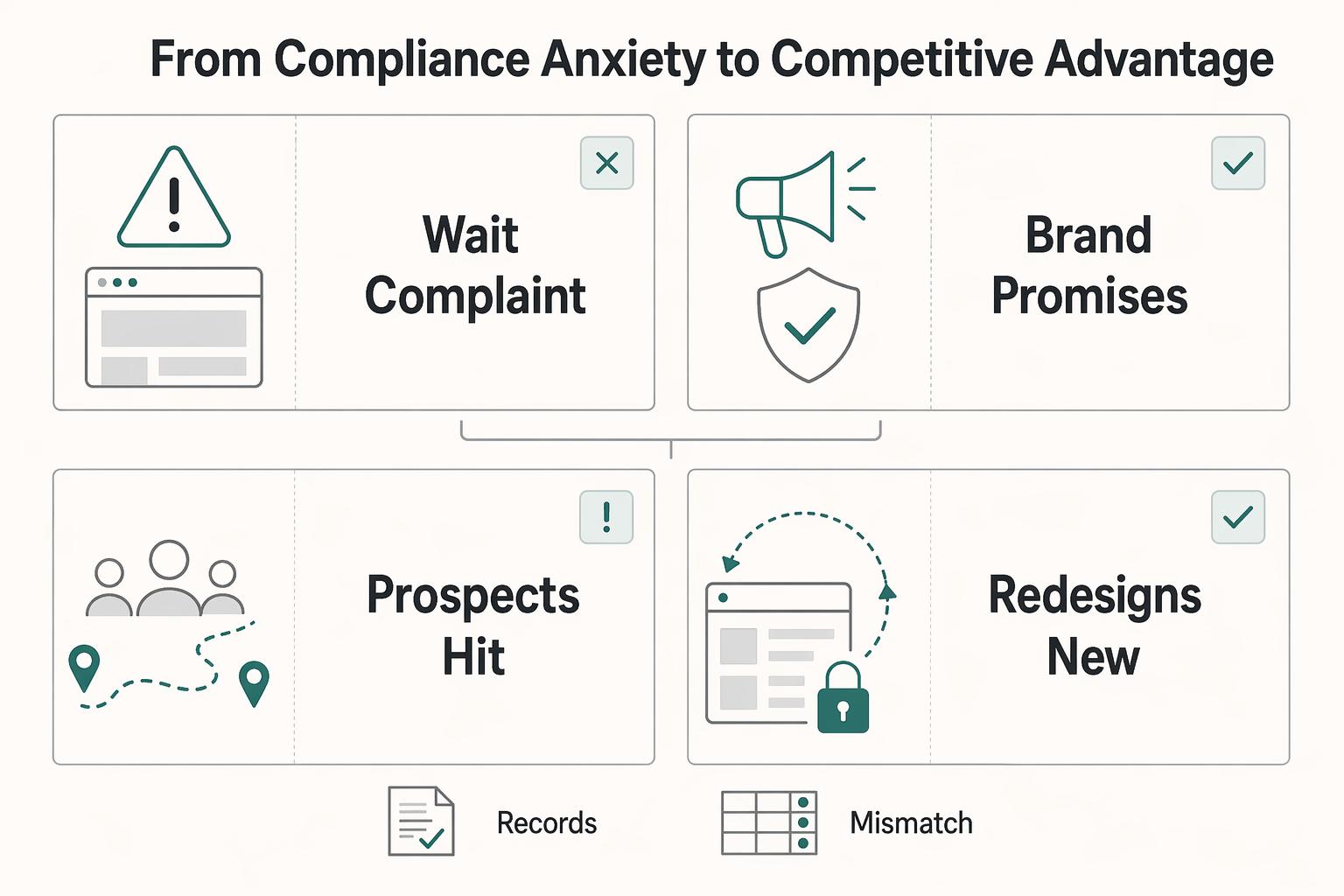
| Fear-driven posture | Advantage-driven posture |
|---|---|
| You wait for a complaint, then scramble to inspect the site. | You track URLs, screenshots, ticket IDs, owners, and re-test dates for contact, booking, and payment flows. That gives you stronger risk control. |
| Your brand promises a smooth client experience, but forms, PDFs, or scheduling tools block some users. | Your site, forms, and documents match the service standard you sell. That improves client trust. |
| Prospects hit accessibility barriers and abandon the process. | More users can complete requests and transactions without extra support. That can support conversion. |
| Redesigns and new plugins reintroduce old barriers. | You screen vendors before purchase and treat accessibility as a release standard. That supports delivery consistency. |
For customer-facing access work under ADA Title III, keep your asset inventory current for at least websites, software, and electronic documents. Then verify the highest-value user flows first. Keep an evidence pack with before-and-after screenshots, page URLs, test notes, vendor responses, and re-test dates.
Procurement can be where teams lose progress. Inaccessible tools can reintroduce issues fast. Before you buy or renew, ask for current accessibility test results, known issues, and a keyboard demo on the tasks your clients actually use.
For next quarter, focus on execution: write accessibility into vendor terms and contracts, lock it into delivery standards, review public documents, and treat structured content as part of brand credibility.
We covered this in detail in A Guide to 'E-Discovery' for Small Businesses.
If you want your accessibility process to sit alongside compliance-first money movement with clearer operational traceability, contact Gruv.
Frequently Asked Questions
Does ADA compliance for small business depend on employee count?
It depends on which ADA lane you are in. For hiring, pay, and workplace accommodation questions, use Title I and its employer-size cutoff (15 or more employees). For customer-facing access, Title III is the closer fit and generally applies to businesses open to the public regardless of size. For websites specifically, keep your language jurisdiction-aware because court coverage can differ by jurisdiction.
What should I check first on my site?
Start with anything that could stop someone from completing a core task, then document what you found and save the evidence. | Issue | Why it matters | Quick test | First fix | |---|---|---|---| | Keyboard access | Mouse-only navigation blocks users who cannot use a mouse | Tab through your homepage, menu, key form, and checkout/contact flow | Fix focus order, visible focus, and keyboard-operable controls | | Alt text | People who are blind may miss image purpose/content | Review meaningful images and confirm text alternatives exist | Add accurate alt text; keep decorative images empty | | Other standards-based barriers | DOJ points to existing technical standards (including WCAG/Section 508) as helpful guidance | Review critical flows for barriers that prevent task completion | Prioritize blockers, fix them, and re-test | Save page URLs, screenshots, and re-test dates so fixes stay trackable.
What happens if your site is not accessible?
Risk usually shows up in three buckets: legal exposure, remediation obligations, and business disruption. Legal exposure can come from private injunction-focused suits and from DOJ investigation or civil action. Remediation can mean code fixes plus ordered aids, services, or policy changes. Operationally, even complaint handling can consume time, and review timelines can run up to three months before you add settlement or litigation work.
What should you put in an accessibility statement?
Publish a short statement that covers your commitment, what the statement applies to, and a monitored contact method for barriers. Do not present the statement as legal immunity, and do not claim full conformance unless your evidence supports that claim. Assign an owner and update the statement after major releases.
Can an overlay or widget make your site compliant?
No, not on its own. Treat overlays as optional tools, not proof of ADA or WCAG conformance and not a substitute for fixing underlying code and flows. Before buying, require recent test results, a known-issues list, and a keyboard demo on your critical user paths.
What should you do first if triage finds barriers?
Start with blockers on high-value paths, not cosmetic polish. Open tickets for failed keyboard access, missing alt text, and other blockers from your triage list, assign owners, and re-test after fixes instead of assuming they worked. If you also have workplace accommodation concerns, run that track separately because employment and public-access issues follow different ADA paths.
Try a related tool
Researched and edited by the Gruv editorial team. Gruv builds cross-border billing, payouts, and finance-operations software for global businesses.
Sources
Educational content only. Not legal, tax, or financial advice.
Related Posts

Germany Freelance Visa Application Path for Freiberufler and Gewerbe
Choose your track before you collect documents. That first decision determines what your file needs to prove and which label should appear everywhere: `Freiberufler` for liberal-profession services, or `Selbständiger/Gewerbetreibender` for business and trade activity.
Canada Digital Nomad Visa Planning for Visitor Status and Work Permits
The phrase `canada digital nomad visa` is useful for search, but misleading if you treat it like a legal category. It is shorthand for existing Canadian status options, mainly visitor status and work permit rules, not a standalone visa stream with its own fixed process. That difference is not just technical. It changes how you should plan the trip, describe your purpose at entry, and organize your records before you leave.
How to Handle an EEOC Discrimination Charge
When an **eeoc discrimination charge** arrives, get control of the record before you decide how to respond. The safest sequence is simple. Clean up the documents, build the timeline, confirm the process path, and assign clear ownership.