
Quick Answer
Yes. Treat storyboarding for video as a hard approval gate by circulating a final PDF, collecting written sign-off, and freezing that version before production spend starts. Build each frame with visual intent, action or dialogue, technical notes, timing, and an asset status line so reviewers approve the same plan. If a client asks for a new scene after approval, log it as an addendum instead of absorbing it as informal feedback.
Storyboarding for video works best when you treat the storyboard as an approval document, not just a sketch. In professional client work, it is the visual record of what the project is supposed to become before production starts. Used this way, it helps you manage the three pressures that usually undermine client work: compliance, risk, and control.
Why the storyboard should function like an agreement#
The core move is simple: treat the storyboard like an agreement, not a mood board. It is the visual, sequential record of what you and your client have agreed to make.
| Focus | What to require | Protects |
|---|---|---|
| Client sign-off | Present the final storyboard as a professional PDF and require written sign-off | Visual direction, pacing, and core messaging |
| Scope boundaries | Use the signed-off storyboard to define the production boundaries everyone agreed to | Timeline and budget |
| Financial predictability | Map every shot, note, and asset in advance | Hours, licensed materials, and contractor needs |
1. Secure clear client sign-off. Before production spending starts, the storyboard should be your formal approval gate. This is not a casual email that says "looks good." Present the final storyboard as a professional PDF and require written sign-off. That creates a clear paper trail showing the client approved the visual direction, pacing, and core messaging. At that point, the storyboard becomes a shared accountability document, not just a creative artifact.
2. Set boundaries against scope creep. Scope creep usually shows up as a small request that sounds harmless: "Could we just add one more scene?" A signed-off storyboard gives you something concrete to point to. It defines the production boundaries everyone agreed to. When a client asks for a change outside that plan, you are no longer arguing from memory or preference. You can say: "That's a great idea. It's outside the scope of the currently approved storyboard, but I'd be happy to scope it as an addendum. For now, let's deliver on the plan we've signed off on to protect our timeline and budget." That keeps the conversation constructive while protecting your time and margin.
3. Turn creative vision into financial predictability. A detailed storyboard also turns a loose concept into a workable financial plan. When you map every shot, note, and asset in advance, you can estimate hours, licensed materials, and contractor needs with more confidence. That is how you avoid the slow budget erosion that happens when creative ambition is not tied to a concrete plan. In practice, the storyboard becomes a forecasting tool as much as a creative one.
That mindset is a marker of an experienced operator. As award-winning video producer Ron Dawson notes, "I'm shocked at the number of small business videographers and filmmakers I speak with who either don't have contracts or don't nearly have all the clauses they should have." Treat the storyboard with that level of seriousness, and it becomes the visual agreement that protects both you and the client from ambiguity.
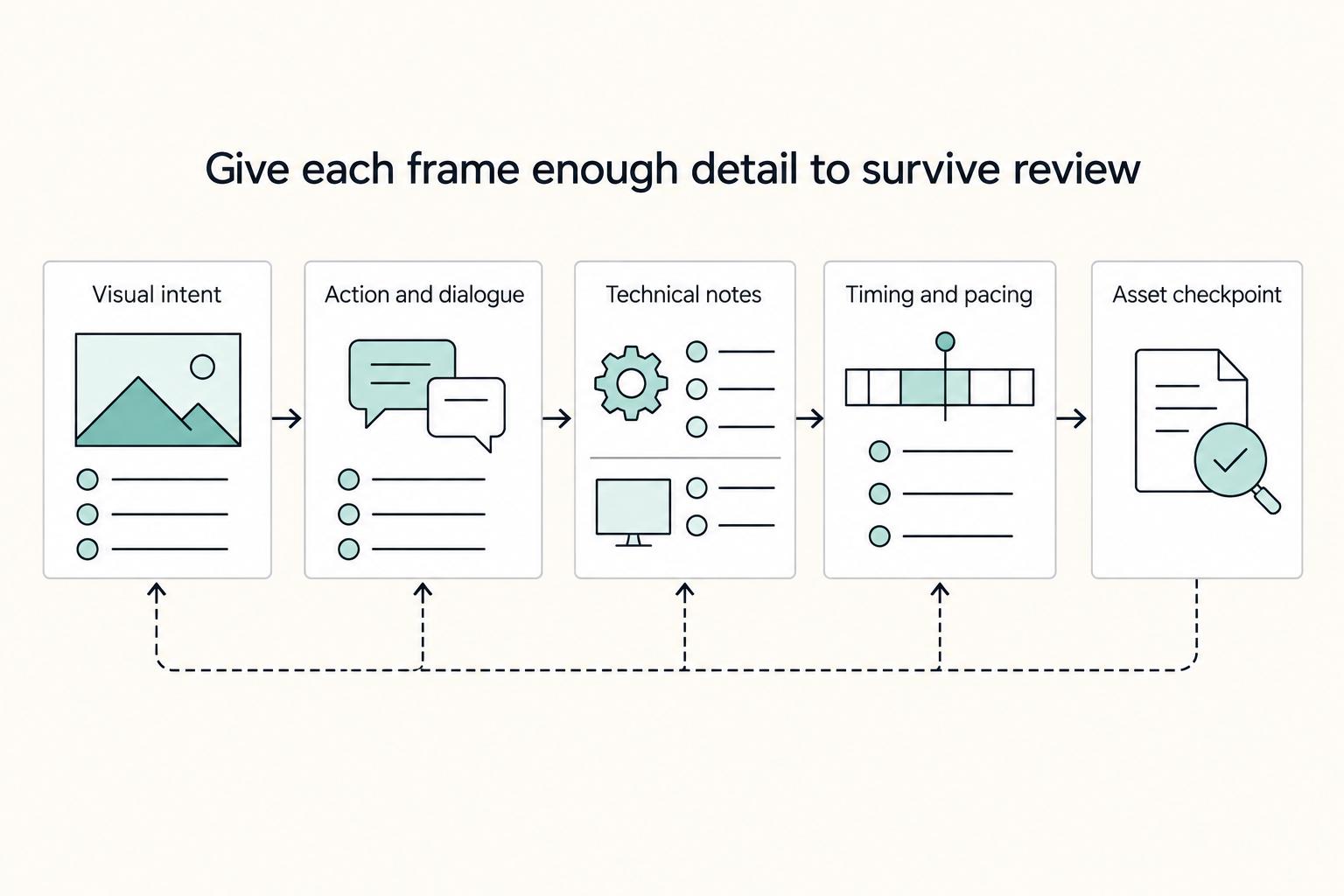
Give each frame enough detail to survive review#
For approval to hold up once schedules tighten and new ideas start flying around, each frame needs enough detail to survive review. In practice, that means documenting not just the picture, but the message, execution, timing, and key constraints tied to that shot.
| Element | What to document | Why it matters |
|---|---|---|
| Visual intent | Frame number, shot type, subject, composition, and the single narrative purpose of the frame | Locks down what the viewer sees, where attention goes, and why the shot exists |
| Action and dialogue | What happens on screen, the exact dialogue or voiceover line, any on-screen text, and the intended takeaway | Helps avoid the mismatch where the footage says one thing, the voiceover says another, and the edit has to cover the gap |
| Technical notes | Camera movement, transition intent, sound cues, graphics, and anything else that affects crew time or edit time | Makes it more likely that a shooter and editor interpret the frame the same way |
| Timing and pacing | Estimated duration, pauses, transitions, or beats, and a running total | Shows if cumulative runtime is already over target before production starts |
| Asset checkpoint | Required source asset, what is already confirmed, and any rights or licensing details still to verify | Turns creative planning into risk control |
Use a simple sign-off rule for your workflow. Do not ask for client approval until your internal production lead has checked feasibility. Do not treat client approval as final unless it comes from someone who can actually approve message, brand, and spend. If a junior contact signs off on visuals but cannot approve a script change, plan for rework risk.
What every frame should contain#
Start with visual intent. You are not trying to prove drawing skill. You are locking down what the viewer sees, where attention goes, and why the shot exists. Note the frame number, shot type, subject, composition, and the single narrative purpose of the frame. A common failure mode is that the sketch feels obvious to you, but the client, shooter, and editor each imagine a different focal point.
Next, write the action and dialogue under the frame in plain language. Document what happens on screen, the exact dialogue or voiceover line, any on-screen text, and the intended takeaway. This is the section your client-side content owner or marketing approver should read most carefully. If it stays vague, you get the familiar mismatch where the footage says one thing, the voiceover says another, and the edit has to cover the gap.
Then add technical notes that turn the frame into a production instruction. Include camera movement, transition intent, sound cues, graphics, and anything else that affects crew time or edit time. Research on pre-visualization points to a real communication gap between script intent and visual execution, and traditional references or hand-drawn boards can miss the precision needed in pre-production. One prototype study also reported faster task completion and higher usability than baseline methods in a 24-participant lab setting, but those gains were reported under controlled conditions. Your notes do not need to sound cinematic. They do need to be specific enough that a shooter and editor are likely to interpret the frame the same way.
After that, assign timing and pacing. Give each frame an estimated duration and keep a running total. Also note pauses, transitions, or beats that matter to the message. This gives you one of the simplest and most useful checkpoints in the process. If the cumulative runtime is already over target before production starts, the issue usually starts in the plan, not only in the edit.
Finally, maintain an asset checkpoint for every frame. This is where creative planning becomes risk control. Note the required source asset, what is already confirmed, and any rights or licensing details you still need to verify before final approval.
Taking inventory of locations, props, relationships, and collaborators before you lock the board helps you plan the piece you can actually produce, not the one you hope will become possible later. If music or SFX rights are still unclear, stop approval and resolve them in A Guide to Music Licensing for Video Projects.
| Aspect | Weak frame entry | Production-ready frame entry |
|---|---|---|
| Visual intent | "Person at laptop" | "Medium close-up of customer at laptop, screen glow visible, expression shifts from tense to relieved. Purpose: show outcome, not setup." |
| Action and dialogue | "Smiles. VO about peace of mind." | "Action: customer exhales, nods once. VO: 'Now your reporting is handled before the deadline.' On-screen text: 'Automated monthly reporting.'" |
| Technical notes | "Zoom in, add music" | "Slow push-in over 3 seconds. Light keyboard SFX under VO. Lower-third product label enters at 00:01.5. No logo animation in this shot." |
| Timing | "About 3 sec" | "3.0 sec total. Hold 0.5 sec before VO starts. Cut on nod to next dashboard shot. Running total after frame: 18.5 sec." |
| Asset tracking | "Stock clip, music track" | "Footage source and retrieval path noted. Music marked 'rights check pending.' Client UI file link recorded. Open usage details flagged for confirmation before final approval." |
Before you send a board for approval, run this minimum check:
- Every frame has a clear purpose, not just a picture.
- Dialogue, VO, and on-screen text match the current script version.
- Technical notes are specific enough that another person could shoot or edit the frame without asking what you meant.
- Frame timings add up to the promised runtime.
- Every external asset has a source noted and any unresolved rights/licensing questions flagged.
- The approver on your side and the approver on the client side both have authority to sign off in your workflow.
A four-step flow from message check to approval gate#
Once your board is detailed enough to shoot, your process is what protects budget and timeline. Use this four-step flow: set the message first, pick tools by workflow constraints, package handoff outputs, then lock approval before production starts.
Start with a scene-level decision check before you draw anything. For each scene, write: objective, audience action, and what gets cut if the scene does not support the objective. If you cannot tell whether a scene is building trust or driving direct conversion, it is not ready. If the hook matters, plan it to land in the first 3 seconds.
Next, choose your storyboard tool for execution, not novelty. Evaluate each option on speed, collaboration, revision control, and handoff readiness. A slide deck can work for a small review loop; a cloud board usually works better when multiple reviewers need structured feedback. Choose the format that keeps frame notes, timings, and asset references easy to track and export.
Then run a de-risking handoff pass. Package each frame with notes, asset ownership, current license status, retrieval location, and change-request triggers. If usage thresholds or other policy details are not verified yet, keep them marked pending until someone checks the current license, policy, and source records before approval or use. If you need modular outputs, scope that now, because coverage for one 2-minute hero cut is different from coverage for five 15-second hooks.
Finally, run a clean approval loop and treat it as your production gate. Keep one approval record with version, date, filename, approver name and role, decision status, and feedback channel. Use a consistent file pattern such as ProjectName_Storyboard_v03_2026-03-21.pdf so version history stays clear. "No production before approval" is not a legal requirement; it is an operating rule that prevents expensive rework.
| Step | Inputs | Outputs | Owner | Common failure mode |
|---|---|---|---|---|
| 1. Message-first decision check | Current script, brief, target outcome | Scene objective, audience action, cut list per scene | You (creative lead/producer) | Scenes stay because they sound good, not because they support the goal |
| 2. Tool selection and rough board | Scene list, reviewer needs, team constraints | Draft board in the tool that fits review and handoff needs | You (storyboard owner) | Tool is fast for drafting but weak for collaboration or version control |
| 3. De-risking handoff package | Draft frames, script, asset list | Frame notes, timing, ownership/license status, retrieval locations, change-request triggers | You with shooter/editor input | Rights, timing, or production requirements are assumed instead of documented |
| 4. Approval loop and gate | Final board package, approver list | Approval record, locked version, production go/no-go | You (producer/account lead) | Production starts from verbal or mixed-version approval |
From Stick Figures to AI: Choosing the Right Tool for Your Business#
Pick your storyboard tool based on workflow risk, not novelty: script stability, revision volume, stakeholder count, approval traceability, and handoff clarity. If the script is still moving, stay lightweight. If many people are reviewing, prioritize structured feedback and version control. If you are heading into approval, prioritize clean exports and a clear sign-off package before production starts.
A storyboard is the communication bridge between your team and stakeholders, so tool mismatch usually shows up as ambiguous feedback, missing outputs, or a weak handoff. A common failure is using AI for speed when scene intent is still unclear.
Match the tool to the job you actually have#
Use three buckets: speed, collaboration, and presentation.
For speed, use paper, simple slides, or fast generators to test structure before anyone gets attached to polish. Use Storyboarder.ai or Boords when scene order and intent are stable enough that generated frames reduce effort. Do not use them as your first move when the script is unresolved; AI output is prompt-sensitive and can make uncertain choices look final.
For collaboration, use Miro or Figma when several people need to comment, rearrange frames, and review options together. Use them when you expect multiple revision rounds. Do not treat them as the final approval record unless you have a clear plan for version naming, exports, and archived decisions.
For presentation, use Canva or Pitch when content is mostly settled and you need a clear approval package. Use them to present a controlled sign-off version. Do not use them as your primary working environment if production still needs script-linked updates, shot-level notes, or downstream handoff outputs.
| Tool category | Best-fit scenario | Strengths | Constraints | Failure risk if misused |
|---|---|---|---|---|
| Paper, stick figures, simple slides | Early concepting, solo planning, unstable script | Fast changes, low friction, cheap iteration | Weak collaboration and traceable approval | Different stakeholders interpret intent differently, and conflict shows up later |
| AI generators | Stable script, fast first-pass visualization, time pressure | Rapid draft frames, useful option exploration | Prompt-sensitive quality; needs human review | Polished but inaccurate frames create false confidence |
| Collaborative boards | Multi-person review, active revision, remote teams | Better feedback flow, easy rearranging, shared visibility | Can become chaotic without ownership and version rules | Scattered comments and no clear final version |
| Presentation tools | Client-facing approval, executive review, locked narrative | Clear sign-off package, readable final narrative | Limited production-handoff depth on their own | Approved deck lacks the details editors and crew need |
Before committing, test exports with one sample scene. Confirm you can produce every output your workflow needs, not just the prettiest one: approval PDF/deck, frame sequences where needed, and shot-list-ready handoff detail. If the tool cannot produce required outputs cleanly, you will end up juggling files and rebuilding decisions manually.
Also check two details early. First, confirm whether script integration is supported or whether updates must be synced by hand. Second, decide where asset ownership and licensing status will live. If a frame uses stock, temp music, or client-supplied files, track that in the storyboard package or linked asset registry, not in chat. If licensing is still unresolved, label it clearly before approval. For that workflow, see A Guide to Music Licensing for Video Projects.
A short selection check before you commit#
Use this quick check before locking your tool choice:
| Check | What to confirm |
|---|---|
| Input readiness | Whether the script is stable enough for AI or polished presentation, or whether you still need rough exploration |
| Collaboration needs | How many people will review, and where final decisions will be recorded |
| Asset and licensing tracking | Whether frame notes, ownership, and status can be captured clearly |
| Approval export | Whether you can generate the exact format needed for sign-off and production handoff |
If you cannot answer these four in about a minute, your tool choice is probably premature. Related: A Motion Designer's Guide to Licensing Music and Sound Effects.
Conclusion: Treat the storyboard as an approval checkpoint#
Treat the storyboard as an approval checkpoint that must be clear before expensive work starts. If a client can review it panel by panel and sign off with confidence, you usually get clearer expectations, a tighter handoff into the shot list, and better budget control because changes are surfaced earlier. That is the real business value here: not prettier sketches, but a shared reference for what each shot is meant to do.
On your next project, keep the sequence simple. Start with a clear script, then build the board with panel or scene numbers so each moment is easy to reference. Add the details that prevent confusion later, especially camera angle or distance, action, and sound notes. Review the sequence for pacing problems while changes are still cheap, then get client sign-off before production. Once approved, turn that board into the shot list your crew will actually execute.
Be strict about change requests after approval. If someone asks to alter an approved panel, sequence, camera choice, timing, or required asset, do not treat it as casual feedback. Route it through your change process and record the decision. Skipping that discipline is how small comments turn into on-set waste, and wasting time on set is still one of the fastest ways to burn cash.
Used this way, the storyboard process helps you work with more consistency and gives clients a clearer basis for trust. It will not remove every surprise, but it will make your decisions easier to defend, your handoffs easier to follow, and your production process easier to repeat professionally.
Want to confirm what's supported for your project? Talk to Gruv.
Frequently Asked Questions
Do you need to be an artist to storyboard?
No. Clear communication matters more than polished drawing. If a reviewer can understand what happens in the frame and what they will hear, the board is doing its job. If they cannot, add clearer Action and Sound notes before spending time making it look better.
What is the fastest way to storyboard a video?
Start with the script, not the pictures. Build the board from the script scene by scene, then correct gaps early. The fastest path is early correction, because changing a script or storyboard is usually simpler and cheaper than reworking late-stage animation.
Can AI create a storyboard from a script?
Possibly, but treat any generated board as a rough draft, not approved direction. Check each frame against the script and intended message. If problems trace back to the script, fix the script first before refining frames.
How do you storyboard for a corporate video?
Lock the core message before review, then make each frame explicit. Include clear Action notes for what happens visually and Sound notes for what viewers hear, so reviewers assess the same plan. Keep open questions with the board package so approval decisions are made on complete context.
How detailed does a storyboard need to be for a client?
Detailed enough that feedback can be tied to a specific frame, note, or scene instead of argued in general terms. At minimum, each scene should show what is happening visually and what the viewer will hear, because those are the two core elements a storyboard is meant to clarify. Set revision boundaries at named checkpoints such as script approval, storyboard review, and final animation check, and avoid open-ended edits through chat after board review begins.
What is the difference between a storyboard and a shot list?
Use them for different decisions, and align definitions early so teams do not talk past each other. A storyboard maps sequence and intent with visuals plus notes on what viewers see and hear. Set shot-list ownership and handoff timing internally before production starts.
How should you handle approval and changes?
Put one named version in front of reviewers and ask for consolidated feedback at defined checkpoints. If someone wants changes after the approved board stage, treat that as a scope decision and document it clearly instead of folding it into informal revision. Keep the decision record in the exported board, deck, or comment history, not scattered across messages.
Try a related tool
Researched and edited by the Gruv editorial team. Gruv builds cross-border billing, payouts, and finance-operations software for global businesses.
Sources
Includes 7 external sources outside the trusted-domain allowlist.
- repo.darmajaya.ac.id/5672/1/Digital%20Animation%20Bible%20Creatin...trusted
- arxiv.org/html/2507.20355v1external
- brixongroup.com/en/creating-storyboards-for-b2b-case-study-v...external
- bulletproofscreenwriting.tv/category/screenwritersexternal
- cawvideo.co.nz/blogs/the-2026-video-production-frameworkexternal
- dl.acm.org/doi/10.1145/3715336.3735805external
- educationalvoice.co.uk/animation-revision-process-explainedexternal
- filmustage.com/blog/the-best-storyboard-software-for-filmma...external
Educational content only. Not legal, tax, or financial advice.
Related Posts

Thailand's Long-Term Resident (LTR) Visa for Professionals
For a long stay in Thailand, the biggest avoidable risk is doing the right steps in the wrong order. Pick the LTR track first, build the evidence pack that matches it second, and verify live official checkpoints right before every submission or payment. That extra day of discipline usually saves far more time than it costs.
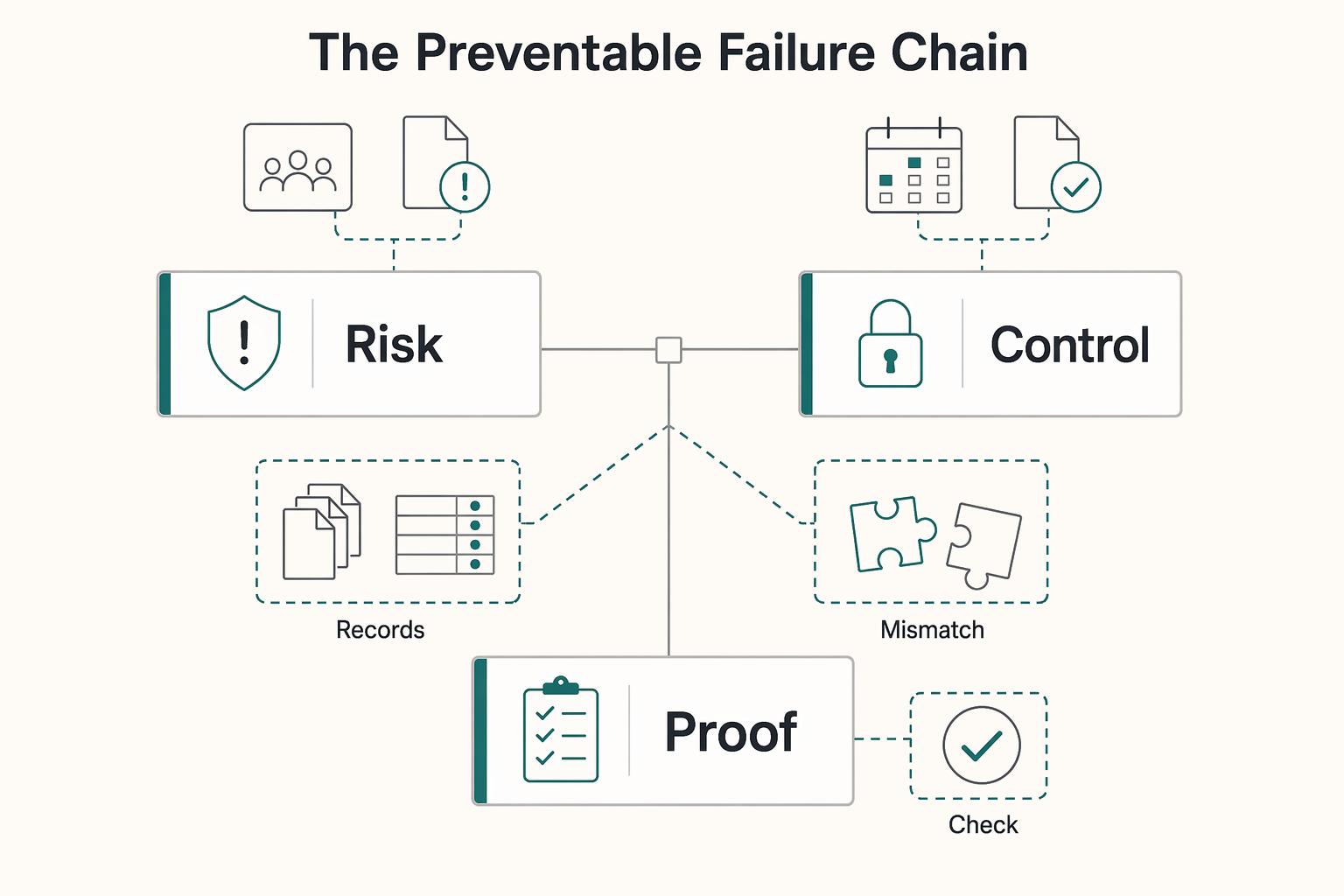
Music Licensing for Video Projects Without Scope Mistakes
On a client project, you are not just choosing background music. You are managing delivery risk and legal risk. For **music licensing for video**, start with three checks: what your Statement of Work (SOW) says, who the license holder of record is, and whether the license actually covers this project's use.
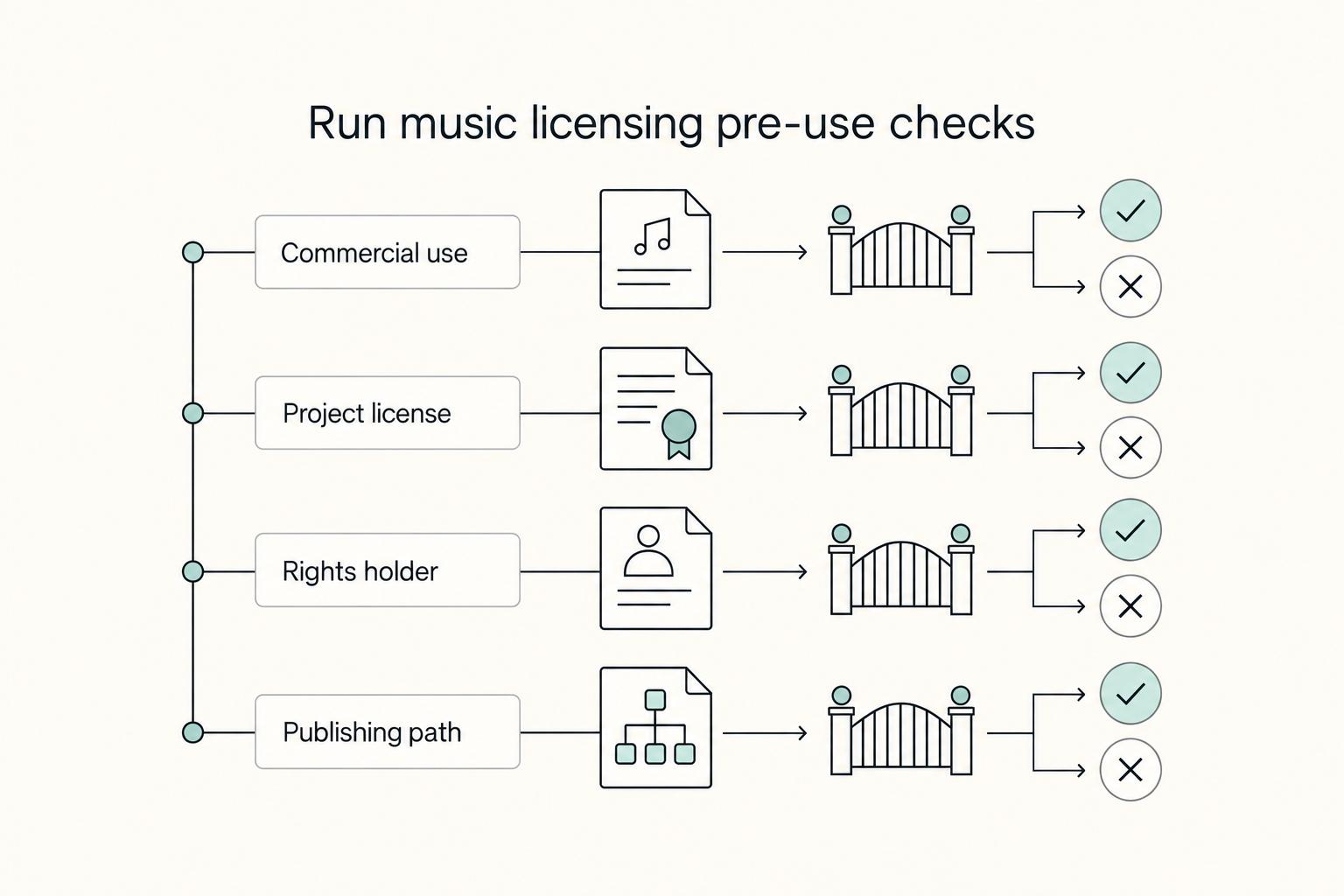
A Motion Designer's Guide to Licensing Music and Sound Effects
When you pick music or SFX for client work, you are making a rights and delivery decision as much as a creative one. In motion design, a strong track is unusable if you cannot show permission for that exact asset in that exact project.