

Quick Answer
For entirely one-state service, start with that state’s SUI coverage. For multistate service, apply localization, employee base, direction and control, then residence, subject to the services connection and relevant state law. Document the result separately from withholding and reassess after a real service-pattern change.
Why SUI state assignment is a payroll setup decision, not a background tax task#
SUI for remote companies is an immediate payroll setup decision, not a background tax task. Set up the wrong state and you can end up reworking payroll and fixing compliance issues after pay has already run.
Begin with where the employee performs services. For work entirely in one state, SUI coverage ordinarily follows that state. For a genuine multistate pattern, apply the ordered tests rather than choosing headquarters or residence by default.
Analyze SUI separately from state income-tax withholding, workers’ compensation and company registration. Those rules can produce different state assignments. Keep the reasoning for each, rather than forcing all payroll fields to match.
Use these checkpoints:
- Verify where the employee physically works, not just a mailing address or template defaults.
- Apply SUI and withholding rules separately; retain the reasoning for any different state assignments.
- Save documentation early: onboarding location records, registration confirmations, and payroll setup evidence.
A remote-work move can change the relevant coverage period. Save the service dates and decision so any reporting correction follows the actual facts, rather than overwriting history with the latest address.
This guide explains the ordered coverage tests, the evidence behind the decision and how to maintain it when service patterns change. Resolve ambiguity promptly while arranging lawful timely wage payment.
Define SUI early so later decisions are clear#
Treat SUI as its own compliance track before first payroll. If you do not separate it early, later state decisions blur together.
For remote teams, the key input is where the employee physically works, meaning where services are actually performed. That is a primary basis for state and local withholding and the practical anchor for payroll setup. Temporary-presence rules and reciprocity agreements can change how withholding applies, so treat those as separate checks.
Before the first pay run, use a simple check:
- Confirm the work state in onboarding.
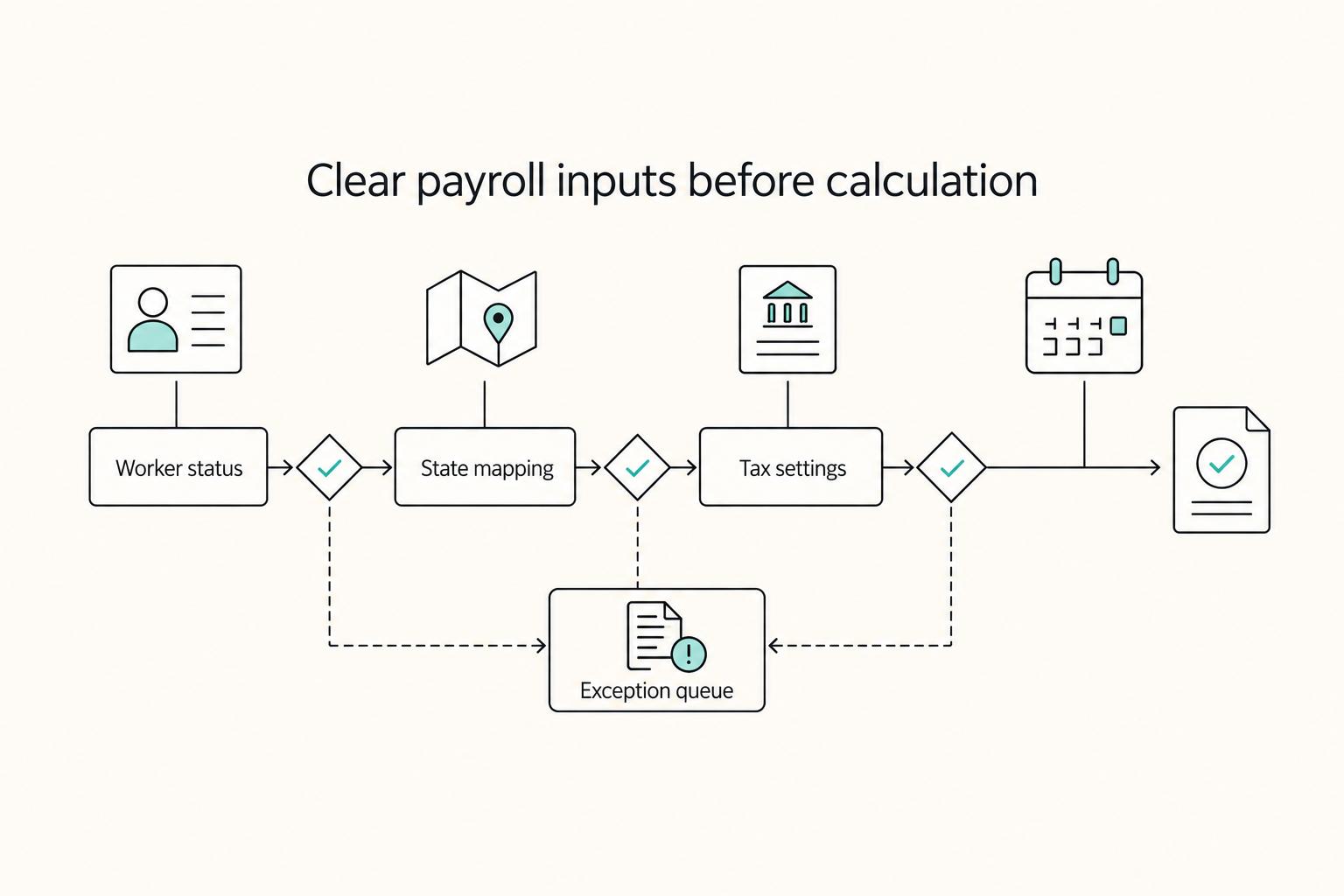
- Map SUI, withholding, and Workers' Compensation settings intentionally, line by line.
- Save evidence, for example a location declaration, state registration confirmation, and payroll setting records.
Illinois employers can use MyTax Illinois for UI contribution and wage reports, payments and account information. Verify your employer’s required filing frequency; a portal capability is not a rule to copy into another state.
Do you pay SUI in the employer state or the employee work state#
Use the DOL localization guidance in order. First, service is localized where it is entirely performed, or where outside work is merely incidental, temporary or transitory. If no state localizes it, use the employee’s base of operations if some service occurs there. If that does not resolve coverage, use the direction-and-control state if some service occurs there; then the residence state if some service occurs there. Stop at the first applicable test and verify the result under the relevant state law.
States can require unemployment contributions from out-of-state employers based on in-state wages. For example, Massachusetts can require contributions once an out-of-state employer reaches $200 in gross wages paid in Massachusetts in a quarter. Texas treats employers as liable when they meet any one TUCA criterion.
The employee’s base is the stable center from which they start work and customarily return for instructions, communications, supplies or other job functions. It can be a home office; it is not automatically the employer’s headquarters. If the tests do not resolve coverage, seek an agency determination or an applicable approved reciprocal-coverage arrangement.
Two Examples of the Ordered Tests#
Illustratively, an employee performing all duties from a Florida home for a New York company has localized Florida service. A short isolated trip does not automatically change that conclusion; assess whether it is incidental. A traveling employee with regular substantive work in several states instead may reach the base test: a stable Ohio base where some work is performed can determine coverage before the employer’s direction-and-control state is considered.
Decision signals worth trusting#
| Decision signal | Likely SUI direction | What to verify with state tax authorities | Evidence to save |
|---|---|---|---|
| Employee works in a state that is not your company home state | Start with the employee work state | Whether wages paid there trigger unemployment-tax liability and registration | Location declaration, assignment or offer record, payroll profile showing work state |
| You are an out-of-state employer paying wages in Massachusetts | Review Massachusetts first | Whether you reached $200 in gross wages in a quarter and whether your employer type has different thresholds | Quarterly wage calculation, work-state record, Massachusetts registration or correspondence |
| You pay wages to Texas employees | Review Texas liability under TUCA | For general employers, verify $1,500 in a calendar quarter or employment in 20 different weeks in the current or preceding year, plus other applicable liability triggers and employer-category rules. | Liability memo, first Texas payroll date, TWC registration confirmation |
| You have employees in multiple states | Run state-by-state reviews | Where liability exists and what registration timing and account setup are required | Worker roster by work state, state account confirmations, payroll mapping records |
Texas also gives a concrete timing checkpoint: once you become liable under TUCA, register with TWC within 10 days.
Where teams get this wrong#
A key failure mode is applying one blanket rule across every state. Massachusetts explicitly notes that some employers have different requirements and wage thresholds, so a shortcut that works in one state may fail in another. Another recurring problem is thin documentation. Keep dated records of where the employee works, liability checks, threshold calculations, registration actions, and payroll settings.
Escalate unresolved service patterns, state notices or registration questions early enough to act before payroll deadlines. Do not withhold earned wages solely while researching SUI. Arrange lawful timely payment with payroll support and document any permitted provisional handling, followed by required tax or wage-report corrections.
Plan Registration and Map Each Tax Track#
Start state review before a hire’s first payroll as an internal planning target. Legal liability and registration deadlines depend on state law and employer category; they are not uniformly the hire date. Configure SUI and withholding from their separate determinations.
Get the order right#
Location facts are the starting evidence, while the applicable coverage and withholding rules determine the fields. Prevent a software default from silently substituting the company’s headquarters for the documented analysis.
Capture actual services, dates and travel patterns alongside residence. A home-address update alone does not tell you whether SUI coverage changed.
Map Payroll Fields to Their Separate Determinations#
Verify home address, work location, withholding jurisdictions and unemployment account separately. A lawful difference between fields is not an error; an unexplained difference or an unsupported default needs review.
Treat a home/work-state mismatch as a question to investigate. Keep the conclusion and evidence rather than changing SUI simply to make the display match.
Assign named owners before first payroll#
If ownership is vague, registration and payroll mapping drift. Define ownership at the person level before first payroll:
- One owner confirms where the employee works before the employee starts work.
- One owner opens state registrations and keeps the state confirmation or account setup record.
- One owner maps SUI and withholding to their separately verified determinations.
- One owner escalates unresolved setup and arranges lawful timely wage payment.
Keep payroll-review sign-off separate from permission to delay earned wages. An unresolved tax setup needs prompt escalation and a lawful payment plan, rather than an indefinite compliance hold.
Build location controls that prevent the common SUI mistake#
Once first payroll is live, the major risk is drift in location data. The highest-value control is to treat work location as a governed payroll field, not a copy of the home address.
Keep the employee’s service pattern current and compare each configured field with its own approved analysis. SUI, withholding and workers’ compensation can legitimately differ.
Do not let home address stand in for work location#
Home address alone is not enough to set payroll location. If the location record is missing or stale, teams can point unemployment setup and other payroll-tax settings to the wrong state.
Review an address change without a service-location update, or a coverage change without a payroll-tax review. Correct unsupported settings promptly while meeting wage-payment deadlines.
Require change reporting with enough detail to act#
Location changes are only useful if they give payroll enough detail to act. Require every change to include an effective date and a short reason, for example travel, relocation, or temporary assignment. At minimum, record:
- prior and new work state
- effective date
- reason for change
- affected state payroll-tax setup
- first impacted payroll cycle
- reviewer or approver
Review the three fields together, not one by one#
Review these three records side by side for each active remote employee on a fixed internal cadence:
- assigned unemployment account
- state payroll-tax setting
- payroll or HR location field
Investigate whether each field matches its own saved determination and whether the facts changed. Do not force the unemployment account to equal the withholding state merely because the two differ.
Keep a changelog tied to payroll cycles#
Maintain a changelog that ties each update to state, reason, effective date, and first affected payroll cycle. That gives you a defensible timeline if you need to unwind errors later.
Handle temporary travel, relocation, and mid-cycle changes without guesswork#
Do not treat every location change the same. Short travel, temporary assignments, and permanent relocation should be handled as different scenarios so you do not make same-day assumptions about payroll tax treatment.
| Scenario type | Risk level | Likely operational impact | Required verification |
|---|---|---|---|
| Short travel with a clear end date | Low to medium | Keep current setup as a temporary holding position until facts are validated | Start and end dates, reason, current physical work state, first affected payroll cycle, reviewer approval |
| Temporary work with unclear or extended duration | Medium to high | Do not assume current treatment still applies; require explicit review before changes | Effective date, expected duration, return plan, affected state, reviewer signoff |
| Permanent relocation to a new ongoing work state | High | Treat as a full re-evaluation event; update only after validation | Effective date, new ongoing work state, payroll profile before and after, reviewer approval, any required internal registration checks |
Use your written remote work policy as the control document for this step. It sets expectations, requirements, and responsibilities. Without it, location updates can be late or vague, and operations get messy.
Separate the event before you touch payroll#
Before you edit payroll, ask four questions: what type of change is this, what is the effective date, is there a clear end date, and where is the employee physically working now. Treat a home-address change as a review trigger, not an automatic payroll tax change.
Use a conservative order of operations#
| Step | Action | Article detail |
|---|---|---|
| 1 | Record the facts | Save current service pattern, setup and payroll deadline |
| 2 | Confirm treatment | Apply the coverage tests and separate withholding analysis with state guidance |
| 3 | Update payroll profile | After validation, update the location field and related payroll tax settings, then log the effective date and first impacted cycle |
| 4 | Pay lawfully and correct | Meet earned-wage deadlines; retain approved provisional handling and complete any necessary report/tax corrections |
Make payroll close a hard review point#
A move reported near payroll close requires urgent review, not automatic wage deferral. Agree on lawful timely payment and permitted provisional tax handling with payroll support, preserve the uncertainty record and complete required corrections after determination.
Keep an audit-ready evidence pack for every state decision#
Save the decision evidence as soon as you set a worker's state treatment. Months later, you should still be able to explain why a worker was tied to a specific work state and assigned account with dated records, not memory.
Build the file around the worker-state decision#
Use one file, folder, or ticket thread per worker-state combination. This is an operational control, not a claim that every item below is legally required in every state.
| Recommended evidence item | What it supports | Quick check |
|---|---|---|
| Onboarding record | What was known when the worker entered payroll | Hire timing aligns with first planned payroll cycle |
| Location declaration | Where services were expected to be performed | Declaration date and state are clear |
| Registration or account setup confirmation (if applicable) | That registration or account setup was completed for that setup | State, confirmation date, and account reference are saved |
| Payroll setup screenshots | How payroll was configured after the decision | Screenshot date, assigned state, related account reference (if used), first affected pay run |
Where applicable, keep UI notices, account updates, and related correspondence in the same record so follow-up stays tied to the same decision trail.
Preserve the change history, not just the current view#
Keep the timeline, not only the latest profile. When address or work-state facts change, retain the before-and-after record, reported effective date, reason for change, reviewer approval, and first impacted payroll cycle.
Review the evidence before a notice forces the issue#
Evidence quality comes from regular review, not from a folder you update only after a notice arrives. Use a recurring checklist to keep the record current.
- Confirm each active worker has a current work-state record.
- Match payroll setup to the saved state decision.
- If you receive UI notices and account updates, file them under the related state/account record.
- Spot-check recent address changes for effective-date approval and first impacted payroll cycle.
Choose a cadence your team will actually maintain, such as monthly, at payroll close, or during a broader state review. The pattern to avoid is reactive packet-building after a notice, which can look complete but still miss real operating proof.
This pairs well with our guide on How to Set Up Workers' Compensation Insurance for a Remote Team.
Spot red flags before they become penalties#
Investigate unexplained differences between location evidence, tax determinations and registration status. A difference supported by separate legal analyses can be correct.
| Red flag | What to check | Article guidance |
|---|---|---|
| Configured field lacks a supported tax determination | Worker record, payroll setup, and effective-date history | Reconcile to that field’s actual legal analysis, not another field’s state |
| A new state appears, but account and reporting controls do not | Whether a registered account should exist, payroll mapping, and reporting status | Verify unemployment account and reporting status right away |
| You are relying on informal advice | Formal escalation path and documented confirmation | Get documented confirmation before the next payroll cycle |
| SUI tracking is isolated from adjacent compliance review | Broader employment-compliance check | A new state should trigger a broader employment-compliance check |
Know exactly when to escalate to a payroll tax pro#
Escalate when you cannot explain the state treatment with clear, documented facts before the next payroll run. Routine profile fixes can stay internal, but ambiguity should not.
Send the advisor the actual service pattern, including any employee base, direction-and-control location and residence. Those facts let them apply the ordered tests rather than infer coverage from the company address.
Escalate before first payroll in a state that is new to your team as a risk-control default. Multi-state hiring can require employer registration in each state where employees work. Some states may also require out-of-state businesses to register with the Secretary of State before opening payroll tax accounts.
Treat conflicting agency notices as a time-sensitive compliance case. Preserve the notice, response deadline and prior decision; verify the actual state-specific consequence instead of importing a generic failure-to-file penalty.
Escalate when worker-classification assumptions are carrying the decision. A remote worker is not automatically an independent contractor, and regulators review the actual working relationship.
When you do escalate, send a tight evidence pack:
- location history with effective dates and temporary assignment notes
- current payroll mappings
- registration confirmations, notices, and prior state correspondence
Use a 30-60-90 day execution checklist to stay compliant#
A 30-60-90 day cadence is a practical control, not a state UI legal requirement. It gives your team a repeatable way to catch record drift early and document what changed, which is especially useful in remote workflows.
| Timing | What to check | What to verify | What to save |
|---|---|---|---|
| First 30 days | Active location records and open unemployment account setup items | Work-location records are internally consistent, and each open setup item has a clear owner and status | Setup confirmations, payroll setup screenshots, effective dates, owner notes |
| By 60 days | Employee home address versus work-state records | Home address updates did not create unresolved conflicts with assigned state in payroll | Mismatch log, remediation notes, approval trail for changes |
| By 90 days | State-level UI setup, notice handling, escalation log | States where payroll runs have documented setup, a monitored notice channel, and tracked open questions | State inventory, account references, notice log, advisor questions and responses |
| Quarterly | Repeat review across changes since last cycle | New hires, relocations, temporary assignments, and payroll mapping edits were reviewed and any exceptions were tracked | Changelog, exported reports, unresolved issues list |
If you want a broader refresher on adjacent payroll-tax steps, see How to Handle Payroll Taxes for a Remote US Team. If you want one system of record for payout statuses and audit-ready exports while you run this 30-60-90 checklist, review Gruv Docs.
Use current agency rules and guidance for the relevant coverage period. Software settings and informal summaries help locate questions, but do not establish the legal answer.
Keep PII exposure narrow#
Keep access to employee home address data tight while preserving the evidence needed for compliance responses. Avoid spreading sensitive details across chat or email when a controlled ticket or secure document workflow will do.
When sensitive information must be submitted, use official, secure .gov websites. Remote teams can be exposed to phishing and ransomware risks, so unexpected requests to resend worker data through untrusted channels are a red flag.
Frequently Asked Questions
Do remote companies usually pay SUI in the employee's work state or the employer's home state?
For a covered service relationship, apply localization first, then employee base of operations, direction and control, and residence in order, with the required services connection for the later tests. A state where all work occurs ordinarily localizes it. Reassess when the service pattern changes rather than treating one assignment as permanent.
What is the minimum setup required before the first payroll run for a remote hire?
Document service location and dates, the SUI test applied, separate withholding treatment, applicable registration deadlines and account status. Plan setup early, but follow the actual state liability rules and arrange lawful timely wage payment while resolving open questions.
What is the most common SUI mistake when onboarding remote employees?
A common mistake is changing payroll from a home address or headquarters default without analyzing services. Compare SUI and withholding with their separate documented decisions; they need not use the same state.
How often should I audit work location and SUI settings?
Audit at onboarding, whenever someone moves, and on a recurring cadence that fits your team, such as quarterly. Quarterly is a control choice, not a universal legal requirement. Keep records exportable and reviewable, since UI audits can include subsidiary payroll records and require records to be open for inspection and verification.
What should I do if an employee moves states mid-pay period?
Confirm the move’s date and actual service pattern, then review SUI and withholding separately. Escalate tight deadlines and arrange lawful timely earned-wage payment while completing the determination and any permitted corrections. Keep old and new reporting periods traceable.
When do temporary presence rules become a real SUI risk?
A short trip is not automatically a SUI state change, and an income-tax withholding day threshold is not a SUI localization rule. Decide whether outside work is incidental from the actual pattern; if service is not localized, continue through the remaining tests.
When should I stop and talk to a payroll tax professional?
Escalate when localization, employee base, direction and control, then residence do not resolve the service pattern, or when agency instructions conflict. Also seek help with reciprocal-coverage approval, employer-category exceptions or worker classification that affects UI coverage.
Try a related tool
Researched and edited by the Gruv editorial team. Gruv builds cross-border billing, payouts, and finance-operations software for global businesses.
Sources
- cdle.colorado.gov/employers/unemployment-insurance-premiums/wa...trusted
- cdle.colorado.gov/employers/frequently-asked-questionstrusted
- dol.gov/sites/dolgov/files/ETA/advisories/UIPL/2004/...trusted
- dol.ny.gov/employers-guide-unemployment-insurance-wage-...trusted
- dol.ny.gov/system/files/documents/2024/03/ia116.3.pdftrusted
- efte.twc.texas.gov/thresholds_for_coverage.htmltrusted
- gov.texas.gov/uploads/files/business/Governors_Small_Busin...trusted
- ides.illinois.gov/employer-resources/taxes-reporting.htmltrusted
Educational content only. Not legal, tax, or financial advice.
Related Posts
How to Handle Payroll Taxes for a Remote US Team
Use a risk-first setup before your first run. Put decisions and verification in a fixed order so payroll tax mistakes are less likely to turn into cashflow problems.

The Freelance Payment Penalty: A Modeled Audit of Platform Fees, FX Spreads, and Payout Delays
The money rarely disappears through a single, easy-to-spot fee. The real loss is stacked. A marketplace takes its commission, a processor adds a charge for international cards, a bank or payment company converts the currency at a spread, a platform holds the funds before release, and a wire sheds a little to intermediaries on the way in. Each layer looks defensible on its own, but the worker feels the combined result as a smaller deposit and a later payday.

How to Respond to a Subpoena for Business Records
Move fast, but do not produce records on instinct. If you need to **respond to a subpoena for business records**, your immediate job is to control deadlines, preserve records, and make any later production defensible.