
Quick Answer
Name who coordinates music clearance, then obtain a license covering the client, project and planned distribution. Check composition and recording permissions, retain the governing terms and proof, and review expanded use before publication. Royalty-free does not mean unrestricted.
Start with the project, license holder and permitted use#
On a client project, you are not just choosing background music. You are managing delivery risk and legal risk. For music licensing for video, start with three checks: what your Statement of Work (SOW) says, who the license holder of record is, and whether the license actually covers this project's use.
When any of that is unclear, the problem shows up fast. A claimed track can be blocked, monetized, muted, or made unavailable on YouTube, and the outcome can vary by country. For you, that can mean launch delays, disputes over who approved what, and trust damage when a campaign has to be recut after delivery.
The cleanest fix is to build that control point into your SOW. Define the work, deliverables, timeline, who sources the music, and who carries license responsibility. That matters because video use often involves separate rights tied to the composition and the recording, commonly framed as sync and master-use permissions. A license gives you usage rights, not ownership.
Royalty-free does not mean unrestricted. Artlist’s Social license is for personal channels, including permitted monetization, and does not cover producing client projects; its Pro license can cover client work within its terms. Epidemic’s Pro plan covers client work and digital ads but lists exclusions such as TV ads, cinema and VOD. Save the actual terms that govern your purchase.
By the end of this guide, you will have a practical approach: clear liability ownership, defensible pricing choices, and a simple license-tracking habit that leaves an auditable trail for every track. The first step is understanding why standard licensing advice can break down once client work, contracts, and reuse enter the picture. If you are also setting up your editing workflow, see The Best Video Editing Software for Freelancers.
Recheck rights when the client changes the release plan#
Standard advice can break down in paid client work because it treats licensing as a one-time task. Your risk often comes from changing usage scope, project agreements, and the need to prove what was cleared.
The checklist trap#
The usual sequence, pick a track, pay, export, publish, is not enough for many client deliveries. A license is defined by usage rights and term rights. Those can stop matching the project after delivery when scope changes.
That is the gap many generic guides miss. They help you clear first publish, not later reuse or repurposing. In practice, set a recheck trigger whenever channel, geography, term, or deliverable type changes. You should also document how scope changes are reviewed before moving ahead.
Your working checkpoint should be simple: do the documented usage rights and term rights still match the current use? Keep a record for each track with the license file, source platform, licensing account, and project tie-in so you can answer that question quickly if scope shifts.
| Generic creator advice | Professional client-work reality | Your safer default |
|---|---|---|
| Buy once and keep a receipt | Rights are tied to defined usage and term | Re-check usage and term before delivery and when scope changes |
| "Royalty-free" means fully covered | "Royalty-free" may not mean unrestricted use | Treat the label as shorthand and check the actual limits |
| Publish, then fix if needed | Post-delivery changes can create a rights mismatch | Build a documented review step before approving scope changes |
| Save the download email | Clients may ask for project-specific proof | Maintain an auditable per-track, per-project record |
The client work gap#
Generic guidance also assumes you publish only for yourself. In client work, project agreements often shape who is responsible for what on this project.
You do not need to draft legal clauses from scratch. You do need to confirm what your agreement says about responsibility for clearing third-party music.
Ask the operational question early: who is the license holder of record, who selected the track, and what does the agreement say you are standing behind? If the client provides music, reflect that clearly in the project documentation. If you provide music, keep records that support the promises tied to your delivery. For related ownership framing, see Work for Hire vs. Assignment of Rights: A Freelancer's Guide to Owning Your IP.
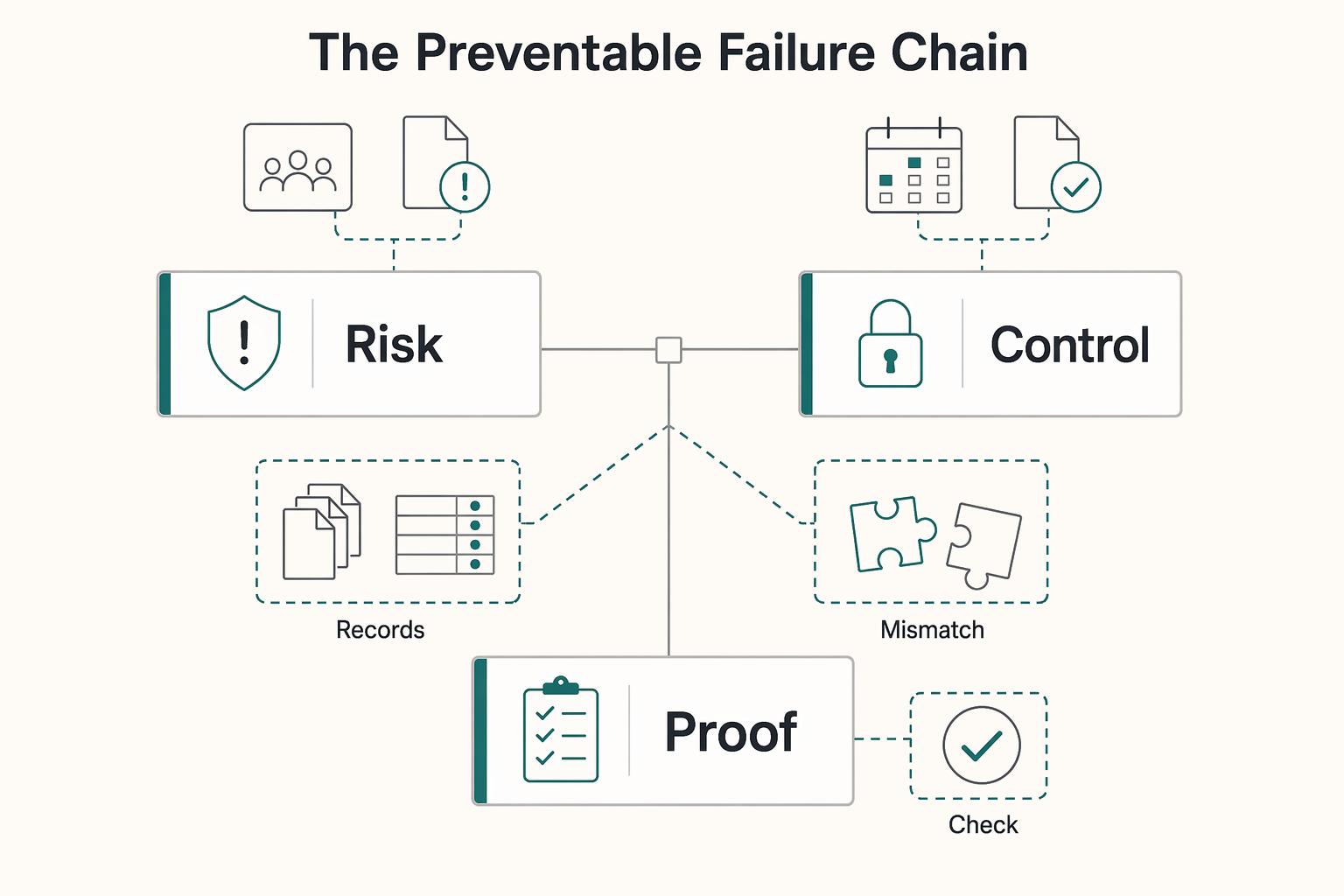
The preventable failure chain#
The practical risk is a chain you can interrupt early: a use is challenged, proof is requested, records are incomplete, and review starts under pressure.
Using protected music without the necessary permission can create infringement exposure unless a legal exception applies. For an ordinary client campaign, plan to clear the relevant rights rather than assume an exception. The composition and the particular recording are distinct works.
The safeguard is not complicated. Set clear responsibility ownership, document scope, and keep audit-ready records. If usage changes after launch, stop and recheck. If license terms are unclear, do not assume the broadest interpretation. If a team member sourced the track, confirm that the licensing account and terms actually cover this client project.
If you want a deeper dive, read A Guide to Fair Use and Copyright for Freelance Content Creators.
Assign music-rights responsibility to one party before production starts#
Assign one party to coordinate clearance, retain proof and handle scope updates. The license must cover every intended publisher or client use; naming a coordinator in the SOW does not by itself grant rights or eliminate another party’s legal exposure.
This is a contract control, not a universal legal mandate. Without it, teams can find out too late that the wrong account, plan, or scope was used. Use this comparison to choose your default.
Two common setups#
| Scenario | Control | Risk exposure | Admin burden | Contract approach |
|---|---|---|---|---|
| Client provides music | Client controls source and rights decisions | The contract can allocate costs between you and the client, but cannot bind an outside copyright owner | Lower for you if proof requirements are clear | Request rights proof and negotiate suitable warranties, remedies and any indemnity |
| You source music | You control track, account, and license matching | You carry more front-line risk if scope or plan is wrong | Higher for you because tracking and rechecks sit with you | Use plans that cover client work, define permitted use in writing, and require approval for expansion |
For client-supplied music, request the actual license or permission and check the planned use. A warranty or indemnity can allocate losses between the parties, but it does not clear an unauthorized track or prevent a rightsholder’s claim.
If you source music, confirm before you cut that the plan matches client work. For example, Epidemic states Pro covers content for third parties, while Creator does not cover client work. A legally downloaded track under the wrong plan can still be the wrong license for client delivery.
What your contract language needs#
Keep the clause set short and explicit:
| Contract item | Details |
|---|---|
| Warranty of rights | who secured permission and that the stated use is authorized |
| Indemnity allocation | who compensates whom for covered losses if a rights claim appears |
| Permitted use scope | channels, territories, term, paid use, edits or re-cuts, and reuse limits |
| Approval rule for expanded use | if use changes, pause, recheck rights, and secure any needed new license agreement before publication |
Write scope boundaries directly, for example: organic website/social only, no paid media without written approval, territory and term stated in writing, and re-cuts limited to this campaign.
For streaming or broadcast, check who covers any applicable public-performance rights—the platform, distributor, library license or your client. Do not buy duplicate coverage automatically, and do not assume a performance license grants sync or master-use permission.
Pre-kickoff checks#
Before production starts, confirm these items:
| Check | What to confirm |
|---|---|
| Responsible party | Assign one responsible party for music rights in the SOW |
| Evidence requirements | license file, source platform, account holder, plan tier, and project tie-in |
| Escalation path | who approves upgrades and who pays |
| Final sign-off authority | especially for paid use, new channels, re-cuts, or reposts |
If you only lock one thing, name the responsible party and usage boundaries in writing before production starts. This pairs well with our guide on A Guide to Font Licensing for Freelance Designers.
Before you send terms to a client, draft your liability and license-holder language in the Freelance Contract Generator.
How to price licensing as rights management#
Separate the music license cost from your work sourcing tracks, checking coverage and replacing edits. A producer’s administration fee is different from royalties payable to a songwriter or recording owner.
Choose the model by tradeoff, not habit#
Itemize the license when the client wants a clear pass-through cost, or include a defined allowance in your production fee. State whether the allowance covers one track, alternate searches and one named project.
| Quote component | Example assumption | What changes the price |
|---|---|---|
| Track license | Illustrative $100 allowance for one approved track | Actual provider quote or an expanded use |
| Selection and clearance work | Illustrative two hours at $75 per hour = $150 | Extra searches, account checks or negotiation |
| Replacement edit | Included only if the proposal says so | New track, new cut or extra approval rounds |
With those illustrative assumptions, the music-related quote is $250 before tax: $100 for the track and $150 for your work. These are budgeting figures, not market rates. Confirm the actual license price and get approval before exceeding the allowance.
Pre-quote intake checklist#
There is no universal legal pricing checklist, so if you use an intake checklist operationally, document your assumptions clearly before work starts:
- usage scope for this project
- distribution channels
- territory
- term
- likely reuse, including reposts, re-cuts, and campaign extensions
- who sources the track
- who stores license proof
- who approves and pays if usage expands
Define likely release channels before quoting. An organic website cut and a broadcast campaign can need different permissions and different clearance work.
What the fee is paying for#
Tell the client what your fee buys: track searches, permission checks, account registration where required, saved evidence and an agreed number of replacement edits. Keep license charges and production work distinguishable even in a bundled total.
If scope changes#
If intended use expands, re-check rights and update documentation before reuse. The practical point is simple even if your contract workflow differs from project to project.
Proposal language (adapt and fill placeholders)#
- “This quote includes [music budget] for [number of tracks] in [named project], plus [clearance work and included edits]. Intended use is [channels], [territory] and [term]. Changes require a rights check and written approval of any additional license cost or editing fee before publication.”
You might also find this useful: A Motion Designer's Guide to Licensing Music and Sound Effects.
Build a License Ledger that stops overuse before release#
Use a License Ledger as a publish control, not just storage. Its job is to stop overuse before release, catch scope or term problems, and help you decide quickly whether to publish, pause, or relicense.
Risk often appears when usage changes after first delivery. A repost shifts distribution, a track gets reused in a new project, or a platform asks for proof. If your ledger is current, you can confirm scope quickly and avoid publishing outside the license.
What your ledger needs to track#
Build the ledger so it answers approval questions, not just archival ones. Log one track per row and link directly to proof.
| Ledger field | Details |
|---|---|
| Asset ID | internal ID, track title, and artist |
| License holder of record (internal field) | who bought or registered the license |
| Source | provider or library |
| Rights check | sync right for the composition, and master use right for a specific recording when used |
| License tier | exact plan or license label from the provider |
| Permitted channels | allowed channels plus named accounts or channels where required |
| Territory | licensed geography only |
| Term/expiry | purchase date, active term, cancellation status, and post-cancellation publish status |
| Project-client tie | exact project or end product and legal client entity |
| Proof document link | invoice, certificate, download record, cue sheet, or provider confirmation page |
| Escalation notes | triggers like VOD, DVD/Blu-ray, or reuse in a new client project |
Two fields often matter most in practice: the project tie and the proof link. Some providers scope licenses to 1 specific project or end product, and a real proof link is stronger than a note that only says "licensed."
Use the ledger as a publish gate#
Royalty-free commonly means the library does not charge a royalty for each permitted use under its license. It does not mean free, unlimited, or that every public-performance obligation is necessarily covered. Read the grant, exclusions and track-specific conditions before release.
Record cancellation status explicitly: content published while a subscription was active may stay cleared, while new publishes after cancellation may not.
| License tier label | Usually allowed | Common restrictions | Verify before publish |
|---|---|---|---|
| Standard | Provider-defined uses listed in the plan terms | Can exclude or narrow broadcast, VOD, local radio/TV, physical distribution, account caps, or business-size limits | Exact channels or accounts, project tie, territory, term, and whether planned placements are covered |
| Extended | Broader use than standard when explicitly included in provider terms | May still restrict broadcast, VOD, physical distribution, or track-level uses | That the planned use is explicitly covered, and whether added placements or edits require relicensing |
| Custom or enterprise | Uses beyond self-serve caps, with tailored terms | Often needed when plan limits on size, media type, distribution, or duration are exceeded | Approved media list, duration, reporting duties, and named entities covered |
Record the limits in the actual plan you bought: supported media, eligible client size, required channels or account registration, and project or published-link limits where present. Those limits vary by provider and plan.
For larger clients, check the provider’s current business or enterprise eligibility rules. Ask for written confirmation when turnover, employee count, team seats or distribution falls outside the self-serve license.
The perpetuity trap#
Treat "perpetual" as project-bound unless the license says otherwise. A project-specific commercial license stays tied to that project, and reuse in another project can require relicensing.
Keep the reuse rule simple: new client, new project, new end product, or a materially different channel mix should trigger a rights recheck first.
If you stream or broadcast from your own site or app, public-performance obligations may also apply. The ledger is not legal advice. It gives you the facts you need to make a defensible publish, pause, or escalate decision.
For a step-by-step walkthrough, see Best Stock Video Sites for Creators Who Need Clear Licensing.
Conclusion: Confirm license holder, scope, and proof before release#
Treat music licensing for video as an operating check, not a last-minute task. On every project, confirm who holds the license, whether planned use matches the written terms, and whether proof is complete before release.
The record gives you a practical way to handle changing scope and claims. Keep permission for the composition and recording clear, and check whether public-performance coverage is included or supplied elsewhere. A licensing coordinator and a saved receipt are useful controls, but neither expands the rights granted.
Before release, check responsibility, quote scope and evidence together:
- Name who coordinates clearance, who may publish the finished project and who handles claims.
- State the music allowance and included clearance or editing work, with written approval for added cost.
- Keep the track, provider terms, covered project, users, territory, term and proof in the license record.
Before final file release, run one pre-delivery compliance check. The contract role should match the purchase account. License scope should match the actual release plan. Ledger records should be complete enough for independent verification. If any check fails, pause delivery and fix it first. Missing proof is not admin cleanup. It is a delivery risk.
We covered this in detail in Storyboarding for Video as an Approval Gate Before Production. To make this compliance process repeatable across projects, build your legal and ops checklist with Gruv Tools.
Frequently Asked Questions
Who is legally responsible for the music license, you or the client?
Assign clearance and claim-handling responsibilities in the contract and obtain a license that covers the planned users and distribution. A named license holder or client indemnity does not eliminate third-party copyright exposure.
How should you include music licensing costs in your proposal?
Treat licensing as defined scope, not a vague production extra. You can price it as a line item or clearly state what is included, such as music sourcing, license administration, and one approved track for one named end product. Also state who pays for alternate track pulls, replacement edits, and relicensing if the use later expands.
What is the real difference between a standard and an extended license?
The labels are provider-specific. Compare the written media, client, territory and term permissions rather than assuming “extended” always means paid advertising. A base plan may already cover ads, while another may exclude them.
How do you build a tracking process that actually helps?
Use a simple sheet, but use it as a publish gate. Track one row per song with source, tier label, project or end product, territory, term, license holder, and a direct proof link. Before publish, compare each row to the actual release plan, because use outside the agreed project, time period, or territory is not covered by default.
Can you use music you bought on iTunes or another store in a client video?
No. Purchase alone is not enough. Replace it with properly licensed music or get written permission for project use, because buying or streaming a track gives you personal listening rights, not automatic reuse rights in videos or podcasts. Confirm that you have written permission covering audiovisual use before delivery.
What happens if you use unlicensed music or publish outside scope?
The main risks include takedown demands, distribution interruption, and infringement claims. In many cases, a lawsuit or settlement can cost more than obtaining a license. Pause delivery, swap the track, or relicense as soon as proof is missing or scope changes. Your contract should also include a clear path for relicensing costs and timeline updates when rights are not cleared.
Try a related tool
Researched and edited by the Gruv editorial team. Gruv builds cross-border billing, payouts, and finance-operations software for global businesses.
Sources
Includes 3 external sources outside the trusted-domain allowlist.
Educational content only. Not legal, tax, or financial advice.
Related Posts

Work for Hire vs Assignment of Rights for Freelancers
A freelance agreement is not just about price and scope. It decides who controls the rights in the work. If the ownership language is loose, rights can move earlier than you expect, cutting down your control once the work is delivered or used.

Fair Use Decisions for Freelancers in Paid Client Work
If you use third-party material in paid client work, make the call based on sources you can defend, not myths. This guide gives you a practical go-or-no-go path and a permission fallback when support is weak.

The Best Video Editing Software for Freelancers
**Choose the best video editing software based on the workflow you can repeat under pressure, not the tool that looks most impressive on YouTube.** You are the CEO of a business-of-one, and your editor is part of your delivery infrastructure. When a client changes scope, sends a new batch of footage, or asks for "one more revision," your editor stops being a creative playground and becomes a system you either trust or fight.