
Quick Answer
Some UK freelancers will need to use Making Tax Digital for Income Tax from 6 April 2026 or 6 April 2027, depending on qualifying income. If you are a sole trader or landlord registered for Self Assessment, HMRC expects compatible software to create, store, and correct digital records, send quarterly updates, and still submit your tax return by 31 January. Check your scope before changing software.
Check your qualifying income threshold and mandation date before you choose MTD software or rebuild records#
Making Tax Digital for Income Tax is moving into mandatory rollout, not just sitting on the list of future admin changes. Some sole traders and landlords must use it from 6 April 2026. Your immediate job is to confirm whether you are in scope, get your digital records into shape, and avoid a rushed software switch.
The shift is practical. If you are in scope, HMRC requires compatible software to create, store and correct digital records of self-employment and property income and expenses, send quarterly updates, and still submit a tax return by 31 January following the tax year.
Before you choose software, check whether you need to join and when. HMRC bases timing on qualifying income: gross self-employment and property income before expenses or tax.
- over £50,000 for 2024 to 2025 tax year: start from 6 April 2026
- over £30,000 for 2025 to 2026 tax year: start from 6 April 2027
- £20,000 is currently described as a planned legislative change, not a settled start point in this guidance
Do not rebuild your bookkeeping around assumptions. If your income mix is unclear, use HMRC's eligibility checker on GOV.UK first.
This guide follows a low-drama setup: confirm scope, structure digital records properly, choose compatible software without getting distracted, and run a quarter-end routine that catches obvious errors before submission. It also shows where DIY stops being efficient and a tax professional becomes the safer option.
Where HMRC guidance still leaves timing open, this article says so plainly. HMRC notes that some timeline details, including for partnerships, will be set out later, and exemptions can apply in some cases, including digital exclusion. When details are uncertain, treat GOV.UK as your final check. Related reading: The Best Tax Havens for Digital Nomads (That Are Actually Legal).
What Making Tax Digital for Income Tax changes in practice#
This mostly changes how you work, not the core tax obligations. For sole traders and landlords in scope (unless exempt), HMRC expects compatible software to create, store, and correct digital records for self-employment and property income and expenses, send updates every 3 months for each income source, and submit your tax return by 31 January after the tax year. In practice, that shifts more effort into record quality during the year.
What stays the same#
You must still keep records as you normally do for Self Assessment. Software supports that process, but it does not remove your normal record-keeping responsibilities.
A simple readiness check is whether you can trace a transaction from the source record to its category in software without hunting across multiple systems.
What actually feels different day to day#
The real shift is cadence and structure. You need a repeatable quarter-end routine because updates are due every 3 months for each self-employment and property income source.
Keep spreadsheet assumptions in check. The HMRC material here does not support blanket claims that spreadsheets are always non-compliant. A simpler rule works better: if your setup cannot reliably create and store digital records in software, handle corrections there, and produce the required submissions, it is not enough.
Also keep VAT separate. Making Tax Digital for VAT is a different regime for VAT-registered businesses filing VAT Returns through software. VAT readiness alone does not confirm your Income Tax process is ready.
Do you need to join MTD for Income Tax now#
Start with scope, not software. You are only in scope if your status and qualifying income meet HMRC's conditions, so verify those first.
Check eligibility in this order so you do not waste time on software before confirming scope:
- Are you a sole trader or landlord?
- Are you registered for Self Assessment?
- Do you get income from self-employment or property, or both?
- Is your qualifying income above the relevant threshold? For this check, qualifying income is your total self-employment and property income, and HMRC assesses it on a gross income (turnover) basis before expenses.
Step 4 causes a lot of mistakes. If you work from net profit, or include income reported on your return that does not count toward qualifying income, you can reach the wrong answer. Pull the gross figures for each sole trade and property income source, total them, and compare that against current GOV.UK threshold guidance. Do not wait for a letter from HMRC before checking.
| Status | Typical fact pattern | GOV.UK action |
|---|---|---|
| In scope now | Sole trader or landlord, registered for Self Assessment, with qualifying income of £50,000 for the 2024 to 2025 tax year | Use the eligibility checker and prepare to use MTD for Income Tax from 6 April 2026 |
| Likely in scope soon | Sole trader or landlord, registered for Self Assessment, with qualifying income of £30,000 for the 2025 to 2026 tax year | Check timing guidance and plan for 6 April 2027; monitor updates on the government plan to legislate for £20,000 for the 2026 to 2027 tax year |
| Confirm with HMRC | Qualifying income unclear, unusual income mix, SA109 case, possible exemption, or partnership | Use the eligibility checker and qualifying-income guidance before changing software or filing routines |
The safe default is simple: if your status or qualifying income is unclear, stop there and verify through HMRC guidance before you migrate software.
This guide does not have enough information to give a full exemptions list, so do not assume you are exempt without checking GOV.UK for your case. The same applies to partnerships: HMRC says timeline details will be set later. For SA109, the supported point is narrower than many people assume. Some users may not need to use MTD for Income Tax before April 2027, but that is not the same as a permanent exclusion. If you are exempt, you still need to continue reporting through the usual Self Assessment return.
Set up digital records before picking tools#
Start with records design, not software. When your records are complete and current, choosing tools is easier and filing risk drops.
HMRC says you need records such as bank statements or receipts so you can complete your tax return correctly. Sole traders must keep records from when trading starts so they can work out profit or loss for the return.
Build the record structure first#
A workable record has three parts: the transaction, the category you will use for tax return preparation, and the supporting evidence. If any one of those is missing, year-end work slows down and reporting gets less reliable.
If you have more than one income stream, for example self-employment and property, keep them separate from the start. Untangling them later is slow, error-prone work.
Set a minimum monthly close#
Use a short monthly routine as your default. It stops quarter end turning into reconstruction.
- Pull that month's transactions from statements or your bookkeeping file.
- Match expenses to evidence, for example receipts or invoices.
- Categorise income and costs while the detail is still fresh.
- Flag and resolve unclear or missing items before the next month.
Separate business and personal evidence early#
Keep business receipts, invoices, and statements in one dedicated place so reconciliation errors do not build up. If you pay a business cost personally, save the evidence straight away and note the business purpose while it is still obvious.
Run a mock quarter before you buy software#
Before you choose software, test one recent three-month period. Check whether you can trace totals back to evidence, whether your categories are clear enough for the return, and where documents are missing.
This exercise should tell you whether your bottleneck is record quality or tooling. At the same time, check the basics of your filing route. First-time filers must register for Self Assessment before using the online filing service. Some cases need commercial software or other forms, and HMRC says returns may be delayed if you file without reactivating an existing account.
Compare software options using compliance-first criteria#
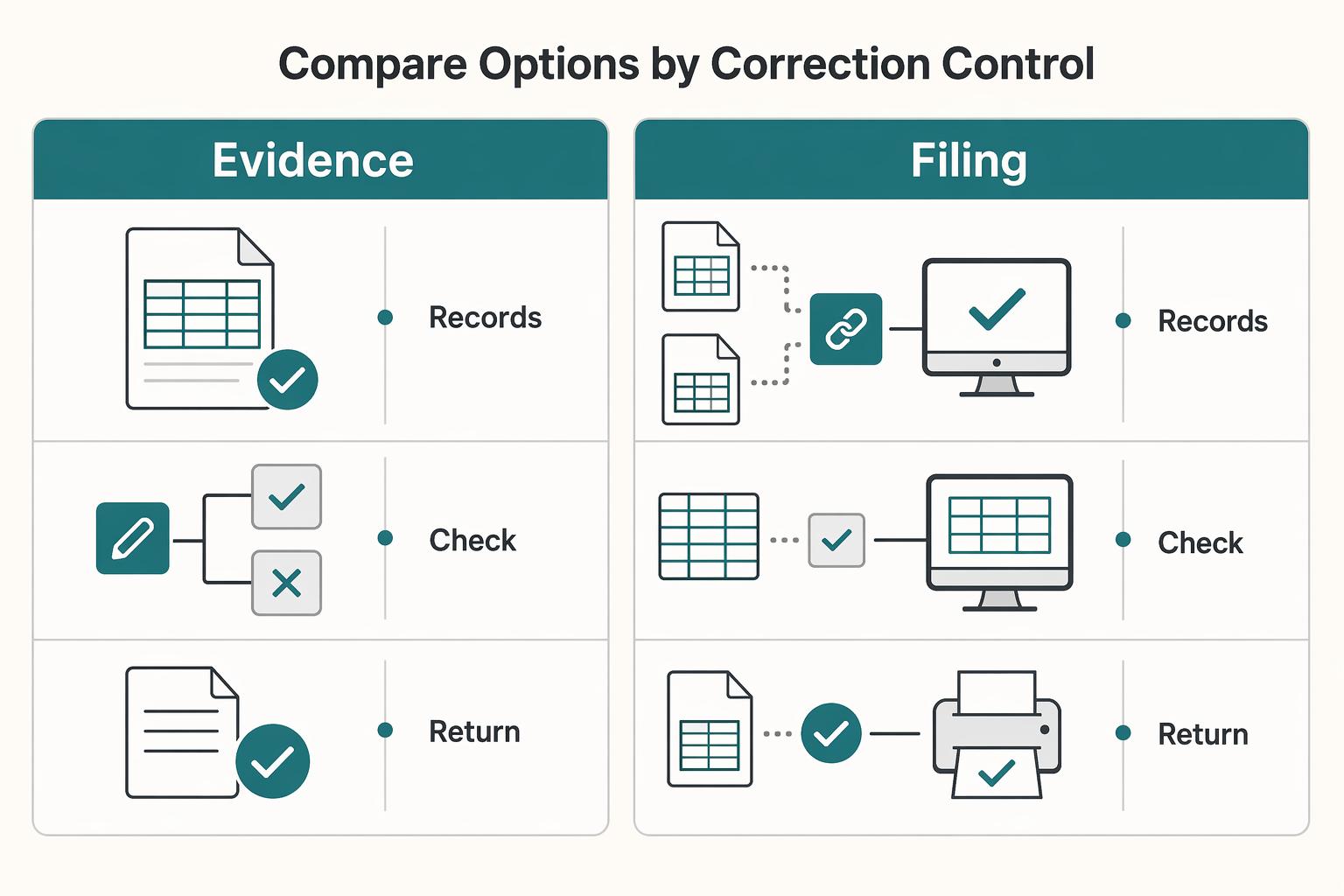
Choose the option that makes mistakes easier to spot, correct, and explain before anything reaches HMRC. For freelancers, correction control and evidence quality matter more than a long feature list.
If you expect to be in scope from 6 April 2026 because your total annual income from self-employment and property is over £50,000, this choice becomes urgent. HMRC does not provide the software, so you need a recognised provider, or a combination of tools, that matches how you actually keep records.
Compare options by correction control#
HMRC sets out two valid routes: create digital records in software, or connect existing records, including spreadsheets, through compatible or bridging software. The useful comparison points are where corrections happen, how visible changes are, and whether exports are good enough for later checks.
| Option | Submission support | Correction workflow | Audit trail | Export quality |
|---|---|---|---|---|
| Full accounting software with in-product records | Built for creating and storing digital records; confirm with the provider that it supports your MTD Income Tax tasks | Corrections can stay in one system | Varies by provider; check whether change history is clear and usable | Can be easier to review at transaction level; test on a mock quarter |
| Bridging software connected to spreadsheets | HMRC says bridging products can send quarterly updates and submit tax returns | Corrections often happen in the spreadsheet, not the filing layer | Depends on spreadsheet discipline and bridge logging | Works if spreadsheet structure is stable and consistent |
| Xero Accounting Software | Xero states its MTD Income Tax and VAT software is HMRC-recognised | In-product records, but CSV imports can still introduce errors | Xero history shows date-stamped changes and which user made them | Practical, but still verify quarter exports against records and evidence |
The tradeoff is straightforward. If your spreadsheet process is already controlled, bridging can be enough. If categorisation is inconsistent or imports are messy, keeping records and corrections inside one product is usually safer.
Spreadsheets can work, but only with controls#
A spreadsheet on its own is not a filing path. HMRC allows spreadsheet records only when they are connected through compatible or bridging software.
Migration risk is real. Xero's import guidance warns that imports can introduce errors. Its CSV troubleshooting points to common format issues such as incorrect field formatting, blank lines, and splitting files over 1,000 bank transactions. If your sheet structure changes often, a bridge may not fix that on its own.
Before you submit anything, run one full verification cycle. Reconcile quarter totals to source records, then trace sample transactions from category back to the receipt, invoice, or statement. If that trace is difficult, fix the setup before you rely on it.
First-week setup checks#
The first week should answer one question: can your chosen setup hold up under review a few months later? Use this list to pressure-test it before you go live:
- Map categories before live data starts. Consider keeping self-employment and property streams separate if you have both.
- Lock your bank-input method. Decide on bank feed, CSV, or a defined fallback, and test with a small sample first.
- If using CSV, validate field formats, remove blank lines, and split files above 1,000 transactions.
- Test correction visibility. Make one controlled edit and confirm you can see what changed and when.
- Confirm submission readiness. Check the provider is recognised and that it meets your specific needs.
- If combining tools, define one source of truth for records and one system responsible for sending data to HMRC.
When you are deciding between a bridge and a fuller product, choose the one that will let you explain any correction clearly months later.
Run a quarterly cycle without last-minute errors#
A good quarterly process is fixed, boring, and easy to repeat. Under Making Tax Digital for Income Tax, quarterly updates are sent every 3 months from compatible software, and you do not need to complete accounting or tax adjustments before sending them.
Your working goal is simple: keep records complete enough to produce accurate category totals, and keep the supporting documents you will still need for your return.
Keep the order fixed every quarter#
Use the same sequence every time so quarter end becomes a review, not a rescue job:
| Stage | What to do | Key note |
|---|---|---|
| Month-end tidy-up | Record income and expenses in software, clear uncategorised items, and confirm supporting documents exist | Supporting documents, or copies, still need to be kept for your tax return |
| Quarter review | Review all three months together; check for uncategorised entries, likely duplicates, and entries with no invoice, receipt, or statement behind them | If you have both self-employment and property income, keep the records separate and prepare separate quarterly updates |
| Submission prep | Confirm your totals map to the defined income and expense categories for the period | The key check is whether the totals come from complete records and can be explained |
| Submission confirmation | File on time, then keep the submission confirmation and a quarter summary or export | Published deadlines for the first mandatory cohort from 6 April 2026 are 7 August 2026, 7 November 2026, 7 February 2027, and 7 May 2027 |
| Year-end handoff | Carry forward notes on corrections, open questions, and late-resolved evidence | Corrected records do not require resending the original quarterly update |
Catch the three failure modes early#
Three common issues can create avoidable quarter-end trouble, and each one is easier to fix before you file.
Uncategorised transactions weaken the totals you send and create more cleanup later. Do not file with unresolved placeholder categories unless you have a clear documented reason.
Duplicate entries can distort totals while still looking plausible at a glance. Check for repeated amounts, dates, and counterparties before submission.
Missing source evidence creates downstream return risk. Before filing, trace a small sample of entries back to the underlying documents. If that is hard, improve record quality first.
Quarter-close controls that matter#
Use a short control list before each submission so the review is consistent from quarter to quarter:
- Confirm all quarter transactions are recorded in software for each income source.
- Clear uncategorised items, or document what remains and when it will be resolved.
- Review duplicate-risk areas such as repeated uploads, repeated amounts, and invoice-plus-bank double posting.
- Sense-check category totals against what actually happened in the quarter.
- Verify supporting evidence exists for sampled entries and unusual items.
- Save the filed confirmation and quarter summary or export for later reconciliation.
Two real-world patterns#
The quarterly rules stay the same, but the admin risk changes with the shape of your work.
A freelancer with steady UK clients can have predictable flows, and complacency becomes a risk. Keep one invoicing method, one category map, and one close routine.
A travel-heavy consultant works under the same HMRC quarterly submission rules, but the admin can be more fragile. Capture and link documents as they arise, and flag unusual items immediately so quarter end does not become a missing-evidence sprint.
Handle global mobility without breaking UK tax admin#
If your work location is changing, keep your bookkeeping process stable and review residence and filing assumptions before you report income differently. Travel does not reduce the need for clean records, but it can change your UK Income Tax position.
HMRC uses the Statutory Residence Test to determine residence status for a tax year. That status affects whether foreign income is taxable in the UK. UK residents normally pay UK tax on worldwide income, while non-residents generally pay UK tax only on UK income.
Tie travel decisions to the Statutory Residence Test#
Do not leave SRT checks until year end when your travel pattern is shifting. HMRC's framework includes automatic UK tests, overseas tests, and the sufficient ties test, with day-count thresholds that can change outcomes.
183 daysin the UK is one automatic UK test threshold.- In some non-residence scenarios, published thresholds include fewer than
16UK days, or46days if you were not UK resident in the previous 3 tax years.
Treat those thresholds as review triggers, not as a shortcut for self-diagnosis. If you are moving in and out of the UK, starting or stopping overseas work, or changing where work is performed, keep your reporting routine consistent. Get the residence analysis checked before you change tax treatment.
Keep one reporting spine, then add location evidence#
Your core compliance should stay consistent: complete records, explainable totals, and a clear trail for the return. Mobility can add extra detail to support residence analysis, foreign income reporting, or split-year treatment where relevant.
Keep a dated trail that lets you reconstruct:
- where you were during key periods
- when income was earned, invoiced, and received
- when an income source started, changed, or ceased
Then run a date-alignment check around travel periods so your records are internally consistent. If they are not, correct the underlying records while the facts are still fresh.
Avoid assuming a move automatically gives split-year treatment. HMRC's split-year treatment is rule-based. If conditions are met, the year is usually split into resident and non-resident parts, and it is not elective.
When to escalate#
If your residence status may have changed, treat that as a trigger for professional review. If you are unsure, HMRC points to its residence status checker as a first pass. If cross-border movement affects how foreign income should be taxed, get advice before you change filing assumptions.
Also keep the reporting tail in view. UK residents with foreign income or gains usually need to file a tax return, and overseas income or gains are recorded in the foreign section of the return. Keep supporting records for at least 5 years after the 31 January submission deadline for the relevant tax year.
If you need a deeper residency refresher, read Understanding the UK's Statutory Residence Test (SRT).
Keep VAT work separate from MTD for Income Tax#
Treat VAT and MTD for Income Tax as separate compliance tracks, even if both sit inside the same bookkeeping platform. Filing VAT through software does not mean your Income Tax process is complete.
For VAT, you keep digital VAT records and file VAT Returns through compatible software. For MTD for Income Tax, sole traders and landlords keep digital records, send quarterly updates, and submit a tax return through compatible software. Quarterly updates are not tax returns, and a VAT Return does not satisfy Income Tax reporting.
Do not assume VAT-ready software is also ready for Income Tax. Confirm that your exact product supports your Income Tax needs, and handle onboarding separately. MTD for Income Tax has its own sign-up process, while new VAT-registered businesses are generally signed up to VAT MTD automatically unless exempt.
Use a hard split in your routine so VAT work does not hide Income Tax gaps:
- VAT track: VAT coding checks, VAT adjustments where relevant, VAT Return preparation, submission confirmation, payment follow-up.
- Income Tax track: income and expense categorisation, quarterly update preparation, quarterly submission confirmation, year-end tax return review, and the 31 January payment deadline.
A practical check is whether the same underlying records can produce two clean outputs: a VAT Return trail and a separate quarterly self-employment income-and-expense summary. One risk is having enough structure for VAT, but not enough category detail for quarter-end Income Tax submissions.
Related: A Guide to VAT for UK Freelancers.
Know when to escalate to an accountant#
Bring in an accountant before your next submission when the issue is judgment, not bookkeeping mechanics. Use this checklist:
- You are unsure how to classify income or expenses, and your answer changes each time you review it.
- You have mixed income streams and cannot clearly explain how each one is handled in your records.
- You keep recoding the same transactions or cannot defend why a transaction is business-related.
- You are uncertain about what your tax authority expects for this filing period, including whether GST registration, BAS reporting, or other tax registrations apply.
If your question turns on HMRC or UK Making Tax Digital specifics rather than bookkeeping mechanics, escalate to a qualified advisor.
A blunt test works well here: if you cannot explain your digital audit trail in plain English, stop and get professional review.
For a quick self-check, trace five transactions from different months end to end:
- source document or invoice
- bank or payment entry
- category used in your records
- any edit or recoding note
- where it appears in your period summary
When you escalate, send your records export, those sample transactions, and short notes on each decision you were unsure about. That lets the accountant review the judgment quickly instead of rebuilding context from scratch.
Build an HMRC-ready evidence pack#
Build one evidence pack that ties your digital records to the proof behind your return, because MTD for Income Tax does not replace normal record-keeping.
What to retain#
Keep the records that support how each income and expense entry was reported. That means digital records in compatible software, plus the original supporting documents, or copies, used for your return.
At minimum, keep:
- digital records in compatible software for self-employment and property income and expenses
- sales invoices and other income evidence
- receipts for costs, goods, and stock
- bank statements and other bank records
You can also keep internal controls in the same pack, for example:
- notes when you correct a category, amount, or treatment in software
- a quarter-end software export or report showing what was included in that update
- a submission artifact for your own file, for example a confirmation screenshot, receipt email, or submission summary
Those control items are practical process choices, not fixed HMRC retention requirements in this guide.
Retention and naming that stays usable#
Keep self-employed records for at least 5 years after the 31 January submission deadline for the relevant tax year. HMRC can check records to verify that the correct tax was paid, so retrieval needs to work long after the quarter closes.
This guide does not set a mandatory HMRC file-naming format, so set one standard and use it consistently. Use names and folders that let you find documents quickly by period and transaction context, and keep correction notes with the related source record or linked in software.
Build a quarterly proof pack#
Because updates are submitted every 3 months, close each quarter with the same proof pack:
| Proof-pack item | Example | Article note |
|---|---|---|
| Source documents | Invoices, receipts, and key bank evidence | Source documents for the quarter |
| Software totals | A software export or report | Totals used for the quarterly update |
| Submission artifact | Confirmation screenshot, receipt email, or submission summary | Your own submission artifact for that quarter |
| Correction log | Recoded or adjusted items | A correction log for recoded or adjusted items |
| Full-year view | Full-year income and expense view shown by your software | Save it after the fourth quarterly update |
A reconciliation between records and bank or payment data is also a useful internal control.
After the fourth quarterly update, save the full-year income and expense view shown by your software. It gives you a clean bridge into your year-end records.
Do not lock your process to an old field checklist. Quarterly update information is set by HMRC direction, so verify the current direction text when you check detailed submission content.
Run a retrieval test (internal control)#
Before each submission cycle, pick any transaction and trace it end to end: source document, payment entry, software category, correction note if there is one, and where it appears in reported totals. If that chain is slow or unclear, tighten the pack before the next update.
Use this 30-day implementation checklist#
Use the first 30 days to confirm scope, set up compliant records, and lock your filing calendar before the first live cycle.
Week 1. Confirm whether you are in scope and when#
First, confirm on GOV.UK whether you are in scope and when, before you choose software. For MTD for Income Tax, the gate is whether you are a sole trader or landlord registered for Self Assessment, and your qualifying income, meaning total self-employment and property income for the tax year.
- Over £50,000 qualifying income for 2024 to 2025: start from 6 April 2026
- Over £30,000 qualifying income for 2025 to 2026: start from 6 April 2027
- £20,000 is referenced as planned legislation for 2026 to 2027, not fully in-force guidance
Then write a one-page scope note with your income sources and record boundaries. If you have both self-employment and property income, plan separate records and separate quarterly updates for each.
Week 2. Set up software or a spreadsheet-connected workflow#
Now set up MTD-compatible software, or a spreadsheet-connected workflow, that can do the core jobs you need:
- create, store, and correct digital records
- send quarterly updates
- submit your tax return by 31 January after tax year end
Before go-live, run a practical data check and confirm your records map cleanly from source documents into software totals.
Week 3. Make the first live quarter feel routine#
The goal in week 3 is to make the first live quarter feel routine, not reactive. Quarterly updates are category totals from digital records, sent every 3 months for each self-employment and property income source.
Keep this stage tight. HMRC says you do not need full accounting or tax adjustments before sending a quarterly update. Document your correction rules for recoding, missing records, and late items, and keep them with your evidence pack.
Week 4. Lock your compliance calendar and keep obligations separate#
Finish by locking your recurring compliance calendar and keeping obligations separate:
| Obligation | Timing | Article note |
|---|---|---|
| MTD quarterly deadlines | 7 August 2026, 7 November 2026, 7 February 2027, 7 May 2027 | Published 2026 example |
| Income Tax return deadline | 31 January following the end of the relevant tax year | Keep obligations separate from quarterly updates |
| VAT returns | Usually every 3 months, with filing and payment usually due one calendar month and 7 days after the accounting period | VAT returns remain separate |
If you are VAT-registered, use separate reminders and review steps for VAT and Income Tax so one process does not hide gaps in the other.
If your travel pattern may change during rollout, keep your residency evidence organised from day one with the Tax Residency Tracker.
Conclusion#
The low-stress path is process, not guesswork: confirm whether you are in scope, make sure your filing access works, and keep records current as you go.
For sole traders, one of the first control points is still basic registration. If you earn more than £1,000 in a tax year, register as a sole trader. HMRC also says to check if you need to send a tax return before registering. Confirm that on GOV.UK before you change tools or rework your bookkeeping.
Then verify access. First-time filers must register for Self Assessment before using online filing, and people with older inactive accounts may need to reactivate them. HMRC says filing without reactivation may delay the return. Records do not need to be elaborate, but they do need to support the return, for example with bank statements or receipts.
Keep these guardrails visible:
- Check your filing route early. HMRC's online service covers self-employed users and some people who are not self-employed, including those with rental income, but some cases are excluded, including where you lived abroad as a non-resident.
- If online filing is not available for your case, use commercial software or other forms instead of forcing the wrong route.
- Treat dates as operational deadlines. In HMRC's published example for the 6 April 2024 to 5 April 2025 tax year, notifying by 5 October 2025 mattered and late notice could mean a penalty. The registration guidance states the tax bill deadline is 31 January, and online filing is available on or after 6 April after the tax year ends.
If your eligibility, account status, or filing route is unclear, verify it on GOV.UK and escalate early. Most filing stress starts with weak systems upstream, not with the final submission.
If you want a compliance-first setup for collecting and paying across borders with clearer audit trails, talk to Gruv.
Frequently Asked Questions
Does Making Tax Digital apply to freelancers or only companies?
For this guide, the key test is not the label freelancer. The scope here is people registered for Self Assessment who are sole traders or landlords with self-employment income, property income, or both. This guide does not confirm that these rules apply to limited companies, and the partnership timeline is still to be set out later.
What is the current qualifying income rule for MTD for Income Tax?
Your start date depends on qualifying income for the tax year, which this guide describes as gross self-employment and property income before expenses or tax. It uses over £50,000 for 2024 to 2025 with a start date of 6 April 2026, and over £30,000 for 2025 to 2026 with a start date of 6 April 2027. It also notes £20,000 for 2026 to 2027 as a planned legislative change rather than settled guidance.
Do I need new software if I already use spreadsheets?
Not necessarily. Spreadsheets can work if they are connected through compatible or bridging software and your setup can create, store, and correct digital records and send quarterly updates. If your current workflow cannot do that reliably, you need to change it.
What gets sent quarterly and what waits until year-end?
Quarterly updates are sent during the year from digital records for each self-employment and property income source. The tax return is still submitted separately, and the published deadline for the return and tax due is 31 January following the tax year. Quarterly updates are part of the process, not the year-end completion step.
Is MTD for Income Tax the same thing as VAT returns?
No. VAT and MTD for Income Tax are separate compliance tracks with different routines and deadlines. Filing VAT through software does not mean your Income Tax process is complete.
What should I do if my residency situation changes during the tax year?
Do not assume a travel or residency change automatically changes your MTD position. Keep your records consistent, verify your position through HMRC's eligibility checks, and review the Statutory Residence Test if your wider UK tax residence is unclear. Get advice before your next filing point if you are unsure.
When should I stop DIY and speak to an accountant?
Get help if you cannot clearly confirm your scope, qualifying income, or filing process. Also get advice if you think you may be exempt, including digital exclusion. Even if you are exempt from MTD for Income Tax, you still need to report through Self Assessment.
Researched and edited by the Gruv editorial team. Gruv builds cross-border billing, payouts, and finance-operations software for global businesses.
Sources
Includes 2 external sources outside the trusted-domain allowlist.
- ato.gov.au/aboriginal-and-torres-strait-islander-people...trusted
- business.gov.uk/support/business-structures-governance-and-e...trusted
- irs.gov/pub/irs-prior/p557--2022.pdftrusted
- makingtaxdigital.campaign.gov.uk/mtd-for-income-tax-datestrusted
- gov.uk/guidance/check-if-youre-eligible-for-making-...external
- gov.uk/guidance/use-making-tax-digital-for-income-t...external
Educational content only. Not legal, tax, or financial advice.
Related Posts

Digital Nomad Taxes in 2026 With a Defensible Filing Plan
With digital nomad taxes, the first move is not optimization. It is figuring out where you may be taxable, where filings may be required, and what proof supports that position.

Understanding the UK's Statutory Residence Test (SRT)
Treat SRT like ops, not folklore. You want a repeatable workflow you can run monthly so your tax-year answer is boring, documented, and easy to defend.

VAT for UK Freelancers Without Filing Surprises
If you want a low-stress approach to **vat for uk freelancers**, start with an HMRC-first baseline. Think of compliance as a series of decisions backed by records, not a setting inside your invoicing tool.