
Quick Answer
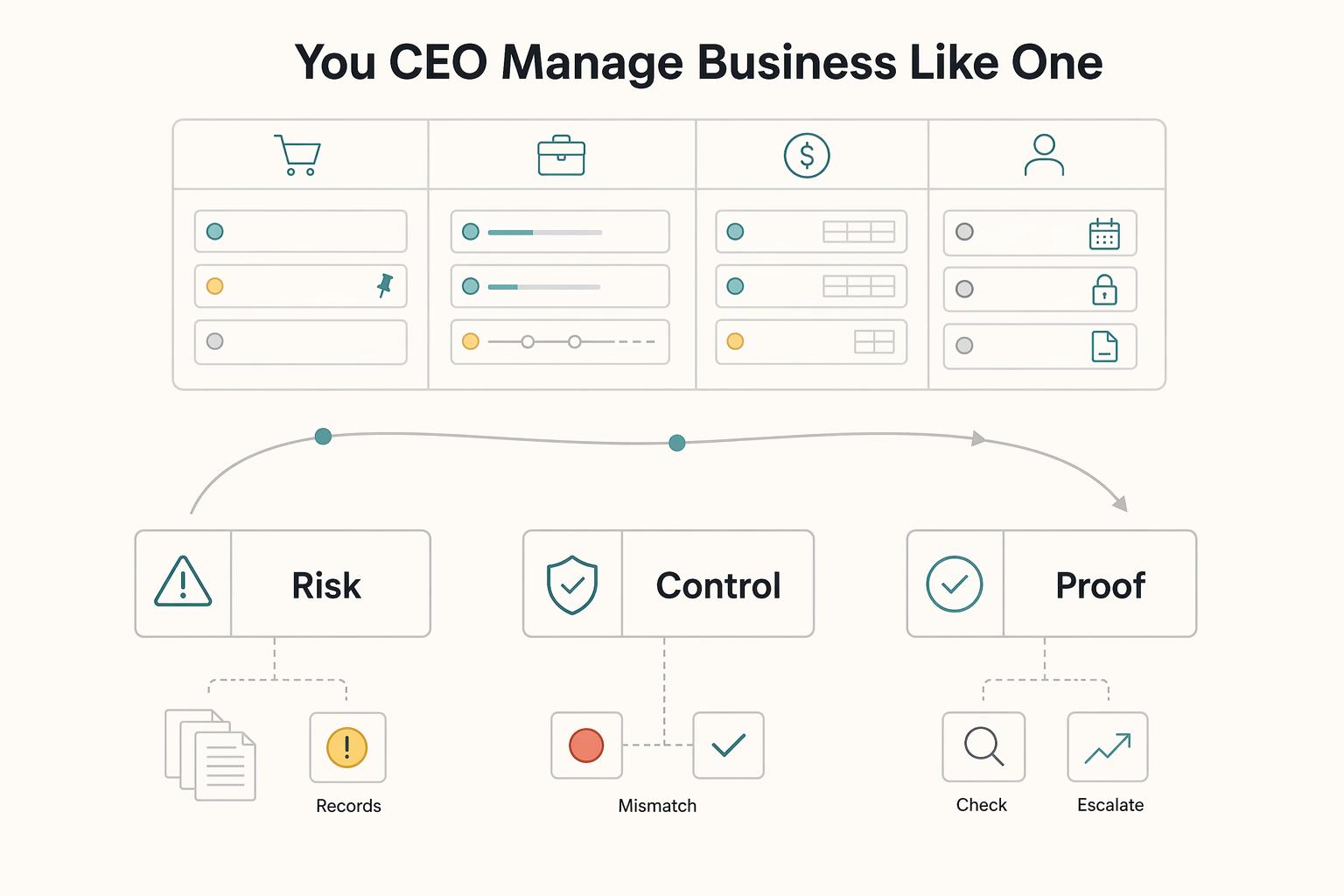
Freelancers should use one board as an operating dashboard that shows sales, client delivery, financial operations, and admin in one view. It works when cards move through clear stages, include an owner, next action, due trigger, and status definition, and make blocked work, approvals, invoice follow-up, and non-client obligations visible alongside active work.
One Operating View of Work, Invoices, and Admin Obligations#
If your client work lives in one app, invoices in another, and admin reminders in your calendar or your head, you do not have a clear operating view of the business. You have fragments. That is the real problem a freelancer board needs to solve. The risk is not a messy task list. It is the blind spots between delivery, invoicing, and admin obligations, especially when you are the person doing every handoff.
A Kanban board organizes work into clear workflow steps. Your "CEO's Dashboard" is a practical version of that idea: one operating layer where you can see active work, blocked items, invoices, and non-client obligations together. The test is simple. At a glance, you should be able to tell what is moving, what is blocked, and what is ready for the next step. If you cannot, your setup is still acting like a to-do list.
| What changes | Scattered tools | Unified board |
|---|---|---|
| Visibility | Status lives across inboxes, notes, and apps | One view of active, blocked, and ready work |
| Handoffs | Easy to lose context between workflow stages | Each card carries the next step and current owner, even if the owner is still you |
| Follow-up discipline | Client nudges and invoice checks depend on memory | Follow-ups sit in the same flow as delivery work |
| Priority control | Admin tasks hide behind urgent client work | Deadlines are visible next to billable work, not buried elsewhere |
The tradeoff is straightforward: one board only helps if it reflects how work actually moves. If you dump everything into a flat list, you just recreate the problem in a nicer interface. A good digital board also keeps comments, mentions, and files on the card, which matters once feedback and decisions start piling up.
From there, the build is practical: define the right swimlanes, set sensible work-in-progress discipline, and review the board often enough that it stays honest. If you want a deeper dive, read The Best Project Management Tools for Freelance Developers.
Why Standard Kanban Fails a Solo Operator#
Standard Kanban advice often fails you as a solo operator because it is usually tuned for team handoffs, not for one person running the whole system. You are handling intake, delivery, review, follow-up, and admin, so a project-only board can hide operational gaps instead of exposing them.
A Kanban board should show process and flow, not just a task list. If your setup only tracks execution work, you get activity visibility but not true operating control.
| Decision point | Standard project board | Business-of-one operating board |
|---|---|---|
| Scope | Tracks delivery tasks inside a project | Tracks the full flow: intake, active work, review/approval, waiting states, and payment follow-up |
| WIP intent | Primarily balances work across a team | Protects your focus, limits context switching, and forces finishing over starting |
| Flow outcome | Shows task movement across project stages | Shows whether work is converting into approvals, completed obligations, and cash movement |
Whole-business visibility breaks first#
Most standard boards start at "accepted work" and end at "delivered work." For your business, that is too narrow. Items can disappear between steps: intake to proposal, sent-for-review to approved, delivered to paid, or admin obligations behind client work.
The practical fix is value-stream thinking: model the full path, including waiting. Use one intake front door, define what "Ready" and "Done" mean, and make your stage policies explicit.
A simple check: from the card alone, can you tell whether it is waiting on you, on client approval, or on a third party? If not, your board is still functioning like a to-do list.
Focus protection is not optional when you are the bottleneck#
WIP limits are not just a team-balancing trick. For a business-of-one, they are your focus protection mechanism. They reduce multitasking, surface bottlenecks, and improve throughput by pushing work to completion.
Start with one small WIP limit and tune from there. You do not need a universal number. You do need a real constraint where your attention is most expensive.
If "Review" turns into a parking lot or active items keep growing without completions, treat that as a system signal: your policies are unclear, your WIP is too loose, or both.
Flow should protect revenue, not just progress#
A project board can make "sent to client" look almost done, even when the riskiest waiting starts there. If approvals, external waits, invoice follow-up, and admin follow-through are not explicitly visible, delays stay invisible too.
Model distinct review and waiting states, then pair them with lightweight service-level expectations for your own follow-up rhythm. You do not need rigid deadlines for every stage, but you do need clear rules for when to nudge, recheck, or escalate blocked items.
That is how flow becomes operational control: you can see where momentum, obligations, or cash movement is slowing before it becomes a bigger problem.
You might also find this useful: A Guide to Notion for Freelance Business Management.
Set Up Four Lanes and One Shared Card Standard#
Start with four swimlanes and one shared card standard so you can scan active work, blocked work, and what is ready to move. That is how a task board becomes a business command center instead of a list.
Keep the structure simple: each lane controls one part of the business, and cards move left to right through explicit stages. If stages are vague, bottlenecks hide in email, notes, and accounting tools until they become urgent.
| Swimlane | What this lane controls | Core card stages | Primary risk signal |
|---|---|---|---|
| Sales pipeline | Future work and capacity visibility | New inquiry, Qualified, Proposal sent, Waiting on client, Won/Lost | Cards stall after proposal or open opportunities have no next action |
| Client delivery | Execution, review, and handoff | Onboarding, Ready, In progress, Review, Waiting, Delivered | Active work grows but little reaches Review or Delivered |
| Financial operations | Billing and cash collection | Billable ready, Invoice sent, Waiting for payment, Follow-up, Paid/Reconciled | Cards age in Waiting for payment with no follow-up trigger |
| Business admin and compliance | Non-billable obligations and risk items | Upcoming, Ready this week, In progress, Waiting, Complete | Deadline-driven cards lack a due trigger or completion evidence |
The four lanes, written for how you actually operate#
Your sales pipeline controls incoming demand and prevents false progress. If a card is in "Proposal sent," it should already show who owns the decision and the next follow-up trigger.
Your client delivery lane controls committed work and protects quality. Treat Onboarding as a gate: if scope, access, and any required setup are still unclear, the card is not Ready.
Your financial operations lane controls whether delivered work turns into cash. Cards in "Invoice sent" or "Waiting for payment" should include an invoice reference, sent date, and next reminder trigger.
Your business admin and compliance lane controls obligations that are easy to ignore until deadlines hit. Keep examples generic unless you have verified the exact requirement for your jurisdiction.
Minimum card standards that stop drift#
Across all lanes, keep the same minimum metadata on every card:
| Card field | What to include |
|---|---|
| Owner | who is responsible right now |
| Next action | one concrete verb phrase |
| Due trigger | date, condition, or review checkpoint |
| Status definition | why this card is in this column now |
If you cannot tell in ten seconds whether a random card is waiting on you, the client, or a third party, tighten the metadata before you add complexity.
Build it in phases#
Build the board in three passes so you do not overbuild:
| Phase | What to do |
|---|---|
| Start with visibility | Create the four lanes, define basic stages, and move current commitments onto cards. |
| Add controls | Define what Ready, Waiting, and Done mean in each lane, then add templates for repeatable work and introduce WIP limits where attention is most expensive. |
| Then add automation | Automate only repeat moves you already trust, like recurring admin cards or reminder triggers. |
This order keeps the dashboard readable and trustworthy as it grows.
We covered this in detail in Kanban vs. Scrum: Which is Better for Your Agency?.
Deep Dive: Managing Your Sales Pipeline#
Your sales lane should work like a lightweight CRM. Each card needs enough detail for you to decide the next move immediately. If a card cannot show who decides, what the opportunity is worth, what is blocking progress, and what you do next, it is not ready.
Use one required deal-card template for every serious opportunity so your pipeline stays comparable when deals stall or close.
- Current stage
- Decision-maker (or approval path)
- Value range
- Objection theme
- Next action
- Linked assets (brief, notes, proposal, scope draft, call summary, email thread)
Treat your columns as checkpoints. Moving a card should mean real progress, not hope.
| Pipeline stage | Exit criteria | Common stall pattern | Exact action if blocked |
|---|---|---|---|
| New inquiry | You confirmed fit, problem, and a real contact | You replied once and no clear next step was set | Add one concrete next action and label the blocker: you, client, or missing info |
| Qualified | Decision-maker or buying path is clear and value range is captured | Good conversation but no buying authority identified | Hold the card until decision-maker or approval path is explicit |
| Proposal sent | Proposal is linked and the client knows what decision is needed | Proposal sent with no review trigger | Follow-up timing is still unresolved; record the latest buying signal before setting the next action |
| Waiting on client | You are waiting on a specific client input or approval | Card sits with no due trigger or condition | Add due trigger, state exactly what you are waiting for, and set your fallback nudge |
Run follow-up cadence by rule, not habit: tie it to stage plus buying signal. If interest is active, follow up sooner; if the deal is quiet, space it out, but always leave a clear review trigger on the card. Visible blocked work helps you manage flow; invisible blocked work is where opportunities decay.
Before you archive each quarter, review won and lost cards and apply a small, consistent set of loss reasons. Then use those patterns to improve qualification, pricing, and positioning decisions in your process. If your Kanban tool covers fundamentals but has limited automation or shallow organization, keep this review loop manual and simple so the signal stays clear.
This pairs well with our guide on Using Airtable for Freelance Project Management That Stays Reliable.
Deep Dive: Execution Control From Onboarding to Approval#
Once a won card leaves your sales lane, your priority is execution control. Keep each project as a single hub for scope, delivery, billing, files, and change history so you can verify what was sent, changed, approved, and paid without digging across tools.
| Stage | Trigger | Criteria |
|---|---|---|
| In Progress | Entry | onboarding complete, brief attached, task clearly defined |
| Pending Client Review | Entry | deliverable attached, self-review done, exact client decision requested on the card |
| Revisions Requested | Entry | requested changes documented on the card |
| Revisions Requested | Exit | changes logged and deliverable resubmitted |
| Approved | Entry | client acceptance is clearly recorded |
Use a hard onboarding gate before any active delivery starts. If a required item is missing, the card stays in Onboarding.
| Requirement | Why it matters | Board trigger |
|---|---|---|
| Accepted quote | Confirms scoped pricing, expiry, and acceptance status before delivery | Card leaves Onboarding only after status is clearly Accepted |
| Mandatory intake brief | Reduces ambiguity and scope creep before work begins | Create delivery tasks only after the brief is attached or linked |
| Initial deposit received (if your model requires one) | Reduces unpaid-work exposure and confirms commitment | No deep work starts until payment status is visible on the card |
Budget set (fixed price or hourly + cap) | Sets a usable commercial boundary for delivery decisions | Add budget field before moving to In Progress |
| Required tax documentation after verification | Keeps records complete without guessing document type | Mark complete only after you verify what applies |
| Files, notes, and quote/invoice links in one place | Reduces context loss and speeds handoff or dispute checks | Card is Ready only when links are stored in the project hub |
Keep approvals staged and explicit: In Progress -> Pending Client Review -> Revisions Requested -> Approved.
Your proof trail should be easy to audit. Keep sends, edits, payments, and approvals time-stamped or searchable in one place; if you cannot reconstruct the sequence quickly, tighten the card record.
| Delivery risk | Workflow control |
|---|---|
| Scope creep | Mandatory intake brief plus accepted scope before delivery starts |
| Stalled feedback | Pending Client Review with a named decision request and follow-up trigger |
| Unpaid work risk | Visible approval/payment status before deep work, then invoice from accepted quote or completed task |
Use WIP limits where they matter most: deep work. Count writing, design, coding, editing, and analysis against the limit; do not count light admin (invoicing, filing notes, payment checks) unless it turns into real problem-solving. With mixed client loads, triage incoming work before it hits delivery and plan capacity with non-billable time included. If several cards are active but none is reaching review or approval, reduce concurrent deep work and finish one client-facing artifact end to end.
For a tool comparison, see The Best Project Management Tools for Freelance Designers.
Use the Board for Decisions, Priorities, and Risk Control#
Your board is your system for decisions, prioritization, and risk control, so it should make status and next actions visible across your sales, delivery, finance, and admin work.
Keep clients, work, and invoices in one workspace rather than across disconnected tools. When a card stalls, resolve it with a clear next step:
- If a contract card is unclear, update the current document link, latest client response, and next action.
- If an invoice card is unclear, mark whether it is created, sent, or in follow-up.
- If a compliance card is unclear, attach the required record and set the next checkpoint.
If work is stuck in Pending Client Review, treat it as a business bottleneck, not just a project delay, because it can delay approval and invoicing. When that happens, send the follow-up, re-sequence work so another billable card moves, or escalate with a clear deadline.
Lack of structure is usually what creates operational chaos. Structure done well gives you consistency without extra bureaucracy, and systems reduce repeat manual work. Keep the execution rule simple:
- Every active card has a next action and evidence link.
- Every stalled card has a follow-up or a pause decision.
- Clear ambiguity before you start new work.
If your board keeps exposing scope drift or weak handoffs, tighten pricing and intake next, and review your stack in The Best CRMs for Freelancers to Manage Client Relationships. For a step-by-step walkthrough, see A guide to using Notion 'Databases' for freelance project management.
Frequently Asked Questions
How should you handle client onboarding on the board?
Keep each new client card in Onboarding until the accepted quote or signed contract is attached, the intake brief is linked, deposit status is visible if your model requires one, and kickoff details are clear. Confirm which onboarding documents the client expects and mark unknowns directly on the card. If the scope record and required documents are not easy to find, do not move the card into active delivery.
Can you track invoices and payments with the same board?
Yes. Give invoices and payments their own Financial Operations swimlane instead of hiding them inside project tasks. Use clear stages like Ready to Invoice, Invoice Sent, Awaiting Payment, Overdue, and Paid and Reconciled, and link the invoice, accepted quote, payment proof, and reconciliation note on the card.
What board setup actually works for a solo operator?
Use one board with four swimlanes: Sales Pipeline, Client Delivery, Financial Operations, and Admin and Compliance. That gives you one place to see open deals, active work, money in motion, and deadline-driven obligations. If sales notes and project cards live in separate tools, make the handoff explicit.
How should you manage work in progress?
Limit deep work, not every small admin task. If several cards are active but none is reaching Pending Client Review or Approved, stop starting new work and finish one client-facing artifact first. That is often where delay, rework, and budget drift start to build.
Which tool should you pick?
Start with the lightest option that can hold your cards, statuses, and proof trail. Trello fits a simple board with integrations, Notion fits when you want cards and business records closer together, and a physical board fits pure visibility when you do not need remote access or searchable history. If searchable records and linked documents matter most, choose the option that handles that cleanly before extra features.
Try a related tool
Researched and edited by the Gruv editorial team. Gruv builds cross-border billing, payouts, and finance-operations software for global businesses.
Sources
Includes 5 external sources outside the trusted-domain allowlist.
- digitalcommons.liberty.edu/cgi/viewcontent.cgitrusted
- link.utrgv.edu/career-academytrusted
- ripuc.ri.gov/sites/g/files/xkgbur841/files/2026-02/25-45-...trusted
- agilesherpas.com/blog/marketing-kanban-boardsexternal
- flowlu.com/uses/solopreneursexternal
- freispace.com/blog/managing-work-loadexternal
- getapp.com/project-management-planning-software/a/kanba...external
- hellobonsai.com/blog/kanban-project-managementexternal
Educational content only. Not legal, tax, or financial advice.
Related Posts

Value-Based Pricing for Freelancers Under Real Payment Risk
Value-based pricing works when you and the client can name the business result before kickoff and agree on how progress will be judged. If that link is weak, use a tighter model first. This is not about defending one pricing philosophy over another. It is about avoiding surprises by keeping pricing, scope, delivery, and payment aligned from day one.

Best CRM for Freelancers Who Need Reliable Client Follow-Up
If your client work is solid but your admin lives across email, notes, calendar alerts, and a spreadsheet, your CRM choice will succeed or fail on operations, not features. That is why so much advice on the **best crm for freelancers** misses the real issue. The main risk is not choosing a tool with too few buttons. It is choosing one that looks polished in a demo but still lets follow-ups slip when work gets busy.
The Best Project Management Tools for Freelance Developers
Freelance delivery gets more predictable when planning and client updates follow one clear setup instead of improvised tickets and scattered chat threads. In practice, project management for developers means planning, scheduling, and organizing software work so scope, time, quality, and stakeholder expectations stay aligned.