
Quick Answer
Implementation intentions help solo professionals follow through by linking a visible trigger to one pre-decided action. In a business of one, they work best when you apply them to Revenue, Risk, and Operations, such as sending an invoice when a milestone is accepted, updating records when travel is booked, or starting focused work when a calendar block begins.
Beyond Procrastination: The Real Reason Implementation Intentions Work for Elite Professionals#
If you keep putting off important work, the problem is often not laziness. It is the repeated cost of deciding, over and over, what to do when the moment arrives. As an independent professional, you are not just doing client work. You are also handling follow-up, billing, records, deadlines, and risk checks. Every extra choice drains attention and makes delay feel reasonable.
A lot of that delay is really ambivalence, not a character flaw. You know the task matters, but part of you wants to avoid friction, uncertainty, or the chance of making a mistake. That is where implementation intentions help. They are cue-action plans: if a specific trigger happens, then you take one pre-decided action. You remove the need to negotiate with yourself in real time.
| Intention | Trigger quality | Likely outcome |
|---|---|---|
| "I'll stay on top of admin this week." | No clear cue, timing, or next action | You keep revisiting the decision and often postpone it |
| "Tomorrow afternoon I'll do invoices." | Better, but still easy to move when the day gets messy | Partial follow-through, but still vulnerable to interruptions |
| "If a project milestone is marked complete, then I send the invoice before I open another task." | Observable trigger plus one concrete response | Less debate, faster execution, and more consistent follow-through |
The mechanism is straightforward. Goal implementation adds a self-regulatory layer that helps move a goal into action after the goal itself is set. Habit research points in the same direction: context-linked behaviors can take less cognitive effort once established because the cue starts the response. The practical point is simple: a good if-then rule makes action depend less on in-the-moment decision load.
You can see this clearly in admin work. A usable rule might be: if I book travel that affects my schedule, then I update my tracker before I close the confirmation email. The checkpoint is easy: can you point to the exact trigger in your inbox, calendar, or booking record? If not, the cue is too vague. A common failure mode is fake progress, where you read guidance, rename folders, or make a note to "handle it later" instead of updating the tracker and saving the confirmation in your records.
The same pattern shows up in client work. Without a cue-action rule, you can fill a day with tasks that look productive while still avoiding the action that changes direction, such as sending the invoice, documenting a scope change, or asking for approval. That is why these rules work in practice. The next step is to structure them across Revenue, Risk, and Operations.
You might also find this useful: How to Use OKRs for Freelance Goal Setting and Performance Tracking.
Sort Every If-Then Rule Into Revenue, Risk, or Operations#
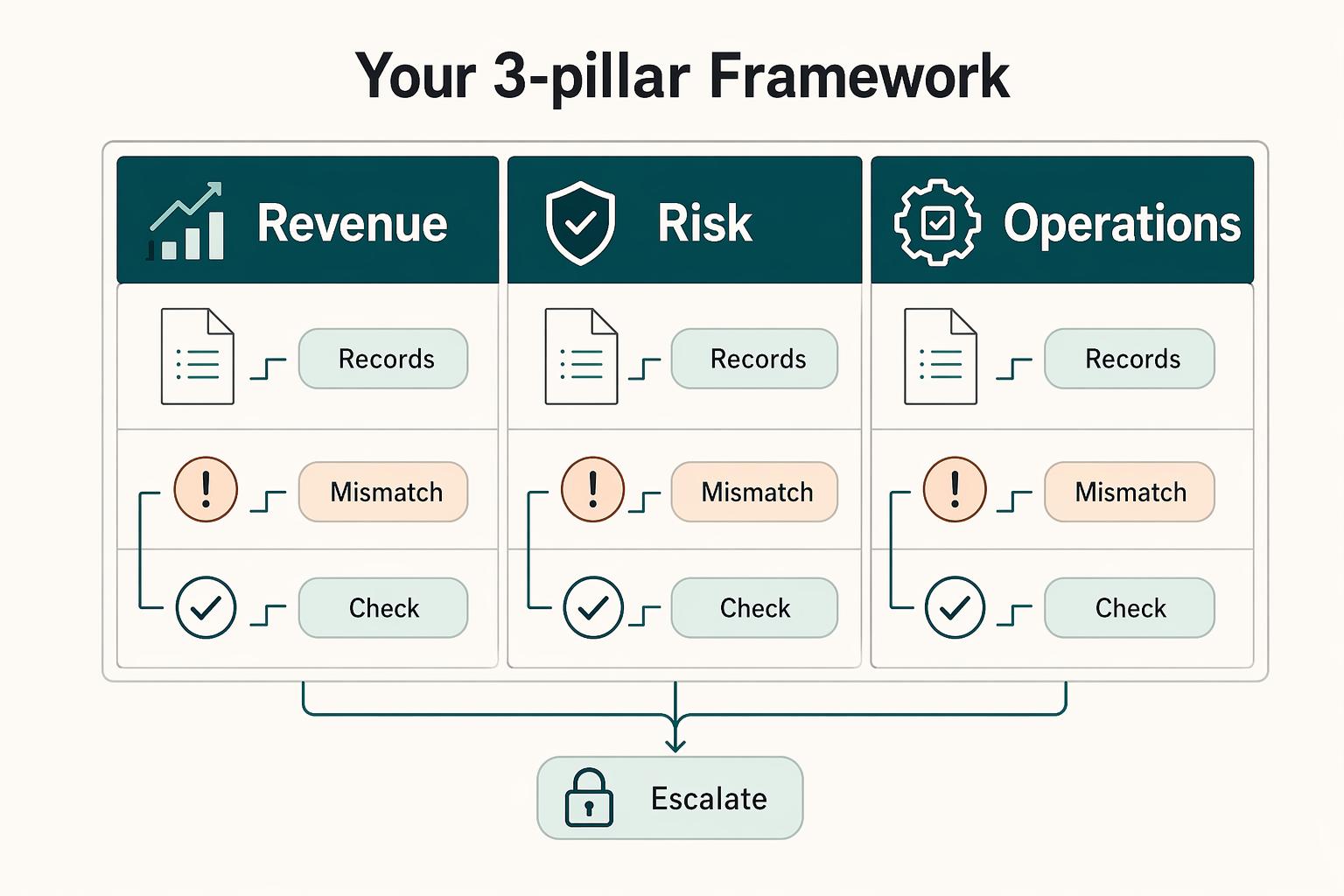
You are not collecting productivity tips. You are building a repeatable system with three working buckets: Revenue, Risk, and Operations. These labels are practical for this article, not universal doctrine. They keep you from making strategy decisions while skipping legal or ethical checks.
Use tight scope boundaries so each if-then rule has one clear home:
- Revenue: actions that move work to payment and professional client follow-through.
- Risk: actions where a miss can create legal, financial, or recordkeeping downside.
- Operations: actions that protect execution quality, focus, and day-to-day control of work.
| Pillar | Primary trigger type | Default action style | Business outcome |
|---|---|---|---|
| Revenue | Client or project event | Send, confirm, request, invoice | Faster movement from delivery to cash and clearer client communication |
| Risk | Legal, financial, or record-change event | Log, save, verify, escalate | Fewer avoidable misses and stronger records |
| Operations | Time, task, or environment cue | Block, start, batch, reset | More consistent execution and less workflow drift |
Pressure-test each rule: can you point to the exact trigger and name one next action? If not, the rule is still vague. Keep each trigger tied to one objective first, because speed without structure usually creates rework later.
This is an integrated system, so one event can trigger multiple actions in different buckets. Example: if a project is marked complete, then you send the invoice (Revenue), update the required compliance record after checking the current requirement against official source records, adviser records, or approved operating records (Risk), and reset the next work block in your calendar (Operations). The next sections turn each pillar into an execution playbook, including where exact compliance details need current verification before use.
We covered the focus side of this in detail in A Guide to 'Deep Work' for Freelancers.
Pillar 1: How to Automate Your Revenue and Client Professionalism#
You get more predictable cash flow and calmer client communication when you assign one default action to each observable client event. Instead of deciding in the moment, you execute a prewritten rule and keep records clean.
Use triggers you can verify in writing or in your tracking tool: "milestone accepted," "invoice status changed," and "out-of-scope request received."
| Approach | Trigger | Default action | Expected business effect |
|---|---|---|---|
| Manual or reactive handling | You remember later, or notice a delay after the fact | Decide case by case | Slower invoicing, inconsistent follow-up, mixed client signals |
| Trigger-based invoicing | Milestone accepted in writing | Send invoice within your agreed turnaround using your standard template | Starts the payment cycle predictably and reinforces professionalism |
| Trigger-based follow-up | Invoice status changed to overdue or unpaid past your set follow-up interval | Run reminder sequence at your set follow-up interval from your reminder template | Keeps follow-up consistent without emotional friction |
| Trigger-based scope control | Out-of-scope request received by email, message, or call note | Send change-order response and pause extra work until approved | Maintains clear boundaries and written alignment |
Invoicing trigger: when value is accepted#
Use acceptance, not memory, as the trigger. If a project milestone is accepted in writing, then I send the invoice within my agreed turnaround.
This works because the checkpoint is unambiguous and easy to verify later. Keep your invoice template ready with payment terms, project reference, and milestone label so sending is execution, not rework.
Follow-up trigger: when invoice status changes#
Treat follow-up as a routine process, not a mood-dependent task. If an invoice status changes to overdue, then I run the reminder sequence at my set follow-up interval.
Review status changes on a weekly cadence and track conversion rates so you can see what moves forward and what stalls. Keep your response-time checkpoint visible, for example replies within 24 hours, to support trust while payment conversations are active.
Scope-creep trigger: when new work is requested#
Protect clarity by requiring a written step before extra work starts. If I receive an out-of-scope request, then I send my change-order template before I do the work.
| Setup item | Supports | Key details |
|---|---|---|
| Invoice template | Send the invoice when a milestone is accepted in writing | Payment terms, project reference, milestone label |
| Reminder template | Run the reminder sequence when an invoice is overdue | Reminder sequence at your set follow-up interval |
| Change-order template | Respond to out-of-scope requests before extra work starts | Confirm the request and ask for approval on updated timing or price before execution |
| Tracking tool | Track revenue follow-through | Invoice status, follow-up dates, accepted milestones |
Use a trigger you can point to: the email, message, or meeting note where the request appears. Your change-order template should confirm the request and ask for approval on updated timing or price before execution.
Use this setup checklist so the rules are easy to run:
- invoice template
- reminder template
- change-order template
- tracking tool for invoice status, follow-up dates, and accepted milestones
Related: A Digital Detox Routine for Freelancers.
Pillar 2: How to Capture Compliance Records as They Are Created#
Compliance gets easier when you tie each record to the moment it is created. Instead of trying to remember everything later, you capture small details now and reduce cleanup later.
Use this pillar as a preparedness system: trigger, immediate action, quick review cadence. That keeps missing details from piling up when pressure is high.
| Behavior | Trigger event | Immediate action | Risk-reduction outcome |
|---|---|---|---|
| Reactive compliance behavior | You remember near filing time | Rebuild records from inboxes, statements, and calendar notes | More omissions, more stress, weaker documentation trail |
| Trigger-based travel logging | Travel is booked | Update your residency tracker immediately and attach the confirmation reference | Clearer travel history and easier later verification |
| Trigger-based account monitoring | Your account review checkpoint is reached | Refresh your account register from current statements and log changes | Lower chance of missed decisions and less end-of-cycle reconstruction |
| Trigger-based receipt capture | A receipt is received | Store it immediately using your naming convention in your records folder | More complete expense records and faster reviews |
Travel logging before details fade#
When travel is booked, update your tracker before you move on. Use: If I book travel, then I update my residency tracker before I close the confirmation tab.
Capture the trip details and a source-document reference while they are visible. Before the tracker is used for a decision, verify the exact residency criteria and source-document references against current official records, adviser records, or approved operating records. Then run a calm weekly or monthly reconciliation against your calendar and confirmations so changes are corrected while they are still easy to trace.
Foreign-account monitoring without panic#
Keep account monitoring mechanical, not emotional. Use: If my account review checkpoint is reached, then I refresh my account register from current statements.
Your register should stay current on account status and statement references. If a filing decision may apply, verify the exact threshold, related form details, and deadline details against current official records, adviser records, or approved operating records before using the register for that decision. Do not treat a generic AI summary as a final compliance decision; use verified criteria tied to your facts.
Receipt capture that survives real life#
The safest receipt workflow is simple and immediate. Use: If I receive a receipt, then I store it immediately using my naming convention.
| Record/tool | Used for | Keep in it |
|---|---|---|
| Residency tracker | Travel logging | Trip details and confirmation reference |
| Account register | Account monitoring | Statement references and status updates |
| Document naming convention | Receipts and statements | Consistent names for receipts and statements |
| Storage location | Compliance records | One consistent place for records |
Store once, name clearly, and keep the same folder logic every time. During your weekly or monthly review, clear uncategorized items and match stored documents to transactions before gaps get harder to fix.
Set up this pillar once, then repeat it:
- Residency tracker with trip details and confirmation reference
- Account register with statement references and status updates
- Document naming convention for receipts and statements
- One consistent storage location for compliance records
If you want a deeper dive, read Digital Nomad Health Insurance: A Comparison of Top Providers.
Pillar 3: How to Pre-Decide the First Action for Repeat Triggers#
Your CEO time improves when you run a trigger-based day instead of a reactive one. When priorities are decided by incoming messages and scattered requests, execution drifts, information flow slows, and important work gets pushed around by whatever is loudest in the moment.
Use this operating pattern: pre-decide the first action for each repeat trigger. That keeps your day responsive without losing control.
| Day type | Trigger | Immediate action | Operational payoff |
|---|---|---|---|
| Default reactive day | A message, email, or task notification arrives | You switch over and respond immediately | More context switching and less progress on planned deliverables |
| Trigger-based operating day | A protected focus block starts | Open the primary deliverable and start the next defined task | More reliable progress on scheduled client work |
| Default reactive day | Admin tasks appear throughout the day | You handle them as they surface | Fragmented delivery time and slower information flow |
| Trigger-based operating day | An admin batch window opens | Process your admin queue in priority order | Cleaner information flow and fewer focus interruptions |
| Default reactive day | Positive client feedback arrives | You make a mental note to follow up later | Referral and testimonial follow-through gets delayed or missed |
| Trigger-based operating day | Positive client feedback is received | Send your follow-up template before day-end | More consistent business-development follow-through |
Protect focus with an observable start point#
Make your focus start automatic: If my protected focus block starts, then I open my main deliverable, close communication apps, and begin the next defined task. This works because you remove the decision at the exact moment drift usually starts.
Use a weekly checkpoint to compare scheduled focus blocks with completed deliverables and a small set of performance metrics. If blocks are protected but output is still thin, tighten setup first: clearer next tasks, fewer open work surfaces, and less tool-hopping.
Batch admin so it stops stealing prime hours#
Keep admin contained: If my admin batch window opens, then I process my admin queue from top to bottom and leave non-urgent items there until that window. In practice, this limits context-switch cost: fewer mid-task jumps means easier returns to deep work quality.
Use one queue so requests are not split across inbox, chat, and notes. Decide in advance what can interrupt focus and what waits, so urgency rules come from your system, not from whoever pings first.
Follow through on good client moments#
Convert praise into pipeline action quickly: If I receive positive client feedback, then I send my testimonial or referral follow-up template before the day ends. Keep the template prewritten with a thank-you, one clear ask, and one next step.
| Element | Pre-decide | Purpose |
|---|---|---|
| Focus block | One named deliverable and one next defined task before the block starts | More reliable progress on scheduled client work |
| Admin queue | Which issues can interrupt focus versus wait for the admin batch window | Cleaner information flow and fewer focus interruptions |
| Follow-up template | Store one testimonial/referral follow-up template where you can send it with one quick edit | More consistent business-development follow-through |
Without a trigger, this task usually slips behind delivery work, and after a few months priorities can blur and follow-through drops. A same-day rule keeps business development tied to real client outcomes, not memory.
Keep this pillar repeatable with a short operating cadence:
- Set each focus block with one named deliverable and one next defined task before the block starts.
- Keep one admin queue and predefine which issues can interrupt focus versus wait for the admin batch window.
- Store one testimonial/referral follow-up template where you can send it with one quick edit.
This pairs well with our guide on A Guide to the 'Eisenhower Matrix' for Task Prioritization.
Conclusion: From Good Intentions to Steadier Execution#
Used well, implementation intentions are not a motivation trick. They are a practical way to translate intention into action. That is the outcome focus in the 2015 Frontiers in Human Neuroscience paper on implementation intentions. For a business of one, that can be a useful planning method when your weak points are predictable: invoices that wait, scope changes answered too casually, compliance notes left for later, and deep-work blocks eaten by reactive tasks.
The goal is not perfection. Aim for fewer missed tasks, clearer execution, and more reliable follow-through when you are busy, tired, or under client pressure. You do not need dozens of rules to get there. Start with the few moments that carry the most operational weight: when a client milestone is marked complete, when a request falls outside the signed proposal or SOW, when a flight or travel booking lands in your inbox, and when your focus block begins on the calendar.
A good check is simple: can you point to the exact cue in the inbox, tracker, calendar, or document? If not, the trigger is still too fuzzy. If a rule keeps failing, the action is probably too big or too abstract to start immediately.
This week, pick three recurring points of friction across revenue, risk, and operations. Define one visible trigger for each, then attach one concrete action you can do on the spot. That is enough to move from good intentions to steadier execution.
- Review weekly: note which rules you followed, skipped, or ignored.
- Refine weak triggers: rewrite cues like "when I have time" into something observable.
- Keep strong triggers: if a rule works in your workflow, leave it in place and let it keep doing its job.
For a step-by-step walkthrough, see A Guide to the '80/20 Rule' (Pareto Principle) for Your Freelance Business.
Frequently Asked Questions
What are practical examples of implementation intentions for business goals?
Practical examples use one visible cue and one immediate move. For example, send the invoice when a client milestone is marked complete, update your tracker when travel is booked, or open the named deliverable when your focus block starts. The goal is more consistent invoicing, recordkeeping, and focused execution.
How do if-then plans turn vague worry into a specific response?
If-then plans turn vague worry into a specific response you do not have to re-decide. For example, a month-end cue can trigger a short update to your checklist or day-count tracker before shutdown. They do not remove all risk. They can stop the task from sitting in your head all month.
Can they help with client management and scope creep?
Yes. If a request is outside the signed proposal or SOW, reply with your change-request template before starting new work. Check the request against the written scope before you respond so boundaries stay clear and unpaid extra work is less likely.
How are SMART goals different from if-then plans?
SMART goals define the outcome, deadline, or measurable result. If-then plans define the cue and the exact response. They work best together because a clear target still needs a concrete moment of execution.
How do I use this for a complex project?
Break the project down to the first useful move. Use a planning block as the trigger, then do one defined step, such as outlining the first deliverable for 25 minutes. One rule should start momentum, not carry the whole project.
What if I keep missing the intention?
Treat repeated misses as a design issue, not a willpower verdict. Check whether the cue is observable, whether the action is small enough to do immediately, and whether the template, tracker, or document is placed where the cue appears. Then review misses weekly and rewrite the rule until it is easier to see and easier to start.
Try a related tool
Researched and edited by the Gruv editorial team. Gruv builds cross-border billing, payouts, and finance-operations software for global businesses.
Sources
Includes 1 external source outside the trusted-domain allowlist.
- chicagounbound.uchicago.edu/cgi/viewcontent.cgitrusted
- csuglobal.edu/blog/using-implementation-intentions-achieve...trusted
- dodcio.defense.gov/Portals/0/Documents/CMMC/AssessmentGuideL2.pdftrusted
- fema.gov/sites/default/files/documents/fema_hma-progr...trusted
- ncbi.nlm.nih.gov/books/NBK571068trusted
- pmc.ncbi.nlm.nih.gov/articles/PMC7523057trusted
- pmc.ncbi.nlm.nih.gov/articles/PMC9497189trusted
- 3668083.app.netsuite.com/core/media/media.nlexternal
Educational content only. Not legal, tax, or financial advice.
Related Posts

Digital Nomad Health Insurance Comparison for Long-Stay Moves
Use focused time now to avoid expensive mistakes later. Start with a practical `digital nomad health insurance comparison`, then map your route in [Gruv's visa planner](/tools/visa-for-digital-nomads) so we anchor policy checks to your real plan before pricing pages pull you off course.

A Digital Detox Routine for Freelancers Who Need to Stay Reachable
Use your devices as operating tools, not open doors to constant interruption. The goal is not to quit screens. It is to control when they get to interrupt your work.

Use OKRs to Run Your Freelance Business Week to Week
You know the pattern: you work all week, stay busy, ship client work, and still end Friday unsure whether the business actually moved forward. That is not a motivation problem. It is a visibility problem. A freelancer-grade system works when you stop judging yourself by effort and start running the business on decisions, evidence, and measurable outcomes.