
Quick Answer
Treat remote work in yachting as an operating system, not a travel setup. Separate immigration, tax residency, and filing obligations, and keep dated records you can produce later. Before taking live commitments, verify one primary connection, one different-type backup, and a workable independent power path. Put transit communications in your agreement and send planned updates before movement, during transit, and after arrival with a confirmed reply window.
Before You Cast Off: Building Your Financial & Legal 'Compliance Hull'#
Treat this as a pre-departure checklist, not a pep talk. Before you sell the lifestyle to clients, answer four plain questions. Where are you allowed to be? Where might you owe filings or tax? Which legal person is doing the work? Which risks does your insurance actually cover? If any answer is fuzzy, fix it before you move.
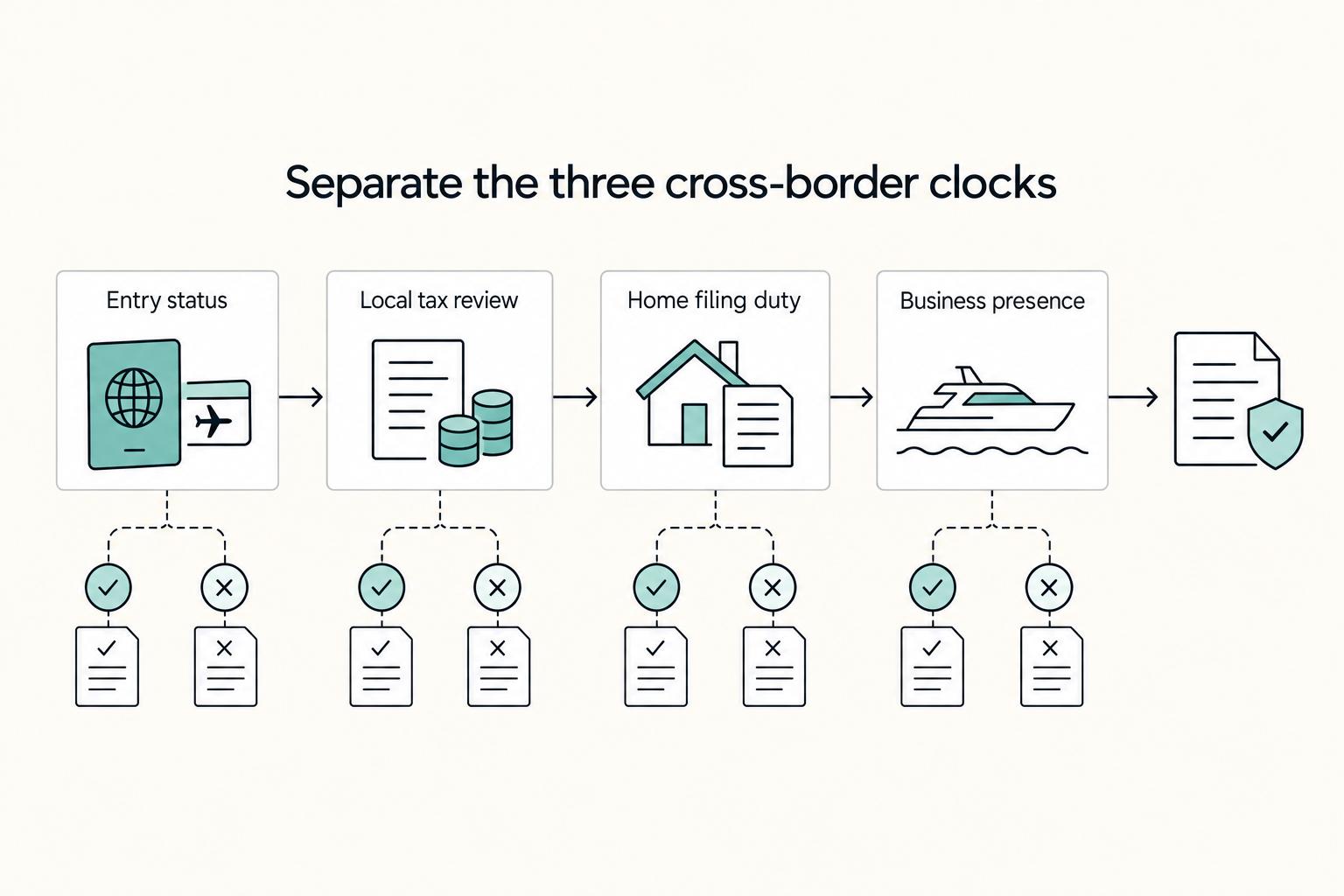
Separate the three clocks before you move#
The first mistake is treating "being legal" as one issue. Immigration status, tax residency, and home-country filing duties are related, but in practice they are often separate questions. Track them separately, and keep evidence you can produce later if a client, bank, insurer, or adviser asks.
| Trigger type | What to track | Evidence to retain | Escalate to a cross border tax adviser when |
|---|---|---|---|
| Immigration or entry status | Entry date, exit date, visa type, port or country changes, renewal windows | Passport stamps, visa approvals, marina receipts, flight or ferry records, dated itinerary | Your route changes often, you are mixing tourist status with paid client work, or the permission basis is unclear |
| Local tax residency review | Days present and other jurisdiction-specific factors your adviser asks you to track; confirm the current threshold with the national tax authority or your adviser | Travel log, berth contracts, utility or service records, dated calendar, client work location notes | You are spending long stretches in one country, keeping a regular base there, or taking local clients |
| Home country filing obligation | Ongoing filing duties, reporting periods, the current filing threshold (confirm with the tax authority or your adviser), and whether your entity changes the answer | Prior returns, adviser emails, payroll or dividend records, company accounts, bank statements | You think "I left, so I no longer file," or your personal and company income are flowing across borders |
| Business presence or permanent establishment risk | Where contracts are negotiated, where work is delivered, where management decisions happen, repeat use of one office or port; apply jurisdiction-specific tests only after verification | Signed contracts, board or owner decisions, coworking or office agreements, meeting notes, invoices by location | You are repeatedly operating from the same place or staff and subcontractors are acting locally on your behalf |
A practical rule is simple. If you cannot reconstruct your location history for the last 12 months from documents, it becomes much harder to defend your position later. Keep one dated evidence pack with travel logs, contracts, invoices, banking records, and adviser notes. That pack matters once memories fade and years have passed.
It also helps to save the exact rule version you relied on, especially for maritime operations. The eCFR page for 47 CFR Part 80, titled Stations in the Maritime Services, shows Title 47 as up to date as of 3/19/2026 and says the text is authoritative but unofficial. It also notes that OFR staff cannot answer comments about document content. Take that as a reminder not to treat a website feedback form as legal interpretation.
Structure first, invoicing second#
Do not start with invoice templates. Start with the legal person that will sign contracts, receive income, hold insurance, and appear on bank and tax records. For some people that will be an individual business. For others it will be a company. The right answer depends on liability, tax treatment, client expectations, and where management actually happens.
Two checks belong here before you onboard clients. First, confirm who the beneficial owners are and where those records sit. Second, review business-presence risk with an adviser based on the jurisdictions where you direct and deliver work, because tests vary by market. If your contract names one entity, your invoice shows another, and the bank account belongs to a third, you can expect payment delays and compliance questions.
Once the structure is clean, invoicing gets easier. Your invoices should match the contract on legal name, registration details, address, tax treatment, payment terms, currency, and bank beneficiary where applicable. If you work across borders, verify country-specific field requirements before you send the first invoice, not after accounts payable rejects it.
Insure the business, not only the hull#
Boat cover and business cover solve different problems. Before client work starts, map each policy to the risk you are actually taking onboard and confirm scope in writing.
| Cover | Confirm | Keep on file |
|---|---|---|
| Health and emergency cover | Territorial limits, offshore or marine exclusions, and preauthorization rules | Policy schedule and emergency contact procedure |
| Professional liability or errors and omissions | Whether your declared activities, cross-border work, and subcontractor use are in scope | Proposal form, activity description, and retroactive date |
| General liability | Whether guest visits to the vessel, dockside meetings, and equipment demonstrations are in scope | Certificates and named insured details |
| Equipment or business property cover | Treatment for saltwater exposure, marina theft scenarios, unattended gear, and transit exclusions | Serial number list, purchase receipts, and dated photos |
Use that table as your review checklist. Terms vary by policy, so get confirmation in writing rather than assuming yacht-based work is automatically covered.
The red flag here is mismatch. If a policy application says you are a land-based consultant but your real setup is yacht-based, you may create a claims dispute. Be boringly accurate now so you are not arguing facts later.
If you want a deeper dive, read How to Create a Content Calendar for Your Freelance Business.
Your 'Always-On' Office: Designing a Resilient Maritime Tech Stack#
Your office at sea is reliable only if you plan for failure first. Set a clear fallback order for connectivity, run core devices on independent power, and use security controls that still work if hardware is lost or a network is unsafe.
Set your fallback order before you need it#
Use multiple connection types with secure failover, and decide your switch order in advance.
| Connection option | Best use case | Strengths | Limitations | Verification note |
|---|---|---|---|---|
| Satellite link | Offshore work and remote anchorages | Broad reach beyond typical coastal coverage | Performance and service terms vary by plan and area | Confirm current plan limits and coverage with the provider before departure |
| Cellular link | Coastal passages, marinas, near-shore workdays | Practical where shore networks are strong | Coverage drops outside range and varies by carrier | Confirm local carrier coverage and roaming terms before departure |
| Marina Wi-Fi | Low-priority sync, downloads, non-sensitive browsing | Useful tertiary option when available | Reported pain point: unreliable or insecure internet | Treat as untrusted unless protected; verify access conditions onsite |
Use this switch order:
- Primary link for routine calls, cloud work, and file transfer.
- Near-shore backup when the primary link becomes unstable and coastal coverage is better.
- Offshore emergency channel for essential traffic only (email, text, weather, urgent client updates) when higher-bandwidth options are not dependable.
Power for continuity, not convenience#
Map each power component to continuity outcomes before you depart.
| Component | Business continuity outcome | Pre-departure check | If it fails |
|---|---|---|---|
| Stored power | Keeps laptop, router, and phone online through outages | Run one full work session on onboard power only | Reduce to essential traffic and switch to backup device charging path |
| Recharge inputs | Restores power reserves away from shore power | Confirm each input can recharge core devices | Prioritize critical devices and shorten non-essential work |
| Device power path (AC or DC) | Keeps core tools usable when shore power drops | Verify at least two working charge paths for each critical device | Move to alternate path immediately; replace failed adapter/cable |
A common breakdown is small: a failed adapter, a corroded cable, or a dead hotspot battery. Label chargers, carry spares, and protect critical gear from moisture and movement.
Choose your minimum viable uptime level#
Pick the setup that matches your client obligations, then test it before client-facing work.
| Uptime level | When it fits | Minimum setup |
|---|---|---|
| Lean | Work can pause for a few hours | One main link, one different-type backup, independent power for laptop/phone/router |
| Strong | Live meetings, support windows, same-day deadlines | Three connection layers, tested independent power chain, at least one spare work device |
Security that survives real incidents#
As maritime systems digitize, cyber-resilience pressure goes up, and low cyber awareness remains a known weak point onboard and on the operator side. Keep your controls practical and repeatable:
| Control area | Practical controls | Specific note |
|---|---|---|
| Device hardening | Full-disk encryption, automatic updates, screen lock, remote wipe readiness, and protected networks instead of open Wi-Fi | Protected networks instead of open Wi-Fi |
| Account access hygiene | Unique passwords, MFA, offline recovery codes, and limited admin access | Offline recovery codes |
| Encrypted backup routine | Encrypted cloud backup plus one encrypted local backup | Last successful backup date |
| Incident response for lost or compromised hardware | Revoke active sessions, rotate critical passwords, remote wipe where available, and notify affected clients when exposure is possible | Log what happened while details are fresh |
Before you put this in front of clients, run this sequence:
- Confirm primary, backup, and emergency links.
- Test failover in real working conditions.
- Run a full work session on independent power.
- Harden devices and verify account recovery.
- Validate encrypted backups.
- Prepare a one-page incident sheet with recovery steps, serial numbers, and emergency contacts.
For related job search guidance, see How to Find Remote Work on LinkedIn.
The Floating Corner Office: Maintaining Peak Productivity at Sea#
At sea, productivity depends less on adding gear and more on whether your workspace is usable every day and ready for clients. Treat your setup as four controllable parts: posture, visual control, audio control, and motion-safe placement.
Build around the seat you actually use#
Start with layout, not shopping. If your current setup makes you hunch, twist, or rebalance constantly, fix placement first: a stable seat, a screen position you can use comfortably, and input devices you can reach without tension.
Some yacht layouts can support real work zones, not just improvised laptop corners. One cited example describes nearly 25 m² of hull living space (27 m² on a larger model) across 32 layouts, including a corner desk in natural light. Even during a refit, use the same filter: what stays out full-time, what folds away, and what should never remain on the table.
| Work mode | Suitable task types | Meeting readiness | Environment constraints |
|---|---|---|---|
| At anchor | Deep work, writing, admin, file review | Usually strongest when conditions are settled and lighting is controlled | Motion, glare, wind noise, and swing can still change quickly |
| Marina | Calls, paperwork, uploads, scheduled collaboration | Often workable, but verify same day | Noise, foot traffic, and busy port activity can reduce predictability |
| Underway | Essential replies, low-risk coordination, offline tasks | Conditional, not assumed | Motion, watch duties, shifting noise, and unstable links can degrade fast |
Make your client standard obvious#
Use one repeatable pre-call standard from the exact place you plan to work.
- Camera framing is stable and professional.
- Lighting is consistent and does not shift behind you.
- Background is clear of laundry, loose gear, charts, and food.
- Audio is checked for wind, hum, and cabin echo.
- Backup path is ready: phone dial-in, audio-only fallback, or a reschedule message.
Run a short test recording at the same time of day as the meeting so glare, noise, and framing issues are caught before the call.
Secure, stow, verify#
Before any movement, run the same sequence every time and assign ownership if others are aboard.
- Secure: tighten mounts, close drawers, clear snag points, and keep walkways clear.
- Stow: put away laptops, tablets, headsets, chargers, and loose papers.
- Verify: do a full-area check, not a single-point check.
One layout example cites 1.6 m³ of storage along both sides of a 3-meter walkway, which is exactly the kind of dedicated stowage that helps keep your work area safe and clear in motion. Do not rely on one safeguard alone: single-point failures happen, whether it is a stuck float switch, a failed pump chain, or a missed alert. If conditions are deteriorating, pause nonessential work, recheck your planning, and delay calls instead of forcing them through.
You might also find this useful: A Guide to Sailing Around the World as a Digital Nomad.
The Captain's Rhythm: Mastering Client Communication & Operations Underway#
Your goal is simple: make vessel movement predictable to clients. If they never have to guess your status, trust stays intact.
| Beat | Template | Includes |
|---|---|---|
| Before movement | Share the planned underway window before departure. | May have limited access; queued deliverables; next confirmed reply window after verifying the transit schedule; fallback channel for urgent items |
| While underway | Send a short transit update that says whether the queued delivery plan has changed. | Confirm receipt and next steps after arrival; use the fallback channel for status-only updates if conditions change |
| After arrival | Arrived and back on normal operating status. | Review messages and state the priority order for the next tasks |
Use that three-beat rhythm every time:
Before movement Tell the client the underway window, note that access may be limited, list already queued deliverables, give the next reply window only after verifying the transit schedule, and name the fallback channel for urgent items.
While underway Send a short transit update that says whether the queued delivery plan has changed. Confirm receipt and next steps once settled, and use the fallback channel for status-only updates if conditions change.
After arrival Confirm arrival and normal operating status, then review messages and state the priority order for the next tasks.
Set expectations in the agreement, not in apology emails#
Put your operating rules in writing before you need them. Keep the agreement practical:
- your normal availability windows
- what happens during known outages
- delivery order after reconnection
- who decides to stop or defer client-facing work when conditions are not stable
Do not promise a response time you cannot verify from your real route, season, and vessel plan. Test the framework against one upcoming transit: draft messages, queued deliverables, and recovery order should all be ready before departure.
Use an operations matrix instead of mood-based decisions#
Decide task type by vessel state, not optimism.
| Vessel state | Allowed task types | Client-facing risk | Handoff rule |
|---|---|---|---|
| Marina, settled | Calls, reviews, uploads, approvals, deep work | Low when verified that day | Keep work with the primary owner |
| At anchor, settled | Deep work, drafting, scheduled calls, admin | Low to medium (motion, glare, noise) | Proceed after same-day audio/video check |
| Underway, stable conditions | Light email triage, reading, internal notes, offline prep | Medium to high | No new client commitments; acknowledge only when needed |
| Underway, changing conditions | Essential coordination only | High | Pause client-facing work; shift to fallback or next stable window |
If you use third-party maritime reports for planning, treat them as context only. For example, the NYSERDA Final Report 25-14 (2025) is scoped to an Area of Analysis for offshore wind lease areas beyond the 60-meter depth contour, notes that web addresses are current at publication time, and includes a no-warranty notice. Verify scope, publication date, and report version before you rely on any such document for operational decisions.
Keep interruptions procedural#
Treat disruptions as process events, not emergencies. Use a lightweight continuity protocol:
| Trigger | Fallback channel | Decision owner | Recovery step |
|---|---|---|---|
| Missed check-in | Pre-agreed channel | Named in your agreement | Send status-only update, confirm next check-in |
| Unstable connection | Pre-agreed channel | Named in your agreement | Shift to queued/offline work, defer client-facing tasks |
| Navigation demand | Pre-agreed channel | Named in your agreement | Pause client work, resume in next stable window |
On reconnection, send a short status update, confirm delivery order, and restart with the highest-risk client item first.
Use this weekly cadence to stay consistent:
- Review movement windows, meetings, and deliverables that must be queued pre-departure.
- Confirm one fallback message, one fallback channel, and one recovery order for active client work.
- Recheck external planning documents for scope, publication year, and exact report version.
- Verify that your communication language still matches what you can deliver this week.
For a step-by-step walkthrough, see The Best Ergonomic Gear for Your Remote Work Setup.
Turn the Four Pillars into Repeatable Operating Habits#
When you run this as a business, your day is driven by controls, not vibes: what is documented, what is testable, and how you recover when plans fail.
The same four pillars still apply, but as repeatable habits. Compliance is keeping clean records you can produce quickly. Redundancy is having a tested fallback, not a hopeful one. Workspace standards are the minimum conditions you can repeat reliably for client work. Communication cadence is telling clients your limits, fallback channel, and recovery plan before disruption happens.
| Area | Freelancer mindset | Operator mindset |
|---|---|---|
| Planning | Plans for a normal day | Plans for movement and likely failure points |
| Risk handling | Assumes primary setup will hold | Pre-checks fallback paths before important work |
| Client communication | Explains after issues happen | Sets expectations and availability windows early |
| Backup discipline | Keeps backup ideas in mind | Verifies backups in advance |
| Documentation habits | Scattered notes | Maintains clear logs and reusable status updates |
One practical implementation sequence:
- Set up: establish one baseline way to deliver work, plus a fallback you have already tested.
- Document: write your availability rules, fallback channel, and status update templates.
- Review: on a recurring cadence, re-check backups, upcoming commitments, and your logs.
Perfectionism can slow execution and still leave core risks uncovered. In practice, clear, plain-language updates build more trust than jargon, and a short, blame-free review after disruptions helps you improve faster. The result is operational: fewer avoidable disruptions, clearer trust signals to clients, and a cleaner compliance posture. If any part still feels weak, use the FAQ above to pressure-test your setup.
We covered related equipment detail in The Best Noise-Cancelling Headphones for Remote Work.
Frequently Asked Questions
What internet do you need to work from a yacht?
You do not need a perfect connection, but you do need a backup. Choose a minimum setup with one tested primary connection and one backup path, or a more resilient setup with separate primary and backup paths. Then check internet stability, noise, camera, mic, and your Plan B before every call. Get specialist help if your income depends on live calls, uploads, or client SLAs you cannot miss.
How do taxes work if you work remotely from a yacht?
Do not assume a single tax rule applies. Tax treatment can change by jurisdiction and by your specific facts, so verify any residency-day, filing, or registration threshold before relying on it. Keep clear records of where you are physically present and when income is earned, and get specialist help if multiple countries could claim taxing rights.
Can you legally run a business from a yacht?
Sometimes yes, but never as a blanket rule. Legality depends on jurisdiction-specific immigration, business, tax, and sanctions rules, and those rules need case-by-case verification. If sanctions may apply, do not assume a general authorization is universal; conditions, exclusions, or a specific license can still be required.
What equipment is the minimum, and what is the resilient setup?
Minimum means a laptop, headset, dependable power, dry storage, and work that is fully digital first. If your work is low risk, keep it simple. If client work is time critical, add redundancy (power, comms path, and spare audio), protect your gear, and stay proactive on maintenance. Get specialist help if your vessel power setup or mounting plan could put safety or equipment at risk.
How should you handle client calls from the boat?
Treat every call like a reliability test. Join 5 to 10 minutes early, verify stable internet, quiet surroundings, camera and microphone, and have one backup path ready if the first option fails. Get specialist help if you keep missing calls or your setup cannot produce consistent audio and video.
What should you do during outages or passage periods?
Do not improvise with active client work while conditions are changing. Use a Plan B, communicate expected low-availability windows early, and avoid promising response times you cannot verify underway. On reconnection, send a short status update and recovery order.
Try a related tool
Researched and edited by the Gruv editorial team. Gruv builds cross-border billing, payouts, and finance-operations software for global businesses.
Sources
Includes 3 external sources outside the trusted-domain allowlist.
- ecfr.gov/current/title-47/chapter-I/subchapter-D/part-80trusted
- nyserda.ny.gov/-/media/Project/Nyserda/Files/Programs/Offsh...trusted
- ofac.treasury.gov/faqs/addedtrusted
- nwmaritime.orgexternal
- uk.indeed.com/q-remote-yacht-jobs.htmlexternal
- windelo-catamaran.com/en/windelo-blog/how-to-configure-your-windeloexternal
Educational content only. Not legal, tax, or financial advice.
Related Posts

Build a Freelance Content Calendar That Survives Client Work
If your publishing keeps slipping, the problem is often not a lack of ideas. It is that the plan breaks the moment client work shifts. A **freelance content calendar** should give you a usable schedule for what you plan to write, produce, and publish, plus enough structure to decide what moves when the week gets crowded.
How to Find Remote Work on LinkedIn Without Mass-Applying
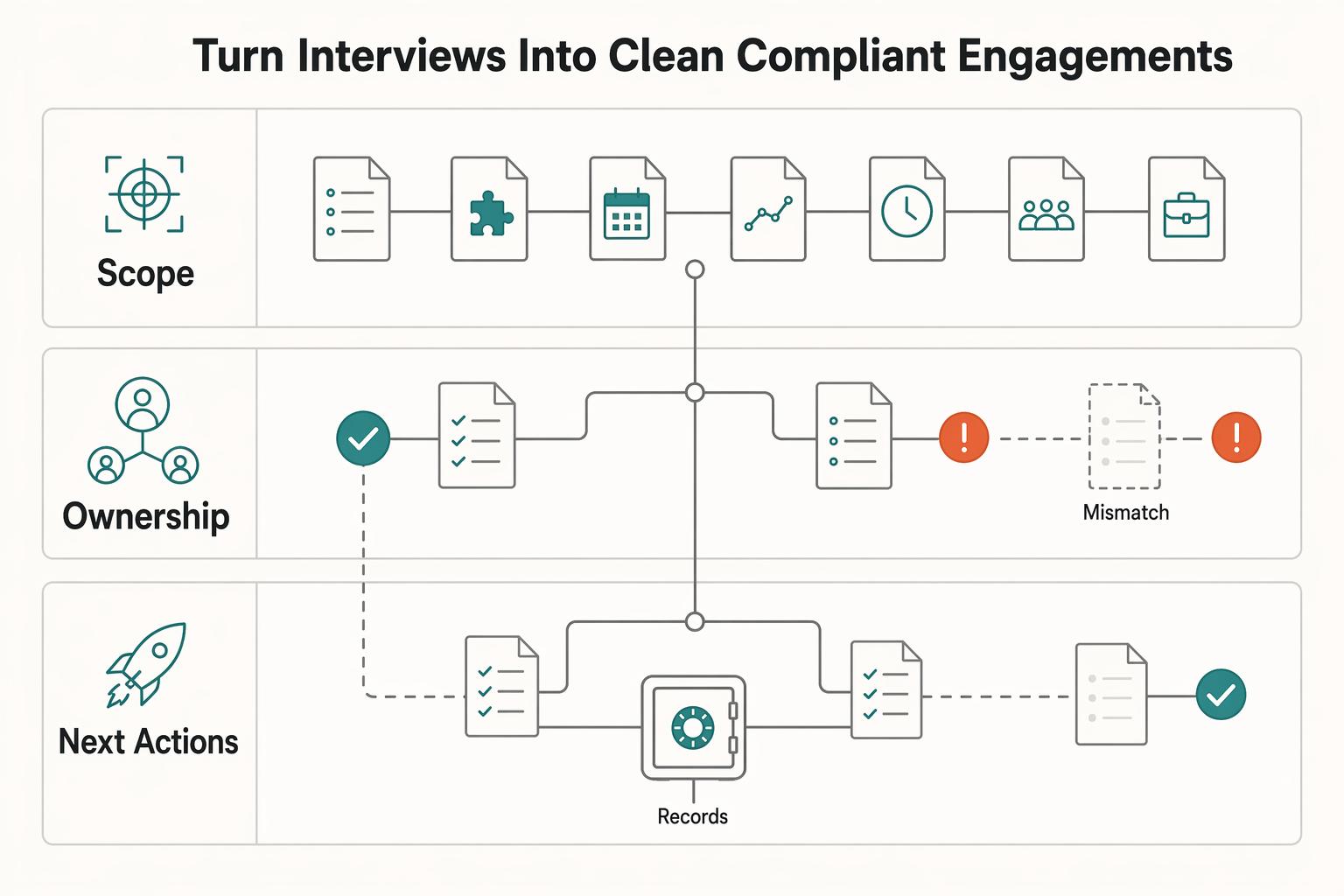
If you want remote work through LinkedIn, treat it as a fit filter first and an application channel second. With more than 20 million active job listings on the platform, volume alone is not a useful goal. Use a tight decision loop: define your fit, lock the search, make a hard go or no-go call, and log the next action so your week runs on evidence instead of memory.
Sailing Around the World as a Digital Nomad Without Breaking Your Workflow
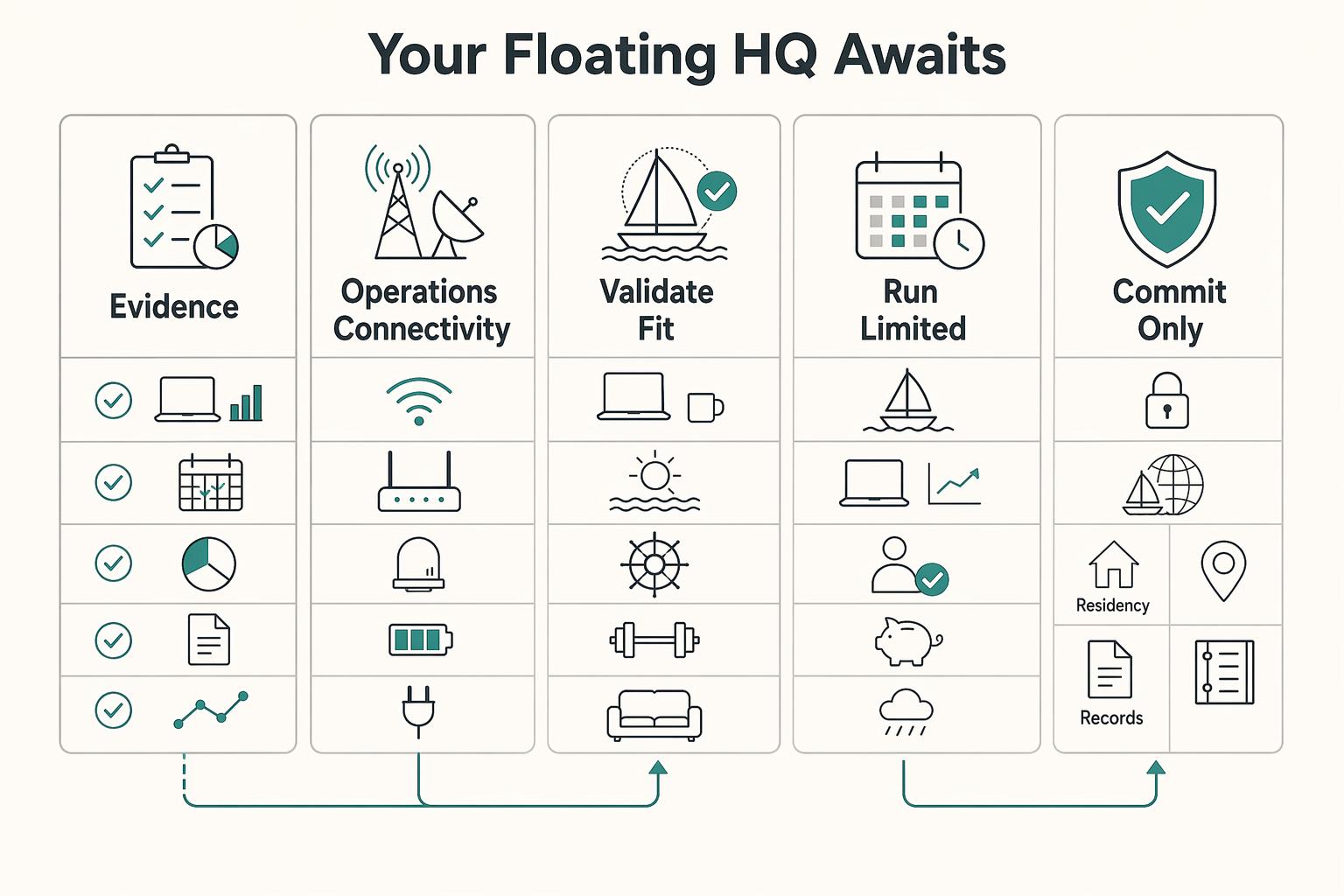
A floating HQ may make sense only if you treat it as an operating change, not a reward for wanting more freedom. You are not just changing where you work. You are taking on more of the continuity burden yourself, with more autonomy on one side and more logistics and disruption exposure on the other.