
Quick Answer
Start by freezing deletion and issuing a written litigation hold as soon as a dispute is pending, threatened, or reasonably foreseeable. For e-discovery for small business, your first operational win is a current data map across email, chat, shared drives, project tools, and business-use phones. Then log each preservation action with timestamps, owners, and export paths. Keep legal scope calls with counsel, but keep your execution trail complete so preservation decisions can be reconstructed later.
What e-discovery covers and the three-step path this guide follows#
You do not need to treat e-discovery as a crisis. If you run a solo practice or a very small team, the job is operational: know where business data lives, preserve potentially relevant material when a dispute appears, and deliver it in a usable format.
In plain English, e-discovery for small business is the process of identifying and delivering electronic information that may be used as evidence. It goes beyond email. Gmail or Outlook inboxes, files in Drive or OneDrive, chats in Slack or Google Chat, calendar data, shared docs, and collaboration spaces can all matter. Discovery can reach electronically stored information in many forms and media.
What usually makes this hard is not the legal vocabulary. It is the way work actually happens. If client terms live in email, scope changes happen in chat, drafts sit in cloud folders, and approvals land in project channels, you need clear control over records. Start with three questions:
- Where are the records?
- Who controls access?
- Which auto-delete or cleanup settings could remove relevant data?
This guide follows a practical three-step path. First, identify and organize your sources. Then preserve potentially relevant content with a legal-hold mindset. Finally, respond in a way that reduces noise and supports clean production. That structure makes the work more manageable and helps you hand materials to counsel more cleanly when needed.
A better way to frame the risk is this: courts may look at whether you took reasonable preservation steps, not whether your records were perfect. The goal is not to keep everything forever. The goal is to locate relevant ESI, stop avoidable loss, and document what you did.
This is an operational framework, not legal advice. The Federal Rules of Civil Procedure govern civil cases in U.S. district courts, and state, local, and non-U.S. requirements can differ, so verify the rules that apply before you act.
Step 1: Fortify Your Foundation#
The first priority is control. If you cannot quickly say where business records live, which channels create evidence, and what could delete that evidence before preservation starts, fix that before you worry about collection or review.
Sloppy evidence handling creates risk quickly. When preservation or collection is messy, discovery quality drops, and courts can impose fines, penalties, or sanctions. Start with a clear inventory, close obvious gaps, and document rules your team can actually follow.
Build a usable data map#
Keep the data map practical. This is a working record, not a large compliance project. For each business tool, device, or service, capture:
- what business data it holds
- where that data is stored, including local devices and third-party services
- who has admin rights and who can grant access
- which retention, cleanup, or auto-delete settings apply
- how you would export or preserve data if requested
- whether legal-hold or preservation options exist, or whether you would need a manual workaround
Cover email, chat, shared docs, cloud storage, project systems, design files, code repositories, and any phones used for business communication, including personal devices used for client work.
One useful checkpoint is to test preservation paths for your highest-risk sources. If you cannot explain access control, preservation steps, or deletion settings, treat that as a gap. Your readiness assessment should include a gap analysis across policies, practices, and procedures.
According to Rule 26, discovery scope should stay tied to what is relevant and proportional. According to Rule 34, production format and access method matter too. Guidance published by HHS on litigation holds is a useful operating model for documenting who paused deletion and when.
- Freeze the highest-risk source first, usually email, chat, or the shared drive that holds client approvals.
- Capture who controls the admin console before you assume exports will still be available later.
- Record the exact date the hold was triggered, who approved it, and what settings were changed.
| Tool category | What usually lives there | Risk if unmanaged | Best next action |
|---|---|---|---|
| contracts, approvals, invoices, client instructions | key decisions can be fragmented across inboxes; deletion settings not reviewed; unclear ownership | set email as a formal record channel and verify retention and export paths | |
| Team chat or messaging | quick decisions, scope updates, scheduling, informal approvals | decision history can stay trapped in threads; auto-delete or disappearing settings may remove history | require material decisions to be summarized into a preserved record |
| Shared docs and collaboration suites | drafts, comments, redlines, meeting notes | no clear final version; comments and version history missed in collection | define ownership, final-document location, and preservation approach for history |
| Cloud storage | deliverables, SOWs, PDFs, screenshots | inconsistent naming and moves; unclear sharing and access control | enforce a stable folder structure and document the account owner and export process |
| Code repositories | source code, commits, issue discussions | approvals and context split across code, issues, and local machines | identify repo owners and document how code history and discussions are preserved |
Set channel rules you can enforce#
Choose one or two channels as the record for formal facts, usually email plus a defined document repository. Let chat stay a working channel unless a decision made there is restated in a preserved record.
Make the escalation rule explicit. If any of the following are decided in chat, restate the decision in the record channel promptly:
- scope
- pricing
- approval
- delivery timing
- instructions
A short follow-up email or dated matter note documenting what changed and by whom is often enough to keep the record clear.
Name files so they survive stress#
Under pressure, naming discipline can matter more than a clever folder system. Use a compact, consistent filename pattern with core metadata so records stay searchable: matter, client, project, version, status. Example: Matter_Client_Project_2026-03-24_v03_Draft.docx.
Keep status labels simple, such as Draft, Final, Signed, Sent, and Archived, and apply them consistently. Align naming with your retention and legal-hold process so preservation does not depend on last-minute cleanup.
Treat disappearing messages as a real risk#
Auto-delete, disappearing messages, and chat cleanup settings can erase relevant records before you realize preservation is needed. Do not rely on platform defaults without checking them, and do not assume personal-device or disappearing-message treatment is the same across jurisdictions.
Document those boundaries in your data map now. If business conversations happen on personal phones or consumer messaging apps, define how you will preserve relevant content if the need arises.
Step 2: Preserve the Evidence#
Once litigation is pending, threatened, or reasonably foreseeable, speed matters more than elegance. Treat relevant data as evidence, not routine business clutter. The preservation duty is the legal obligation. A litigation hold is a concrete step you take to meet it. Spoliation risk is the risk created by destroying, materially altering, or failing to preserve relevant evidence.
Under Rule 37(e), the core question is whether ESI that should have been preserved was lost because reasonable steps were not taken. Severe sanctions under Rule 37(e)(2) require intent. Your operating standard should be simpler: act fast, act consistently, and document every hold step.
The work here builds directly on Step 1. If your sources, admins, and retention settings are already mapped, preservation becomes a sequence instead of a scramble.
Act on the trigger#
Use your Step 1 data map and work through these actions in order:
| Action | Owner | What you do now | What you log |
|---|---|---|---|
| Freeze deletion at the source | Platform admin | Suspend auto-delete, retention cleanup, and deletion policies for in-scope email, files, chat, and account data. | System, setting changed, timestamp, person who changed it |
| Pause cleanup and overwrite processes | Ops or admin plus device owner | Stop scripts or tools that purge files, rotate logs, clear folders, or sync deletions across cloud and local storage. | Process paused, scope, timestamp, who approved |
| Send preservation notices | Matter lead | Notify employees, contractors, assistants, and collaborators who may hold relevant data. State what to preserve, what not to delete, and who handles questions. | Notice copy, recipients, send time, acknowledgments |
| Maintain a defensible hold log | Matter lead plus admin | Track trigger date, custodians, in-scope sources, hold actions, and open follow-ups. Attach screenshots and available audit records. | Running log with evidence attachments and status updates |
After each action, verify that the setting actually changed and that admin access still works. Do not assume a hold is active just because someone clicked it once.
Use your platform controls deliberately#
Start with native hold controls. Use exports after the hold is in place.
| Platform or source | Where data lives | How to place hold | Export method | Common failure point |
|---|---|---|---|---|
| Google Workspace with Google Vault | Covered Gmail and Drive data for licensed users | Apply Vault holds to relevant accounts or scope. Holds retain covered data indefinitely and override retention rules. | Vault search and export, which produces copies of matching results | If a user loses a Vault-supporting license, hold protection can end and deletion can purge data. If hold conditions change, data deleted more than 30 days ago may be purged immediately if no other protection applies. |
| Microsoft 365 with Microsoft Purview | User mailboxes, OneDrive, and Teams or SharePoint-connected locations | Place relevant locations on hold in the case; content stays held until the hold is released or removed. | Purview search and export package; download promptly | Export packages expire after 14 days. Locked SharePoint sites can be skipped, and restricted files may appear in search results but still fail export if the collector lacks direct access. |
| Local devices and external storage | Laptops, phones, USB media, synced local folders | Preserve the current state: stop non-essential use and block deletion, reimaging, or replacement until scope is assessed. | Targeted copy for lower-risk matters, or forensic collection when counsel advises | Ongoing use can change device state and complicate collection and authenticity. |
Collaboration and BYOD boundaries#
For preservation, control can matter more than ownership. If data sits in accounts or spaces you administer, treat it as potentially in scope and preserve it quickly. That includes contractor accounts, shared project spaces, and synced cloud folders.
For BYOD, avoid blanket assumptions. Outcomes are fact- and jurisdiction-specific. If relevant business communications may exist in personal messaging apps, personal email, or personal phones used for client work, send preservation notices immediately. Map what you can access, and escalate scope decisions to counsel before you over-commit or ignore the source.
For each gray-area source, log three things: the account or device owner, the admin-access boundary, and the verified export path. If any one of those is unclear, treat it as an active risk.
- State whether the account is business-owned, personally owned, or jointly administered.
- State whether the source can be exported natively or only through screenshots or manual capture.
- State what you will do if the owner leaves, changes devices, or revokes access mid-matter.
Handle devices without making things worse#
When a dispute ties to a specific project, the primary laptop or phone may matter as much as your cloud systems. Preserve first and inspect later. Limit non-essential use, stop cleanup, and avoid resets, upgrades, replacements, or trade-ins until the evidence scope is clear.
Escalate to counsel and forensic support when the device is likely to be contested, deletion or tampering is alleged, metadata timing matters, or personal-device collection is likely to be disputed. In those circumstances, forensic analysis may be appropriate. Document that escalation decision in your hold log.
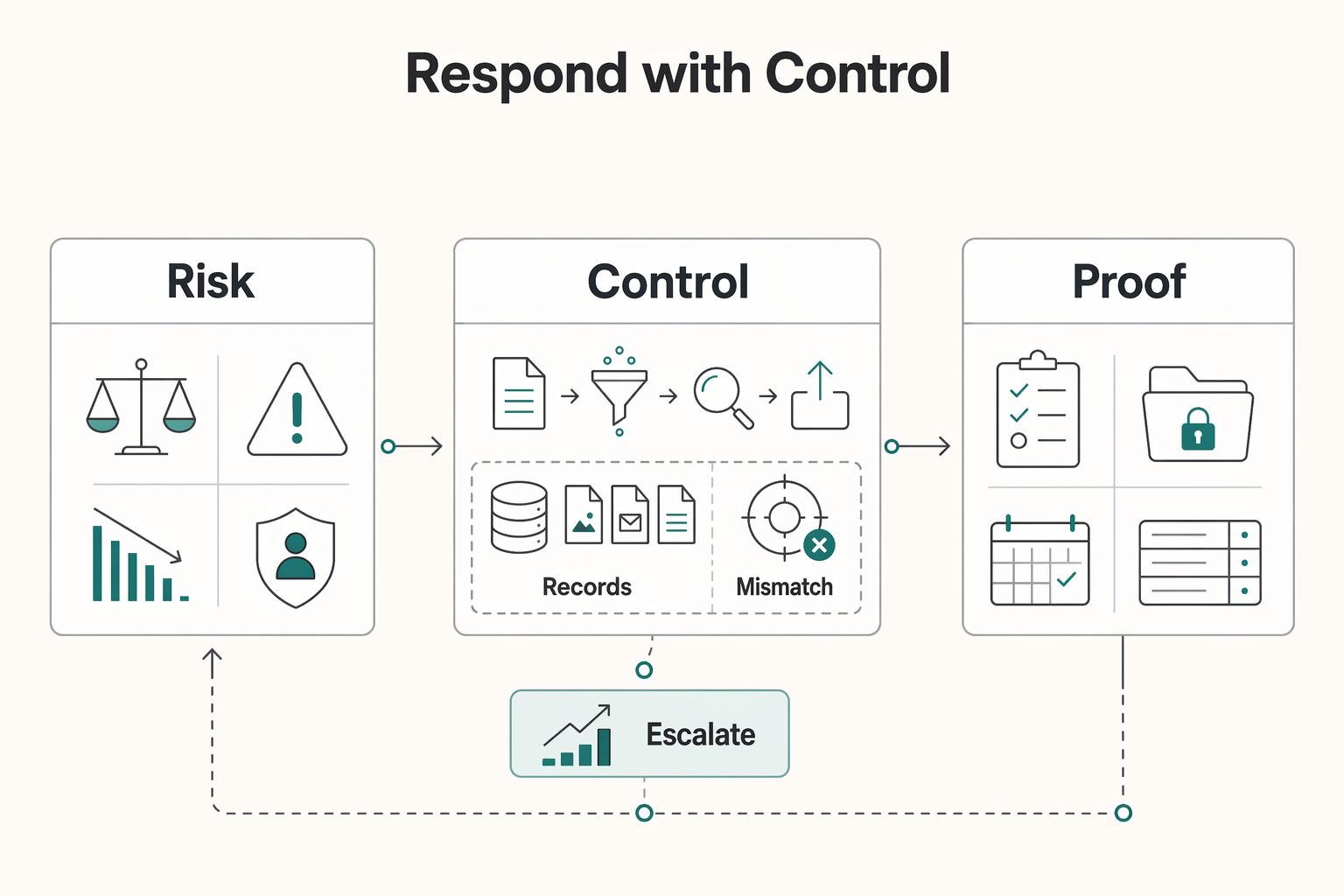
Step 3: Respond with Control#
Once the hold is active, shift from preservation to execution. Your job is to collect, cull, review, and produce only what the request actually covers. Start with the simplest tools you can defend, and escalate when scope or review risk makes a basic export hard to defend.
Being small does not change the obligation. You still need to retrieve relevant digital records securely and accurately during lawsuits, audits, or investigations, and weak handling can create compliance, financial, and reputational harm. The practical test is simple: can you explain, step by step, what you collected, what you excluded, and why?
Choose the tool by risk, not by brand#
Start with the simplest tool you can defend. Native platform tools can work when scope is tight and manageable. Dedicated e-discovery software can make more sense when review complexity starts to outrun collection work, especially across multiple systems or when privilege risk is higher.
| Option | Scope fit | Setup burden | Review controls | Audit trail strength | Likely cost drivers |
|---|---|---|---|---|---|
| Native platform tools | Tighter matters with limited sources | Often lower when tools are already in place | Can be workable for narrower reviews; verify capabilities early | Varies by platform and by the logs and exports you preserve | Internal effort and manual tracking overhead |
| Dedicated e-discovery SaaS | Matters with broader data spread or more structured review needs | Added effort for ingest and setup | Often selected for more structured review workflows | May be easier to present defensibly, but verify what is actually logged | Varies by platform, processing volume, and support model |
If you see cross-platform sprawl, heavy privilege exposure, or disputes about completeness, avoid running the process from ad hoc folders and email threads.
Run a production sequence you can explain#
A defensible production depends on clear sequence and logging. One common sequence is:
- Define scope with counsel. Confirm custodians, date ranges, source systems, and subject limits before broad exports.
- Collect and log chain of custody. Record who collected, when, from where, with which method, and where the export was stored.
- Cull and deduplicate. Remove obvious duplicates and clearly out-of-scope data.
- Run relevance review. Separate likely responsive, non-responsive, and uncertain records for counsel.
- Privilege-check before release. Flag legal-advice communications and mixed legal-business threads.
- Produce in the agreed format. Follow counsel's format direction and retain a record of what was sent.
After each collection, run a quick verification. Confirm files open, date filters match, and item counts are directionally consistent. Missing attachments, unexplained count gaps, or unlabeled exports are escalation signals.
Keep role boundaries clear#
Keep ownership explicit. As a working model, your team owns factual inputs and process discipline: where data lives, who used which systems, what was collected, and whether logs are complete. Counsel owns legal judgment: scope disputes, responsiveness standards, privilege calls, and production approval. A tool or vendor can handle processing operations, but it does not make legal decisions for you.
| Role | Owns |
|---|---|
| Your team | Factual inputs and process discipline: where data lives, who used which systems, what was collected, and whether logs are complete |
| Counsel | Legal judgment: scope disputes, responsiveness standards, privilege calls, and production approval |
| Tool or vendor | Processing operations, but it does not make legal decisions for you |
Escalate now#
Bring in counsel and, if needed, a specialist platform or provider when the matter stops being clean and contained. Common triggers include:
- cross-platform sprawl
- high privilege exposure
- disputed completeness
- deadline pressure that blocks careful manual review
- data volume or source count that you cannot review carefully with your current setup
If you need a companion checklist for incoming demands, see How to Respond to a Subpoena for Business Records. Before disputes start, standardize scope and acceptance language so your records are easier to preserve later with the SOW Generator.
Conclusion: E-Discovery Isn't a Threat, It's a Mark of Professionalism#
Use e-discovery as a discipline: Fortify -> Preserve -> Respond. When records are organized before trouble starts, preserved as risk appears, and produced from documented steps instead of memory, your business is better positioned under pressure.
That standard is concrete. Document where key records live, enforce channel rules, and use consistent naming so records stay findable. When a claim, subpoena, or dispute appears, run the same sequence every time. Save notices, pause auto-delete where possible, and log preservation actions with timestamps. If your process still depends on manual searching across inboxes, drives, and chats, that is the first gap to close.
| Area | Reactive setup | Professional setup |
|---|---|---|
| Data organization | Records are scattered and ownership is unclear | You maintain clear record locations and ownership |
| Response workflow | You reconstruct events from memory and ad hoc exports | You follow a documented preservation workflow and action log |
| Cost and time impact | More time goes to reconstruction and cleanup | More time goes to focused review from labeled, organized records |
| Client trust | Delays and confusion make operations look improvised | Clear handoffs and consistent records show reliability |
Week to week, readiness can show up in execution: quicker file retrieval, cleaner handoffs, and smoother work with counsel because your folders, logs, and labels are already in place.
Review your setup, close the biggest gap first, and document who owns each step of the process. You might also find this useful: The Best E-Discovery Software for Small Businesses.
If you need a repeatable intake pack, pair How to Respond to a Subpoena for Business Records with a clean matter setup in the SOW Generator so the scope, owner list, and record channel are documented from day one.
Frequently Asked Questions
What is a litigation hold for a one-person business?
It is a written instruction you give yourself to preserve potentially relevant ESI once litigation has started or is reasonably anticipated. Create and date a hold notice note, then maintain a preservation log and a retention settings checklist showing what you changed. Start immediately: save the trigger notice, pause or override auto-delete settings where your tools allow it, and record each preservation action. Your lawyer handles legal scope and risk; you execute and document the preservation steps.
How do you prepare your business data for potential litigation?
Keep a current data map that lists record categories and locations across email, chat, file storage, project tools, and local devices. Use consistent file naming and folder structure so you can describe records by category and location without rework. Review the data map and retention settings on a regular schedule and whenever your tools change so your documented process matches your actual tools. | Channel | Likely discoverability | Preservation controls to check | Typical response effort | | --- | --- | --- | --- | | Email | High | Retention rules, legal holds, mailbox export access | Usually moderate when mailboxes are centralized | | Chat | High when used for business content | History settings, retention policies, hold availability by product or plan | Often higher due to channel and DM sprawl | | File storage | High | Drive or site retention, versioning, hold coverage | Moderate if organized; higher when sharing is ad hoc | | Project tools | Often relevant for approvals, comments, and task history | Export options, account access, comment and history capture | Moderate to high because exports may need cleanup or parsing |
Does electronic discovery apply to your Slack or WhatsApp messages?
Yes, if those messages contain business ESI, they can be in scope. Rule 34 can reach information stored in any medium if it can be obtained, so cross-platform communications matter. Your operational job is to list those channels in your data map and preserve them quickly using controls available in each product. Counsel decides responsiveness and production strategy.
What is the first step you should take when you receive a legal notice?
Do not delete or clean up anything. Save the notice, open a matter folder, issue your written hold to yourself, and start a preservation log for custodians, systems, and actions taken. Then confirm with counsel whether you are dealing with a Rule 34 request or a Rule 45 subpoena so deadlines and objections are handled correctly. In federal matters, Rule 34 responses are generally due in 30 days, and subpoena objections are due by the earlier of the compliance date or 14 days after service.
How can you reduce costs as a solo business owner?
The cheapest discovery work is the work you do not have to reconstruct later. Keep your data map current, maintain a retention settings checklist, and save exports with clear labels so your lawyer is not billing to rebuild basics. Poor information governance can increase discovery risk and expense, especially when records are spread across email, chat, files, and project tools. If you can show where records live and what you preserved, review effort is often lower.
Try a related tool
Researched and edited by the Gruv editorial team. Gruv builds cross-border billing, payouts, and finance-operations software for global businesses.
Sources
- advocacy.sba.gov/wp-content/uploads/2019/07/How-to-Comply-wit...trusted
- ag.ny.gov/sites/default/files/e-discovery_request_for_...trusted
- cdn.ca9.uscourts.gov/datastore/opinions/2024/09/27/22-35674.pdftrusted
- cit.uscourts.gov/sites/cit/files/Rule%2037.pdftrusted
- fjc.gov/publications/amendments-federal-rules-practi...trusted
- hhs.gov/web/governance/digital-strategy/it-policy-ar...trusted
- law.cornell.edu/rules/frcp/rule_34trusted
- law.cornell.edu/rules/frcp/rule_26trusted
Educational content only. Not legal, tax, or financial advice.
Related Posts

Value-Based Pricing for Freelancers Under Real Payment Risk
Value-based pricing works when you and the client can name the business result before kickoff and agree on how progress will be judged. If that link is weak, use a tighter model first. This is not about defending one pricing philosophy over another. It is about avoiding surprises by keeping pricing, scope, delivery, and payment aligned from day one.

Germany Freelance Visa Application Path for Freiberufler and Gewerbe
Choose your track before you collect documents. That first decision determines what your file needs to prove and which label should appear everywhere: `Freiberufler` for liberal-profession services, or `Selbständiger/Gewerbetreibender` for business and trade activity.

How to Respond to a Subpoena for Business Records
Move fast, but do not produce records on instinct. If you need to **respond to a subpoena for business records**, your immediate job is to control deadlines, preserve records, and make any later production defensible.