
Quick Answer
Yes. For cross-border client work, treat data sovereignty cloud storage as a legal-design task, not a region toggle. A provider can still face disclosure demands under 18 U.S.C. § 2713 even when files are stored in an EU location. Classify by sensitivity, run everyday collaboration in a Core workspace, and place contracts, tax records, IDs, and banking files in a separate Vault with stricter key and sharing controls. Before upload, confirm DPA language, subprocessor terms, and transfer commitments match what you promise clients.
If you run a business of one, data protection is not an abstract compliance issue. It sits in the background of client work every day. One bad sharing setting, one misunderstood cross-border rule, or one convincing phishing email can expose client data and damage the reputation you built one project at a time.
That is why generic enterprise advice rarely helps. You do not have a legal team to interpret every jurisdictional wrinkle or an IT department to clean up mistakes. You are making product, client, security, and compliance decisions yourself. And because small firms are often seen as easier targets, hoping your default cloud setup is good enough is not much of a plan.
This guide is built for that reality. It gives you a practical way to handle sensitive contracts, proprietary material, and personal data across borders without turning your business into a full-time security project. The sequence matters. First understand the legal and technical exposure in ordinary cloud storage. Then classify what you hold, separate collaboration from high-sensitivity storage, and make your settings, contracts, and sharing habits line up. The goal is simple: replace low-grade anxiety with a setup you can explain, defend, and maintain.
The Hidden Risk in Your Standard Cloud Storage#
If you work across borders, your default cloud setup can create legal and contract risk even when you choose a region. A region setting tells you part of where data is physically stored. It does not tell you the full legal reach over that data, who can compel access, or how replication is handled.
That gap matters because mainstream cloud products include resilience features like replication and failover. That is useful operationally, but risky if your contract, privacy notice, or client questionnaire promises tighter control. For EU-related data, "hosted in the EU" is only part of the answer.
Where the legal tension shows up#
The practical question is straightforward: can your provider be forced to disclose data you thought stayed under one legal regime? GDPR can apply to some non-EU businesses that offer goods or services to people in the EU. It can also apply regardless of processing location when tied to an EU establishment. Under 18 U.S.C. § 2713, covered U.S. providers can be compelled to disclose data in their possession, custody, or control even if the data is stored outside the U.S.
| Rule | Legal scope | Who can compel or restrict access | What this means for your client files |
|---|---|---|---|
| GDPR | Can apply to organizations handling personal data of people in the EU, including some non-EU businesses | EU data protection rules restrict processing and disclosure | You may still owe GDPR-compliant handling even if you are not EU-based |
| GDPR Article 48 | Covers judgments or decisions from third-country courts/authorities seeking disclosure | Third-country orders are recognized/enforceable only if based on an international agreement | A foreign demand is not automatically a valid GDPR disclosure route |
| U.S. CLOUD Act (18 U.S.C. § 2713) | Applies to covered U.S. providers with possession, custody, or control of data, wherever stored | U.S. authorities can compel disclosure from the provider | Choosing an EU region alone does not remove foreign legal reach |
This is not an argument for "never use U.S. providers." It is that location labels are not a full risk assessment.
Three terms people blur together#
These three ideas are related, but they are not interchangeable.
| Term | Plain meaning | Common mistake to avoid |
|---|---|---|
| Data residency | Where data is physically stored | Assuming residency choice also settles legal jurisdiction |
| Data localization | A legal requirement to keep data in a specific location, often with limited/no transfers | Treating it as a technical preference instead of a legal rule |
| Data sovereignty | Which jurisdiction's laws govern your data | Using it as a synonym for residency |
If you remember one rule, use this one: residency is geographic, sovereignty is legal.
Why "pick a region" is often not enough#
A careful region choice can still leave jurisdictional gaps because architecture is service-specific. Providers may replicate within one datacenter, across three zones in one region, or asynchronously to a secondary geographic region for resilience. In some Azure configurations, the service determines the secondary region. AWS supports explicit cross-region replication, and some Google services include a global location option.
So the risk is not that every workload always leaves your chosen region. The risk is that defaults, failover design, or replication paths create copies or processing routes you did not account for. If your contract promises one-country or one-region storage, validate that at the product or service level, not only in account settings.
Subprocessors add another layer because they may need access to customer data. Your exposure is not just the primary vendor name. Review the DPA, the subprocessor list, and the service-specific documentation on storage, replication, and support access.
What to verify before trusting a provider#
Before you store sensitive files, verify five things:
- The exact product and storage tier you will use
- Whether that service is region, multi-region, or global by design
- Whether replication, disaster recovery, or failover can create out-of-region copies
- DPA and subprocessor terms, including where data may be accessed
- That your contract language matches what the provider actually commits to
That quick check turns a cloud choice into a defensible one. It also sets up the next step, which is deciding which files need the highest controls. If you want a deeper dive, read Taxes in Germany for Freelancers and Expats.
Step 1: Map Your Personal Risk Landscape#
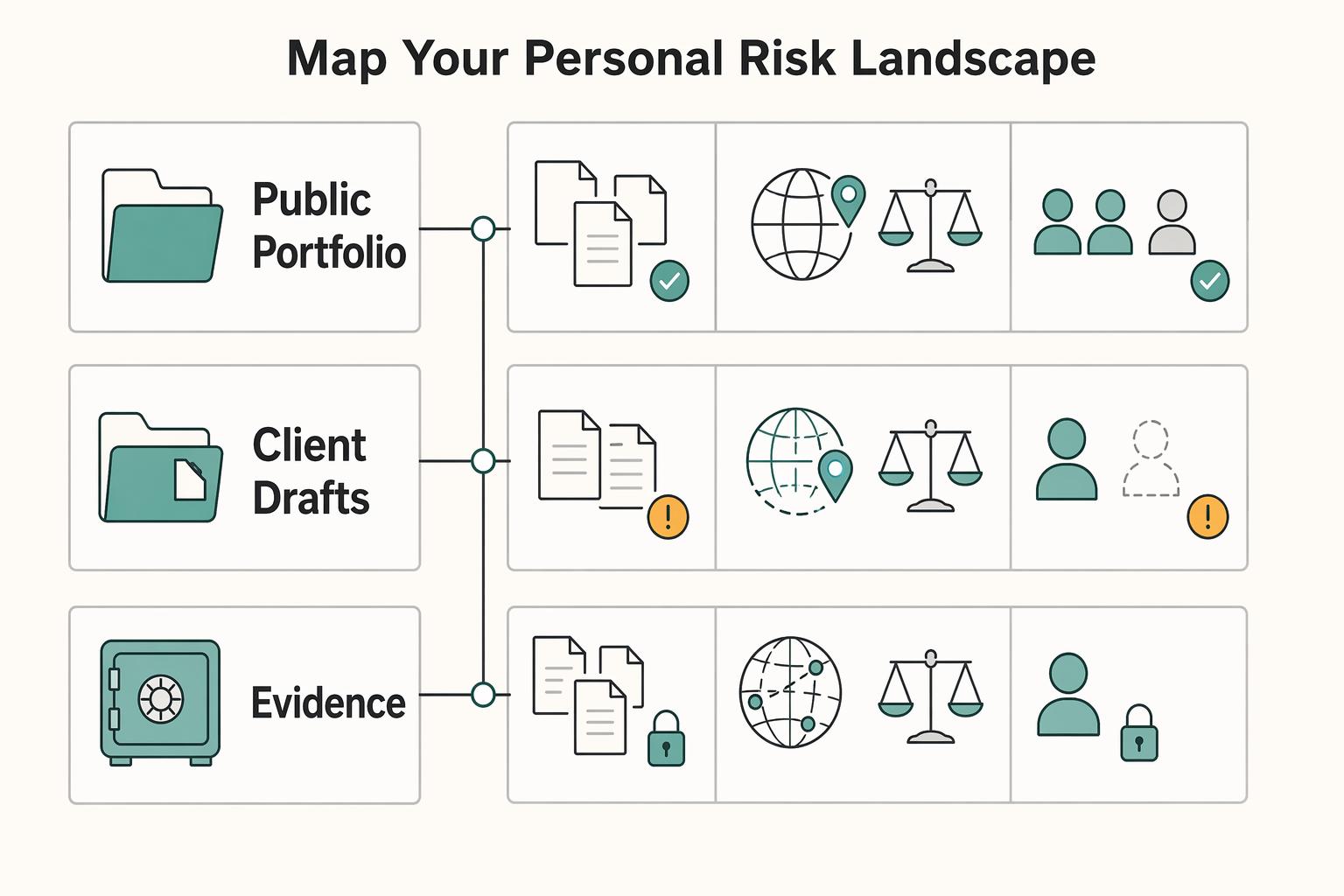
Start by classifying your data by impact, not convenience. This self-audit helps you decide what can stay in daily cloud workflows, what needs tighter controls, and what may need to move to a separate high-control vault first.
For each file set, folder, and recurring workflow, ask three questions before upload: where will it reside, which laws apply, and who can access it? If you cannot answer those clearly, treat the item as higher risk until you can.
| Data type | Business impact if exposed | Suggested storage posture |
|---|---|---|
| Public portfolio samples, published articles, marketing assets | Low | Standard cloud may be acceptable; keep editing access limited |
| Client drafts, private emails, proposals, internal financial notes | Moderate to high | Use controlled workspaces with limited sharing, clear ownership, and verified access rules |
| Signed contracts, NDAs, tax records, banking files, ID copies, credentials, unreleased client deliverables | High to severe | Keep out of casual shared folders; prioritize migration to a separate high-control vault and restrict copying, downloads, and onward sharing |
Use those three tiers as a working risk model, not a legal rule. Tier 1: content you could tolerate becoming public. Tier 2: content that could cause client, contract, or operational damage if exposed. Tier 3: crown-jewel content that can create serious legal, financial, or trust risk. Keep Tier 3 out of casual shared drives, even when a client starts there.
When classification is unclear, use a fixed decision path:
- Mixed file: classify by the most sensitive element inside it.
- Shared folder: classify by the highest-risk file any member can access.
- Client-requested tool: if you cannot verify storage, backup, mirroring, or support access across borders, keep only the minimum necessary data there.
A single region choice is not a full answer if backup, mirroring, or support paths can still cross borders. You are ready for Step 2 when you have:
- a tiered inventory of files and workflows
- a named list of crown-jewel assets
- a clear migration queue for items that need higher-control storage
For a step-by-step walkthrough, see The Best Cloud Storage Providers with European Data Centers.
Step 2: Split Collaboration and Crown-Jewel Files Across Two Tools#
Use a split architecture: keep collaboration in your Core, and store crown-jewel files in a separate Vault chosen for legal exposure, key control, and recovery risk. One tool should not do both jobs.
Core versus Vault#
The distinction is simple and useful in practice. Your Core is where active work happens. Your Vault is where you keep the files that would hurt most if exposed.
Your Core is for drafts, shared review folders, handoff copies, and files that need comments, search, and co-editing. Keep using collaboration-first tools there, but treat broad sharing as an inherent risk, especially where links can spread beyond the original recipient.
Your Vault is for Tier 3 assets: signed contracts, tax records, banking files, ID copies, credentials, final deliverables, and master copies of sensitive files. Choose it as a legal-control decision first, then a product decision.
| Option | Jurisdiction exposure | Encryption model | Key control | Admin and audit controls | Fit for freelancer workflows |
|---|---|---|---|---|---|
| Collaboration-first suite | Often broad exposure through global operations and subprocessors; region choice alone does not settle legal reach | Varies by provider and plan | Often limited customer key control in standard setups | Sharing/admin controls vary; verify audit visibility | Best for daily collaboration, weaker for Tier 3 storage |
| Enterprise cloud with region choice and CMEK | Better for residency architecture, but geography or partition choice alone does not by itself block U.S. legal process | Strong at-rest encryption | Customer-managed keys can increase control over key lifecycle and usage, with recurring cost | Logging/admin depth can be strong; audit logs can show who did what, where, and when | Good if you can handle setup and policy overhead |
| Privacy-first encrypted vault | Exposure depends on company structure, operations, and subprocessors, not marketing claims | May use zero-knowledge-style or client-side encryption, depending on the product | Stronger separation when provider cannot routinely decrypt content | Sharing/admin controls vary; verify before adoption | Strong fit for crown-jewel storage, sometimes weaker for live collaboration |
Check legal control before features#
If you process EEA personal data, transfer controls are mandatory. Under GDPR Chapter V, transfers outside the EEA need a valid mechanism, such as adequacy or appropriate safeguards.
| Point | What to verify | Source detail |
|---|---|---|
| Corporate footprint | Legal entity, headquarters or incorporation, and whether the provider has U.S. operations | The CLOUD Act can apply based on U.S. operations, not only U.S. headquarters |
| Subprocessors | Current list, version history, and last-modified date | Confirm processor authorization requirements before new subprocessors are engaged |
| Cross-border transfer posture | DPA and transfer terms | Look for Chapter V language, SCC references, and onward-transfer terms |
| Government request handling | Transparency reporting cadence and available legal-demand disclosures | Some major providers publish these metrics every six months or twice a year |
Before you select a Vault, verify these four points in the provider's terms and documents:
- Corporate footprint: legal entity, headquarters or incorporation, and whether the provider has U.S. operations. The CLOUD Act was enacted in March 2018 and can apply based on U.S. operations, not only U.S. headquarters.
- Subprocessors: current list, version history, and last-modified date. Keep evidence of what you reviewed, and confirm processor authorization requirements before new subprocessors are engaged.
- Cross-border transfer posture: DPA and transfer terms, including Chapter V language, SCC references, and onward-transfer terms.
- Government request handling: transparency reporting cadence and available legal-demand disclosures. Some major providers publish these metrics every six months or twice a year.
Save the DPA, subprocessor page, and transparency page when you decide. That record gives you something concrete if a client asks why you chose the provider.
Zero-knowledge means more responsibility#
A zero-knowledge-style setup can reduce routine provider access to readable content, but it also shifts more responsibility to you. If recovery depends on a separate secret, such as a recovery key, treat it as business-continuity material. If it is lost, access can be lost permanently.
Sharing settings are the other common failure point. Strong encryption does not help much if sharing is broad or permissions are too open. Test sharing with a second account before you use it with clients. Confirm exactly what recipients can view, download, and forward.
Selection checklist#
Before you commit to a Vault, make sure all five answers are clear:
- Tier 3 data defaults to the Vault, not the collaboration suite.
- The provider's legal footprint is documented beyond region marketing.
- DPA, transfer posture, and subprocessor records are current and saved.
- Key ownership and recovery duties are explicit and operationally manageable.
- Audit or access history and link-sharing controls are sufficient for client evidence and incident review.
If any answer is still fuzzy, keep evaluating before you deploy. Related: A Guide to Data Localization Laws for Global Freelancers.
Step 3: Deploy Your Defenses#
Deploy in this order: Core, Vault, contract, then sharing. Controls are strongest when your settings, agreements, and day-to-day handling all point the same way.
Lock down the Core#
Start with your Core, since it is handled day to day.
| Core control | Action | Validation check |
|---|---|---|
| Sign-in protection | Use the strongest second factor your platform supports on every account that can touch client data | Log in from a fresh browser, confirm second-factor enforcement, and confirm recovery details are current |
| Data-region controls | Set data-region controls if your platform provides them | Save admin evidence, such as a screenshot or export, to your vendor file |
| Connected apps | Remove unnecessary connected apps and revoke any integration you cannot tie to an active business use | Compare the app-access list to your live tool stack, remove stale access, and record the date |
| Pre-encryption in Core | Pre-encrypt sensitive files that must remain in Core workflows | Open from a second account or device and confirm the uploaded file is unreadable until unlocked |
- Enforce strong sign-in protection on every account that can touch client data. Use the strongest second factor your platform supports.
Validation check: log in from a fresh browser and confirm second-factor enforcement. Confirm recovery details are current.
- Set data-region controls if your platform provides them. For example, some platforms let you select US, EU, or both regions.
Validation check: save admin evidence, such as a screenshot or export, to your vendor file. Red flag: region selection helps, but it is not a complete legal shield by itself.
- Remove unnecessary connected apps. Revoke any integration you cannot tie to an active business use.
Validation check: compare the app-access list to your live tool stack, remove stale access, and record the date.
- Pre-encrypt sensitive files that must remain in Core workflows.
Validation check: open from a second account or device and confirm the uploaded file is unreadable until unlocked. Failure to avoid: uploading a plain file "temporarily" and leaving a readable synced copy behind.
If a client requires tighter regional controls, document the tradeoff. Stronger regionalization can support compliance needs, but it may also reduce availability options or add supply-chain fragility.
Make the Vault survivable#
A Vault only helps if it still works under stress, not just on setup day. Define key custody up front: where recovery secrets live, who can access them if you are unavailable, and how that handoff is documented. If recovery depends on a separate secret, test recovery on noncritical files before you rely on it for contracts, IDs, or banking records.
Keep permissions narrow. Grant access by client or matter, not convenience, and review access on a fixed cadence. In each review, remove stale users, confirm who can create shares, and retain any available access-history evidence.
Put the promise in the contract#
Your contract should match your actual controls. Use this checklist:
| Contract item | What to include |
|---|---|
| Storage location commitment | Intended region or jurisdiction and any approved exception path |
| Encryption statement | Encryption at rest and in transit only after verifying the current contractual standard |
| Access limitations | Who can access data, for what purpose, and whether subprocessors are allowed |
| Incident notice responsibilities | How you notify, what initial details you provide, and which client contact or channel governs |
If the client provides a DPA or security exhibit, reconcile it before kickoff. Overlapping regionalization requirements are common, so fix conflicts before the first upload.
Make secure sharing the default#
For Tier 2 and Tier 3 data, do not default to raw attachments. Use controlled sharing where you can limit permissions, set expiry, revoke access, and retain an access trail when those features are available. After sending, verify from a separate account that recipients see only what they should.
Keep an exceptions path for client-required channels. If a client mandates email attachments, SFTP, or its own portal, get that instruction in writing. Mark it as a client-directed exception and store it with the matter record.
You might also find this useful: How to Create a 'Freedom Fund' for Your Freelance Business. Turn your Core + Vault policy into client-ready language before your next kickoff using the Freelance Contract Generator.
Your Digital Sovereignty is Non-Negotiable#
Treat storage as a business risk decision, not a software preference. Your setup affects client trust, your ability to meet contract commitments, and how well you can explain cross-border handling if anyone asks questions later.
The practical move is to replace defaults with documented choices. Classify data first, assign handling rules by sensitivity, and verify provider fit before you store sensitive files. Check more than residency: where data is stored, who can access it, and how encryption keys, audit logs, and support operations are governed.
Use a short validation checklist before upload:
- Confirm jurisdiction fit, not just region selection.
- Confirm access and sharing controls match what you tell clients.
- Confirm encryption settings and key-management controls are available on your plan and enabled for folders that hold sensitive files.
- Confirm data routing does not introduce regions where you have no legal standing.
Keep a small evidence pack so you can prove control without scrambling. Include your classification note, handling rules by sensitivity, current provider agreement, key access and sharing setting records, and an exceptions log for client-mandated portals, SFTP, or email transfers. This will not create perfect certainty, but it can reduce accountability risk, sharpen your client-facing rationale, and improve audit readiness.
Document your policy now, align client clauses and workflow settings to it, and review the setup on a recurring cadence. That keeps jurisdiction fit, access controls, encryption posture, and contract terms in sync.
We covered this in detail in A Data Scientist's Guide to Structuring a 'Data Processing Agreement' (DPA). If you want a second layer for sensitive files and handoffs, generate a practical baseline with the NDA Generator.
Frequently Asked Questions
Can I rely on an EU region inside a U.S.-linked provider?
Not by itself. Under 18 U.S.C. § 2713, disclosure scope is tied to possession, custody, or control, not only storage location, so an EU region setting does not fully remove U.S.-provider legal exposure. Next step: list client matters stored with U.S.-linked providers and flag any that include EU personal data.
Does provider jurisdiction really matter that much?
Yes. Verify the contracting entity and terms in your agreement, not just the marketing page. For client personal data, Article 44 transfer conditions and Article 28 processor-contract requirements still apply. Next step: pull each provider DPA and record the entity, governing law, and subprocessor terms in your vendor file. | Option | Jurisdiction signal in sources | Encryption model in sources | Admin control detail in sources | Client-sharing control detail in sources | |---|---|---|---|---| | Google Drive | Alphabet principal executive offices listed in Mountain View, California | Encrypted in transit and at rest with AES-256; Workspace can allow client-side encryption for organizations | External-sharing settings apply by organizational unit or groups; admins do not control individual folders in users' My Drive | Sharing can be restricted at org/group level, but My Drive folder-level admin control is limited | | OneDrive / Microsoft 365 | Microsoft principal executive offices listed in Redmond, Washington | Data encrypted at rest and in transit | Verify in your agreement | Sharing links can be set with expiration dates | | Dropbox | Dropbox principal executive offices listed in San Francisco, California | Files at rest use AES-256 | Verify in your agreement | Password-protected links are plan-dependent; link restrictions apply to shared links, not already-granted direct access | | Proton Drive | Verify the current contracting entity and governing law in your own agreement | Provider claims end-to-end and zero-access encryption and says it cannot access file content | Verify in your agreement | Shared links can have expiration dates |
Does zero-knowledge encryption solve the whole problem?
No. It can reduce provider access to readable content, but it does not by itself resolve transfer obligations, contract promises, or every lawful disclosure issue. Next step: identify which files need end-to-end or client-side encryption and apply it by data tier.
If my Core account has strong sign-in and sharing controls, do I still need a Vault?
Possibly, depending on your risk profile and client requirements. Core and Vault controls can address different problems: account hardening protects day-to-day access, while Vault placement can limit exposure for your highest-sensitivity files. Next step: move one live client’s highest-sensitivity files into the Vault first.
What belongs in Core versus Vault?
Keep active collaboration files in Core when you need editing and routine sharing. Put your highest-sensitivity material in Vault storage based on your own data-tiering policy and client terms. Next step: tag one existing folder as your highest-sensitivity tier and remove readable duplicate copies from synced Core folders.
What should I put in my contract or DPA?
Write only what you can verify in practice: storage location commitments, encryption posture, access limits, subprocessor use, and incident notice path. If the client provides its own DPA or security exhibit, reconcile conflicts before first upload, especially around third-country transfer handling. Next step: update your template language to match your actual setup and escalation path.
What if a client objects to my storage choice?
Ask for the exact objection first: provider exposure, location, sharing controls, or a sector rule. If they require their own portal, local-only storage, or a named provider, treat it as a client-directed exception and document it in writing. Next step: send a short two-option confirmation email and save the response in the matter file.
How do I migrate without breaking active work?
Use a staged migration, not a full cutover. Start with new Tier 3 files, then current contract sets, then archives, and test each share from a separate account before client use. Next step: migrate one live matter end to end and log every permission, link, and recovery issue.
What if I must use email attachments, SFTP, or the client’s portal?
Use the client-mandated channel when required, but do not let exceptions become your default process. Keep written instructions, note retention or forwarding constraints, and record where the authoritative copy lives after transfer. Next step: maintain a one-page exceptions log and attach it to each nonstandard request.
What if a foreign authority request or disclosure issue comes up?
Pause and escalate. Do not respond from memory. EDPB guidance says organizations must assess when responses to third-country authority requests are lawful, with some grounds available only exceptionally and case by case. It also notes those decisions are not automatically enforceable in Europe. Next step: preserve the request and send counsel the client contract, DPA, and provider notice immediately.
Try a related tool
Researched and edited by the Gruv editorial team. Gruv builds cross-border billing, payouts, and finance-operations software for global businesses.
Sources
- blogs.worldbank.org/en/trade/chart--the-fine-line-of-data-locali...trusted
- commission.europa.eu/law/law-topic/data-protection/international-...trusted
- commission.europa.eu/law/law-topic/data-protection/international-...trusted
- congress.gov/crs-product/R45173trusted
- congress.gov/bill/115th-congress/senate-bill/2383/texttrusted
- edpb.europa.eu/sme-data-protection-guide/international-data...trusted
- justice.gov/criminal/cloud-act-resourcestrusted
- law.cornell.edu/uscode/text/18/2713trusted
Educational content only. Not legal, tax, or financial advice.
Related Posts
Taxes in Germany for Freelancers and Expats
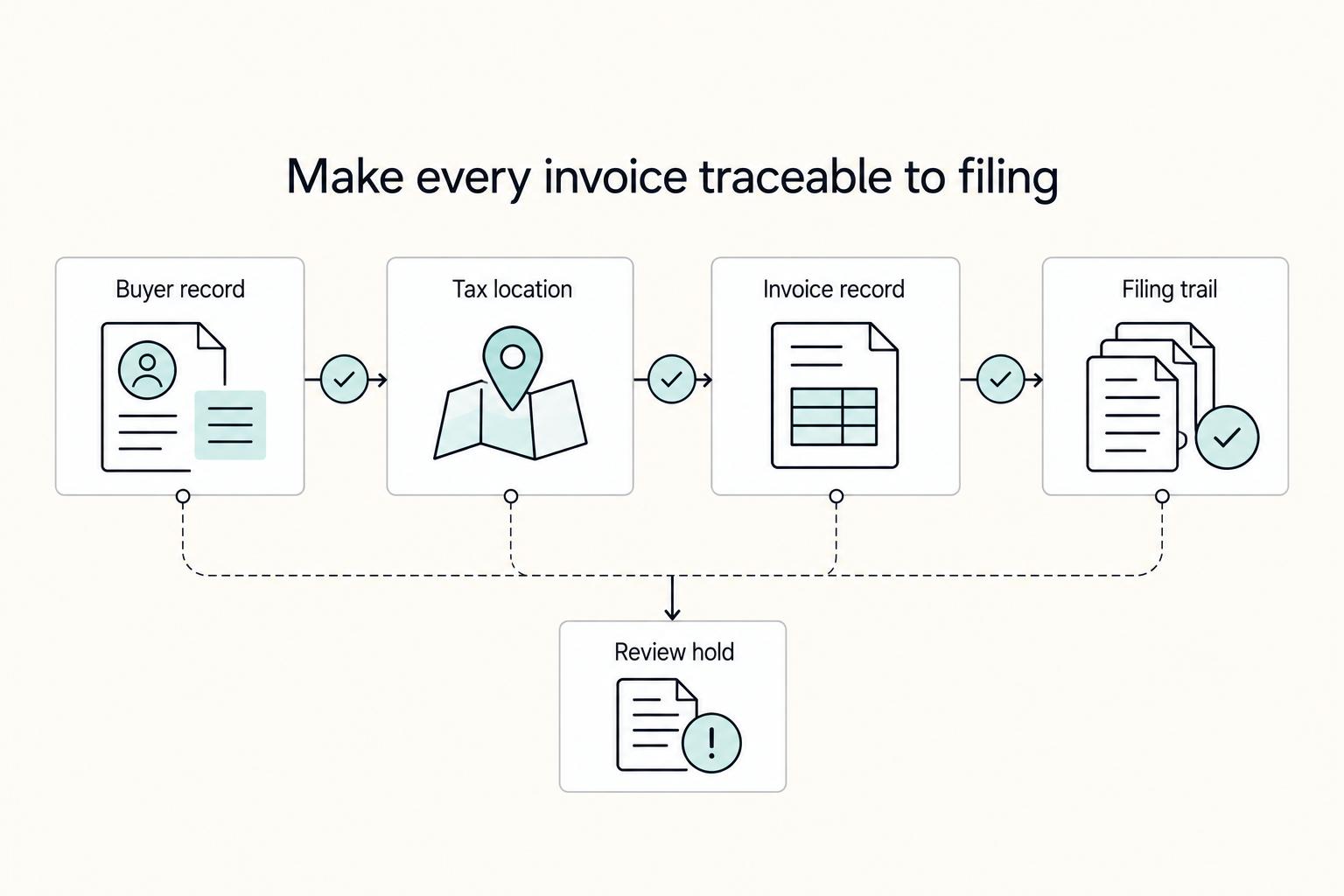
Low-stress compliance in Germany comes from decision order, not tax tricks. Use this sequence: confirm core facts, apply conservative temporary assumptions, verify the few points that can break invoices or filings, and keep one evidence file that explains each decision.

Data Localization Laws for Global Freelancers Before You Sign
You can work within **data localization laws** without stalling a cross-border deal, but only if you scope data location before price and timelines are set. For freelancers, the goal is simple: make assumptions explicit, tie them to contract language, and update them when facts change.

How to Create a 'Freedom Fund' for Your Freelance Business
Stop relying on discipline and switch to a percentage-based, per-payment system that saves automatically when you get paid. If you freelance, you're running a business-of-one. Your job is to install financial rules that keep working even when income is messy. A "save whatever is left" approach fails because your calendar and your cash flow rarely line up.