
Quick Answer
Start by setting one family rule: save evidence before anyone replies, reports, blocks, or deletes anything. For cyberbullying protection, collect screenshots, usernames, links, timestamps, and ticket receipts in one shared folder, then file the report in-app and notify school contacts when classmates are involved. Keep follow-up brief and regular, and use 911 for immediate danger or 988 when your child is in crisis distress.
Phase 1: Prevention - Rules, Settings, Accounts, and a Reporting Plan#
The work starts before anything happens. In this phase, focus on prevention: set clear family rules, lock down privacy and location settings, secure accounts, and make reporting problems feel safe and normal.
Cyberbullying can move across social media, messaging, and gaming, so your plan should cover all three, not just one app.
Set family rules first#
Start with a short, clear conversation about expectations. Cover where your child can chat, post, and play, what personal information stays private, and what they should do if someone is cruel online.
| Conversation element | What to cover |
|---|---|
| Chat, post, and play | Where your child can chat, post, and play |
| Personal information | What personal information stays private |
| If someone is cruel online | What they should do if someone is cruel online |
| Simple checkpoint | Ask your child to explain the plan back in their own words |
Parental controls can support those rules, but they should not replace the conversation. A simple check is to ask your child to explain the plan back in their own words. For conversation prompts you can reuse weekly, How to Teach Your Kids About Online Privacy is a practical companion.
Set safer defaults on the platforms they use#
Built-in protections are your first line of defense, but they only help if you review them often enough to catch changes.
| Risk surface | Recommended default to set now | What to review regularly |
|---|---|---|
| Keep Teen Accounts protections enabled. For teens under 16, protections cannot be made less strict without parent permission. | Confirm protections are still active and review privacy and contact settings. | |
| TikTok | For ages 13 to 15, confirm the account is private by default and keep teen interaction limits in place. | Review follower access and confirm Duet/Stitch/download/Story-use limits where they apply. |
| Snapchat | Keep Snap Map location sharing off unless there is a clear need to enable it. | Recheck location sharing after app updates, device changes, or account changes. |
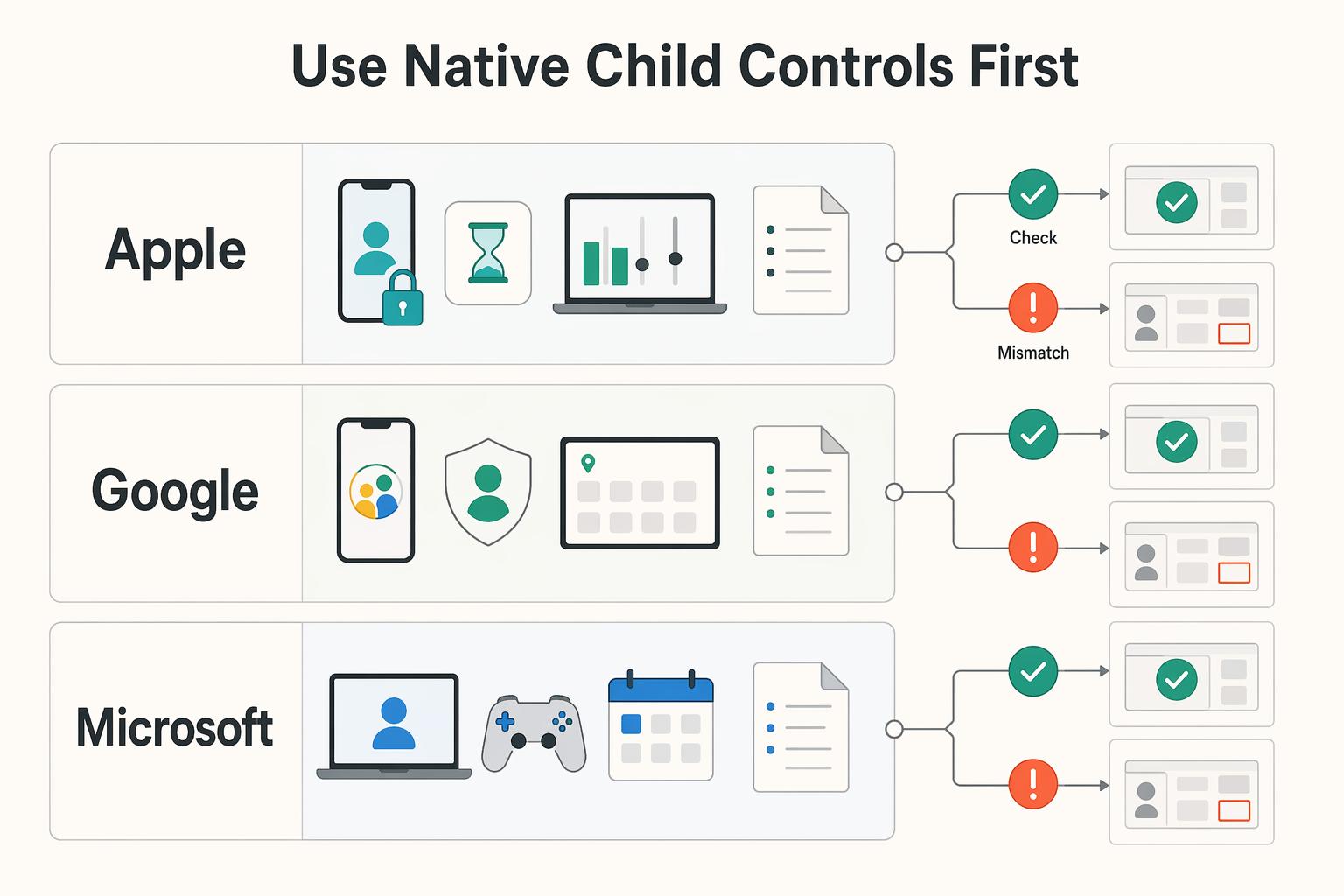
| Device-level controls | Use Google Family Link or Apple Screen Time to manage app access, limits, and account boundaries. | Review new apps, exceptions, and activity summaries on a regular schedule. |
Harden parent and child accounts#
Once the defaults are in place, make the accounts themselves harder to misuse. Enable two-factor authentication anywhere it is available, especially on parent-managed email and social accounts. That adds protection beyond passwords.
Then finish the device-level setup so your rules hold up in daily use. If you want a full walkthrough, use How to Set Up Parental Controls on Your Kids' Devices.
Build a reporting plan your child will actually use#
A reporting plan only works if your child can follow it under stress. Make the path explicit before there is a problem: pause, tell a parent or caregiver, and report the incident together in the platform. It also helps to learn how reporting works on the apps your child uses before you need it, then align those steps with How to Set Up Parental Controls on Your Kids' Devices.
Trust matters most here. Kids are more likely to report problems when they feel supported and safe coming to you.
Phase 2: Crisis Triage - A Protocol for Containing the Threat#
When your child reports harassment, impersonation, or threatening messages, document first and react second. Your immediate goal is to protect your child, preserve evidence, and move the case into the right channel without turning it into a public fight.
Stabilize your child first#
Start with your child before you do anything else. Use a short script like: "I believe you. You are not in trouble. We'll handle this together."
Then stop the back-and-forth. Do not reply publicly, and do not share screenshots with visible names, handles, or other identifying details.
Build the incident log#
Start the incident log right away, before posts or messages are edited or deleted. Capture screenshots, usernames, profile names, links, timestamps, the platform or tool name, and a brief context note.
| Log element | What to capture or do |
|---|---|
| Screenshots | Capture screenshots before posts or messages are edited or deleted |
| Usernames | Save usernames |
| Profile names | Save profile names |
| Links | Save links |
| Timestamps | Save timestamps |
| Platform or tool name | Save the platform or tool name |
| Context note | Add a brief context note |
| Storage | Store everything in one secure folder you control |
Keep everything in one secure folder you control so you can escalate without asking your child to retell the full story over and over. Full-screen captures can help preserve more context when possible.
Match the report to the incident#
Match each report to the incident, then save every confirmation email, ticket number, or in-app receipt. Platform responses may be automated at first, and appeal paths can be limited, so your records matter.
| Incident type | Report here first | Include from your log | Likely response path |
|---|---|---|---|
| Harassing posts/messages on social or gaming platforms | In-app abuse/safety report | Screenshots, usernames, links, timestamps, context note | Platform moderation workflow, often automated first |
| Impersonation/fake profile | In-app impersonation report | Fake profile link, related account details, screenshots | Platform review workflow, often automated first |
| Incidents involving classmates or school communication tools | School contact or central reporting mechanism (if available) | Incident log, names, dates, class/group context | School threat-assessment or student-safety review |
| Credible threats of harm | Platform report plus urgent local escalation | Full incident log and exact threat language | Safety triage and possible law-enforcement referral based on local thresholds |
Use a clear escalation ladder#
Keep the escalation order simple: platform first, school when peers are involved, and law enforcement for credible safety risk. Ask the school whether it has a central reporting mechanism so your report can enter a formal process.
Use timing checkpoints so escalation does not stall: capture core evidence within 15 minutes of discovery when possible, submit the first platform or school report within 24 hours, and schedule a status follow-up within 72 hours if no response arrives. First, protect evidence; next, route the report; finally, confirm ownership of follow-up.
- Evidence checkpoint: screenshot, link, username, and timestamp saved.
- Routing checkpoint: platform or school report filed with receipt saved.
- Follow-up checkpoint: next contact date and responsible adult logged.
For law enforcement, follow your local threshold after verification. Do not guess. Send the full incident log because threat-assessment decisions can be constrained by incomplete information and legal limits.
Treat this as a one-page response runbook your household can follow under stress, with evidence capture and communication boundaries built in.
Phase 3: Strategic Recovery - Reinforcing Your Brand Post-Crisis#
Once reports are filed, shift from replaying the incident to helping your child recover. The goal is to restore safety, keep escalation moving through the right channels, and rebuild healthier digital routines without overpromising outcomes.
Start recovery with stabilization#
In recovery, start with stabilization, not interrogation. Reassure your child that this is not their fault, reduce exposure to harmful content, and help them identify at least one trusted adult they can contact beyond you.
Use short, calm check-ins instead of repeated interviews. Ask what support they need right now: a break from a platform, help talking to school staff, or help reaching a safe friend. Before each check-in ends, confirm they know who to contact if something new appears.
If there is immediate danger, call 911. If there is crisis distress, call or text 988, available 24/7. Build a simple safety plan with your child so they know who to contact, where to go, and what digital limits should be active during difficult moments.
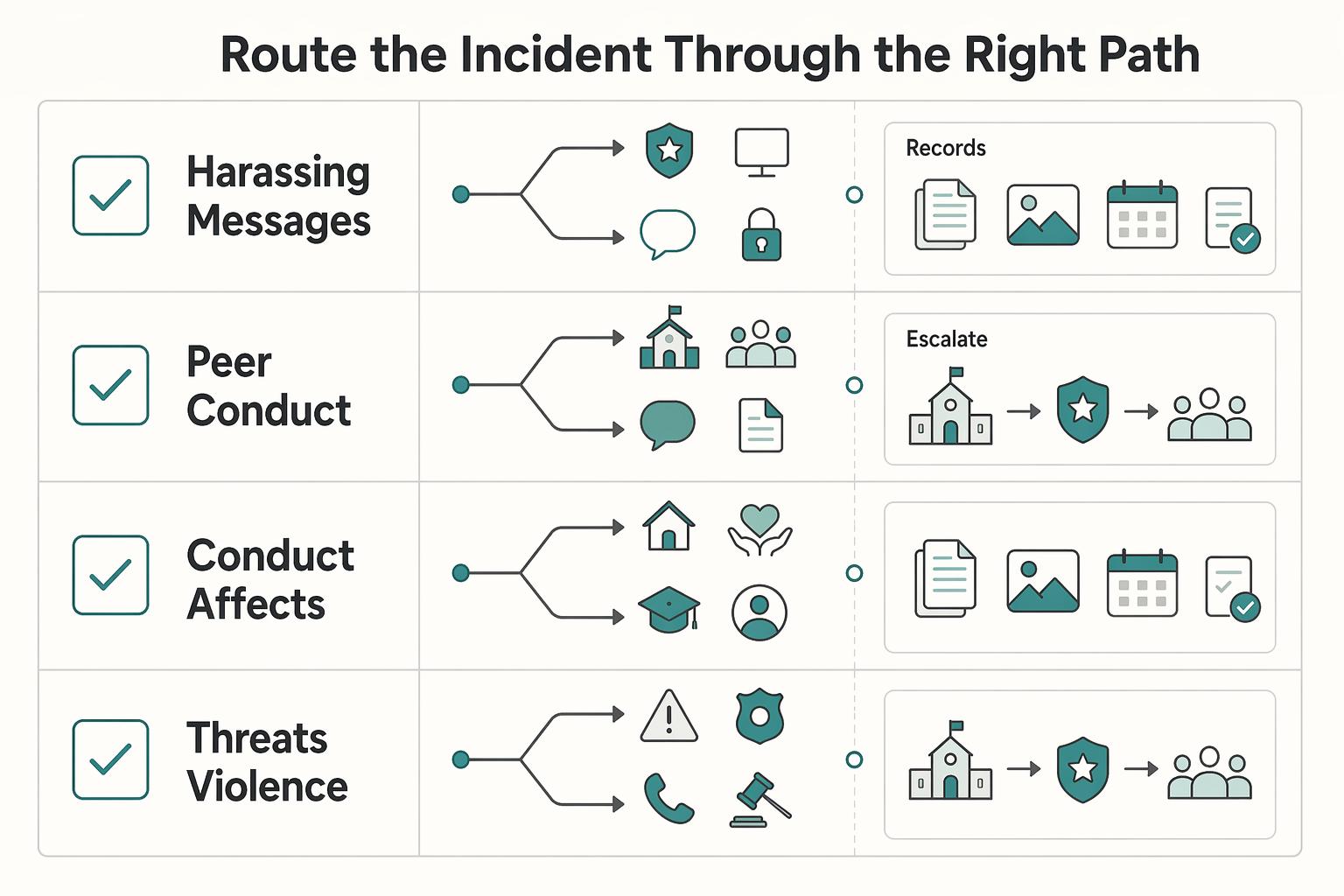
Route the incident through the right path#
Keep recovery organized by routing the incident through the right path and documenting each handoff. One evidence packet with screenshots, links, usernames, timestamps, report receipts, and a short timeline makes school, platform, or support reviews much easier.
| Harm type | Primary next action | What to verify |
|---|---|---|
| Harassing messages, posts, or targeting on a platform | Follow up on the in-app report, block the account, preserve evidence | Report receipt or ticket number is saved; block is active; evidence is complete |
| Peer conduct involving classmates, school devices, or school groups | Submit a formal written report to the school's reporting contact or administrator | School confirms receipt in writing and names a point of contact |
| Conduct that affects school access or creates a hostile environment at school | Ask the school to review through its anti-bullying and student-safety process | You know which process is being used and when follow-up is expected |
| Threats of violence, stalking, hate-motivated conduct, sexual content involving minors, or other crime-level behavior | Escalate to law enforcement when conduct matches crime categories and local reporting guidance | Full evidence packet is preserved and the correct local reporting route is confirmed |
Do not assume one platform report covers school-related conduct. Do not delete accounts or records before you preserve the digital footprint.
Keep communication formal and plain#
Keep communication formal and plain so the process stays clear and documented. A concise email or portal report can be enough: what happened, what evidence is attached, and what procedural step you need next.
| Communication step | What to include or confirm |
|---|---|
| Initial written report | What happened, what evidence is attached, and what procedural step you need next |
| School follow-up | Ask for written confirmation of receipt, the assigned contact, and the reporting path under school policy |
| Local reporting route | Verify the local reporting route when needed |
| Platform follow-up | Use your existing ticket number and keep a dated contact log |
For schools, ask for written confirmation of receipt, the assigned contact, and the reporting path under school policy. Bullying rules and school processes vary by jurisdiction, so verify the local reporting route when needed.
For platforms, follow up using your existing ticket number and keep a dated contact log. If your child is struggling to return to daily routines, involve a school counselor, psychologist, or other mental health professional early.
Rebuild the digital environment for recovery#
Rebuild your child's digital environment for recovery, not as punishment. Review privacy and location settings, tighten messaging and tagging permissions, and keep exposure controls active. If you need a setup refresher, How to Set Up Parental Controls on Your Kids' Devices can help.
Reintroduce digital activity gradually. Agree on a short plan for paused apps, allowed apps, check-ins, and what requires immediate reporting. After an incident, steady follow-through matters. Use this maintenance checklist:
- Confirm blocks and privacy/location resets are still active.
- Keep one updated evidence folder with screenshots, links, and follow-up dates.
- Confirm your child can name trusted adults and a fast contact method.
- Confirm school or platform acknowledgments are saved in writing.
- Watch for ongoing distress or major routine disruption, and escalate professional support when needed.
| Immediate recovery actions | Longer-term prevention habits |
|---|---|
| Block offending accounts and preserve evidence | Review privacy and communication settings on a regular schedule |
| File follow-up reports and keep written acknowledgments | Maintain a current trusted-adult contact list |
| Reduce exposure to harmful content during early recovery | Keep routine, non-crisis check-ins about online experiences |
| Coordinate with school or crisis supports when needed | Revisit digital boundaries as your child grows |
Recovery is working when your child has clearer support, fewer surprise exposures, and a practical plan if something resurfaces. You might also find this useful: How to Teach Your Kids About Online Privacy.
Conclusion: You Are the Commander of Your Digital Presence#
If you keep one thing from this guide, make it this routine: monitor with trust, respond with documentation, and support recovery at home. Effective protection is not a one-time fix. It is a repeatable process your child can rely on.
| Reactive parenting response | Strategic parenting response |
|---|---|
| You check in only after a crisis. | You run regular check-ins, use monitoring tools with open conversation, and keep trust intact so your child keeps disclosing problems. |
| You tell your child to reply or defend themselves publicly. | You tell them not to respond or forward messages, then save evidence: screenshots or messages, plus dates, times, and descriptions. |
| You remove apps or devices immediately. | You preserve the digital footprint first, then report, block, or pause access as needed. |
| You assume off-campus behavior is outside school scope. | You report when classmates are involved, knowing schools may still act when off-campus conduct affects the school environment. |
| You focus only on getting content removed. | You also watch your child's well-being and coping, and bring in support if recovery is not happening. |
Step 1: Monitor with trust. Use parental controls or monitoring tools alongside honest conversation, not instead of it. Your child should know who to tell, what to save, and that speaking up will not trigger automatic punishment.
Step 2: Respond in order. Document first, then report to the platform or carrier, then block, and notify the school when peers are involved. Fast action helps, but evidence is what makes action stick.
Step 3: Support recovery. Keep short, regular check-ins focused on safety and how your child is coping. If there is immediate danger, call 911. If there is a mental health crisis, call or text 988.
What to do this week:
- Set one family rule: save evidence before anyone replies, reports, or deletes.
- Create one shared incident folder for screenshots and a simple timeline.
- Review reporting, blocking, and privacy controls on the apps your child actually uses.
- Put a short weekly check-in on the calendar and keep it consistent.
Preparedness, documentation, and steady communication will not guarantee perfect outcomes, but they do give you and your child a clear way to handle what comes next. If you want to keep prevention habits active between incidents, revisit How to Teach Your Kids About Online Privacy during monthly check-ins.
As you wrap up, convert your notes into a repeatable monthly checklist so prevention, response, and recovery stay consistent over time.
Frequently Asked Questions
What should I do if my child is being bullied in a group chat?
Capture evidence first, such as the full chat name, participant list, usernames, message content, and timestamps. Then reduce exposure by muting, blocking, or removing your child from the chat, and file an in-app report. If classmates or school groups are involved, submit a short written report to school administration and keep written confirmation.
What if someone creates a fake account pretending to be my child?
Document the fake profile details, such as the profile URL, username, copied images, and any posts or messages from that account. Secure your child’s real account right away by changing passwords and tightening privacy settings, then report the fake account for impersonation. If peers are involved or school life is affected, notify the school in writing and save the report record.
What should I do if my child is getting threats online?
Do not engage the sender. Preserve evidence first by saving the exact threat text, links, usernames, and timestamps. Report through the platform and block after evidence capture. If there is immediate safety risk or conduct that may be unlawful, escalate through your local safety or legal route after verifying the threshold, and notify the school when students are involved.
The harassment keeps moving from text messages to social apps to gaming. What now?
Treat it as one incident and build a single cross-platform timeline with screenshots, links, usernames, timestamps, and report receipts. Cyberbullying can span SMS, apps, social media, forums, and gaming, so track what has been reported and what is still visible. If the pattern is persistent or your child is struggling day to day, escalate to school and mental-health support early.
What if private information or embarrassing content is being shared?
Capture what was shared, where it appeared, who posted it, and when. Report it on-platform, tighten privacy and tagging settings, and ask your child not to repost or engage to help limit further spread. If peers are involved, escalate to the school. If the material raises serious safety concerns, use your local escalation route after verification.
Does it matter if it happened in a game or voice chat instead of on social media?
Yes, it still matters and should be handled the same way. Save details you can capture, such as gamertags, lobby or server names, match times, and any clips or screenshots, then use the in-game report, mute, and block tools. If known classmates are involved, report through school channels too, since the conduct can still affect school life.
Should my child respond and defend themselves publicly?
Usually not. Public exchanges can keep harmful content visible, especially when incidents are persistent and content can remain public. Help your child avoid replying, preserve evidence, and move the issue through platform and school reporting channels.
Should we delete the app or account right away?
Not before evidence is saved. First preserve screenshots, links, usernames, timestamps, and report receipts, then decide on a temporary app break, privacy reset, or account pause. Deleting too early can remove records you may need for school or safety escalation.
What if the platform does nothing or the content stays up?
Follow up on the same ticket and log each contact and status update. Keep one clear checkpoint for each item: reported and removed, or still visible. Run school escalation in parallel when peers are involved, and use safety or legal escalation if severity increases after you verify your local threshold.
When should I involve a counselor, school psychologist, or other mental health support?
Bring in support early if you see clear distress or ongoing difficulty returning to normal routines. Keep check-ins short, reduce exposure to harmful content, and make sure your child can name a trusted adult to contact quickly. If risk feels immediate or severe, use emergency or crisis support without waiting.
Try a related tool
Researched and edited by the Gruv editorial team. Gruv builds cross-border billing, payouts, and finance-operations software for global businesses.
Sources
- cdc.gov/youth-violence/about/about-bullying.htmltrusted
- consumer.ftc.gov/articles/use-two-factor-authentication-prote...trusted
- consumer.ftc.gov/consumer-alerts/2025/04/how-use-parental-con...trusted
- dcjs.virginia.gov/sites/dcjs.virginia.gov/files/2025-09/virgin...trusted
- nces.ed.gov/programs/coe/indicator/a10trusted
- ntia.gov/sites/default/files/reports/kids-online-heal...trusted
- pa.gov/content/dam/copapwp-pagov/en/pccd/documents/...trusted
- pmc.ncbi.nlm.nih.gov/articles/PMC9324025trusted
Educational content only. Not legal, tax, or financial advice.
Related Posts

Value-Based Pricing for Freelancers Under Real Payment Risk
Value-based pricing works when you and the client can name the business result before kickoff and agree on how progress will be judged. If that link is weak, use a tighter model first. This is not about defending one pricing philosophy over another. It is about avoiding surprises by keeping pricing, scope, delivery, and payment aligned from day one.

Cybersecurity for Freelancers Who Need Reliable Client Delivery
If you want reliable delivery, start with continuity, not tools. In practice, that means protecting the accounts, devices, files, and payment paths you need to deliver work, communicate with clients, and recover without making the disruption worse. Incidents often hit operations before they look like an IT problem.
How to Set Up Parental Controls on Your Kids' Devices
If your work and family life run on the same home network, parental controls are not just about screen time. They are part of basic risk management. A stray click, a bad download, or a weak shared-device setup can spill from family tech into client work faster than most people expect.