
Quick Answer
Start by treating hubspot sales cadences as a decision system, not just a Sequence. Pre-qualify contacts with Problem-Fit, Access-Fit, and Respect-Fit, capture trigger and stakeholder context in HubSpot, then run a multi-channel touch plan with clear pause, continue, or exit branches. Success is judged by reply quality and movement to meaningful next steps, not activity volume alone.
Beyond Sequences: Why a Cadence is Your Client Acquisition Operating System#
A HubSpot Sequence is a tool. Your sales cadence is the client acquisition system around it. HubSpot sales cadences become useful when you treat the cadence as the real decision layer: who qualifies, which channels you use, when each touch happens, and what each message is meant to do.
A HubSpot Sequence is narrow by design. It sends emails and creates task reminders. Your cadence is broader. It is a multi-channel plan that combines automation with manual actions, and it starts before outreach, not after.
In practice, the work starts with pre-qualification. Then you choose the channel mix, set task timing, and decide what each touch should do. One touch might educate. Another might test interest, ask for a reply, or move a live conversation forward. If you skip those choices, automation just helps you send the wrong message more consistently.
| Decision area | Sequence | Cadence |
|---|---|---|
| Ownership | HubSpot handles sends and reminders | You own targeting, qualification, and next-step decisions |
| Personalization depth | Template-based automation and reminders | Manual judgment for account context, timing, and message intent |
| Channel mix | Mostly email plus reminder tasks | Combines methods across channels |
| Failure mode | Treating automation as the full strategy can create repetitive outreach | Poor timing, frequency, or content can still overwhelm leads, and missed signals can let accounts drift |
| Where automation should stop | Email send scheduling and basic reminders | Automate defined steps, then switch to manual follow-up when context changes |
The upside is not magic pipeline control. It is cleaner prioritization, fewer low-fit conversations, and more consistent next steps. Use a simple checkpoint: track response, conversion, and retention trends, then inspect where leads stall or drift. Keep a short qualification note for each account using the Problem-Fit, Access-Fit, Respect-Fit filter so you can tell whether weak results come from messaging or bad prospect selection. That is why the process starts with pre-outreach qualification, not with writing the first email.
You might also find this useful: How to Leverage Guest Posting for Freelance Brand Building.
Phase 1: De-Risk Your Pipeline Before the First Email#
Start with a Step 0 decision, not copy. Because a cadence is fixed, multi-channel, and time-bounded, weak qualification gets repeated across email, phone, and social instead of staying contained.
Apply the three-fit filter with evidence, not intuition#
Use the Problem-Fit, Access-Fit, Respect-Fit screen as a pre-enrollment gate. If you cannot point to observable evidence, treat the record as not ready.
| Filter | What to confirm | Where to look | Pass / Hold / Disqualify |
|---|---|---|---|
| Problem-Fit | A current business issue you can plausibly solve | Company site, recent announcements, job posts, leadership interviews, LinkedIn activity | Pass: issue is current and specific. Hold: pain is plausible but unconfirmed. Disqualify: issue is guessed or outside your offer. |
| Access-Fit | Direct path to a decision-maker or credible sponsor path | Contact records, org notes, LinkedIn roles, prior introductions | Pass: direct access or clear sponsor path. Hold: only influencer access. Disqualify: no credible sponsor path. |
| Respect-Fit | Signals they will engage professionally with outside expertise | Public tone, partner pages, team posts, buying-process signals | Pass: clear collaborative signals. Hold: mixed signals. Disqualify: repeated signs of poor partner behavior or likely process friction. |
Decision rule: for each Pass, log at least one hard evidence point and one note on why it matters. If either is missing, keep it on Hold.
Capture intake in HubSpot before first outreach#
Do not keep Step 0 in scattered tabs or private spreadsheets. Clean CRM records and a repeatable next-step rhythm are part of pipeline reliability, and fragmented tracking makes later decisions weaker.
Before outreach, complete four HubSpot contact/company properties:
- Trigger event
- Business context
- Stakeholder map
- Risk notes
Keep entries short and factual. Trigger event: what changed. Business context: why it matters now. Stakeholder map: buyer, influencer, likely blocker. Risk notes: what could derail outreach, such as unclear consent, unsupported claims, or missing decision access.
If any of the four is blank, keep the record on Hold.
Write a value hypothesis you can test#
Before drafting any touchpoint, fill this in:
Based on [trigger event], I think [company/team] may be dealing with [specific business issue]. If true, my offer could help by [specific action], which should improve [practical outcome].
| Version | Specificity | Relevance | Testability |
|---|---|---|---|
| Good | Names a real trigger and defined issue | Tied to this buyer's current context | Can be confirmed or rejected in a reply/call |
| Weak | Uses generic pain language | Could apply to almost anyone | Too vague to validate |
Guardrail before enrollment: verify consent, data handling, and claim accuracy, then log unresolved compliance requirements in Risk notes as pending legal/source verification. If you cannot verify contactability or support a claim, keep the record on Hold. Related: How to Use HubSpot for Sales Pipeline Management.
Phase 2: Building the "Unscalable" Cadence for High-Value Clients#
Once a contact passes Step 0, do not add more volume. Use HubSpot to automate persistence, and use your time for the manual work that proves relevance.
Here, "unscalable" means disciplined, not dramatic: avoid high-volume generic outreach, keep a consistent multi-channel rhythm, and make each touch earn its place. A Sequence can run automated emails and task reminders; your cadence adds research, thoughtful personalization, and clear branch decisions.
Use automation for persistence, not relevance#
Let automation carry timing, but keep relevance human. Before each touch, confirm your trigger event is still current and your value hypothesis still holds.
| Touch | Step type | Intent | Prospect signal | Next action (pause/continue/exit) | Evidence to log in HubSpot |
|---|---|---|---|---|---|
| 1. First email | Manual draft, automated send | Insight | No reply | Continue | Trigger used, hypothesis used, note/source date |
| 2. LinkedIn engagement or profile check | Manual | Relevance | Role change, new post, connection accepted | Pause and adapt next step | What changed, why it matters, stakeholder clues |
| 3. Value-add follow-up email | Manual draft, automated send | Proof | Neutral silence | Continue if context is still valid | Resource shared, why it fits, open question |
| 4. Personalized video, call task, or tailored note | Manual | Ask | Positive reply, referral, objection | Pause automation; reply manually | Reply sentiment, objection type, next-step commitment |
| 5. Direct final email | Manual draft, automated send | Ask | Explicit no, opt-out, wrong contact | Exit or reroute | Opt-out/referral detail, stakeholder-map update |
| 6. Review task | Manual | Decision | No engagement after full cycle | Exit to nurture or close loop | Outcome, revisit timing note |
The key is branching, not timing precision: positive signals move to human conversation, clear rejection exits cleanly, and silence finishes the planned cycle before a nurture decision.
Make high-leverage manual work visible in HubSpot#
Map manual execution to CRM entities so quality does not depend on memory:
Tasks: judgment work, such as re-checking trigger validity, preparing a personalized video, or prepping tailored call notes.Contact/Company notes: evidence, impact hypothesis, and reply sentiment after each touch.Sequence enrollment rules: gate records so incomplete or risky contacts do not enter outreach.Deal stage updates: only after real buying signals, such as a meaningful reply, referral to a decision-maker, or agreed meeting.
After each touch, log one fact and one implication. Example: fact: "VP Operations asked about timeline." implication: "Access-Fit improved; send implementation example."
Weak vs strong personalization#
| Pattern | What it sounds like | Why it fails or works |
|---|---|---|
| Weak personalization | Mentions name/title/company with no business context | Reads generic and gives no reason to respond |
| Strong personalization | Cites a real trigger, states a business-impact hypothesis, asks for a small respectful response | Shows relevance and makes reply easy |
Operational guardrails#
- If a prospect opts out or asks not to be contacted, stop outreach in that channel, log channel/date, and mark opt-out handling as pending legal/source verification.
- Before enrollment, run a message-frequency sanity check across email, phone, and social, then mark any unresolved policy requirement as pending legal/source verification.
- Do not send claims you cannot support from your notes, source link, or observed trigger; if evidence is thin, hold the record.
If you want a deeper dive, read Value-Based Pricing: A Freelancer's Guide.
Phase 3: Build a Cadence Dashboard That Shows What to Change Next#
Your dashboard should tell you what to change next, not just how busy you were. Track whether your outreach gets replies, whether those replies are the right kind, and whether they turn into real next steps.
A Sequence covers only part of this. Your cadence dashboard needs to include manual touches, reply quality, and post-reply movement so you do not confuse activity with progress.
Track three decision metrics#
Use one cohort at a time so your comparison is fair: same sequence or cadence window, same ICP, same offer.
Reply Rate Definition: the share of contacted records that send any reply in your chosen window. Use as evidence: cohort/enrollment list plus contact activity timeline, logged email replies, and notes for non-email touches. If the signal is weak: check targeting and whether your trigger context was still current before rewriting copy.
Reply Sentiment Definition: your manual label of replies as positive, neutral, or negative. Use as evidence: consistent labels in notes or a simple tracking field you maintain. If the signal is weak: revisit fit and message angle first; cadence timing is usually not the first fix.
Progression Rate Definition: the share of positive replies that become a meaningful next step, such as an agreed call, referral to the right stakeholder, or clear buying conversation. Use as evidence: meeting activity, deal creation, deal stage history, and notes. If the signal is weak: tighten your CTA with a clearer ask, smaller ask, or later ask.
| Metric | Healthy | Watch | Fix now | First action |
|---|---|---|---|---|
| Reply Rate | Above your baseline reply-rate threshold | Near threshold or inconsistent by cohort | Below your baseline reply-rate threshold | Recheck targeting, trigger freshness, and first-touch relevance |
| Reply Sentiment | Mostly positive or genuinely curious | Mixed, with frequent polite deferrals | Mostly negative, dismissive, or wrong-fit | Rework message angle and problem hypothesis before sending more |
| Progression Rate | Positive replies regularly move to a next step | Interest appears but stalls | Replies happen but rarely advance | Clarify CTA, reduce ask size, or move the ask later |
Test lightly, not endlessly#
Run a testing cadence you can actually maintain:
- Change one variable at a time (for example, subject line, opening line, CTA, or spacing).
- Set a fixed observation window before launch, and choose its length from your own send volume.
- Log a clear hypothesis before results (for example, "A yes/no CTA will improve positive replies.").
- Define a stop/keep rule in advance, and set the threshold from your own baseline.
This keeps your decisions clean and avoids false wins from noisy, mixed tests.
Map the handoff before you scale it#
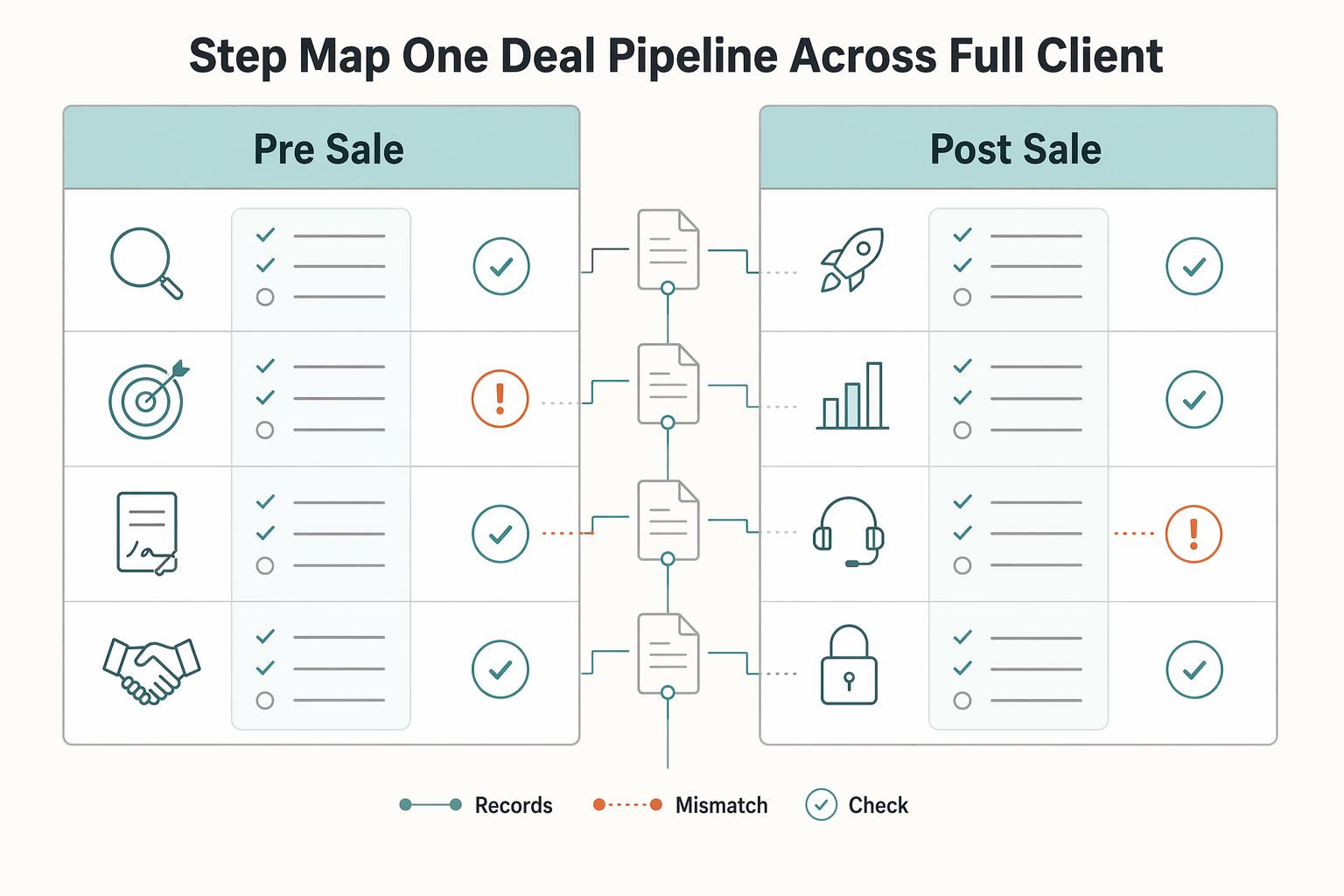
A good cadence does not end at reply. It should hand off cleanly into delivery, and you should verify workflow reliability on test records before scaling automation.
| Trigger event | What should happen next | Owner action |
|---|---|---|
| Deal stage moves to a won stage after manual confirmation | Create or assign kickoff tasks | Review scope, confirm contacts, and verify key handoff notes |
| Kickoff confirmed | Prepare project-start actions | Confirm timeline, decision-maker, and required inputs are logged |
| Invoice point reached | Create or queue invoicing action | Verify commercial terms match deal notes |
| Onboarding starts | Assign onboarding tasks and reminders | Check that sales promises and context were carried into onboarding |
If this handoff breaks, trust breaks with it. Before scaling, test each trigger, inspect the record updates, and keep a human check on critical details.
We covered this in detail in A Freelancer's Guide to Sales Qualifying.
Your Cadence is Your Operating System#
Treat your cadence as a working system in HubSpot, not optional admin. That is how you protect your time, keep your outreach voice consistent, and get a more reliable read on pipeline health.
Time protection comes from rules you set before the day gets noisy: clear enrollment criteria, repeatable email/task steps for known follow-up, and a required personalization check before enrollment. Brand consistency comes from running the same value hypothesis through each touchpoint instead of rewriting your pitch from scratch. Pipeline stability comes from making conversion auditable through concrete checkpoints: contact status change, deal creation, and conversion-source logging.
| Area | Ad hoc outreach | Systemized cadence |
|---|---|---|
| Workflow | You decide each step in the moment | You run a defined path with explicit checkpoints |
| Decision quality | You rely on memory and recent anecdotes | You rely on reported activity and logged conversion events |
| Follow-up consistency | Easy to miss or delay touches | Repeatable steps reduce forgotten prospects |
| Forecasting confidence | Low when definitions drift | Better when status definitions and reporting criteria stay consistent |
This is not art versus science; it is a feedback loop. Review daily for broken follow-up, weekly for targeting and message-fit issues, and monthly for conversion patterns, pipeline sufficiency, and cycle efficiency. Keep one sales report with scope, KPIs, visuals, insights, and next steps. If duplicates, mismatched status definitions, attribution inconsistency, or conversion-window drift appear, fix the data before changing strategy.
Own the definitions, checkpoints, and review rhythm, and your cadence stays reliable when volume rises. For a step-by-step walkthrough, see How to Build a Sales Pipeline for Your Freelance Business.
Frequently Asked Questions
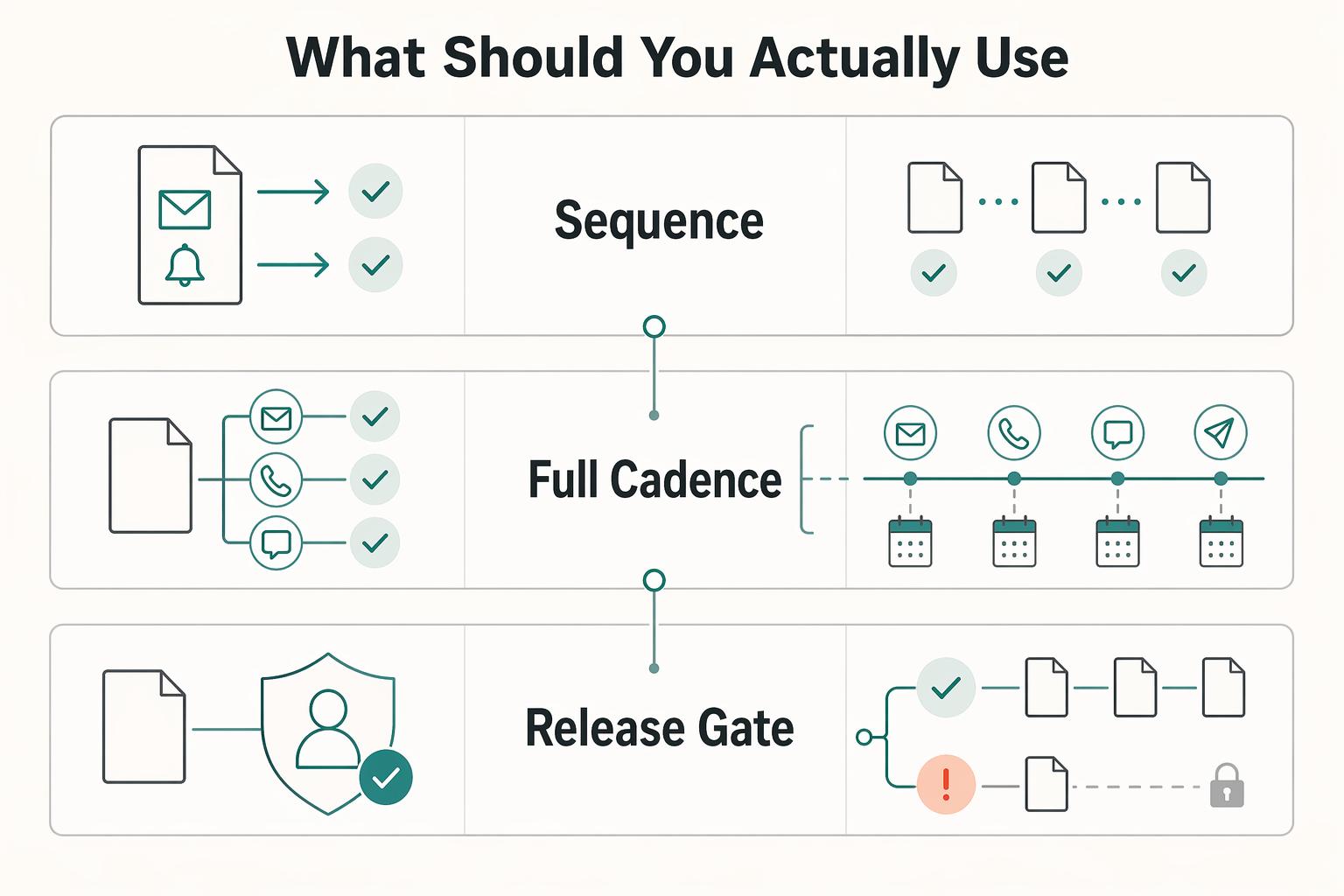
HubSpot Sequence vs. sales cadence: what should you actually use?
Use a Sequence when you need software to handle repetitive follow-up like emails and task reminders. Use a full cadence when your outreach needs to run across a fixed period and multiple channels such as email, phone, and social. If you are deciding between speed and control, full or partial automation with human approval usually gives you more control. | Option | Best when | What it handles | Main risk | | --- | --- | --- | --- | | Sequence | You already know the message and just need consistent follow-up | Repetitive email automation and task reminders | Hidden data or trigger issues can waste outreach | | Full cadence | You need coordinated touches across channels and days | Timing, channel mix, and relationship-building outreach | More effort per prospect | | Partial automation with human approval | You want speed without trusting every trigger | Automated steps with review before important actions | Slower than full automation, but often fewer preventable errors |
What is a good sales cadence example for a consultant or solo founder?
A workable cadence runs over a fixed number of days across multiple channels, not just repeated emails. Keep each step intentional, with a clear reason it helps test fit, build the relationship, or move the deal forward.
How do you measure success when lead volume is low?
Do not wait for closed deals to tell you whether the outreach is working. Start with activity tracking and conversion rates, then review sales-cycle length over time. Use engagement signals to prioritize follow-up so effort goes to better opportunities. One workable review rhythm is daily, weekly, and monthly.
What is the best first step in hubspot sales cadences?
Verify the record before enrollment. Check data completeness, remove duplicates, and confirm the trigger is still current. Automation often breaks on bad data and wrong assumptions about buyer paths, not on timing alone.
Can I use HubSpot Sequences on the free plan?
Confirm current plan access and feature availability with HubSpot. If the plan you use does not include the tool, you can still run the cadence manually with tasks, notes, and a simple tracking sheet until an upgrade is justified.
When should you pause outreach?
Pause when performance signals remain weak or when data quality problems show up, such as stale contacts or duplicate records. If opt-out handling is unclear, stop sending in that channel, mark opt-out and policy handling as pending legal/source verification, and make one owner responsible for honoring verified requirements before more sends go out.
How do you avoid sounding spammy or robotic?
Use automation for repetitive scheduling and follow-up, not for pretending you did research you did not do. Put guardrails in place: a personalization check before enrollment, a message quality review before each batch, and a verified opt-out process. If performance signals are weak, do not send more volume first. Fix targeting, rewrite the opening message, or reduce the size of the ask.
Try a related tool
Researched and edited by the Gruv editorial team. Gruv builds cross-border billing, payouts, and finance-operations software for global businesses.
Sources
Includes 7 external sources outside the trusted-domain allowlist.
- tn.gov/content/dam/tn/tn-public-charter-school-comm...trusted
- blog.hubspot.com/sales/sales-cadence-exampleexternal
- blog.hubspot.com/sales/sales-pipelineexternal
- campaigncreators.com/blog/hubspot-replatforming-strategy-for-unif...external
- cdn2.hubspot.net/hubfs/2340453/Big%20Rock%20Content/B2B%20Out...external
- champions.salesloft.com/product-updatesexternal
- community.hubspot.com/t5/Dashboards-Reporting/Reporting-Goals-Call...external
- gruv.ai/blog/a-guide-to-creating-sales-cadences-in-h...external
Educational content only. Not legal, tax, or financial advice.
Related Posts

Value-Based Pricing for Freelancers Under Real Payment Risk
Value-based pricing works when you and the client can name the business result before kickoff and agree on how progress will be judged. If that link is weak, use a tighter model first. This is not about defending one pricing philosophy over another. It is about avoiding surprises by keeping pricing, scope, delivery, and payment aligned from day one.
How to Use HubSpot for Sales Pipeline Management
HubSpot can feel like overkill if you set it up as though you are running a sales team. For a business of one, the real question is simpler: do you need tighter control over follow-up and client records, or will a bigger tool mostly add admin you will not maintain?

How to Use Guest Posting for Freelance Brand Building
**Treat guest posting like a system you run regularly, not a lottery ticket you hope pays off.** As a business-of-one, you do not need "more exposure." You need a repeatable way to use guest posts to build trust, authority, and clear business signals without burning time.