
Quick Answer
Color can support premium positioning when it matches your offer, reduces buyer doubt, and is applied consistently across your website, proposal, invoice, and email signature. The article recommends auditing current touchpoints first, choosing a palette based on the perception you need to create, and using two main colors plus a restrained accent so pricing, trust, and authority cues feel coherent.
For elite professionals, the gap between commanding a premium and justifying a discount often comes down to one overlooked detail: color. Many brilliant consultants, advisors, and executives undercut their value with a visual identity that feels arbitrary or amateurish. They treat color as taste, not strategy.
That is a costly mistake. For a professional business, color is not a subjective flourish. It is a controllable lever for shaping perception, supporting premium rates, and building trust. Your palette is not the starting point. It is the answer to a strategic question. This guide gives you a practical way to turn color from an accidental mismatch into a useful business asset.
Step 1: Conduct a Brand Perception Audit#
Audit perception before you pick a palette. If color is going to do real work for your business, it has to match how clients already size you up. The goal is simple: make sure the way you look matches the way you need to be understood, especially when a prospect is deciding whether to trust you, hire you, or pay your rate.
Set a usable mandate#
Do not stop at a vague word like "professional." Write a short mandate you can test against your materials:
| Mandate part | Question | Examples |
|---|---|---|
| Desired perception | What should a good-fit client feel first? | clear, steady, modern, exacting, approachable |
| Risk to reduce | What doubt do you need to lower? | too expensive for what this is; too corporate; not specialized enough; creative but disorganized |
| Buying context | Where does that perception matter most? | proposal PDF; invoice; homepage; LinkedIn banner; email signature |
That last point matters because people do not read your intent one asset at a time. They form an impression from the whole set, and they do it quickly.
Check your touchpoints for match or mismatch#
Pull your current proposal, invoice, main website pages, social banner, and email signature into one folder and review them side by side. You are not judging taste here. You are checking whether the same business seems to be speaking in each place. Use this quick checklist:
- Proposal: Does the cover, section dividers, and CTA feel aligned with the service? If the proposal is meant to lower risk, color choices should support clarity and control.
- Invoice: This is a trust document, not decoration. If your site looks restrained but your invoice template still uses bright legacy header colors, the business can feel patched together.
- Website: Check the homepage hero, buttons, and headings. High contrast can help CTAs and headlines stand out, but if contrast is harsh or used everywhere, the page starts to feel noisy.
- Social: Your banner should resemble the business clients are about to buy from. Large shifts in color style can weaken consistency.
- Email signature: Small asset, strong signal. If the signature uses unrelated accent colors, it weakens consistency right at the point of reply and scheduling.
| Visual pattern | Likely interpretation | Business risk | Recommended correction |
|---|---|---|---|
| Website and proposal look restrained, invoice uses a bright leftover accent | Inconsistent or improvised | Experience can feel inconsistent at the payment stage | Update invoice colors to match your current brand palette |
| CTA buttons and headlines have weak contrast | Important actions are easy to miss | Lower visual clarity on booking or contact pages | Increase contrast for CTAs and headings, then test readability on mobile and desktop |
| Neon or highly saturated colors appear across large text areas | Energetic, but hard to follow | Readability suffers in longer text sections | Keep bright colors for small highlights only |
Treat your assumptions as hypotheses, not facts. Color responses vary by audience, preference, and context, so validate with evidence. Ask recent clients what impression they got before the first call. Compare which proposal version gets faster acceptance, or A/B test a landing page accent treatment. Consistent use improves recognition, which supports confidence and intent.
Before you move on, check whether your visual tone matches your offer and audience expectations in the channels that matter most. Avoid one-size-fits-all rules, and validate with real feedback where possible.
You might also find this useful: How to create a 'Mood Board' for a branding project.
Step 2: Select a Palette That Justifies Premium Rates#
Choose the palette that reduces your buyer's biggest concern at the moment they decide. Your color system should answer a business question, not a taste question, or your brand can read as arbitrary and reduce perceived value.
Use your mandate to choose the archetype:
- Choose Authority when clients need to see control, rigor, and senior judgment before they commit.
- Choose Innovation when clients are buying change and modern thinking, but still need confidence in execution.
- Choose Trust/Stability when the purchase is mainly about reducing uncertainty and protecting outcomes.
| Archetype | Best fit | Potential downside if misused | Practical implementation notes |
|---|---|---|---|
| Authority | High-stakes engagements where credibility is evaluated early | Can feel distant if every asset is heavy or severe | Use one strong primary, one light secondary, and one restrained accent. Charcoal, deep navy, and off-white can be a direction, not a fixed formula. |
| Innovation | Offers where clients expect fresh thinking and forward movement | Can feel trendy or inconsistent if the bright note dominates | Keep the energetic tone in the accent role. Anchor with cool grey and crisp white so materials still feel controlled. |
| Trust/Stability | Buying contexts centered on reliability and risk reduction | Can feel generic if it is too flat or expected | Let deep blue or slate carry the primary role, pair with a light neutral, and use a small metallic or silver-like accent for emphasis. |
Adapt shades to your industry and brand personality without breaking consistency. Two brands can use similar base colors but different intensity and contrast while still signaling different positioning. Keep the Rule of Two for main colors across touchpoints.
Before a full rollout, run a short validation loop:
- Apply the palette to your proposal, invoice, homepage, and email signature.
- Check for mismatch: anything that feels louder, cheaper, or less readable than the rest.
- Get quick audience feedback, then refine once before locking the system.
For a step-by-step walkthrough, see A freelancer's guide to 'Influence: The Psychology of Persuasion'.
Step 3: The Consistency Protocol for an Unshakeable Brand#
Your palette only builds trust when people see it applied the same way everywhere. If you want stronger recognition and steadier conversion signals, run color as a repeatable operating workflow, not a taste decision.
The practical takeaway is simple: implementation quality matters more than picking colors once. Unplanned color changes can weaken trust and loyalty, so the real risk is usually execution drift across touchpoints.
Build one source of truth#
Create one shared, current library for brand assets, and make it the only source you and collaborators use. The tool can be simple, but the rule should be strict: no guessing which color, logo, or type style is correct. At minimum, your library should cover:
| Library item | Detail |
|---|---|
| Approved color tokens | Named by function, such as Primary, Support Neutral, Surface, Border, Accent |
| Logo variants | Include approved logo variants in the shared, current library |
| Typography rules | Include typography rules in the shared, current library |
| Short usage notes | Cover where accent is allowed, which logo goes on dark backgrounds, allowed heading/body weights, and clear "don't do this" examples |
Keep usage notes direct: where accent is allowed, which logo goes on dark backgrounds, allowed heading/body weights, and clear "don't do this" examples. If someone swaps in a brighter blue because the original "looked flat," that is drift, not a harmless tweak.
Use the Rule of Two as an attention model#
Use the Rule of Two (plus an accent) as an attention hierarchy, not a rigid formula. Decide what should dominate, what should support, and what should trigger action.
| Attention role | Use | Watch for |
|---|---|---|
| Dominant | One of the two main colors carries primary content | Keep that role stable across channels |
| Support | The other main color carries support elements | Judge fit by your audience and message, then keep that pattern stable across channels |
| Accent | Reserve it for action or key emphasis | If it appears in body text, icons, charts, banners, and buttons at once, it becomes noise |
Your two main colors should carry primary content and support elements. Keep the accent for action or key emphasis, not spread across everything. If accent appears in body text, icons, charts, banners, and buttons at once, it stops guiding attention and becomes noise.
Color effects are context-dependent, so judge fit by your audience and message, then keep that pattern stable across channels.
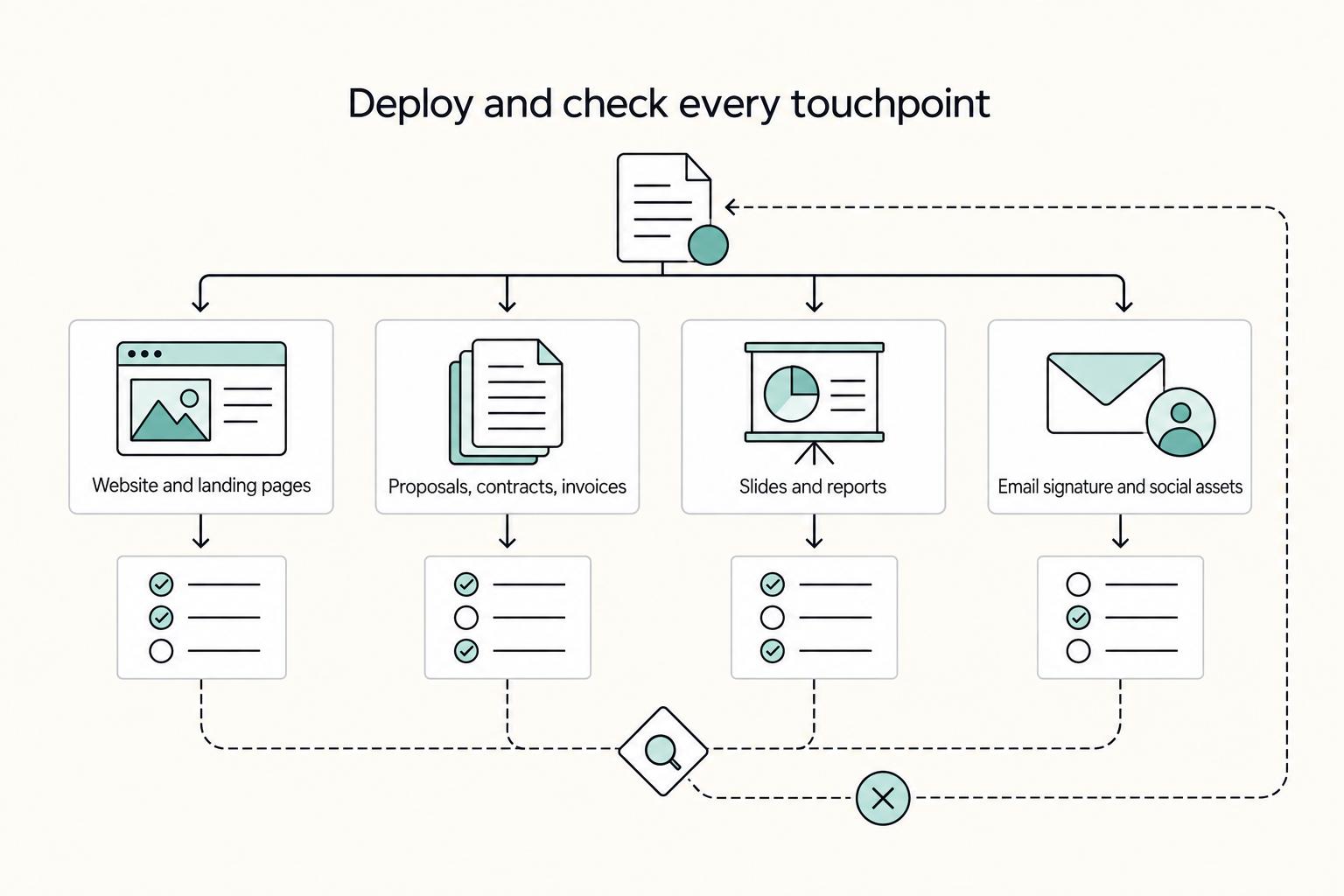
Deploy and check every touchpoint#
Roll out from your source of truth to every client-facing touchpoint, with clear ownership and fast fixes.
| Touchpoint | Owner | What to verify | Common failure mode | Quick fix |
|---|---|---|---|---|
| Website and landing pages | You or web designer | Primary/support colors match approved tokens; CTA uses accent consistently | Theme or plugin injects off-brand button/link colors | Override defaults and save approved styles as reusable components |
| Proposals, contracts, invoices | You or VA | Covers, headings, tables, signature blocks, and buttons follow the same hierarchy | Old templates stay in circulation | Archive old files and keep one clearly named master template |
| Slides and reports | You or collaborator | Charts, dividers, callouts, and title slides follow approved rules | Random chart palettes and copied legacy slides | Replace chart palettes and use a starter deck with locked theme colors |
| Email signature and social assets | You or assistant | Logo variant, type treatment, and accent use match the guide | Tool compression or font substitution changes appearance | Export fresh assets and define fallback font rules |
Add a lightweight QA loop:
- Pre-publish check: confirm tokens, logo variant, and accent use before anything goes live.
- Periodic audit: review live touchpoints side by side and fix drift at the source library first, then in the asset.
Related: How to Create a Brand Style Guide for a Client.
Your Brand Isn't Art - It's a Strategic Asset#
Treat your color system as an operating decision, not a taste decision. It shapes how clients judge your value before they read your proposal, process, or fee.
Use it to influence three decision points: price framing, trust building, and authority signaling. Aligned visual signals make your pricing feel consistent with the service level you sell. Consistent use across your site and client documents reduces hesitation because you look reliable. Deliberate emphasis and clear hierarchy help clients read you as credible before they evaluate details.
| Perception goal | Visible brand signal | Expected business impact |
|---|---|---|
| Worth the fee | Cohesive palette used the same way across website, proposal, and contract | Less friction when pricing is discussed |
| Safe to hire | Readable text, checked contrast between text and background, familiar color use across touchpoints | More trust in your professionalism |
| Credible expert | High-contrast call-to-action elements and restrained use of bold vs. neutral colors | Clearer decisions and stronger authority cues |
Misalignment is the main risk. If you position yourself as precise and high-trust but your touchpoints conflict visually, clients will feel the gap even if they do not name it. If you serve different regions or audience segments, validate your assumptions before broad rollout, since what works in one context may not land the same way in another.
Correction should be operational, not dramatic: return to your brand perception audit, compare live assets to your source of truth, recheck contrast, and confirm your bold and neutral choices are guiding attention rather than creating noise. Then keep this as a repeatable review cycle whenever your offer, audience, or positioning changes.
If you want a deeper dive, read How to Manage Your Personal Brand as a Freelancer.
Frequently Asked Questions
How does color psychology affect pricing perception?
It does not make clients accept a high fee on its own, but it can shape whether your price feels coherent with the rest of your presentation. If the palette feels off, it can create friction before prospects read the details. A practical test is to update one key service page and one proposal template, then watch whether people describe the presentation as clear and can still find key actions easily.
What colors work best for a consulting business?
There is no single best color for a consulting business. The better choice is a palette that fits your offer, market, and buyer expectations, then performs well on your homepage, booking page, proposal, and PDF deck. If a palette looks good alone but makes your proposal harder to read or your CTA harder to find, it is not the better option.
What are the most common color mistakes solo professionals make?
A common mistake is choosing colors based on personal taste instead of what the brand needs to communicate. Another is using strong hues like red without enough control, which can dominate the composition. Compare your homepage, proposal, and invoice side by side, and tighten the palette if they do not clearly look like the same business.
Are color meanings the same in every culture?
No, you should not assume color meanings are the same in every culture. Review market and audience context before launch, get localized feedback on core sales assets, and keep a restrained neutral fallback palette ready if feedback is mixed. If local reviewers describe the brand differently from what you intended, pause the rollout and simplify.
Try a related tool
Researched and edited by the Gruv editorial team. Gruv builds cross-border billing, payouts, and finance-operations software for global businesses.
Sources
Includes 2 external sources outside the trusted-domain allowlist.
- bioresources.cnr.ncsu.edu/resources/colour-and-furniture-brand-identit...trusted
- eeoc.gov/laws/guidance/questions-and-answers-clarify-...trusted
- farmingdale.edu/courses/index.shtmltrusted
- holton-arms.edu/academics/course-of-studytrusted
- honors.libraries.psu.edu/files/final_submissions/5174trusted
- ucsc-extension.edu/course-catalogs/winter-2026trusted
- ainoa.agency/blog/brand-color-psychology-consistency-bran...external
- bethanyworks.com/color-psychologyexternal
Educational content only. Not legal, tax, or financial advice.
Related Posts

How to Manage Your Personal Brand as a Freelancer
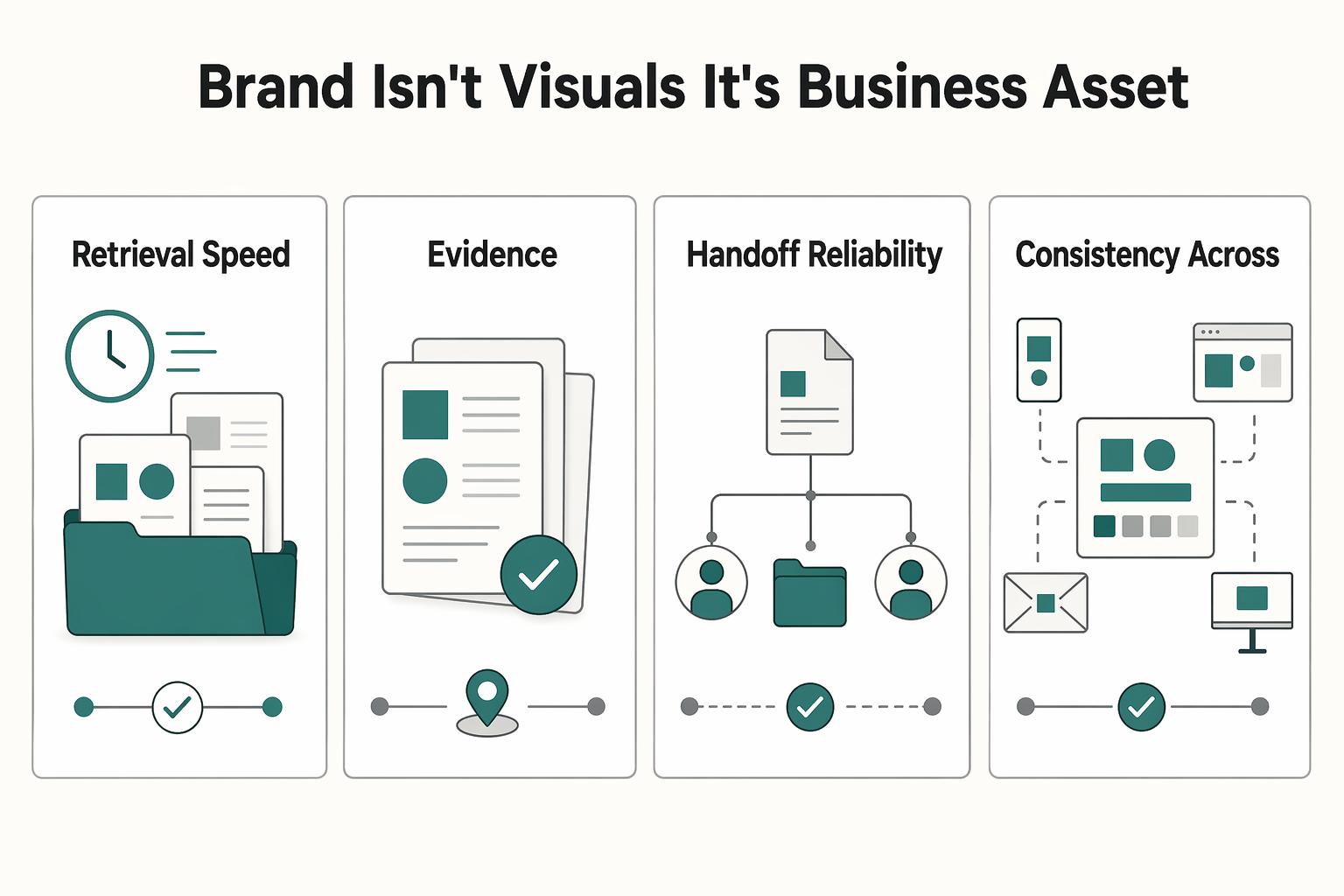
Your brand is not a mood board. Think of it as the experience people have of your work: the promise you make, the proof you can show, and the way you present yourself across client touchpoints. Get that clear first, and your fit is easier to read from profile to proposal.
How to Create a Brand Style Guide for a Client
If you work alone, your guide does not need to be a full brand book. It should work as a control document. Standardize the few choices that keep coming up so your proposals, reports, invoices, decks, and delegated work look and sound like they come from the same business.
How to Build a Strategy-Led Mood Board for Branding Projects
**Step 1. Treat misalignment as a rework risk.** If you and the client are not aligned on what the brand should communicate, design execution turns into guesswork. Scope and feedback drift, and teams end up revisiting the same decisions. In many branding projects, the problem is not a lack of ideas. It is weak agreement on which ideas actually fit the brief.